
Community listing page, reviews here may not be monitored by the author.
Fen's RPG Titles


No reviews yet
Add custom floating titles above players' heads! Perfect for roleplay servers, factions, or personal flair.
Community voices
Reviews
No reviews yet. Be the first to review this project!
Get it on
Available Platforms
Compatibility
Supported Environments
Runs entirely on the server. Also works in singleplayer.
Must be installed on both the client and the server.
Varies by version.
About
Project Details
For authors
Embed Badge
If you're the author of this project, you can embed a live badge anywhere that supports HTML or Markdown. It updates automatically whenever ratings change.
Use HTML for any page that supports it, or Markdown for README files and Markdown-based descriptions.
Identifiers
Platform IDs
About
Description
Enhance your Minecraft experience with a powerful RPG-style title system that allows players to earn, manage, and display custom titles both above their heads and in chat — now with automatic title rewards based on in‑game actions and preset export/import for easy setup transfer.
Perfect for RPG servers, roleplay, factions, progression-based gameplay, or any server that wants more identity and immersion.
✨ Features
• Fully custom player titles – titles are not hardcoded and can be any text
• Players can own multiple titles and choose one active title
• Titles support spaces and Minecraft color codes (§ or &)
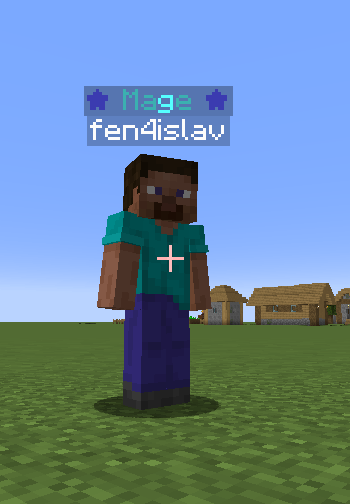
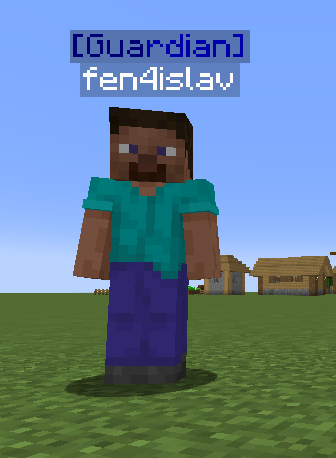
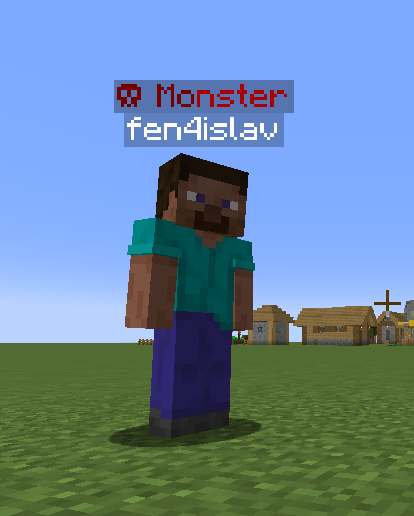
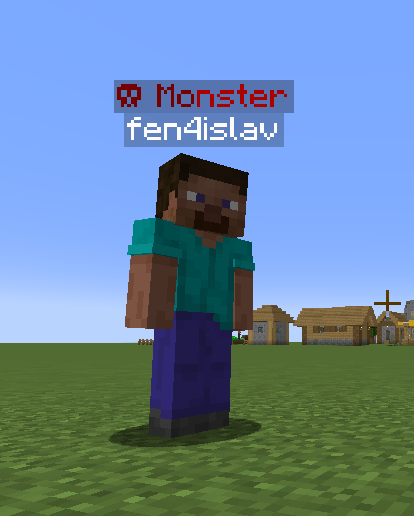
• Titles are displayed above player names in-game
• Titles can optionally appear as chat prefixes
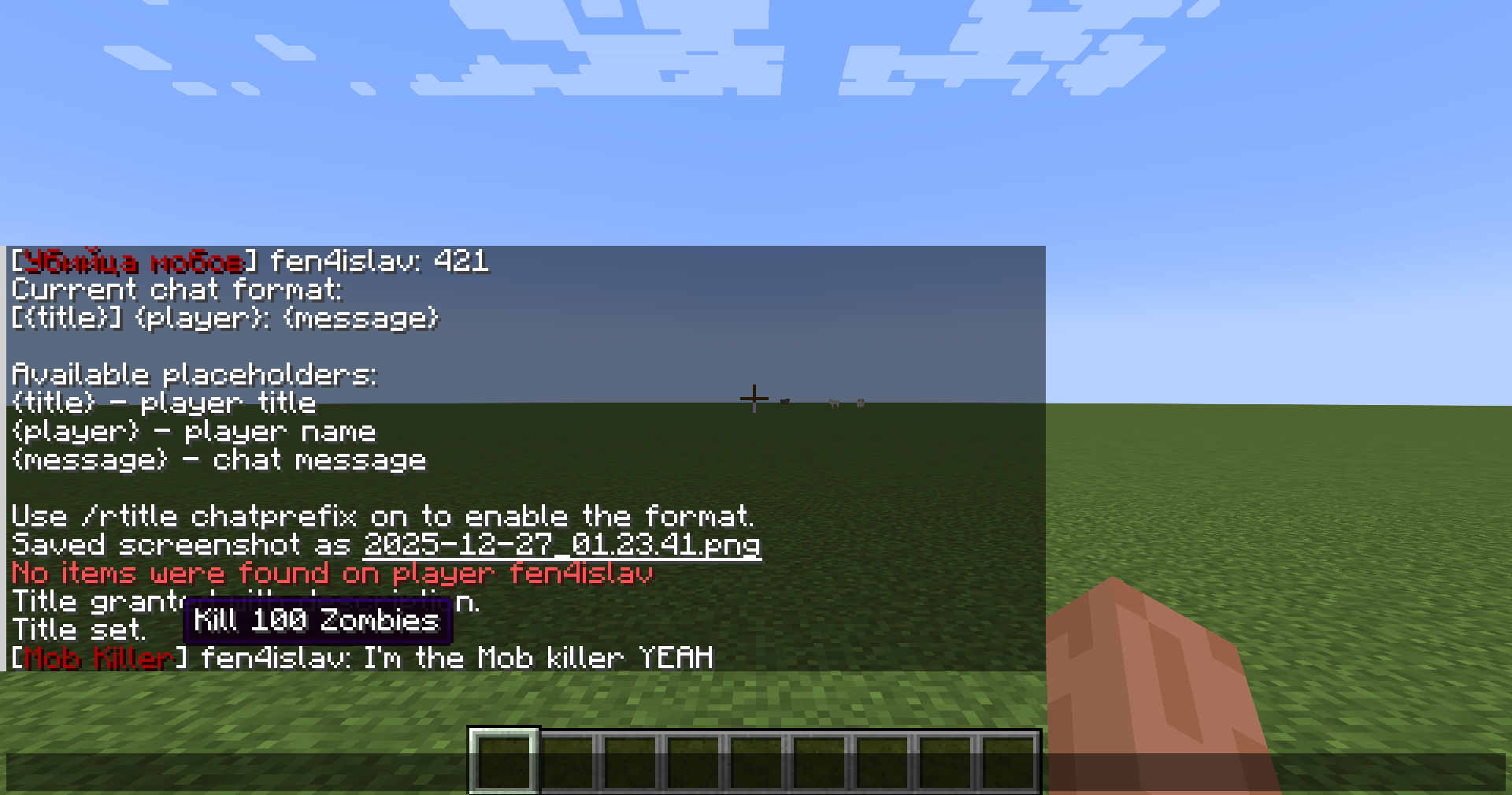
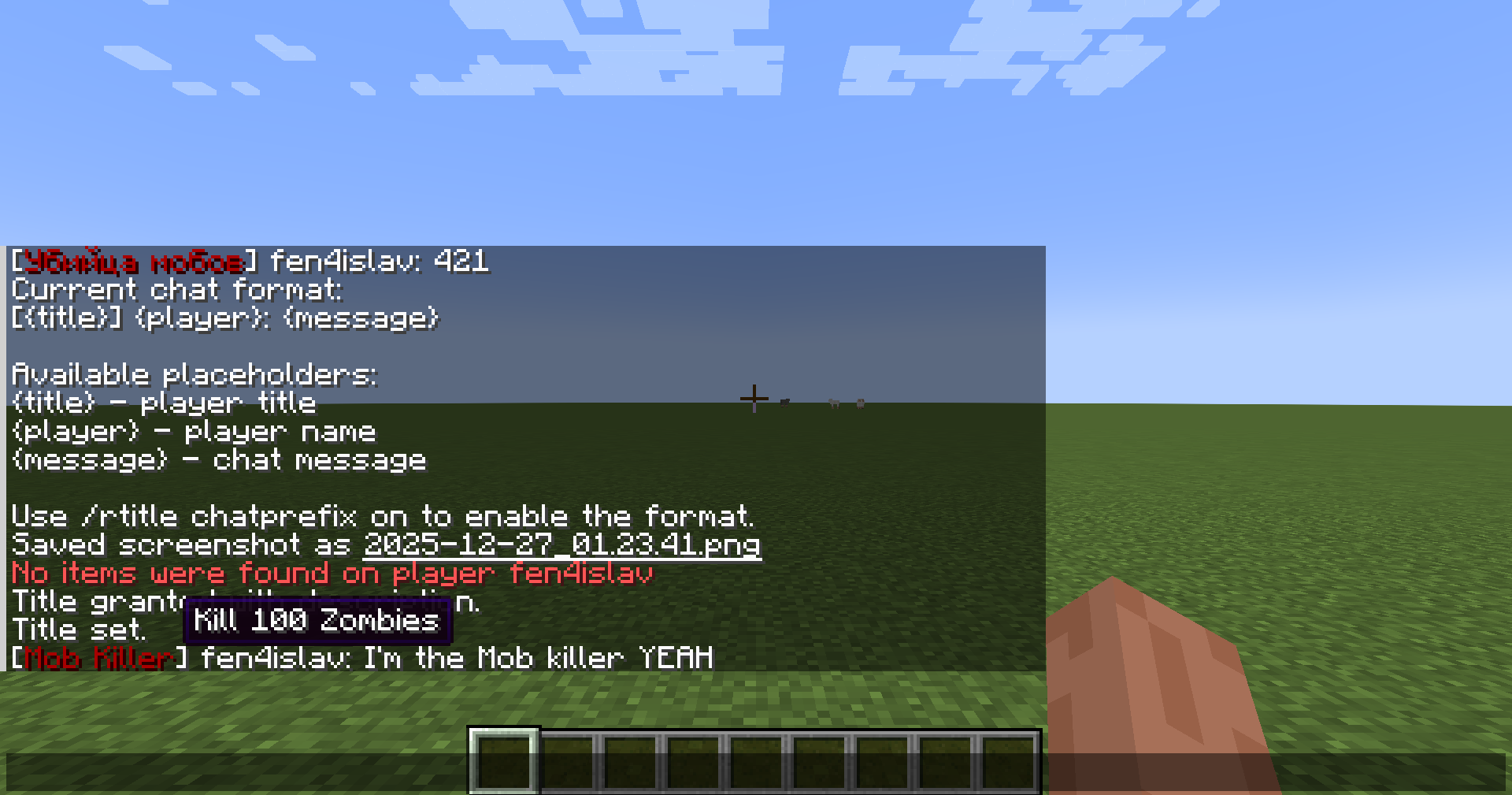
• Each title can have a custom description (shown on hover in chat)
• Titles and selections are saved persistently (survive relogs and restarts)
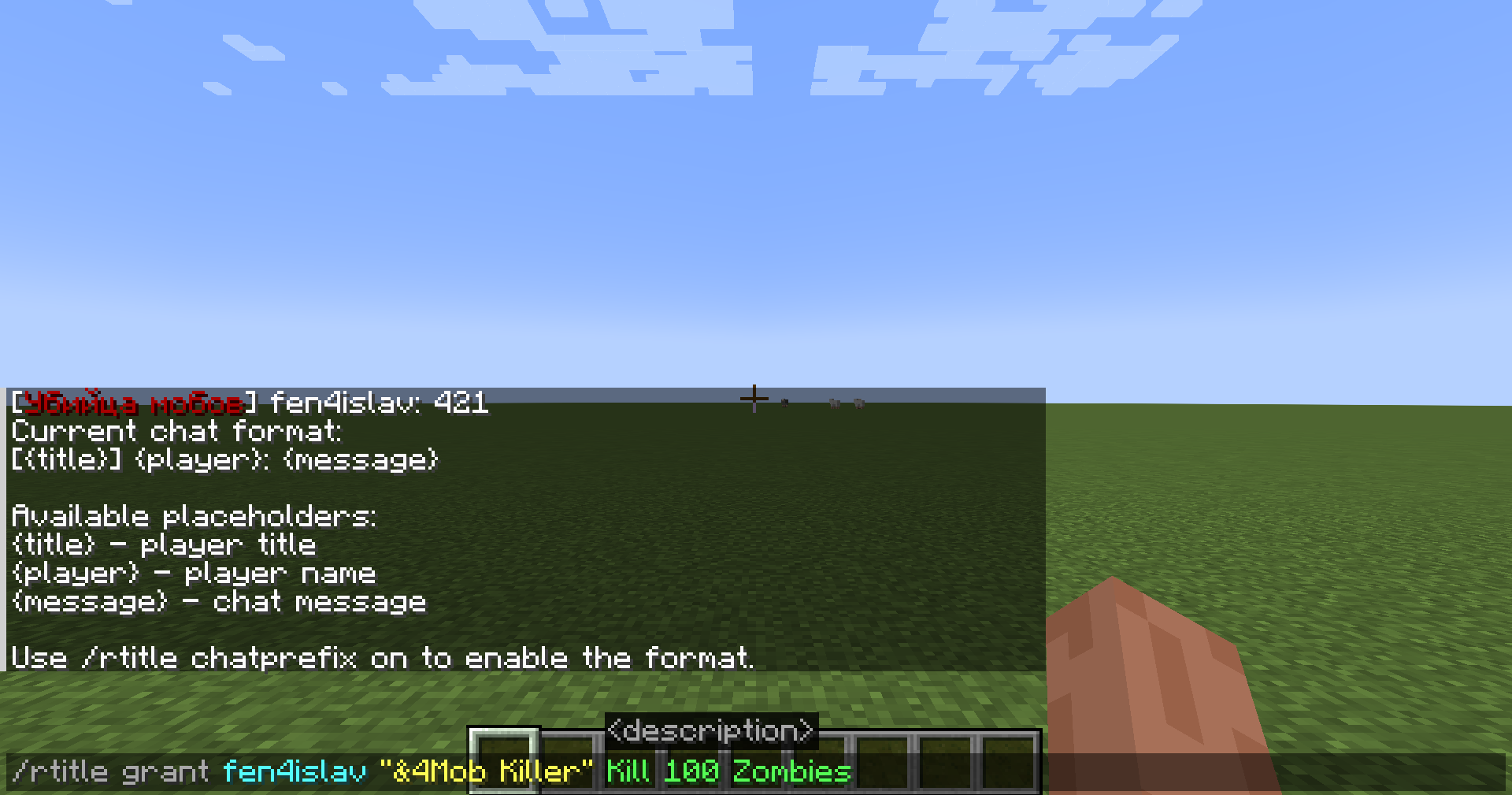
• Fully customizable chat format with placeholders
• Automatic title rewards based on actions (kills, blocks, exploration, level, deaths, fishing)
• Unique "first player only" titles
• Personal sound feedback when a title is unlocked
• Export/Import presets – save and share title collections and auto-rules
• Works in singleplayer and multiplayer (server-friendly)
⚡ Automatic Title Rules
Admins can create auto‑title rules either in‑game via commands or directly in the server config:
mmorpgtitles_auto_titles.json
Each rule tracks per‑player progress and rewards a title once.
Unique rules can be set so only the first player on the server can claim the title.
Supported conditions:
- Kill players (optional weapon filter)
- Kill mobs (by entity id, optional weapon filter)
- Break blocks
- Visit dimension / biome / structure
- Reach XP level
- Death count
- Fishing count
Chat notification on auto‑grant can be toggled in the config.
📝 Title Descriptions
Each title can have an optional description, for example:
"Granted for killing a legendary boss"
"Reward for completing a dungeon"
When chat prefixes are enabled, hovering over a title in chat will display its description.
Perfect for achievements, lore, or progression systems.
💬 Chat Integration
• Titles can be displayed as chat prefixes
• Chat prefix system can be enabled or disabled globally by admins
• Chat formatting is fully server-controlled when enabled
• Hovering over titles in chat shows their description
• Clean rendering without duplicated player names
🧩 Custom Chat Format
The chat format is fully configurable using placeholders:
• {title} – player's active title (with hover description)
• {player} – player name
• {message} – chat message content
Default format:
[{title}] <{player}>: {message}
Admins can view or change the format directly in-game.
If chat prefixes are disabled, the server automatically falls back to vanilla chat formatting.
💾 Preset Export/Import
New feature in version 2.3! Admins can now save and share complete title setups:
Export a preset:
/rtitle export <name>
Saves all your granted titles and all server auto-title rules to a JSON file in the mmorpgtitles_data/ folder.
A clickable link in chat takes you directly to the export folder.
Import a preset:
/rtitle import <name>
Loads all titles and rules from a saved preset.
Auto-completion suggests available preset files.
Perfect for: • Setting up titles in singleplayer and transferring them to a multiplayer server • Backing up custom title collections • Sharing preset configs with other server admins • Quick server setup and migration
🎮 Commands
Admin Commands
/rtitle grant <player> "<title>"
Grants a custom title to a player.
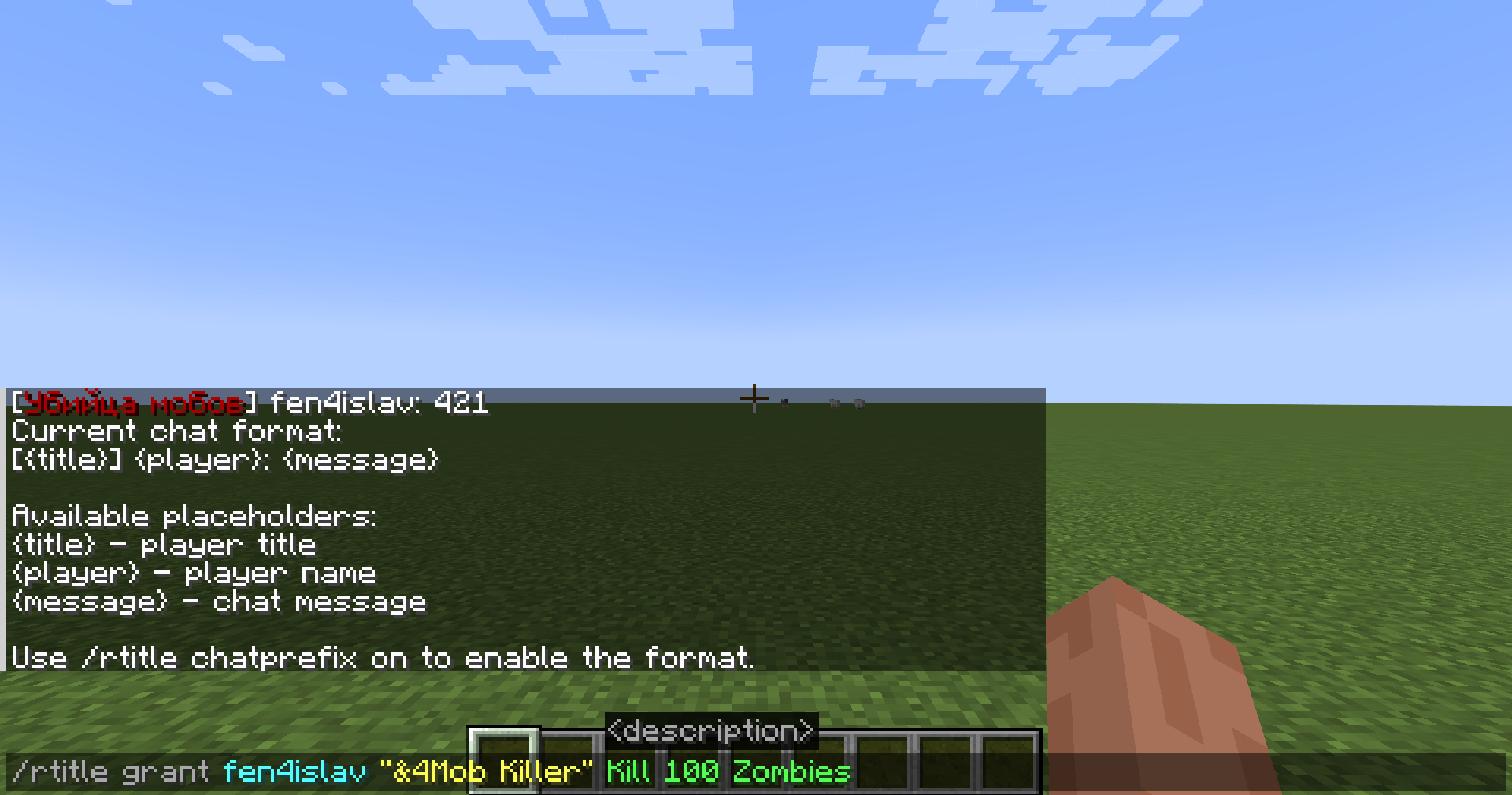
/rtitle grant <player> "<title>" desc <description>
Grants a custom title with an optional description (shown on hover in chat).
/rtitle revoke <player> "<title>"
Removes a title from a player
/rtitle set <player> <title>
Sets one of the player's owned titles as their active title.
Tab-completion suggests only titles that the target player actually owns.
Auto‑title rules:
/rtitle add "<title>" desc "<description>" kill 5
/rtitle add "<title>" desc "<description>" kill_mob minecraft:slime 5
/rtitle add "<title>" desc "<description>" break_block minecraft:diamond_ore 10
/rtitle add "<title>" desc "<description>" visit_biome minecraft:plains
/rtitle add "<title>" desc "<description>" visit_structure minecraft:village
/rtitle add "<title>" desc "<description>" reach_level 30
/rtitle add "<title>" desc "<description>" deaths 10
/rtitle add "<title>" desc "<description>" fish 20
(Add unique at the end to make it first‑player only.)
/rtitle rules list
Lists all auto‑rules
/rtitle rules remove <id>
Removes a rule
/rtitle rules reload
Reloads rules from config
/rtitle chatprefix on
Enables title prefixes in chat
/rtitle chatprefix off
Disables title prefixes in chat
/rtitle chatformat
Shows the current chat format and available placeholders
/rtitle chatformat <format>
Sets a new chat format.
Available placeholders: {title}, {player}, {message}.
If a player has no active title, the title part is automatically hidden.
/rtitle export <name>
Saves all player titles and server rules to a preset file in the mmorpgtitles_data/ folder.
A clickable link in chat takes you directly to the export folder.
/rtitle import <name>
Loads all titles and rules from a saved preset.
Auto-completion suggests available preset files.
Player Commands
/rtitle display <title>
Sets one of your owned titles as active
/rtitle hide
Hides your active title
/rtitle list
Shows all titles you own
🎨 Color & Formatting
Titles support Minecraft formatting codes using & or §:
• &1 Dark Blue
• &4 Dark Red
• &e Yellow
• &l Bold
• &o Italic
• &n Underline
Examples:
&6[&eKing&6] → [King] (gold/yellow)
&cHero &7of &aNature → Hero of Nature
&9★ &bMage &9★ → ★ Mage ★
🔧 Compatibility
• Minecraft 1.20.1 (Forge), Minecraft 1.21.1 (NeoForge) and Minecraft 1.21.11 (NeoForge) [BETA]
• Client & Server compatible
• Works in singleplayer and multiplayer
• Designed to work alongside other mods
Enhance your Minecraft experience with a powerful RPG-style title system that allows players to earn, manage, and display custom titles both above their heads and in chat — now with automatic title rewards based on in‑game actions and preset export/import for easy setup transfer.
Perfect for RPG servers, roleplay, factions, progression-based gameplay, or any server that wants more identity and immersion.
✨ Features
• Fully custom player titles – titles are not hardcoded and can be any text
• Players can own multiple titles and choose one active title
• Titles support spaces and Minecraft color codes (§ or &)
• Titles are displayed above player names in-game
• Titles can optionally appear as chat prefixes
• Each title can have a custom description (shown on hover in chat)
• Titles and selections are saved persistently (survive relogs and restarts)
• Fully customizable chat format with placeholders
• Automatic title rewards based on actions (kills, blocks, exploration, level, deaths, fishing)
• Unique "first player only" titles
• Personal sound feedback when a title is unlocked
• Export/Import presets – save and share title collections and auto-rules
• Works in singleplayer and multiplayer (server-friendly)
⚡ Automatic Title Rules
Admins can create auto‑title rules either in‑game via commands or directly in the server config:
mmorpgtitles_auto_titles.json
Each rule tracks per‑player progress and rewards a title once.
Unique rules can be set so only the first player on the server can claim the title.
Supported conditions:
- Kill players (optional weapon filter)
- Kill mobs (by entity id, optional weapon filter)
- Break blocks
- Visit dimension / biome / structure
- Reach XP level
- Death count
- Fishing count
Chat notification on auto‑grant can be toggled in the config.
📝 Title Descriptions
Each title can have an optional description, for example:
"Granted for killing a legendary boss"
"Reward for completing a dungeon"
When chat prefixes are enabled, hovering over a title in chat will display its description.
Perfect for achievements, lore, or progression systems.
💬 Chat Integration
• Titles can be displayed as chat prefixes
• Chat prefix system can be enabled or disabled globally by admins
• Chat formatting is fully server-controlled when enabled
• Hovering over titles in chat shows their description
• Clean rendering without duplicated player names
🧩 Custom Chat Format
The chat format is fully configurable using placeholders:
• {title} – player's active title (with hover description)
• {player} – player name
• {message} – chat message content
Default format:
[{title}] <{player}>: {message}
Admins can view or change the format directly in-game.
If chat prefixes are disabled, the server automatically falls back to vanilla chat formatting.
💾 Preset Export/Import
New feature! Players and admins can now save and share complete title setups:
Export a preset:
/rtitle export
Saves all your granted titles and all server auto-title rules to a JSON file in the mmorpgtitles_data/ folder.
A clickable link in chat takes you directly to the export folder.
Import a preset:
/rtitle import
Loads all titles and rules from a saved preset.
Auto-completion suggests available preset files.
Perfect for: • Setting up titles in singleplayer and transferring them to a multiplayer server • Backing up custom title collections • Sharing preset configs with other server admins • Quick server setup and migration
🎮 Commands
Admin Commands
/rtitle grant ""
Grants a custom title to a player.
/rtitle grant "" desc
Grants a custom title with an optional description (shown on hover in chat).
/rtitle revoke ""
Removes a title from a player
/rtitle set
Sets one of the player's owned titles as their active title.
Tab-completion suggests only titles that the target player actually owns.
Auto‑title rules:
/rtitle add "
" desc "" kill 5/rtitle add "" desc "" kill_mob minecraft:slime 5
/rtitle add "" desc "" break_block minecraft:diamond_ore 10
/rtitle add "" desc "" visit_biome minecraft:plains
/rtitle add "" desc "" visit_structure minecraft:village
/rtitle add "" desc "" reach_level 30
/rtitle add "" desc "" deaths 10
/rtitle add "" desc "" fish 20
(Add unique at the end to make it first‑player only.)
/rtitle rules list
Lists all auto‑rules
/rtitle rules remove
Removes a rule
/rtitle rules reload
Reloads rules from config
/rtitle chatprefix on
Enables title prefixes in chat
/rtitle chatprefix off
Disables title prefixes in chat
/rtitle chatformat
Shows the current chat format and available placeholders
/rtitle chatformat
Sets a new chat format.
Available placeholders: {title}, {player}, {message}.
If a player has no active title, the title part is automatically hidden.
/rtitle export
Saves all player titles and server rules to a preset file in the mmorpgtitles_data/ folder.
A clickable link in chat takes you directly to the export folder.
/rtitle import
Loads all titles and rules from a saved preset.
Auto-completion suggests available preset files.
Player Commands
/rtitle display
Sets one of your owned titles as active
/rtitle hide
Hides your active title
/rtitle list
Shows all titles you own
🎨 Color & Formatting
Titles support Minecraft formatting codes using & or §:
• &1 Dark Blue
• &4 Dark Red
• &e Yellow
• &l Bold
• &o Italic
• &n Underline
Examples:
&6[&eKing&6] → [King] (gold/yellow)
&cHero &7of &aNature → Hero of Nature
&9★ &bMage &9★ → ★ Mage ★
🔧 Compatibility
• Minecraft 1.21.1 (NeoForge)
• Client & Server compatible
• Works in singleplayer and multiplayer
• Designed to work alongside other mods
Screenshots
Gallery
-
 2025-12-27_01.24.20.png 2025-12-27_01.24.20.png
 -
 2025-12-27_01.23.41.png 2025-12-27_01.23.41.png
 -
 20963e9c-6550-41cc-b51f-3b15ffc0abfb.png 20963e9c-6550-41cc-b51f-3b15ffc0abfb.png
 -
 80f8081b-1927-408a-a6db-d7fb78fb61e4.png 80f8081b-1927-408a-a6db-d7fb78fb61e4.png
 -
 57a688f1-6aef-4030-a867-3b1e03d2213d.png 57a688f1-6aef-4030-a867-3b1e03d2213d.png
 -
 4c59c3ca-f97f-4c9c-a8e6-441c80c516dd.png 4c59c3ca-f97f-4c9c-a8e6-441c80c516dd.png



Versions
Files
Relations
Project Relations
More like this
Similar Mods
Suggestions use data such as tags, dependencies, dependents, descriptions, titles, and more to rank how much they overlap with this mod.
On ModDex
Community snapshot
By the numbers
Statistics
Want to reach Minecraft players?
We're looking for a server hosting partner to feature here and other parts of the site. Interested? Send us a message!
Get in touchGet it on
Available Platforms
On ModDex
Community snapshot
By the numbers