
Community listing page, reviews may not be monitored by the author.
FFItemWeight


No reviews yet
Adds weight and encumbrance built dynamically from crafting recipes and data. Insanely configurable.

Community voices
Reviews
No reviews yet. Be the first to review this project!
Get it on
Available Platforms
Compatibility
Supported Environments
Must be installed on both the client and the server.
About
Project Details
For authors
Embed Badge
If you're the author of this project, you can embed a live badge anywhere that supports HTML or Markdown. It updates automatically whenever ratings change.
Use HTML for any page that supports it, or Markdown for README files and Markdown-based descriptions.
Identifiers
Platform IDs
Resources
External Links
About
Description
FFItemWeight
Items have weight! Stuff your pockets with stone and gold and you'll feel it. Carry too much and you'll slow down, and a truly overloaded player can barely move. 
How it works
- Every item has a weight. Most are worked out from their recipes, so crafted items weigh about as much as what went into them. Shulker boxes and bundles count what's inside.
- Your inventory, armor and offhand add up to your total, which puts you in one of six loads: Unencumbered, Light Load, Medium Load, Heavy Load, Overloaded and Immobile.
- From Heavy Load up, you slow down and mine more slowly. Overloaded adds weakness, and Immobile adds darkness too.
- A HUD icon shows your current load and starts to shake when you're struggling.
- Tooltips show each item's weight. Hold Shift for exact values.
- The Burden Bearing enchantment lets you carry more, and the Crushing Load curse lets you carry less.
- Creative players aren't affected by default.

Configuration
You can adjust:
- How weights are worked out from recipes, and whether armor, offhand and container contents count
- Capacity bonuses from level, armor and equipment
- Tooltips, slot highlights and the HUD
- Which load effects apply
Operators also get /ffitemweight commands to list items that don't have a weight yet.
Mod compatibility
- Sable: optional cargo mass support starts disabled. Enable it to have container contents affect moving structures, with an adjustable strength.
- EMI: item weights in tooltips.
- Accessories and Curios: equipped accessories count toward your weight and can add capacity.
- Create, Farmer's Delight, Tide, Naturalist, Ben's Sharks, Supplementaries, Handcrafted, Macaw's mods, Create Aeronautics and Universal Sawmill: hand-tuned weights and recipe handling.
- FFExhaustion: carrying a heavy load tires you out faster.
Version differences
- Curios support is NeoForge and Forge only.
- Fabric 1.20.1 and 1.20.6: modded containers that use Fabric's item storage don't have their contents counted. On 1.21 and newer they do.
For datapack makers
Datapacks can set the weight of any item, cover whole groups of items with a name pattern, make items share another item's weight, and redefine the loads themselves (capacity, effects and icons). Click the Wiki link in the sidebar and open the Datapacks page for details.
For mod developers
Other mods can read item weights, player totals and loads, and react when a player's load changes. Click the Wiki link in the sidebar for the API guide and examples.
What's with the FF prefix?
It stands for Fyxe's Features! It's a clean way to easily find all of my mods when changing configs or creating packs. Mods that are a part of the "FF" system are usually smaller and unintrusive.
Feedback
If you have any ideas for improvements, questions, or concerns, I am open to communicating through email: [email protected]
FFItemWeight
Items have weight! Stuff your pockets with stone and gold and you'll feel it. Carry too much and you'll slow down, and a truly overloaded player can barely move.
How it works
- Every item has a weight. Most are worked out from their recipes, so crafted items weigh about as much as what went into them. Shulker boxes and bundles count what's inside.
- Your inventory, armor and offhand add up to your total, which puts you in one of six loads: Unencumbered, Light Load, Medium Load, Heavy Load, Overloaded and Immobile.
- From Heavy Load up, you slow down and mine more slowly. Overloaded adds weakness, and Immobile adds darkness too.
- A HUD icon shows your current load and starts to shake when you're struggling.
- Tooltips show each item's weight. Hold Shift for exact values.
- The Burden Bearing enchantment lets you carry more, and the Crushing Load curse lets you carry less.
- Creative players aren't affected by default.
Want to see the mod in a pack it was designed for? Check it out in my version of Minecraft: Classic+
Configuration
You can adjust:
- How weights are worked out from recipes, and whether armor, offhand and container contents count
- Capacity bonuses from level, armor and equipment
- Tooltips, slot highlights and the HUD
- Which load effects apply
Operators also get /ffitemweight commands to list items that don't have a weight yet.
Mod compatibility
- Sable: optional cargo mass support starts disabled. Enable it to have container contents affect moving structures, with an adjustable strength.
- EMI: item weights in tooltips.
- Accessories and Curios: equipped accessories count toward your weight and can add capacity.
- Create, Farmer's Delight, Tide, Naturalist, Ben's Sharks, Supplementaries, Handcrafted, Macaw's mods, Create Aeronautics and Universal Sawmill: hand-tuned weights and recipe handling.
- FFExhaustion: carrying a heavy load tires you out faster.
Version differences
- Curios support is NeoForge and Forge only.
- Fabric 1.20.1 and 1.20.6: modded containers that use Fabric's item storage don't have their contents counted. On 1.21 and newer they do.
For datapack makers
Datapacks can set the weight of any item, cover whole groups of items with a name pattern, make items share another item's weight, and redefine the loads themselves (capacity, effects and icons). Click the Wiki link in the sidebar and open the Datapacks page for details.
For mod developers
Other mods can read item weights, player totals and loads, and react when a player's load changes. Click the Wiki link in the sidebar for the API guide and examples.
What's with the FF prefix?
It stands for Fyxe's Features! It's a clean way to easily find all of my mods when changing configs or creating packs. Mods that are a part of the "FF" system are usually smaller and unintrusive.
Feedback
If you have any ideas for improvements, questions, or concerns, I am open to communicating through email: [email protected]
Screenshots
Gallery
-
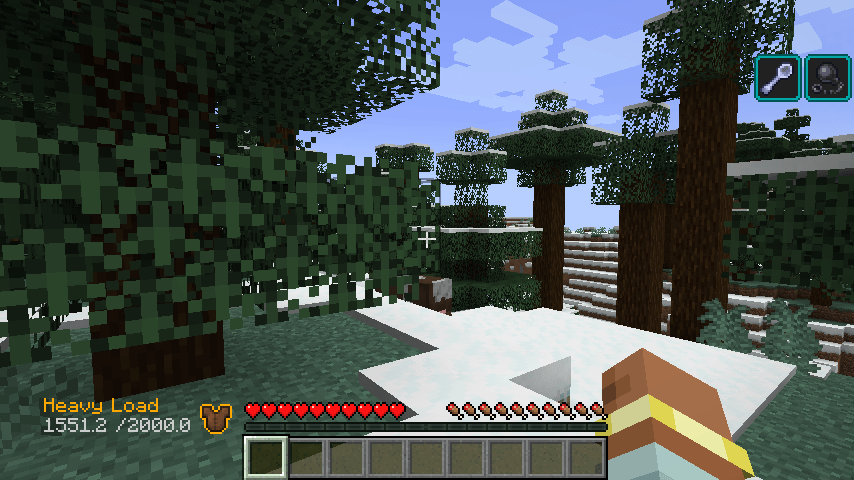 2026-09-30_14.20.56.png 2026-09-30_14.20.56.png
-
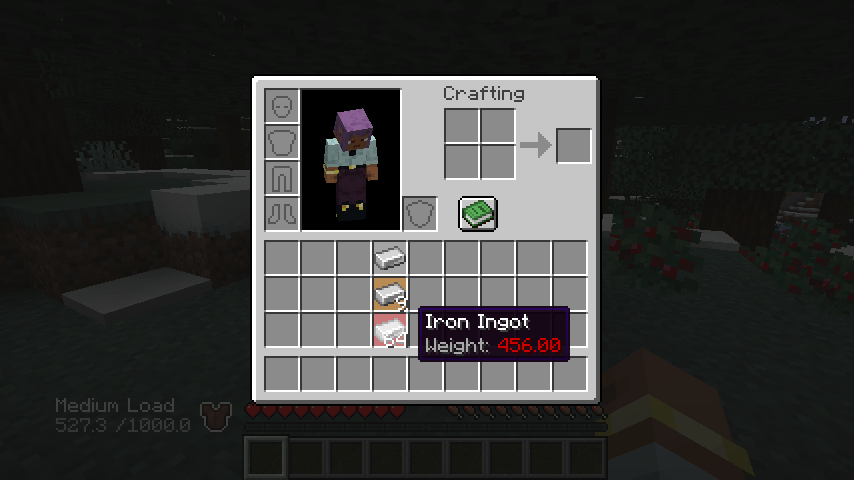 2026-09-30_14.21.50.png 2026-09-30_14.21.50.png
-
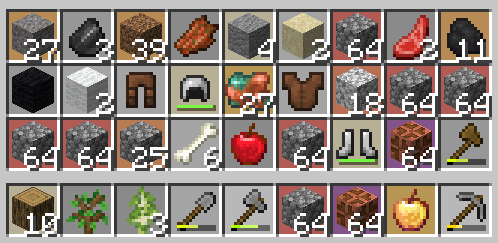 An inventory of various weighted items
-
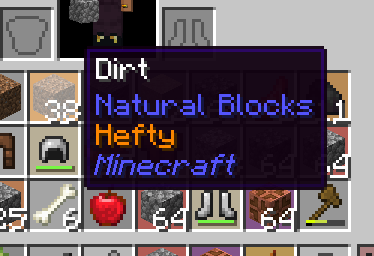 Toolip, basic.
-
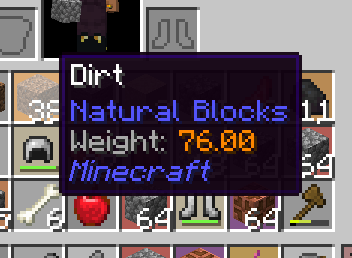 Tooltip, advanced, holding shift
-
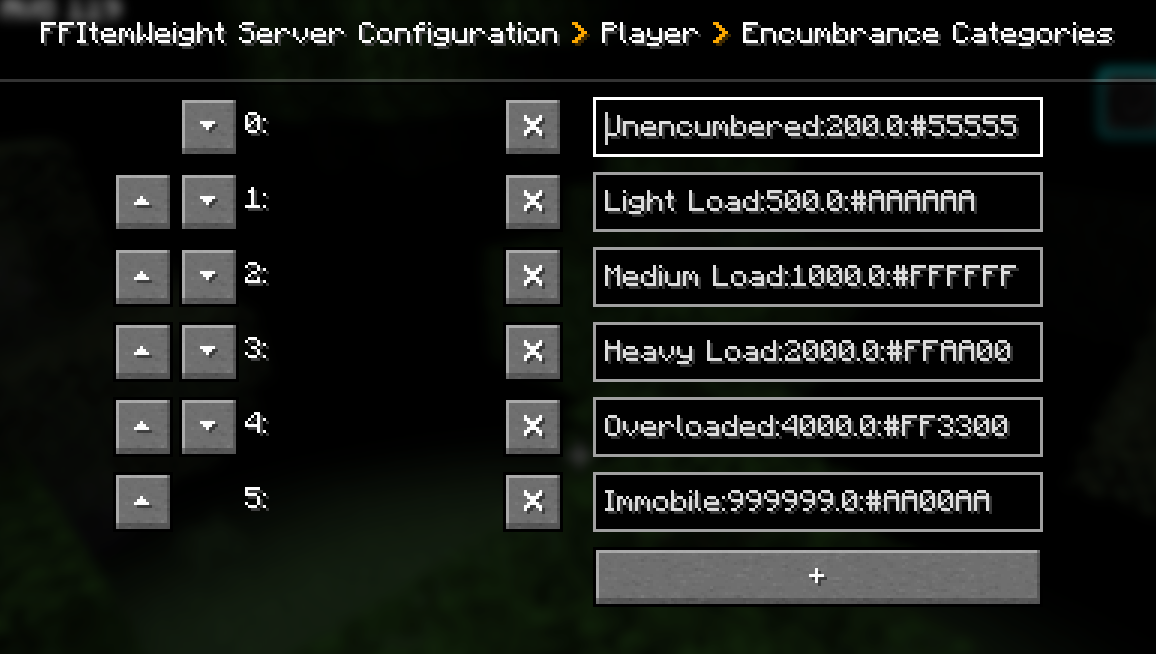 Encumberance is entirely configurable.
-
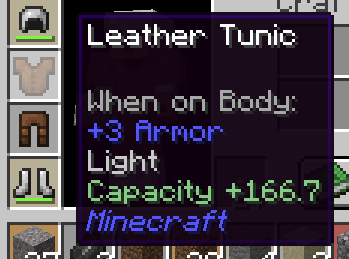 Armor increases capacity. Lower armor values contribute better capacity. (Mix armors for best results!)
-
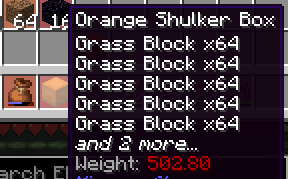 Supports bundles, shulkers, and modded items that contain inventories. By default, reduces content's weight by 50%. (configurable per-inventory holding item)
-
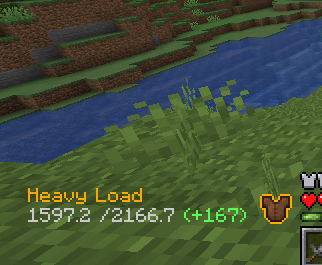 Example of HUD with all options enabled. Current encumberance level, total weight, and weight reductions from armor.
-
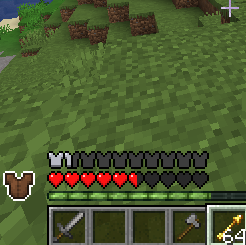 An example of the HUD with just the icon enabled.
-
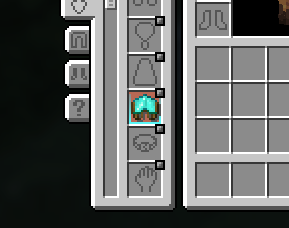 Supports accessories & curios with additional config options.
Versions
Files
Relations
Project Relations
More like this
Similar Mods
Suggestions use data such as tags, dependencies, dependents, descriptions, titles, and more to rank how much they overlap with this mod.
On ModDex
Community snapshot
By the numbers
Statistics

Get it on
Available Platforms
On ModDex
Community snapshot
By the numbers
Statistics
Resources