Community listing page, reviews here may not be monitored by the author.
FiltPick


No reviews yet
Enables you to pick up items selectively
Community voices
Reviews
No reviews yet. Be the first to review this project!
Get it on
Available Platforms
Compatibility
Supported Environments
Must be installed on both the client and the server.
About
Project Details
For authors
Embed Badge
If you're the author of this project, you can embed a live badge anywhere that supports HTML or Markdown. It updates automatically whenever ratings change.
Use HTML for any page that supports it, or Markdown for README files and Markdown-based descriptions.
Identifiers
Platform IDs
Resources
External Links
About
Description
Introduction
"Only pick up what you need."
Tired of picking up unwanted items like dirt and gravel while mining? FiltPick lets you selectively choose what gets picked up. It's lightweight and intuitive.
Features
- ✨ Two Filter Modes - Blacklist (block junk) or Whitelist (allow only specific items)
- 🗑️ Auto-Destroy Option - Automatically destroy items you don't pick up
- 📊 Real-time HUD - See blocked items at a glance on your screen
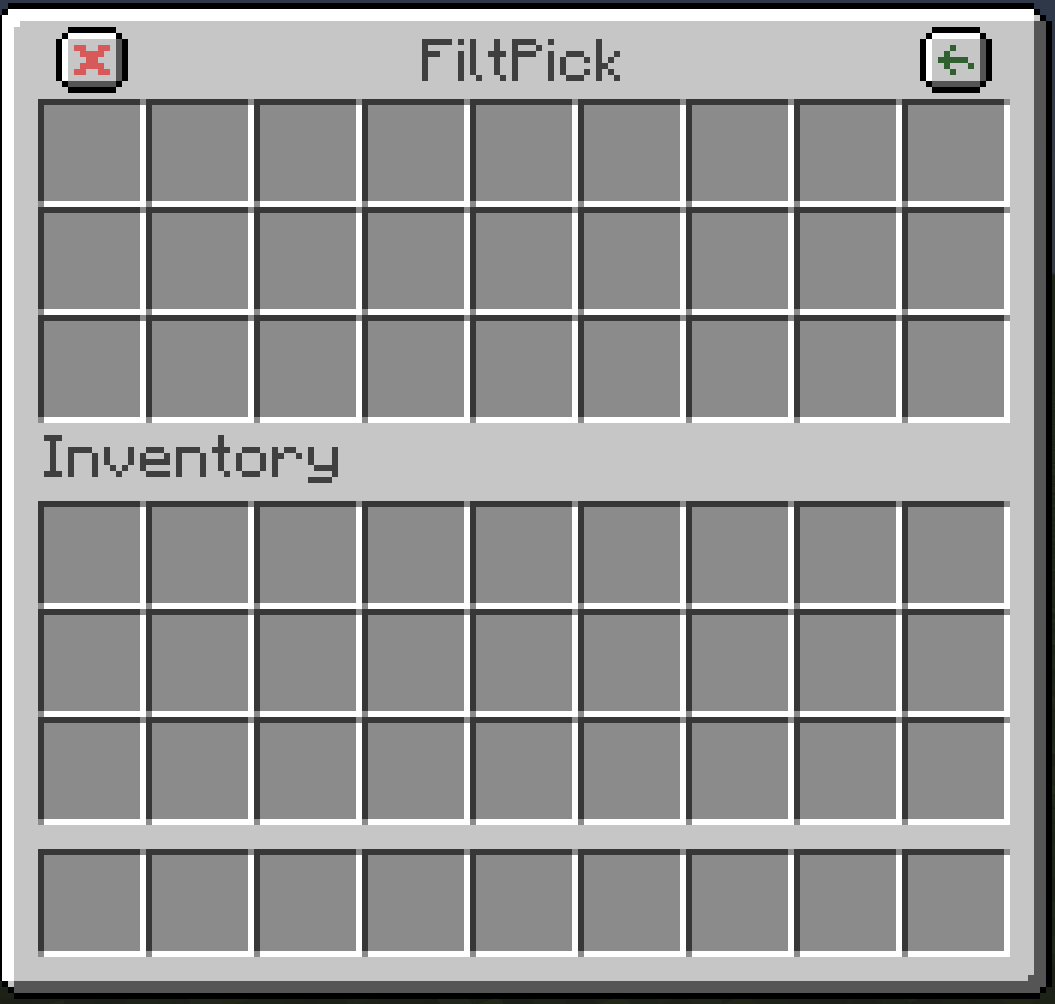
- ⚙️ Easy Setup - Click to add/remove items, zero configuration needed
- 🎨 Resource Pack Friendly – Works with resource packs for filter screen
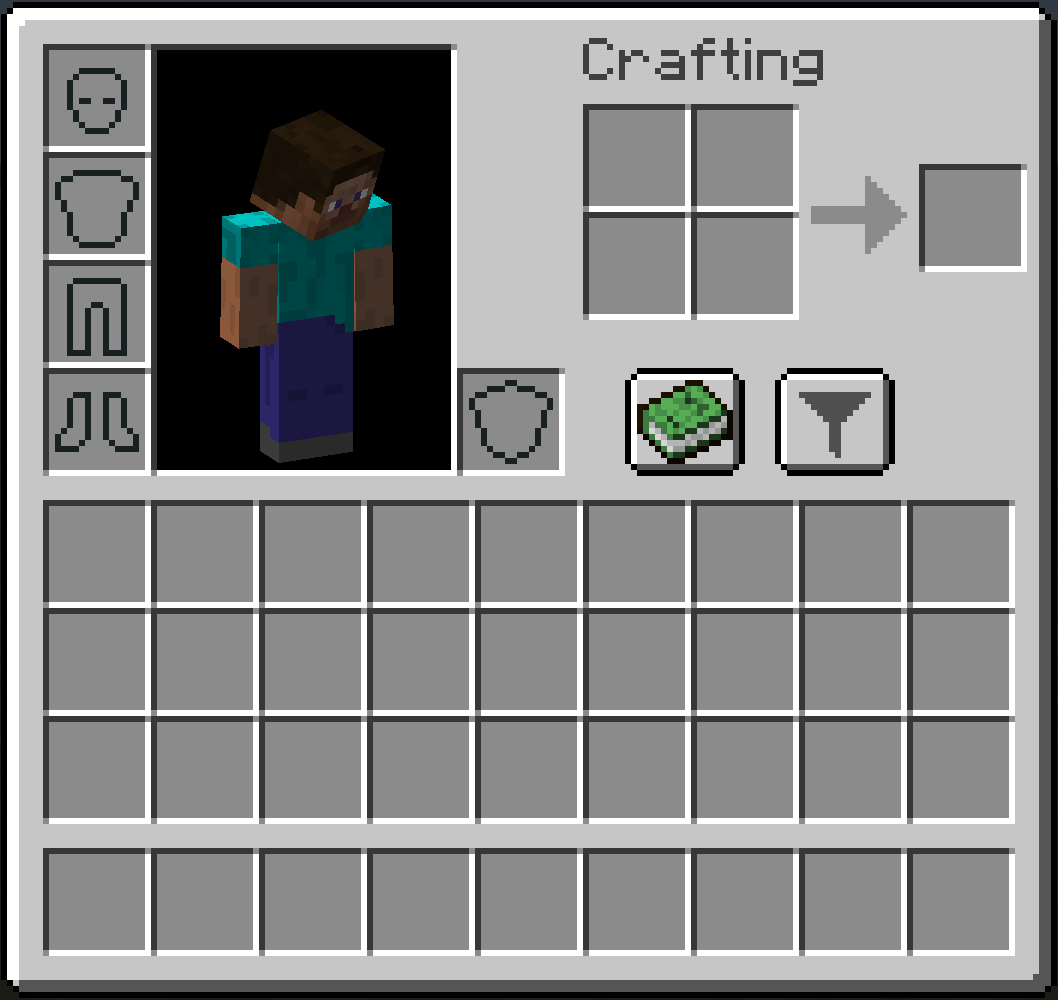
- 💎 Friendly UI - Clean, intuitive interface with customizable button positions
Usage
Pick Modes
- Black-list mode: Items in the list won't be picked up
- White-list mode: Only items in the list will be picked up
Destruction Modes
- Destruction-ON: Unwanted items are automatically destroyed
- Destruction-OFF: Leave them on the ground
Quick Add (v1.7.0+)
- Press I (configurable) while hovering over any item in your inventory to add it to the filter list instantly.
Configuration (Optional - mc1.20.6+)
- Filter List Size: Edit
filtpick-server.tomlin/config(Fabric/NeoForge) or/saves/<world>/serverconfig(Forge) - Button Position: Edit
filtpick-client.tomlin/config
Gallery


Languages
English • 简体中文 • 繁體中文 • 日本語 (by Dulroy)
Feedback
Anyone can create an issue to report bugs, provide suggestions, or share feedback.
Introduction
"Only pick up what you need."
Tired of picking up unwanted items like dirt and gravel while mining? FiltPick lets you selectively choose what gets picked up. It's lightweight and intuitive.
Features
- ✨ Two Filter Modes - Blacklist (block junk) or Whitelist (allow only specific items)
- 🗑️ Auto-Destroy Option - Automatically destroy items you don't pick up
- 📊 Real-time HUD - See blocked items at a glance on your screen
- ⚙️ Easy Setup - Click to add/remove items, zero configuration needed
- 🎨 Resource Pack Friendly – Works with resource packs for filter screen
- 💎 Friendly UI - Clean, intuitive interface with customizable button positions
Usage
Pick Modes
- Black-list mode: Items in the list won't be picked up
- White-list mode: Only items in the list will be picked up
Destruction Modes
- Destruction-ON: Unwanted items are automatically destroyed
- Destruction-OFF: Leave them on the ground
Quick Add (v1.7.0+)
- Press I (configurable) while hovering over any item in your inventory to add it to the filter list instantly.
Configuration (Optional - mc1.20.6+)
- Filter List Size: Edit
filtpick-server.tomlin/config(Fabric/NeoForge) or/saves/<world>/serverconfig(Forge) - Button Position: Edit
filtpick-client.tomlin/config
Gallery


Languages
English • 简体中文 • 繁體中文 • 日本語 (by Dulroy)
Feedback
Anyone can create an issue to report bugs, provide suggestions, or share feedback.
Screenshots
Gallery
-
 Icon
Icon -
-
-
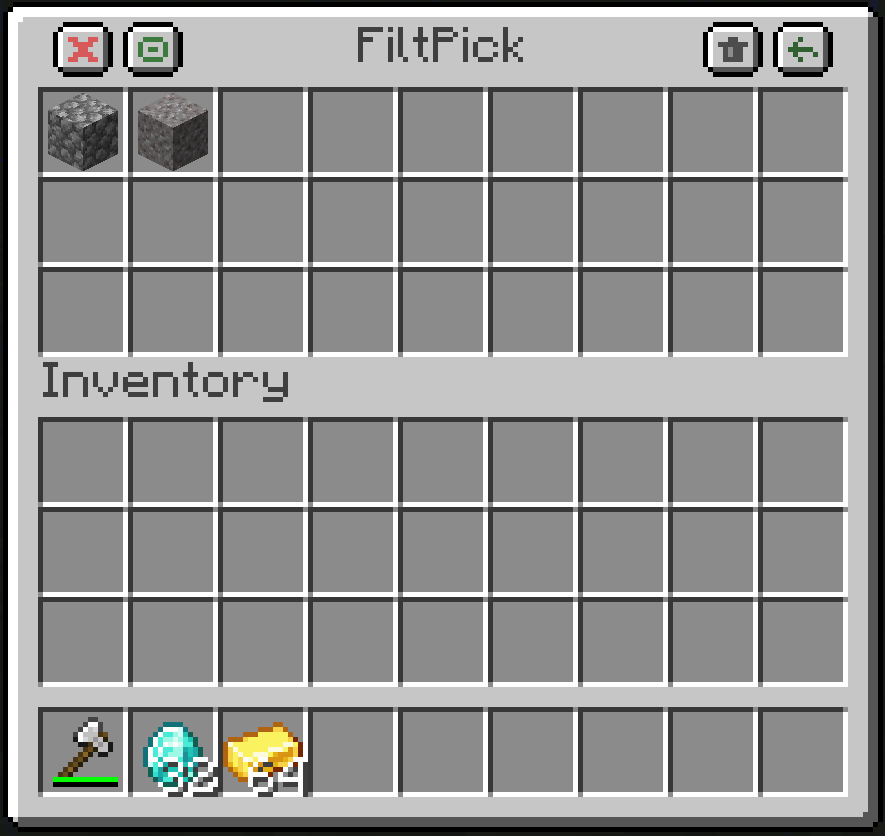 NewDemo
Versions
Files
Relations
Project Relations
More like this
Similar Mods
Suggestions use data such as tags, dependencies, dependents, descriptions, titles, and more to rank how much they overlap with this mod.
On ModDex
Community snapshot
By the numbers
Statistics
Want to reach Minecraft players?
We're looking for a server hosting partner to feature here and other parts of the site. Interested? Send us a message!
Get in touchGet it on
Available Platforms
On ModDex
Community snapshot
By the numbers
Statistics
Resources