Community listing page, reviews here may not be monitored by the author.
HighlightItem


No reviews yet
Minecraft mod that highlights inventory items similar to the one hovered over.

Community voices
Reviews
No reviews yet. Be the first to review this project!
Get it on
Available Platforms
Compatibility
Supported Environments
Runs entirely on the client. Works on vanilla servers.
About
Project Details
For authors
Embed Badge
If you're the author of this project, you can embed a live badge anywhere that supports HTML or Markdown. It updates automatically whenever ratings change.
Use HTML for any page that supports it, or Markdown for README files and Markdown-based descriptions.
Identifiers
Platform IDs
About
Description
What is the mod doing?
Minecraft mod that highlights inventory items similar to the one hovered over.
Features (v1.0.0 or superior versions)
You can use differents comparaison modes :
- ITEM_ONLY : This mode will only compare if the materials are identicals for example if it's a oak door or not. It's how the mod has compared ItemStack until this feature was added and it's the default mode
- ITEM_AND_AMOUNT : Like the previous mode but it will compare if stacks has the same amount for example only all the 2 oak doors stacks will be highlighted
- ITEM_AND_NBT : It will compare like ITEM_ONLY mode plus compare the NBT for example does a name tag uses same names or shulker boxes contains the same exact contents
- ITEM_AND_NBT_AND_AMOUNT : It's a mix of all previous modes
For version 1.1.0+ three new comparaison modes exists :
- NAME_ONLY : It will check if items share the same name
- NAME_AND_AMOUNT : like previous one but check if stacks has the same amount too
- NAMESPACE : It will highlight the items who share the same namespace usefull to highlight all items that are from the same mod
Custom colors : You can choose between 16.777.216 colors to tune the Highlighting either using the command or via the menu where you can use sliders and a preview to make it easier. The format used is the RGBA
Opacity : With the custom colors using the RGBA format it means you can tweak the transparency which is the A(for alpha) value you choose.
Keybinds : You can add keybinds to toggle the highlighting, changing mode comparaison, color the hovered element or open the color picker menu.
Language : The mod is available in English, French, German, Russian, Ukrainian and Chinese Simplified.
Config menu (v2.0.0+):
The old color picker is now a true configuration menu where you can change all the configs directly. To open it you can use the command /highlightitem menu or the keybind or if you use ModMenu directly from the Mods button.
Notifications (v2.0.0+): You can choose a preferred mod notification sending mode when you have no inventory opened :
- Default : It depends on the context.
- If you are using the command to make a change the notif will be sent in the chat.
- If you pressed a key bind it will be sent in the minecraft overlay zone (above life, levels and hunger).
- Chat : It will be sent in the chat
- Overlay : It will be sent in the minecraft overlay zone (above life, levels and hunger).
- Toast : It will always be sent in a "minecraft toast notification"
Commands
If you prefer commands than keybinds and the menu there are three commands available to manage the mod :
/highlightitem toggle -> activate/deactivate the mod
/highlightitem menu -> open the config menu (only for v2.0.0+)
/highlightitem colorHover <true/false>-> when set to true the slot of the item you are pointing with your cursor will be colored too when set to false it still will be highlight but with the vanilla highlighting
/highlightitem color <COLOR> -> choose the color in a list of default colors the mod will use to highlight the items
/highlightitem color CUSTOM <RGBA value> -> choose a custom color using the RGBA format
What is the mod doing?
Minecraft mod that highlights inventory items similar to the one hovered over.
Features (only 1.0.0 or superior versions)
You can use differents comparaison modes :
- ITEM_ONLY : This mode will only compare if the materials are identicals for example if it's a oak door or not. It's how the mod has compared ItemStack until this feature was added and it's the default mode
- ITEM_AND_AMOUNT : Like the previous mode but it will compare if stacks has the same amount for example only all the 2 oak doors stacks will be highlighted
- ITEM_AND_NBT : It will compare like ITEM_ONLY mode plus compare the NBT for example does a name tag uses same names or shulker boxes contains the same exact contents
- ITEM_AND_NBT_AND_AMOUNT : It's a mix of all previous modes
For version 1.1.0+ three new comparaison modes exists :
- NAME_ONLY : It will check if items share the same name
- NAME_AND_AMOUNT : like previous one but check if stacks has the same amount too
- NAMESPACE : It will highlight the items who share the same namespace usefull to highlight all items that are from the same mod
Custom colors : You can choose between 16.777.216 colors to tune the Highlighting either using the command or via the menu where you can use sliders and a preview to make it easier. The format used is the RGBA
Opacity : With the custom colors using the RGBA format it means you can tweak the transparency which is the A(for alpha) value you choose.
Keybinds : You can add keybinds to toggle the highlighting, changing mode comparaison, color the hovered element or open the color picker menu.
Language : The mod is available in English, French, German, Russian, Ukrainian and Chinese Simplified.
Config menu (v2.0.0+):
The old color picker is now a true configuration menu where you can change all the configs directly. To open it you can use the command /highlightitem menu or the keybind or if you use ModMenu directly from the Mods button.
Notifications (v2.0.0+): You can choose a preferred mod notification sending mode when you have no inventory opened :
- Default : It depends on the context.
- If you are using the command to make a change the notif will be sent in the chat.
- If you pressed a key bind it will be sent in the minecraft overlay zone (above life, levels and hunger).
- Chat : It will be sent in the chat
- Overlay : It will be sent in the minecraft overlay zone (above life, levels and hunger).
- Toast : It will always be sent in a "minecraft toast notification"
Highlighting limitations (v3.0.0+) You can limit the Highlighting in some areas of the screens if you want there are 5 types :
- Everywhere : It's like the mod worked before, it highlights all the slots when they match the hovered one regardless their positions
- Exclude Creative (Default) : No slot in the Creative Screen will be highlighted even if they match the hovered one
- Player inventory : Only highlight the slots that are in the player inventory if they match the hovered one
- Player inventory and exclude Creative : In the Creative screen it only highlights the slots in the hotbar (if they match the hovered one) else it only highlights the slots that are in the player inventory (if they match the hovered one)
- Container only : Only highlight the slots that are in the containers (if they match the hovered one), like in chests or shulkerboxes for example
Hovered Item colored (v3.0.0+) You can choose to color the hovered slot with the Minecraft vanilla highlighting or even highlight it even if it is empty rather than just choose to color or not. You have 5 modes to color or not the hovered slot :
- Not colored : the hovered slot will not be highlighted at all
- Colored : the hovered slot will be colored with the color you chose in the menu
- Colored when not empty : the hovered slot will be colored with the color you chose in the menu if there is an item in it
- Vanilla highlighting : the hovered item will be with the vanilla highlighting, the others items matching will be colored with the color you chose in the menu
- Vanilla highlighting when not empty: the hovered item will be with the vanilla highlighting if there is an item in it, the others items matching will be colored with the color you chose in the menu
NeoForge support (v3.0.0+) The mod now supports NeoForge only on the most recents versions superior to v3.0.0
Commands
If you prefer commands than keybinds and the menu there are three commands available to manage the mod :
/highlightitem toggle -> activate/deactivate the mod
/highlightitem menu -> open the config menu (only for v2.0.0+)
/highlightitem colorHover <true/false>-> when set to true the slot of the item you are pointing with your cursor will be colored too when set to false it still will be highlight but with the vanilla highlighting
/highlightitem color <COLOR> -> choose the color in a list of default colors the mod will use to highlight the items
/highlightitem color CUSTOM <RGBA value> -> choose a custom color using the RGBA format
Support the project
Want to support me and other creators by the same time? Disable your ad blocker while you are on Modrinth it's free and the website use ethical and non-invasive ads ;)
Screenshots
Gallery
-
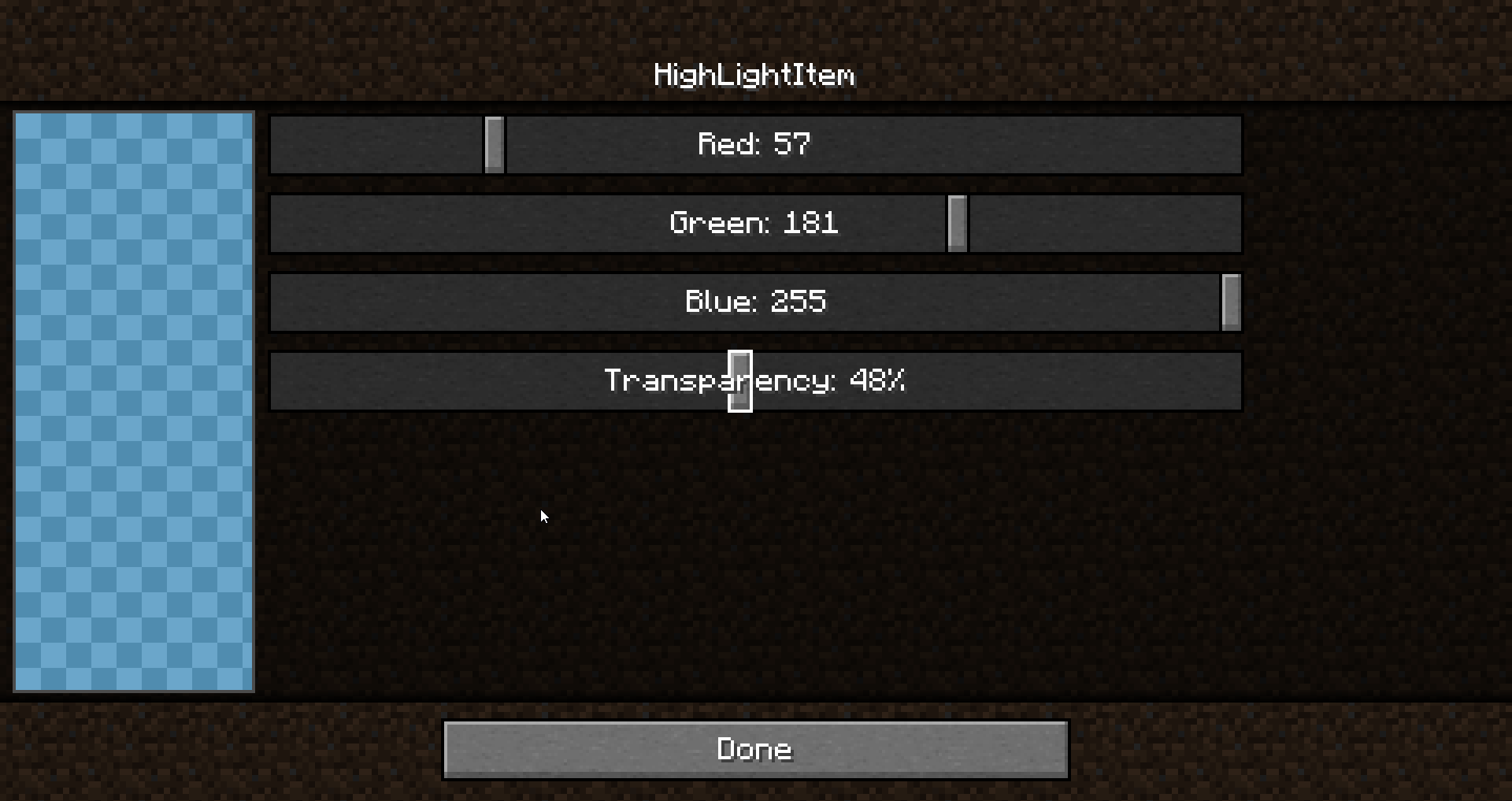 color-picker.png Color picker Customize the color!
 -
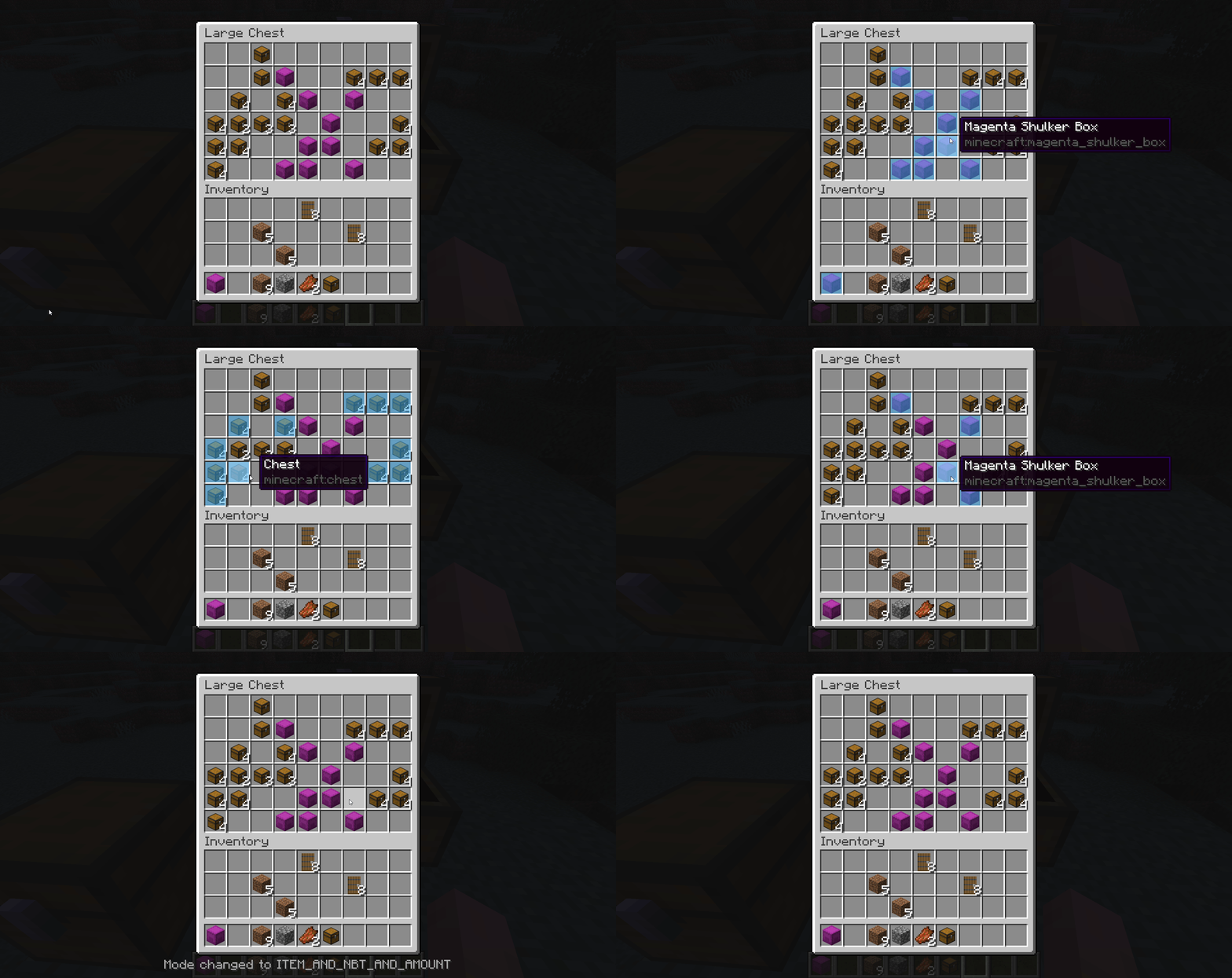 image-attachment_ab1fe6c7-c68a-49f7-9bb2-e6cbcffcdf6b.gif Switch easyly with a keybind to different comparaison mode! V1.0.1+ only
 -
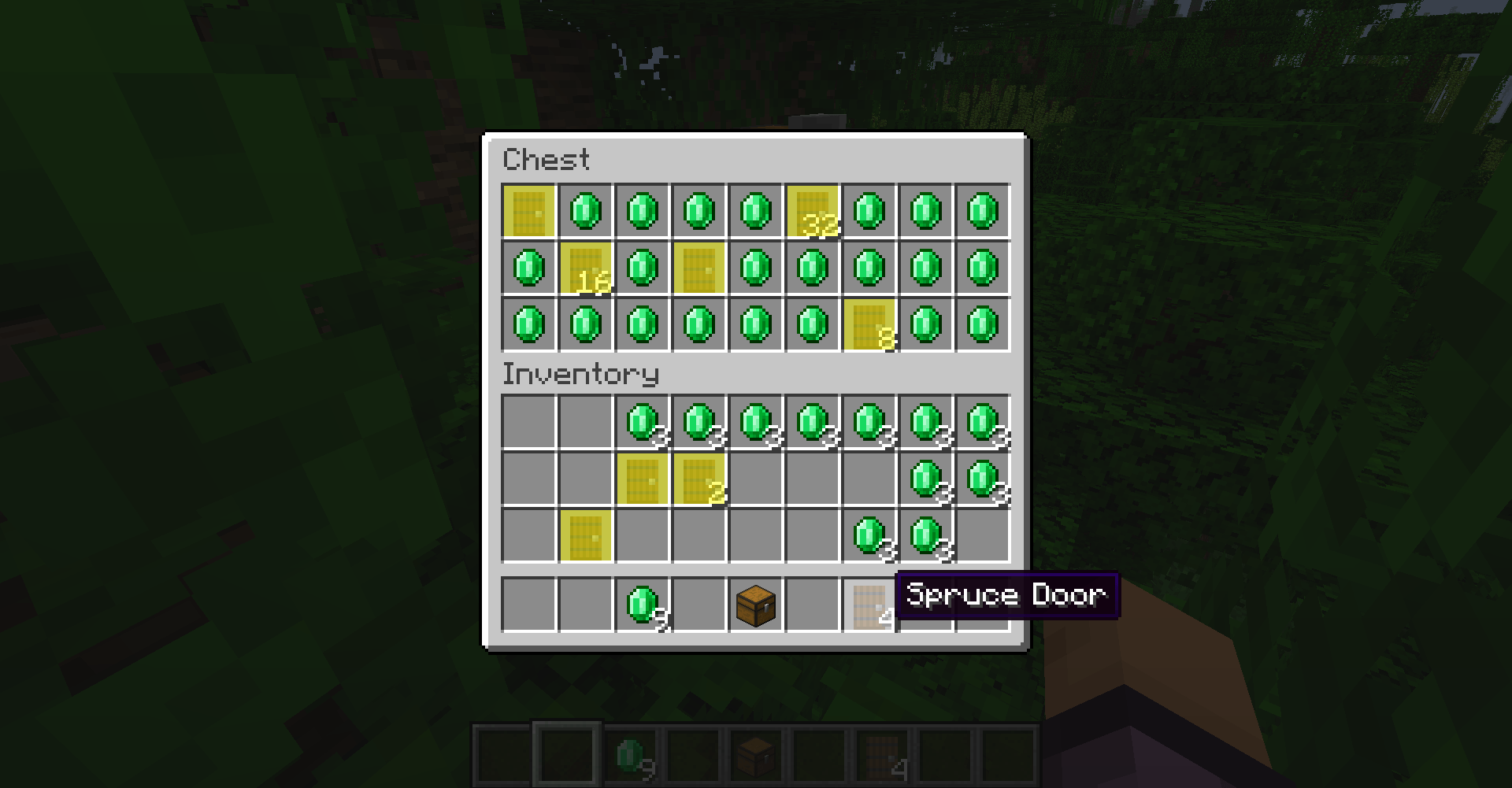 image_2026-09-23_171057013.png image_2026-09-23_171057013.png
-
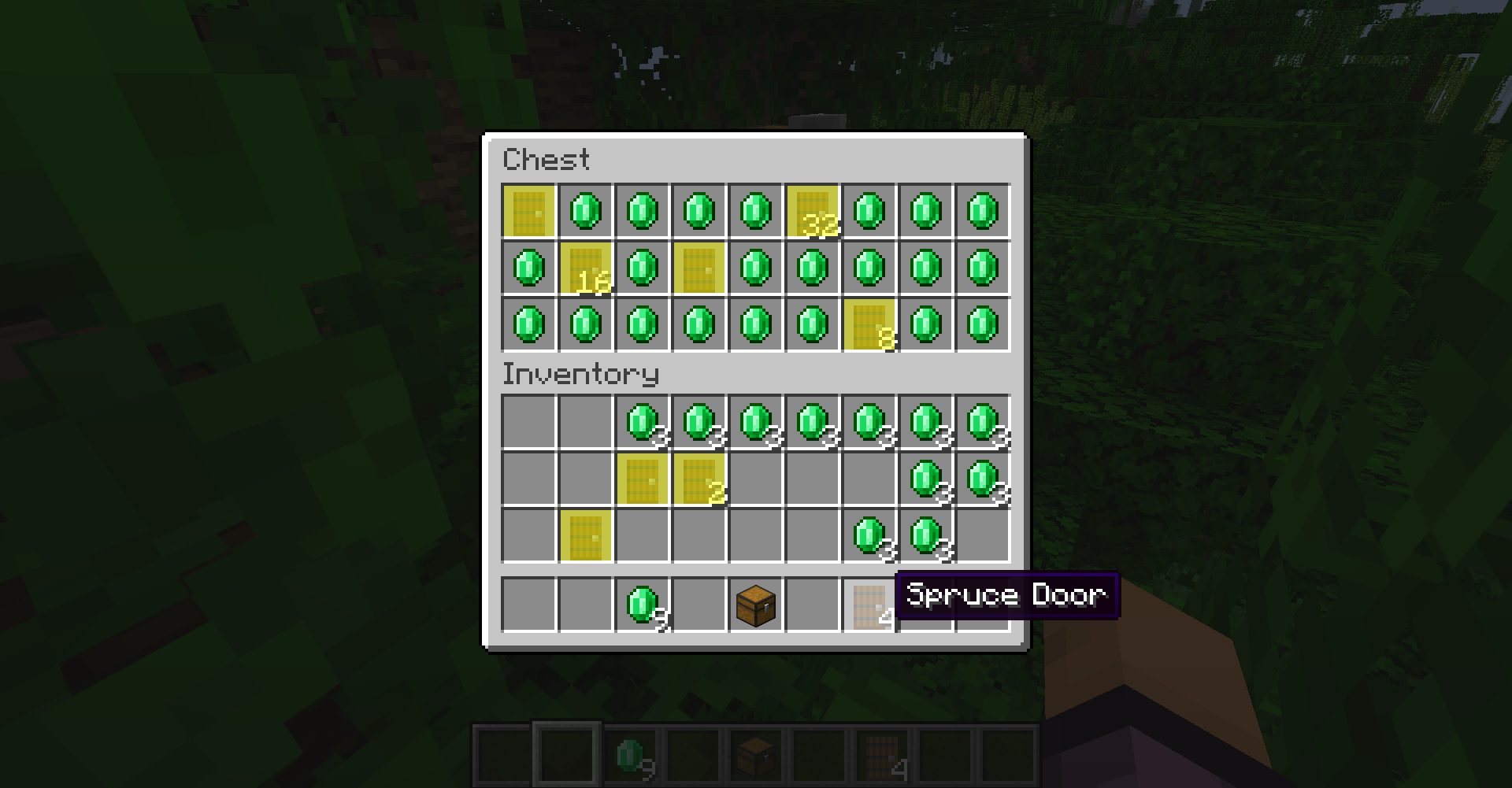
-
 New Config screen (v3.0.0+) The new config screen with a better color picker view, and all the new options!
 -
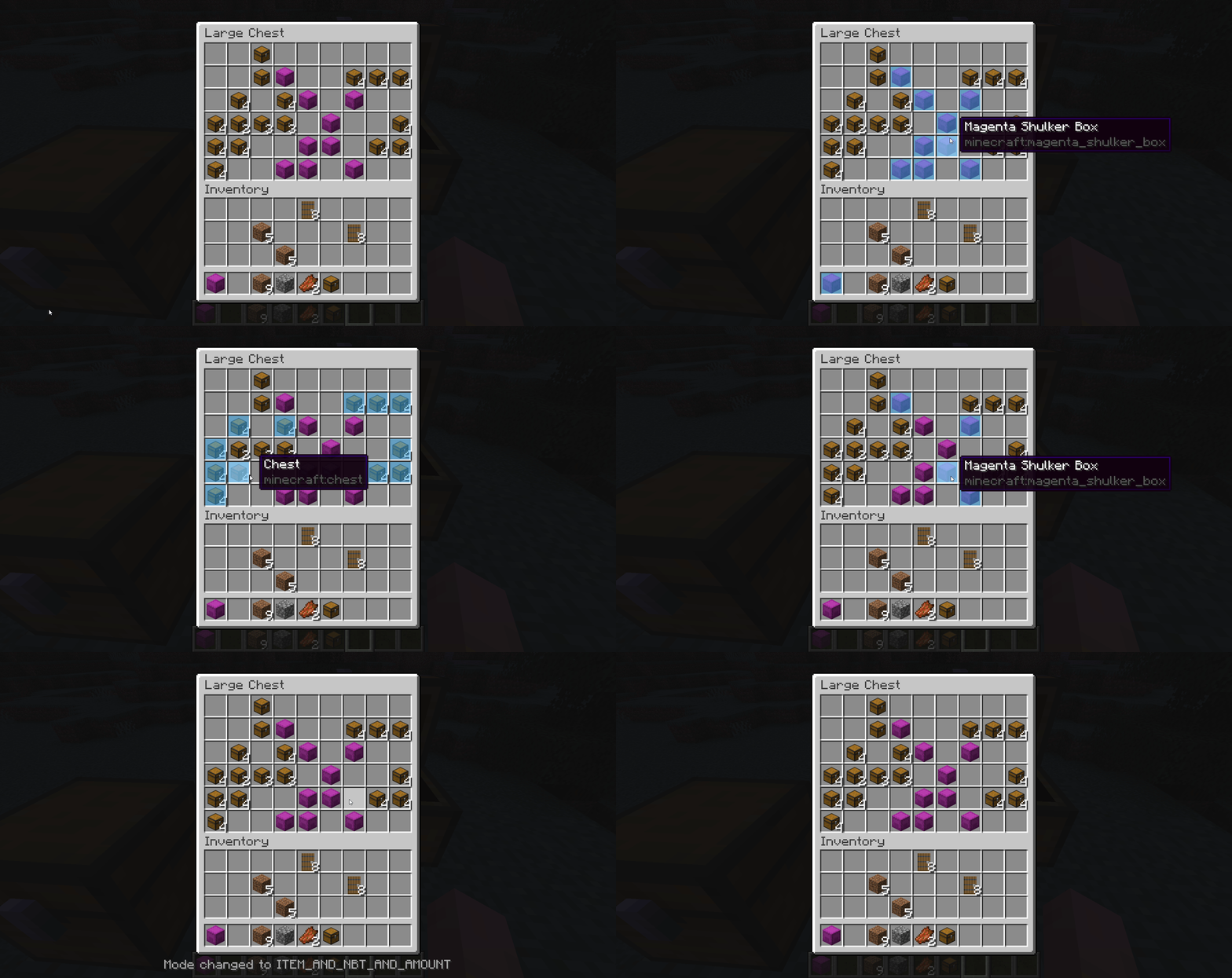 Comparaison modes Switch easyly with a keybind to different comparaison mode! V1.0.1+ only
 -
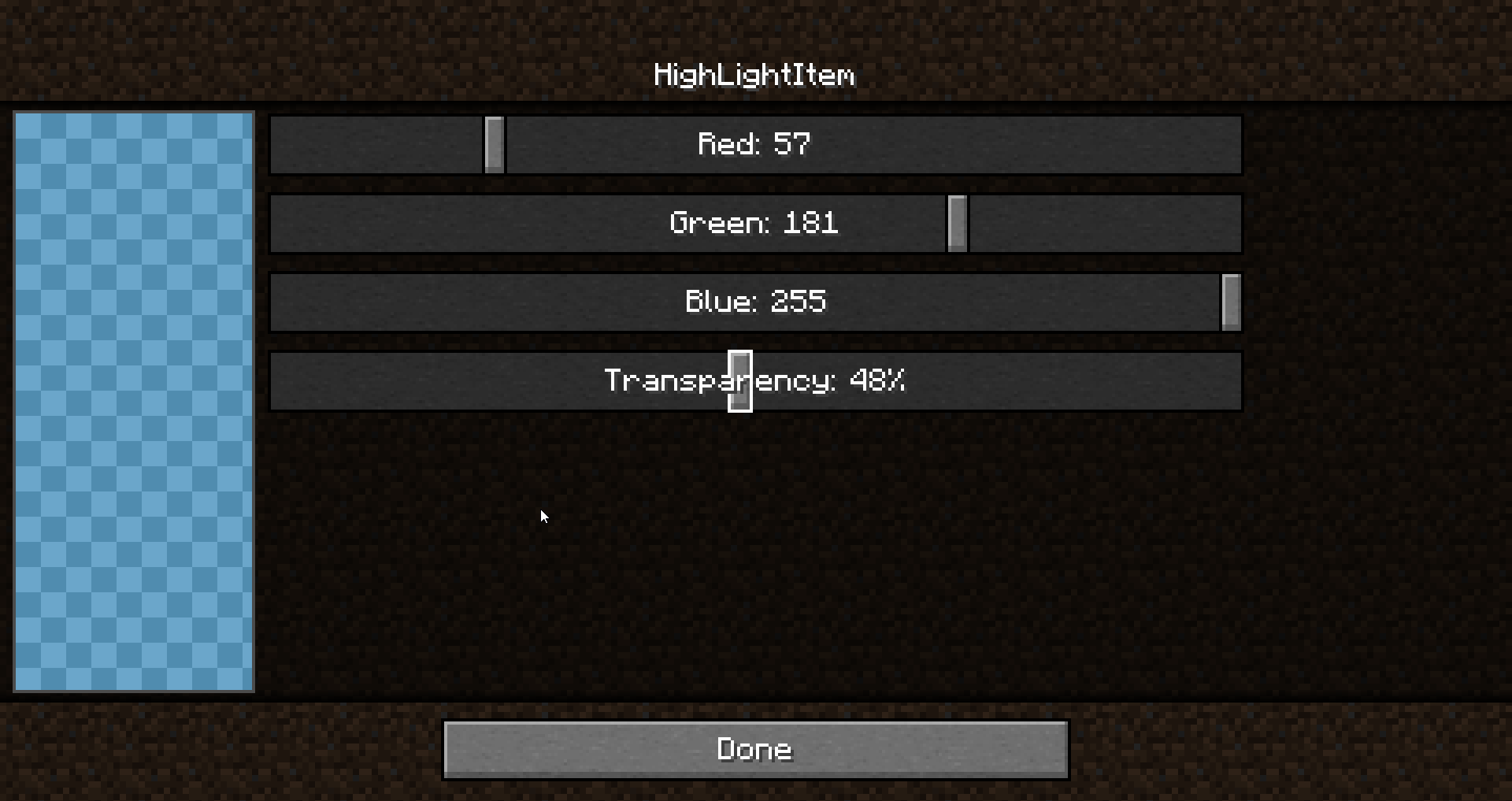 Color picker Customize the color! V1.0+ only
Versions
Files
Relations
Project Relations
More like this
Similar Mods
Suggestions use data such as tags, dependencies, dependents, descriptions, titles, and more to rank how much they overlap with this mod.
On ModDex
Community snapshot
By the numbers
Statistics
 (opens in a new tab)
Get it on
Available Platforms
On ModDex
Community snapshot
By the numbers