
Community listing page, reviews here may not be monitored by the author.
Fluid Converter


No reviews yet
An in-world block that converts one fluid into another. Pairs are taught live in-game by ops or shipped as datapacks. For when your modpack has four kinds of molten steel.
Community voices
Reviews
No reviews yet. Be the first to review this project!
Get it on
Available Platforms
Compatibility
Supported Environments
Must be installed on both the client and the server.
About
Project Details
For authors
Embed Badge
If you're the author of this project, you can embed a live badge anywhere that supports HTML or Markdown. It updates automatically whenever ratings change.
Use HTML for any page that supports it, or Markdown for README files and Markdown-based descriptions.
Identifiers
Platform IDs
About
Description

Fluid Converter
You know how it goes. You install Mekanism, Create, TFMG and Immersive Engineering, then look at JEI and find four kinds of "molten steel" that refuse to talk to each other. Or six different crude oils. Or three honey fluids. This mod fixes that, one in-world block at a time.
What it does
Place the converter, pipe a fluid into one face, set another face as output, pick what you want it to become. The block drains the input tank and fills the output tank at a configurable rate. That is the entire feature loop.
Right-click the block to open its GUI. From there, the sides button opens a small face-config screen: an unfolded cube where each face cycles between Input, Output and Disabled when clicked. A coloured overlay then shows up on the block in-world — cyan for input, orange for output — so you can tell at a glance what's wired where.
Recipes don't ship with the mod
That is intentional. The whole point of this thing is that the right molten_steel_A → molten_steel_B pairing depends on which mods you're actually running, and no static recipe list survives contact with the modpack. So you wire it yourself.
There are three ways to do it, and you can mix them:
In-game. As an op or in creative, open the converter and you'll see an Admin button. Click it, drop one fluid in and another out, save. From that point every converter on the server knows the pair. Stored under config/fluidconverter/learned_recipes.json, persists across restarts.
From chat or console. /fluidconverter recipe learn <inFluid> <inAmount> <outFluid> <outAmount> [reverse]. Autocompletes from the fluid registry. list, forget and clear work too. Non-ops don't even see the command.
Datapacks. data/<your-namespace>/recipe/<anything>.json, type fluidconverter:converting. This is the right answer if you're putting a pack together and want conversions versioned alongside the rest. /reload picks up edits live.
Pairs are bidirectional by default. Teach the converter A → B and it will accept B → A too unless you set "reverse": false. The toggle is exposed in the admin GUI, in the command, and in the datapack JSON.
Practical bits
Each face is independently configurable, so a single converter can sit on a junction with one input from your refinery, one output back into your tank network, and the rest left for anything else. Energy can come in from any face regardless of its role, so cables don't fight pipes for sides.
The output tank is locked to whatever you selected. The machine will not overwrite a different fluid that's sitting in the output tank — you have to actively drain it. There are drain buttons in the GUI for both tanks, sized so you don't accidentally lose a stockpile.
Redstone has three modes, cycled from a button in the main GUI: ignore signal entirely, only run when powered, only run when unpowered. Useful for batching, useful for emergency cutoffs.
Energy is FE-based and on by default, and the block accepts power on every face — including the ones already wired up for fluids. The defaults are gentle (10 FE per mB, 100k buffer) and tunable, but if you'd rather not deal with it at all, set energy.enabled = false and it runs for free.
A pause button stops the machine without breaking the pipework, which matters more than you'd think when you're debugging why a network has stalled.
A wrench (any item tagged c:tools/wrench or c:tools/wrenches) rotates the block clockwise on use, and shift-wrench picks the block up with its full per-block state intact — side roles, redstone mode, selected output, tank contents, buffered energy.
Server-side everything
The config lives at <world>/serverconfig/fluidconverter-server.toml and is a server-type config. On a dedicated server, rates are authoritative and pushed to clients on join, so the progress bar a player sees matches what the server is actually doing.
After any learn/forget/clear, the new state is broadcast to every connected player. Admin screens that are open update in real time. No relog needed.
If you don't want the Admin button exposed to creative-flagged players at all, machine.admin_menu_enabled = false hides it entirely. The commands still work from console.
Built for
Minecraft 1.21.1, NeoForge 21.1.228, Java 21.
No port plans for 1.20.x. If there's interest in a newer MC version, open an issue and I'll look at it.
Modpacks
Go ahead. Put it in your pack, public or private, free or paid, no need to ask. A link back to the project page is appreciated but not required. If something breaks in your pack specifically, an issue with the mod list helps me reproduce it.
Links
- Source, issues and PRs: github.com/F0x06/FluidConverter
- Full README with the complete config table and JSON schema: same repo
- License: MIT
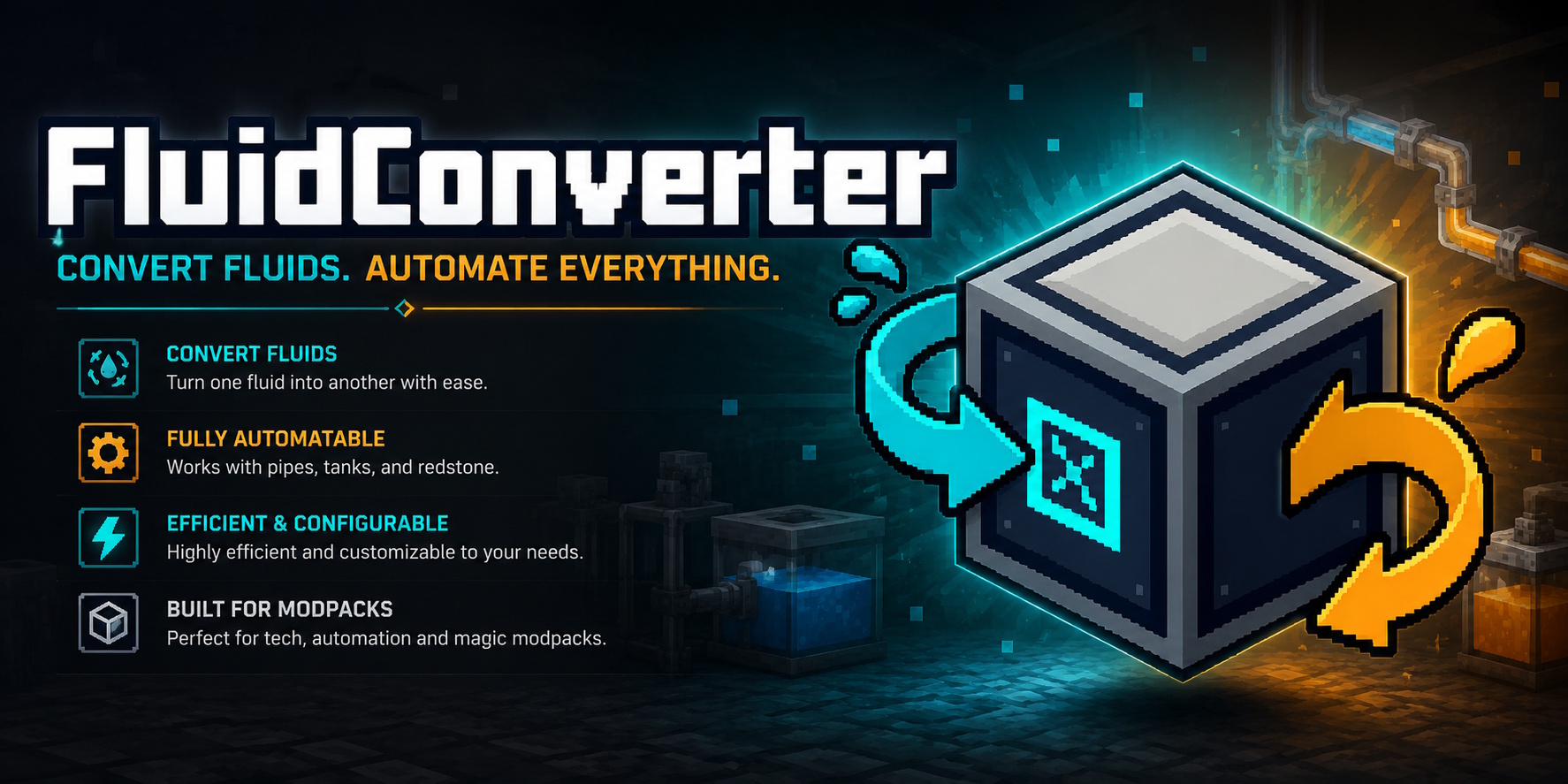
Fluid Converter
You know how it goes. You install Mekanism, Create, TFMG and Immersive Engineering, then look at JEI and find four kinds of "molten steel" that refuse to talk to each other. Or six different crude oils. Or three honey fluids. This mod fixes that, one in-world block at a time.
What it does
Place the converter, pipe a fluid into one face, set another face as output, pick what you want it to become. The block drains the input tank and fills the output tank at a configurable rate. That is the entire feature loop.
Right-click the block to open its GUI. From there, the sides button opens a small face-config screen: an unfolded cube where each face cycles between Input, Output and Disabled when clicked. A coloured overlay then shows up on the block in-world — cyan for input, orange for output — so you can tell at a glance what's wired where.
Recipes don't ship with the mod
That is intentional. The whole point of this thing is that the right molten_steel_A → molten_steel_B pairing depends on which mods you're actually running, and no static recipe list survives contact with the modpack. So you wire it yourself.
There are three ways to do it, and you can mix them:
In-game. As an op or in creative, open the converter and you'll see an Admin button. Click it, drop one fluid in and another out, save. From that point every converter on the server knows the pair. Stored under config/fluidconverter/learned_recipes.json, persists across restarts.
From chat or console. /fluidconverter recipe learn <inFluid> <inAmount> <outFluid> <outAmount> [reverse]. Autocompletes from the fluid registry. list, forget and clear work too. Non-ops don't even see the command.
Datapacks. data/<your-namespace>/recipe/<anything>.json, type fluidconverter:converting. This is the right answer if you're putting a pack together and want conversions versioned alongside the rest. /reload picks up edits live.
Pairs are bidirectional by default. Teach the converter A → B and it will accept B → A too unless you set "reverse": false. The toggle is exposed in the admin GUI, in the command, and in the datapack JSON.
Practical bits
Each face is independently configurable, so a single converter can sit on a junction with one input from your refinery, one output back into your tank network, and the rest left for anything else. Energy can come in from any face regardless of its role, so cables don't fight pipes for sides.
The output tank is locked to whatever you selected. The machine will not overwrite a different fluid that's sitting in the output tank — you have to actively drain it. There are drain buttons in the GUI for both tanks, sized so you don't accidentally lose a stockpile.
Redstone has three modes, cycled from a button in the main GUI: ignore signal entirely, only run when powered, only run when unpowered. Useful for batching, useful for emergency cutoffs.
Energy is FE-based and on by default, and the block accepts power on every face — including the ones already wired up for fluids. The defaults are gentle (10 FE per mB, 100k buffer) and tunable, but if you'd rather not deal with it at all, set energy.enabled = false and it runs for free.
A pause button stops the machine without breaking the pipework, which matters more than you'd think when you're debugging why a network has stalled.
A wrench (any item tagged c:tools/wrench or c:tools/wrenches) rotates the block clockwise on use, and shift-wrench picks the block up with its full per-block state intact — side roles, redstone mode, selected output, tank contents, buffered energy.
Server-side everything
The config lives at <world>/serverconfig/fluidconverter-server.toml and is a server-type config. On a dedicated server, rates are authoritative and pushed to clients on join, so the progress bar a player sees matches what the server is actually doing.
After any learn/forget/clear, the new state is broadcast to every connected player. Admin screens that are open update in real time. No relog needed.
If you don't want the Admin button exposed to creative-flagged players at all, machine.admin_menu_enabled = false hides it entirely. The commands still work from console.
Built for
Minecraft 1.21.1, NeoForge 21.1.228, Java 21.
No port plans for 1.20.x. If there's interest in a newer MC version, open an issue and I'll look at it.
Modpacks
Go ahead. Put it in your pack, public or private, free or paid, no need to ask. A link back to the project page is appreciated but not required. If something breaks in your pack specifically, an issue with the mod list helps me reproduce it.
Links
- Source, issues and PRs: github.com/F0x06/FluidConverter
- Full README with the complete config table and JSON schema: same repo
- License: MIT
Screenshots
Gallery
-
 banner.jpg banner.jpg
 -
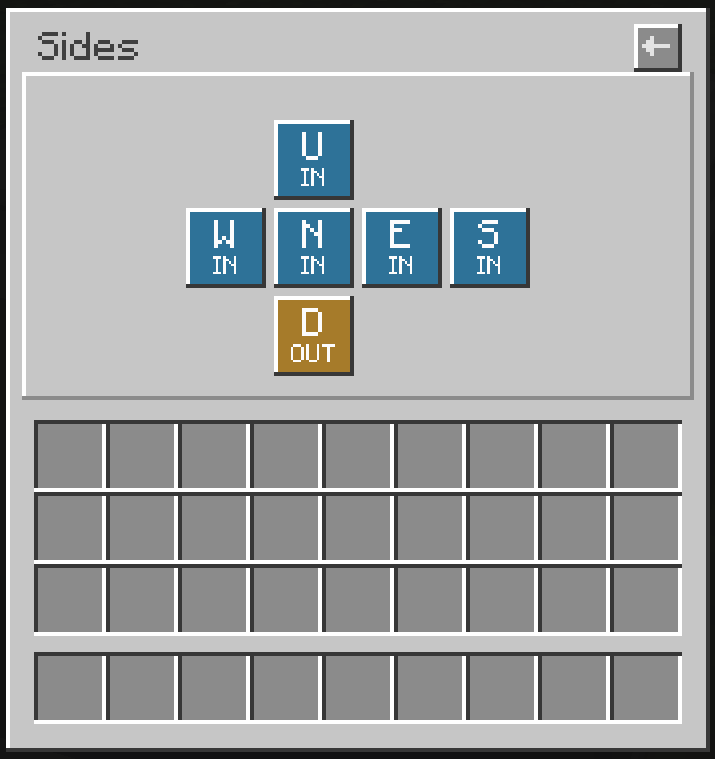 gui_sides.png gui_sides.png
 -
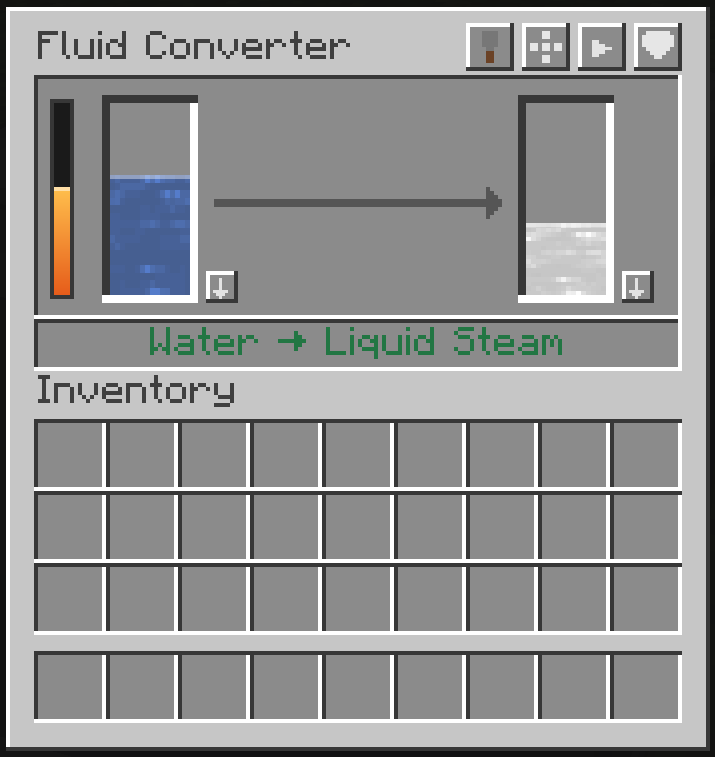 gui_main.png gui_main.png
 -
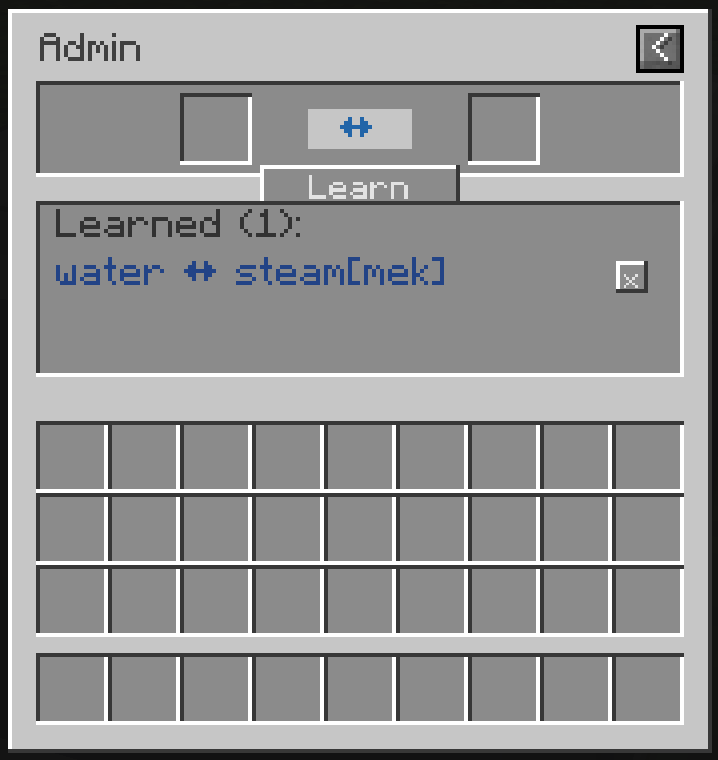 gui_admin.png gui_admin.png
 -
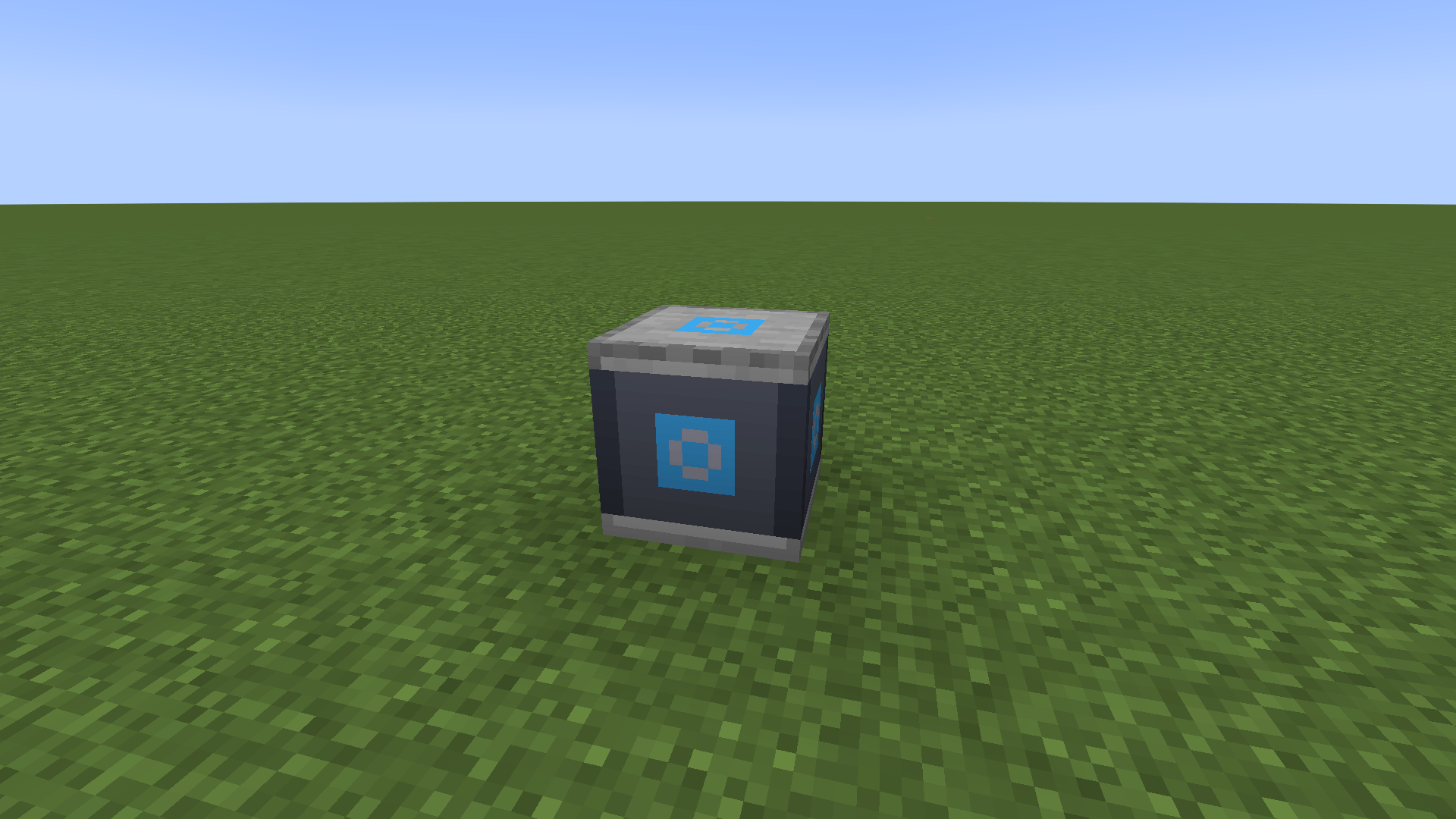 2026-05-15_19.00.55.png 2026-05-15_19.00.55.png
-
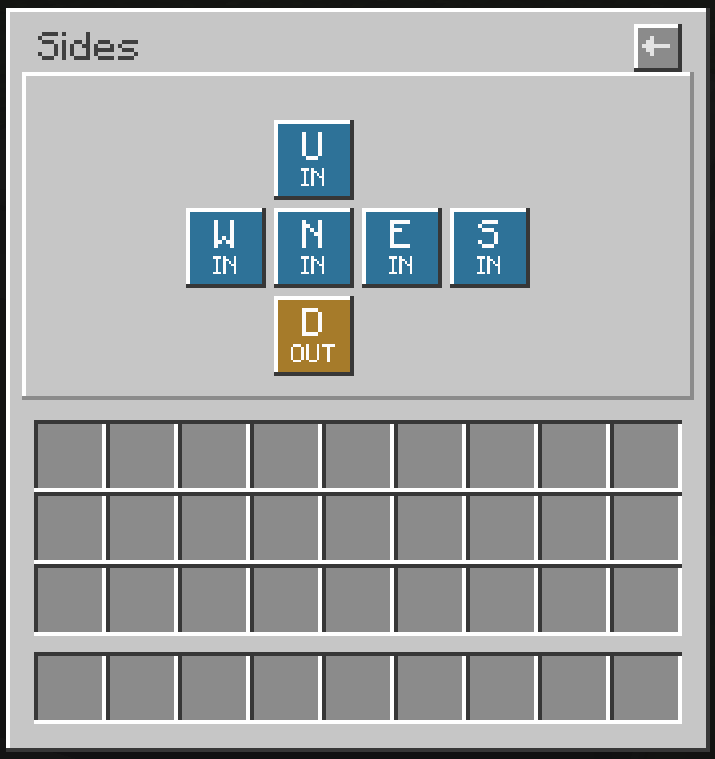 Sides GUI
 -
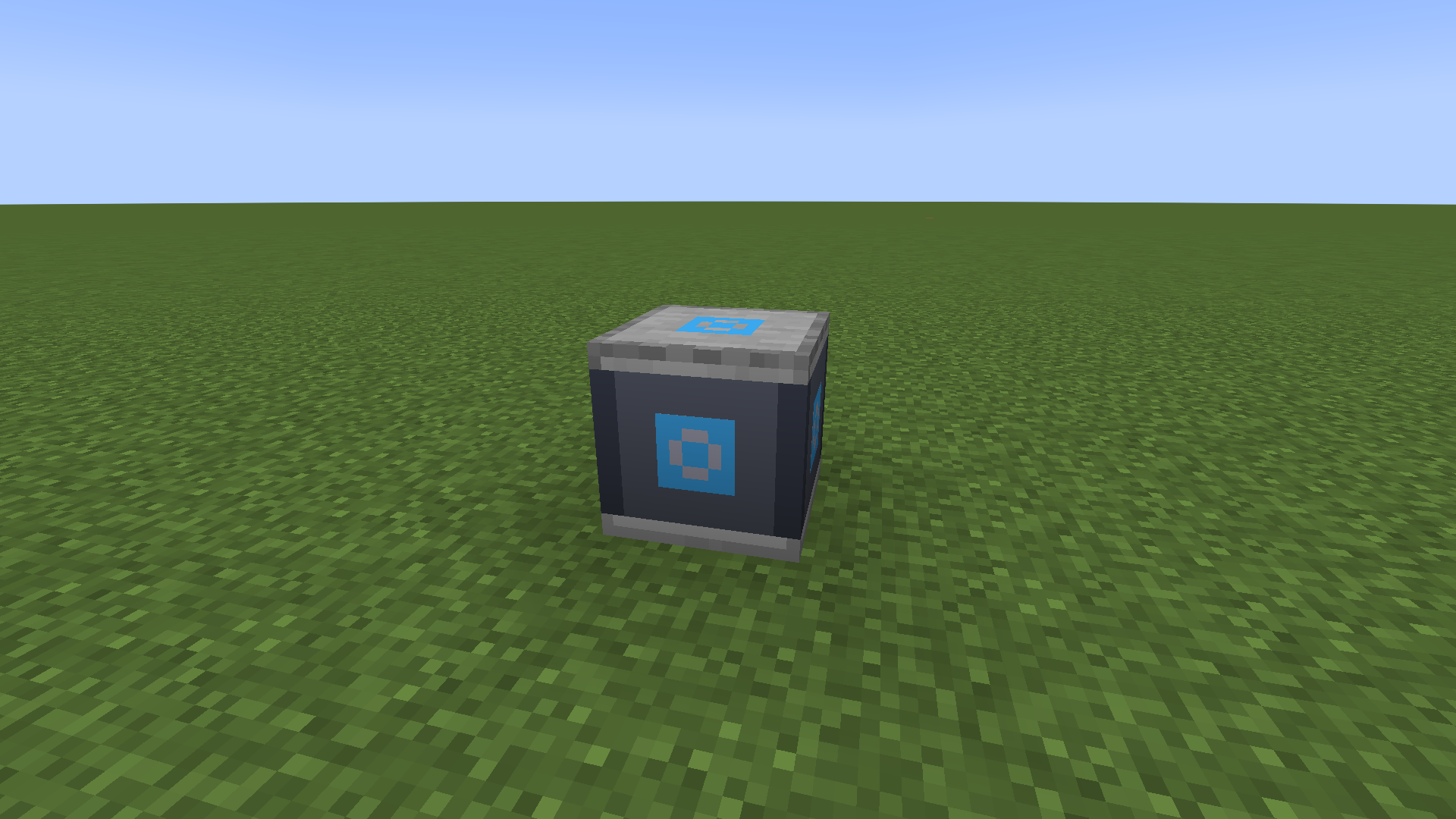 World
World -
 Banner
 -
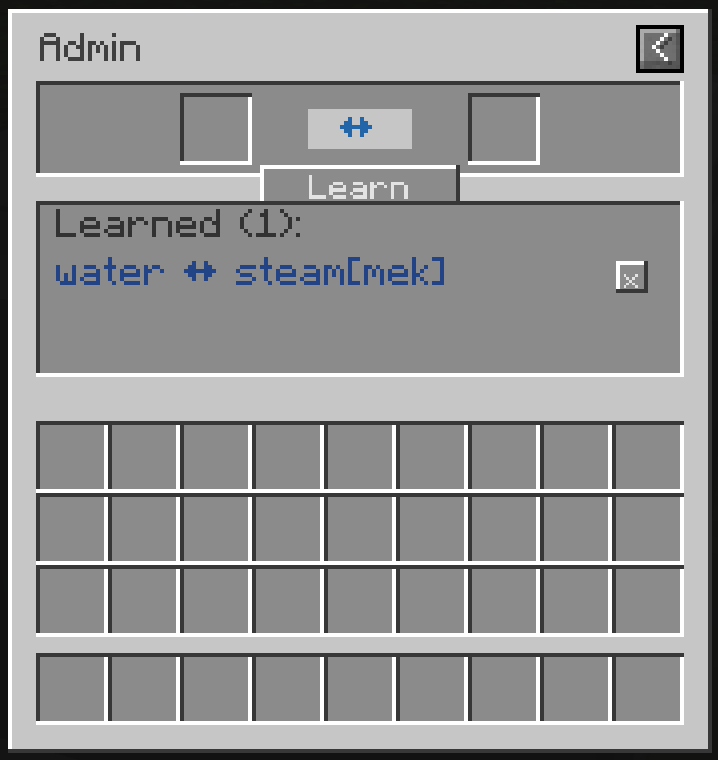 Admin GUI
 -
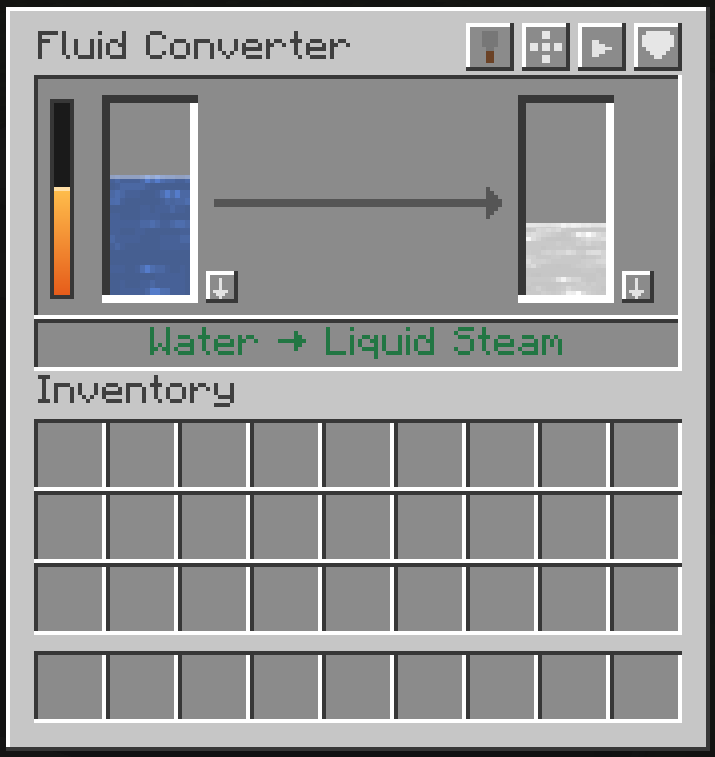 Main GUI
Versions
Files
Relations
Project Relations
More like this
Similar Mods
Suggestions use data such as tags, dependencies, dependents, descriptions, titles, and more to rank how much they overlap with this mod.
On ModDex
Community snapshot
By the numbers
Statistics
Want to reach Minecraft players?
We're looking for a server hosting partner to feature here and other parts of the site. Interested? Send us a message!
Get in touchGet it on
Available Platforms
On ModDex
Community snapshot
By the numbers