
FMG-to-MC
No reviews yet
Turn maps from Azgaar's Fantasy Map Generator into explorable Minecraft worlds.
General improvements to world generation, such as bug fixes, aesthetic overhauls, or misc additions.
Fabric is a mod loader for versions 1.14+ of Minecraft, particularly popular for client side and optimization mods.
Community voices
Reviews
Click once to include, again to exclude, again to clear
No reviews yet. Be the first to review this project!
Get it on
Available Platforms
 Modrinth
Compatibility
Supported Environments
About
Project Details
For authors
Embed Badge
If you're the author of this project, you can embed a live badge anywhere that supports HTML or Markdown. It updates automatically whenever ratings change.
Use HTML for any page that supports it, or Markdown for README files and Markdown-based descriptions.
Identifiers
Platform IDs
Resources
External Links
About
Description
FMG-to-MC connects Azgaar's Fantasy Map Generator to Minecraft's world generation. Export two GeoJSON files from your map — Cells and Rivers — place them in the right folder, and generate a world shaped after the geography you designed.
⚠️ The mod is still in alpha, so bugs are expected.
Getting Started
1. Export from Azgaar
Open your map in Azgaar's Fantasy Map Generator and go to Export → JSON → Cells and Rivers.
2. Place the files
In your .minecraft folder (Windows: type %appdata% in File Explorer), create the following structure:
config/fmgtomc/maps/default/
  |- <YourWorld> Cells.geojson
  |- <YourWorld> Rivers.geojson
Any filename works, as long as it contains cells or rivers.
3. Create the world
Launch Minecraft → Create New World → World → set World Type to FMG Fantasy Map → Create World.
Dedicated server: set
level-type=fmgtomc\:fmgtomcinserver.properties.
Important Notes
Scale
By default the world runs at roughly 1:125 horizontal scale — 1 block in Minecraft corresponds to about 125 meters on your Azgaar map. Vertical scale compresses far less.
Biomes
Terrain shape and biomes come from your map. Trees, vegetation, ores, and mobs are provided by the mapped vanilla biomes — the generator only shapes terrain, water, and rivers.
Rivers
Only rivers natively generated by Azgaar are supported. Rivers manually drawn may not generate correctly.
Recommended mods (not required)
- FerriteCore
- Sodium
Screenshots
Gallery
-
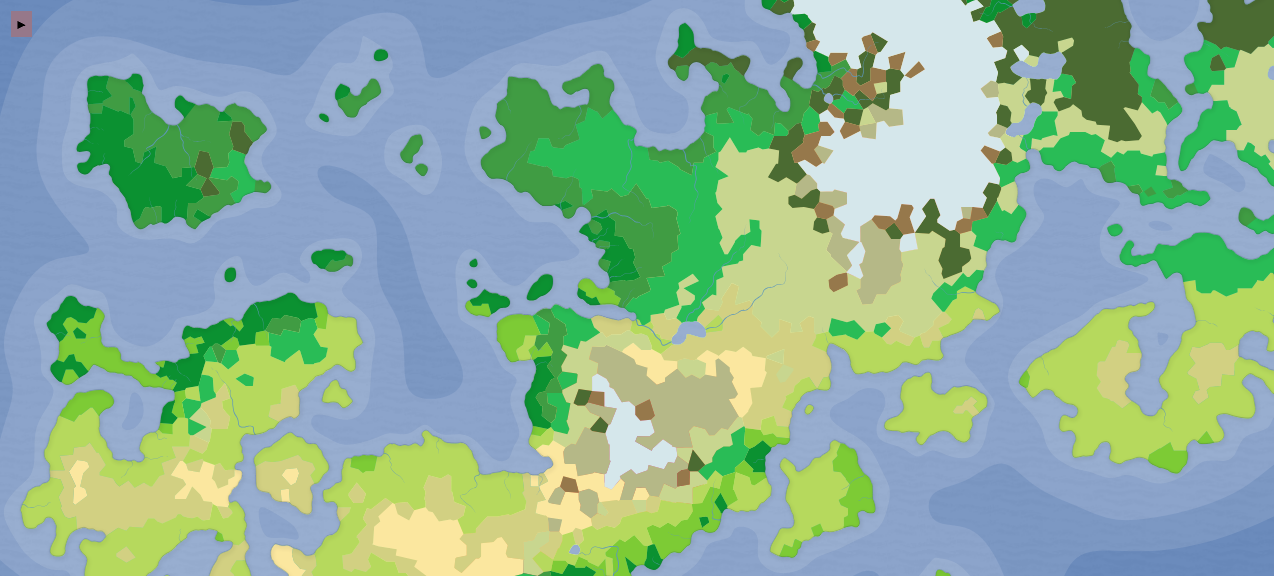 step 1 Here's a map, let's export it.
 -
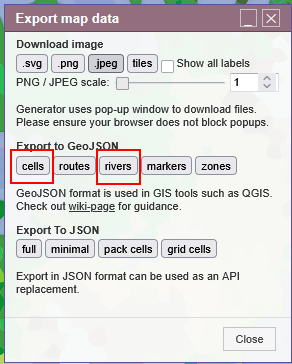 step 2 Download these two files
 -
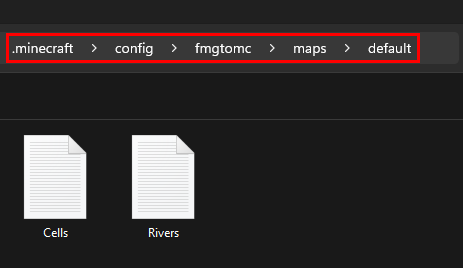 step 3 Put the files into the 'default' folder, following this path.
 -
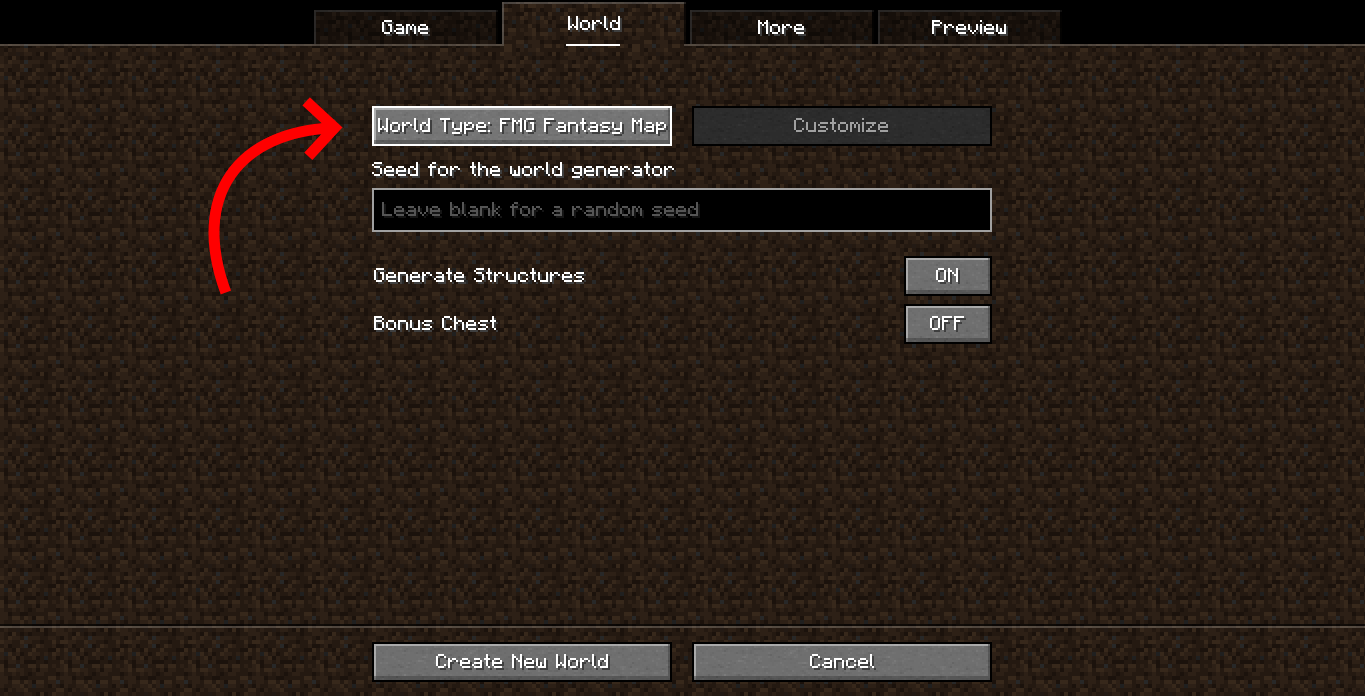 step 4 Select the 'FMG Fantasy Map' world-type
 -
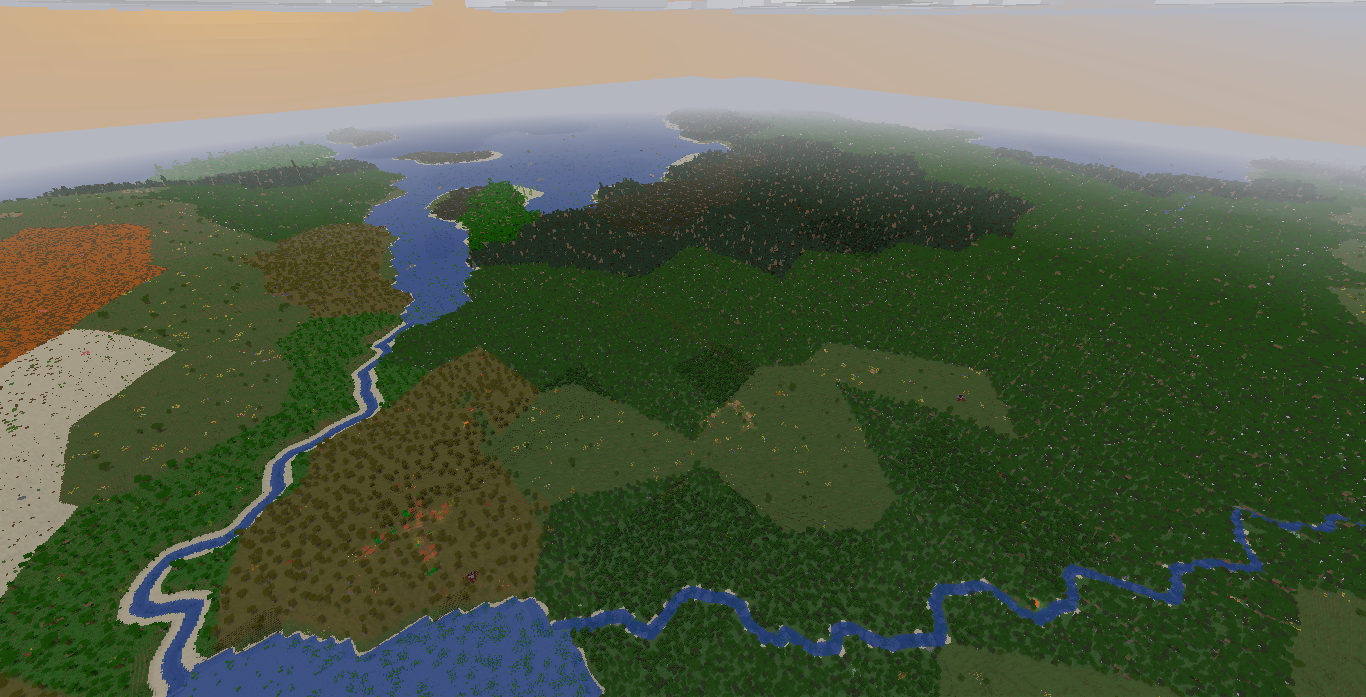 step 5 success!
 -
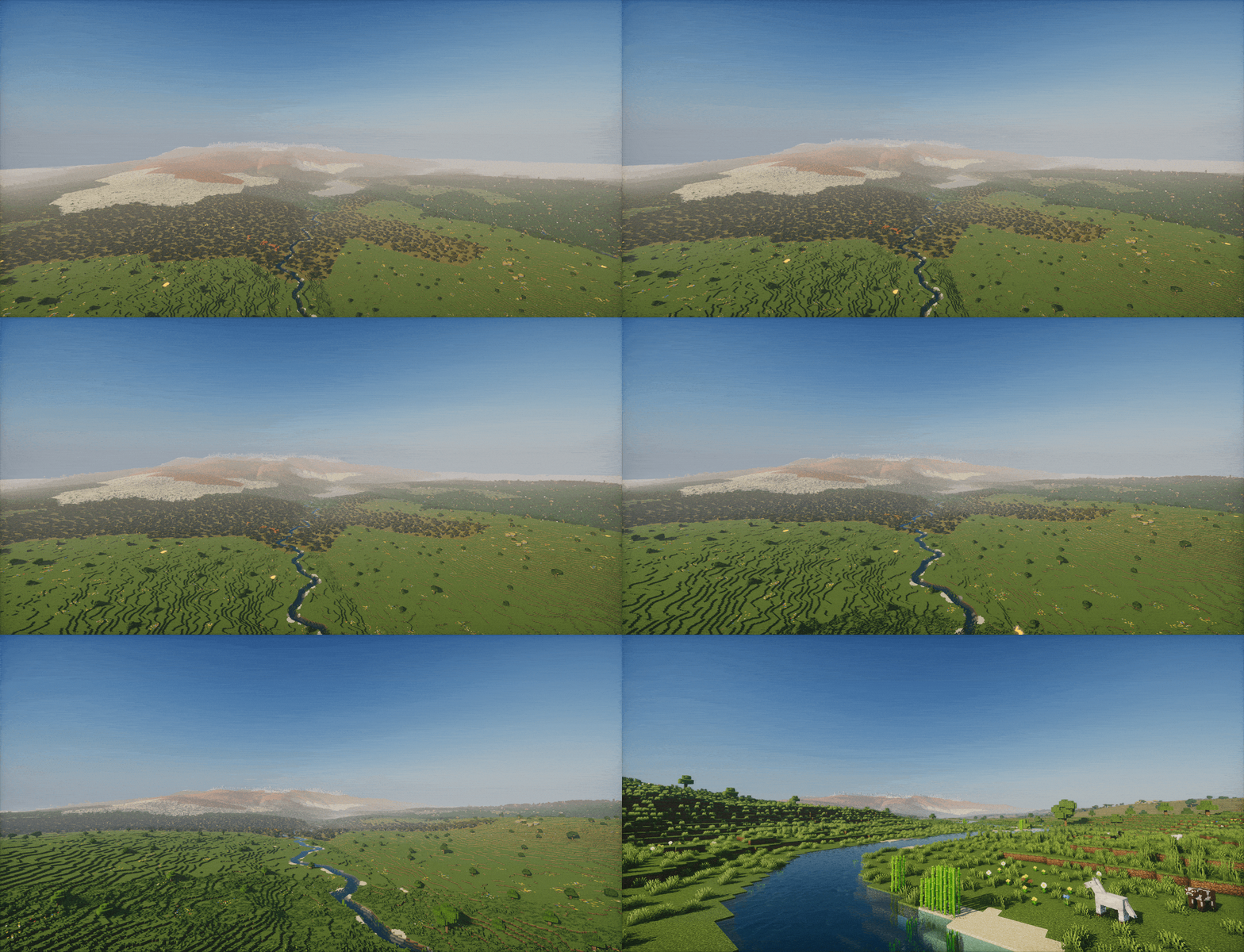 river
river
Versions
Files
Relations
Project Relations
More like this
Similar Mods
Suggestions use data such as tags, dependencies, dependents, descriptions, titles, and more to rank how much they overlap with this mod.
On ModDex
Community snapshot
By the numbers
Statistics

Want to reach Minecraft players?
We're looking for a server hosting partner to feature here and other parts of the site. Interested? Send us a message!
Get in touchGet it on
Available Platforms
On ModDex
Community snapshot
By the numbers
Statistics
Resources