Community listing page, reviews here may not be monitored by the author.
Focus


No reviews yet
Z-targeting lock-on mod, customizable & great for combat.
Community voices
Reviews
No reviews yet. Be the first to review this project!
Get it on
Available Platforms
Compatibility
Supported Environments
Runs entirely on the client. Works on vanilla servers.
About
Project Details
For authors
Embed Badge
If you're the author of this project, you can embed a live badge anywhere that supports HTML or Markdown. It updates automatically whenever ratings change.
Use HTML for any page that supports it, or Markdown for README files and Markdown-based descriptions.
Identifiers
Platform IDs
About
Description
DO NOT USE THIS ON PUBLIC SERVERS WITHOUT ADMIN PERMISSION, YOU ARE VERY LIKELY TO BE BANNED.


Focus adds a proper lock-on system for third-person combat, with a camera that stays centered on your target and makes fights feel a lot more deliberate.
- Lock onto nearby enemies and keep your camera focused on the fight
- Swap between targets with directional mouse flicks
- Swap shoulders on the fly depending on how you want combat framed
- Save your own camera presets instead of being stuck with one setup
- Use a full camera editor to tweak:
- offsets
- distance
- rotation
- shoulder behavior


Focus also helps fix one of the big annoyances with third-person combat by supporting a corrected crosshair, so aiming and hit feedback feel much more consistent while locked on.
On top of that, you can also:
- use target filters
- choose between different lock-on indicator styles
- enable cinematic bars
- make your player fade out when they get in the way of the camera


Default keybinds
Lock On Target -
V- Locks onto the best nearby target
- Press again to disengage
Swap Shoulder -
X- Switches the camera between left and right shoulder
Open Camera Editor -
F6- Opens the in-game camera editor
- Lets you preview and adjust your current camera setup live
Adjust Camera Offsets (same default controls as Shoulder Surfing Reloaded)
These can be used while locked on, or while previewing in the camera editor:- Move camera up -
Page Up - Move camera down -
Page Down - Move camera in -
Up Arrow - Move camera out -
Down Arrow - Move camera left -
Left Arrow - Move camera right -
Right Arrow
- Move camera up -


Focus currently has native compatibility with Shoulder Surfing Reloaded as an optional dependency.
Disable "Decoupled camera" in the 'Camera' section of the client config for **SHOULDER SURFING**. As of [1.0.0-beta.2], the decoupled camera doesn't play well with focus. I'm working on proper integration for this :P
Support for other mods is also planned, including:
If there's a specific mod you would like compatibility with, open an issue in the GitHub repo.
Note: These mods have NOT been tested yet.
Please don’t report issues to those developers. Report any bugs to the GitHub or via Discord DM (ijvn).

Version and Loaders
- ✅ NeoForge 1.21.1 [Active development]
- ⛔ NeoForge 1.20.1 [Not planned]
- ⛔ Forge 1.21.1 [Not planned]
- ✅ Forge 1.20.1 [Active development]
- 🚧 Fabric 1.21.1 [Planned port]
- 🚧 Fabric 1.20.1 [Planned port]
Planned Features
- Controller support through Controlify & MidnightControls
- Overhaul of the entire camera editor screen
- Custom indicator icon creator; colour, size, position, texture, etc.
- Server-side admin control commands/config to prevent certain features for users

Credits
The camera system in Focus derives from Exopandora's port of Sabar's mod, Shoulder Surfing Reloaded, with further modifications made for Focus.
License
Focus is All Rights Reserved. The mod, source code, assets, and documentation may not be copied, modified, redistributed, reuploaded, sold, or used to create derivative works without explicit permission.
A small number of specifically marked source files are available under the MIT License. These files contain the header SPDX-License-Identifier: MIT and are listed in THIRD_PARTY_NOTICES.md. This exception does not apply to the rest of Focus.
Feel free to use this mod in modpacks, videos, etc. Just provide a link back to this page if possible :)
For any general queries/unlisted questions, DM me on Twitter (@prodbyjvn) / Discord (ijvn).
⚠ This mod ONLY exists on Modrinth & CurseForge as of April 2026. Any sites hosting this mod outside of Modrinth/CurseForge are not official releases. ⚠
DO NOT USE THIS ON PUBLIC SERVERS WITHOUT ADMIN PERMISSION, YOU ARE VERY LIKELY TO BE BANNED.
Focus adds a proper lock-on system for third-person combat, with a camera that stays centered on your target and makes fights feel a lot more deliberate.
- Lock onto nearby enemies and keep your camera focused on the fight
- Swap between targets with directional mouse flicks
- Swap shoulders on the fly depending on how you want combat framed
- Save your own camera presets instead of being stuck with one setup
- Use a full camera editor to tweak:
- offsets
- distance
- rotation
- shoulder behavior
Focus also helps fix one of the big annoyances with third-person combat by supporting a corrected crosshair, so aiming and hit feedback feel much more consistent while locked on.
On top of that, you can also:
- use target filters
- choose between different lock-on indicator styles
- enable cinematic bars
- make your player fade out when they get in the way of the camera
Default keybinds
-
Lock On Target -
V- Locks onto the best nearby target
- Press again to disengage
-
Swap Shoulder -
X- Switches the camera between left and right shoulder
-
Open Camera Editor -
F6- Opens the in-game camera editor
- Lets you preview and adjust your current camera setup live
-
Adjust Camera Offsets (same default controls as Shoulder Surfing Reloaded)
These can be used while locked on, or while previewing in the camera editor:- Move camera up -
Page Up - Move camera down -
Page Down - Move camera in -
Up Arrow - Move camera out -
Down Arrow - Move camera left -
Left Arrow - Move camera right -
Right Arrow
- Move camera up -
Focus currently has native compatibility with Shoulder Surfing Reloaded as an optional dependency.
Disable "Decoupled camera" in the 'Camera' section of the client config for **SHOULDER SURFING**. As of [1.0.0-beta.2], the decoupled camera doesn't play well with focus. I'm working on proper integration for this :P
Support for other mods is also planned, including:
If there's a specific mod you would like compatibility with, open an issue in the GitHub repo.
Note: These mods have NOT been tested yet.
Please don’t report issues to those developers. Report any bugs to the GitHub or via Discord DM (ijvn).
Version and Loaders
- ✅ NeoForge 1.21.1 [Active development]
- ⛔ NeoForge 1.20.1 [Not planned]
- ⛔ Forge 1.21.1 [Not planned]
- ✅ Forge 1.20.1 [Active development]
- 🚧 Fabric 1.21.1 [Planned port]
- 🚧 Fabric 1.20.1 [Planned port]
- Eventually, will skip straight to 26.1/whatever the newest standard will be for modding.
Planned Features
- Controller support through Controlify & MidnightControls
- Overhaul of the entire camera editor screen
- Custom indicator icon creator; colour, size, position, texture, etc.
- Server-side admin control commands/config to prevent certain features for users
Credits
The camera system in Focus derives from Exopandora's port of Sabar's mod, Shoulder Surfing Reloaded, with further modifications made for Focus.
License
Focus is All Rights Reserved. The mod, source code, assets, and documentation may not be copied, modified, redistributed, reuploaded, sold, or used to create derivative works without explicit permission.
A small number of specifically marked source files are available under the MIT License. These files contain the header SPDX-License-Identifier: MIT and are listed in THIRD_PARTY_NOTICES.md. This exception does not apply to the rest of Focus.
Feel free to use this mod in modpacks, videos, etc. Just provide a link back to this page if possible :)
For any general queries/unlisted questions, DM me on Twitter (@prodbyjvn) / Discord (ijvn).
⚠ This mod ONLY exists on Modrinth & CurseForge as of April 2026. Any sites hosting this mod outside of Modrinth/CurseForge are not official releases. ⚠
Screenshots
Gallery
-
 Focus mod icon
 -
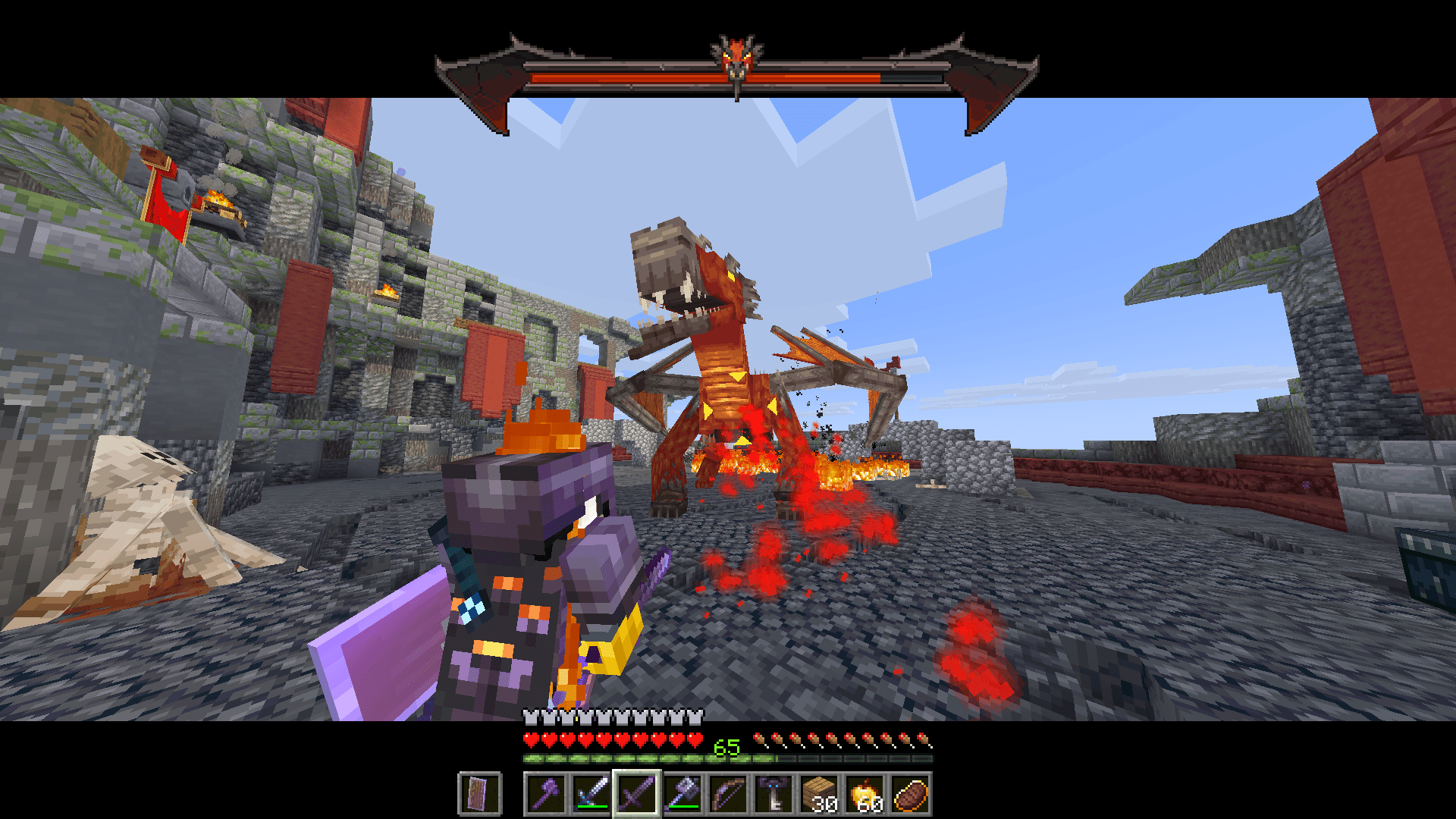 Gameplay screenshot 1 Targeting working with a Bosses'Rise boss.
 -
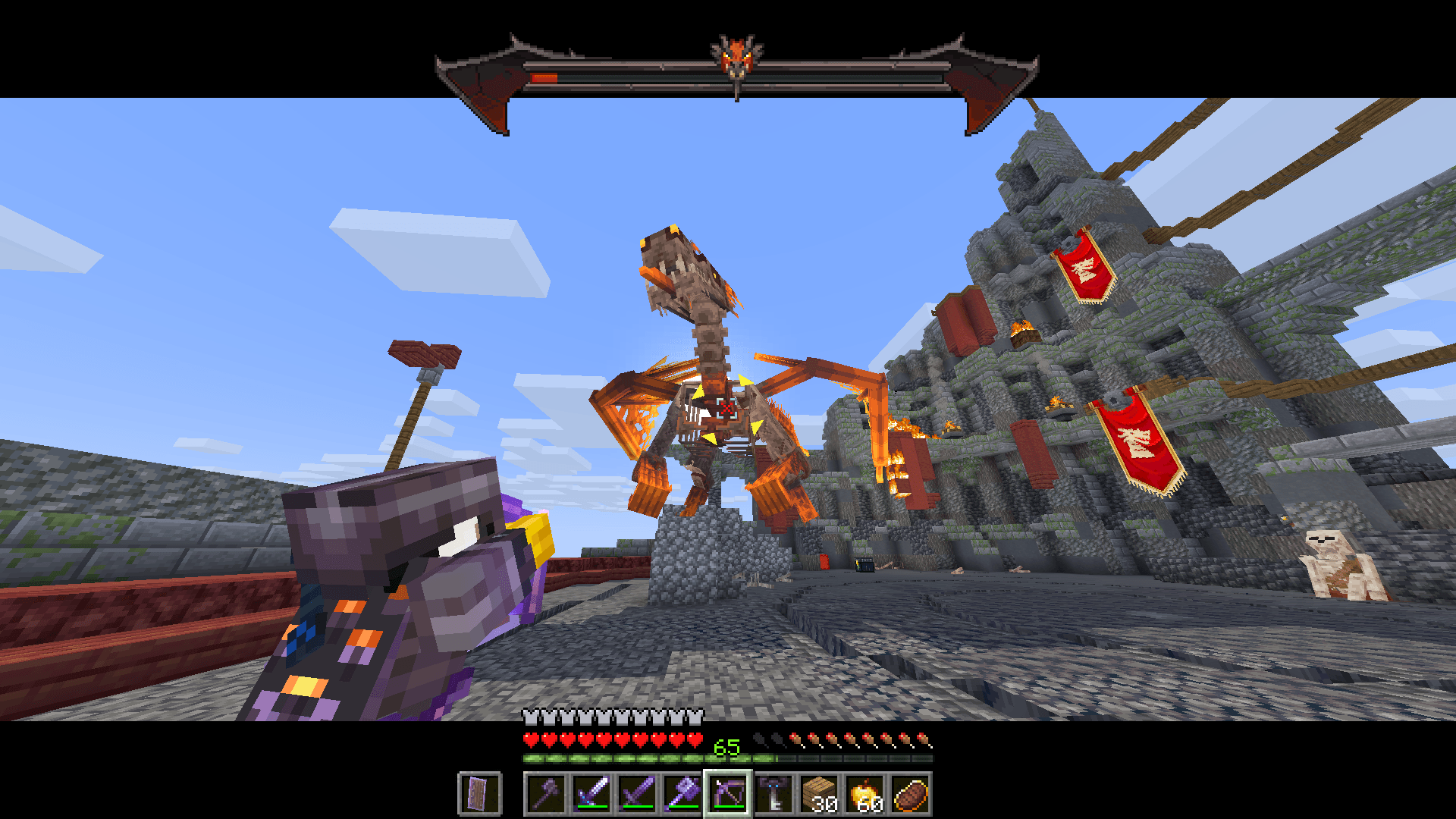 Gameplay screenshot 2 Bow targeting working with a Bosses'Rise boss.
 -
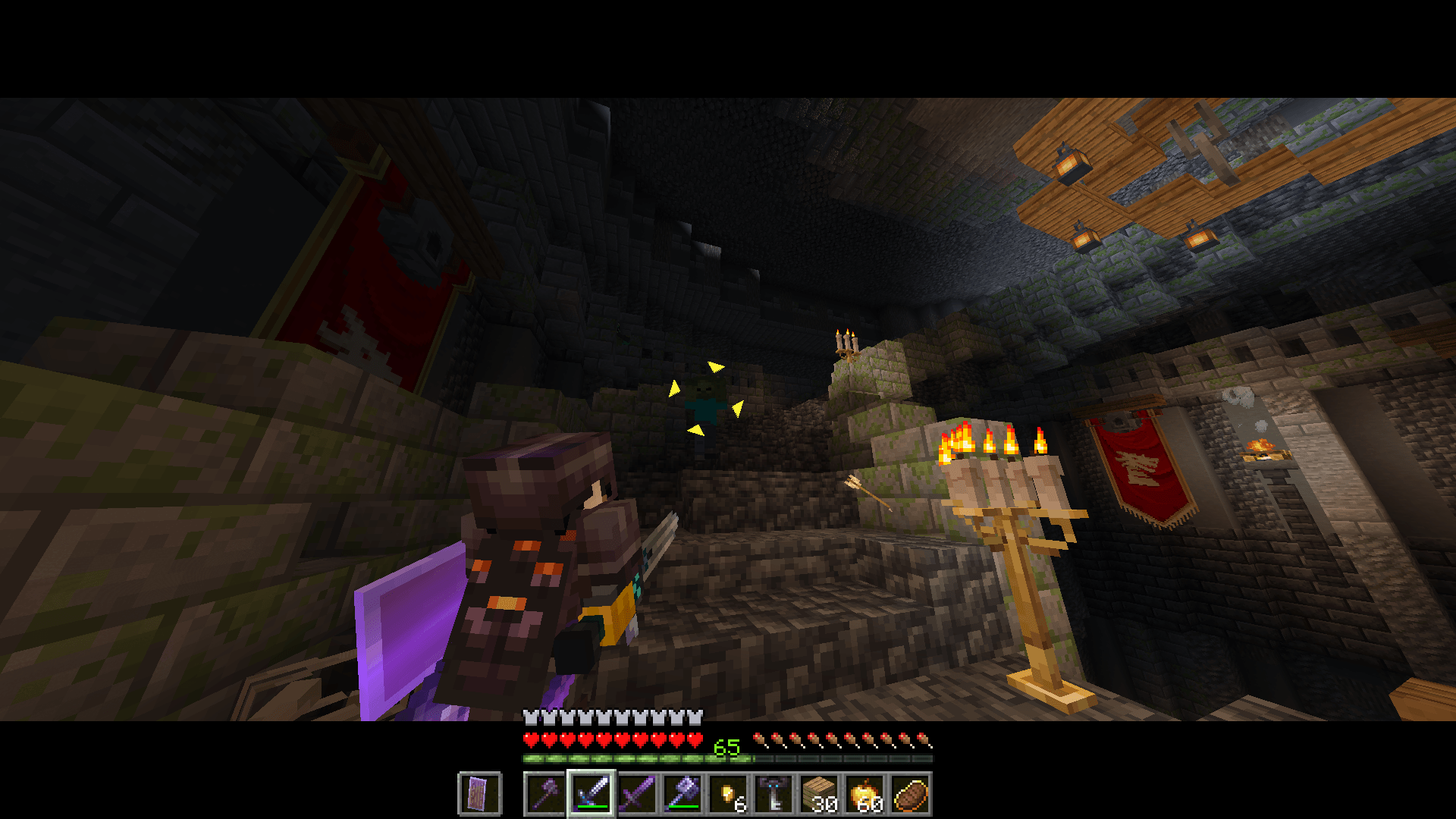 Gameplay screenshot 3 Indoor targeting working with a vanilla mob.
 -
 Focus bannner
-
 Focus mod icon
 -
 Focus banner
 -
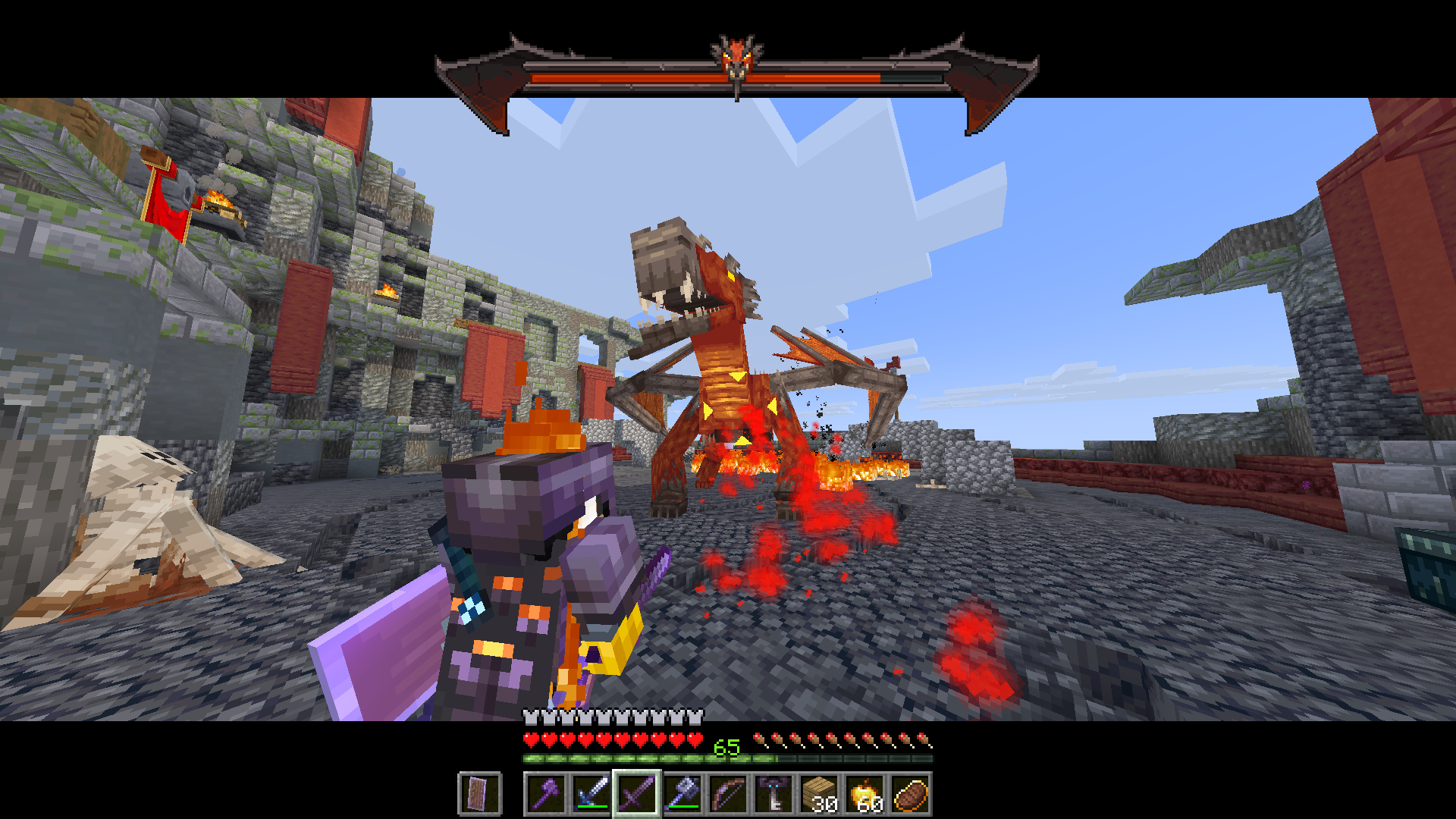 Gameplay screenshot 1 Targeting working with a Bosses'Rise boss.
 -
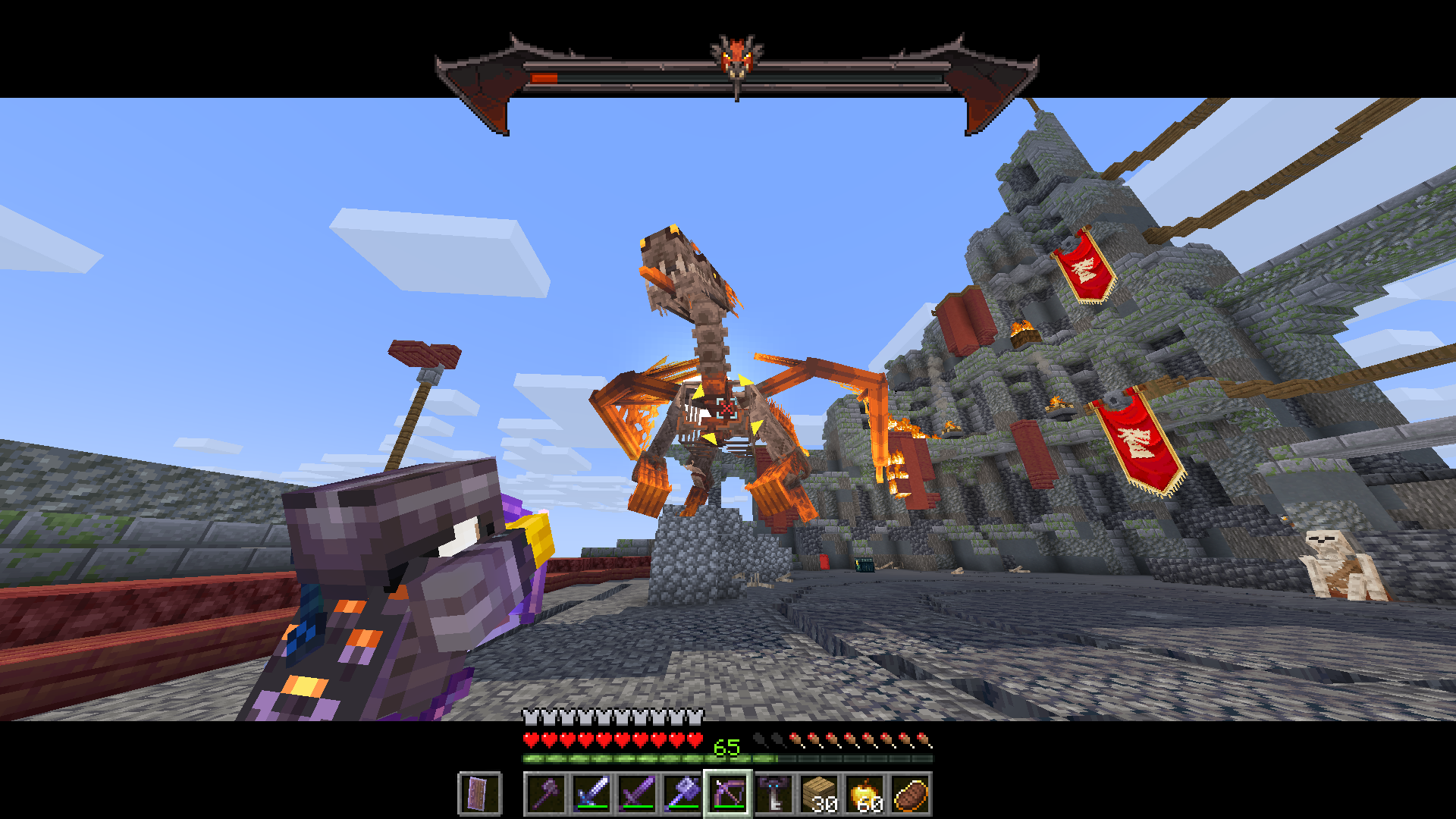 Gameplay screenshot 2 Bow targeting working with a Bosses'Rise boss.
 -
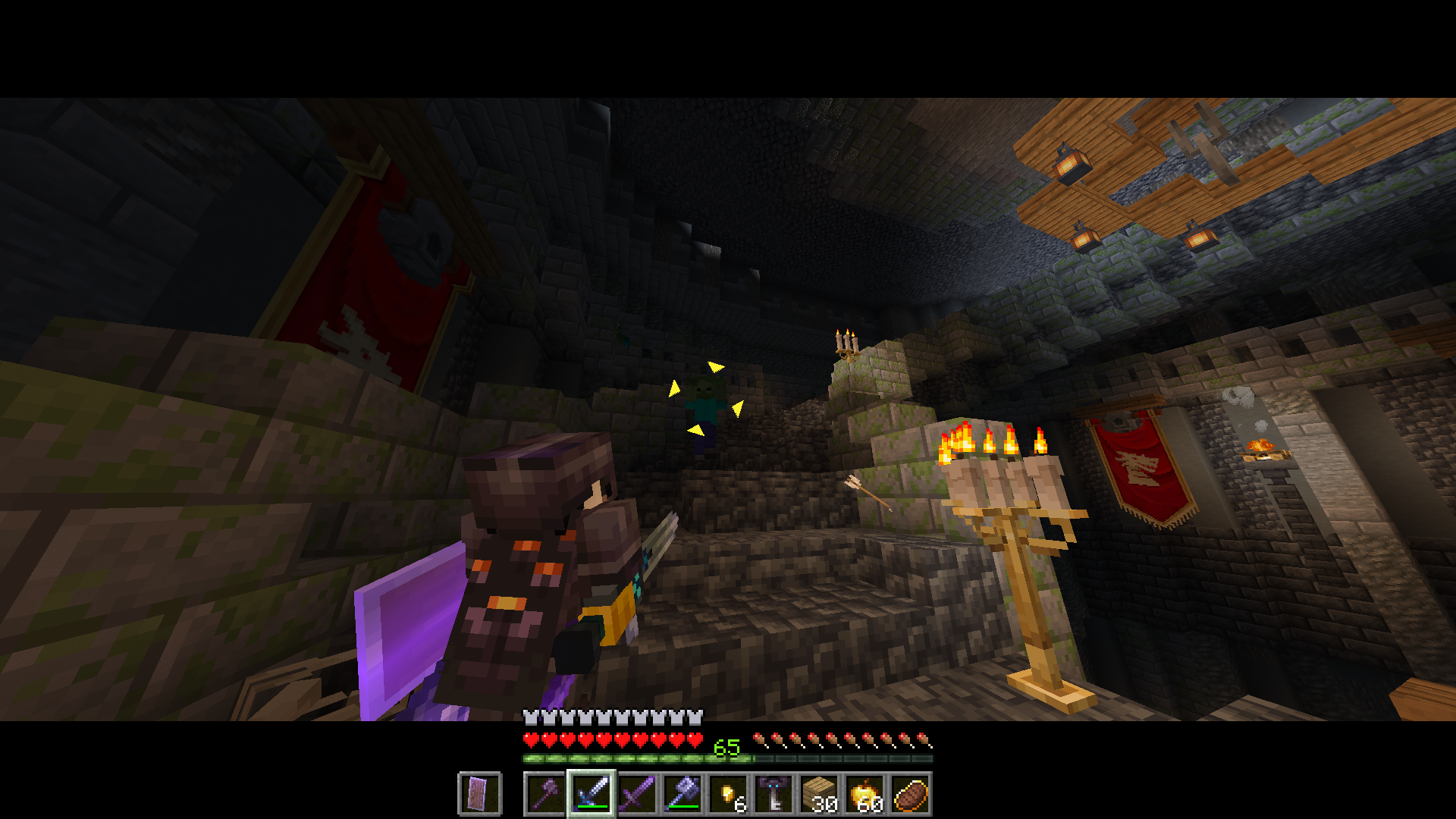 Gameplay screenshot 3 Indoor targeting working with a vanilla mob.
 -
 Z-targeting indoors, close quarters Showcasing z-targeting indoors, player fighting skeletons from a spawner.
 -
 Player Switching Targets Player switching between two targets, the spider and the skeleton (spider jockey), using mouse direction flicks.
 -
 Shoulder swapping during combat Player swapping between shoulders while targeting.
Versions
Files
Relations
Project Relations
More like this
Similar Mods
Suggestions use data such as tags, dependencies, dependents, descriptions, titles, and more to rank how much they overlap with this mod.
On ModDex
Community snapshot
By the numbers
Statistics
Want to reach Minecraft players?
We're looking for a server hosting partner to feature here and other parts of the site. Interested? Send us a message!
Get in touchGet it on
Available Platforms
On ModDex
Community snapshot
By the numbers