
Community listing page, reviews here may not be monitored by the author.
FogCustomizer

No reviews yet
Customize Every kind of Fog in the Game with Sliders.
Community voices
Reviews
No reviews yet. Be the first to review this project!
Get it on
Available Platforms
Compatibility
Supported Environments
Runs entirely on the client. Works on vanilla servers.
About
Project Details
For authors
Embed Badge
If you're the author of this project, you can embed a live badge anywhere that supports HTML or Markdown. It updates automatically whenever ratings change.
Use HTML for any page that supports it, or Markdown for README files and Markdown-based descriptions.
Identifiers
Platform IDs
Resources
External Links
About
Description
FogCustomizer
Fog in Minecraft can block your view. Now you can control it, from no fog at all to full normal fog, or anything in between.
FogCustomizer gives you total control over every type of fog in the game. No more picking between "see everything perfectly" or "keep the normal foggy look." With this mod, you get the whole range, and you pick exactly where on that range you want to be.
How It Works
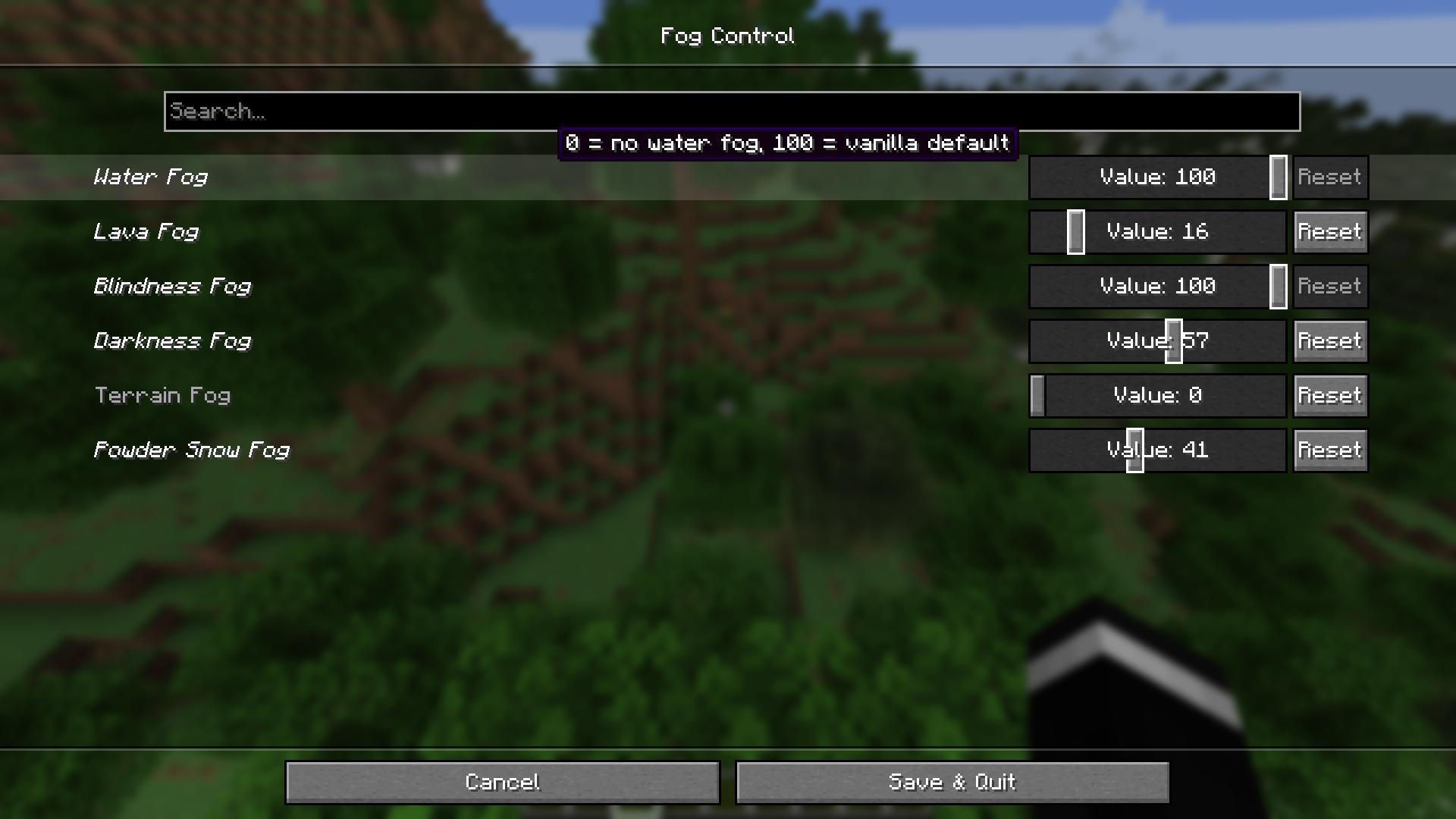
Once you install the mod, open the Mod Menu. Inside, you'll find five easy sliders — one for each kind of fog in the game:
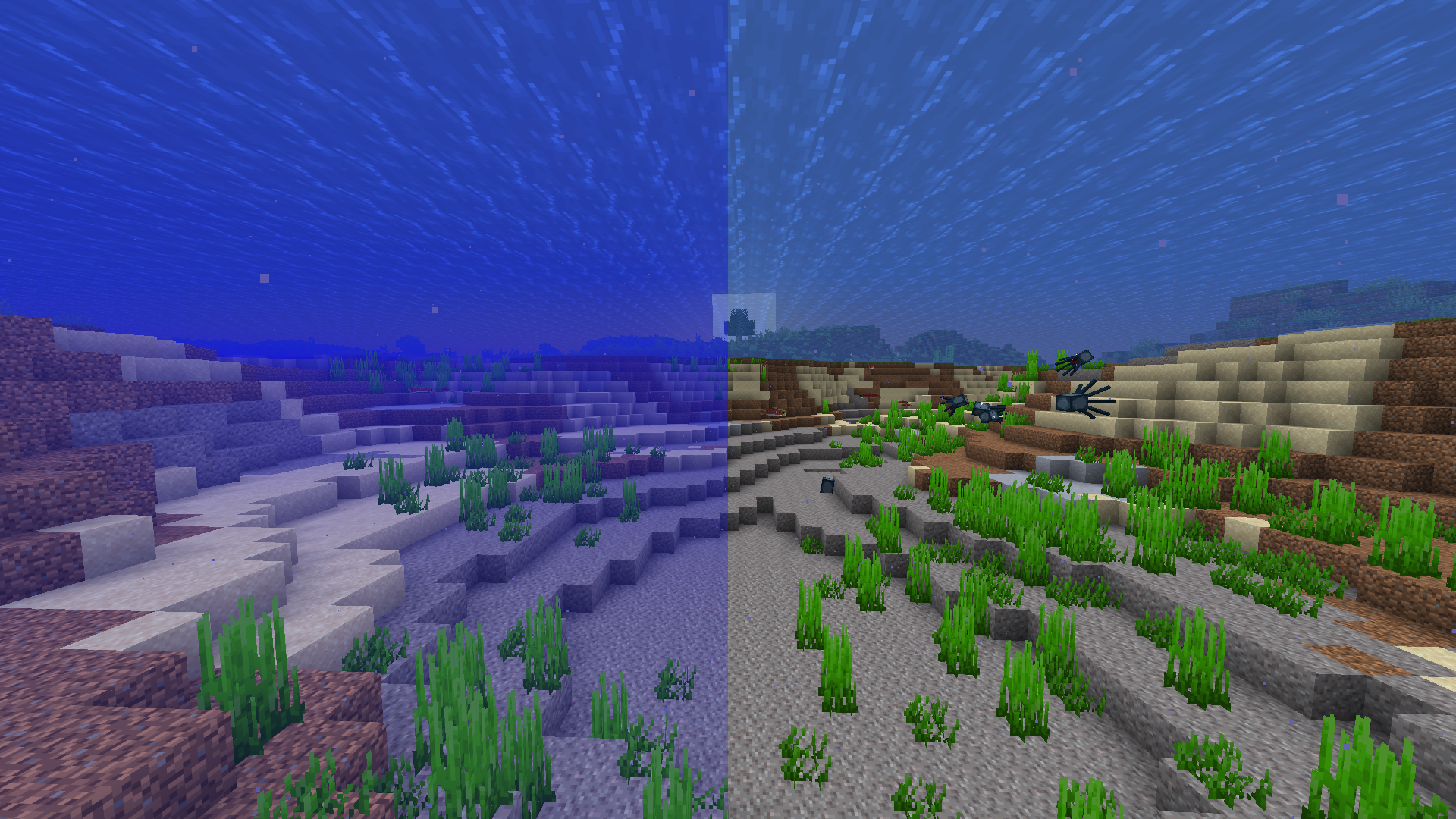
- 🌊 Water Fog – the blurry look you get when you're swimming or underwater
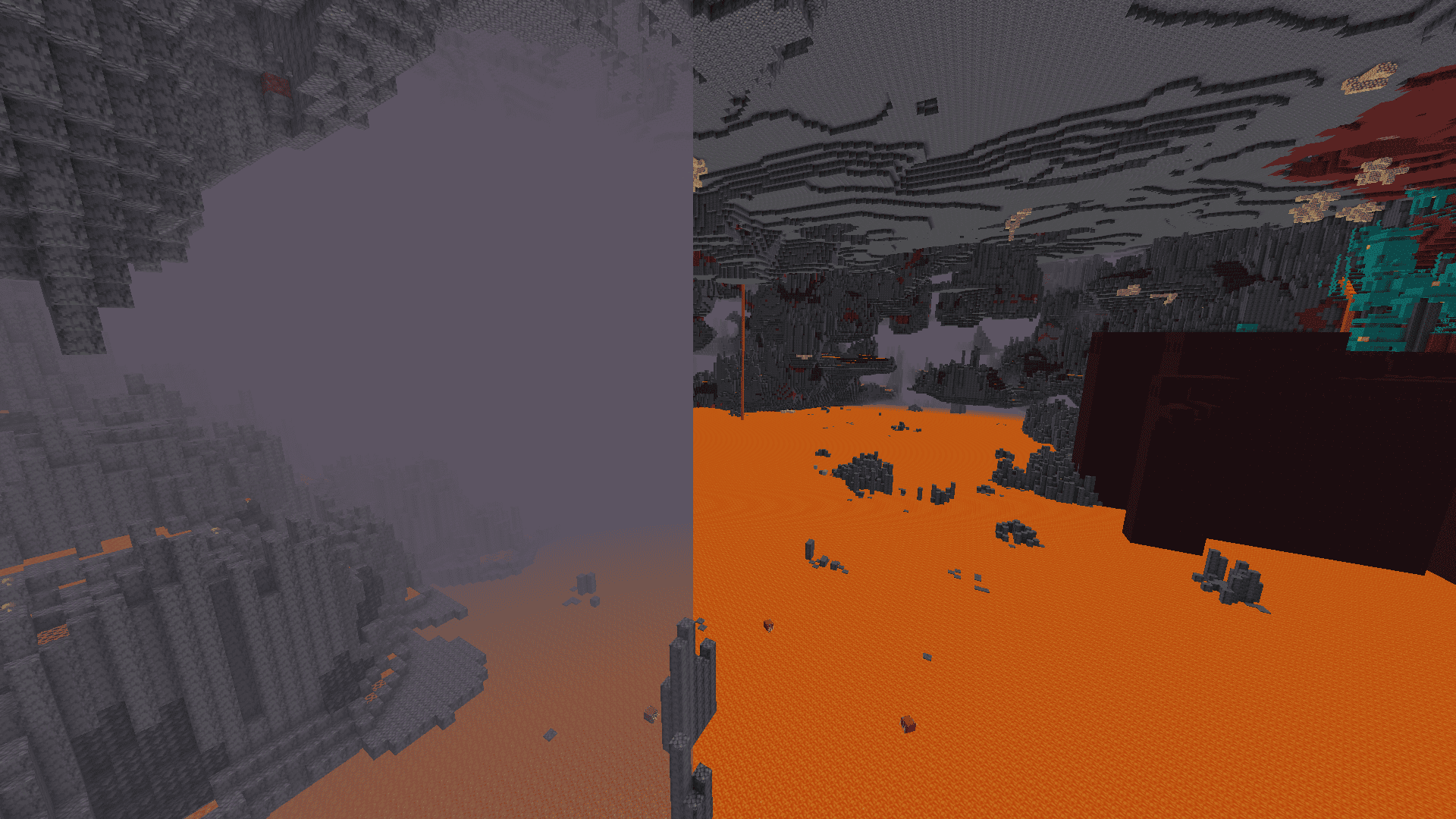
- 🌋 Lava Fog – the thick orange haze you see when you're in or near lava
- 👁️ Blindness Fog – the dark fog that covers your screen when you have the Blindness effect
- 🌑 Darkness Fog – the fog from the Darkness effect (like when a Warden makes an area extra spooky)
- ⛰️ Terrain Fog – the fog you see far away near mountains, biomes, and the edge of your render distance
Simple Sliders, Total Control
Each slider goes from 0 to 100:
- Slide it to 0 → that fog disappears completely. Perfect, clear visibility.
- Slide it to 100 → you get the normal, default vanilla fog, just like the game was never changed.
- Anywhere in between → the mod blends the two smoothly, so you can dial in exactly the amount of fog you want. Want just a little less lava fog so you can see your way out of a cave? Set it to 40 or 50 instead of all the way down.
You can adjust all five sliders separately. That means you could turn off lava fog completely while keeping water fog at a normal level, or turn down terrain fog just a bit while leaving blindness fog untouched. It's completely up to you.
Why Use FogCustomizer?
Fog in Minecraft can look great, but it can also get in the way — especially underwater, in caves, or when effects like Blindness and Darkness hit you at the worst possible time. Instead of being stuck with an all-or-nothing choice, FogCustomizer hands you the controls so you can build the exact look and visibility you want for your world.
Requirements
To use FogCustomizer, you'll also need these mods installed:
- Fabric API
- Mod Menu
- Cloth Config
- Text Placeholder API
Once everything is installed, just launch the game, open Mod Menu, find FogCustomizer, and start sliding!
Screenshots
Gallery
-
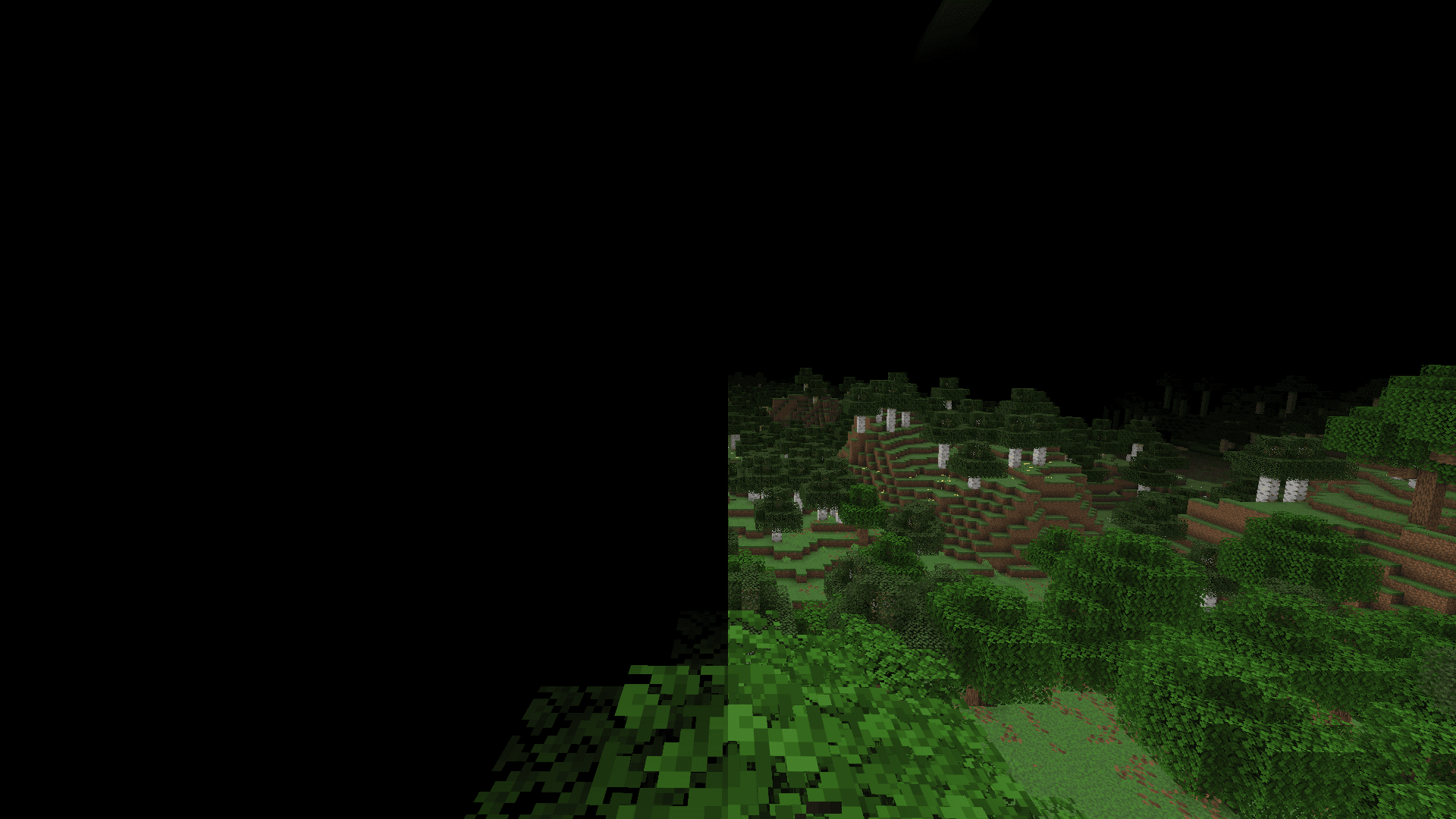 Blindness Fog
 -
-
-
 terrain Fog Comparison
 -
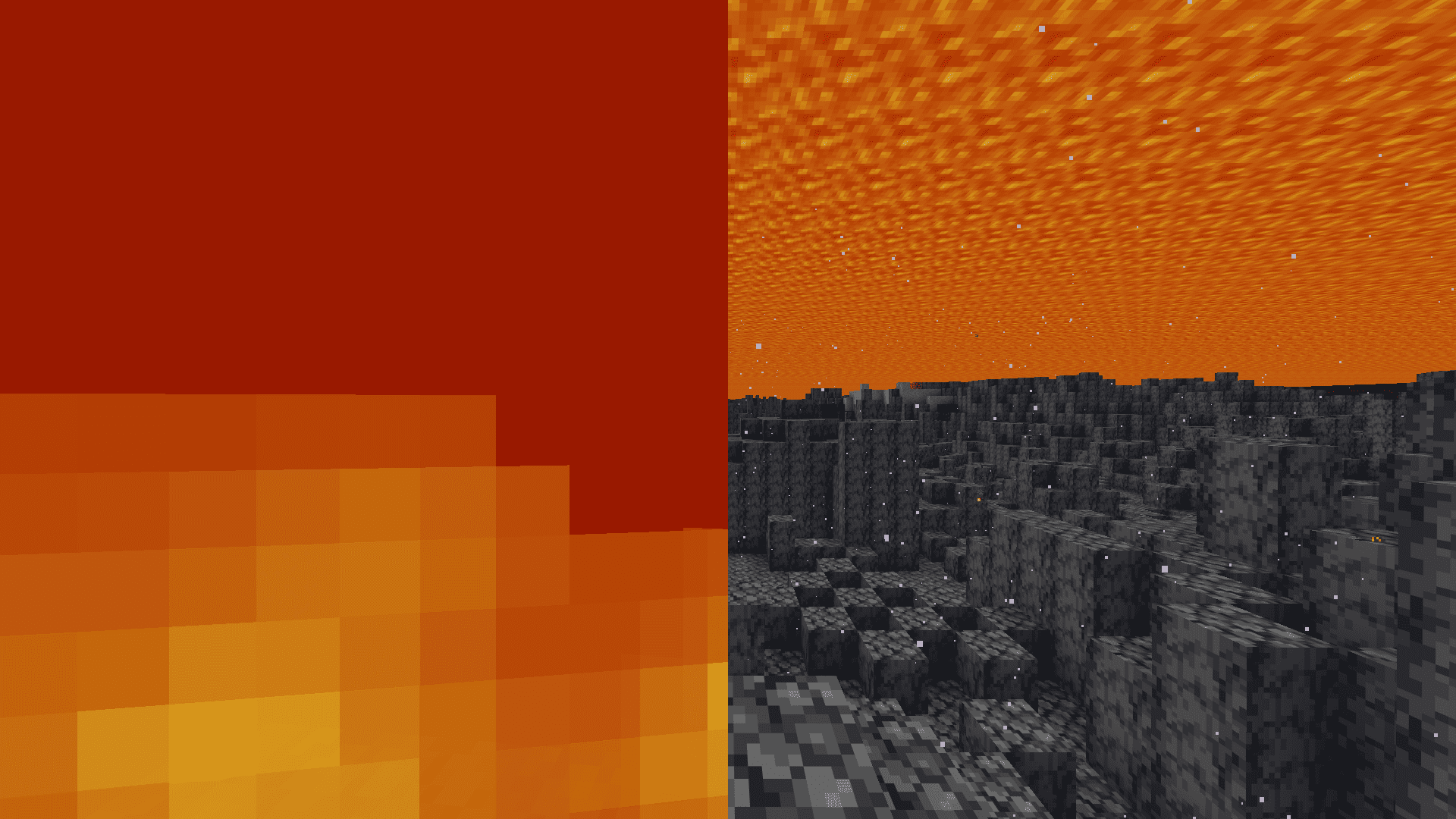 Lava comparison
Versions
Files
Relations
Project Relations
More like this
Similar Mods
Suggestions use data such as tags, dependencies, dependents, descriptions, titles, and more to rank how much they overlap with this mod.
On ModDex
Community snapshot
By the numbers
Statistics

Want to reach Minecraft players?
We're looking for a server hosting partner to feature here and other parts of the site. Interested? Send us a message!
Get in touchGet it on
Available Platforms
On ModDex
Community snapshot
By the numbers
Statistics
Resources