
Community listing page, reviews may not be monitored by the author.
FPS to the Trash

No reviews yet
Throw away display updates your monitor can't process for more FPS

Community voices
Reviews
No reviews yet. Be the first to review this project!
Get it on
Available Platforms
Compatibility
Supported Environments
Runs entirely on the client. Works on vanilla servers.
About
Project Details
For authors
Embed Badge
If you're the author of this project, you can embed a live badge anywhere that supports HTML or Markdown. It updates automatically whenever ratings change.
Use HTML for any page that supports it, or Markdown for README files and Markdown-based descriptions.
Identifiers
Platform IDs
Resources
External Links
About
Description
FPS to the Trash
Disclaimer: This is technically NOT an optimization mod.
Upcoming: Legacy Fabric support!
Here's a glimpse of the pre-release version: 26000 FPS on a 4800H (w/ OptiFabric)! That's 38 microseconds frametime on average!
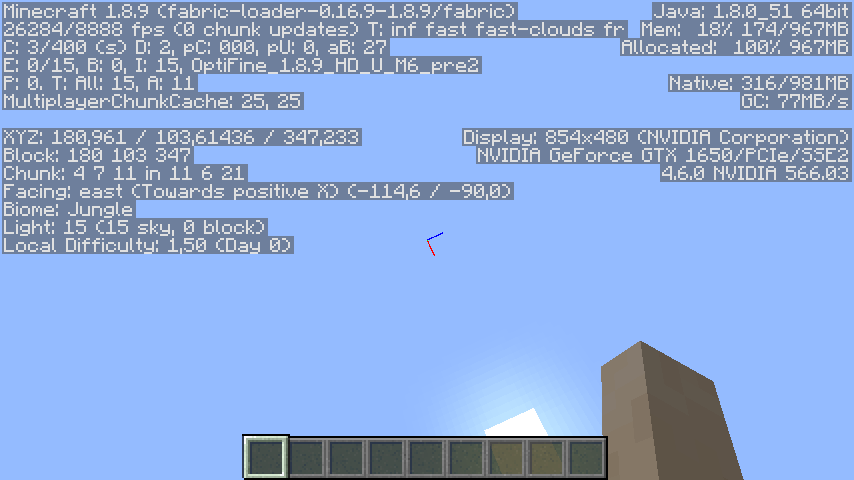
"FPS to the Trash" is based on a simple philosophy: Why bother updating the screen 1000 times per second, when your monitor's refresh rate is just 60 Hz? It turns out such updates are quite costly, and severely reduces the FPS.
This mod fixes that problem by decoupling the display updates from the frame rate. The update rate can be configured separately in the mod menu.
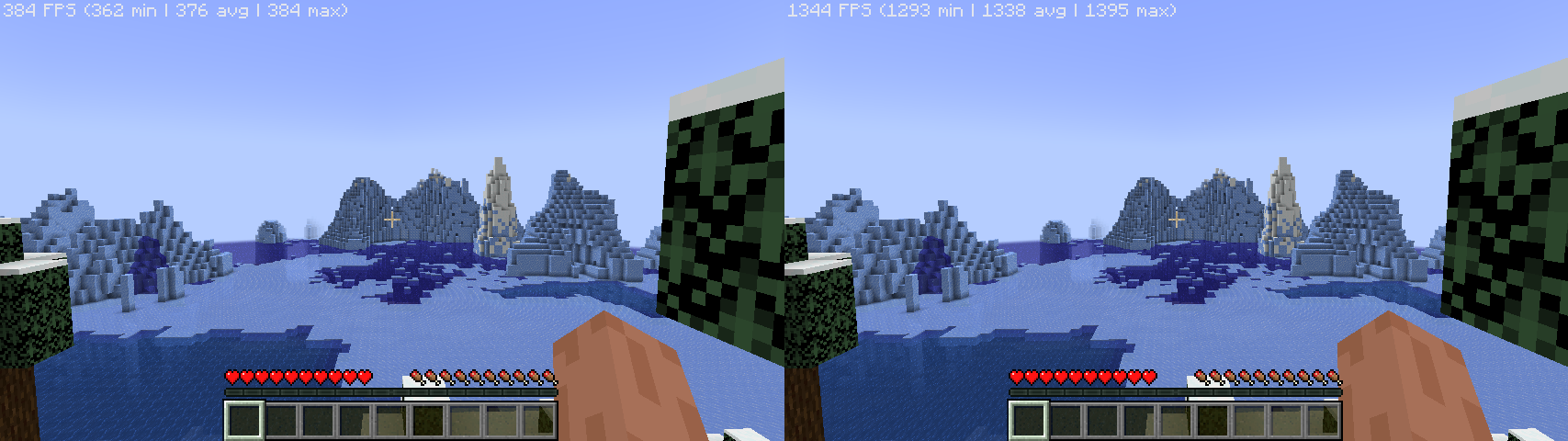
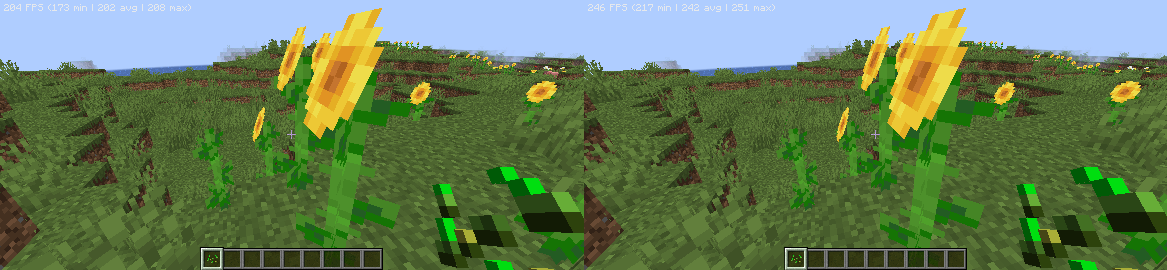
Generally, better hardware yields higher FPS uplift, and in many cases, the bottleneck is the GPU. Here are the benchmarks done by myself, with several other optimization mods:
- Ryzen 7 4800H, GeForce GTX 1650M: 384 -> 1395 FPS (3.6x uplift)
- Snapdragon 680 (4*A73 + 4*A53, Adreno 610): 208 -> 251 FPS (20.7% uplift)
Known issues:
- Removing FPS cap can cause the game to stutter badly when the GPU is fully utilized. A known workaround is to enable VSync. (Please note that VSync will not cap your frame rate as it's decoupled from the display updates. To cap the frame rate, use the frame cap slider.)
Mod compatibility (still updating...)
This mod does NOT work with:
- VulkanMod
Why is this mod named "FPS to the Trash"?
FPS to the moon, but most of the frames are thrown away... you got the idea.
Screenshots
Gallery
Versions
Files
Relations
Project Relations
More like this
Similar Mods
Suggestions use data such as tags, dependencies, dependents, descriptions, titles, and more to rank how much they overlap with this mod.
On ModDex
Community snapshot
By the numbers
Statistics


Get it on
Available Platforms
On ModDex
Community snapshot
By the numbers
Statistics
Resources