Community listing page, reviews here may not be monitored by the author.
FpsPing


No reviews yet
Tiny top-right HUD with your FPS and server ping — color-coded thresholds, toggle with G.
Community voices
Reviews
No reviews yet. Be the first to review this project!
Get it on
Available Platforms
Compatibility
Supported Environments
Runs entirely on the client. Works on vanilla servers.
About
Project Details
For authors
Embed Badge
If you're the author of this project, you can embed a live badge anywhere that supports HTML or Markdown. It updates automatically whenever ratings change.
Use HTML for any page that supports it, or Markdown for README files and Markdown-based descriptions.
Identifiers
Platform IDs
Resources
External Links
About
Description
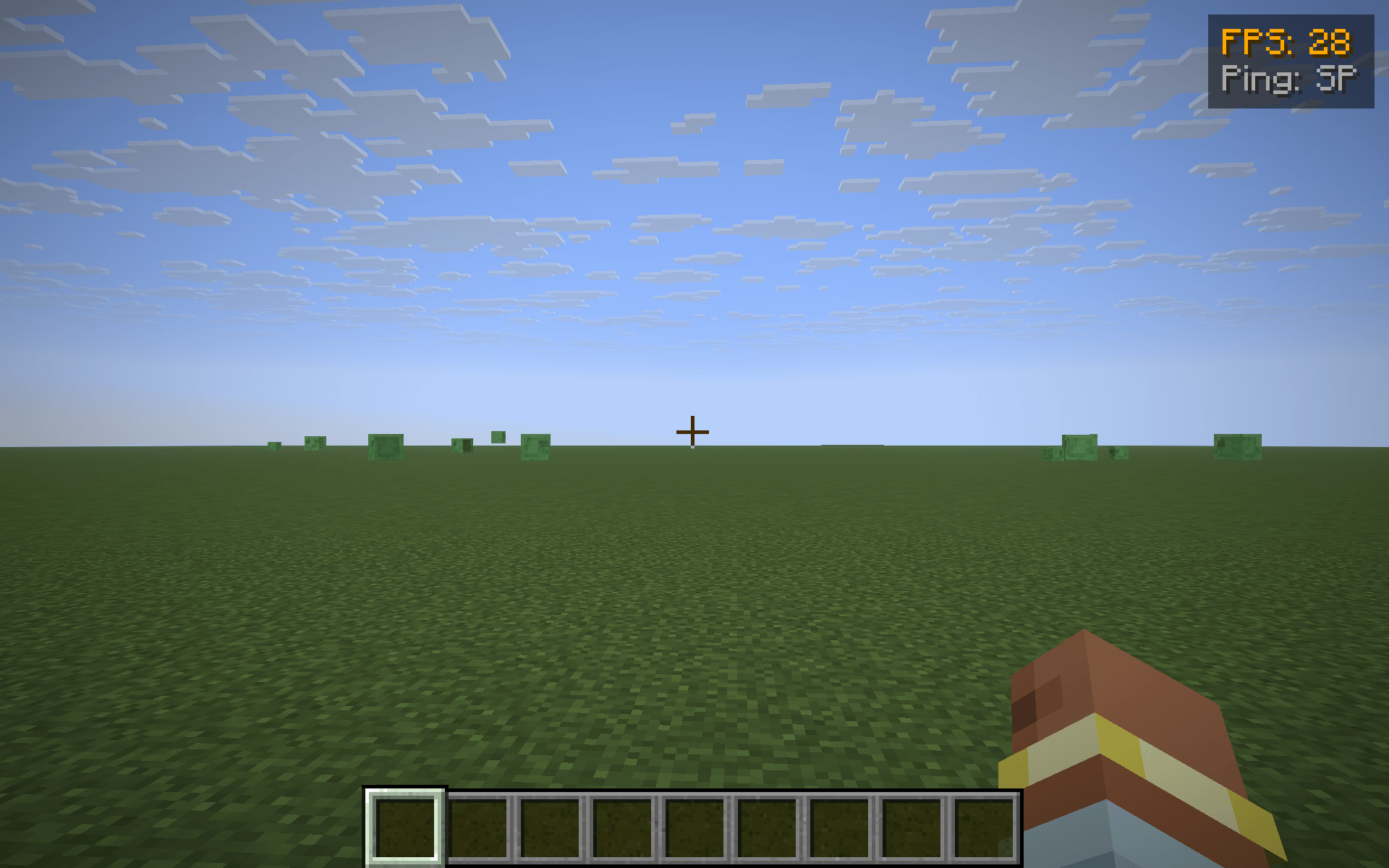
FpsPing drops a tiny two-line panel in the top-right corner of the screen with the only two performance numbers most players actually want to glance at:
- FPS — your current frames-per-second, exactly the number F3 shows in its "fps" line.
- Ping — your round-trip latency to the server in milliseconds, taken from the same player list the Tab menu uses. In singleplayer it just reads SP instead of a meaningless
0 ms.
Color-coded thresholds
Numbers change color so you don't have to read them — you glance:
- Green — FPS ≥ 60 / ping ≤ 60 ms (silky)
- Yellow — FPS ≥ 30 / ping ≤ 150 ms (fine)
- Orange — FPS ≥ 15 / ping ≤ 300 ms (struggling)
- Red — anything worse (something is wrong)
Features
- One key to toggle the HUD (default G, raw GLFW polling so it works on every supported MC version — no rebind UI needed).
- Hides automatically when you press F1 to hide the rest of the HUD.
- Pure client-side — install on the client only, works on any server, no game-state changes.
- Tiny render cost — two lines of text and a translucent backdrop, no per-frame allocations.
Compatibility
Works on Minecraft 1.21.8, 1.21.9, 1.21.10, and 1.21.11 (Fabric Loader 0.16+). One JAR for all four — install via Fabric, drop into your mods/ folder.
Why another FPS/ping HUD?
Because most "performance HUD" mods are part of huge utility packs that draw 12 other widgets you didn't ask for. FpsPing does only this one job, in <100 lines of code, with no config files and no dependencies beyond Fabric API. If you just want a glanceable pulse on how the client and the connection are doing, this is the smallest possible answer.
FpsPing drops a tiny two-line panel in the top-right corner of the screen with the only two performance numbers most players actually want to glance at:
- FPS — your current frames-per-second, exactly the number F3 shows in its "fps" line.
- Ping — your round-trip latency to the server in milliseconds, taken from the same player list the Tab menu uses. In singleplayer it just reads SP instead of a meaningless
0 ms.
Color-coded thresholds
Numbers change color so you don't have to read them — you glance:
- Green — FPS ≥ 60 / ping ≤ 60 ms (silky)
- Yellow — FPS ≥ 30 / ping ≤ 150 ms (fine)
- Orange — FPS ≥ 15 / ping ≤ 300 ms (struggling)
- Red — anything worse (something is wrong)
Features
- One key to toggle the HUD (default G, raw GLFW polling so it works on every supported MC version — no rebind UI needed).
- Hides automatically when you press F1 to hide the rest of the HUD.
- Pure client-side — install on the client only, works on any server, no game-state changes.
- Tiny render cost — two lines of text and a translucent backdrop, no per-frame allocations.
Compatibility
Works on Minecraft 1.21.8, 1.21.9, 1.21.10, and 1.21.11 (Fabric Loader 0.16+). One JAR for all four — install via Fabric, drop into your mods/ folder.
Why another FPS/ping HUD?
Because most "performance HUD" mods are part of huge utility packs that draw 12 other widgets you didn't ask for. FpsPing does only this one job, in <100 lines of code, with no config files and no dependencies beyond Fabric API. If you just want a glanceable pulse on how the client and the connection are doing, this is the smallest possible answer.
Screenshots
Gallery
-
 shot1.png shot1.png
-
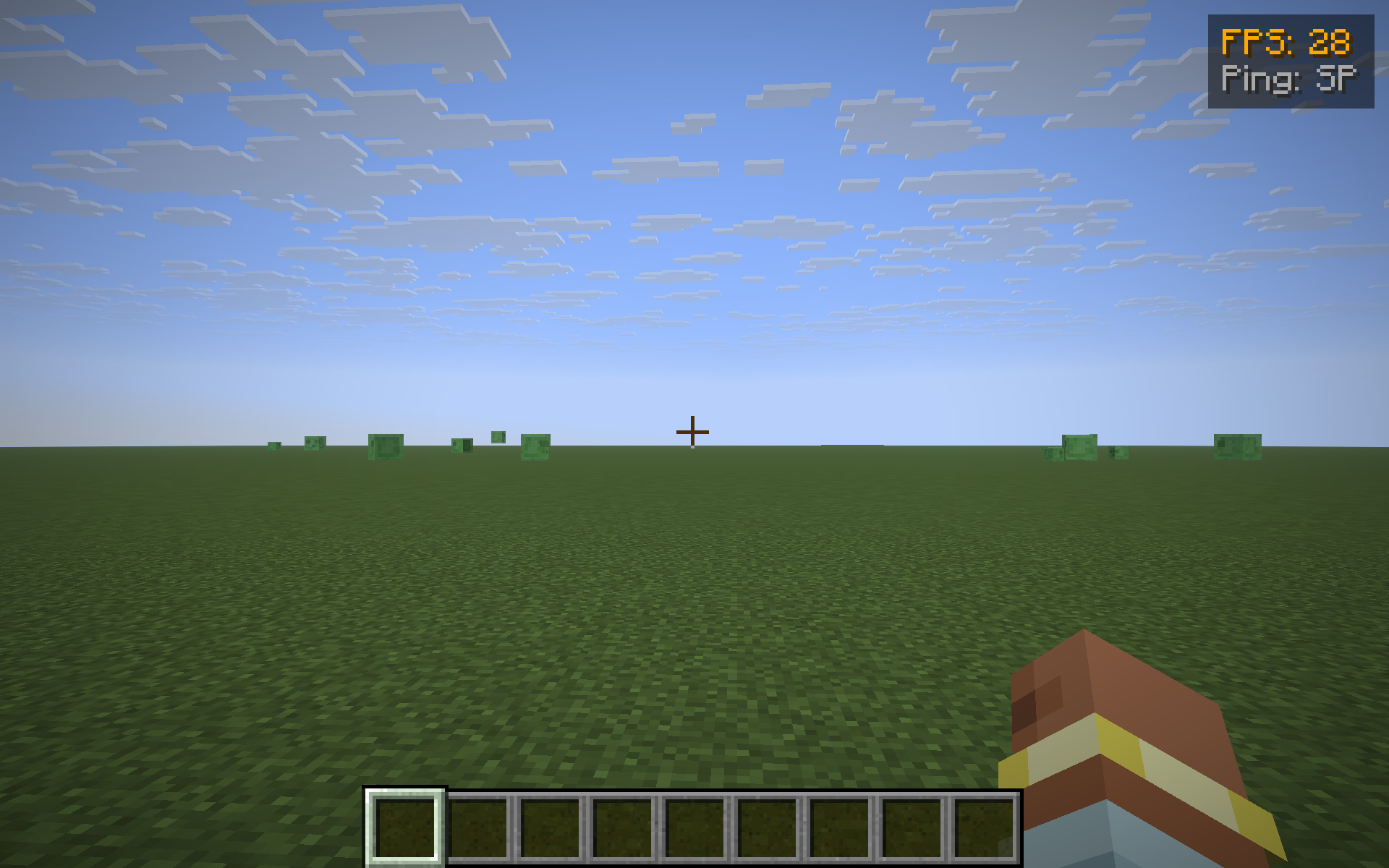 FpsPing HUD (top-right)
Versions
Files
Relations
Project Relations
More like this
Similar Mods
Suggestions use data such as tags, dependencies, dependents, descriptions, titles, and more to rank how much they overlap with this mod.
On ModDex
Community snapshot
By the numbers
Statistics
Want to reach Minecraft players?
We're looking for a server hosting partner to feature here and other parts of the site. Interested? Send us a message!
Get in touchGet it on
Available Platforms
On ModDex
Community snapshot
By the numbers
Statistics
Resources