Community listing page, reviews may not be monitored by the author.
FPV Drones: Acro & Racing

No reviews yet
Real FPV quads and fixed-wing aircraft. Build a drone from parts, fly in full acro with an RC radio or mouse and keyboard, race through gates and run strike missions.

Community voices
Reviews
No reviews yet. Be the first to review this project!
Get it on
Available Platforms
About
Project Details
For authors
Embed Badge
If you're the author of this project, you can embed a live badge anywhere that supports HTML or Markdown. It updates automatically whenever ratings change.
Use HTML for any page that supports it, or Markdown for README files and Markdown-based descriptions.
Identifiers
Platform IDs
Resources
External Links
About
Description
# FPV Drones
**Real FPV quads and fixed-wing aircraft for Minecraft.** Build a drone from parts, bind a transmitter, put on the goggles and fly in full acro, with a real RC radio or with mouse and keyboard. Race through gates, run strike missions, defend your base with jammers, or let a drone with companion firmware follow you around.
> Minecraft **1.20.1** · Forge **47.4+** · Java 17 · install on **both client and server**
[Русская версия](README.ru.md)
---
## Features
### Flight
- **Physics-based flight.** One block is one metre. The model covers thrust, weight, anisotropic drag, battery voltage sag, and motor/prop imbalance that makes the drone drift.
- **Flight modes:** Acro, Angle, Horizon and Alt Hold, plus Turtle to right a crashed quad. Cycle them in flight; tune rates and expo per axis.
- **Real RC transmitters** over USB (RadioMaster, Jumper, etc.). Axis mapping and inversion happen in-game with a live stick preview.
- **Mouse and keyboard** work too, and the keyboard stays live as a throttle trim while a radio is plugged in.
- **Client-side prediction.** The drone you fly responds instantly even when the server tick is slow.
- **Adjustable FPV camera uptilt** and a full OSD: telemetry, throttle, sticks, horizon, pitch ladder, heading, damage map and network stats. Every element can be turned off.
- **Replays.** Save the last 30 seconds of flight, then scrub and replay at different speeds. A crash saves one automatically.
### Aircraft
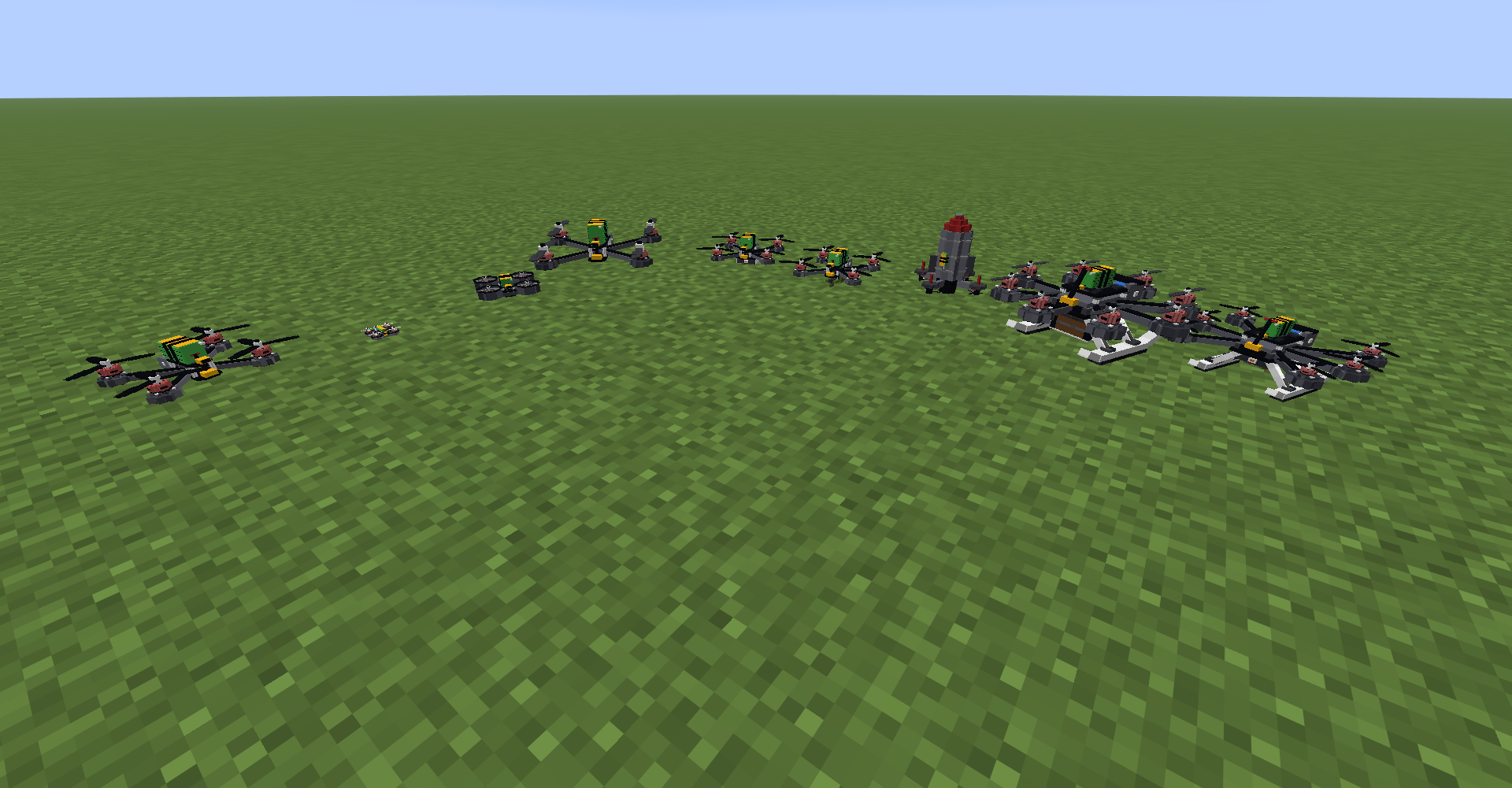
- **Quads:** Tiny Whoop, Cinewhoop, 5" racer, 7" long range, 6" hexa and 8" octo heavy-lifters, and a torpedo-shaped interceptor.
- **Fixed-wing:** trainer, flying wing, delta racer, glider, cargo plane, spotter wing, kamikaze wing, long-loiter strike drone and carrier drone.
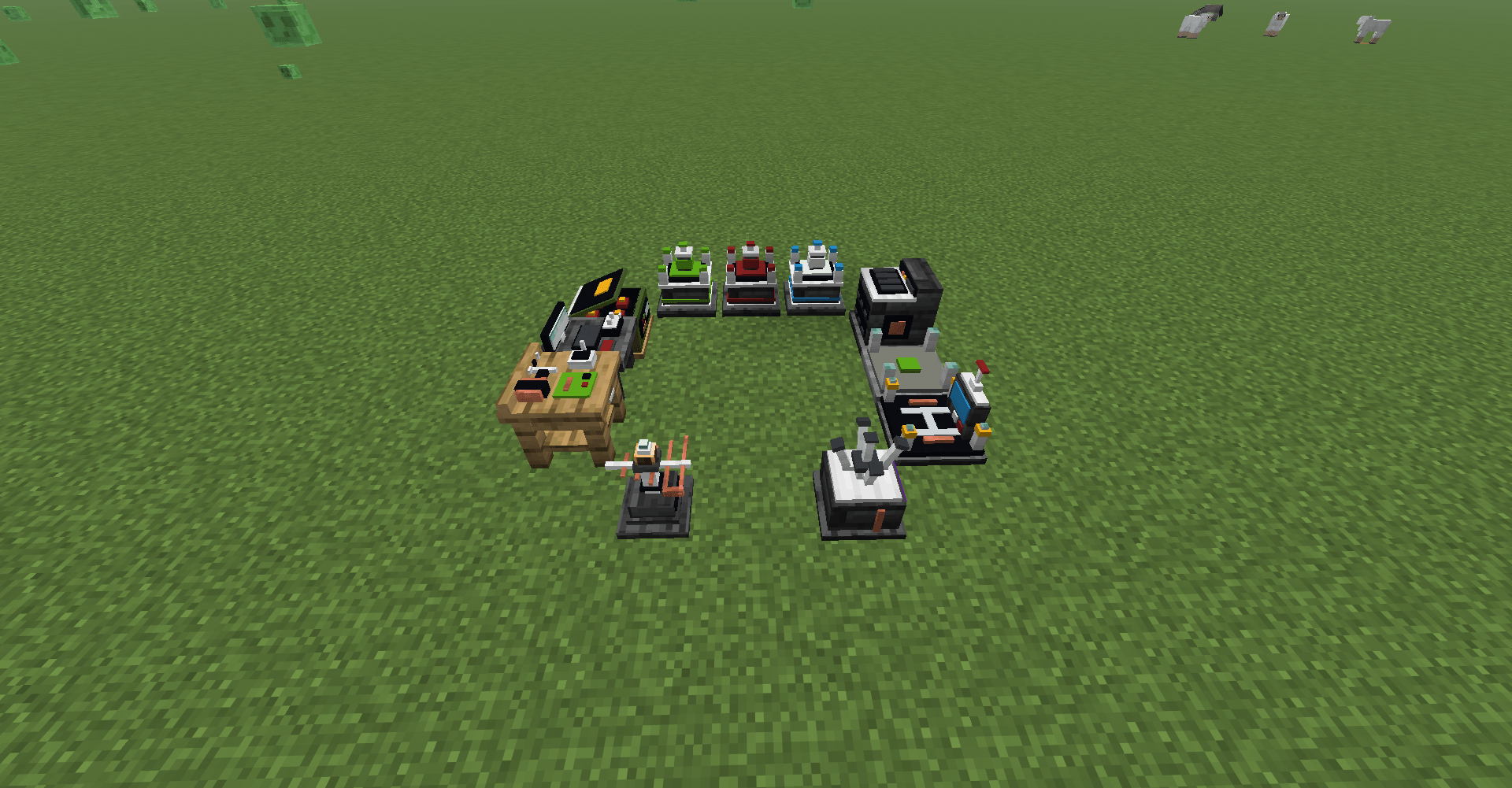
- **Assembly Station.** Put a frame, motors, propellers, battery, camera, VTX, flight controller, firmware and modules into slots. The station shows mass, thrust, TWR and hover throttle live, and repairs worn parts with vanilla materials.
- **Wear and damage** per component, shown on a damage map in the HUD.
- **Battery capacity** follows real packs, 1S 300 mAh up to 6S 5000 mAh. Flight time depends on how hard you fly. Recharge at the **Charging Station**.
- **Drone cards.** Fold an assembled craft into a card to load into carrier bays, then unfold it again at the station.
### Radio and control
- **Transmitter.** Sneak + right-click an aircraft to bind it, right-click to fly. The long-range transmitter keeps the link at a greater distance.
- **FPV Goggles** give the video feed. Without them you fly line-of-sight and watch the drone from your own eyes.
- **Radio link model:** range, line-of-sight loss, VTX power and failsafe.
- **Control Station:** fly a bound aircraft from the ground at long range while your body stays at the station.
### Combat
- **Modules:** rocket pod (6 mini rockets), payload bay (drop charges), warhead, dart gun, targeting pod and cargo box.
- **Warheads:** HE, fragmentation, shaped charge, thermobaric, cluster, proximity, heavy and drop charge. Each has its own blast, crater and mob damage.
- **Kamikaze Launch Station** launches loitering munitions at a marked point.
- **Spotter wing:** orbit a point and call in a strike wing on a target.
- **Counter-drone:**
- The **Drone Detector** emits redstone while a drone is near.
- The **Drone Jammer** cuts the control link of drones in range. It runs on a redstone signal, so place a detector next to it.
### World and AI
- **Hostile drones:** kamikaze minis, rocket, bomber, jammer, patrol and interceptor drones.
- **Drone Nests** generate in the wild and launch drones at nearby players.
- **Villages** get guard drones of their own.
- **Firmware** turns your own drone into an AI helper. Sneak + right-click to switch mode.
- *Companion* follows its owner.
- *Guardian* attacks hostiles and defends you.
- *Scout* marks hostiles through walls and can patrol.
- *Trader* turns the drone into a flying trader.
- **Guard Station:** docked drones launch on patrol and come home to charge.
### Racing
- **Race Start / Gate / Finish** blocks. Mark a route by right-clicking gates in order, then run it as a loop or point-to-point.
- **Lap timer HUD and leaderboard.**
- **Ghosts** of your personal best and the track record fly alongside you.
- **Natural race tracks** can generate in the world; see `fpv-track-generation.toml`.
---
## Getting started
1. Craft an **Assembly Station** and parts: frame, 4 motors, 4 propellers, battery, camera. Copper and redstone are the base materials.
2. Assemble a drone and place it on the ground.
3. Craft a **Transmitter**, look at the drone and **sneak + right-click** to bind it.
4. Wear **FPV Goggles** and **right-click** with the transmitter to take control.
5. Press **Z** to arm and add throttle. **Sneak** to exit.
---
## Controls
All keys can be rebound in **FPV Settings** (**O**, or the small drone button on the title screen and pause menu).
| Key | Action |
|---|---|
| **O** | FPV settings |
| **Z** | Arm / disarm |
| **R** | Cycle flight mode |
| **C** | Swap mouse between flying and looking around |
| **H** | Toggle HUD |
| **Page Up / Page Down** | Camera uptilt |
| **F** | Fire weapon (rockets, darts) |
| **X** | Drop payload charge |
| **Q / E** | Yaw on heavy-lift rigs |
| **V** | Recenter camera gimbal |
| **G** | Plane: orbit the point under the crosshair |
| **B** | Spotter wing: call a strike |
| **F6** | Save the last 30 seconds as a replay |
| **F7 / F8 / F9** | Replay: play or exit / pause / speed |
| **[ / ]** | Replay: back / forward 5 seconds |
| **Sneak** | Exit the aircraft |
**Keyboard flight (quads):**
- **W / S** throttle.
- **A / D** yaw.
- **Mouse** pitch and roll.
Heavy-lift rigs fly differently:
- **WASD** moves the rig.
- **Space / Sprint** climbs and descends.
- **Q / E** yaws.
**Planes:**
- **W / S** or **Space / Sprint** throttle.
- **Mouse** pitch and roll.
- **A / D** rudder.
---
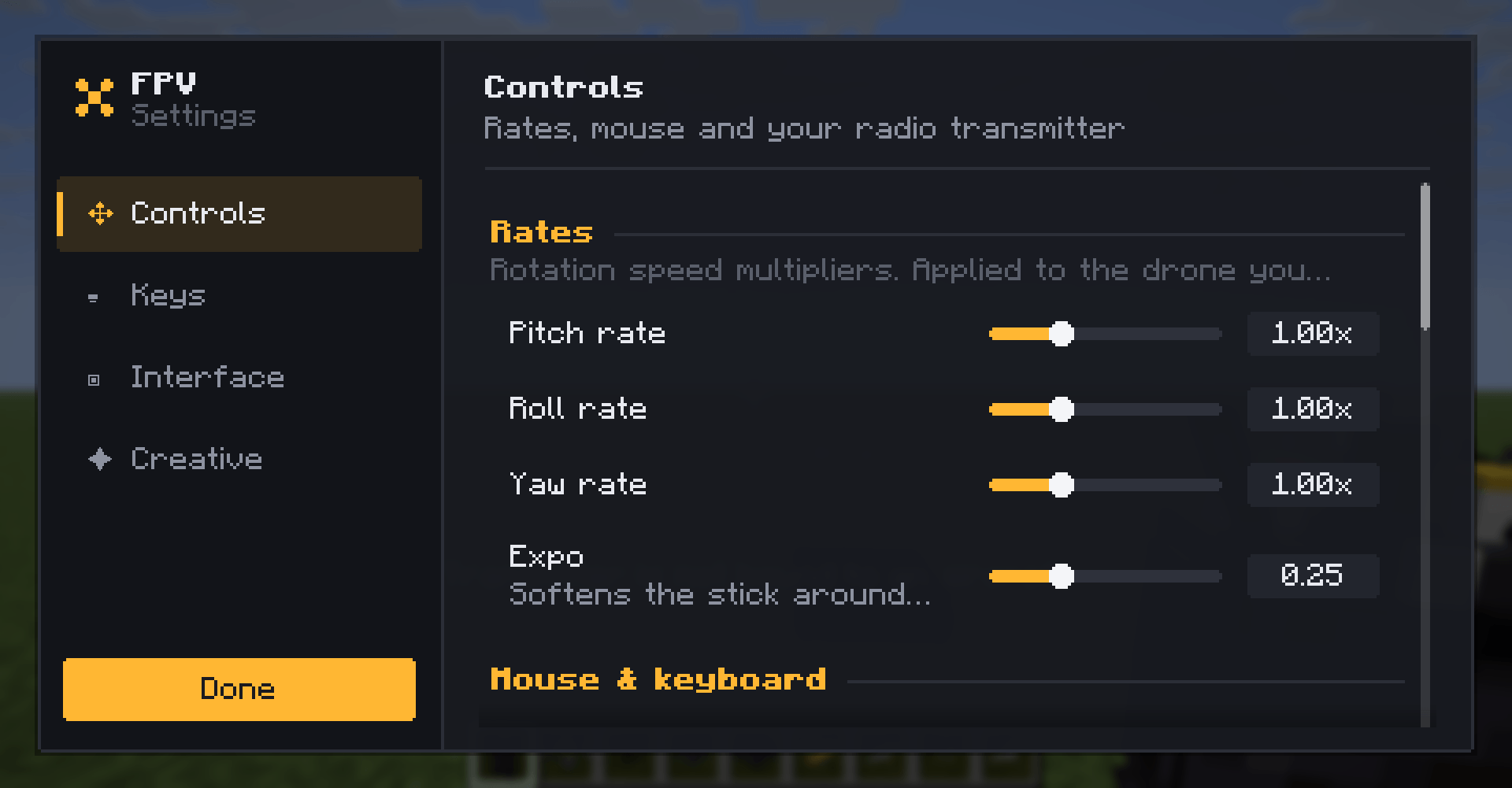
## FPV Settings screen
Open with **O** in game, or with the small drone button on the title screen and pause menu.
- **Controls:** rates, expo, mouse feel, RC transmitter axes, inversion, deadband and throttle mid.
- **Keys:** rebind every mod key in one place, with conflict highlighting.
- **Interface:** show or hide each HUD element.
- **Creative:** server rules. Shown in creative mode to players who may change them (singleplayer or operator).
---
## Server rules and commands
Gameplay rules are stored in the server's config, apply to everyone and sync to clients automatically.
Operators (permission level 2) can change them:
- in the **Creative** tab of the settings screen;
- with commands.
| Command | Effect |
|---|---|
| `/fpv rules` | List all rules (click a rule to edit it) |
| `/fpv rules <rule>` | Show a rule's value, default and range |
| `/fpv rules <rule> <value>` | Set a rule |
| `/fpv rules <rule> reset` | Reset one rule |
| `/fpv rules reset` | Reset all rules |
| Rule | Type | Default | Description |
|---|---|---|---|
| `battery` | true/false | `true` | Batteries drain and sag. Off = unlimited flight time |
| `infiniteAmmo` | true/false | `false` | Rocket pods and payload bays never use up loaded ammo |
| `noDamage` | true/false | `false` | Drones and their parts take no wear or crash damage |
| `radio` | true/false | `true` | Radio range, line-of-sight loss and jamming |
| `requireTransmitter` | true/false | `true` | Flying needs a transmitter in hand |
| `requireGoggles` | true/false | `true` | FPV view needs goggles; without them you fly line-of-sight |
| `explosionPower` | 0.4 – 40 | `4` | Global warhead scale (4 = 1x) |
| `blockBreak` | 0 – 100 | `100` | Percent of blast blocks actually destroyed |
| `debris` | 0 – 200 | `100` | Percent of blocks flung as debris |
| `mobDamage` | 0 – 5 | `1` | Explosion damage multiplier against mobs |
| `blastCameraSeconds` | 0 – 6 | `5` | How long the camera watches the blast after a kamikaze hit |
| `motorPower` | 0.2 – 5 | `1` | Global motor power multiplier |
| `maxSpeed` | 10 – 150 | `60` | Quadcopter speed ceiling in m/s. It only cuts speed; how fast a drone can actually go depends on thrust and drag, so raise `motorPower` to fly faster. Planes use their frame limit |
Examples:
```
/fpv rules battery false
/fpv rules explosionPower 8
/fpv rules blockBreak 0
/fpv rules reset
```
### Explosives
Every explosive has its own parameters on top of the global rules. They are stored in `config/fpv-explosives.toml`. A few of them are also in the **Creative** tab under *Ordnance*.
| Command | Effect |
|---|---|
| `/fpv explosives` | List all explosives with their current values |
| `/fpv explosives <id>` | Show the parameters of one explosive |
| `/fpv explosives <id> <param> <value>` | Set a parameter |
| `/fpv explosives <id> <param> reset` | Reset one parameter |
| `/fpv explosives <id> reset` | Reset every parameter of one explosive |
| `/fpv explosives reset` | Reset all explosives |
| Id | Parameters |
|---|---|
| `mini_rocket` | `power` 1.4, `impactDamage` 5, `blocks` 1, `hardness` 6 |
| `hostile_drone` | `power` 1.8, `breakBlocks` true |
| `drop_charge` | `power` 2, `blockPower` 0.9, `mobDamage` 1.5, `submunitions` 0, `fire` false |
| `warhead_frag` | `power` 3, `blockPower` 1.3, `mobDamage` 2.4, `submunitions` 0, `fire` false |
| `warhead_shaped` | `power` 3.4, `blockPower` 2.2, `mobDamage` 1.8, `submunitions` 0, `fire` false |
| `warhead_he` | `power` 4.4, `blockPower` 4, `mobDamage` 1.3, `submunitions` 0, `fire` false |
| `warhead_cluster` | `power` 2.6, `blockPower` 1.5, `mobDamage` 1.5, `submunitions` 5, `fire` false |
| `warhead_thermo` | `power` 6, `blockPower` 3.2, `mobDamage` 3, `submunitions` 0, `fire` true |
| `warhead_heavy` | `power` 8, `blockPower` 6.6, `mobDamage` 1.6, `submunitions` 0, `fire` false |
| `warhead_proximity` | `power` 3.2, `blockPower` 0.6, `mobDamage` 2.8, `submunitions` 0, `fire` false |
| Parameter | Range | Meaning |
|---|---|---|
| `power` | 0 – 40 | Blast strength: radius, effects and mob damage |
| `blockPower` | 0 – 40 | Explosion power against terrain. 4 is a TNT crater, 0 breaks no blocks |
| `mobDamage` | 0 – 20 | Mob damage multiplier |
| `submunitions` | 0 – 16 | Extra bomblets scattered around the impact |
| `fire` | true/false | Sets fire around the impact |
| `impactDamage` | 0 – 100 | Damage to the entity hit directly |
| `blocks` | 0 – 16 | Blocks a rocket punches through along its path |
| `hardness` | 0 – 100 | Hardest block a rocket can break (stone 1.5, obsidian 50) |
| `breakBlocks` | true/false | The explosion breaks blocks (still follows `mobGriefing`) |
Warhead values are further scaled by the global `explosionPower`, `blockBreak`, `debris` and `mobDamage` rules.
```
/fpv explosives mini_rocket blocks 4
/fpv explosives mini_rocket impactDamage 12
/fpv explosives warhead_he blockPower 0
/fpv explosives hostile_drone breakBlocks false
```
---
## Configuration files
| File | Side | Contents |
|---|---|---|
| `config/fpv-client.toml` | client | Controls, RC axes, mouse, HUD |
| `config/fpv-common.toml` | server | Gameplay rules above, radio, jammers, transmitter range, performance |
| `config/fpv-explosives.toml` | server | Per-explosive parameters |
| `saves/<world>/serverconfig/fpv-track-generation.toml` | world | Natural race track generation |
`clientSidePhysics` in the common config simulates the drone on the pilot's client for smooth control on laggy servers. Turn it off for strict server authority.
---
## Building from source
```powershell
.\gradlew.bat build
```
The jar is written to `build/libs/`. See [BUILD.md](BUILD.md) and [ARCHITECTURE.md](ARCHITECTURE.md) for details.
## License
[MIT](LICENSE)
Screenshots
Gallery
-
 drones-lineup.png drones-lineup.png
 -
 settings-controls.png settings-controls.png
 -
 stations.png stations.png
 -
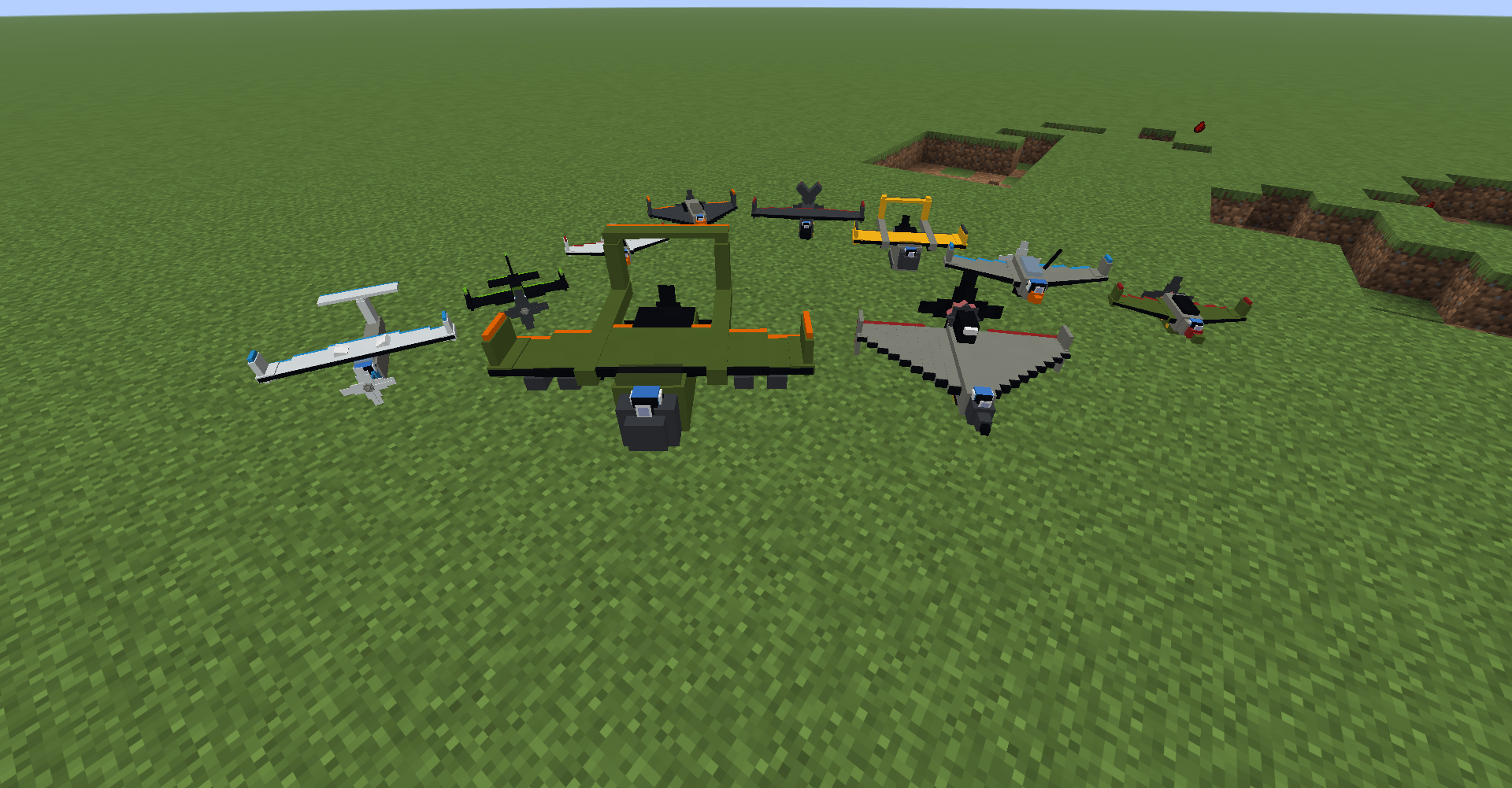 planes-lineup.png planes-lineup.png
 -
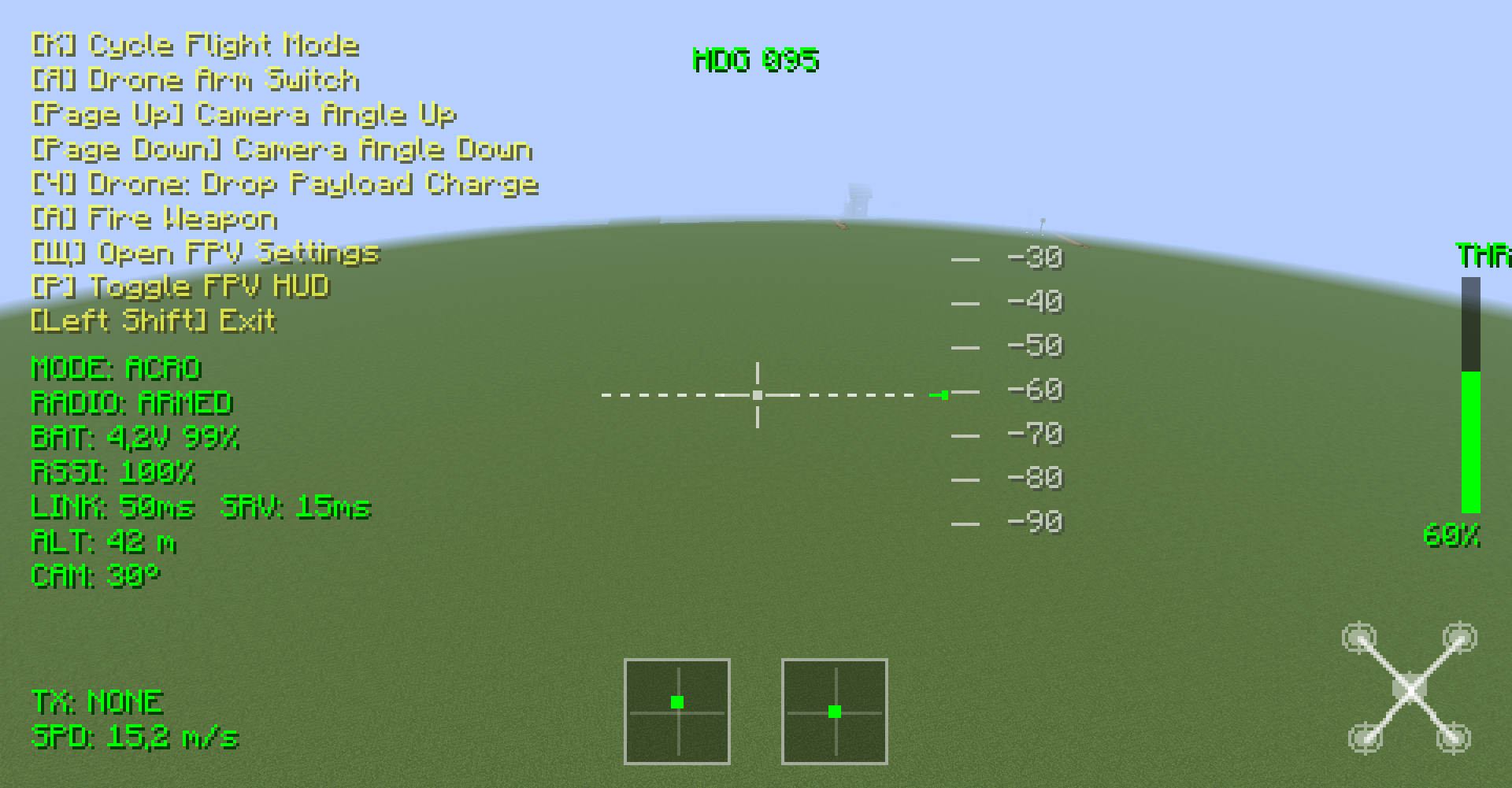 fpv-osd.png fpv-osd.png
 -
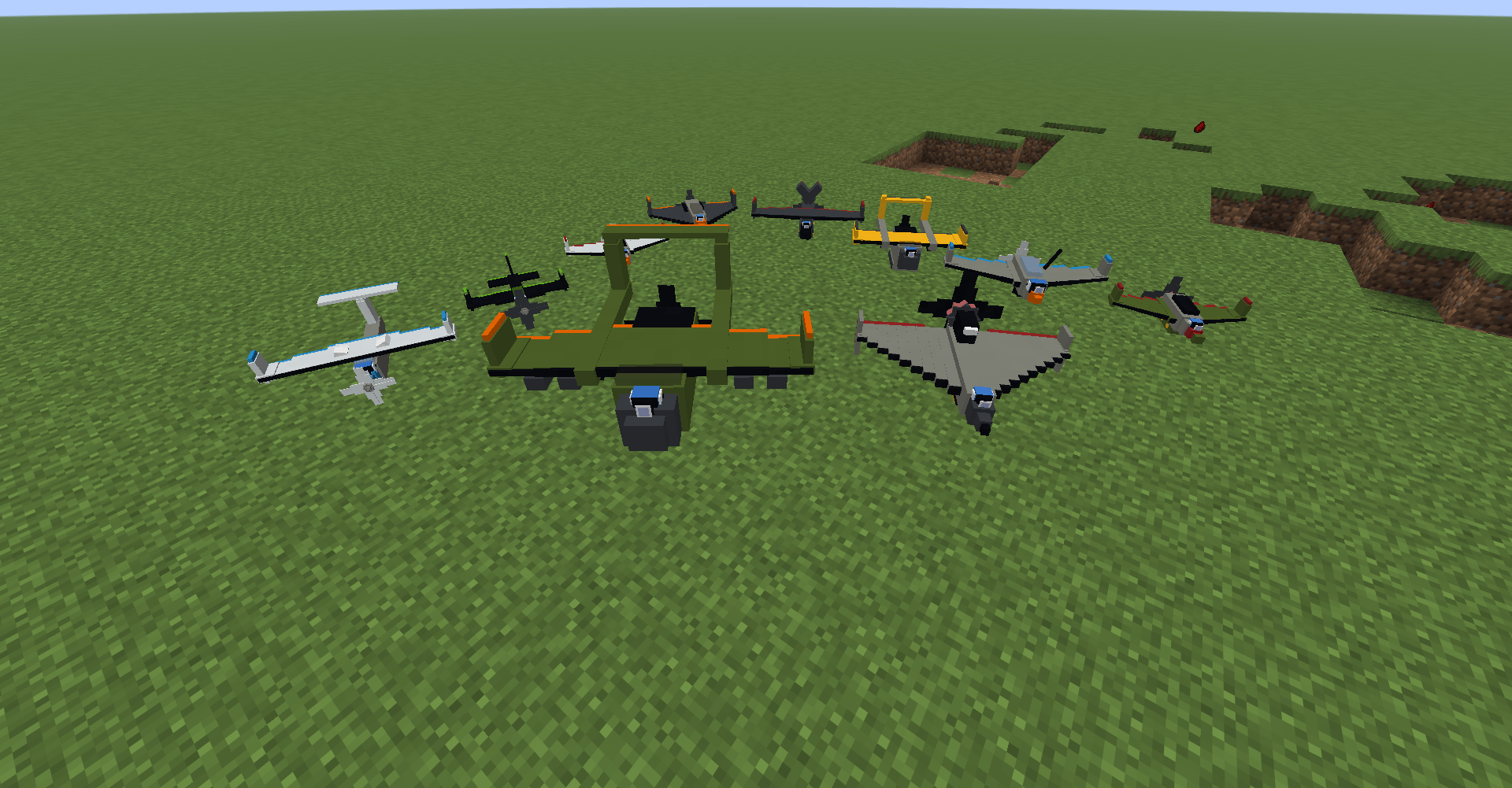 planes-lineup.png planes-lineup.png
Versions
Files
Relations
Project Relations
More like this
Similar Mods
Suggestions use data such as tags, dependencies, dependents, descriptions, titles, and more to rank how much they overlap with this mod.
On ModDex
Community snapshot
By the numbers
Statistics

Get it on
Available Platforms
On ModDex
Community snapshot
By the numbers
Statistics
Resources