Community listing page, reviews may not be monitored by the author.
Free Look UTI

No reviews yet
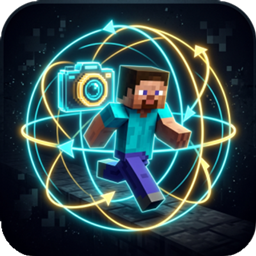
A lightweight client-side mod that allows players to freely look around 360 degrees without changing their movement or facing direction.

Community voices
Reviews
No reviews yet. Be the first to review this project!
Get it on
Available Platforms
About
Project Details
For authors
Embed Badge
If you're the author of this project, you can embed a live badge anywhere that supports HTML or Markdown. It updates automatically whenever ratings change.
Use HTML for any page that supports it, or Markdown for README files and Markdown-based descriptions.
Identifiers
Platform IDs
Resources
External Links
About
Description
Free Look UTI


A modern, lightweight client-side mod for Minecraft 26.2 that enables 360-degree free look camera rotation without changing your character's walking or facing direction.
🎮 Features
- 360° Free Look (
Left ALT):- Hold down
Left ALTwhile walking, running, or riding to freely inspect your surroundings 360 degrees without disturbing your movement vector. - Your character will continue moving in their original direction (e.g. holding W).
- Hold down
- On-the-Fly Mode Toggle (
X):- Press
Xin-game to seamlessly switch between 3rd Person Free Look and 1st Person Head-Turn Free Look. - An action bar notification informs you of the currently active mode.
- Press
- Fully Customizable Keybinds:
- Rebind both key mappings directly from Minecraft's native Options -> Key Binds screen (
key.freelook.enableandkey.freelook.toggle_mode).
- Rebind both key mappings directly from Minecraft's native Options -> Key Binds screen (
- Configurable Settings (
config/freelook.json):- Preferences are automatically saved to disk.
- Global Localization:
- Supports 14 major languages (English, Turkish, German, Spanish, French, Russian, Chinese, Japanese, Portuguese, Italian, Ukrainian, Korean).
🛠️ Installation Guide
This mod supports Fabric, Forge, and NeoForge mod loaders.
- Download the appropriate
.jarfile for your mod loader (freelook-1.0.0-fabric.jar, etc.). - Navigate to your Minecraft directory:
- Windows: Press
Win + R, type%appdata%\.minecraftand press Enter. - macOS:
~/Library/Application Support/minecraft - Linux:
~/.minecraft
- Windows: Press
- Open the
modsfolder inside.minecraft(create it if it does not exist). - Copy the downloaded
.jarfile into themodsfolder. - Launch Minecraft using your mod loader profile.
⚙️ Configuration (config/freelook.json)
{
  "switchToThirdPerson": true,
  "sensitivityMultiplier": 1.0
}
switchToThirdPerson: Iftrue, holding ALT in 1st person automatically transitions to 3rd person back view. Iffalse, keeps the camera in 1st person.sensitivityMultiplier: Sensitivity scaling factor during free look.
👤 Developer Info
- Developer: UnDead To Infinity
- Website: https://github.com/KeremZayim
- All Rights Reserved (Proprietary / Closed Source)
Screenshots
Gallery
Versions
Files
Relations
Project Relations
More like this
Similar Mods
Suggestions use data such as tags, dependencies, dependents, descriptions, titles, and more to rank how much they overlap with this mod.
On ModDex
Community snapshot
By the numbers
Statistics

Get it on
Available Platforms
On ModDex
Community snapshot
By the numbers
Statistics
Resources