
Community listing page, reviews here may not be monitored by the author.
Friday the 13th: Jason Voorhees


No reviews yet
This mod adds the horror slasher Jason Voorhees to Minecraft along with a few new structures, a new biome, and a new wood type.
Community voices
Reviews
No reviews yet. Be the first to review this project!
Get it on
Available Platforms
Compatibility
Supported Environments
Must be installed on both the client and the server.
About
Project Details
For authors
Embed Badge
If you're the author of this project, you can embed a live badge anywhere that supports HTML or Markdown. It updates automatically whenever ratings change.
Use HTML for any page that supports it, or Markdown for README files and Markdown-based descriptions.
Identifiers
Platform IDs
About
Description

This mod attempts to take the popular movie slasher Jason Voorhees and turn him into a "horror" entity within Minecraft
This Mod Does Require GeckoLib
Small warning: The animations in the 1.19.2 version of the mod are a bit buggy
If you find the music/jumpscare sounds to be too loud, you can turn them down; they are a part of the "Jukebox/Note Block" sound option in the options menu.
Biome(s), items, blocks, and structures
Biome(s)
Fir Forest:
This biome is similar to Taigas while also being different by having different trees that come with a new wood type for the player to build with.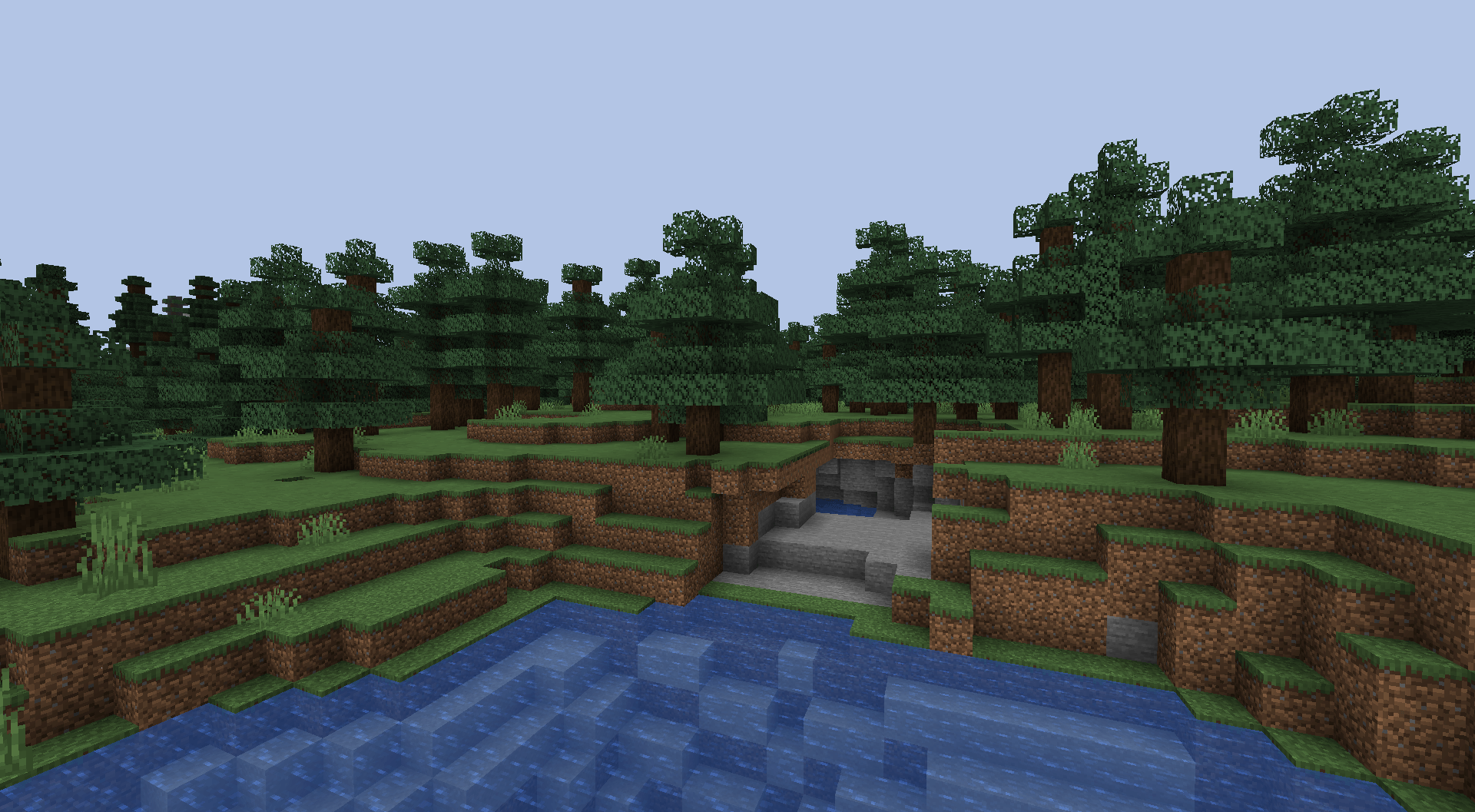
items
Heart of the Slasher:
This item, when in the player's inventory, will give them Strength 3 and Water Breathing.
Slasher's Machete:
This item is similar to a sword but a bit slower and does more damage.
Blocks
Fir wood is the new wood type that comes with the mod.
You can see all the blocks for it in the image below.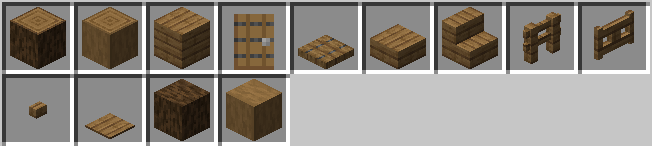
Structures
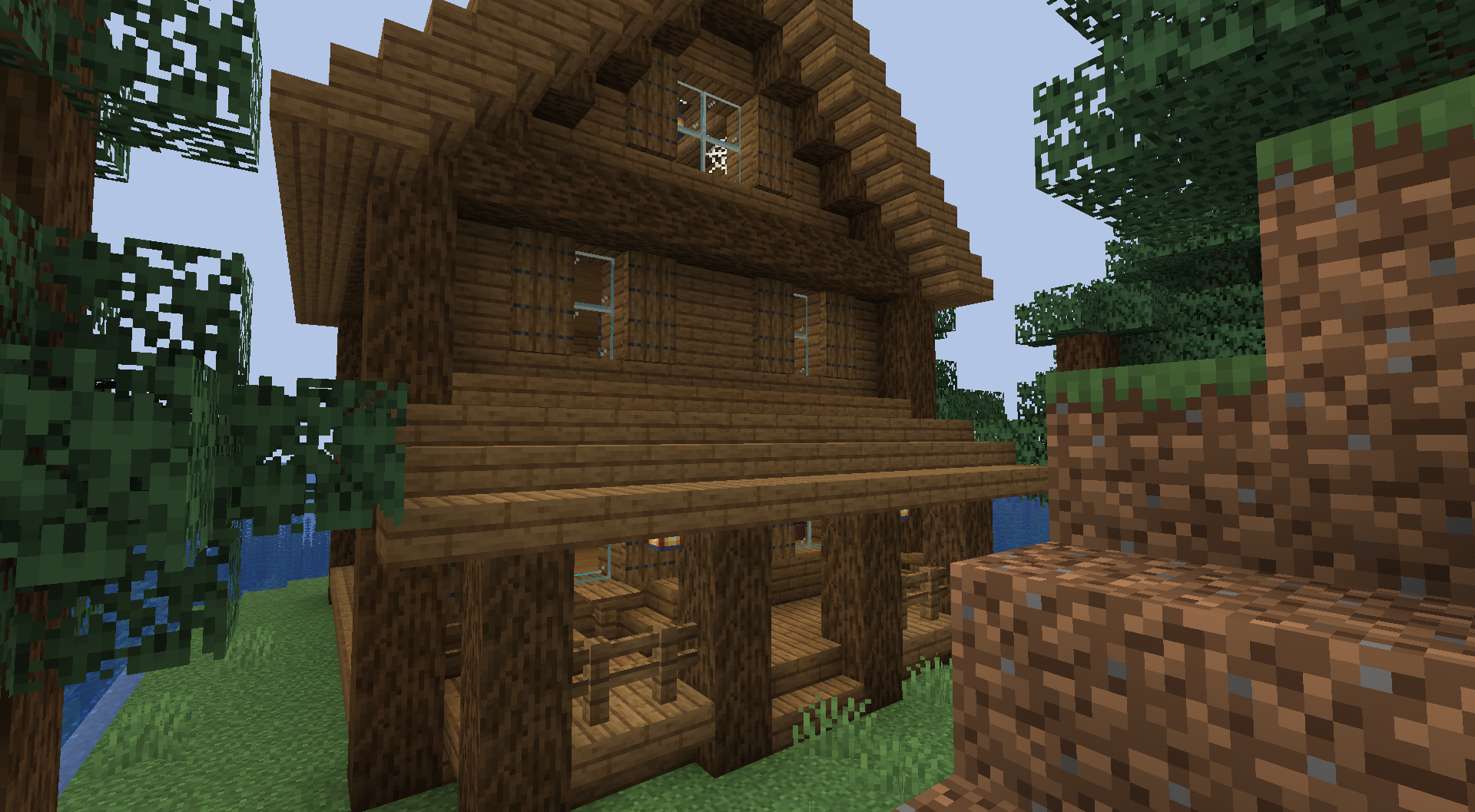
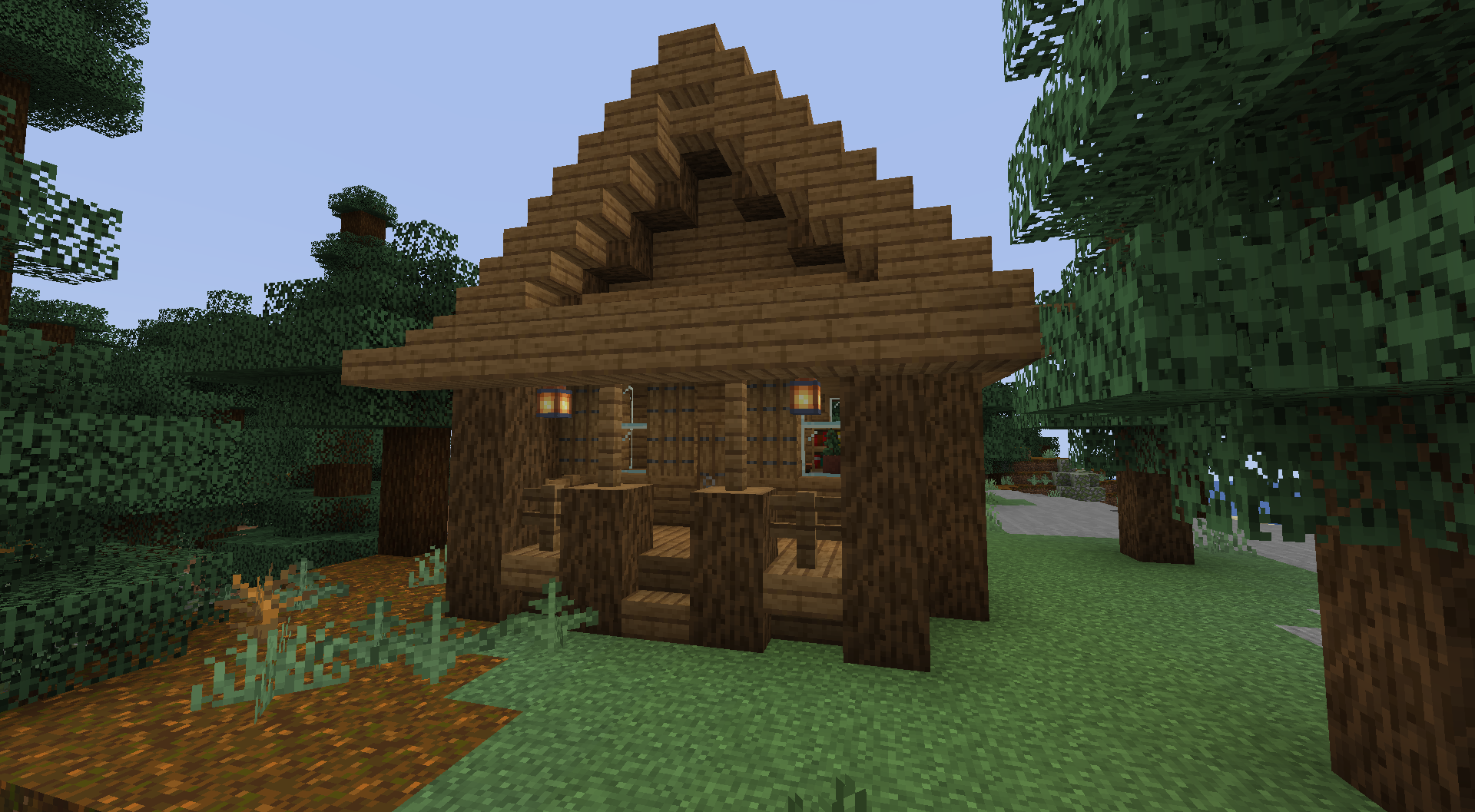
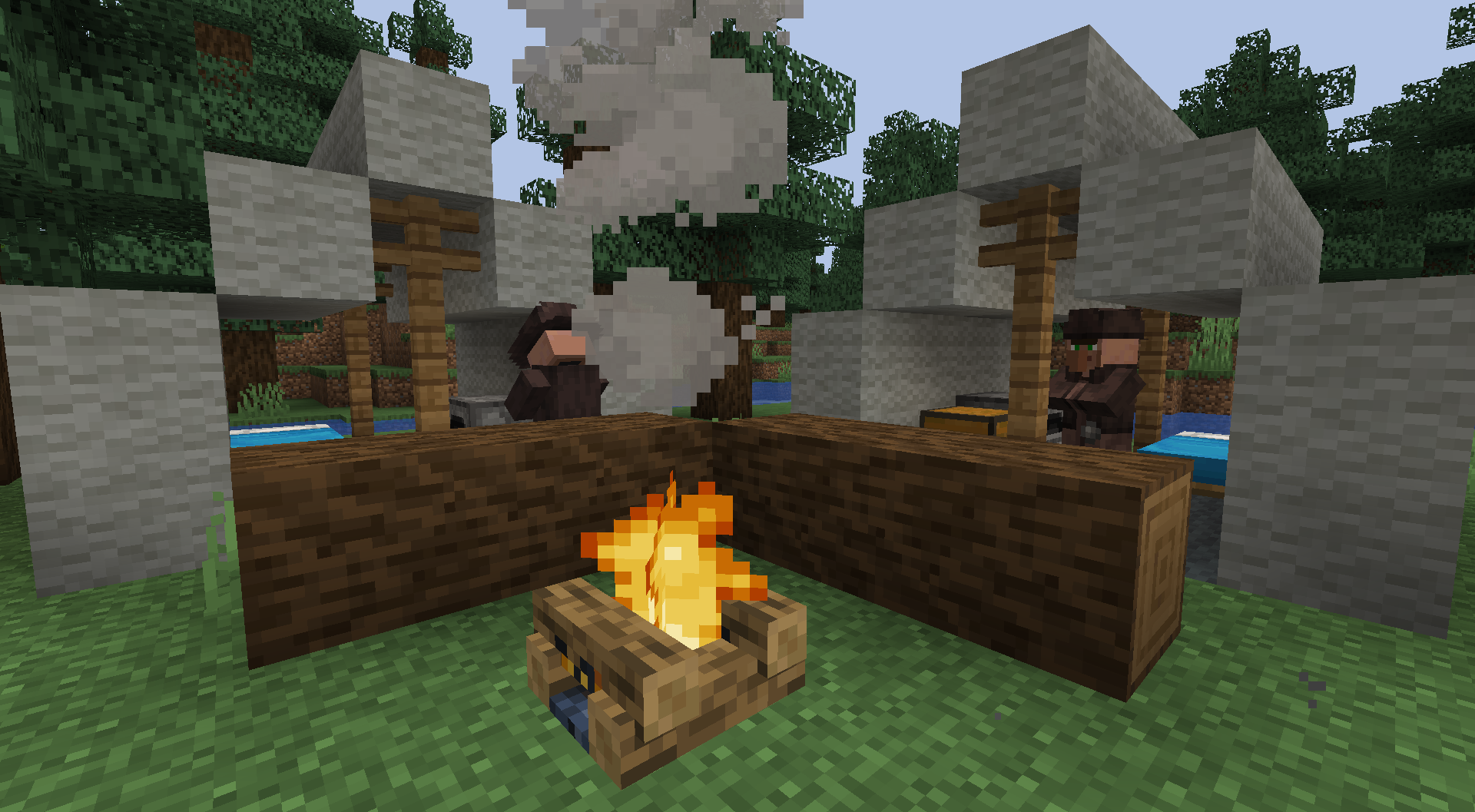
These structures can be slightly randomized sometimes and can also be generated in Taigas using spruce wood instead of Fir.
Large Fir Cabin: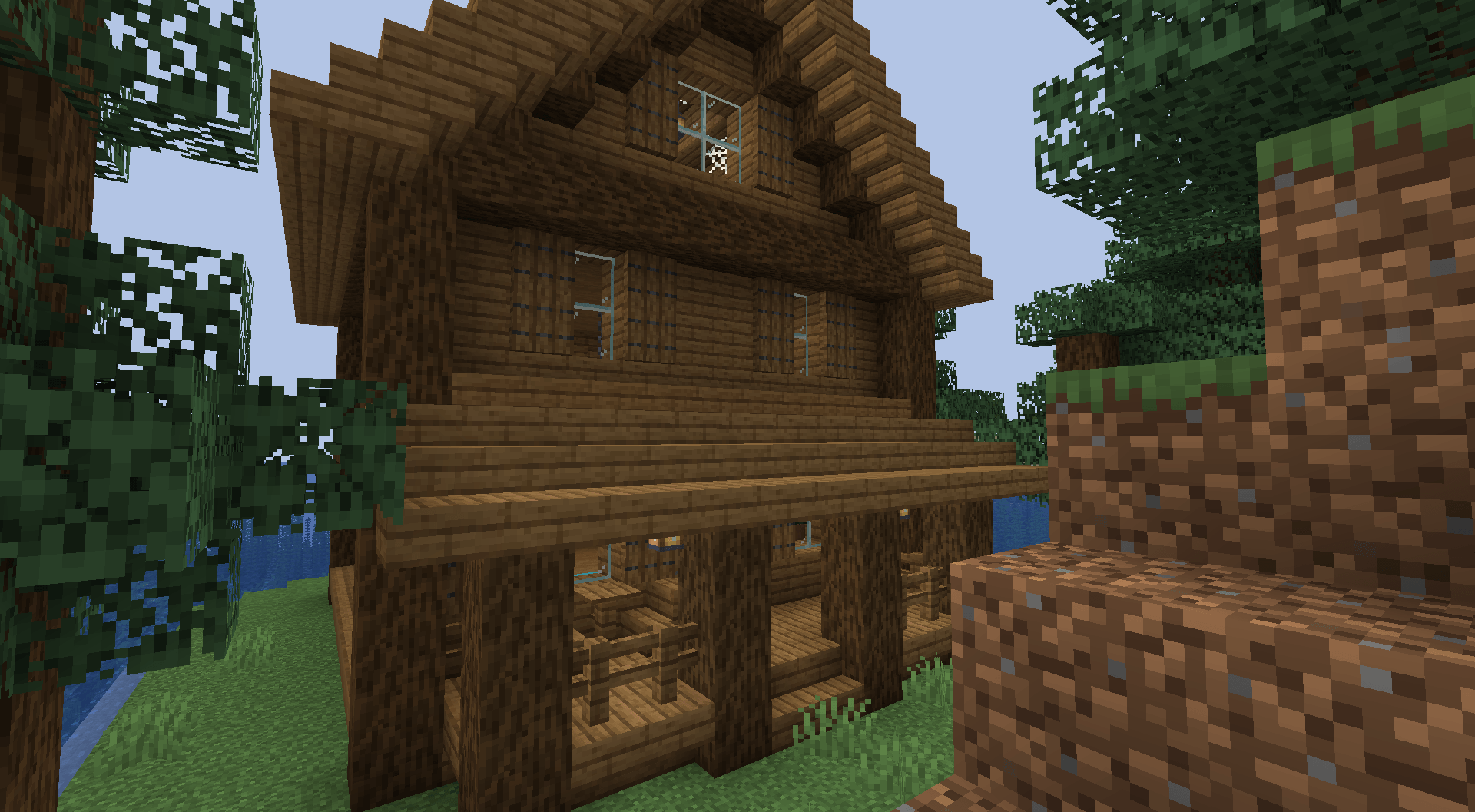
Small Fir Cabin: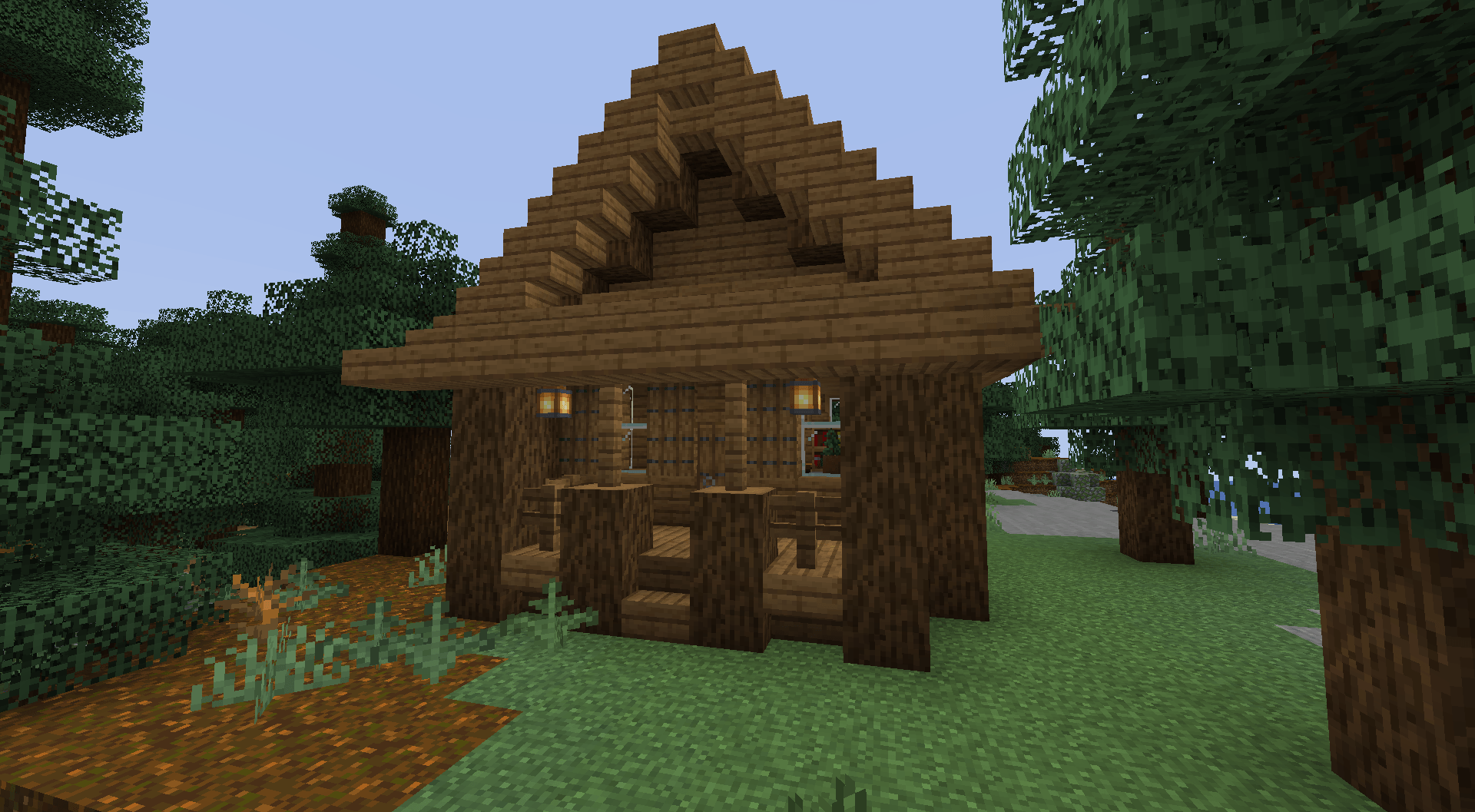
Campsite: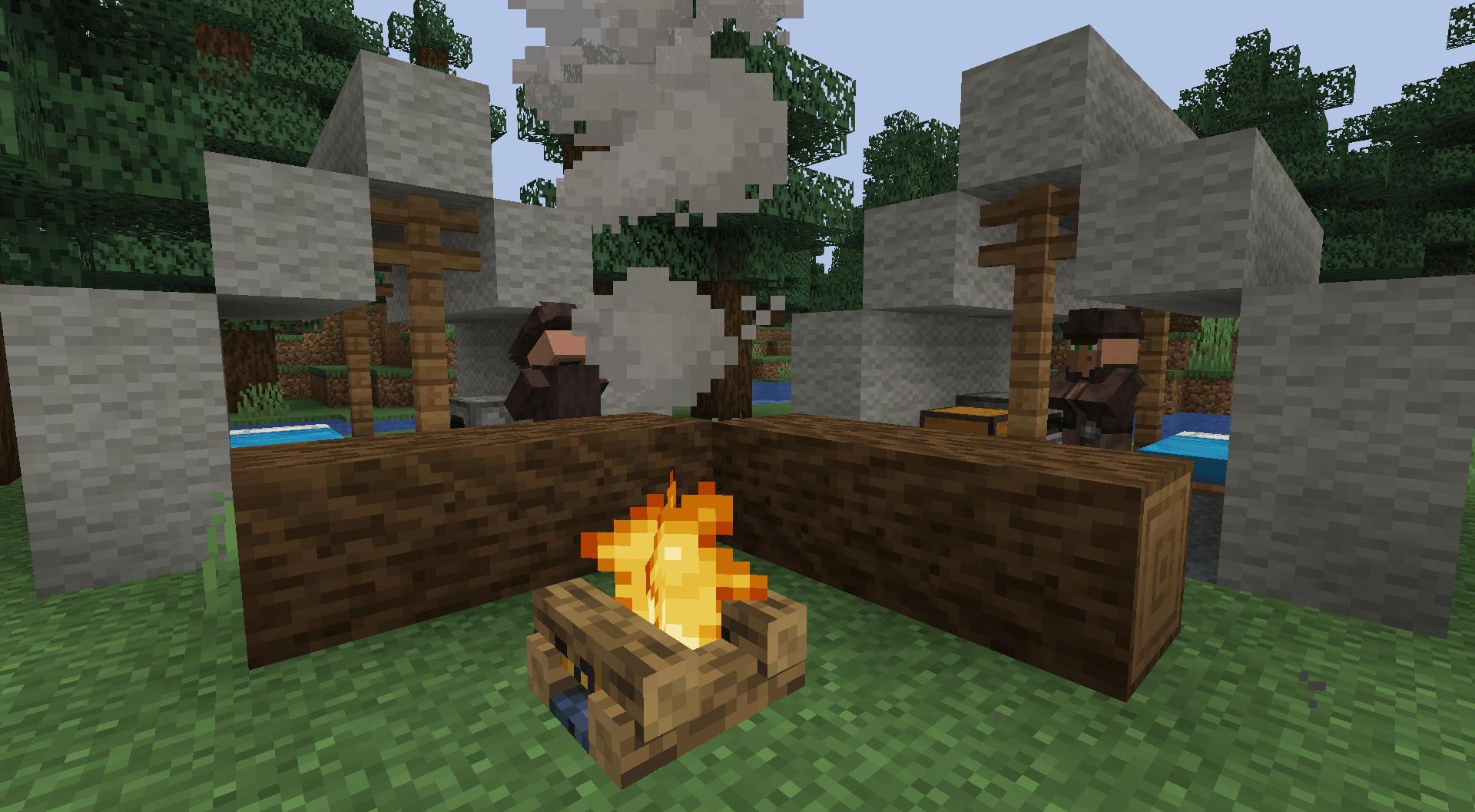
How Jason works
Jason can appear near the player during the night or during the day if the setting for it is turned on; he can only appear in forest biomes and appears more often in the Fir Forest, he can only appear if one day has passed within the world.
Jason will wait to pursue the player and can do multiple different things when approaching the player if he is not chasing the player.
He can either wait for the player to see him and then start chasing them, go up to the player's windows of their house if they are inside, and if the player is standing near a window, he will break the glass and grab the player. He can also choose to not approach the player and just wander around near them; he can automatically pursue the player when near them, or watch the player from a distance and then start chasing them.
When Jason is chasing the player, he can break glass and doors.
Jason has to hit doors around 2 or 3 times to break them.
He can instantly break glass to get to the player; however, the glass will regenerate after a short period of time, so you don't have to repair it yourself.
Jason can also grab you if he is chasing you and you are close to him.
To get out of his grab, you must "struggle" by trying to move around (using WASD, etc).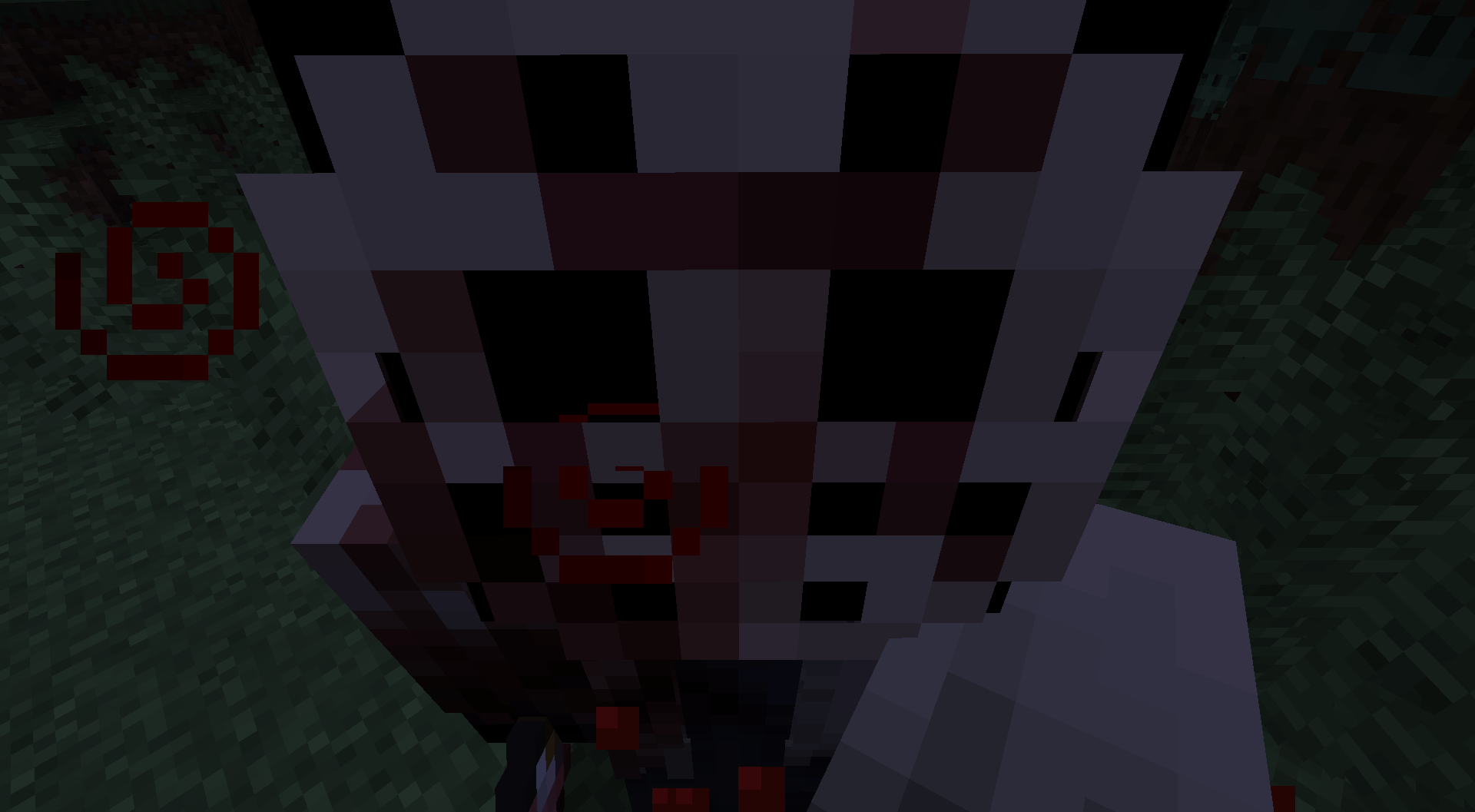
If Jason loses sight of the player, he will then begin to search around for where he last saw the player.
This is indicated by the bar that will appear on screen when he is searching for you if he is nearby.
There is also a chance a sort of phantom Jason arm can spawn below you underwater and pull you down to try and drown you.
Jason can inflict the effect "injury" onto you if he has hit you three times or has hit you while at "blood stage 3".
This effect will slow you down and prevent you from sprint jumping.
Config Settings and how to use the the Config
To use the config, you have to go into your Minecraft game directory, then go into the "config" folder and it should be there. You can edit the config with Notepad, Notepad++, or any code editor you may have installed.
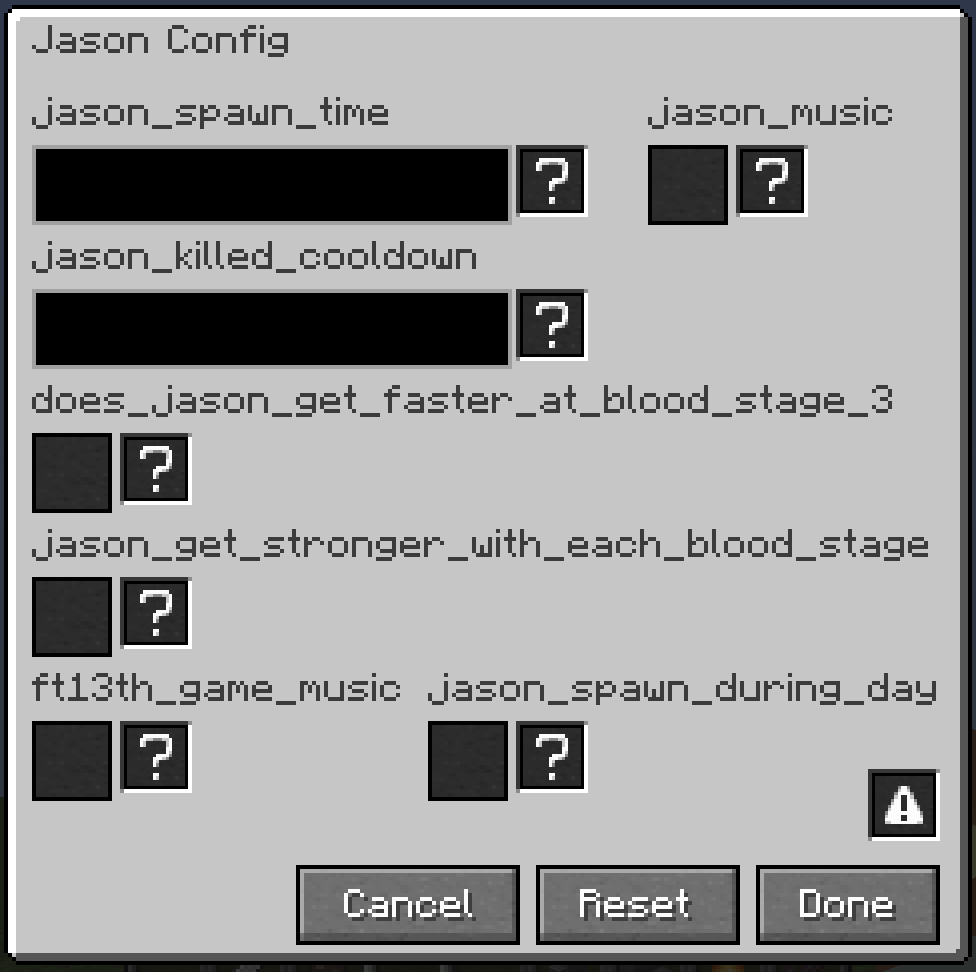
Or type /friday_jason:config in chat in game to open an ingame config menu.
Config Settings:
1: jason_spawn_time Spawn time can be set from 1 to 5, with 1 being the lowest and 5 being the highest.
2: jason_killed_cooldown The killed cooldown can go from 1 to 5, with 1 being the lowest and 5 being the highest. The kill cooldown happens when you kill Jason.
3: jason_music If set to true, then music will play when Jason is chasing/searching.
4: does_jason_get_faster_at_blood_stage_3 If set to true, then when Jason's "blood stage" is 3, he will walk faster.
5: does_jason_get_stronger_with_each_blood_stage If set to true, then with each "blood stage", Jason will deal more damage.
6: jason_spawn_during_day If this is set to true, then Jason will spawn during the day.
7: ft13th_game_music If this is set to true, it will use music from the Friday the 13th game instead of the custom music it has.
Image of ingame config menu:
(This mod is made for Forge.)
(Report any bugs or issues you find here: Issue tracker)
If you want to keep up to date with mods I'm working on, have any questions, or just want to join to see sneak peeks about mods or anything, feel free to join the Discord.


This mod attempts to take the popular movie slasher Jason Voorhees and turn him into a "horror" entity within Minecraft
This Mod Does Require GeckoLib
Small warning: The animations in the 1.19.2 version of the mod are a bit buggy
If you find the music/jumpscare sounds to be too loud, you can turn them down; they are a part of the "Jukebox/Note Block" sound option in the options menu.
Biome(s), items, blocks, and structures
Biome(s)
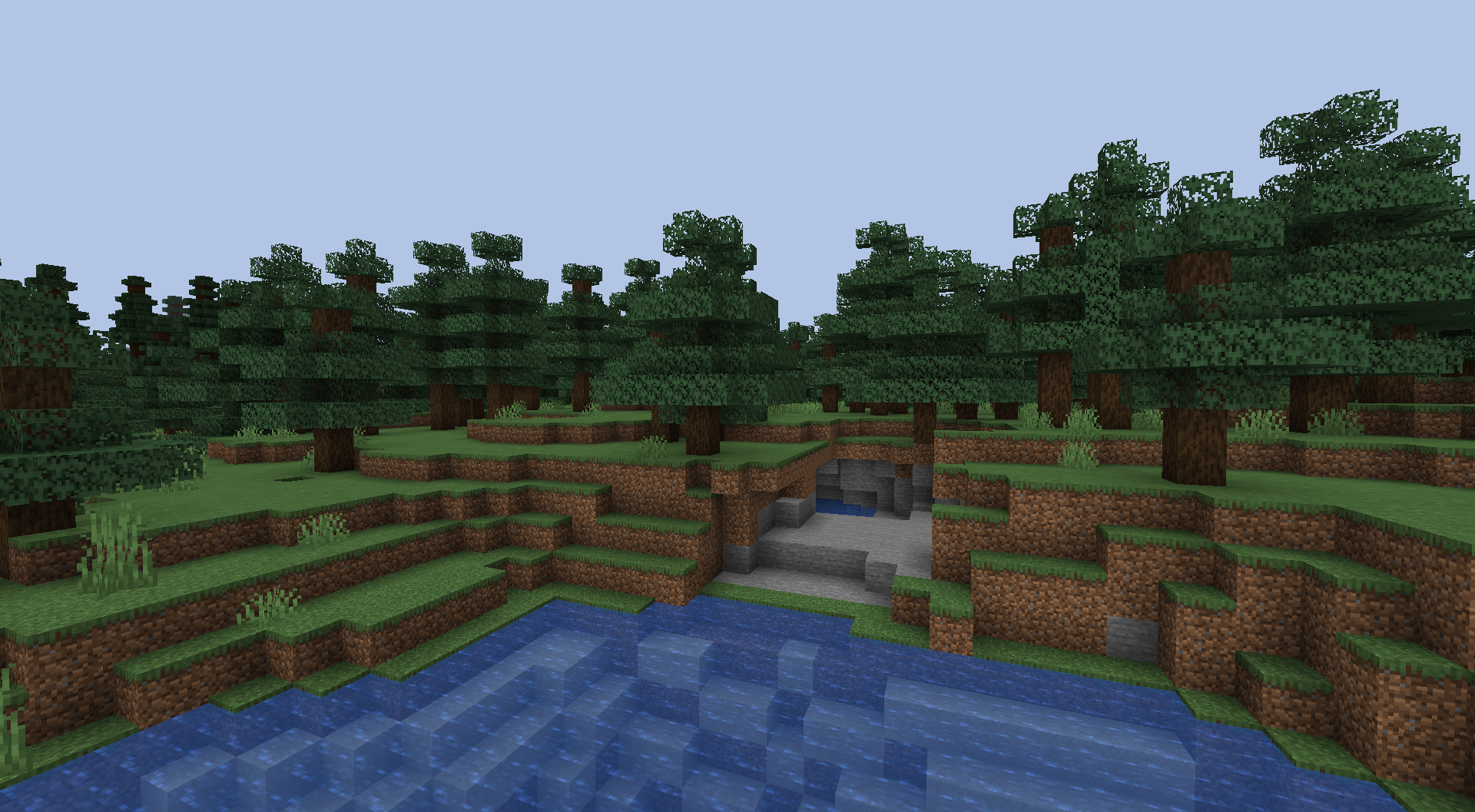
Fir Forest:
This biome is similar to Taigas while also being different by having different trees that come with a new wood type for the player to build with.
items
Heart of the Slasher:
This item, when in the player's inventory, will give them Strength 3 and Water Breathing.

Slasher's Machete:
This item is similar to a sword but a bit slower and does more damage.

Blocks
Fir wood is the new wood type that comes with the mod.
You can see all the blocks for it in the image below.

Structures
These structures can be slightly randomized sometimes and can also be generated in Taigas using spruce wood instead of Fir.
Large Fir Cabin:
Small Fir Cabin:
Campsite:
How Jason works
Jason can appear near the player during the night or during the day if the setting for it is turned on; he can only appear in forest biomes and he can only appear if one day has passed within the world.
Jason will wait to pursue the player and can do multiple different things when approaching the player if he is not chasing the player. He can either wait for the player to see him and then start chasing them, go up to the player's windows of their house if they are inside, and if the player is standing near a window, he will break the glass and grab the player. He can also choose to not approach the player and just wander around near them; he can automatically pursue the player when near them, or watch the player from a distance and then start chasing them.
When Jason is chasing the player, he can break glass and doors. Jason has to hit doors around 2 or 3 times to break them. He can instantly break glass to get to the player; however, the glass will regenerate after a short period of time, so you don't have to repair it yourself.
Jason can also grab you if he is chasing you and you are close to him.
To get out of his grab, you must "struggle" by trying to move around (using WASD, etc).
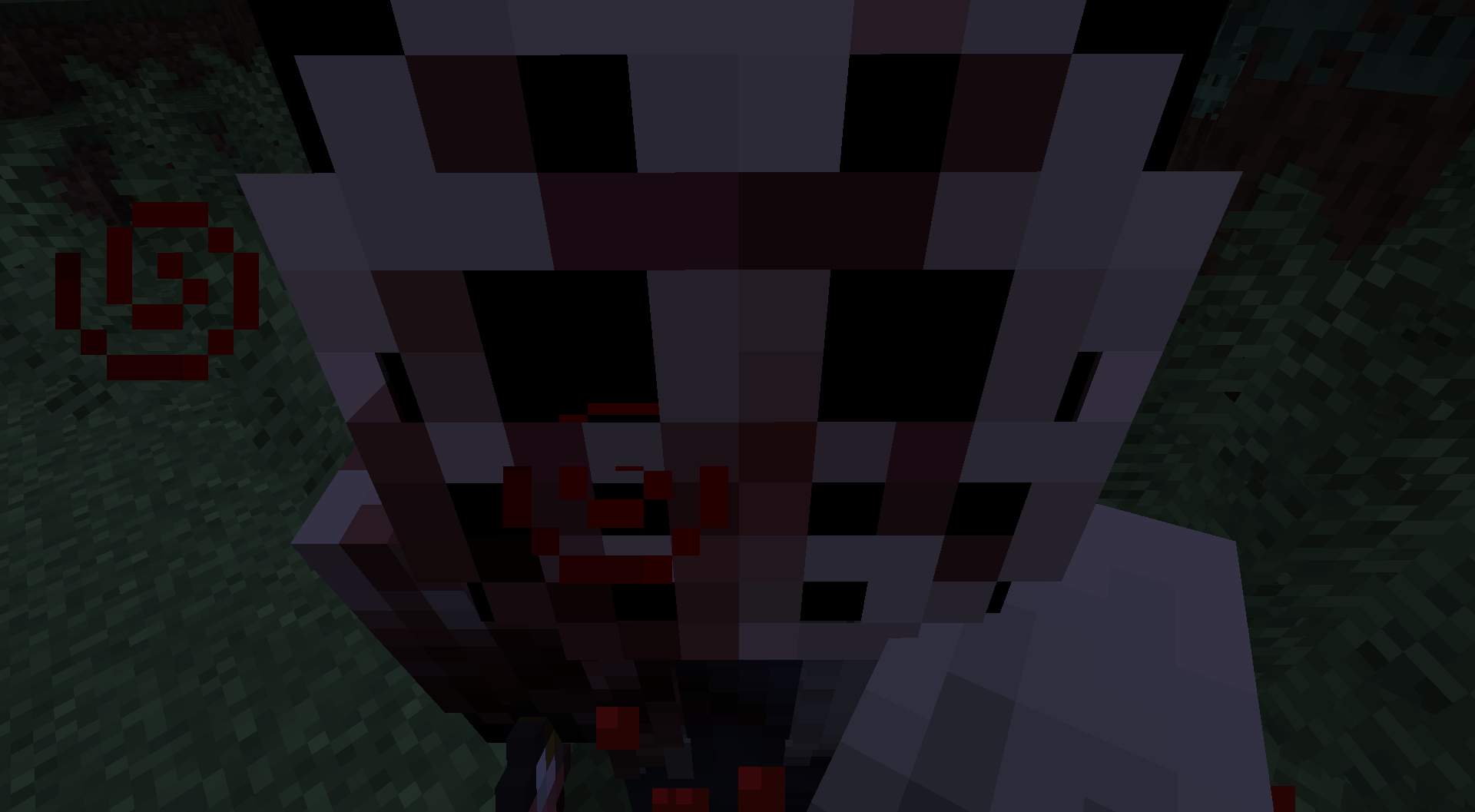
If Jason loses sight of the player, he will then begin to search around for where he last saw the player.
This is indicated by the bar that will appear on screen when he is searching for you if he is nearby.

There is also a chance a sort of phantom Jason arm can spawn below you underwater and pull you down to try and drown you.
Jason can inflict the effect "injury" onto you if he has hit you three times or has hit you while at "blood stage 3".
This effect will slow you down and prevent you from sprint jumping.

Config Settings and how to use the the Config
To use the config, you have to go into your Minecraft game directory, then go into the "config" folder and it should be there. You can edit the config with Notepad, Notepad++, or any code editor you may have installed.
Or type /friday_jason:config in chat in game to open an ingame config menu.
Config Settings:
1: jason_spawn_time Spawn time can be set from 1 to 5, with 1 being the lowest and 5 being the highest.
2: jason_killed_cooldown The killed cooldown can go from 1 to 5, with 1 being the lowest and 5 being the highest. The kill cooldown happens when you kill Jason.
3: jason_music If set to true, then music will play when Jason is chasing/searching.
4: does_jason_get_faster_at_blood_stage_3 If set to true, then when Jason's "blood stage" is 3, he will walk faster.
5: does_jason_get_stronger_with_each_blood_stage If set to true, then with each "blood stage", Jason will deal more damage.
6: jason_spawn_during_day If this is set to true, then Jason will spawn during the day.
7: ft13th_game_music If this is set to true, it will use music from the Friday the 13th game instead of the custom music it has.
Image of ingame config menu:

(This mod is made for Forge.)
(Report any bugs or issues you find here: Issue tracker)
Screenshots
Gallery
-
Jason Grabbing the Player
-
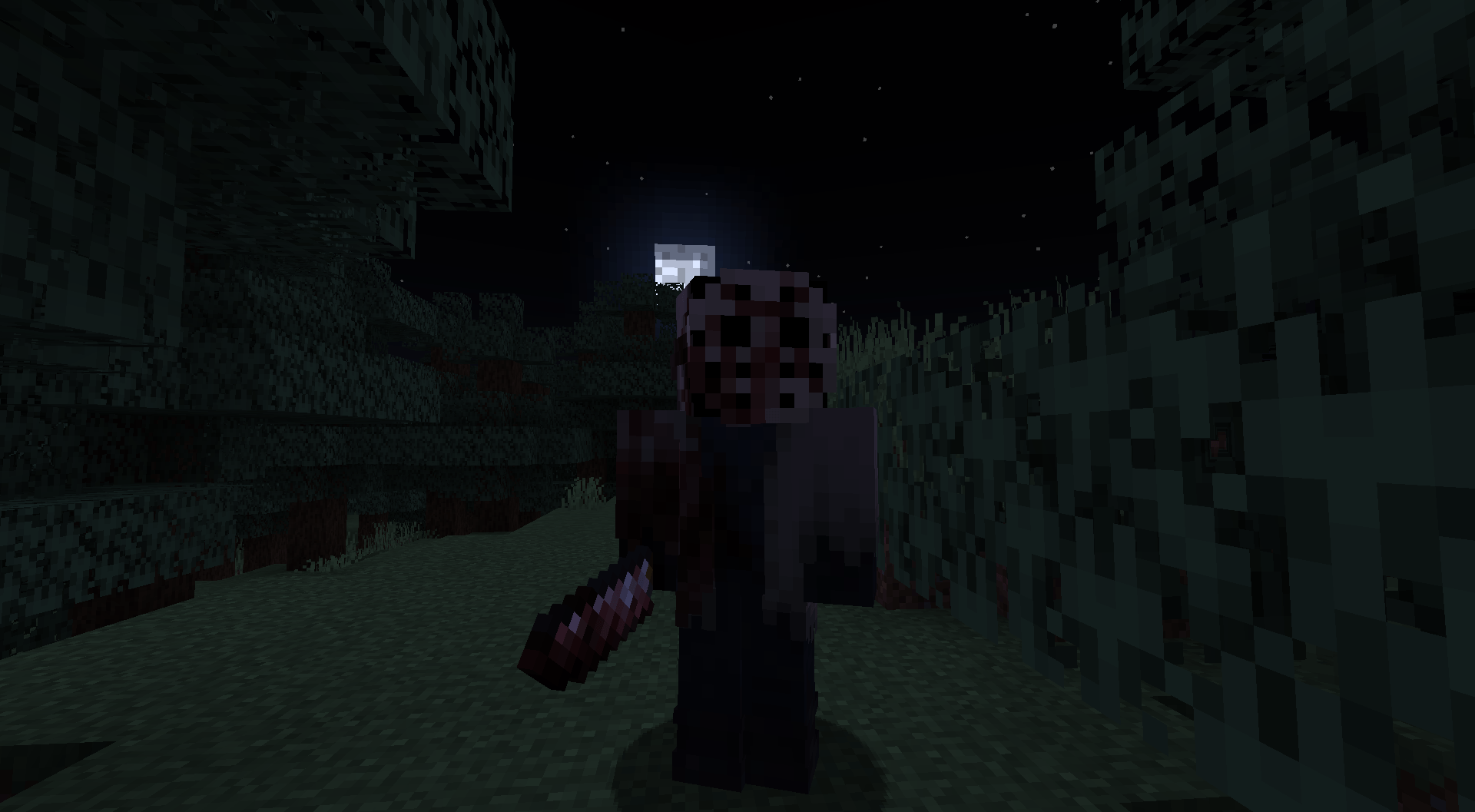 Jason "Blood Stage 3"
 -
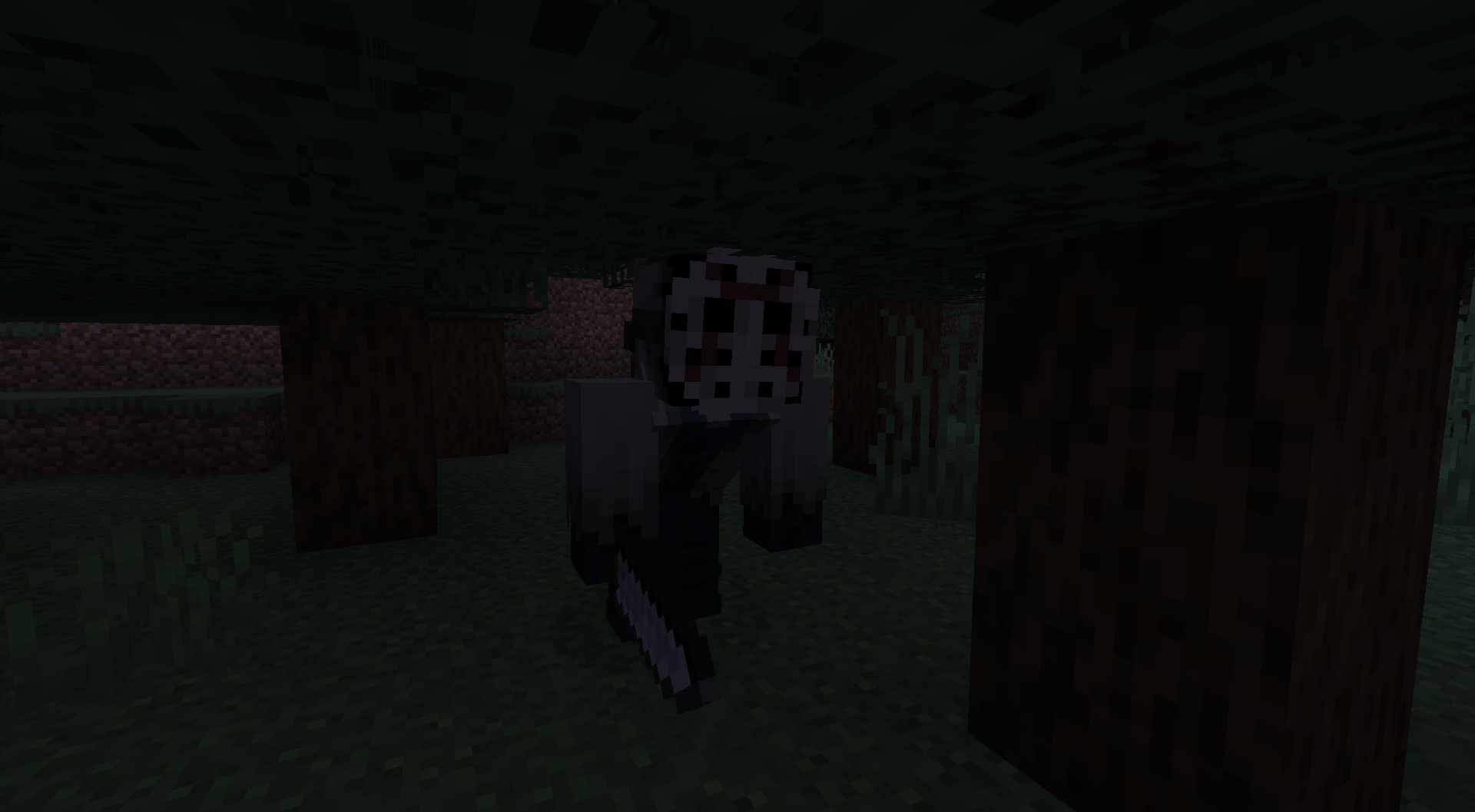 Jason Crouching Under Tree
 -
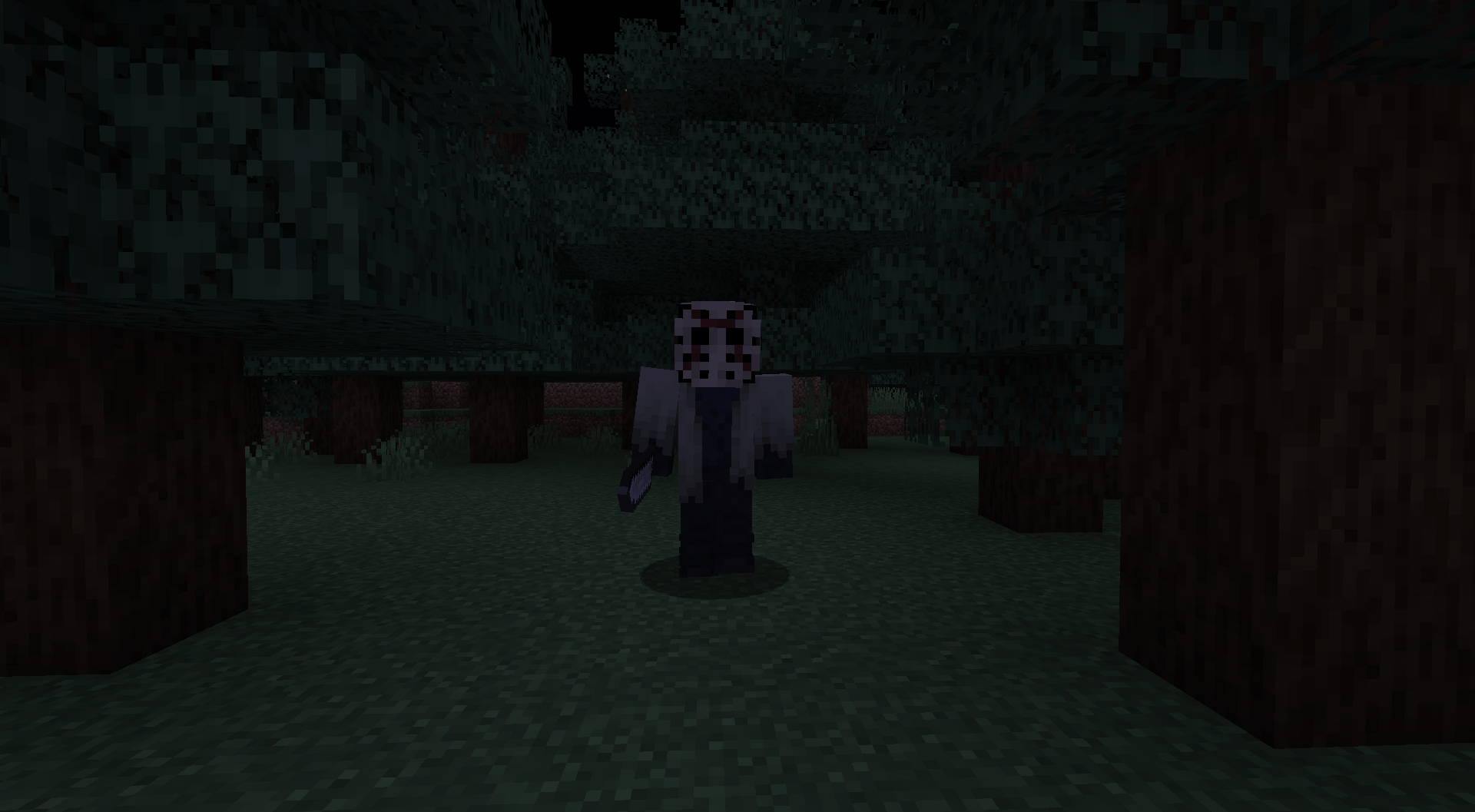 Jason Walking Towards Player
 -
Small Fir Cabin
-
Large Fir Cabin
-
Fir Forest
-
Campsite
-
Campsite A campsite in a Fir Forest
-
Fir Forest New biome added by this mod
-
Large Fir Cabin A large cabin in a Fir Forest
-
Small Fir Cabin A small cabin in a Fir Forest
-
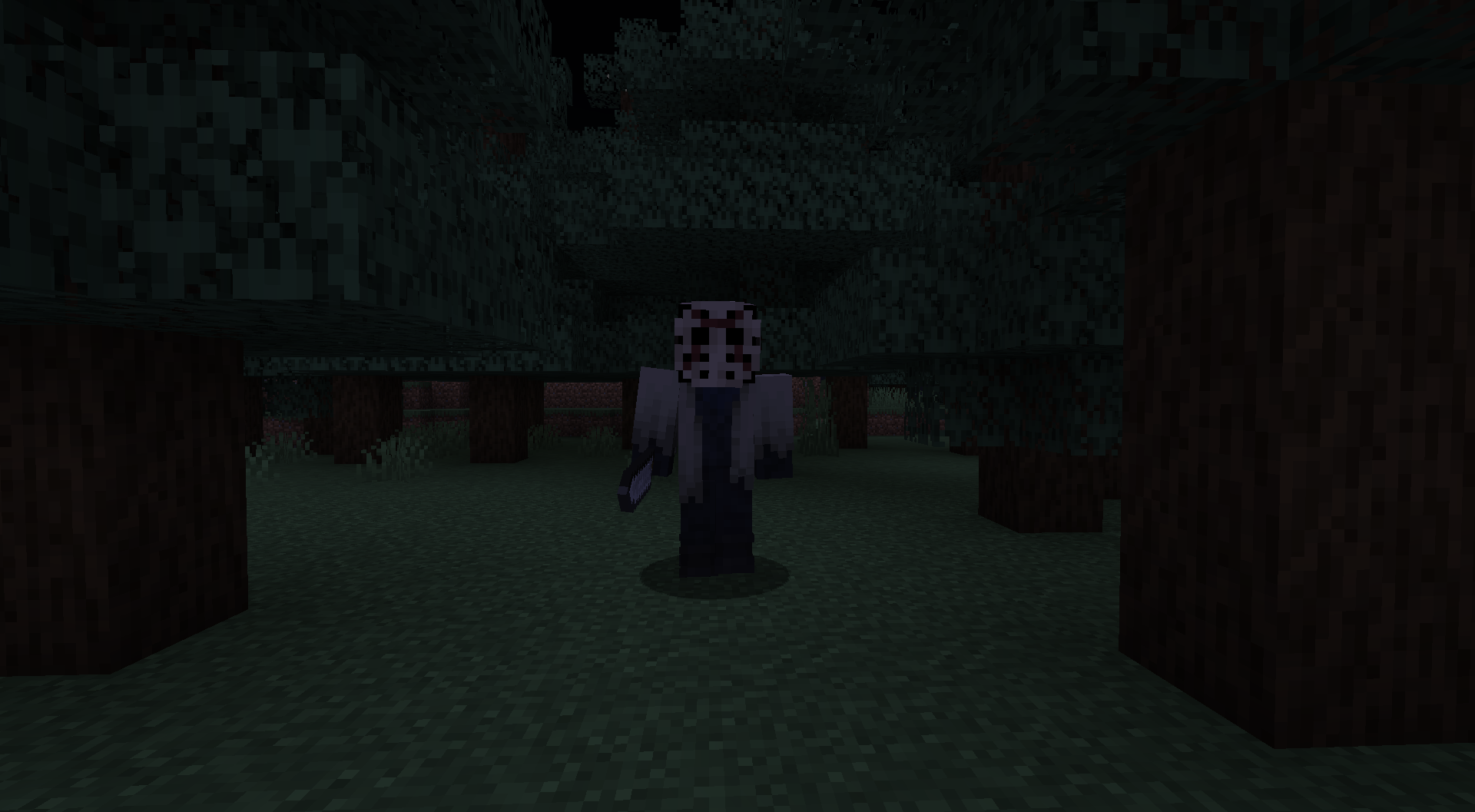 Image of Jason #1 Jason walking towards player
 -
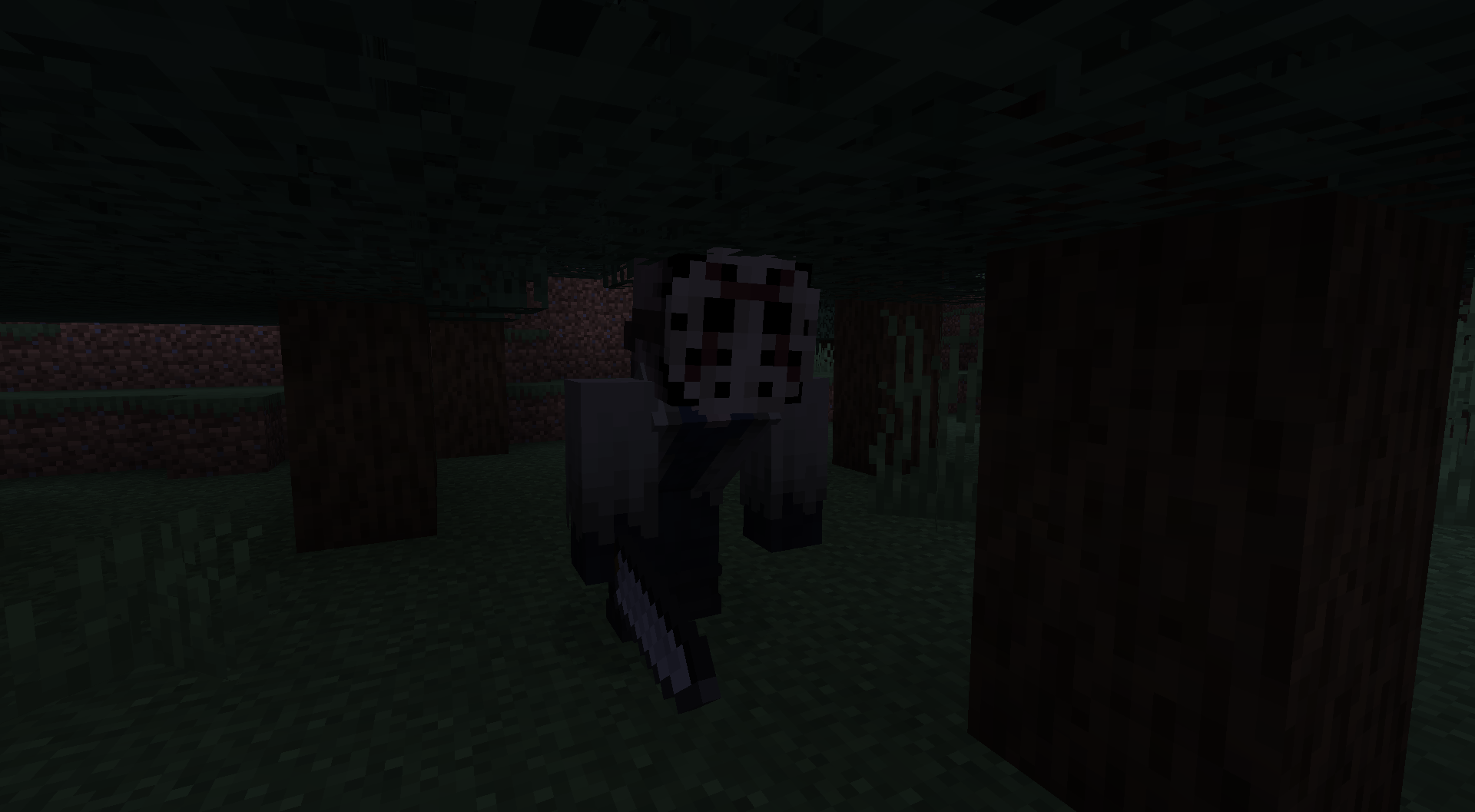 Image of Jason #2 Jason crouching under tree
 -
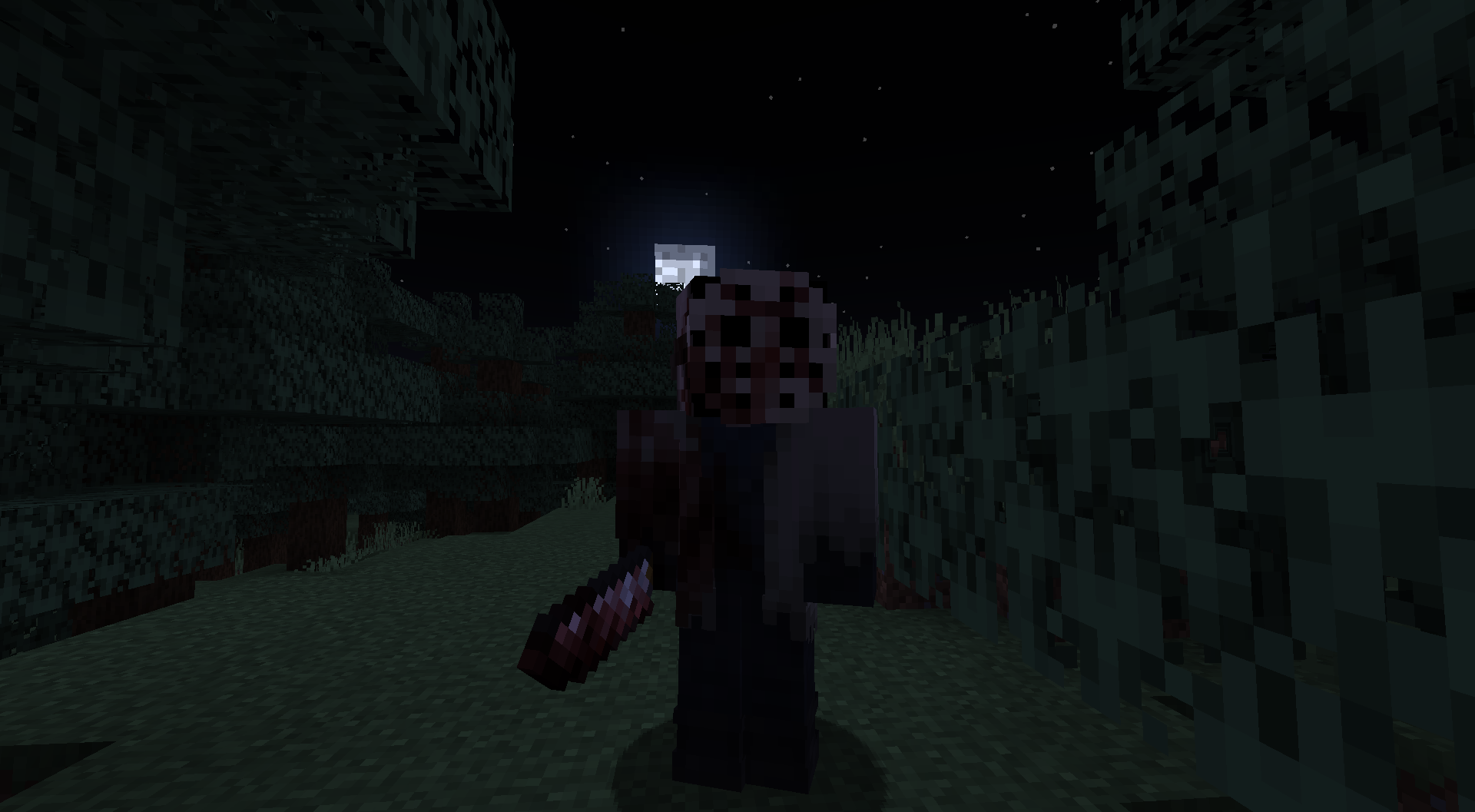 Image of Jason #3 Jason at "blood stage 3"
 -
Image of Jason #4 Jason grabbing the player
Versions
Files
Relations
Project Relations
More like this
Similar Mods
Suggestions use data such as tags, dependencies, dependents, descriptions, titles, and more to rank how much they overlap with this mod.
On ModDex
Community snapshot
By the numbers
Statistics
Want to reach Minecraft players?
We're looking for a server hosting partner to feature here and other parts of the site. Interested? Send us a message!
Get in touchGet it on
Available Platforms
On ModDex
Community snapshot
By the numbers