
Community listing page, reviews here may not be monitored by the author.
Simple Fullbright (Fabric, Forge, NeoForge)


No reviews yet
A simple fullbright plugin for fabric, forge and neoforge. Allows changing the brightness with a keybind or settings menu. No unnecessary stuff.

Community voices
Reviews
No reviews yet. Be the first to review this project!
Get it on
Available Platforms
Compatibility
Supported Environments
Runs entirely on the client. Works on vanilla servers.
About
Project Details
For authors
Embed Badge
If you're the author of this project, you can embed a live badge anywhere that supports HTML or Markdown. It updates automatically whenever ratings change.
Use HTML for any page that supports it, or Markdown for README files and Markdown-based descriptions.
Identifiers
Platform IDs
About
Description

Simple Fullbright ☀️
Simple Fullbright is a lightweight, bloat-free utility mod that gives you complete control over your game's brightness. Whether you are exploring deep caves or building at night, this mod allows you to toggle instant brightness or fine-tune your gamma settings beyond the vanilla limits.
📦 Supports: Fabric, Forge, and NeoForge.
✨ Features
- Toggle Keybind: Instantly switch between your preferred brightness and 1500% gamma (Fullbright) with a single button.
- Native Slider Integration: Extends the vanilla "Brightness" slider in Video Settings, allowing you to drag it all the way up to 1500%. No complex config files needed!
- Cross-Platform: Works seamlessly on Fabric, Forge, and NeoForge.
- Client-Side Only: You can use this on servers without the server needing to have it installed.
- No unnecessary stuff: No unnecessary menus, dependencies, or performance costs. Just simple brightness control.
🎮 How to Use
The Keybind
By default, press G to instantly toggle Fullbright on and off.
- You can customize this key in the standard Options > Key Binds menu under the "Simple Fullbright" category.
The Slider
Navigate to Options > Video Settings.
- You can now drag the Brightness slider far beyond the vanilla "Bright" setting, giving you granular control over exactly how bright you want the game to be.
🤝 Compatibility
- Compatible with Iris and other shaders
- Compatible with Sodium
- Note: Since some mods completely replace the Video Settings menu, the custom "extended slider" feature may not be visible inside their menus. Please use the keybind instead.
Simple Fullbright ☀️
Simple Fullbright is a lightweight, bloat-free utility mod that gives you complete control over your game's brightness. Whether you are exploring deep caves or building at night, this mod allows you to toggle instant brightness or fine-tune your gamma settings beyond the vanilla limits.
📦 Supports: Fabric, Forge, and NeoForge.
✨ Features
- Toggle Keybind: Instantly switch between your preferred brightness and 1500% gamma (Fullbright) with a single button.
- Native Slider Integration: Extends the vanilla "Brightness" slider in Video Settings, allowing you to drag it all the way up to 1500%. No complex config files needed!
- Cross-Platform: Works seamlessly on Fabric, Forge, and NeoForge.
- Client-Side Only: You can use this on servers without the server needing to have it installed.
- No unnecessary stuff: No unnecessary menus, dependencies, or performance costs. Just simple brightness control.
🎮 How to Use
The Keybind
By default, press G to instantly toggle Fullbright on and off.
- You can customize this key in the standard Options > Key Binds menu under the "Simple Fullbright" category.
The Slider
Navigate to Options > Video Settings.
- You can now drag the Brightness slider far beyond the vanilla "Bright" setting, giving you granular control over exactly how bright you want the game to be.
🤝 Compatibility
- Compatible with Iris and other shaders
- Compatible with Sodium
- Note: Since some mods completely replace the Video Settings menu, the custom "extended slider" feature may not be visible inside their menus. Please use the keybind instead.
Screenshots
Gallery
-
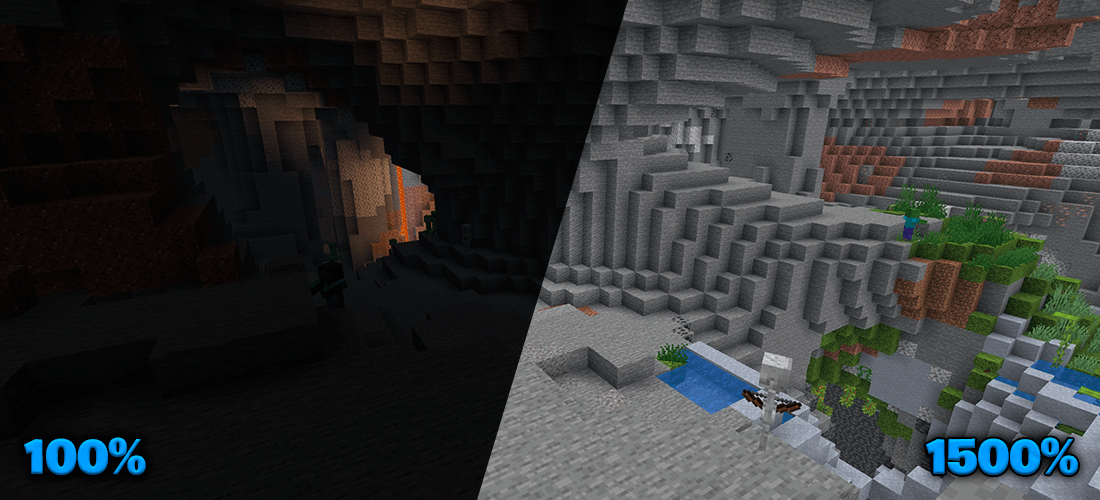 Inside a cave Inside a cave
 -
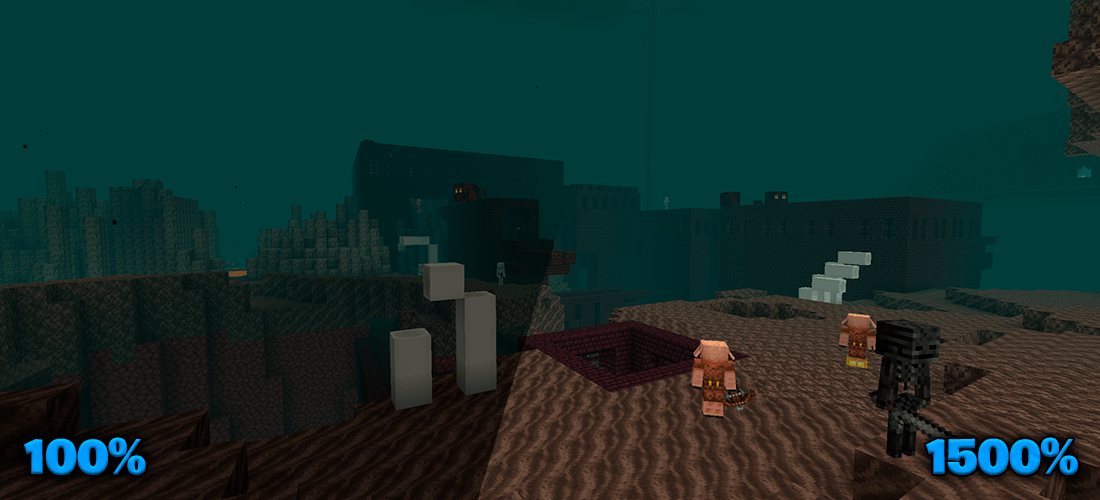 In the Nether In the Nether
 -
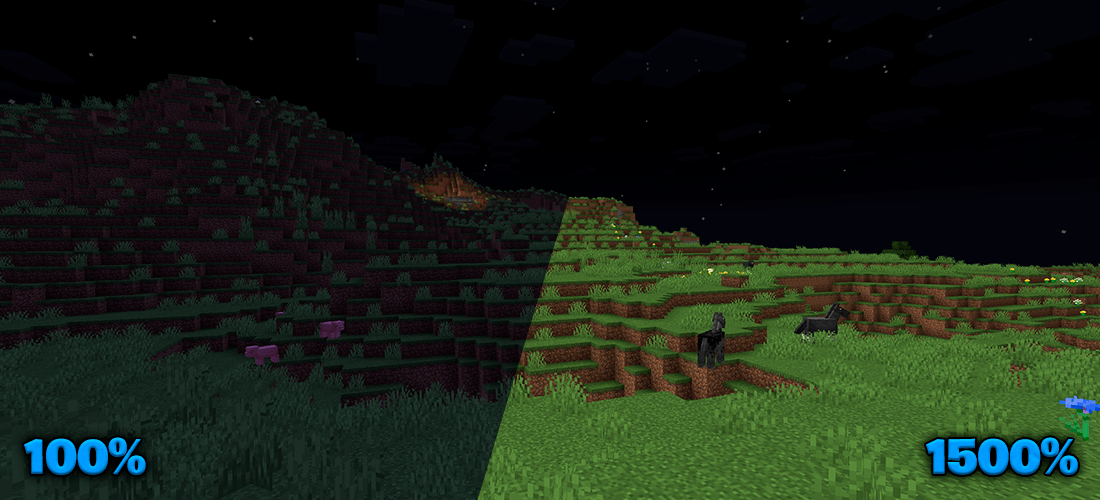 At night At night
 -
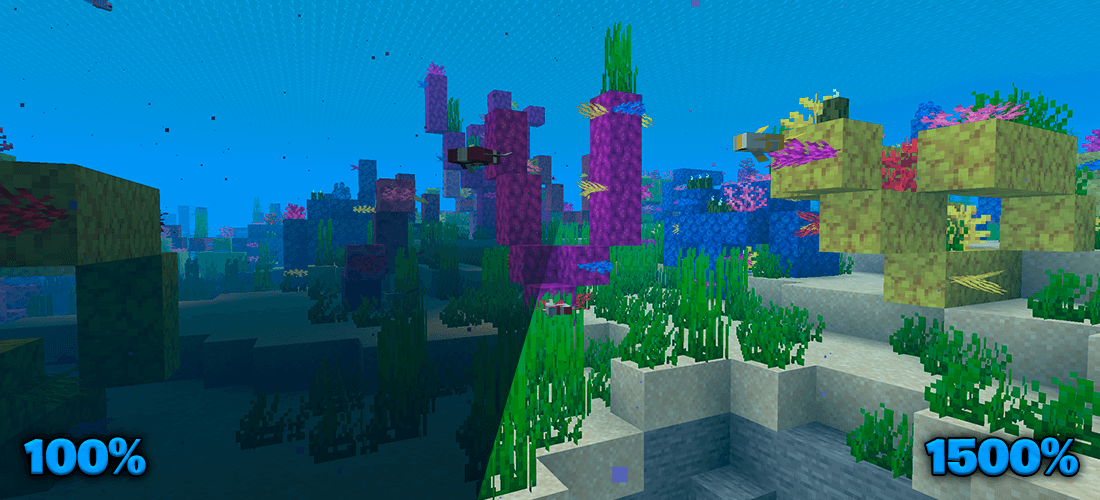 Underwater Underwater
-
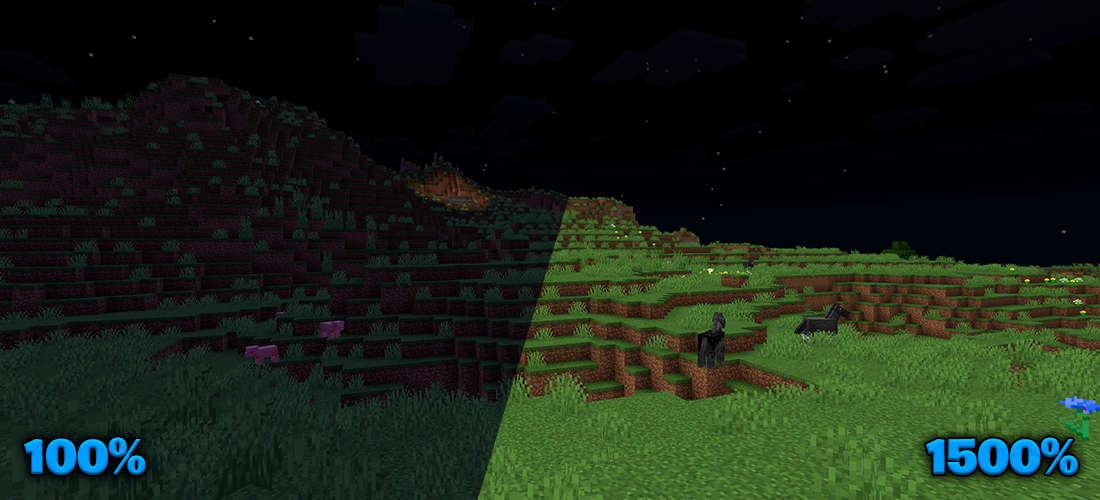 At night
 -
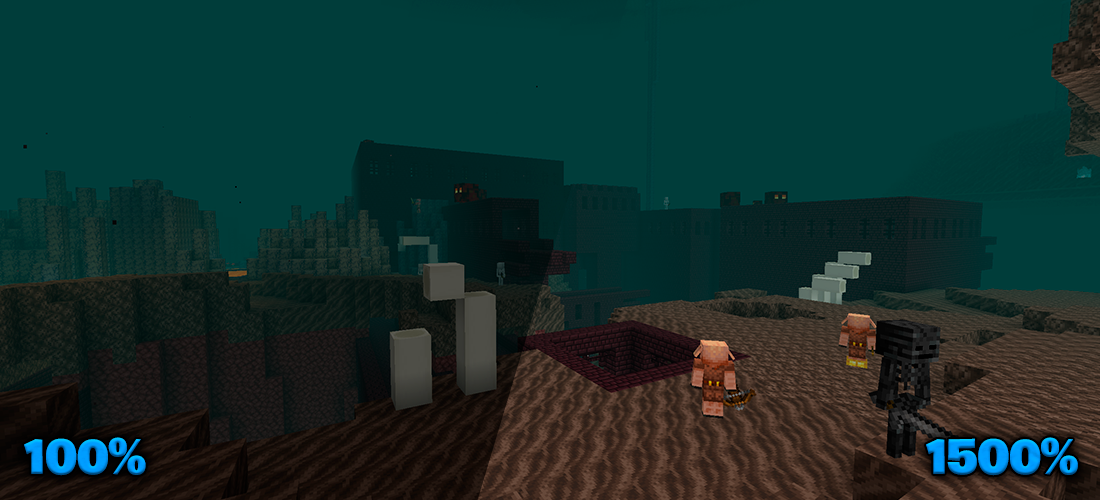 In the Nether
 -
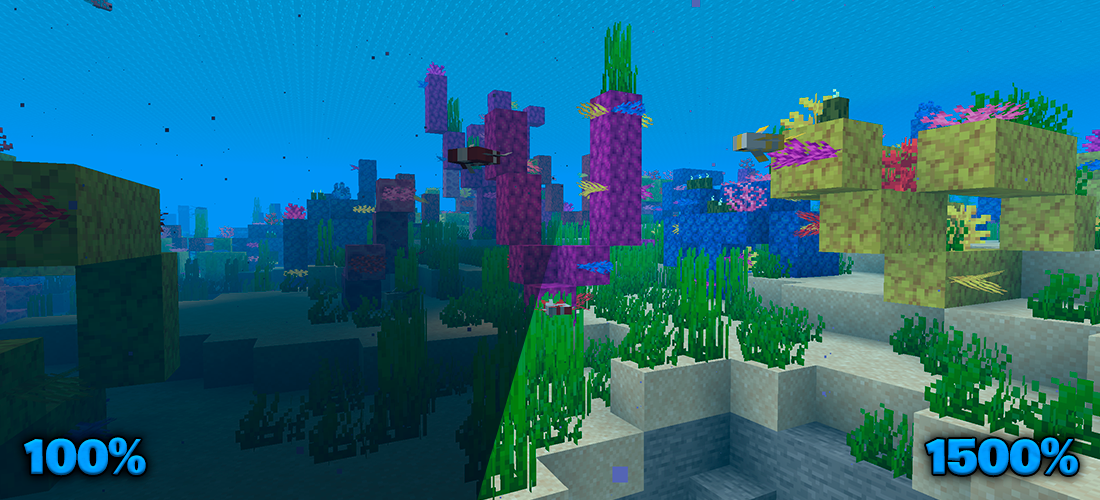 Underwater
 -
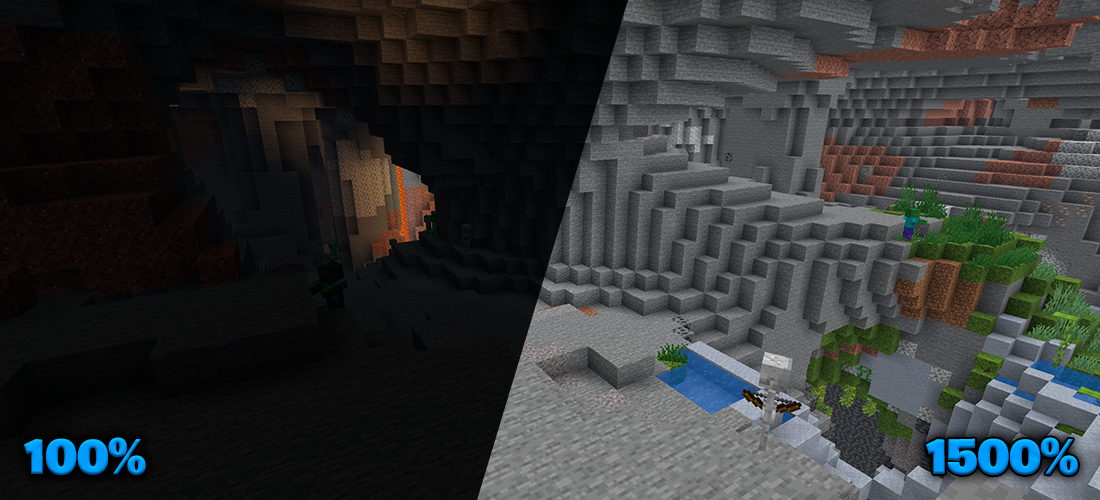 Inside a cave
Versions
Files
Relations
Project Relations
More like this
Similar Mods
Suggestions use data such as tags, dependencies, dependents, descriptions, titles, and more to rank how much they overlap with this mod.
On ModDex
Community snapshot
By the numbers
Statistics
 (opens in a new tab)
Get it on
Available Platforms
On ModDex
Community snapshot
By the numbers