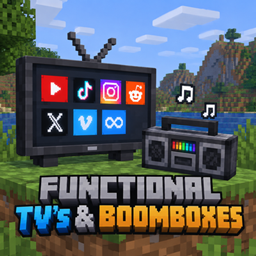
Community listing page, reviews here may not be monitored by the author.
Functional Tv's & Booboxes

No reviews yet
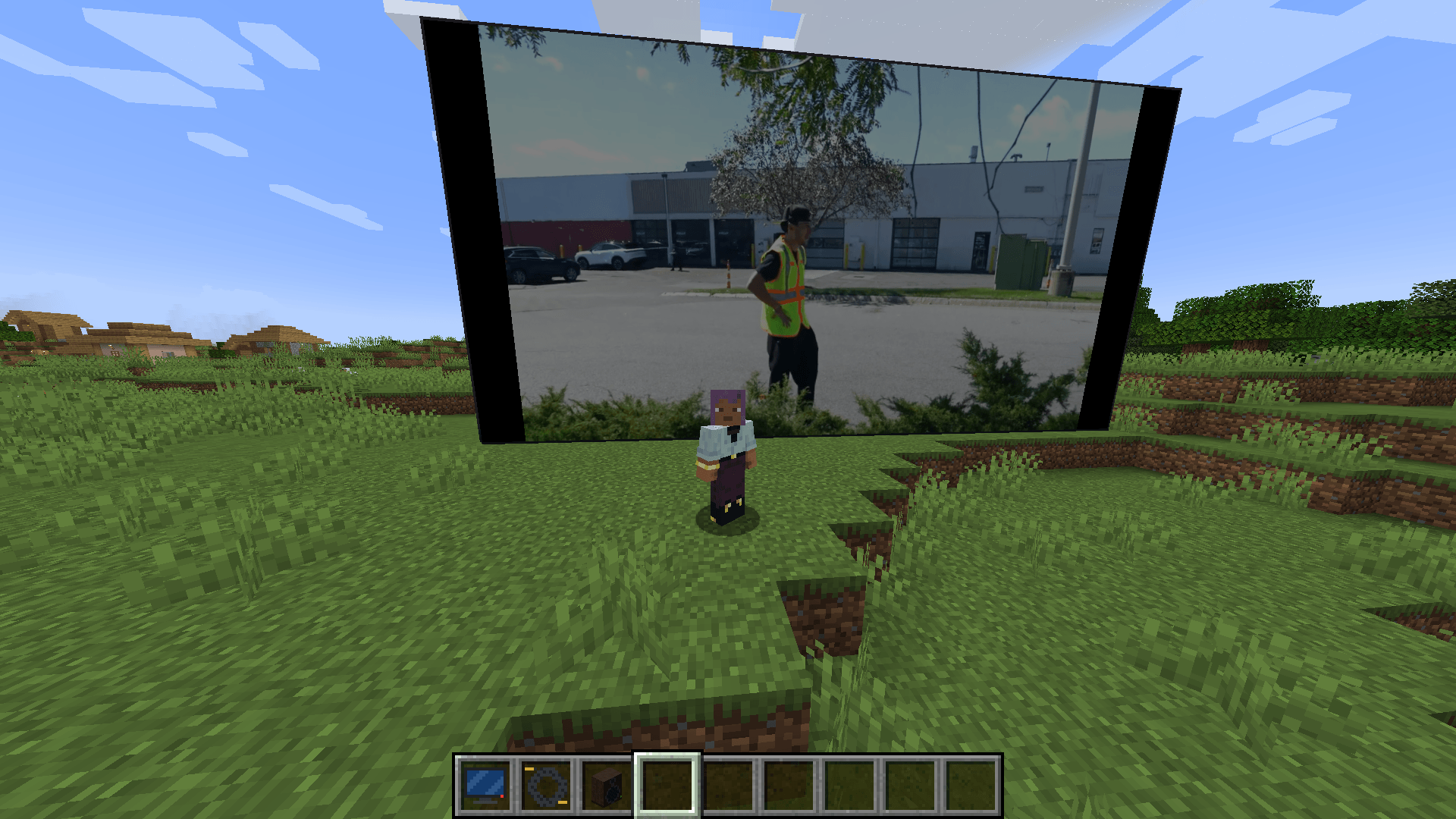
Real televisions and boomboxes for Minecraft. Paste a link — YouTube, TikTok, MP4, a radio stream, a GIF — and it plays. On a screen of *any* size you type in. In sync for everyone.

Community voices
Reviews
No reviews yet. Be the first to review this project!
Get it on
Available Platforms
About
Project Details
For authors
Embed Badge
If you're the author of this project, you can embed a live badge anywhere that supports HTML or Markdown. It updates automatically whenever ratings change.
Use HTML for any page that supports it, or Markdown for README files and Markdown-based descriptions.
Identifiers
Platform IDs
Resources
External Links
About
Description
📺 Functional TVs & Boomboxes
Real televisions and boomboxes for Minecraft. Paste a link — YouTube, TikTok, MP4, a radio stream, a GIF — and it plays. On a screen of any size you type in. In sync for everyone.
NeoForge · Java 21 · Required on client and server
✨ What it does
- Televisions of any size — not presets. Type
16 × 9,40 × 50,3 × 1, anything from 1×1 up to 64×64 blocks. Place it against a wall (a green/red outline shows where it will go) and resize it later without stopping the video. - Plays the real internet — YouTube, TikTok, Instagram, Reddit, Twitter/X, Vimeo, Streamable and ~1000 other sites, plus direct MP4 / MP3 / OGG / WAV / GIF / PNG / JPEG links, MJPEG webcams and — with FFmpeg — live HLS streams.
- Synchronised playback — everyone in range sees the same frame and hears the same beat, including players who walk in halfway through. The server only shares state; every client decodes for itself, so nothing is streamed through the server.
- Boomboxes that never stop — carry it, hold it, drop it, place it, pick it up again: the music keeps going from exactly where it was. Choose whether others hear it while it's in your inventory.
- Positional sound — screens and boomboxes get quieter with distance and muffled behind walls.
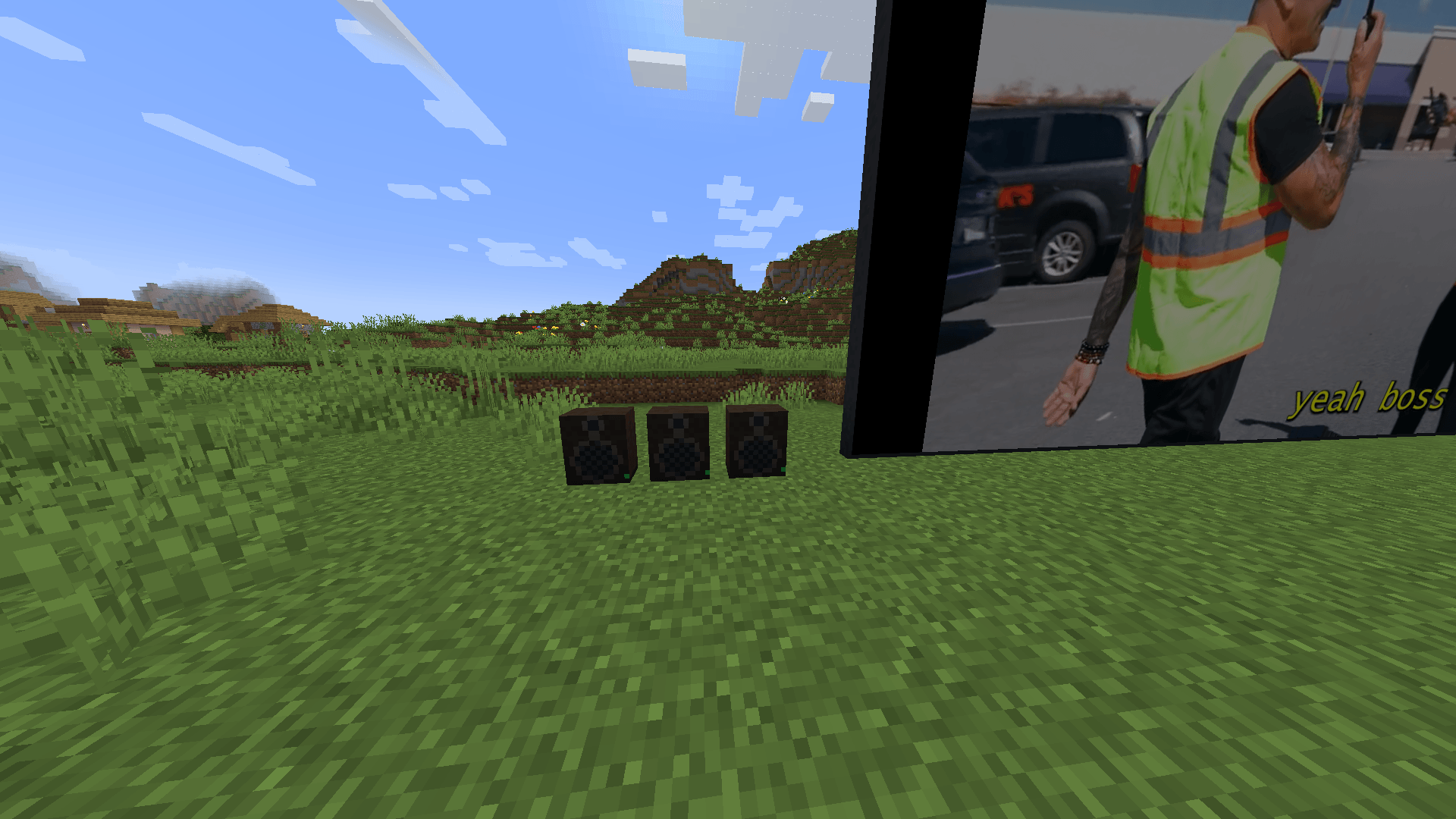
- Speakers — wire Speaker blocks to a screen with a Speaker Cable and the sound comes out of every one of them, sample-accurate, so a stadium screen is heard from the back row.
- 60 fps, up to 1080p — with the one-click FFmpeg install; a pure-Java decoder is built in so it works with nothing extra at all.
- Remote Control — point at a screen from across the room and open its panel.
- Server-owner controls — domain allow/block lists, max screen size, who may control what, ranges, anti-spam.
🚀 Quick start
- Craft a Television and right-click it in the air → type a width and height (presets included if you're in a hurry).
- Place it on a wall. Any block of the screen opens the panel; so does a Remote Control.
- Paste a link, press Load. Done — an MP4, MP3, GIF or image link plays immediately.
- For YouTube / TikTok / other sites press Install link support the first time. The mod downloads yt-dlp and the Deno runtime from their official GitHub releases (checksum-verified) into
config/functionaltvs/tools. From then on, platform links just play. - For the best picture press Improve quality (FFmpeg) once. Windows: automatic (~110 MB, official gyan.dev build, checksum-verified). Linux/macOS:
apt install ffmpeg/brew install ffmpeg— it's picked up automatically.
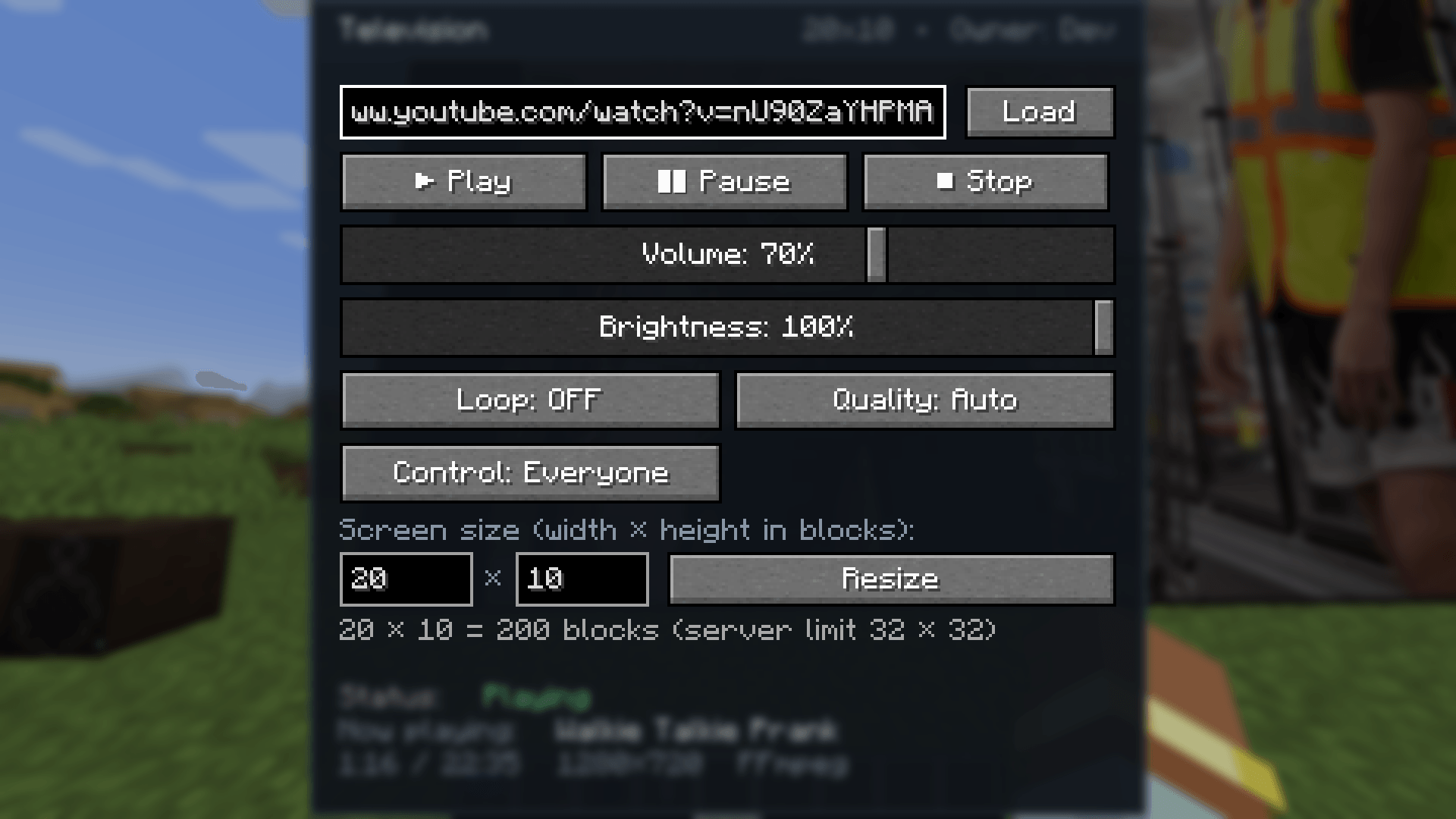
Everything else — Play / Pause / Stop, volume, brightness, loop, quality cap, who may control the screen, screen size — is in the same panel.
📺 Televisions
| Feature | Details |
|---|---|
| Size | Free-form, W × H blocks, 1×1 … 64×64 (server default cap 32×32) |
| Resize in place | Change the size of a placed screen from its panel; playback continues |
| Picture | Letterbox or stretch-to-fill, brightness, smooth or crisp (pixel) scaling |
| Quality cap per screen | Auto · 240p · 360p · 480p · 720p · 1080p |
| Control | Everyone or Owner only (operators always can) |
| Sync | Server game-tick clock; late joiners catch up automatically |
| Off state | Dark screen; the panel keeps the last link so one click plays it again |
Breaking any block of a screen drops one Television item that remembers its size.
📻 Boomboxes
- Right-click in the air (or sneak + right-click a block) to open it; right-click a block to place it; sneak + right-click the placed boombox to pick it back up.
- The music never restarts across inventory → hand → ground → block transitions.
- Carried: Everyone hears or Only me while it sits in your inventory.
- Plays MP3, OGG Vorbis, WAV, M4A/MP4 audio, MP3 radio streams, and the audio of any platform link.
🔊 Speakers & sound
- Speaker Cable: click a screen, then click a Speaker to link it (sneak-click to unlink). Up to 16 speakers per screen (server-configurable).
- Every source uses a realistic inverse-distance model with a reference distance and roll-off, fades out at the edge of its range, and gets a low-pass "behind a wall" muffle when the line of sight is blocked.
- Speakers are additional emitters of the same audio stream — no echo, no drift, ever.
- Everything respects the vanilla Records / Jukebox volume slider.
🎞️ What plays
| Media | TV | Boombox |
|---|---|---|
| YouTube, TikTok, Instagram, Reddit, Twitter/X, Vimeo, Streamable, … (~1000 sites via yt-dlp) | video + audio | audio |
| MP4 / M4V / MOV / M4A (progressive and fragmented/DASH) | video + audio | audio |
| MP3 · OGG Vorbis · WAV / AIFF / AU · MP3 radio streams | audio | audio |
| PNG · JPEG · BMP · animated GIF | picture / animation | – |
| MJPEG HTTP streams (IP cameras, public webcams) | live video | – |
| Dropbox / Google Drive / GitHub share links | rewritten to the file automatically | ✔ |
| With FFmpeg: WebM / VP9 / AV1 / HEVC, MKV, HLS & m3u8 live streams, YouTube Live, FLAC, Opus … | video + audio | audio |
DRM content and sites that need a login are never playable — the panel tells you why something failed instead of showing a black screen.
🖼️ Picture quality & frame rate
- FFmpeg decoder (recommended, optional): decodes at the source frame rate up to 60 fps, up to 1080p, Lanczos scaling, every codec. Runs as a separate process so it can't crash your game.
- Built-in Java decoder (always available): H.264 + AAC, comfortable at 480p, nothing to install.
- Frames are paced by their timestamps against the audio clock and uploaded straight to the GPU; the screen texture uses mipmaps and anisotropic filtering, so far-away or angled screens don't shimmer.
- The panel footer shows the current resolution, position and which decoder is in use.
🔒 Safety & privacy — the honest version
- Only your own client decides what runs on your PC. yt-dlp, Deno and FFmpeg are downloaded only when you press the button (or set
autoInstallTools = true), from their official release pages, and every file is SHA-256-verified against the published checksums. A server can never make your client download or execute anything. - The mod never scrapes YouTube or other sites itself; link resolution is delegated to yt-dlp, the actively maintained open-source resolver.
- Only
http/httpslinks; credentials in URLs are rejected; loopback / LAN / private addresses are refused on every redirect hop (opt-in for local media); server-side domain allow/block lists, rate limit, range and permission checks on every request. - Nothing is uploaded anywhere. No accounts, no telemetry.
⚙️ Configuration
Client — config/functionaltvs-client.toml
Max video height (720), decode cap, max fps (60), activation & render distance, simultaneous screens/boomboxes, stream cache size, letterbox vs stretch, smooth scaling, volume multiplier, audio distance model (reference distance, roll-off), occlusion muffling, local-network media, timeouts, user agent, yt-dlp / Deno / FFmpeg paths, useFfmpeg, auto-install, page resolving, Piped instance.
Server — <world>/serverconfig/functionaltvs-server.toml (synced to clients)
External media on/off, allowed & blocked domains, max URL length, max TV width / height (32×32, hard cap 64), default control mode, operator bypass, TV / boombox / speaker audio ranges, control range, speakers per TV, anti-spam cooldown, maximum volume.
🛠️ Recipes
| Item | Recipe |
|---|---|
| Television | Iron ×5 around a Glass Pane, Redstone + Quartz + Redstone on the bottom row |
| Boombox | Iron ×3 top row · Wool, Note Block, Wool · Iron, Redstone, Iron |
| Speaker (×2) | Planks frame · Wool on top, Note Block in the middle, Iron at the bottom |
| Speaker Cable (×2) | 2 Copper Ingots + String (shapeless) |
| Remote Control | Redstone over Iron Ingot over any Button |
All items are in their own creative tab.
❓ FAQ
Does the server need the mod? Yes — it holds the playback state, sync clock and permissions. Servers never download or decode media.
Do I need to install anything? No. Direct files play out of the box. Platform links need yt-dlp (+ Deno for YouTube); the best quality needs FFmpeg. Both are one button in the panel.
Is it heavy? One screen at 480p with the Java decoder costs about as much as a browser tab; with FFmpeg even 1080p60 is light. Screens are one quad each regardless of their size, and only screens near you decode (activationDistance, maxActiveTvs).
YouTube stopped working! YouTube changes constantly; yt-dlp is updated within days. Replace yt-dlp.exe in config/functionaltvs/tools with the newest release or point ytDlpPath at your own install.
Can I use my own resolver or a Piped instance? Yes: resolverCommand and pipedApiInstance in the client config.
Multiplayer sync accuracy? Within about a second of the server clock; positions are re-checked continuously and corrected when they drift.
📦 Requirements
- Minecraft 1.21.1, NeoForge 21.1.234+, Java 21
- Install on both client and server
- Optional: yt-dlp + Deno (link support), FFmpeg (quality) — installed from within the game
📜 License & permissions
All rights reserved. You may use this mod in modpacks (CurseForge and elsewhere) with credit; please do not re-upload the jar to other sites.
Made by Tonicarter. Found a site that doesn't play or a bug? Open an issue with the link and the message the panel shows — it tells you exactly what went wrong.
Screenshots
Gallery
-
 2026-09-14_12.55.27.png 2026-09-14_12.55.27.png
 -
 2026-09-14_12.56.09.png 2026-09-14_12.56.09.png
 -
 2026-09-14_12.56.22.png 2026-09-14_12.56.22.png
Versions
Files
Relations
Project Relations
More like this
Similar Mods
Suggestions use data such as tags, dependencies, dependents, descriptions, titles, and more to rank how much they overlap with this mod.
On ModDex
Community snapshot
By the numbers
Statistics
 (opens in a new tab)
Get it on
Available Platforms
On ModDex
Community snapshot
By the numbers
Statistics
Resources