
Community listing page, reviews here may not be monitored by the author.
Future Shops


No reviews yet
FutureShops is a Minecraft Forge 1.20.1 economy mod that adds server shops, player-owned storefronts, bartering, and physical currency with a modern in-game UI

Community voices
Reviews
No reviews yet. Be the first to review this project!
Get it on
Available Platforms
Compatibility
Supported Environments
Must be installed on both the client and the server.
About
Project Details
For authors
Embed Badge
If you're the author of this project, you can embed a live badge anywhere that supports HTML or Markdown. It updates automatically whenever ratings change.
Use HTML for any page that supports it, or Markdown for README files and Markdown-based descriptions.
Identifiers
Platform IDs
About
Description
🏪 FutureShops — The Ultimate Minecraft Economy & Shop Mod
🎮 Minecraft Forge 1.20.1 · Server-Side Economy · Player Shops · Bartering · Physical Currency
Transform your Minecraft server into a thriving marketplace. FutureShops brings a fully-featured, Amazon-style economy system to Minecraft — complete with server shops, player-owned storefronts, physical currency, bartering, promo sales, leaderboards, and a sleek modern UI — all without a single external texture.
✨ Feature Highlights
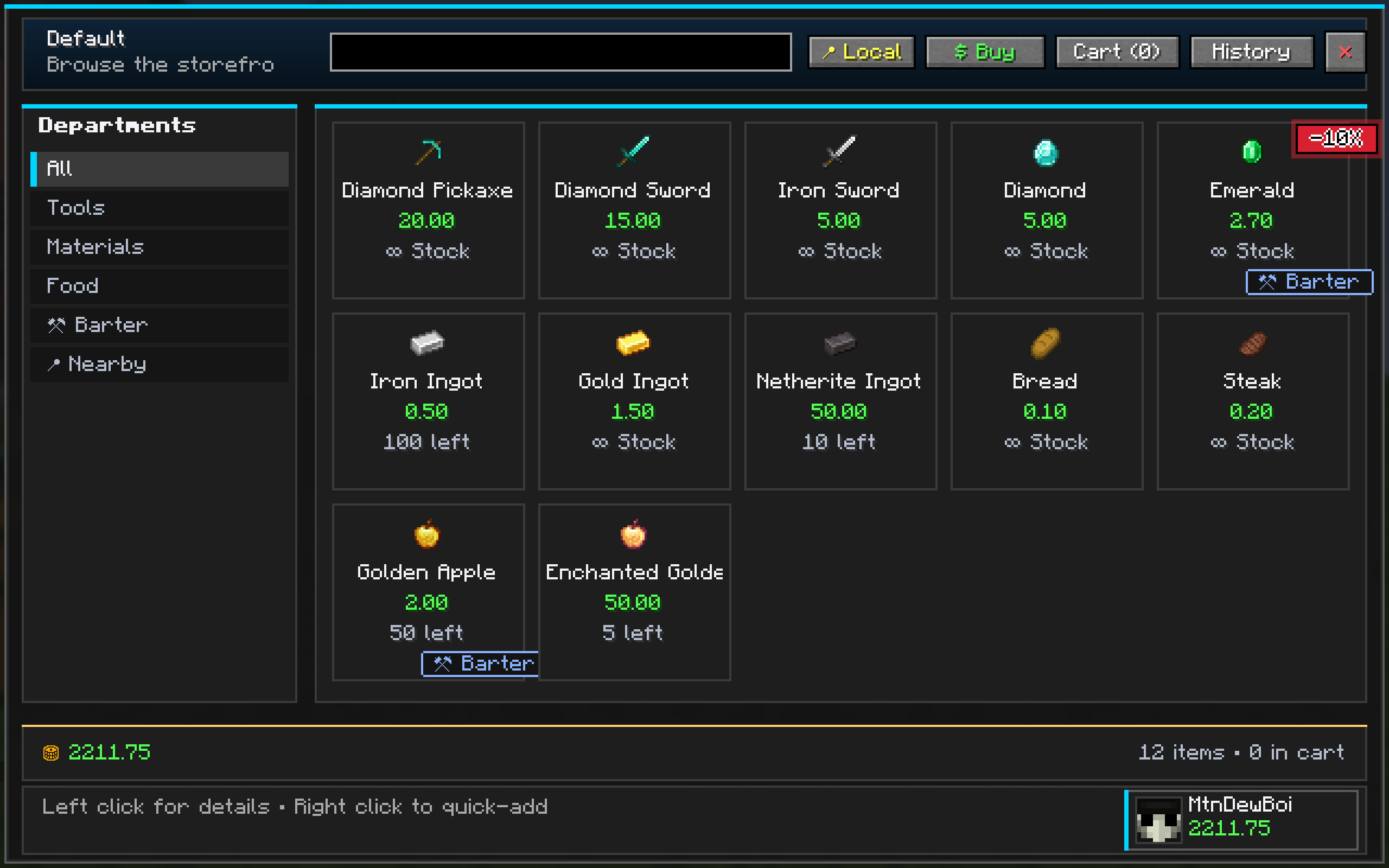
🛒 Server Shop (/shop)
Browse an infinite-stock admin shop with a gorgeous dark-themed GUI. Categories, search, filters — it's like shopping online, but in Minecraft.
- 📂 Category sidebar with scrollable tabs and item icons
- 🔍 Real-time search — find any item instantly
- 🏷️ Animated promo badges — pulsating red
-X%discount chips on sale items - 🛍️ Shopping cart — queue up purchases, adjust quantities, checkout all at once
- 📜 Transaction history — filterable log with search, sort, time-window, and push updates
- 💰 Balance display — always know how much you've got
🏠 Player-Owned Shop Blocks
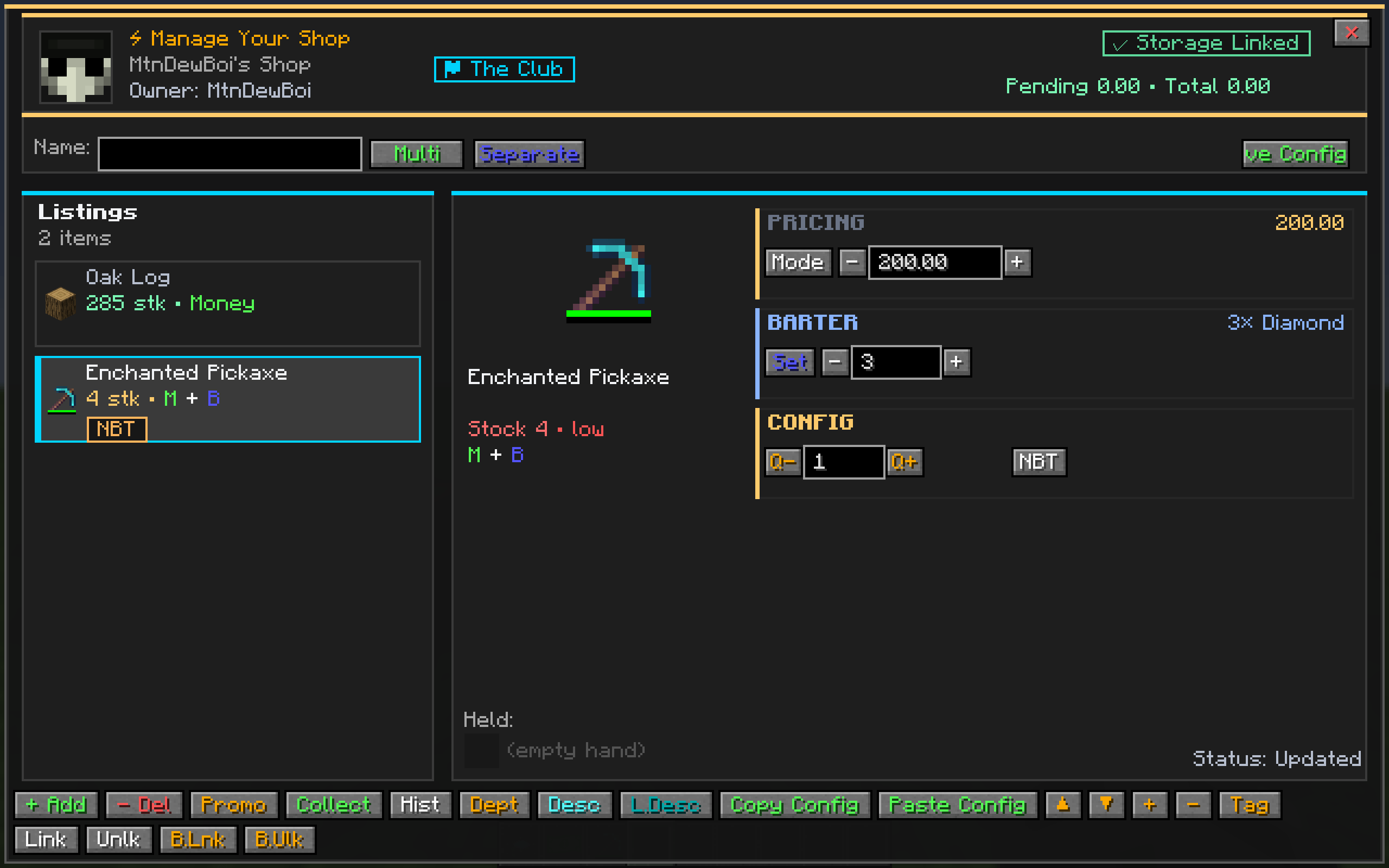
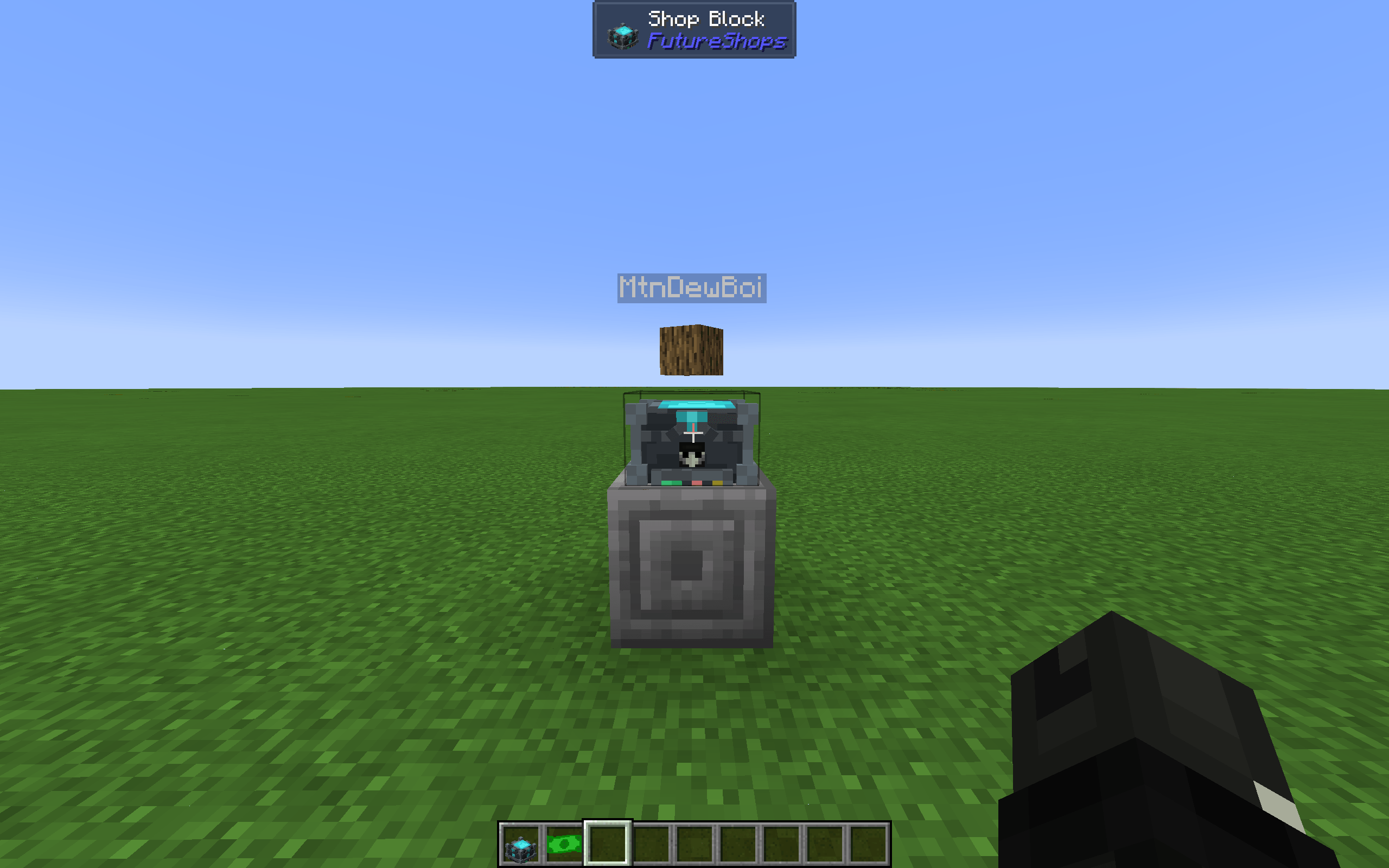
Place a Shop Block, configure your listings, link your chests, and open for business.
- 👤 Owner assignment on placement — your block, your shop
- 📦 Single or multi-item mode — sell one item or up to 12 per block
- 🏷️ Custom shop names — brand your storefront
- 💵 Three trade modes: Money, Barter, or Both simultaneously
- 🔗 Storage linking — link chests, barrels, or an entire Refined Storage network for automatic stock management
- 📊 Owner dashboard — revenue tracking, settlement claims, stock alerts
- 🎁 Owner promo editor — set percentage discounts, Buy-X-Get-Y deals, flash sales, and scheduled windows
- 👁️ Owner preview — Shift+right-click to test your shop as a visitor
- 🛒 Buyer experience — same polished UI as the server shop, familiar and intuitive
💰 Full Economy System
A server-authoritative economy that keeps your server fair.
/balance— check your funds with a beautiful dashboard/pay <player> <amount>— send money to friends/baltop— leaderboard with player heads, top balances, most transactions, top sellers, and most popular products/withdraw <amount> [yes|no]— convert balance to physical coins- Smart denominations: $1, $5, $10, $20, $50, $100, $1,000 bills
- Example:
/withdraw 132 yes→ 1×$100 + 1×$20 + 1×$10 + 2×$1
/deposit— convert coins back to balance
🪙 Physical Currency (CoinItem)
Hold your wealth in your hands — or trade it in person.
- 🖱️ Right-click to deposit — simply right-click any coin in your hand to instantly deposit its full value into your balance. No commands needed!
- 🔐 Anti-dupe protection — every coin is minted with a unique ID, cryptographic checksum, and server-side spent-mint tracking
- 📝 NBT-based denominations — coins show their value on hover
- ♻️ Deposit validation — previously spent mint IDs are permanently rejected and destroyed
- 🗑️ Invalid coin auto-destroy — tampered or duplicated coins are automatically destroyed on use
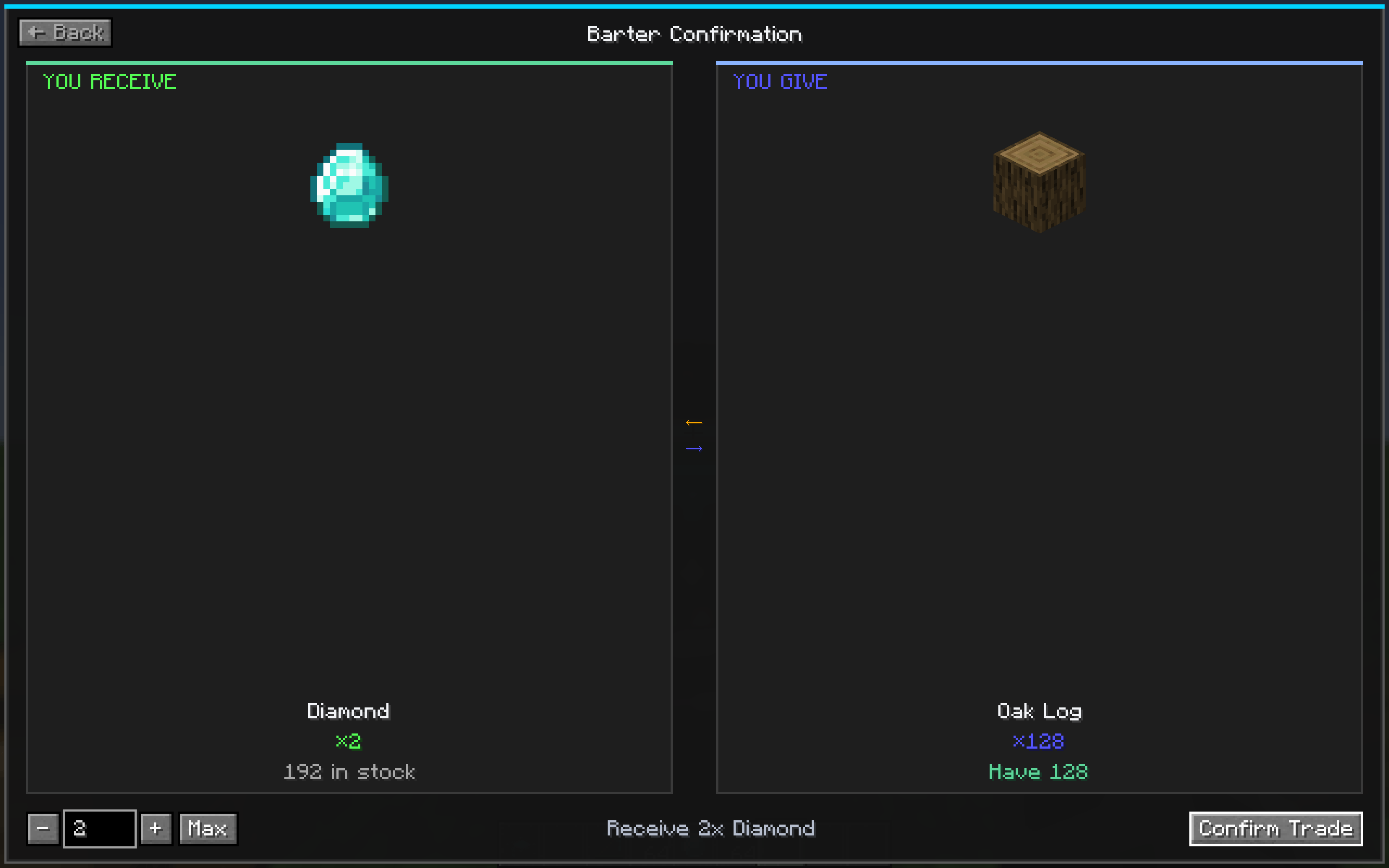
⚒️ Bartering System
Not everything has to be about money.
- 🔄 Item-for-item trades — trade diamonds for emeralds, or whatever you configure
- 🎨 Dedicated barter screen — clean half-and-half layout: "You Receive" ⟵⟶ "You Give"
- 📋 Multiple recipes per item — tabs for different trade options
- 🤝 Works in player shops too — owners can set barter items and quantities
- 🧮 Smart Max button — auto-calculates the most you can trade based on your inventory
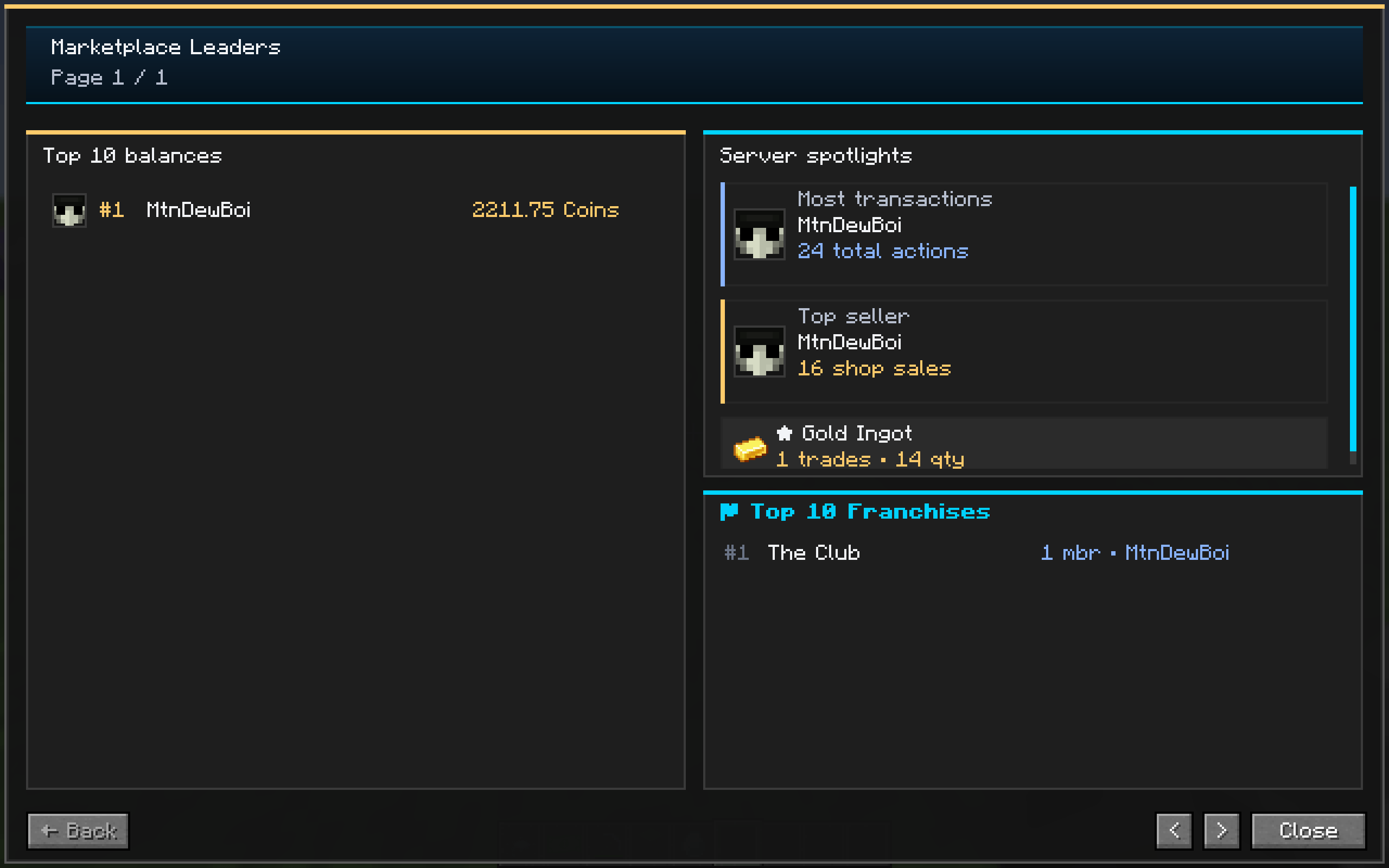
📊 Dashboard & Leaderboards
Know where you stand in the economy.
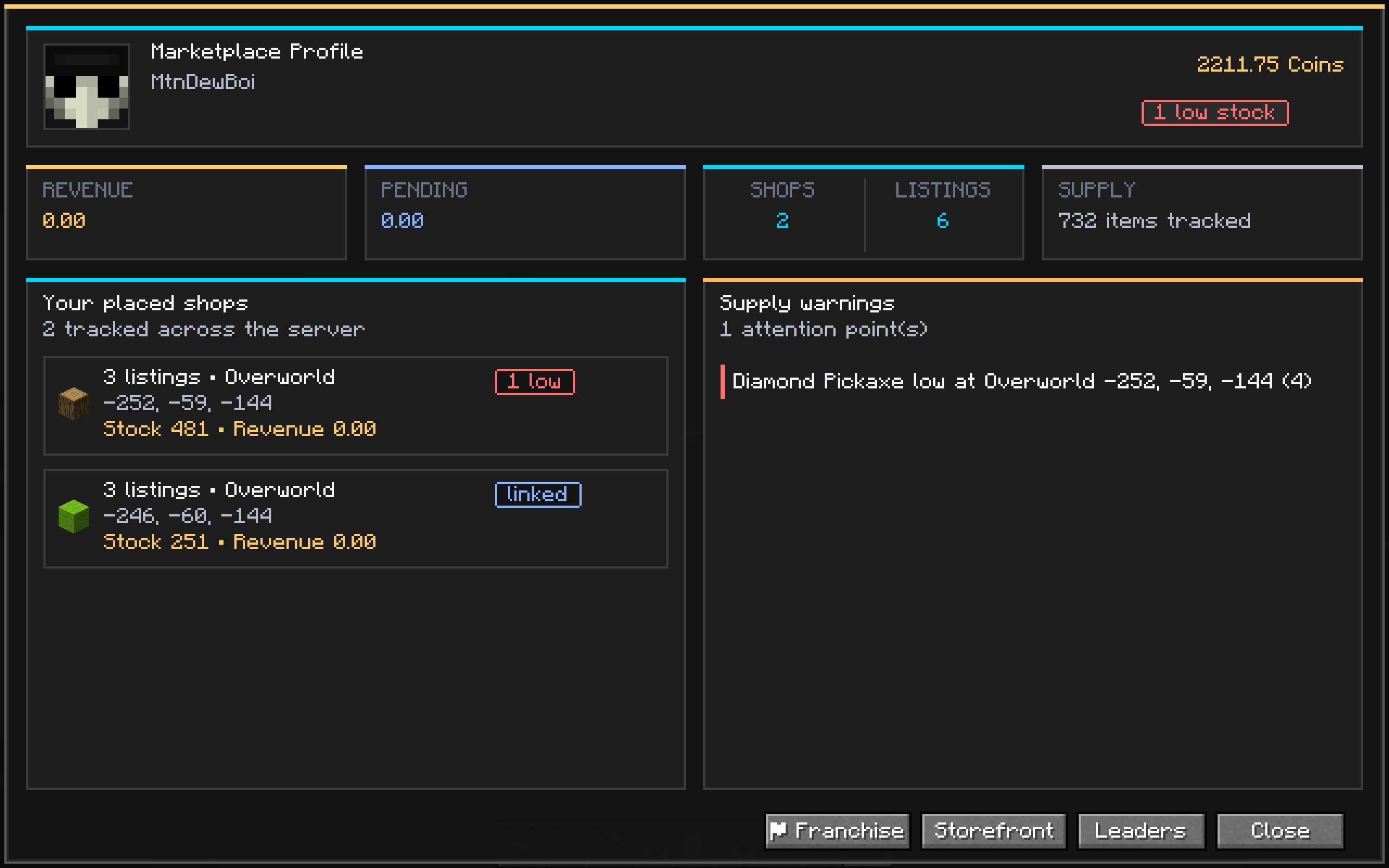
- 🧑 Player profile — your head, balance, revenue, shop count, supply alerts
- 🏆 Baltop leaderboard — top 10 balances with player heads
- 📈 Transaction spotlight — most transactions, top seller, most popular product
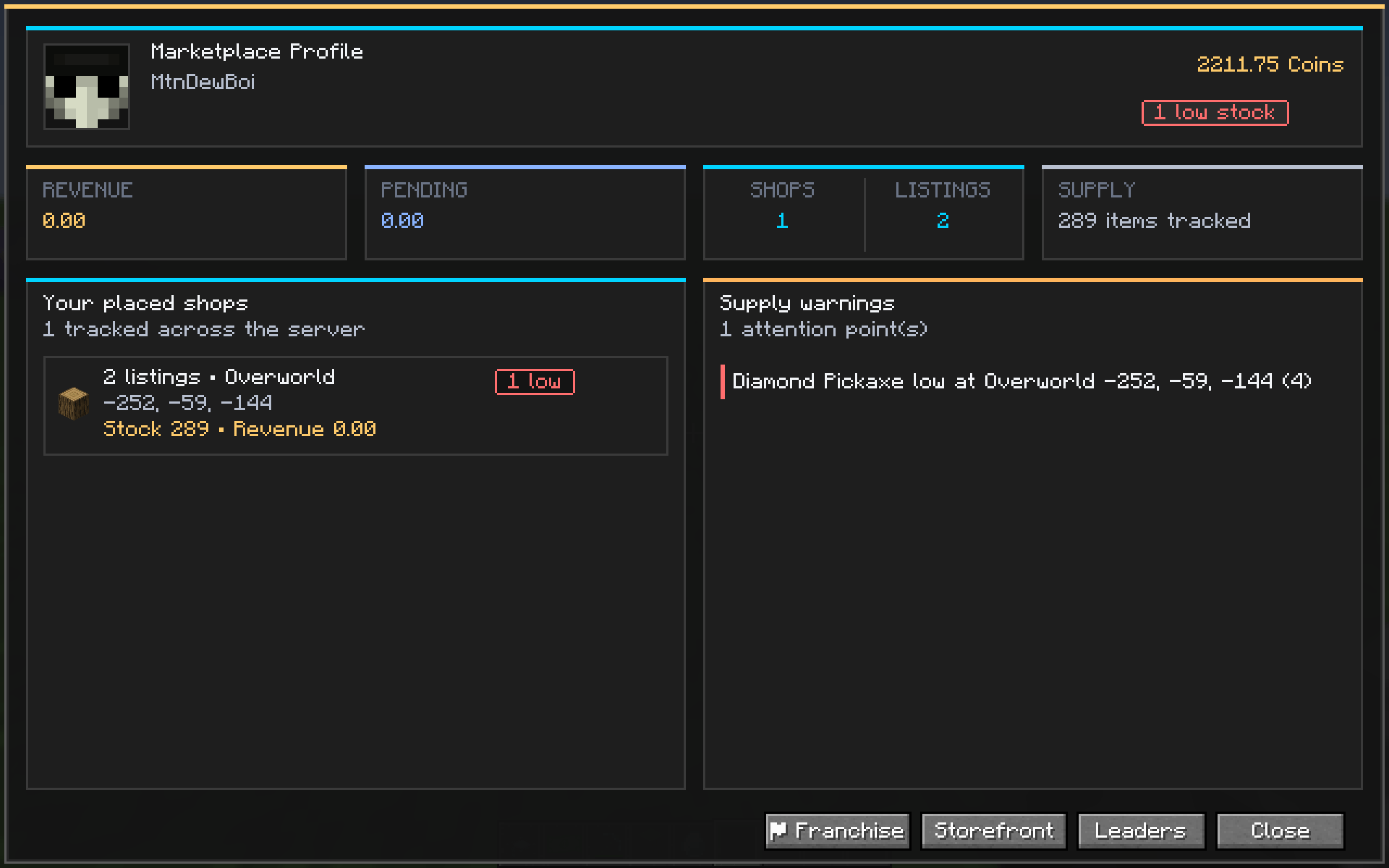
- 🏪 Storefront management — see all your placed shops, stock levels, and low-supply warnings
🎉 Promo & Discount System
Run sales like a real business.
- 💥 Percentage discounts — animated pulsating red badges with
-X%text - 🎁 Buy-X-Get-Y — promotional bundles
- ⏰ Scheduled windows — set start/end times for flash sales
- 🔥 Flash sale toggle — limited-time urgency
- 🏷️ Works everywhere — server shop, player shops, all trade modes
🖼️ Full UI Showcase
All UI is rendered entirely with Minecraft's built-in drawing primitives — no external textures required!
| Screen | Description |
|---|---|
| ShopMainScreen | Dark modern grid with category sidebar, animated promo badges, profile footer |
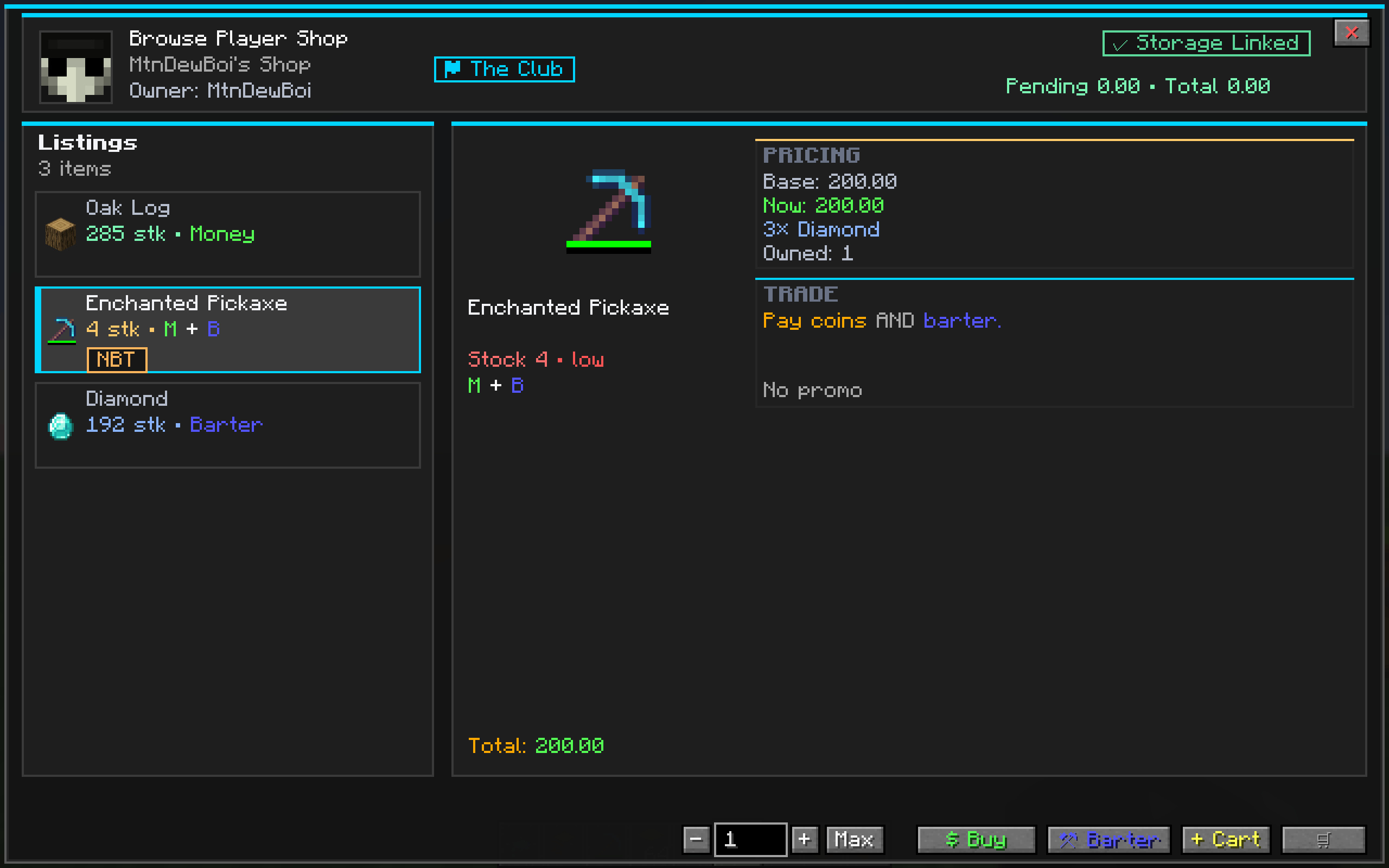
| ItemDetailScreen | Large item preview, pricing info, quantity controls, buy/sell/barter actions |
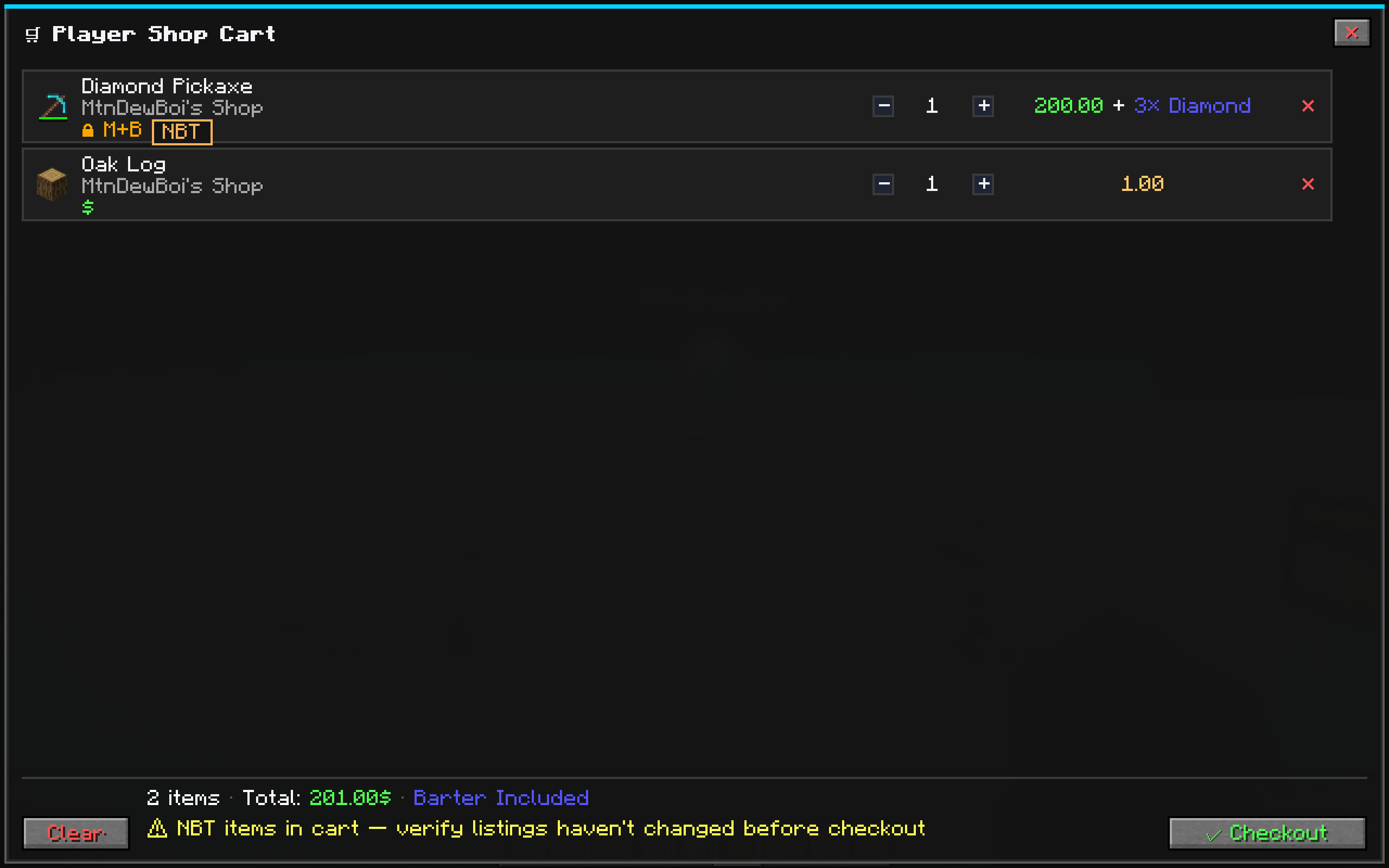
| CartScreen | Row-based checkout with inline quantity controls and gold-accented totals |
| BarterScreen | Half-and-half "You Receive ⟵⟶ You Give" with recipe tabs |
| TransactionHistory | Filterable log with ALL/BUY/SELL/BARTER tabs, time windows, search |
| Player Shop | Owner config panel + visitor storefront — same polish as server shop |
| Promo Editor | Modal overlay for setting discount type, value, BxGy, schedules |
| Balance Dashboard | Player head, balance, revenue, shop stats, low-stock warnings |
| Leaderboard | Top 10 with heads, transaction/seller/product spotlights |
| Settlement History | Paged revenue log with SALE/CLAIM/ROLLBACK filters |
🎮 Commands
| Command | Description |
|---|---|
/shop |
Open the server shop storefront |
/shop <shopId> |
Open a specific named shop |
/balance or /bal |
View your balance & dashboard |
/balance ui |
Open the full balance dashboard GUI |
/baltop |
View the economy leaderboard |
/baltop ui |
Open the leaderboard GUI |
/pay <player> <amount> |
Send money to another player |
/withdraw <amount> [yes|no] |
Convert balance to physical money items |
/deposit |
Convert held Money back to balance |
/link |
Confirm storage link (look at chest first) |
🔧 Admin Commands
| Command | Description |
|---|---|
/shopadmin reload |
Hot-reload shop catalog from config |
/shopadmin coinaudit |
Inspect active vs consumed mints per player |
/shopadmin promo set <shop> <item> <type> <value> |
Set a promo on a catalog item |
/shopadmin promo clear <shop> <item> |
Remove a promo from a catalog item |
⚙️ Configuration
Shop catalogs are defined in JSON files at:
config/futureshops/shops/*.jsonEach file defines categories, items, prices, barter recipes, promo rules, and stock settings. Hot-reloadable with /shopadmin reload.
Server economy config lives in:
config/futureshops-common.toml🔒 Security & Anti-Dupe
FutureShops takes server integrity seriously:
- ✅ Server-authoritative transactions — all buy/sell/barter validated server-side
- ✅ Cryptographic coin checksums — tampered coins are rejected
- ✅ Spent-mint registry — deposited coins are permanently tracked, preventing re-use
- ✅ Per-shop transaction locking — prevents race conditions on player shops
- ✅ Staged rollback — failed transactions cleanly revert items and balance
- ✅ Raycast storage linking — anti-exploit validation on linked containers
- ✅ Session management — shops auto-close on logout, death, or distance
📦 Installation
- Install Minecraft Forge 1.20.1 (47.x)
- Install the GeckoLib 4.4+ dependency (required on both client and server)
- Drop the
futureshops-1.0.jarinto yourmods/folder - Launch the game — shop catalog and config files auto-generate
- Configure your shops in
config/futureshops/shops/ - Use
/shopin-game to open the storefront — you're in business! 🎉
🪙 Money System — Full Documentation
FutureShops features a physical currency system that lets players hold, trade, and manage wealth as real items in their inventory.
How Coins Work
Coins are special items with no crafting recipe — the only way to create them is through the /withdraw command. Each coin carries hidden NBT data that makes it unique and tamper-proof.
Getting Coins
| Method | How |
|---|---|
| Withdraw from balance | /withdraw <amount> or /withdraw <amount> yes |
| Single large coin | /withdraw <amount> no — one coin worth the full amount |
Smart denomination breakdown (/withdraw 132 yes):
| Bill | Count |
|---|---|
| $100 | ×1 |
| $20 | ×1 |
| $10 | ×1 |
| $1 | ×2 |
Available denominations: $1, $5, $10, $20, $50, $100, $1,000
Depositing Coins
There are two ways to deposit coins back into your digital balance:
| Method | How | Details |
|---|---|---|
| 🖱️ Right-click | Hold a coin and right-click | Instantly deposits the entire stack in your hand. The fastest way! |
| ⌨️ Command | /deposit |
Deposits all valid coins in your inventory at once |
| ⌨️ Partial command | /deposit <amount> |
Deposits only the specified amount, consuming largest bills first |
Coin Tooltip
When you hover over a coin in your inventory, you'll see:
- 🟡 Value: $X.XX — the denomination of this coin
- ⬜ Right-click to deposit — a reminder of the quick-deposit feature
Anti-Dupe Security
Every coin minted by FutureShops contains hidden security data:
| NBT Field | Purpose |
|---|---|
mint_id |
Unique UUID — no two coins share the same ID |
denomination |
The coin's value in minor units |
mint_timestamp |
When the coin was created |
mint_player |
UUID of the player who withdrew it |
mint_server |
Server identity hash |
checksum |
Cryptographic integrity check |
What happens to invalid coins:
| Scenario | Result |
|---|---|
| Tampered NBT (edited checksum/value) | ❌ Coin destroyed on use |
| Duplicated coin (same mint ID used twice) | ❌ Second copy destroyed on deposit |
| Already-deposited coin (mint ID consumed) | ❌ Coin destroyed, player warned |
| Missing coin data | ❌ Coin destroyed silently |
Coin Behavior Rules
| Interaction | Behavior |
|---|---|
| Right-click (use) | ✅ Instantly deposits into balance |
| Drop on ground | ✅ Allowed — 5-minute despawn |
| Player death | ✅ Drops like normal items (respects keepInventory) |
| Store in chests/barrels | ✅ Allowed — validated when extracted |
| Crafting | ❌ Cannot be used in recipes |
| Anvil renaming | ❌ Blocked by the server |
| Hopper extraction | ❌ Blocked by default (configurable) |
📋 Technical Details
| Property | Value |
|---|---|
| Mod Loader | Minecraft Forge |
| Minecraft Version | 1.20.1 |
| Forge Version | 47.4.20+ |
| Java Version | 17 |
| Mappings | Official Mojang |
| Server-side required | ✅ Yes |
| Client-side required | ✅ Yes (for GUI) |
| Dependencies | 🦎 GeckoLib 4.4+ (client & server) |
🤝 Mod Compatibility
🧠 Refined Storage integration (shipped)
FutureShops ships with native Refined Storage support — link a shop directly to an RS Controller, Grid, External Storage, or any RS network node, and the shop will query and pull stock straight from the entire RS network.
- 🔌 Soft dependency — integration auto-activates when RS is detected; if RS isn't installed, nothing changes.
- 🌐 Full-network aware — unlike hopper-style adapters, the RS bridge traverses
INetworkNodeProxy → INetworkNode → INetworkso your shop sees every disk and every external-storage container on the network, not just one block. - 🧪 NBT-strict — enchanted, named, and damage-data items are matched exactly (no more selling the "wrong" diamond pickaxe).
- ⚛️ Atomic extract/insert — if anything fails mid-transaction, changes roll back cleanly on the RS network.
- ♻️ Graceful fallback — if the RS API shifts, the adapter falls back to the standard Forge
IItemHandlercapability automatically. - 🏷️ Supported mod IDs:
refinedstorage,refinedstorage2, andrefinedstorageaddons.
💡 Just look at a Controller / Grid / Crafter / External Storage block and run
/link— that's it. The shop is now backed by your RS network.
🔌 Other storage & transport
- ✅ Vanilla inventories — chests, barrels, shulkers: link any
IItemHandlercontainer - ✅ Vanilla hoppers — pipe items into linked shop storage
- ✅ Common item-pipe mods — anything exposing the Forge
IItemHandlercapability works out of the box - ✅ CarryOn — shops can be picked up and moved (ownership preserved)
- ✅ Dedicated servers — fully supported; shops persist across restarts
- 🧩 Extensible — third-party mods can register their own
ExternalStorageAdaptervia the addon API to expose custom storage networks
🗺️ Roadmap
- ✅
Refined Storage integration— shipped - 🔜 Applied Energistics 2 (AE2) adapter
- 🔜 Dynamic pricing system (supply/demand curves)
- 🔜 Stock refresh scheduler (timed restocks)
- 🔜 Public
ExternalStorageAdapterdeveloper API & event hooks for addon mods - 🔜 Hopper/pipe compatibility matrix (Create, Mekanism, etc.)
- 🔜 Advanced analytics & export tools
- 🔜 Localization (ES, FR, DE, PT-BR, ZH-CN)
❓ FAQ
Q: Does this work on dedicated servers? 🟢 Yes. Built server-authoritative from day one.
Q: Will my shops survive a server restart? 🟢 Yes. Shops, balances, listings, and transaction history are all persisted to disk.
Q: Can players steal from my shop? 🔴 No. Only the owner (or server ops) can modify listings or pull from linked storage.
Q: Can I use this on an existing world? 🟢 Yes. Add the mod, restart, and your old world loads normally.
Q: Is it compatible with Fabric? 🔴 No — this is a Forge-only mod.
Q: Do I need GeckoLib? 🟢 Yes — GeckoLib 4.4+ is required for the 3D shop block model. CurseForge will prompt you to install it automatically.
Q: Can I link my shop to a Refined Storage network?
🟢 Yes! Look at any RS network block (Controller, Grid, External Storage, Crafter, etc.) and run /link. The shop will pull stock from your entire RS network — all disks, all external-storage containers — NBT-strict.
Q: What if I don't have Refined Storage installed? 🟢 Totally fine. RS is a soft dependency — everything else works without it. Standard chest/barrel linking still works out of the box.
❤️ Support & Community
- 🐛 Found a bug? Report it on the Issues tab
- 💡 Have an idea? Drop it in the comments
- ⭐ Enjoying the mod? Leave a rating — it helps a ton!
Built with ❤️ for the Minecraft community. No external textures were harmed in the making of this mod. 🟪⬛
Future Shops
Future Shops is a complete multiplayer economy for Minecraft Forge 1.20.1. It combines configurable server shops, physical player storefronts, a Bazaar, an Auction House, an ATM, flexible payment sources, and recoverable escrow in one unified marketplace interface.
Marketplace
The /shop marketplace provides searchable server listings, player storefronts, buying, bartering, carts, profiles, transaction history, configurable departments, stock limits, promotions, and administrative editing. The interface uses one consistent layout across the Server Shop, Player Shops, Bazaar, and Auction House.
Player shops
Players can place animated shop blocks, publish inventory backed listings, customize their storefronts, and sell items while offline. Server authoritative validation protects listing edits and purchases. Claims and recovery paths preserve items and money when delivery cannot complete immediately.
Bazaar
The Bazaar works as a player driven commodity market.
- Browse the registered Minecraft item catalog without already owning an item.
- Search by display name, registry ID, mod name, mod ID, item tag, or namespace.
- Create quantity based buy orders with reserved funds.
- Create sell offers with escrowed inventory.
- Instantly buy the best sell offers or instantly sell into the best buy orders.
- Track open orders, partial fills, history, claims, price movement, volume, and market depth.
- Choose admin control for a curated catalog or player control for an open catalog.
Auction House
The Auction House supports timed auctions and Buy Now listings. Players can create listings from their inventory, see listing fees before confirming, bid with reserved funds, watch auctions, review market activity, and collect completed or returned assets through recoverable claims.
ATM and payments
The ATM converts wallet balance into configurable physical denominations and deposits currency back into the account. Purchases can ask whether to use wallet funds, physical inventory currency, or a configured combination.
Future Shops currency uses mint signatures and spent mint protection. Currency items supplied by another mod remain compatible, but Future Shops cannot provide duplication prevention for items it does not control. The generated configuration warns administrators about this security boundary.
Reliable escrow
Shop purchases, Bazaar orders, auctions, bids, fees, ATM operations, and claims use server authoritative transactions and recoverable escrow. If delivery cannot finish, the player receives a clear retry or claim path instead of losing the asset.
Configuration
Server operators can enable or disable the Bazaar and Auction House independently. Separate module configuration covers permissions, fees, limits, durations, catalog control, settlement, history, appearance, and other market rules. Disabling a market preserves its records and recovery paths.
Requirements
- Minecraft 1.20.1
- Minecraft Forge 47 or newer
- Java 17
- GeckoLib 4.4 or newer
- Future Shops installed on both the server and every connecting client
Future Shops 3.0 uses network protocol 50. Clients and servers must use compatible builds.
Beta notice
Version 3.0.0 is a beta release. Back up the world and configuration before updating. Test the economy rules on a staging server before using the release on a live economy.
Source code and issue tracking are available on GitHub.
Screenshots
Gallery
-
 14.png 14.png
 -
 13.png 13.png
 -
 10.png 10.png
 -
9.png 9.png
-
7.png 7.png
-
 6.png 6.png
 -
5.png 5.png
-
 4.png 4.png
 -
3.png 3.png
Versions
Files
Relations
Project Relations
More like this
Similar Mods
Suggestions use data such as tags, dependencies, dependents, descriptions, titles, and more to rank how much they overlap with this mod.
On ModDex
Community snapshot
By the numbers
Statistics
 (opens in a new tab)
Get it on
Available Platforms
On ModDex
Community snapshot
By the numbers