
Community listing page, reviews here may not be monitored by the author.
Game Mod

No reviews yet
A full-featured mini-game manager with countdown display, settings GUI, custom spawn radius, and world border control.

Community voices
Reviews
No reviews yet. Be the first to review this project!
Get it on
Available Platforms
Compatibility
Supported Environments
Must be installed on both the client and the server.
About
Project Details
For authors
Embed Badge
If you're the author of this project, you can embed a live badge anywhere that supports HTML or Markdown. It updates automatically whenever ratings change.
Use HTML for any page that supports it, or Markdown for README files and Markdown-based descriptions.
Identifiers
Platform IDs
Resources
External Links
About
Description
⚔ GameMod
— Fabric 1.21.x
A full-featured mini-game manager with countdown display, settings GUI, custom spawn radius, and world border control.
Required Dependencies (install alongside this mod)
| Mod | Download |
|---|---|
| Fabric API | https://modrinth.com/mod/fabric-api |
| Cloth Config | https://modrinth.com/mod/cloth-config |
| ModMenu | https://modrinth.com/mod/modmenu |
Commands (requires op level 2)
Game Control
| Command | Effect |
|---|---|
/game start |
Begin countdown (if set) then launch the game |
/game stop |
Cancel countdown or end an active game |
/game cooldown <time> |
Set countdown duration (e.g. 10s, 5m, 2h) |
/game cooldown |
Show current cooldown setting |
Settings
| Command | Effect |
|---|---|
/game settings or /game settings list |
Print all current settings |
/game settings display actionbar |
Show countdown in the action bar |
/game settings display bossbar |
Show countdown in a boss bar |
/game settings spawn here |
Set spawn to your current position |
/game settings spawn <x> <y> <z> |
Set spawn to exact coordinates |
/game settings radius <blocks> |
Scatter players within N blocks of spawn (0 = exact) |
/game settings border <size> |
Set world border diameter for the game |
/game settings cooldown <time> |
Same as /game cooldown <time> |
/game settings reset |
Reset everything to defaults |
Settings GUI (ModMenu)
Open the Mods screen in-game → find Game Mod → click the ⚙ button.
Categories:
- Display — boss bar vs action bar toggle
- Spawn Location — X / Y / Z coordinates + scatter radius
- World Border — game size and post-game reset size
- Cooldown — duration in
s / m / hformat
Settings are saved to config/gamemod.json automatically.
How it Works
/game start flow
- Checks for an active countdown or game (blocks if already running)
- If cooldown > 0: counts down, displaying progress on all players' screens
- At zero (or instantly): teleports all online players to a random position within the spawn radius, sets world border centred on the spawn coordinates, sets everyone to Survival
Random radius teleport
- If
radius = 0: all players land on the exact spawn point - If
radius > 0: each player gets a random angle and distance within the radius; Y is found automatically using the terrain heightmap (players always land on solid ground, not in mid-air or underground)
Eliminated players
When a player dies while a game is active they are automatically switched to Spectator mode. /game stop returns all spectators to Survival.
Countdown display
| Remaining | Action bar colour | Boss bar colour |
|---|---|---|
| > 10s | 🟢 Green | Green |
| 6 – 10s | 🟡 Yellow | Yellow |
| ≤ 5s | 🔴 Red | Red |
Config file
config/gamemod.json — edited by the GUI or commands, reloaded on next server start.
{
  "useBossBar": false,
  "spawnX": 0.0,
  "spawnY": 64.0,
  "spawnZ": 0.0,
  "spawnRadius": 25,
  "gameBorderSize": 200.0,
  "defaultBorderSize": 60000000.0,
  "cooldownSeconds": 30
}
Screenshots
Gallery
-
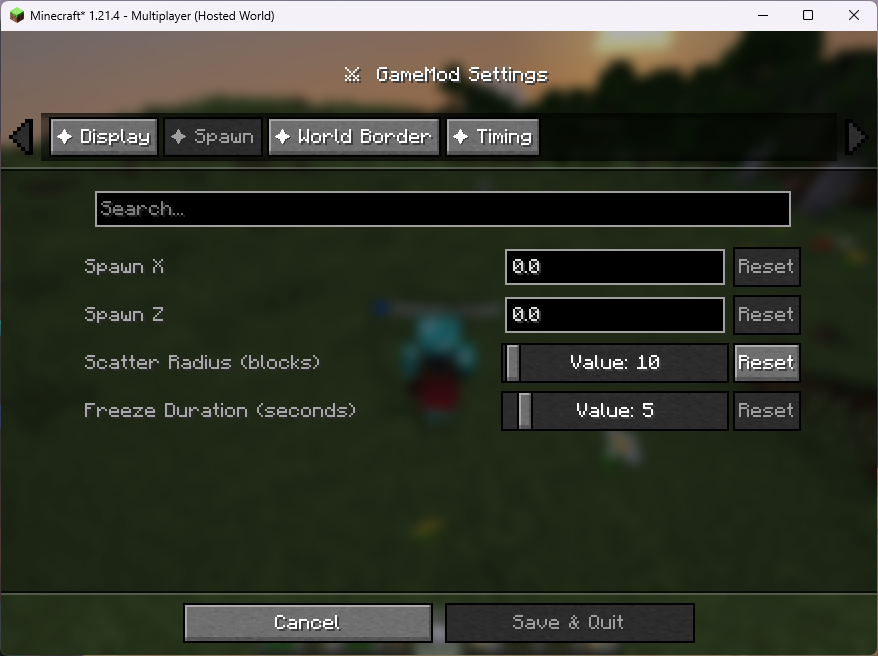 Spawn
Spawn -
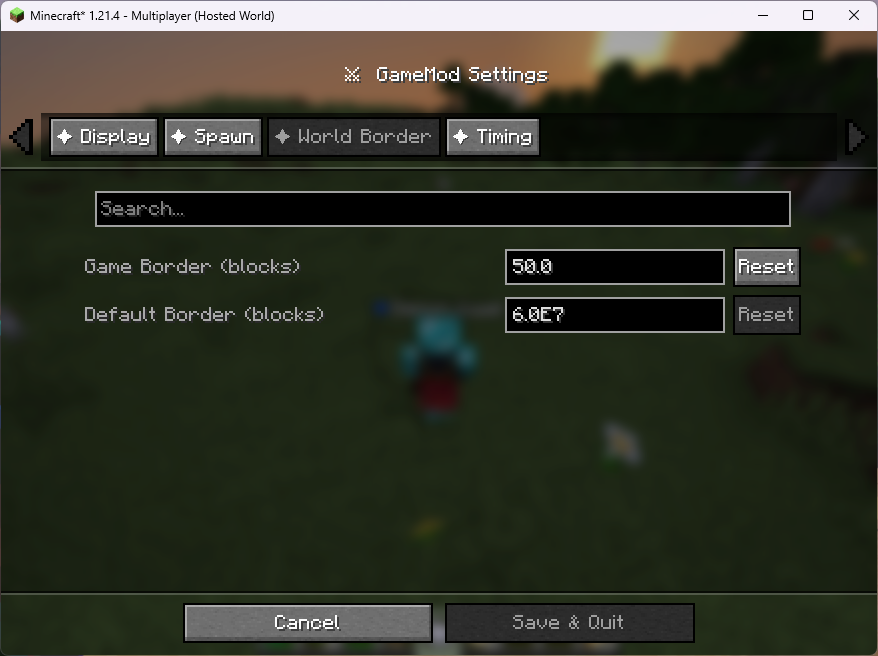 World Border
 -
 Teleporting - Count
 -
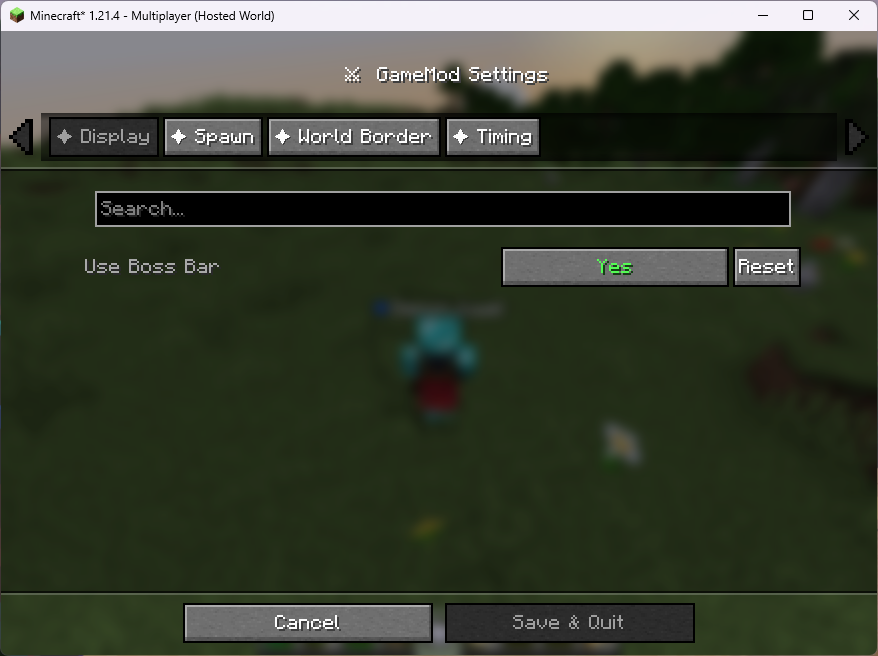 Display
 -
 Game Begins - Count
 -
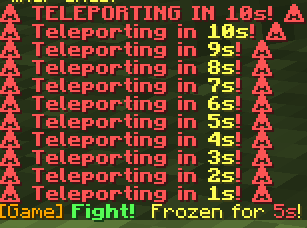 In Chat - Count
 -
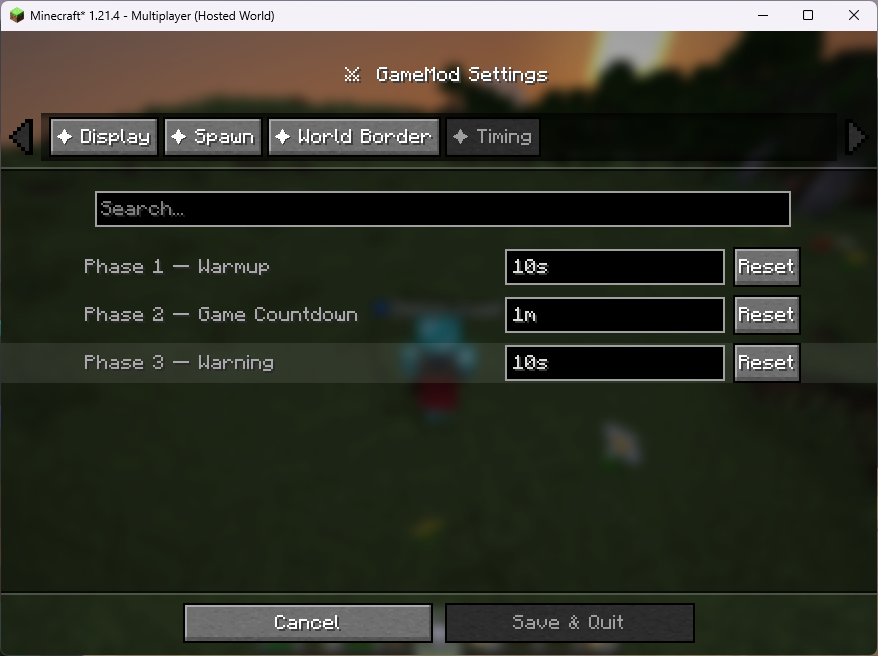 Timing
 -
 Warmup - Count
Versions
Files
Relations
Project Relations
More like this
Similar Mods
Suggestions use data such as tags, dependencies, dependents, descriptions, titles, and more to rank how much they overlap with this mod.
On ModDex
Community snapshot
By the numbers
Statistics

 (opens in a new tab)
Get it on
Available Platforms
On ModDex
Community snapshot
By the numbers
Statistics
Resources