Community listing page, reviews here may not be monitored by the author.
GAROS UI - Resource Pack Manager

No reviews yet
Transforms Minecraft’s resource pack screen into a fast, categorized manager with drag-and-drop ordering, bulk actions, load-order presets, and customizable pack controls.
Community voices
Reviews
No reviews yet. Be the first to review this project!
Get it on
Available Platforms
About
Project Details
For authors
Embed Badge
If you're the author of this project, you can embed a live badge anywhere that supports HTML or Markdown. It updates automatically whenever ratings change.
Use HTML for any page that supports it, or Markdown for README files and Markdown-based descriptions.
Identifiers
Platform IDs
Resources
External Links
About
Description
GAROS UI - Resource Pack Manager
Managing a large resource-pack collection should not mean fighting Minecraft's menu one pack at a time.
GAROS UI - Resource Pack Manager rebuilds the vanilla resource-pack screen into an organized workspace with automatic categories, full drag-and-drop ordering, bulk actions, reusable presets, and practical customization while retaining Minecraft's familiar visual style.
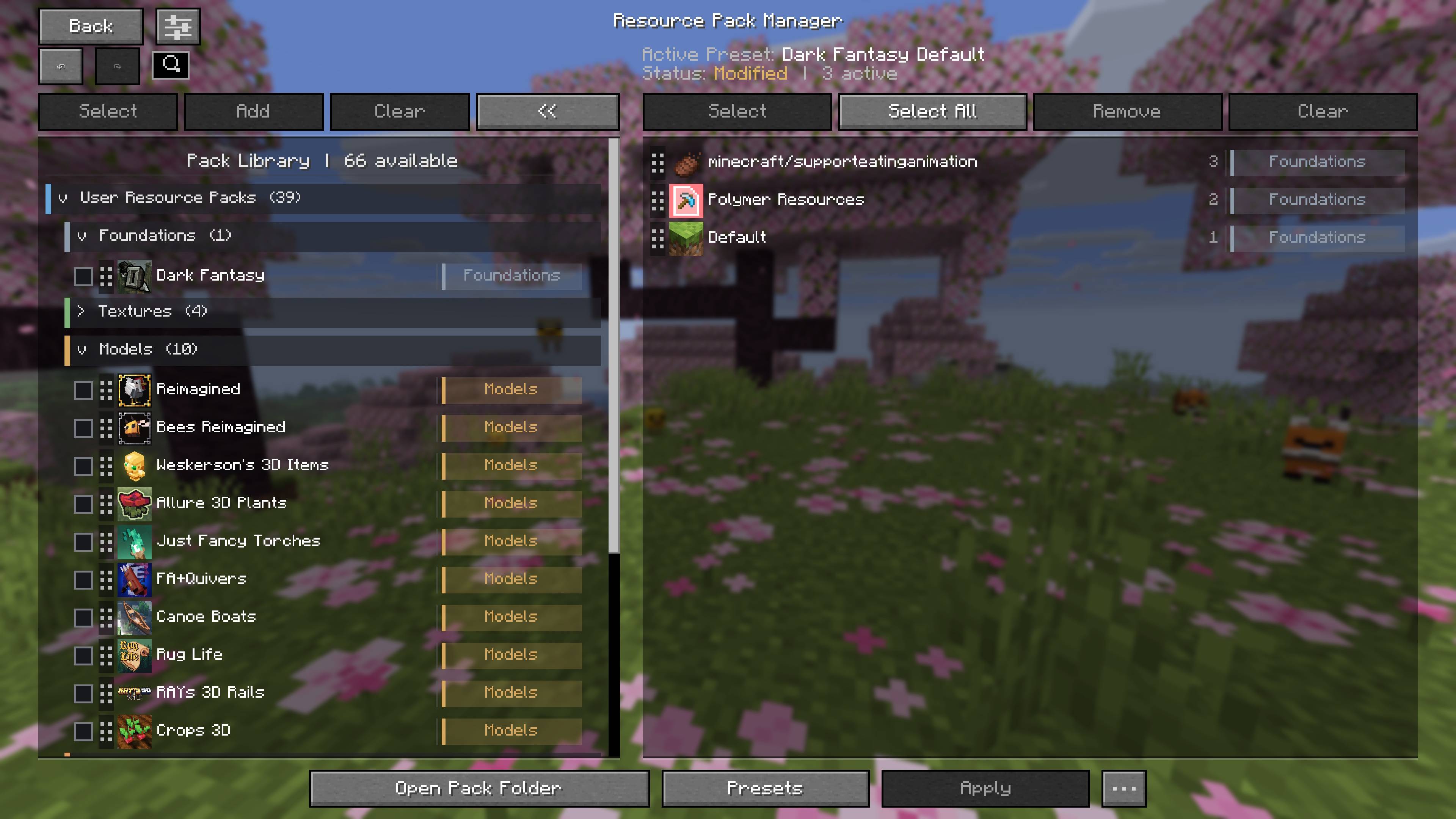
Organize Large Pack Libraries
Resource packs are automatically sorted into meaningful categories such as Foundations, Textures, Models, Animations, Entities, Environment, UI, Patches, and more.
User-installed, mod-provided, and built-in Minecraft packs are identified clearly, making large collections far easier to understand and configure.
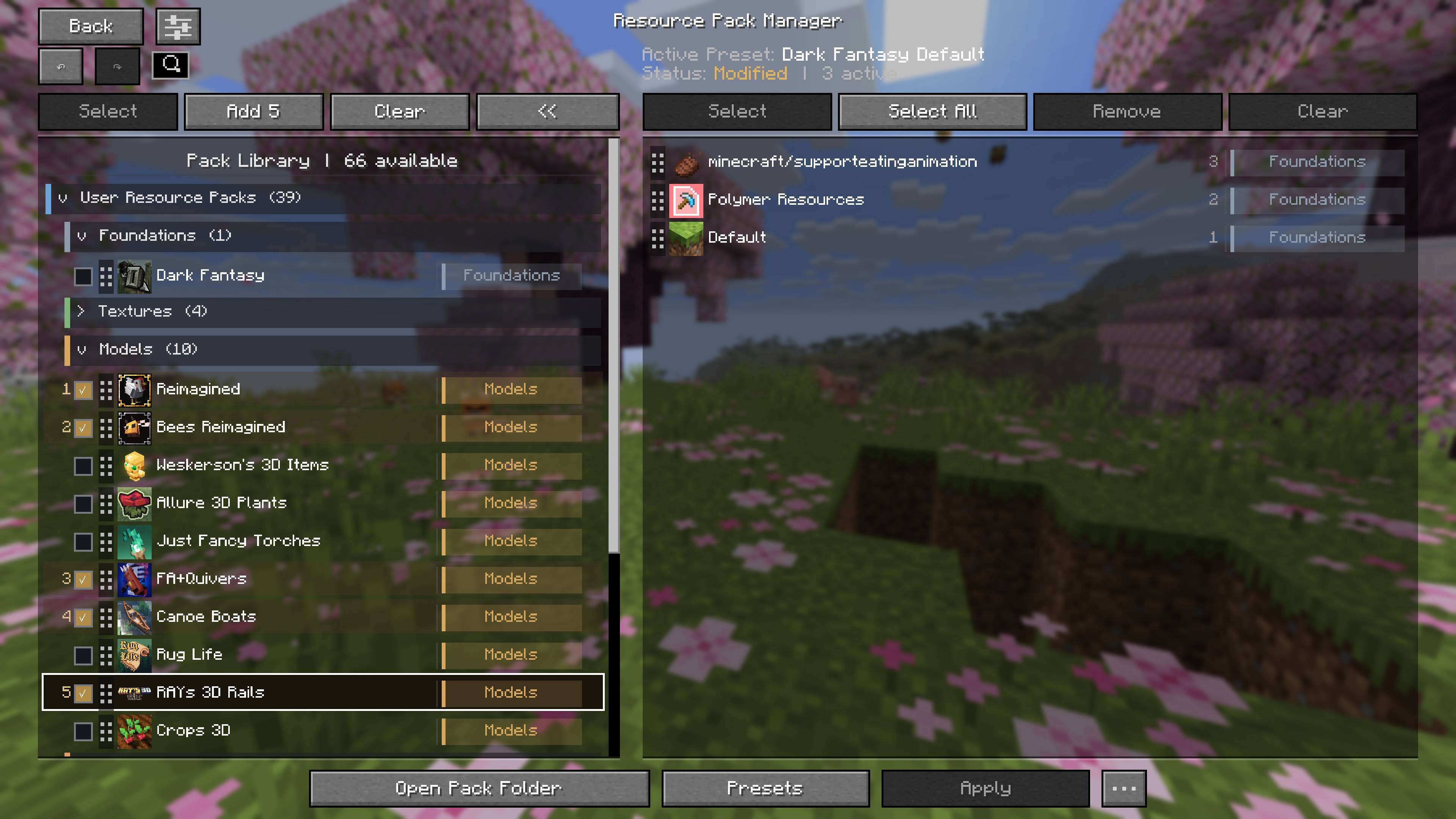
Build Load Orders Faster
Select multiple packs in the exact order you want and add the entire sequence at once. Active packs can also be selected and removed together without disturbing the rest of the load order.
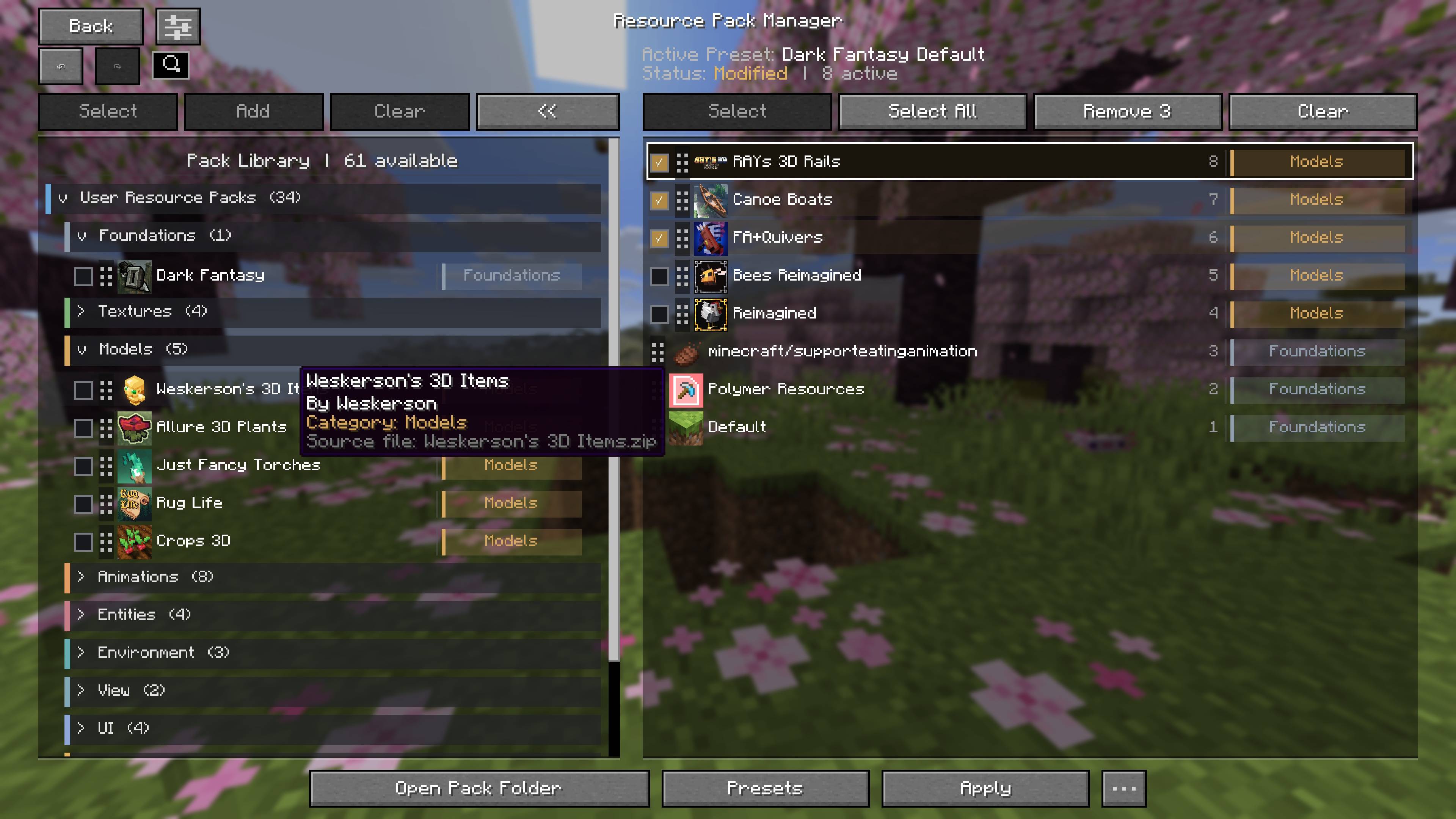
Save Complete Presets
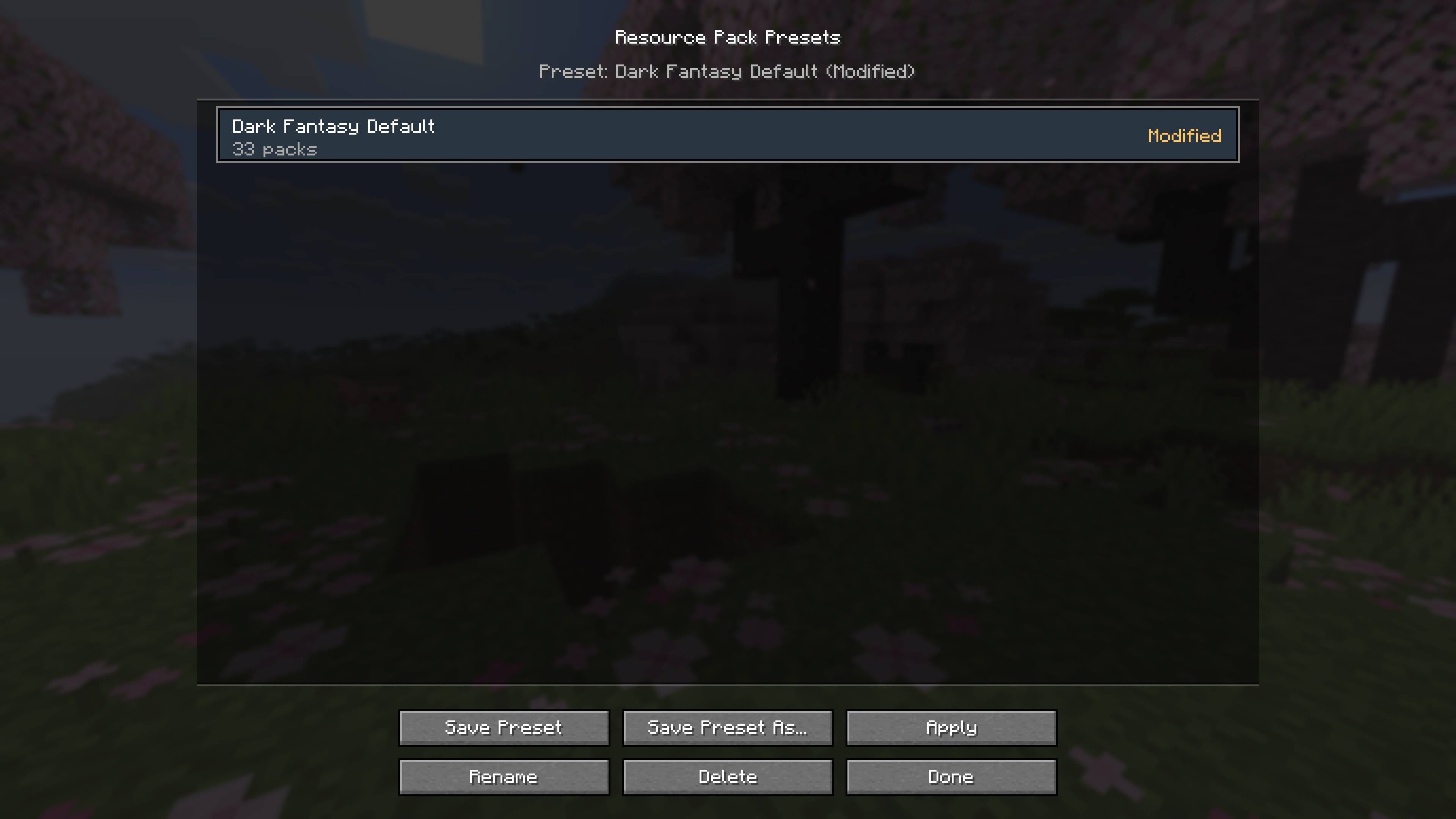
Save complete load orders as named presets and switch between different visual setups without rebuilding them manually.
Presets can be saved, overwritten, renamed, deleted, and applied at any time. The manager also reports modified presets and warns when required packs are missing.
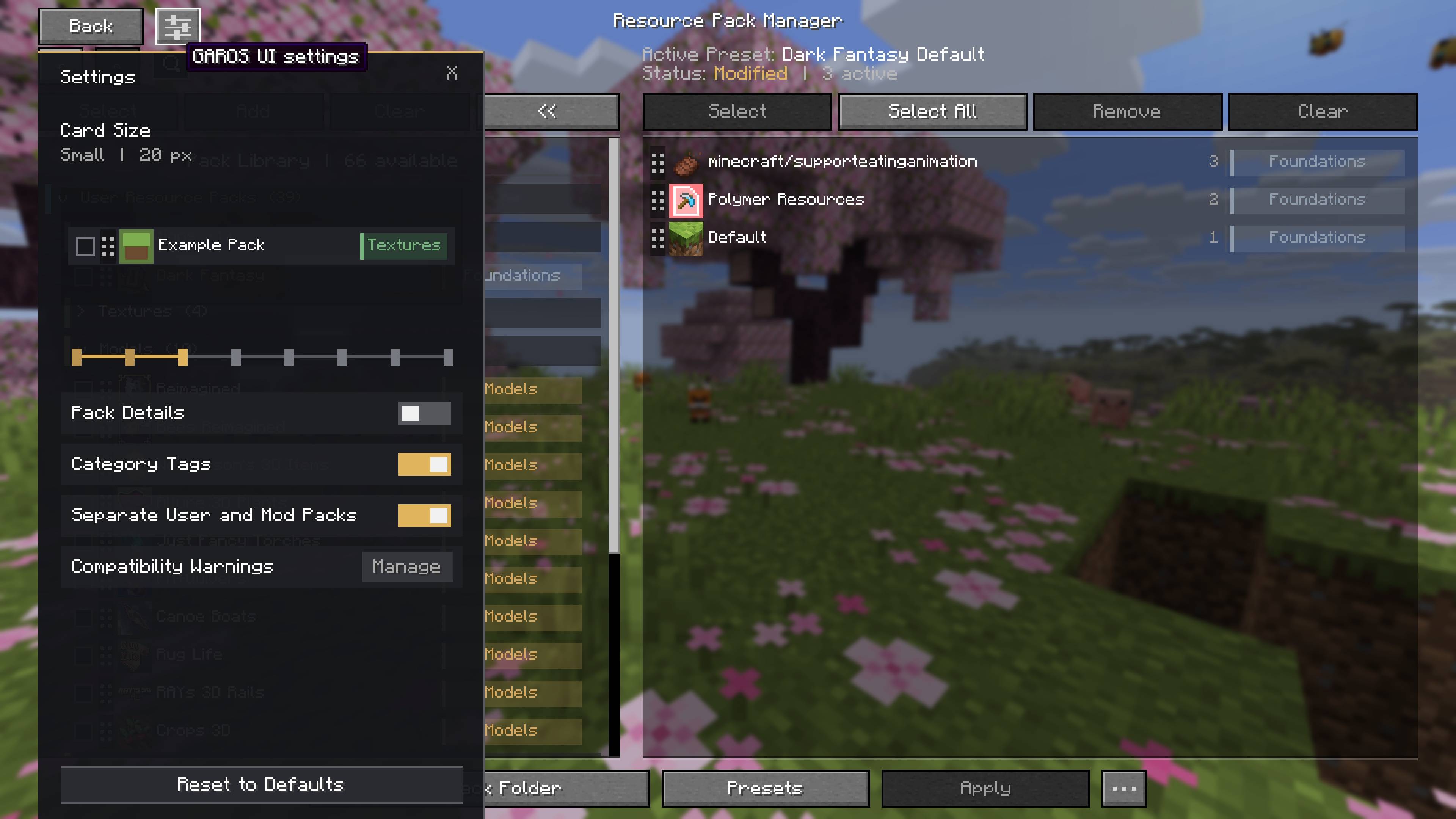
Customize the Manager
Adjust card density, pack information, category tags, pack grouping, and compatibility-warning visibility to suit your screen and collection.
Features
- Automatic resource-pack categorization
- Full-card drag-and-drop ordering
- Ordered bulk addition
- Bulk removal from the active load order
- Named load-order presets
- Missing-pack detection for presets
- Undo and redo
- Apply changes without closing the manager
- Adjustable card sizes
- Optional pack details and category tags
- Optional separation of user and mod-provided packs
- Individual and global compatibility-warning controls
- Search across installed and active packs
- Normalized, readable pack names
- Duplicate-pack detection
- Pack information tooltips
- Safe pack deletion with confirmation
- Integration menu for actions added by other mods
- Session classification caching for faster menu opening
- Client-side operation with no additional dependencies
Screenshots
Gallery
-
GAROSUI-ResourcePackManager.jpg GAROSUI-ResourcePackManager.jpg
-
resource-pack-manager-overview.jpg resource-pack-manager-overview.jpg
-
ordered-bulk-pack-selection.jpg ordered-bulk-pack-selection.jpg
-
bulk-removal-and-pack-details.jpg bulk-removal-and-pack-details.jpg
-
load-order-presets.jpg load-order-presets.jpg
-
customizable-manager-settings.jpg customizable-manager-settings.jpg
Versions
Files
Relations
Project Relations
More like this
Similar Mods
Suggestions use data such as tags, dependencies, dependents, descriptions, titles, and more to rank how much they overlap with this mod.
On ModDex
Community snapshot
By the numbers
Statistics
Want to reach Minecraft players?
We're looking for a server hosting partner to feature here and other parts of the site. Interested? Send us a message!
Get in touchGet it on
Available Platforms
On ModDex
Community snapshot
By the numbers
Statistics
Resources