
Community listing page, reviews here may not be monitored by the author.
GraphicQoL


No reviews yet
Various graphical Quality of Life settings for Minecraft Fabric
Community voices
Reviews
No reviews yet. Be the first to review this project!
Get it on
Available Platforms
Compatibility
Supported Environments
The author has not specified where this runs.
About
Project Details
For authors
Embed Badge
If you're the author of this project, you can embed a live badge anywhere that supports HTML or Markdown. It updates automatically whenever ratings change.
Use HTML for any page that supports it, or Markdown for README files and Markdown-based descriptions.
Identifiers
Platform IDs
About
Description
GraphicalQoL
Various graphical Quality of Life settings for Minecraft Fabric
Features
- World
- Fog
- Disable Overworld Fog
- Disable Nether Fog
- Disable End Fog
- Disable Underwater Fog
- Disable Lava Fog
- Disable Powder Snow Fog
- Lighting
- Gamma Correction (Fullbright)
- Fog
- Player
- Effects
- Disable Blindess Darkening
- Disable Darkness Darkening
- Effects
Installing
Download it from GitHub Releases, Modrinth or CurseForge
Then place it inside your mods folder for Minecraft.
Make sure you have Fabric installed!
Dependencies
This mod depends on the Fabric-API, YACL and it's recommended to use ModMenu
GraphicalQoL
Various graphical Quality of Life settings for Minecraft Fabric
Features
- World
- Fog
- Disable Overworld Fog
- Disable Nether Fog
- Disable End Fog
- Disable Underwater Fog
- Disable Lava Fog
- Disable Powder Snow Fog
- Lighting
- Gamma Correction (Fullbright)
- Global Color Tint
- Weather
- Weather Particle Opacity
- Player
- Effects
- Disable Blindess Darkening
- Disable Darkness Darkening
- Particles
- Paarticle amount Multiplier
- General
- No Head Tilt on damage
- Disable Pumpkin Blur
- Low Fire
- Effects
- Fog
Installing
Download it from GitHub Releases, Modrinth or CurseForge
Then place it inside your mods folder for Minecraft.
Make sure you have Fabric installed!
Dependencies
This mod depends on the Fabric-API, YACL and it's recommended to use ModMenu
Screenshots
Gallery
-
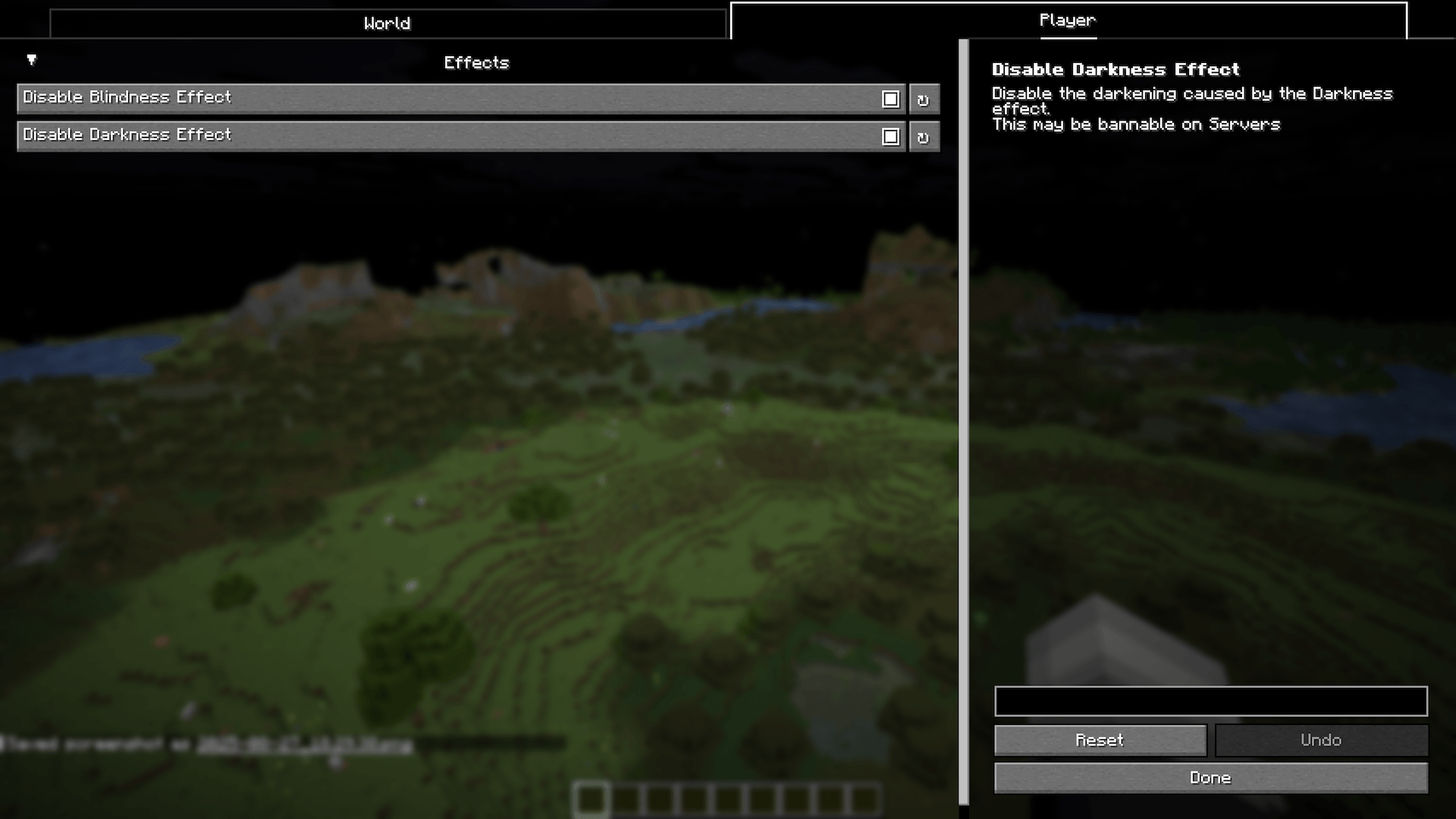 Also Settings Menu Different Page
 -
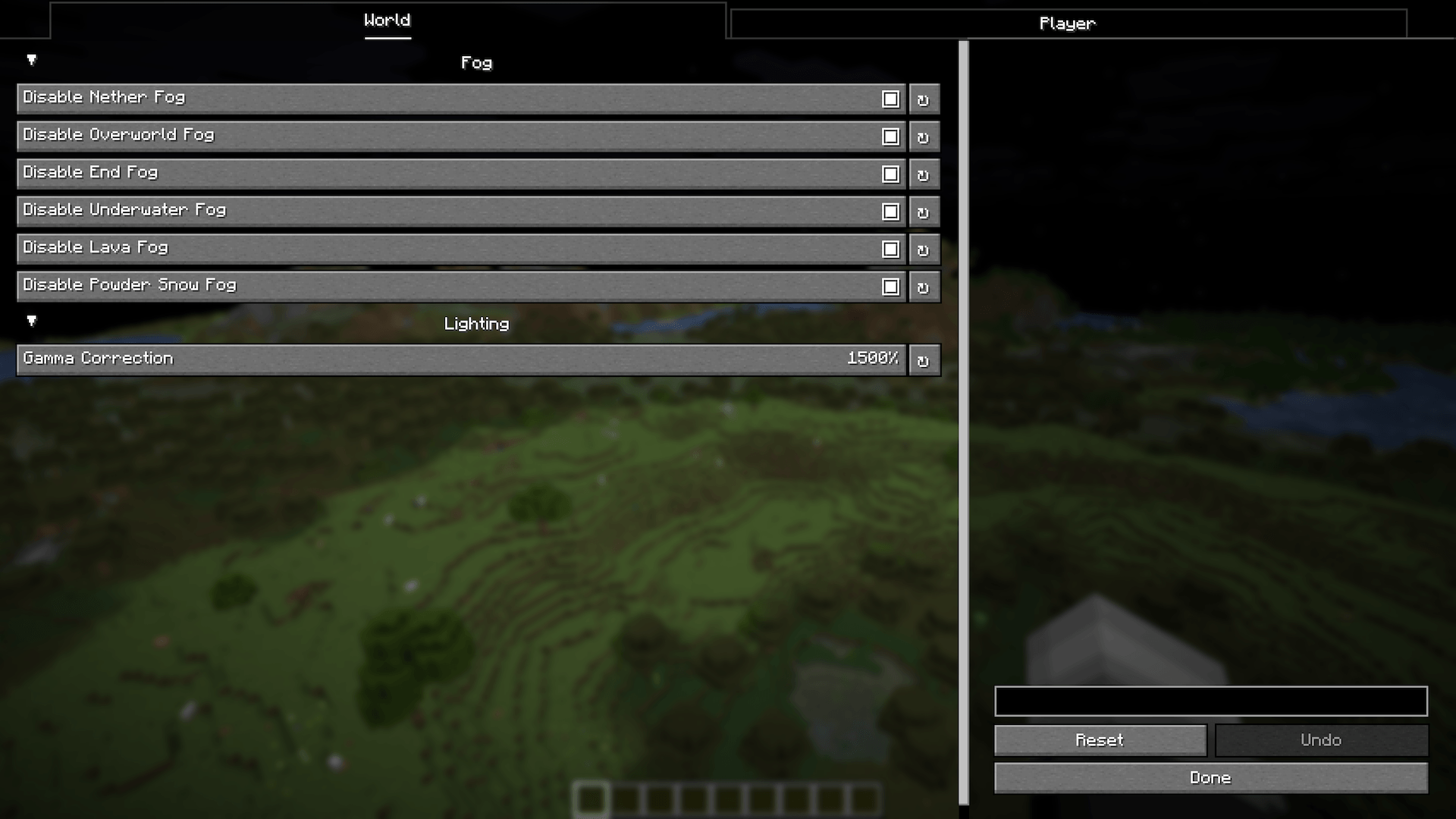 Settings Menu First Page
-
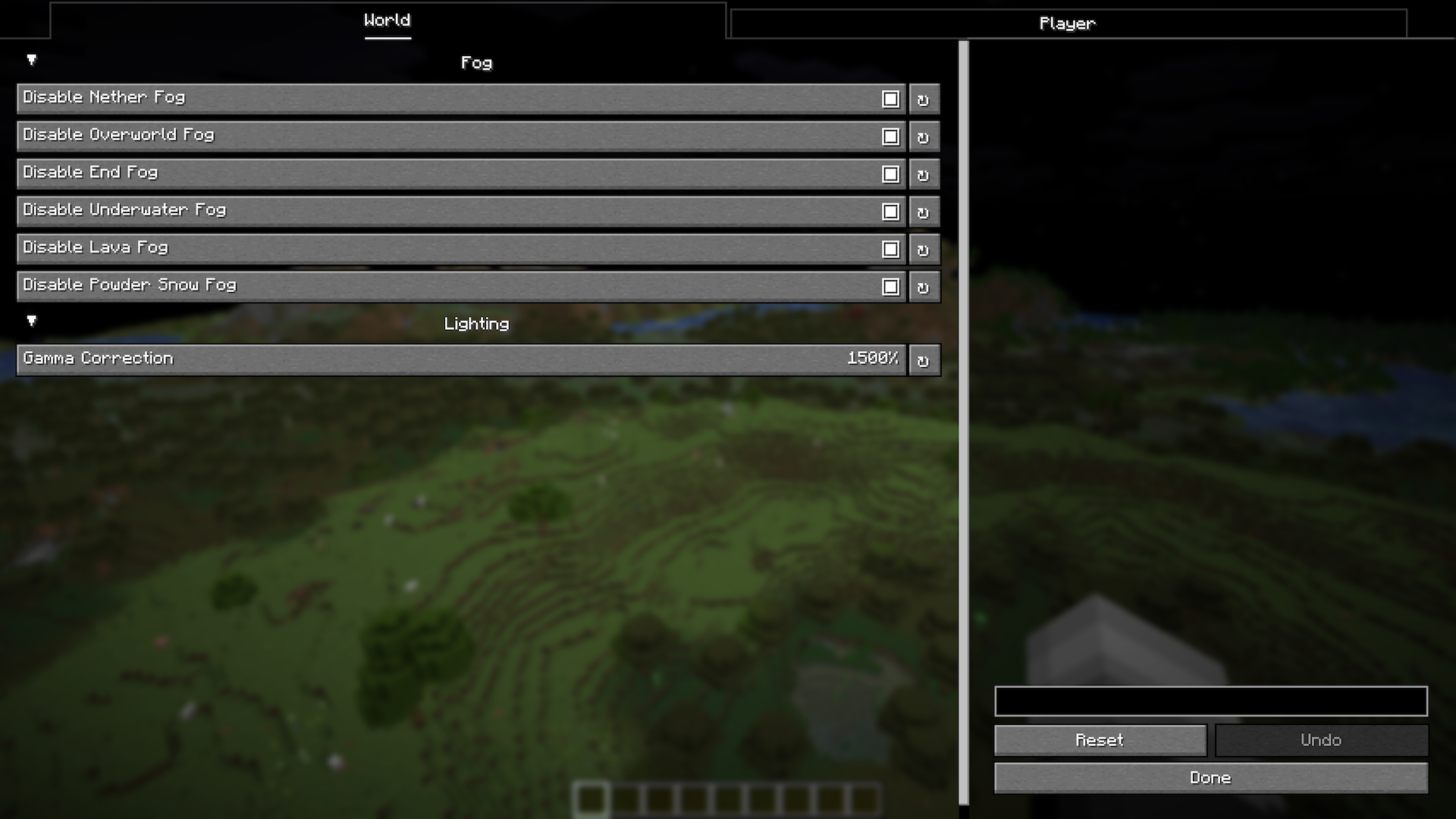 Settings Menu
 -
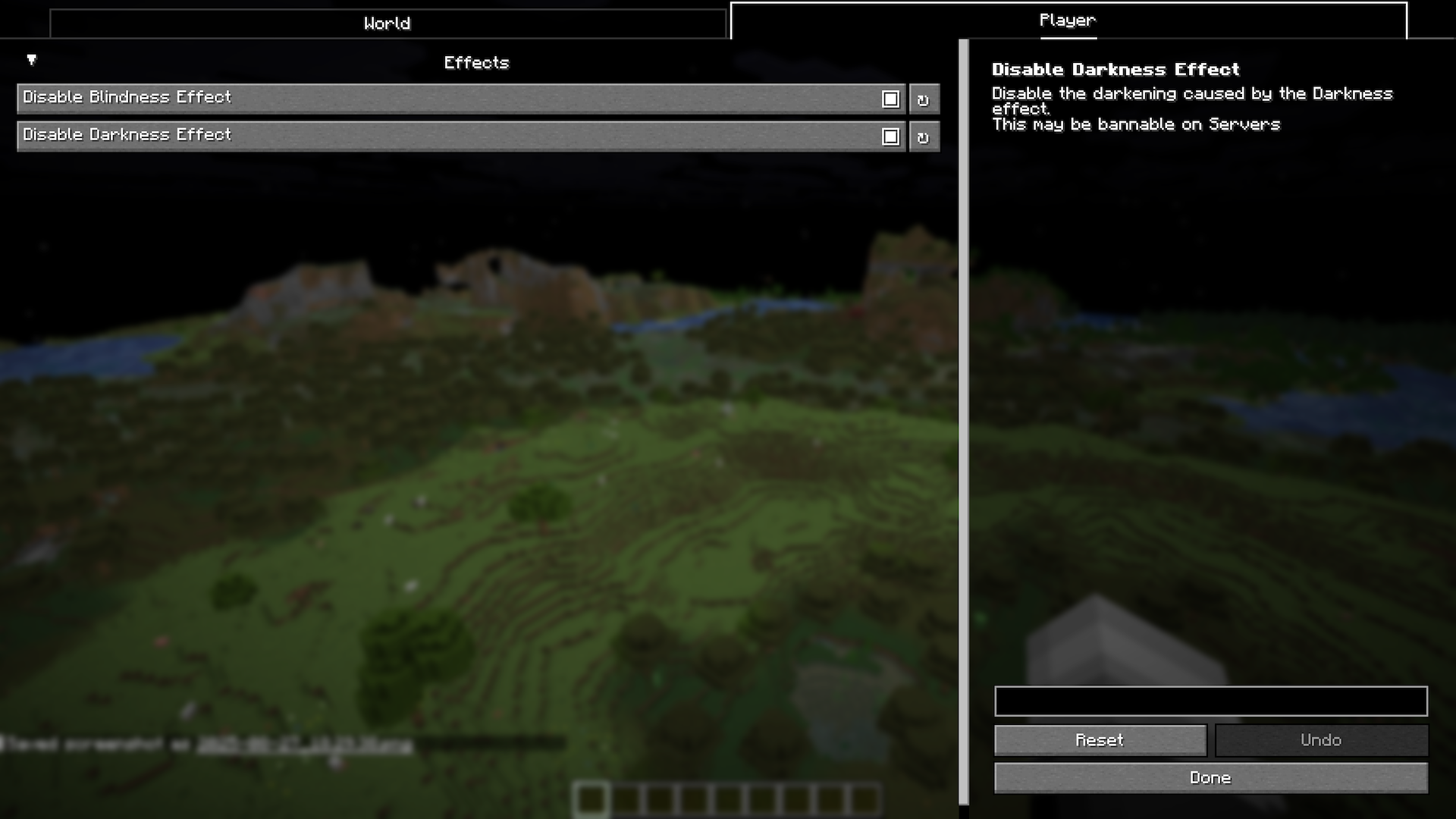 Also Settings Menu
Versions
Files
Relations
Project Relations
More like this
Similar Mods
Suggestions use data such as tags, dependencies, dependents, descriptions, titles, and more to rank how much they overlap with this mod.
On ModDex
Community snapshot
By the numbers
Statistics
Want to reach Minecraft players?
We're looking for a server hosting partner to feature here and other parts of the site. Interested? Send us a message!
Get in touchGet it on
Available Platforms
On ModDex
Community snapshot
By the numbers