
Community listing page, reviews here may not be monitored by the author.
GrassCleaner

No reviews yet
Minecraft mods - help you clear weeds/flowers/vines with one click
Community voices
Reviews
No reviews yet. Be the first to review this project!
Get it on
Available Platforms
About
Project Details
For authors
Embed Badge
If you're the author of this project, you can embed a live badge anywhere that supports HTML or Markdown. It updates automatically whenever ratings change.
Use HTML for any page that supports it, or Markdown for README files and Markdown-based descriptions.
Identifiers
Platform IDs
Resources
External Links
About
Description
GrassCleaner
Clean up grass, flowers, and vines in Minecraft with a feather. Right-click to select a region, preview target blocks with green wireframe outlines, then Shift + right-click to remove them all at once.
Screenshots
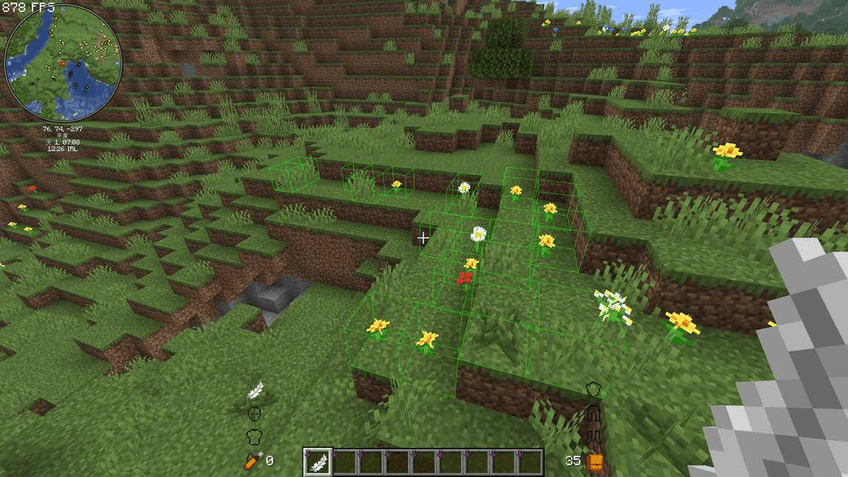
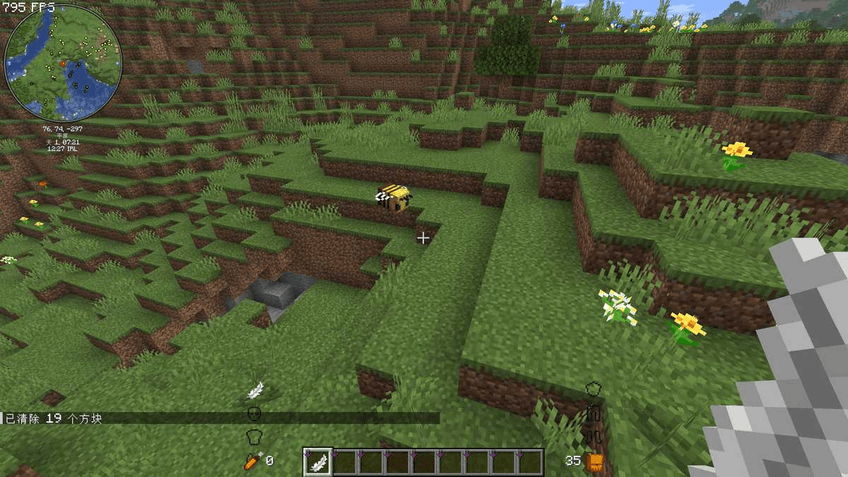
Requirements
- Minecraft 26.1.2
- Fabric Loader >= 0.19.2
- Fabric API 0.154.0+
Installation
- Download the latest
grasscleaner-*.jar - Place it in
.minecraft/mods/ - Launch the game
Usage
| Operation | Effect |
|---|---|
Right-click a block while holding a Feather |
Select the 1st corner (green outline on it) |
| Right-click a second block | Select the 2nd corner, all target blocks in the region are highlighted |
| 3rd right-click | Replace the 1st corner |
| 4th right-click | Replace the 2nd corner |
| Shift + Right-click | Clear all target blocks in the selected region |
| Shift + Left-click | Cancel current selection |
Default region limit is 128 x 32 x 128. Exceeding it will show a warning and reset the selection. The green wireframe is clamped to the limit to prevent rendering lag.
Configuration
On first launch, a config file is automatically generated at config/grasscleaner.json:
{
"max_x": 128,
"max_y": 32,
"max_z": 128,
"target_blocks": [
"minecraft:short_grass",
"minecraft:dandelion",
"minecraft:vine",
"…"
]
}
max_x / max_y / max_z— maximum region dimensions (in blocks)target_blocks— list of block IDs to target (format:minecraft:<name>, all lowercase)- Restart the game after editing.
Default Target Blocks (55 total)
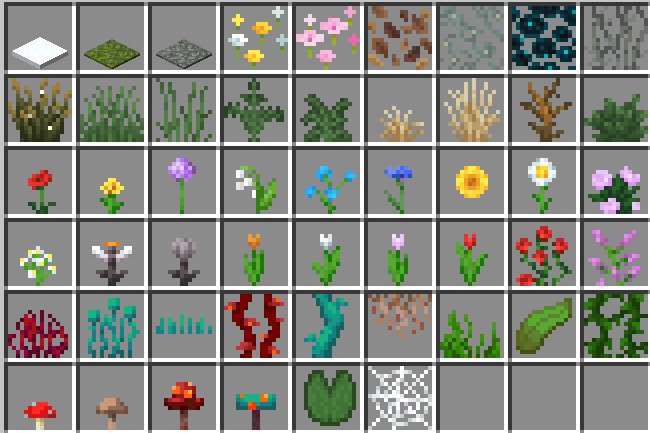
Screenshots
Gallery
Versions
Files
Relations
Project Relations
More like this
Similar Mods
Suggestions use data such as tags, dependencies, dependents, descriptions, titles, and more to rank how much they overlap with this mod.
On ModDex
Community snapshot
By the numbers
Statistics
Want to reach Minecraft players?
We're looking for a server hosting partner to feature here and other parts of the site. Interested? Send us a message!
Get in touchGet it on
Available Platforms
On ModDex
Community snapshot
By the numbers
Statistics
Resources