Community listing page, reviews here may not be monitored by the author.
Graveless


No reviews yet
Not just another grave mod... Your ghost waits at your death site under a beacon of light, holding every item for a one-click restore to its original slot. Spirit Compass tracking, a 3D grave browser, mob protection, and no physical grave block to lose.

Community voices
Reviews
No reviews yet. Be the first to review this project!
Get it on
Available Platforms
Compatibility
Supported Environments
Must be installed on both the client and the server.
About
Project Details
For authors
Embed Badge
If you're the author of this project, you can embed a live badge anywhere that supports HTML or Markdown. It updates automatically whenever ratings change.
Use HTML for any page that supports it, or Markdown for README files and Markdown-based descriptions.
Identifiers
Platform IDs
About
Description
Graveless
When you die, your items are kept safe at the place you fell and a ghost of your character waits there until you come back for them. There is no grave block: nothing to place, break, or lose. Death records are stored server-side, so a grave cannot fail to spawn, fall into the void, get overwritten by your next death, or be destroyed by anything.
Finding your grave
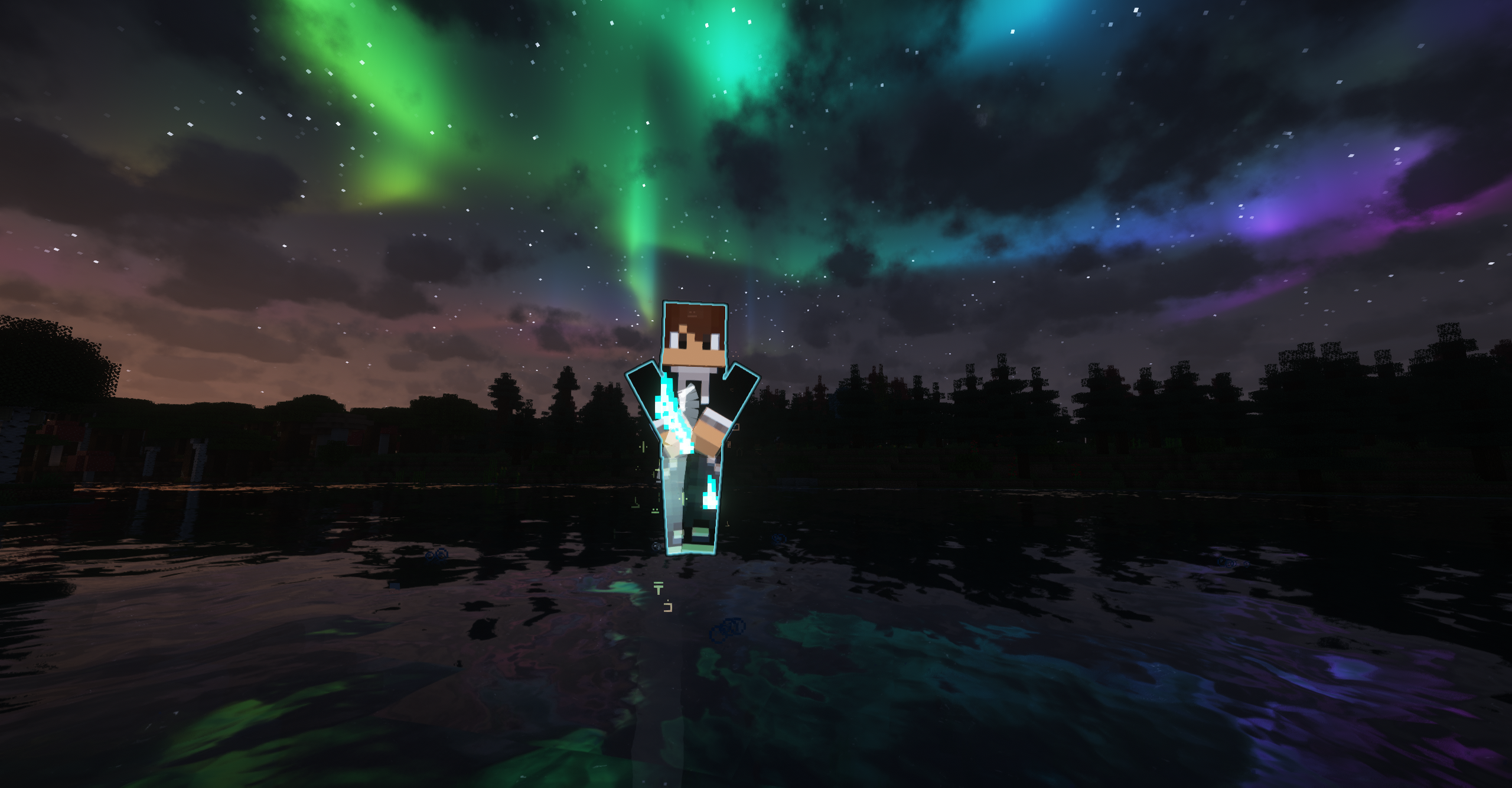
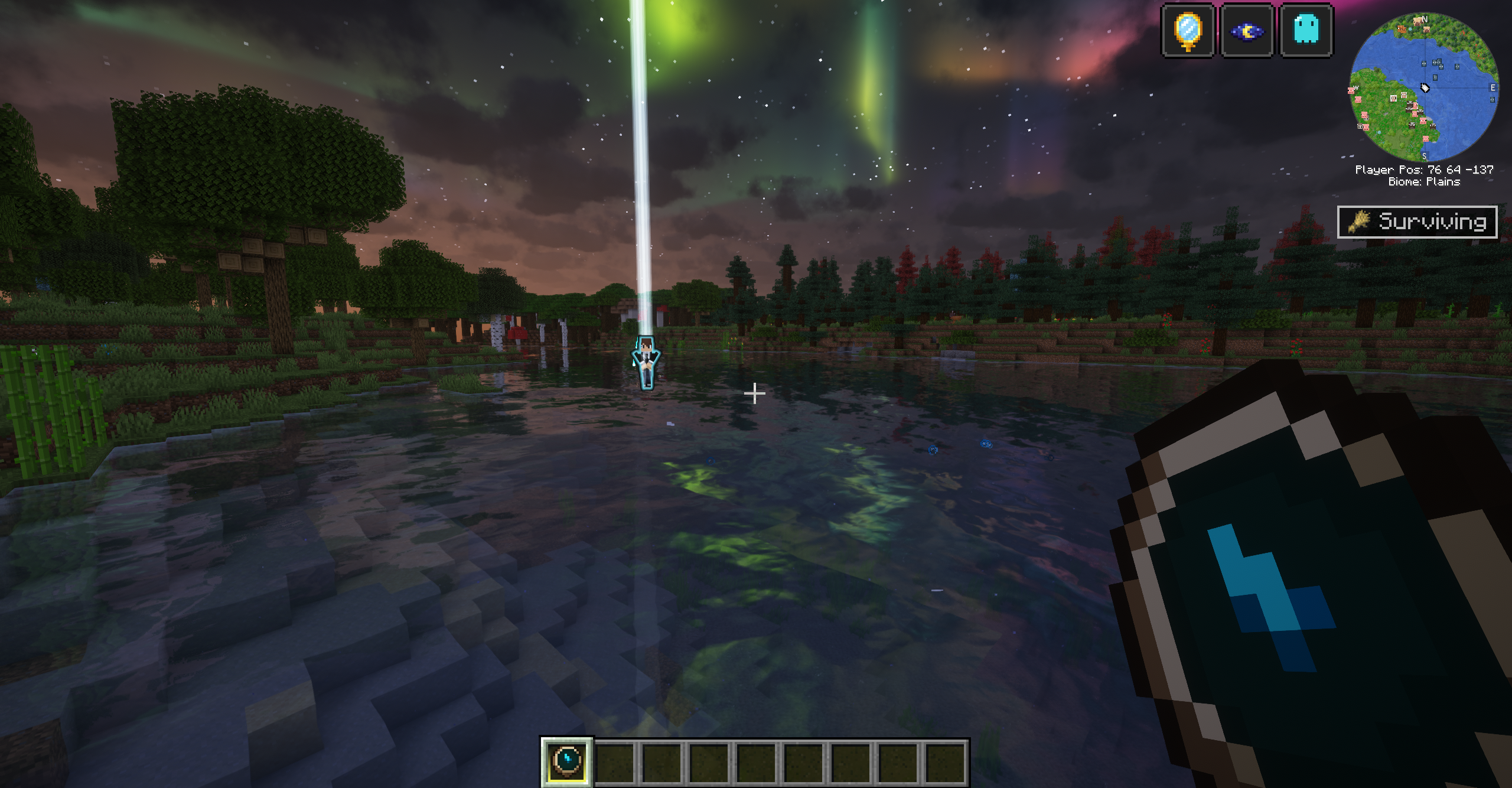
- Your ghost wears your player skin and is visible only to you (and anyone you grant access).
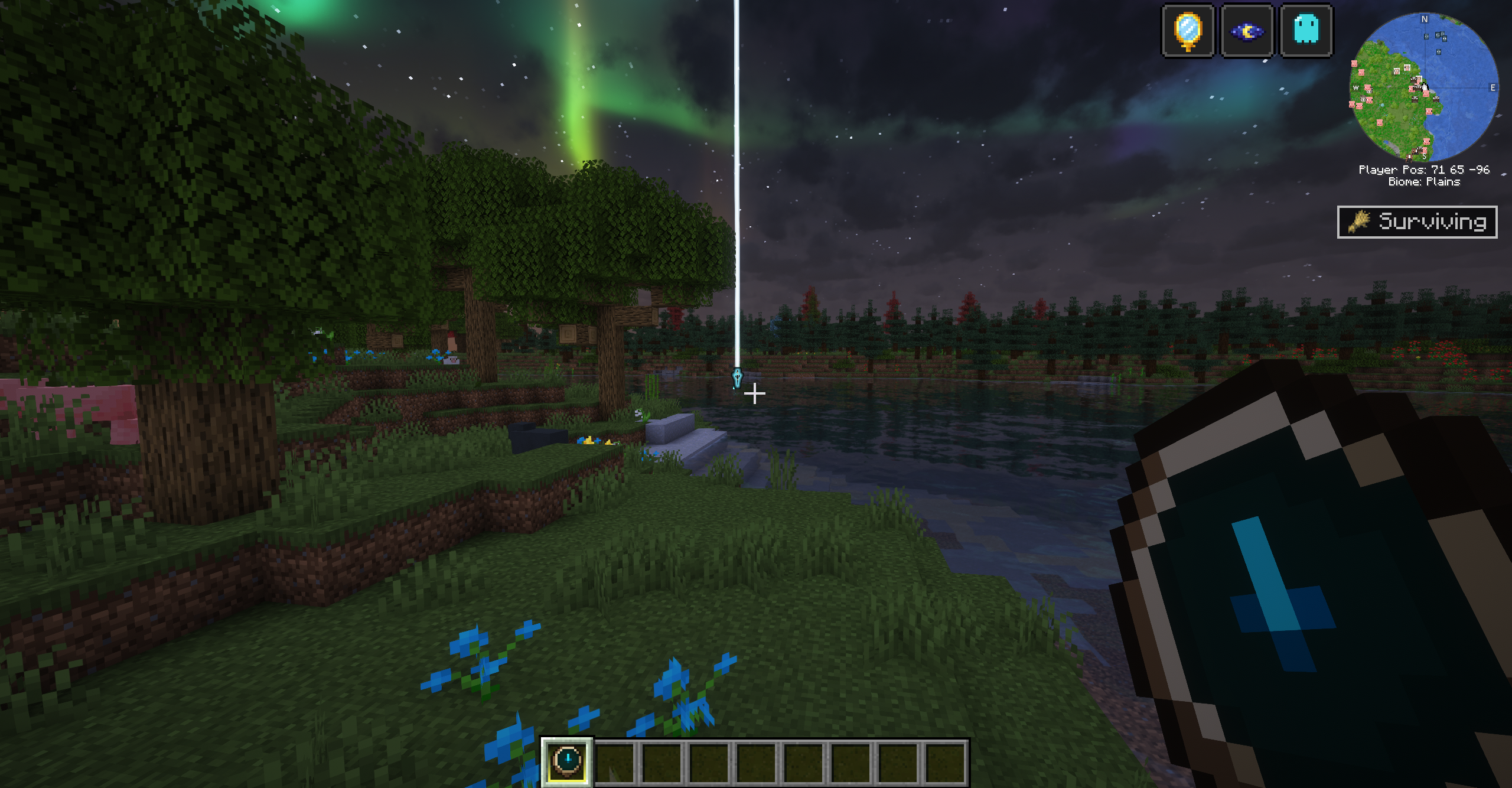
- A pillar of light marks the site from up to 256 blocks away, and a glowing outline shows through terrain.
- Within about 32 blocks, a silver thread reaches from the ghost toward you.
- Entering claim range puts a message in chat and on the action bar with the distance and compass direction.
- A Spirit Compass is placed in your hand when you respawn. It points at your grave and disappears once you have nothing left to recover.
Claiming
Walk up and click the ghost (left or right). Items return to the exact slots they were in when you died: hotbar layout, armor, offhand, and Curios accessory slots. Your XP comes back too. If your inventory is partly full, whatever does not fit stays in the grave for a second trip; nothing is dropped on the ground.
While you approach your own grave, a Spirit Ward makes you invisible, stops mobs from targeting you, and grants night vision, for up to two minutes or until you claim. Leaving the area removes it.
The grave browser
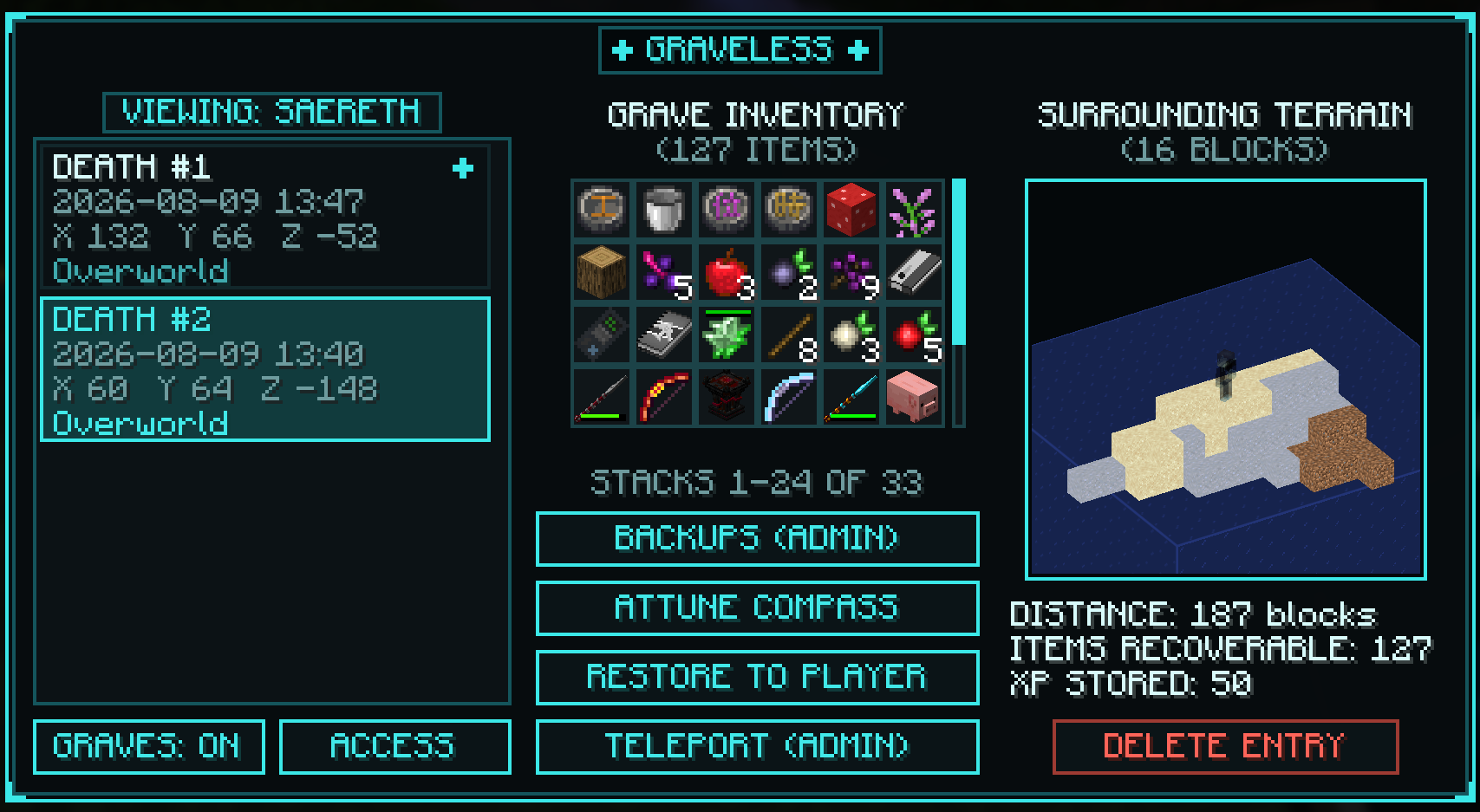
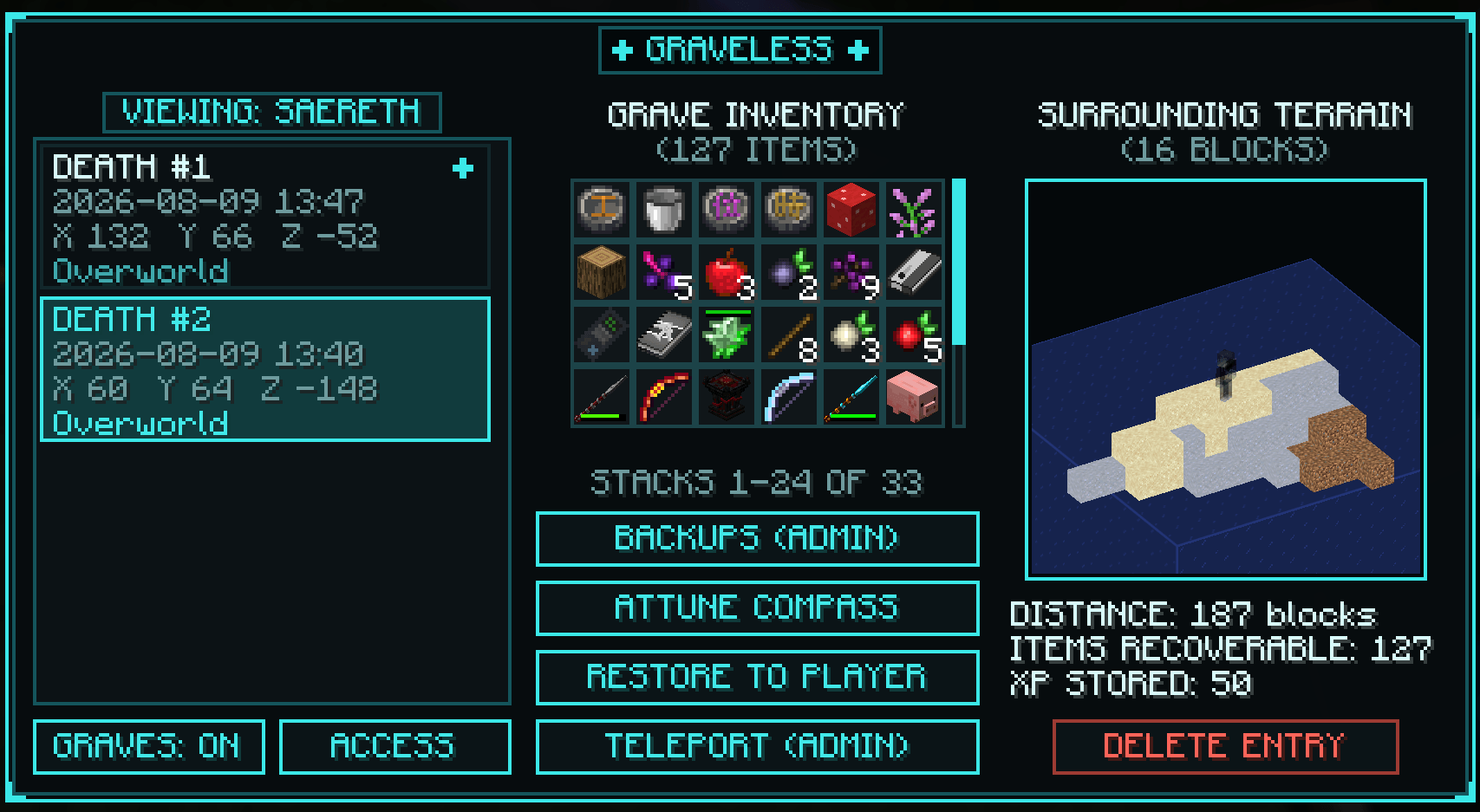
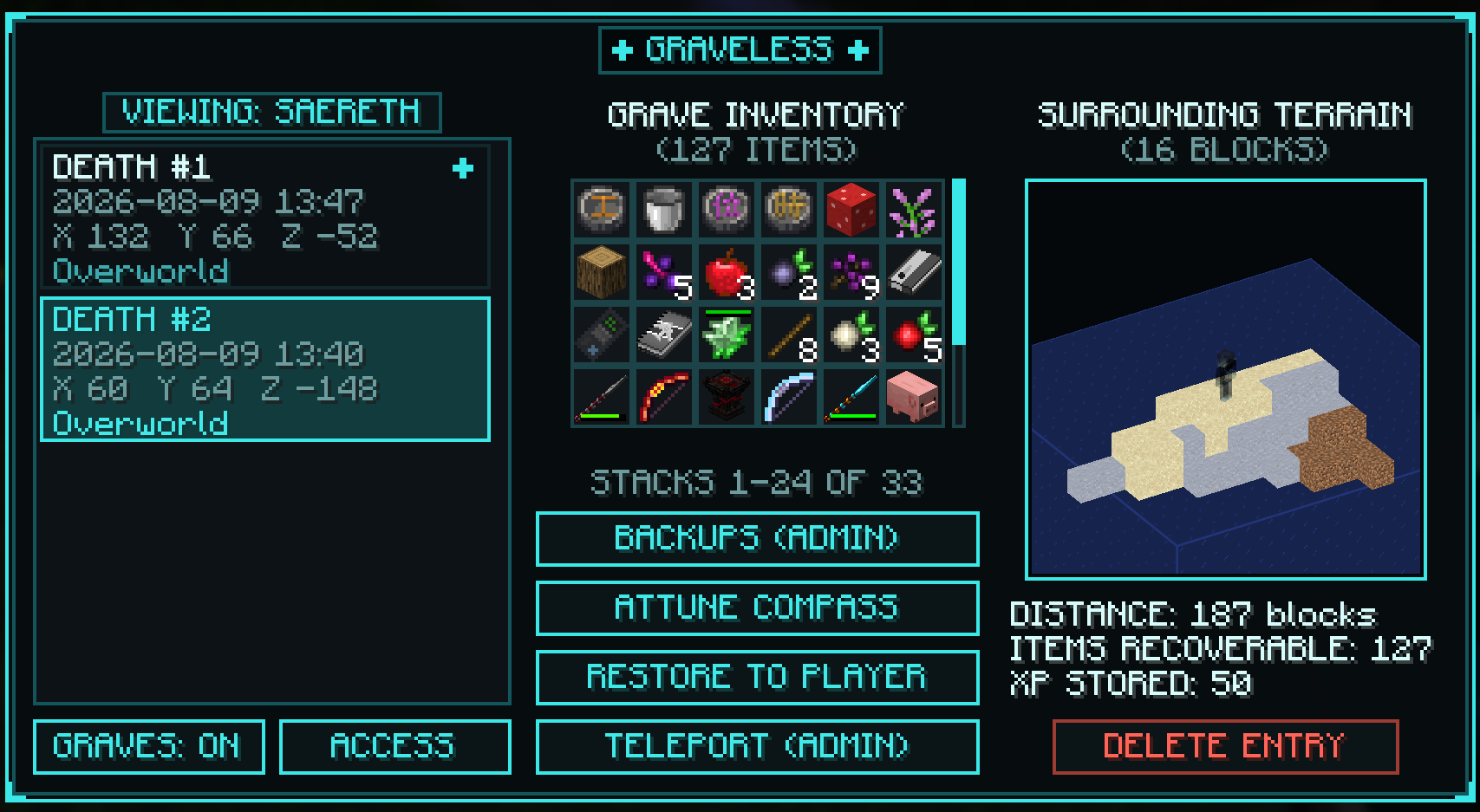
Right click the Spirit Compass or run /graveless to open a screen listing every grave you have: when and where you died, what killed you, the full item list, stored XP, current distance, and a rotatable 3D preview of the terrain around the ghost, captured at the moment you died so it works across dimensions. You can attune the compass to an older grave, manage who may see and claim your graves, and turn the mod off for yourself if you prefer vanilla drops.
For server admins
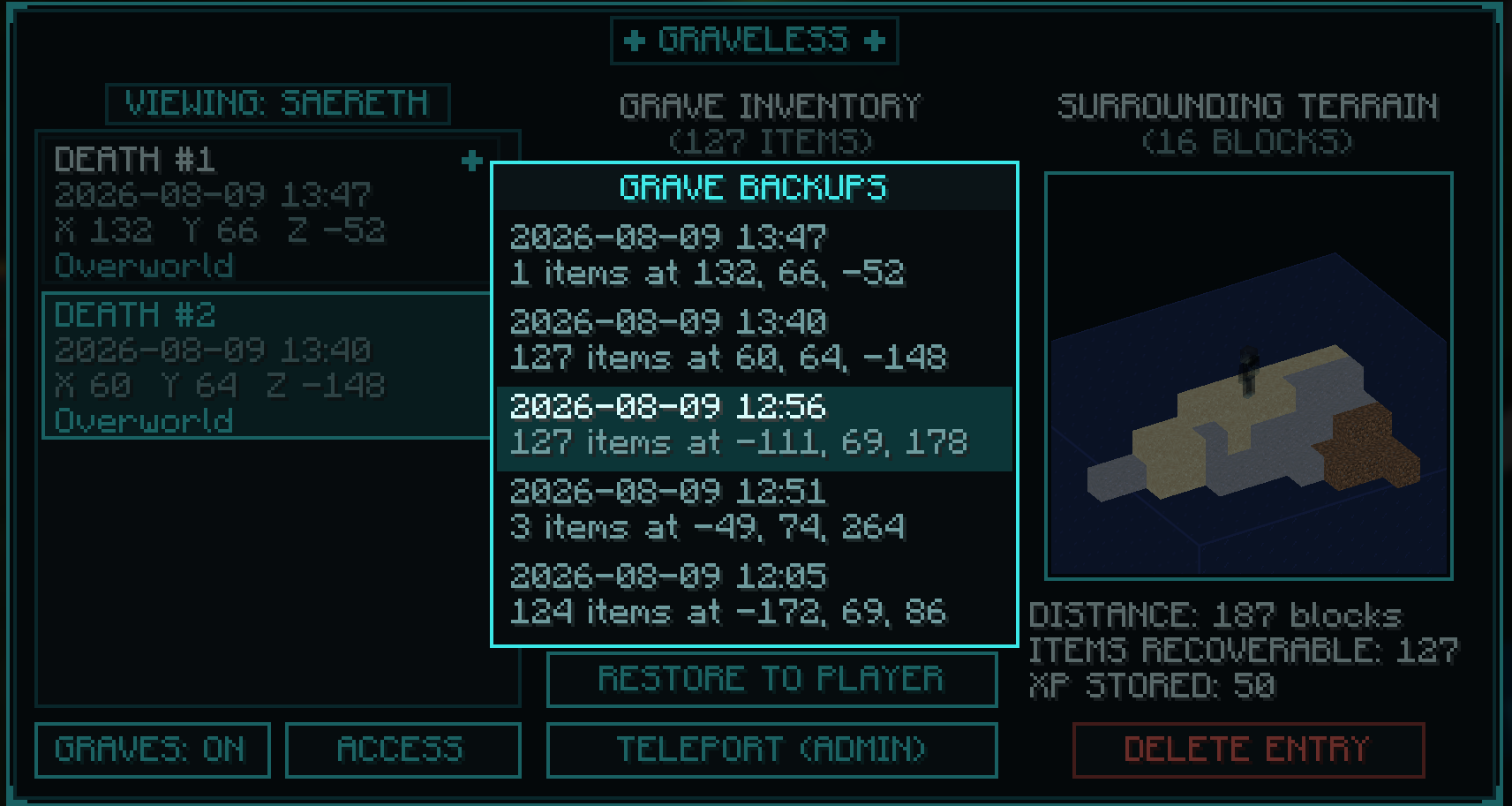
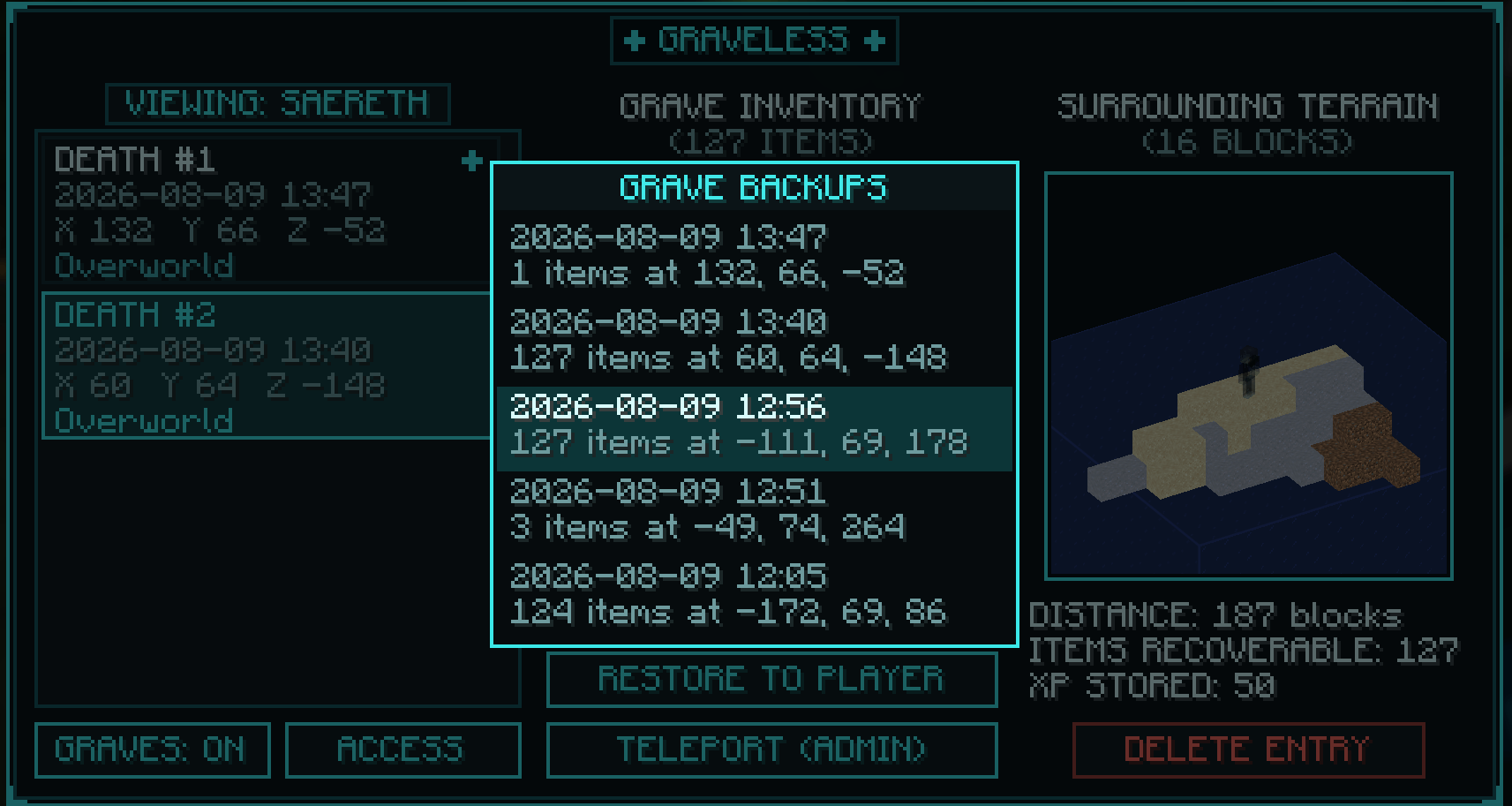
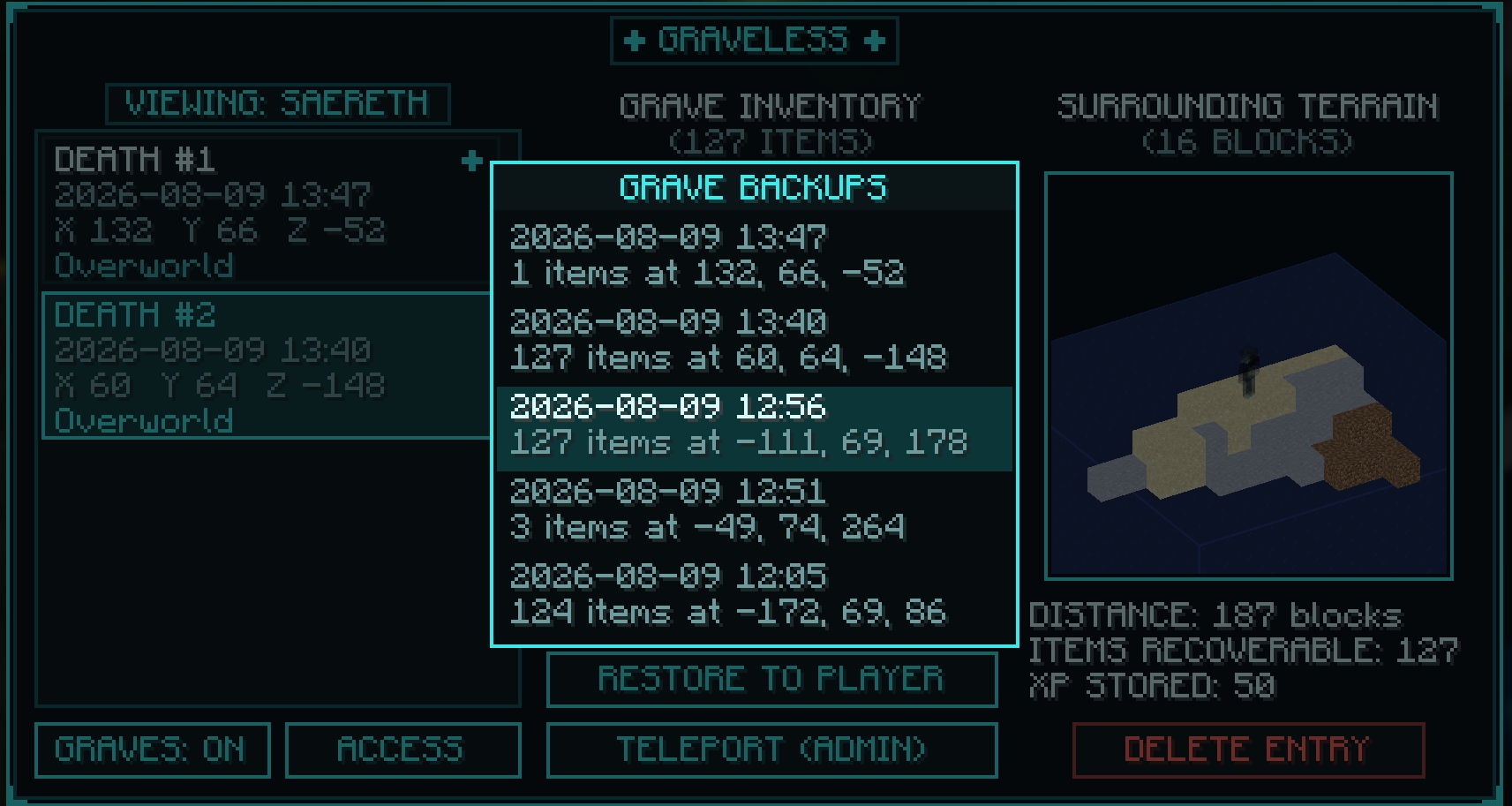
Operators get extra tools in the same screen: browse any player's graves, preview contents, restore a grave to its owner from anywhere, pull out a single item, teleport to the site, or delete an entry. Every death is also written to a backup file on disk that is never deleted, and any backup can be revived as a live grave from the UI or with /graveless restorebackup, even after the original was claimed.
Reliability notes
- Records are stored in world data, not as blocks, and survive restarts, backups, and crashes after the death tick completes.
- Items from other mods are captured, including a general sweep for mods that add their own death drops.
- Oversized or malformed item data is corrected at capture; an unreadable item costs only that item, never the whole grave.
- Void deaths anchor the ghost at a reachable height instead of the bottom of the world.
- Up to 30 graves are kept per player (configurable); older records are dropped from the live list but their backup files remain.
- Respects the keepInventory gamerule, and each player can opt out individually with
/graveless disableor via the user interface.
Configuration
Server config covers grave retention, ghost visibility range (default 256), claim range (default 16, works through walls unless you require line of sight), and the Spirit Ward's range, duration, and wear-off. There is a client option to disable the custom ghost shader. Iris/Sodium with shader packs is supported as well.
Compatibility
Minecraft 26.1 with NeoForge or Fabric. Works in singleplayer and on servers. No dependencies; Curios is supported when installed.
Source and issues: https://github.com/breakinblocks/Graveless
Graveless
When you die, your items are kept safe at the place you fell and a ghost of your character waits there until you come back for them. There is no grave block: nothing to place, break, or lose. Death records are stored server-side, so a grave cannot fail to spawn, fall into the void, get overwritten by your next death, or be destroyed by anything.
Finding your grave
- Your ghost wears your player skin and is visible only to you (and anyone you grant access).
- A pillar of light marks the site from up to 256 blocks away, and a glowing outline shows through terrain.
- Within about 32 blocks, a silver thread reaches from the ghost toward you.
- Entering claim range puts a message in chat and on the action bar with the distance and compass direction.
- A Spirit Compass is placed in your hand when you respawn. It points at your grave and disappears once you have nothing left to recover.
Claiming
Walk up and click the ghost (left or right). Items return to the exact slots they were in when you died: hotbar layout, armor, offhand, and Curios accessory slots. Your XP comes back too. If your inventory is partly full, whatever does not fit stays in the grave for a second trip; nothing is dropped on the ground.
While you approach your own grave, a Spirit Ward makes you invisible, stops mobs from targeting you, and grants night vision, for up to two minutes or until you claim. Leaving the area removes it.
The grave browser
Right click the Spirit Compass or run /graveless to open a screen listing every grave you have: when and where you died, what killed you, the full item list, stored XP, current distance, and a rotatable 3D preview of the terrain around the ghost, captured at the moment you died so it works across dimensions. You can attune the compass to an older grave, manage who may see and claim your graves, and turn the mod off for yourself if you prefer vanilla drops.
For server admins
Operators get extra tools in the same screen: browse any player's graves, preview contents, restore a grave to its owner from anywhere, pull out a single item, teleport to the site, or delete an entry. Every death is also written to a backup file on disk that is never deleted, and any backup can be revived as a live grave from the UI or with /graveless restorebackup, even after the original was claimed.
Reliability notes
- Records are stored in world data, not as blocks, and survive restarts, backups, and crashes after the death tick completes.
- Items from other mods are captured, including a general sweep for mods that add their own death drops.
- Oversized or malformed item data is corrected at capture; an unreadable item costs only that item, never the whole grave.
- Void deaths anchor the ghost at a reachable height instead of the bottom of the world.
- Up to 30 graves are kept per player (configurable); older records are dropped from the live list but their backup files remain.
- Respects the keepInventory gamerule, and each player can opt out individually with
/graveless disableor via the user interface.
Configuration
Server config covers grave retention, ghost visibility range (default 256), claim range (default 16, works through walls unless you require line of sight), and the Spirit Ward's range, duration, and wear-off. There is a client option to disable the custom ghost shader. Iris/Sodium with shader packs is supported as well.
Compatibility
Minecraft 26.1 with NeoForge or Fabric. Works in singleplayer and on servers. No dependencies; Curios is supported when installed.
Source and issues: https://github.com/breakinblocks/Graveless
Screenshots
Gallery
-
 logo-tmp.png logo-tmp.png
 -
 browser.png browser.png
 -
 browser-admin.png browser-admin.png

Versions
Files
Relations
Project Relations
More like this
Similar Mods
Suggestions use data such as tags, dependencies, dependents, descriptions, titles, and more to rank how much they overlap with this mod.
On ModDex
Community snapshot
By the numbers
Statistics
 (opens in a new tab)
Get it on
Available Platforms
On ModDex
Community snapshot
By the numbers