Community listing page, reviews here may not be monitored by the author.
Grid


No reviews yet
Show a grid overlay that helps counting when you're building, and optionally spawn locations depending on light level

Community voices
Reviews
No reviews yet. Be the first to review this project!
Get it on
Available Platforms
Compatibility
Supported Environments
Runs entirely on the client. Works on vanilla servers.
About
Project Details
For authors
Embed Badge
If you're the author of this project, you can embed a live badge anywhere that supports HTML or Markdown. It updates automatically whenever ratings change.
Use HTML for any page that supports it, or Markdown for README files and Markdown-based descriptions.
Identifiers
Platform IDs
About
Description
This mod is end of life and won't receive updates, features, or fixes any more.
Files are still here for people who used the mod in the past.
This mod is end of life and won't receive updates, features, or fixes any more.
Files are still here for people who used the mod in the past.
Screenshots
Gallery
-
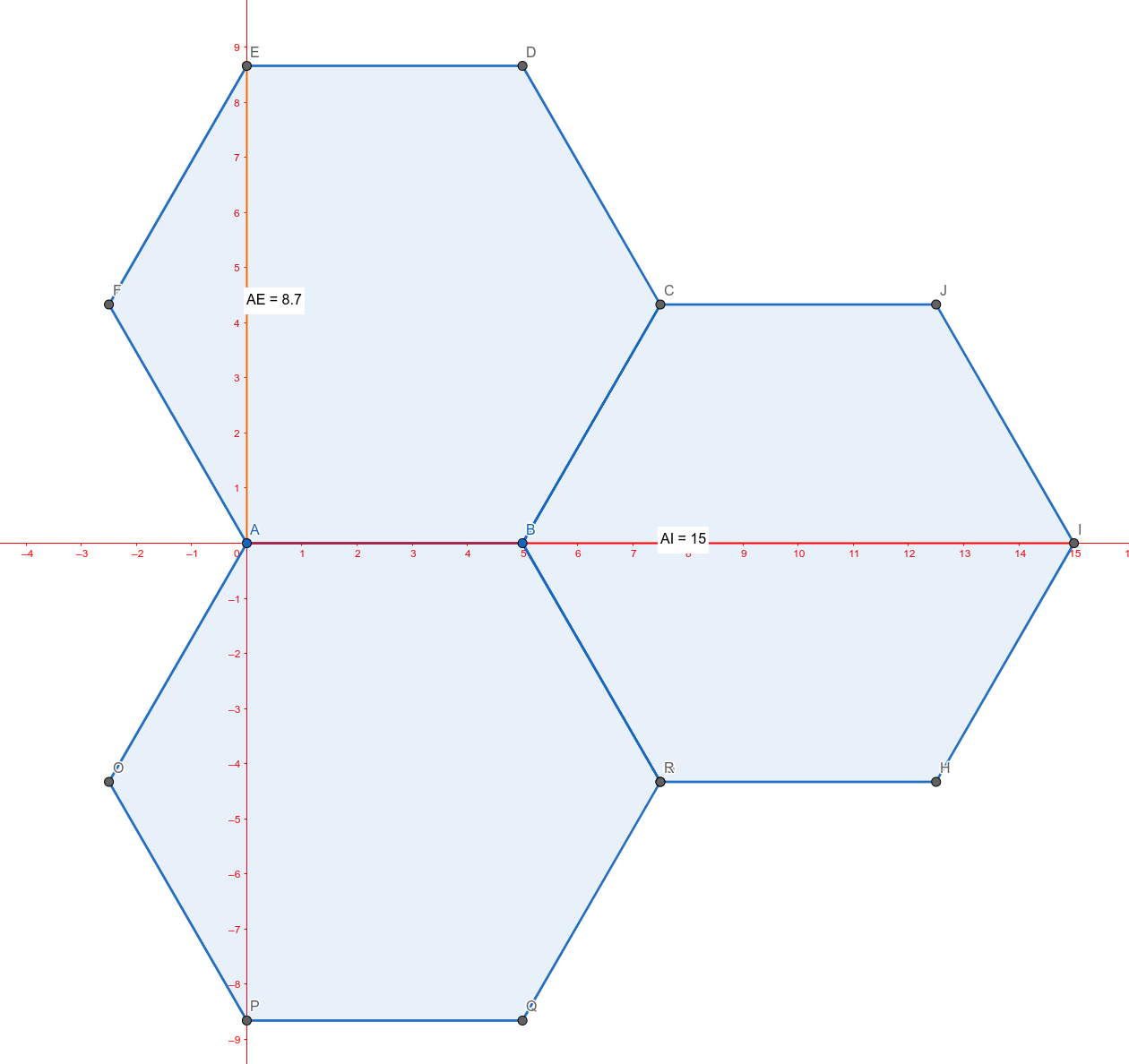 Example how hexes coords work With grid hex, the distance numbers are the blocks until the pattern repeats - this is not the "diameter" of the hex!. To create this, you'd need to use /grid 15 9, with the 9 being rounded up from 8.7.
 -
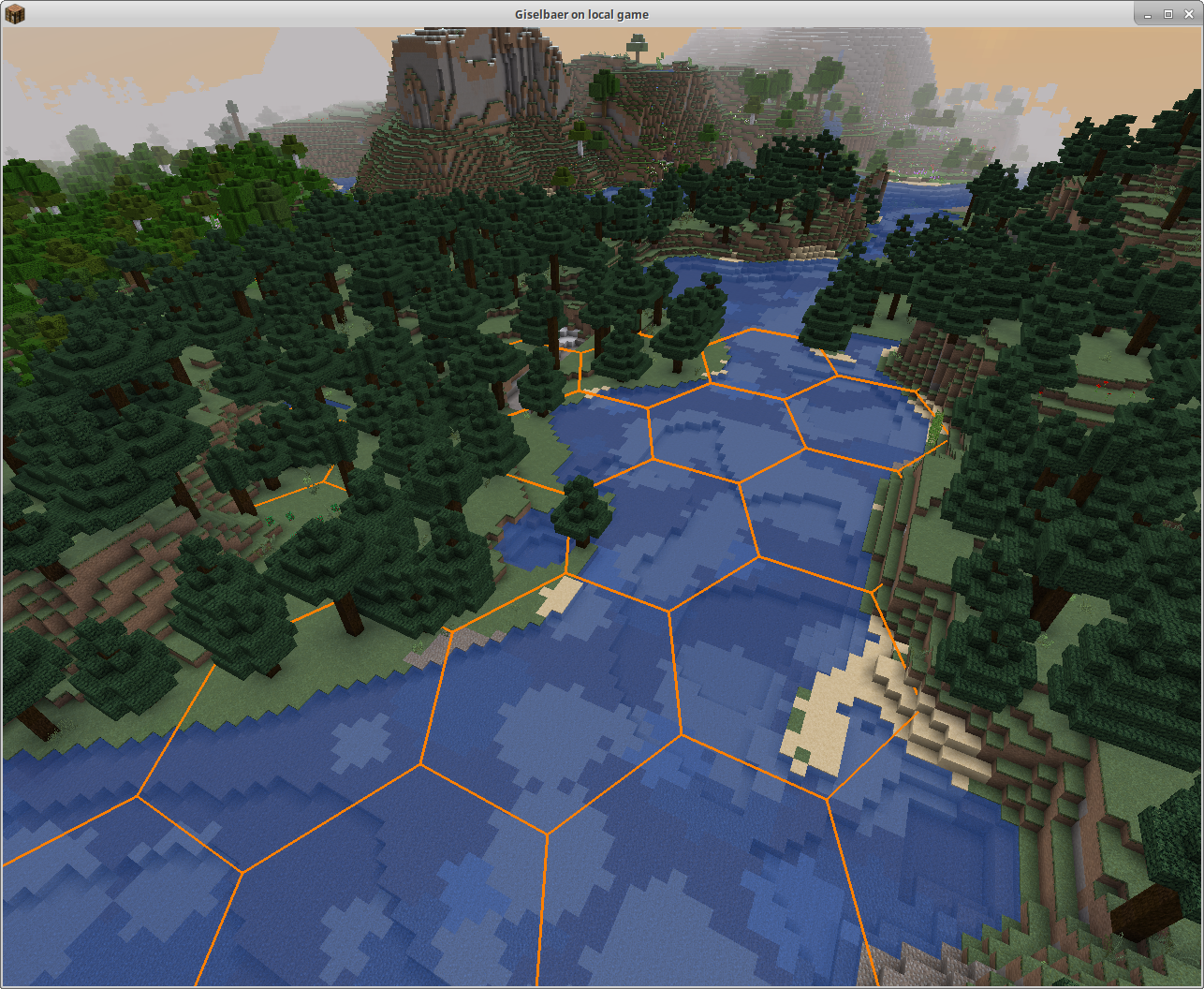 Hex overlay This is the new (since 1.6) Hex grid overlay. /grid hex, /grid lines.
 -
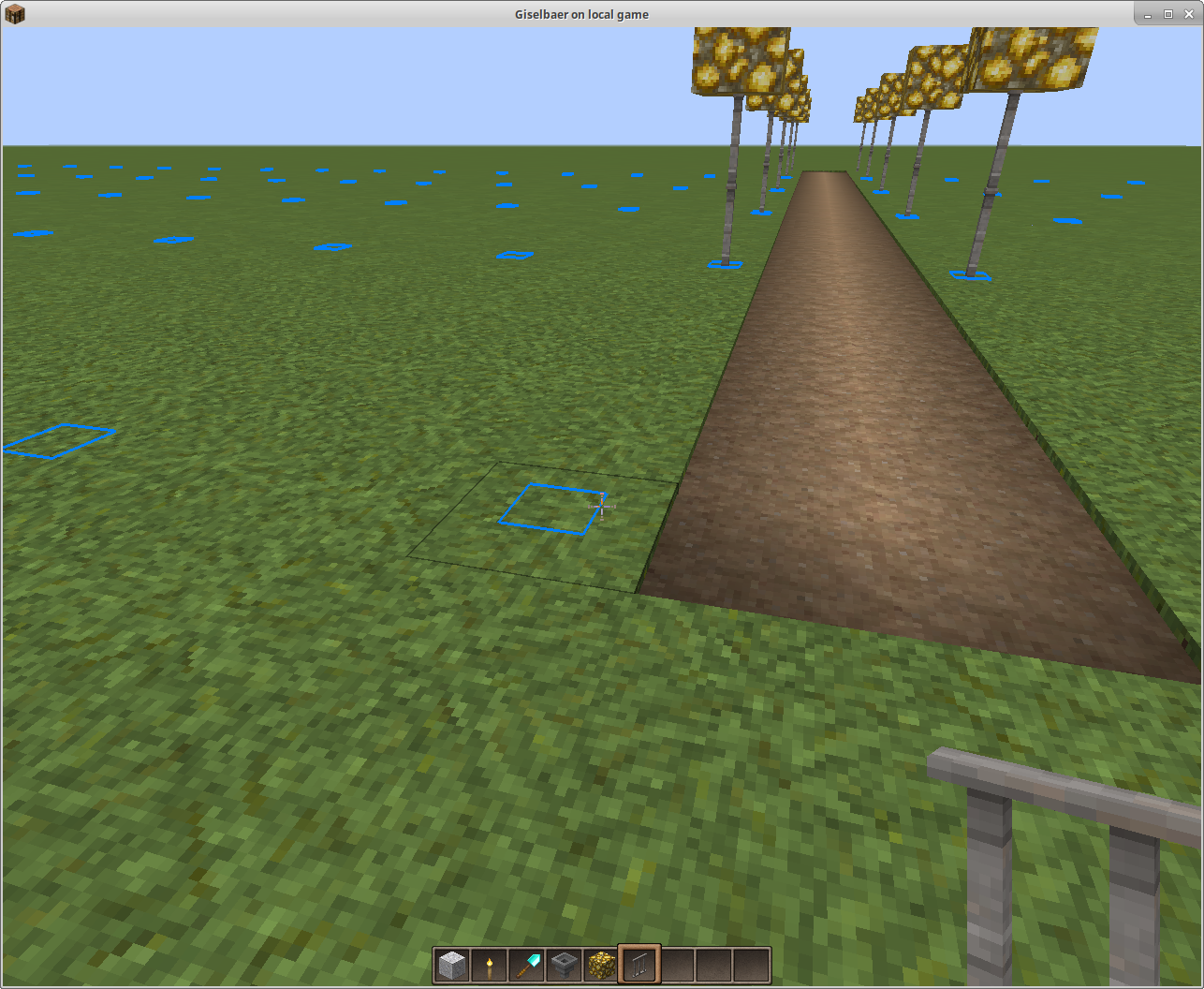 Building a road /grid blocks /grid 3 7 Different X and Z coordinates; grid shows where to place lampposts when building a road.
 -
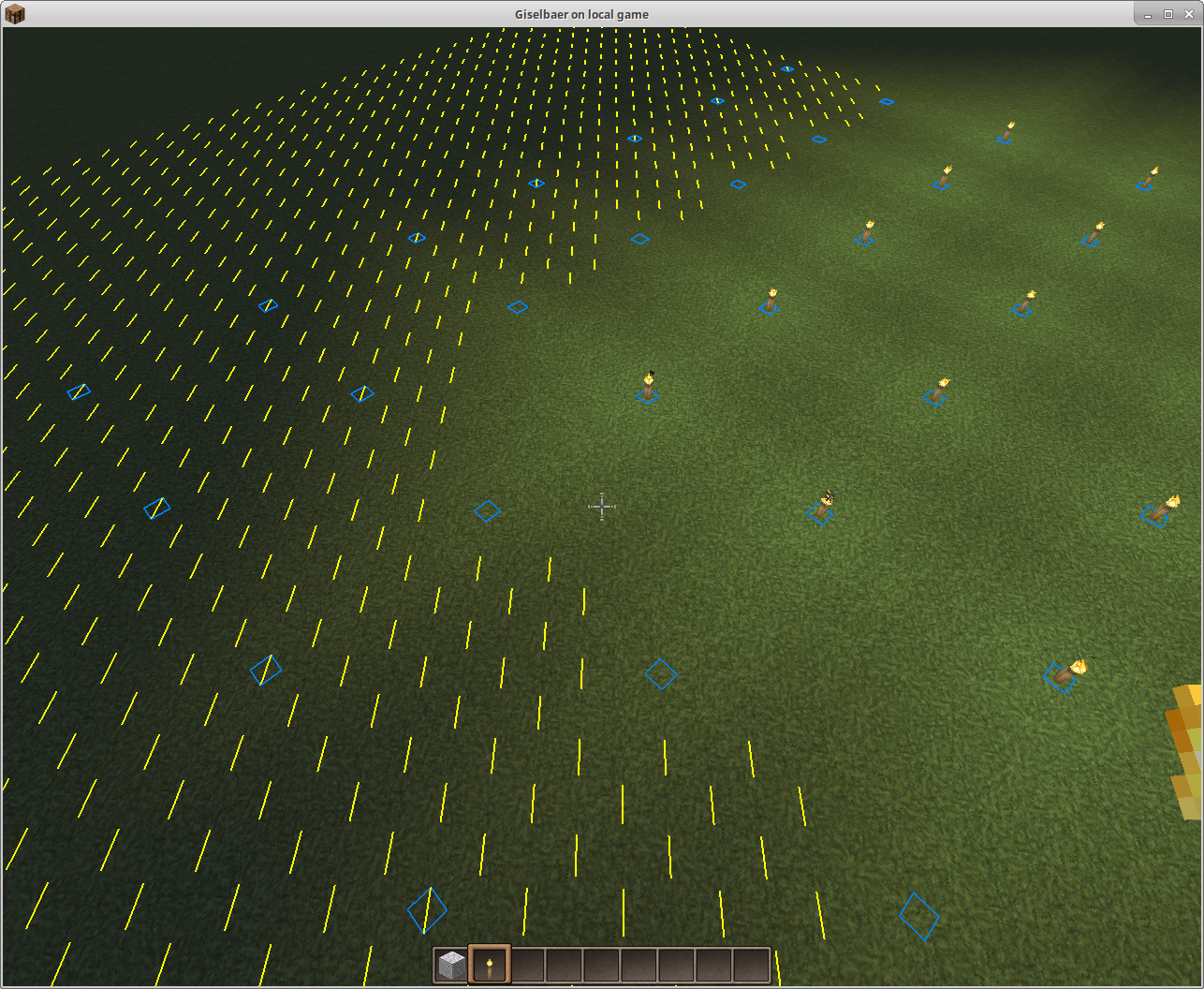 Torches every 5 blocks light up an area enough to prevent mob spawns /grid 5 /grid blocks /grid spawns Grid helps you to place torches in a regular 5x5 pattern to light up everything enough so mobs can't spawn.
 -
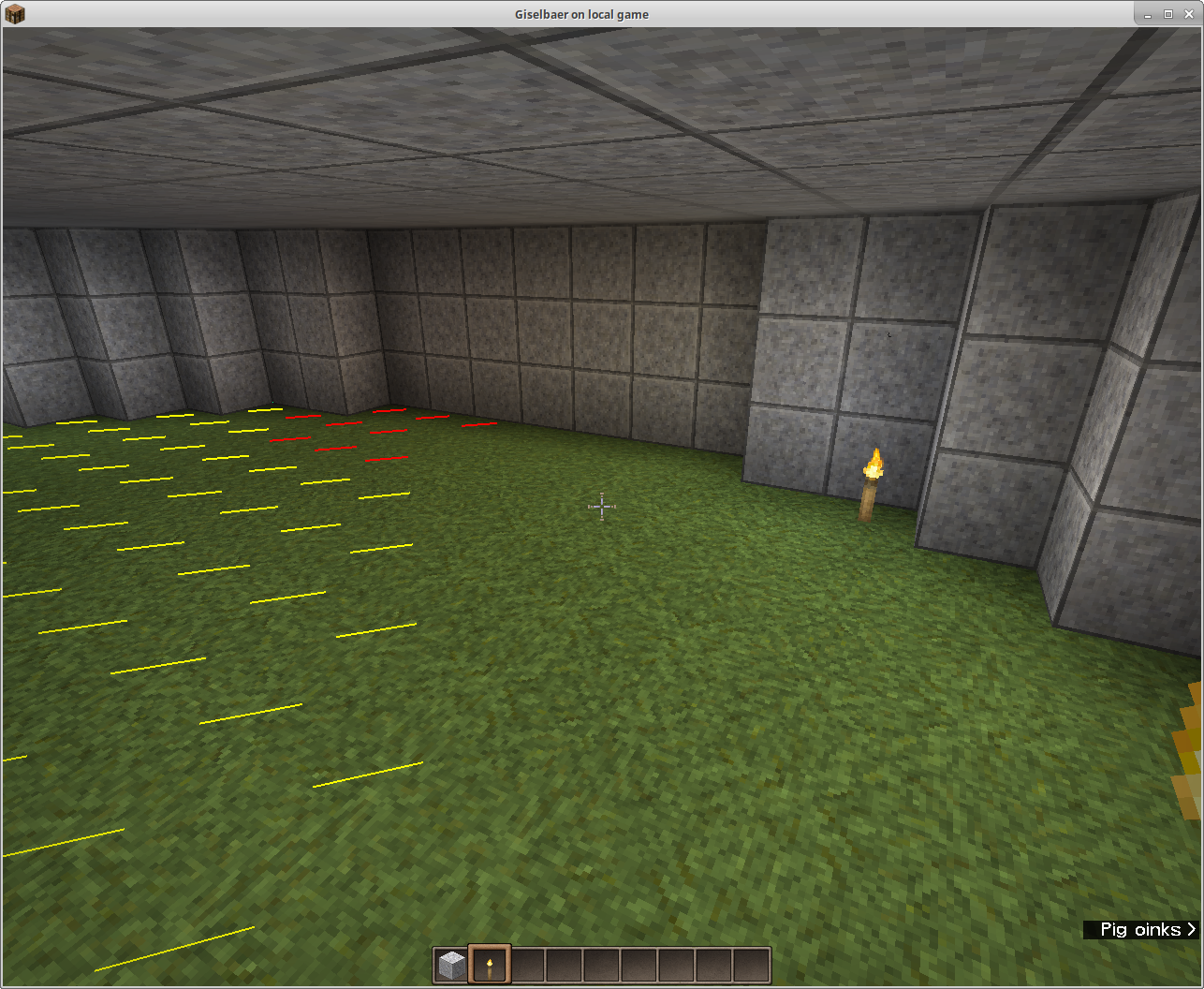 Grid showing possible mob spawn blocks /grid spawns This highlights blocks that are dark enough to allow mobs to spawn - red highlights mean mobs can spawn anytime, yellow is for blocks that are dark enough only at night.
 -
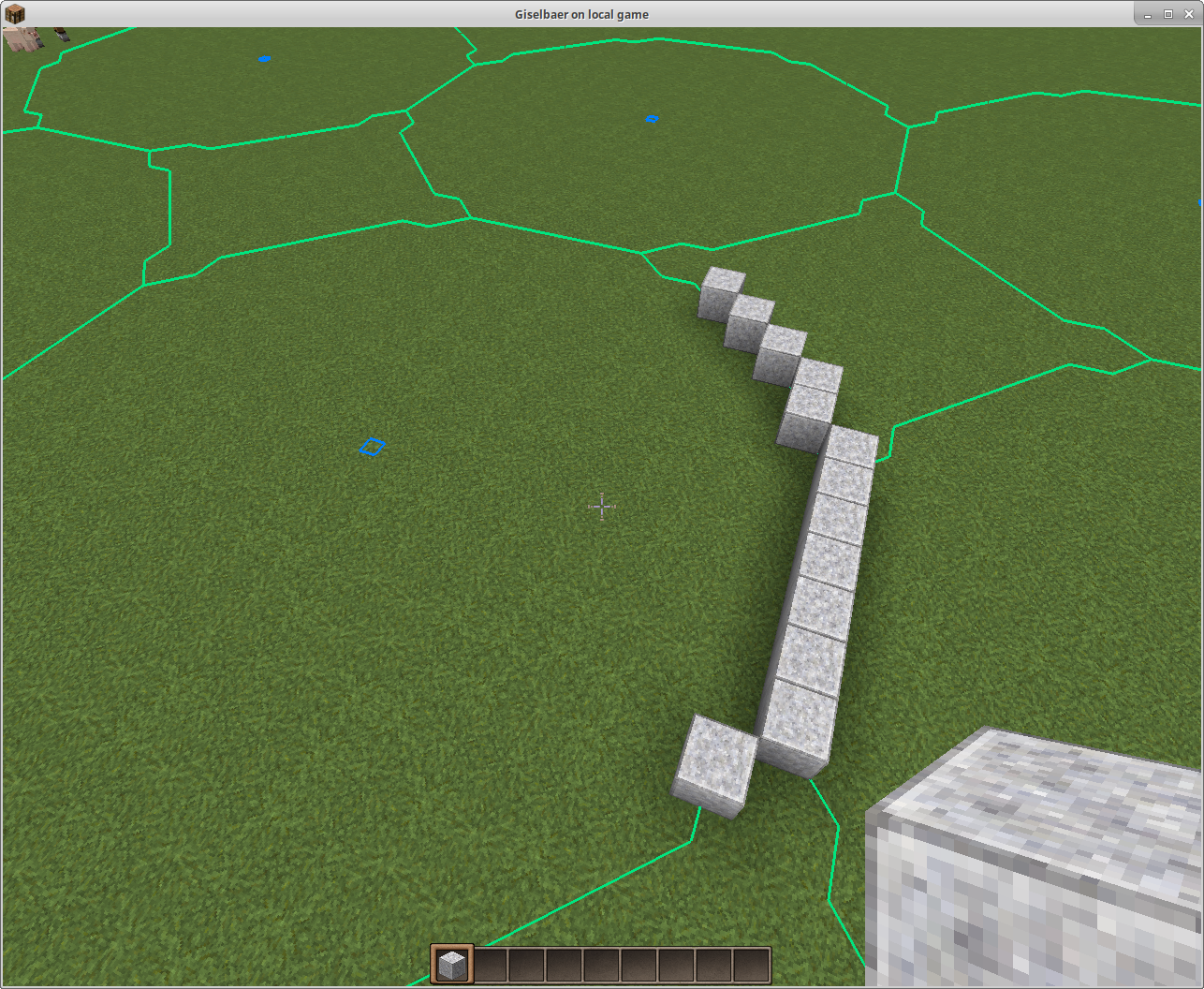 Grid showing circles to help building round structures, seen from above /grid 20 /grid circles /grid fixy (before flying up) In circles mode, grid shows which blocks are closest to a circle with a given radius.In this example, grid height is fixed to the ground, not floating with the player.
 -
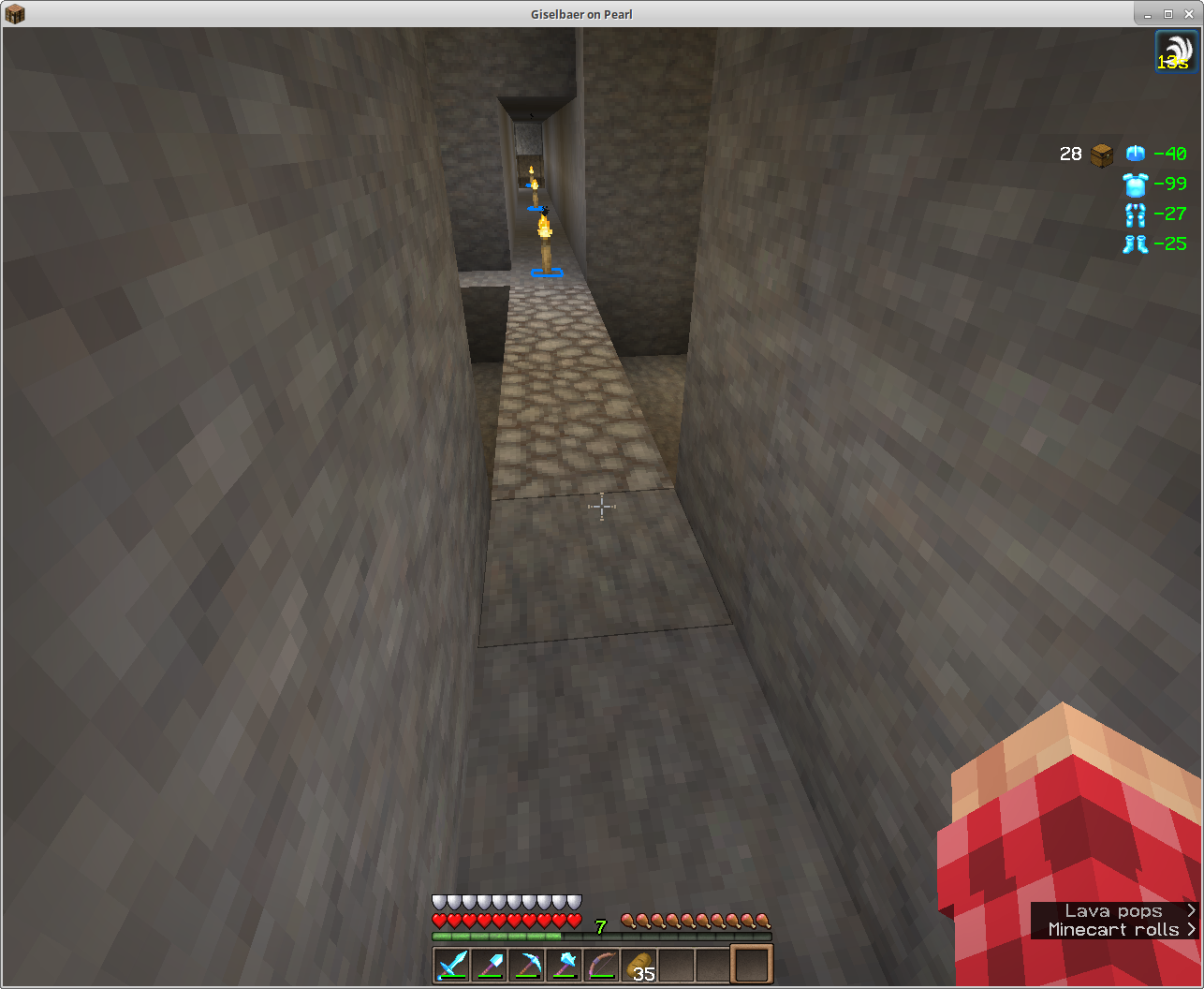 Grid showing a block pattern every 8th block to show where torches should be placed /grid blocks /grid 8 /grid here When you want to space out torches, or anything else, every X-th block, grid can highlight those blocks.
 -
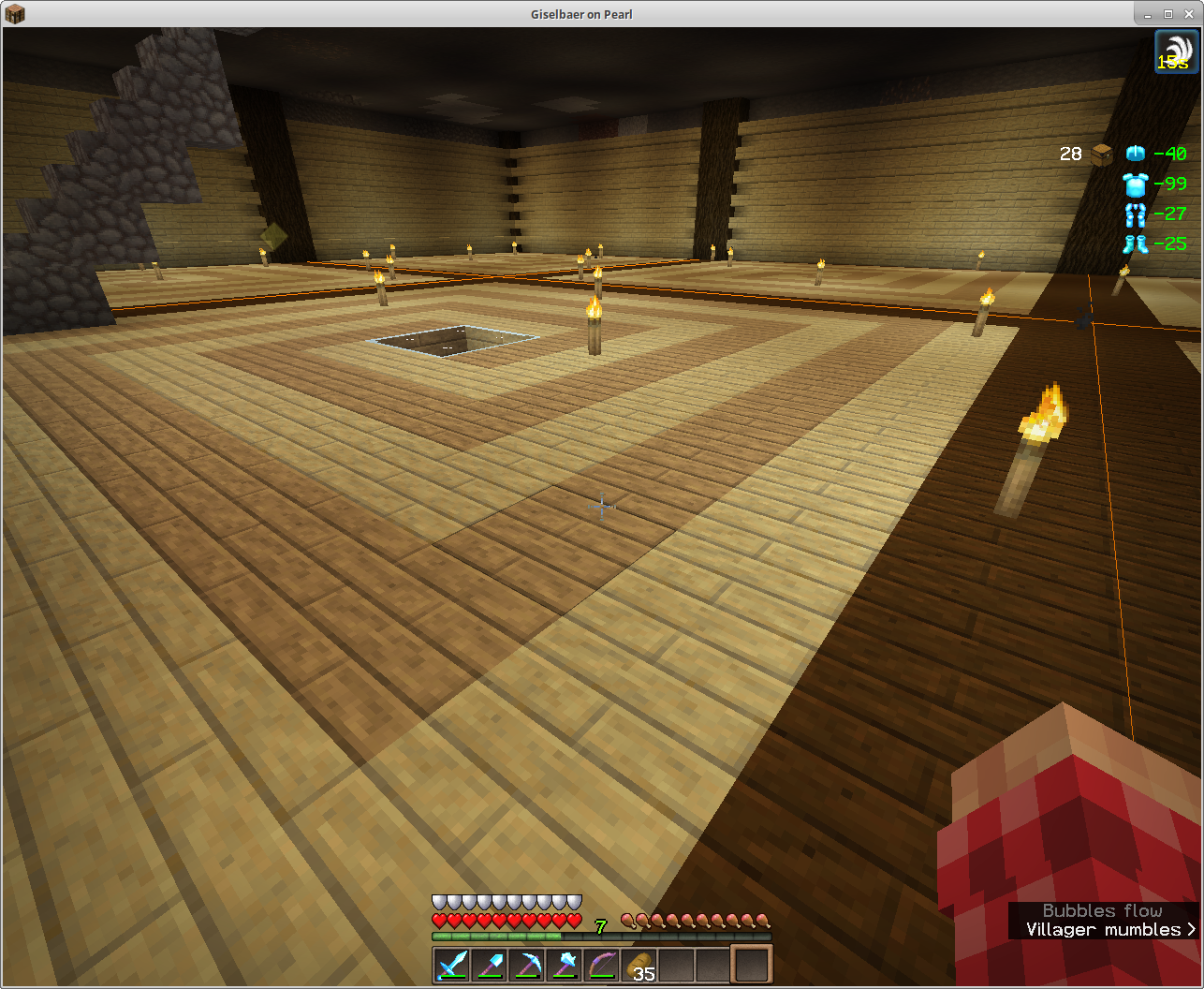 Grid showing chunk borders /grid lines /grid chunks will give you orange lines where chunk borders are.
-
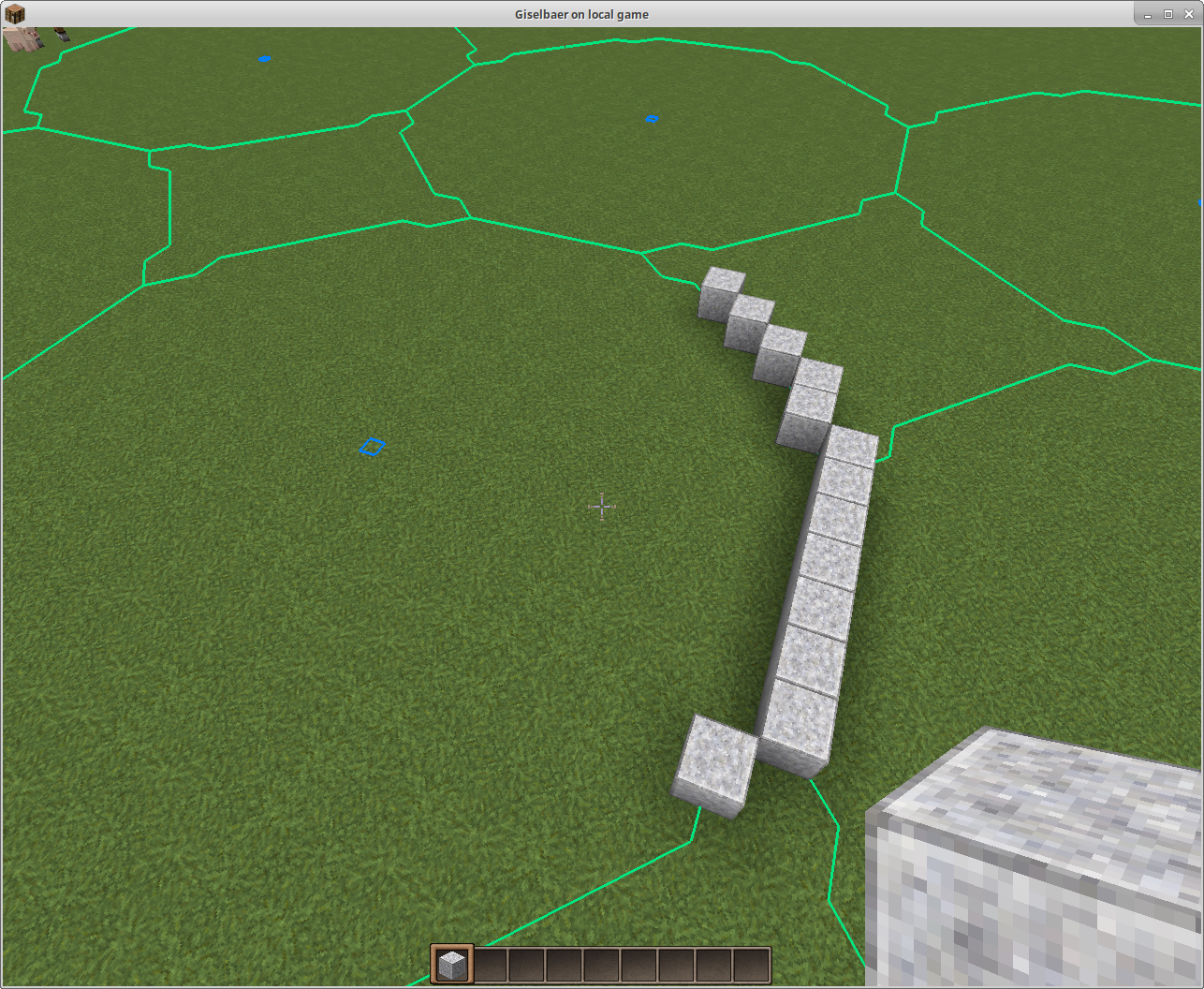 Grid showing circles to help building round structures, seen from above /grid 20 /grid circles /grid fixy (before flying up) In circles mode, grid shows which blocks are closest to a circle with a given radius.In this example, grid height is fixed to the ground, not floating with the player.
 -
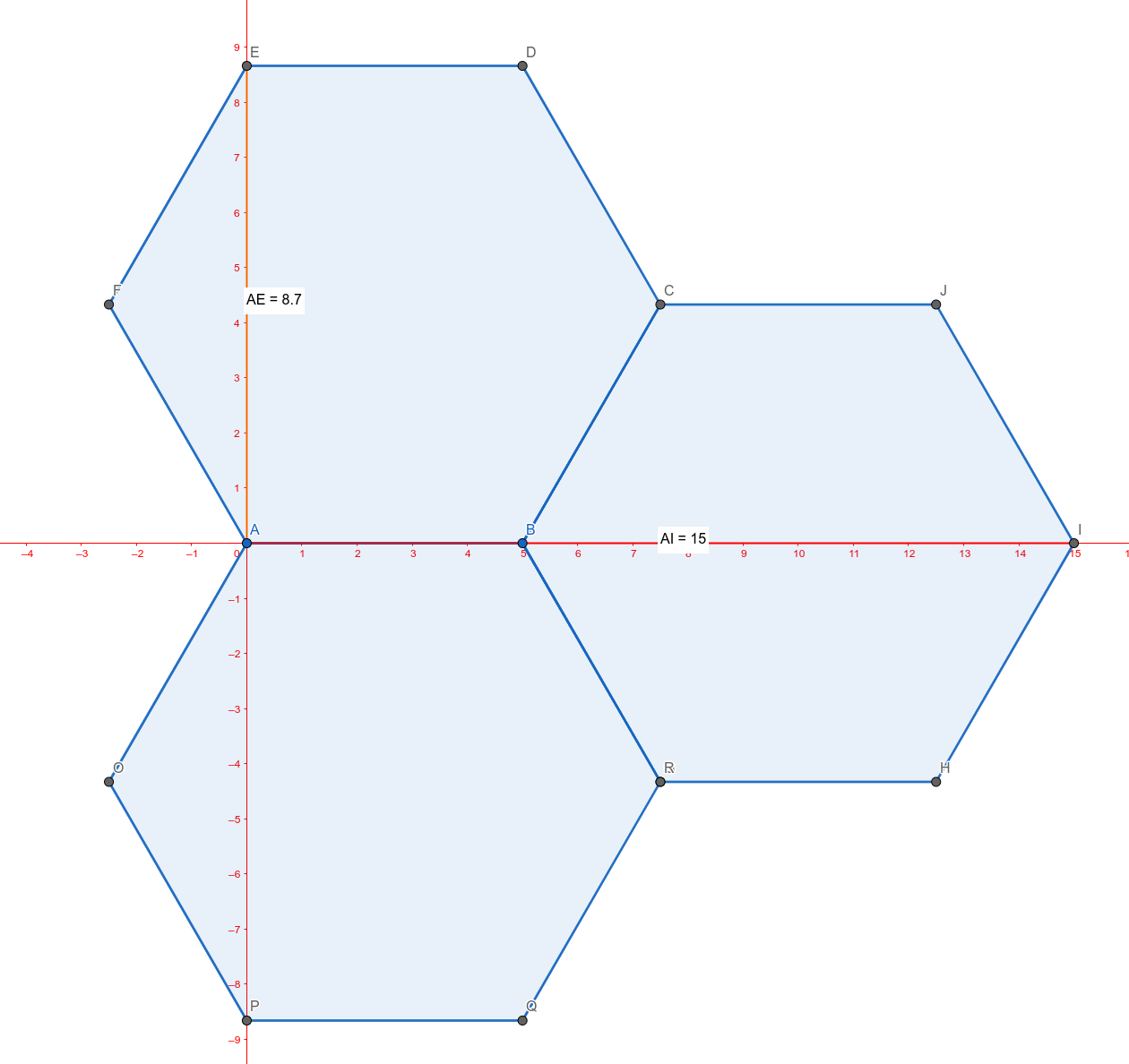 Example how hexes coords work With grid hex, the distance numbers are the blocks until the pattern repeats - this is not the "diameter" of the hex!. To create this, you'd need to use /grid 15 9, with the 9 being rounded up from 8.7.
 -
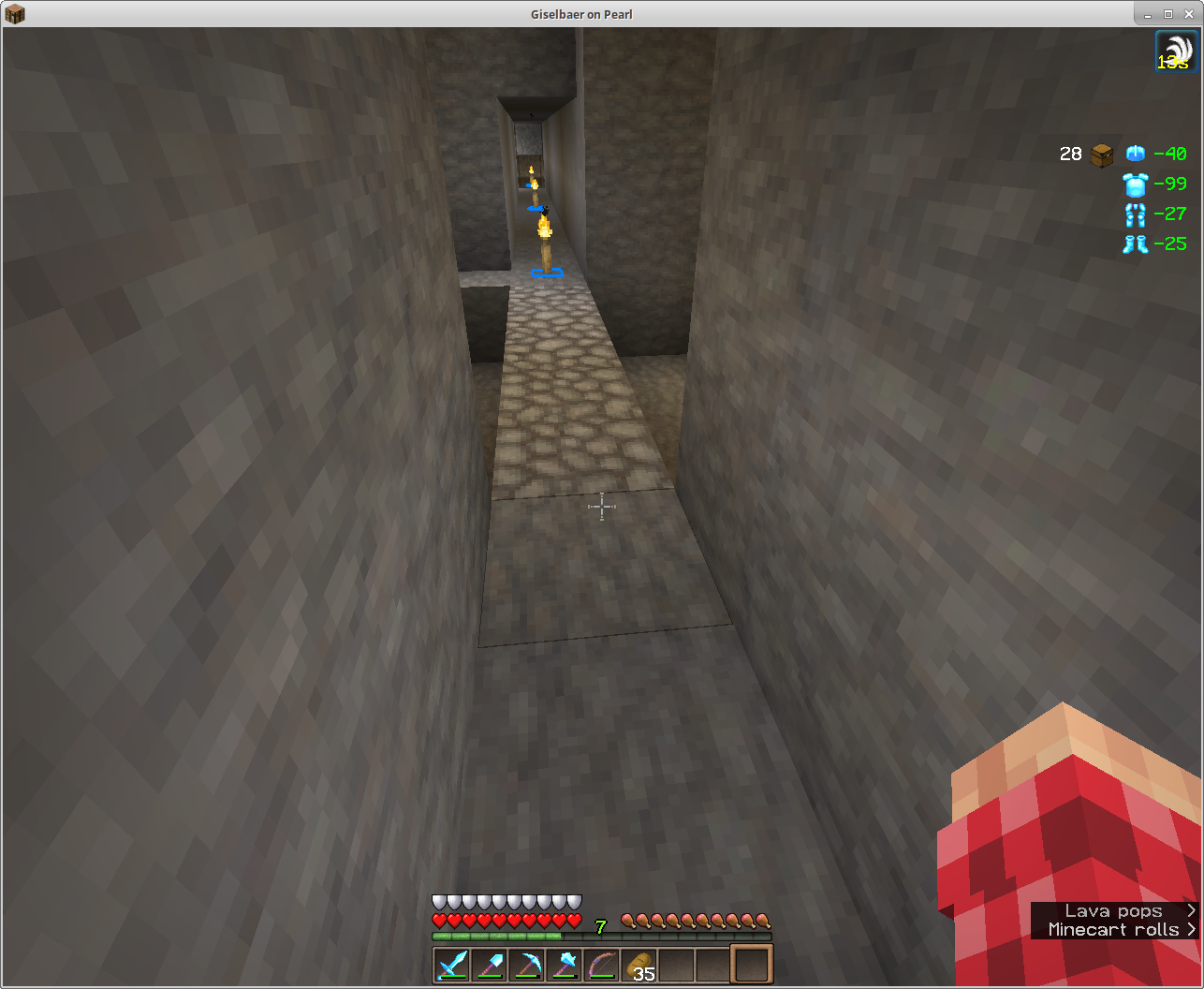 Grid showing a block pattern every 8th block to show where torches should be placed /grid blocks /grid 8 /grid here When you want to space out torches, or anything else, every X-th block, grid can highlight those blocks.
 -
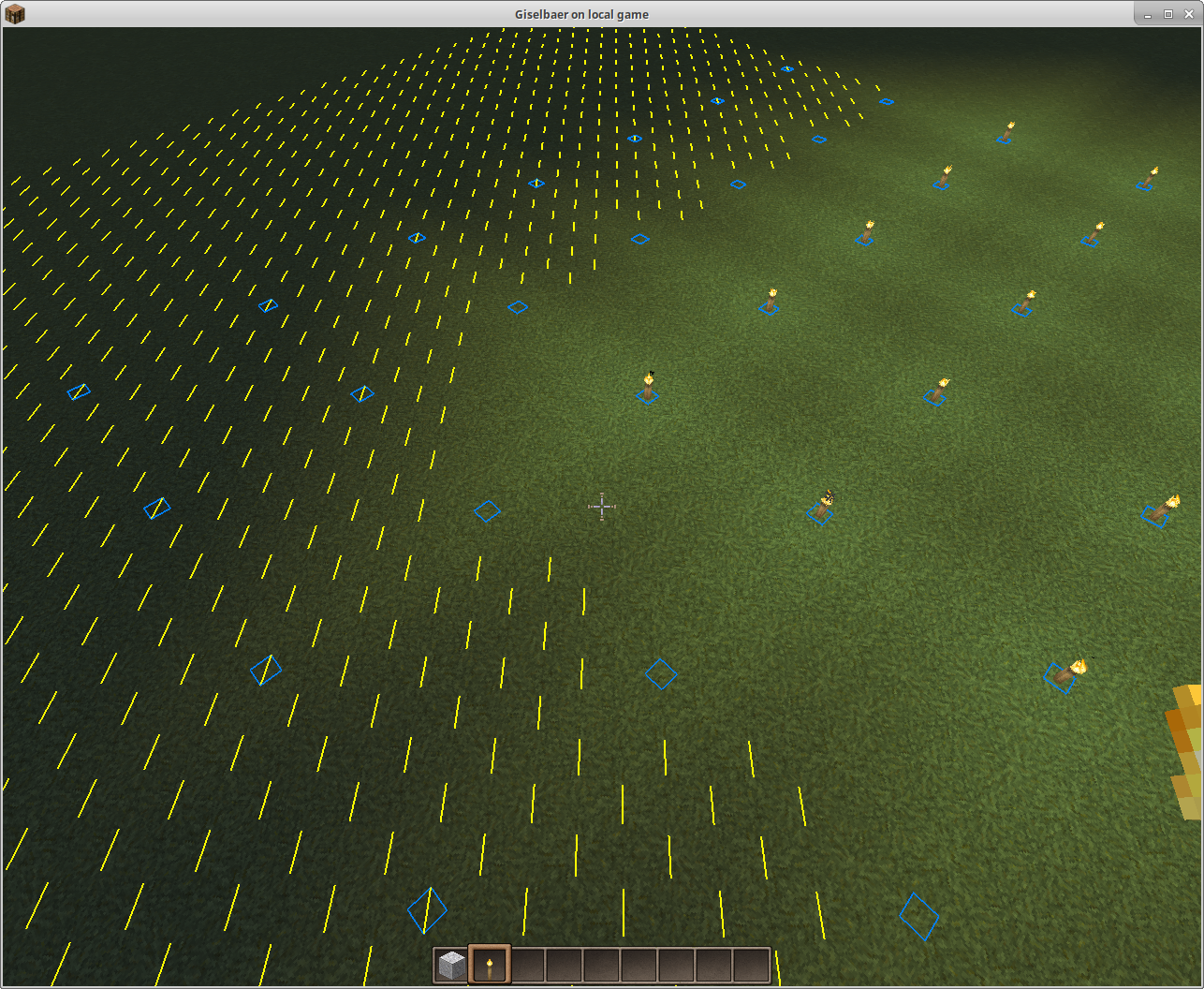 Torches every 5 blocks light up an area enough to prevent mob spawns /grid 5 /grid blocks /grid spawns Grid helps you to place torches in a regular 5x5 pattern to light up everything enough so mobs can't spawn.
 -
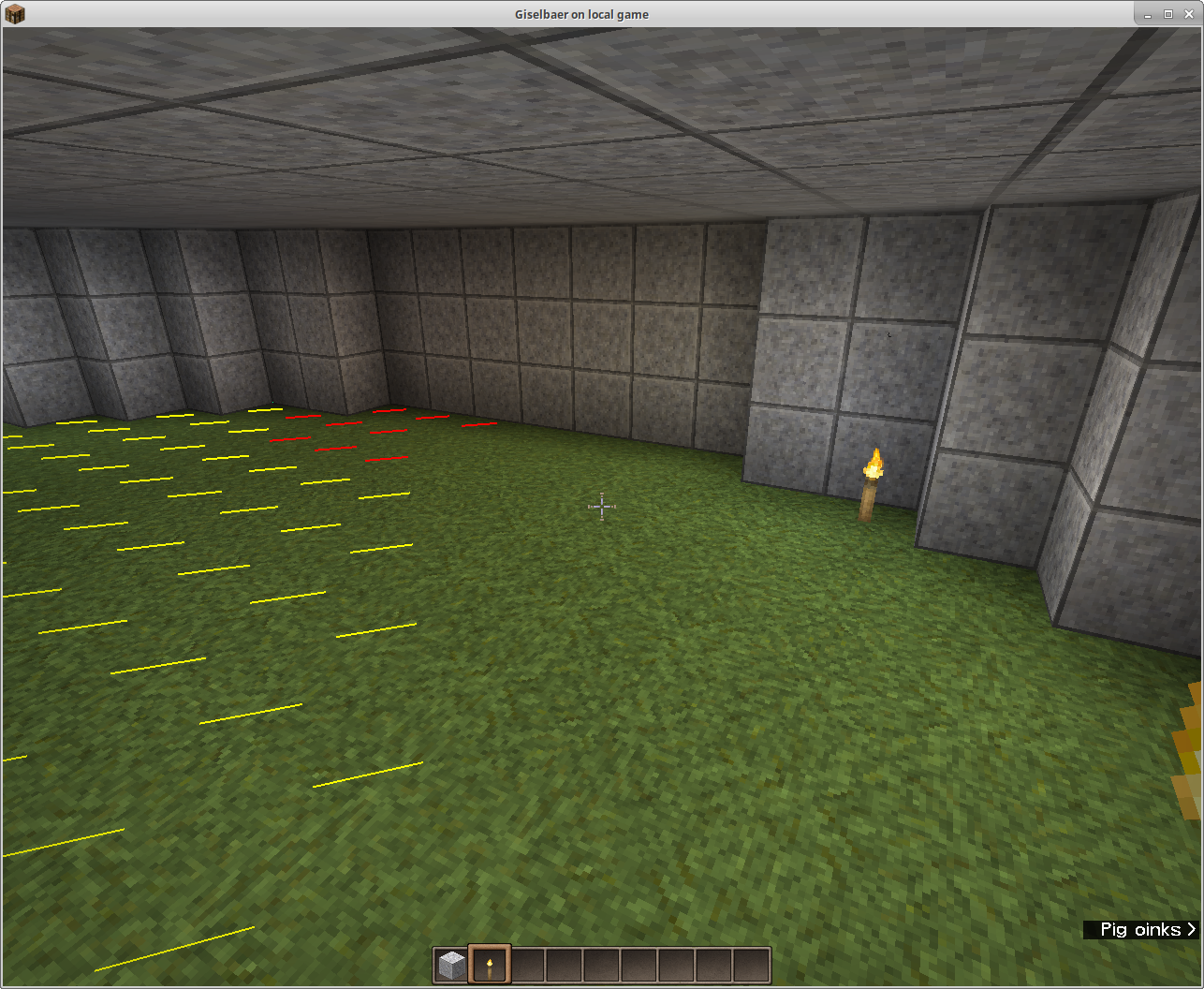 Grid showing possible mob spawn blocks /grid spawns This highlights blocks that are dark enough to allow mobs to spawn - red highlights mean mobs can spawn anytime, yellow is for blocks that are dark enough only at night.
 -
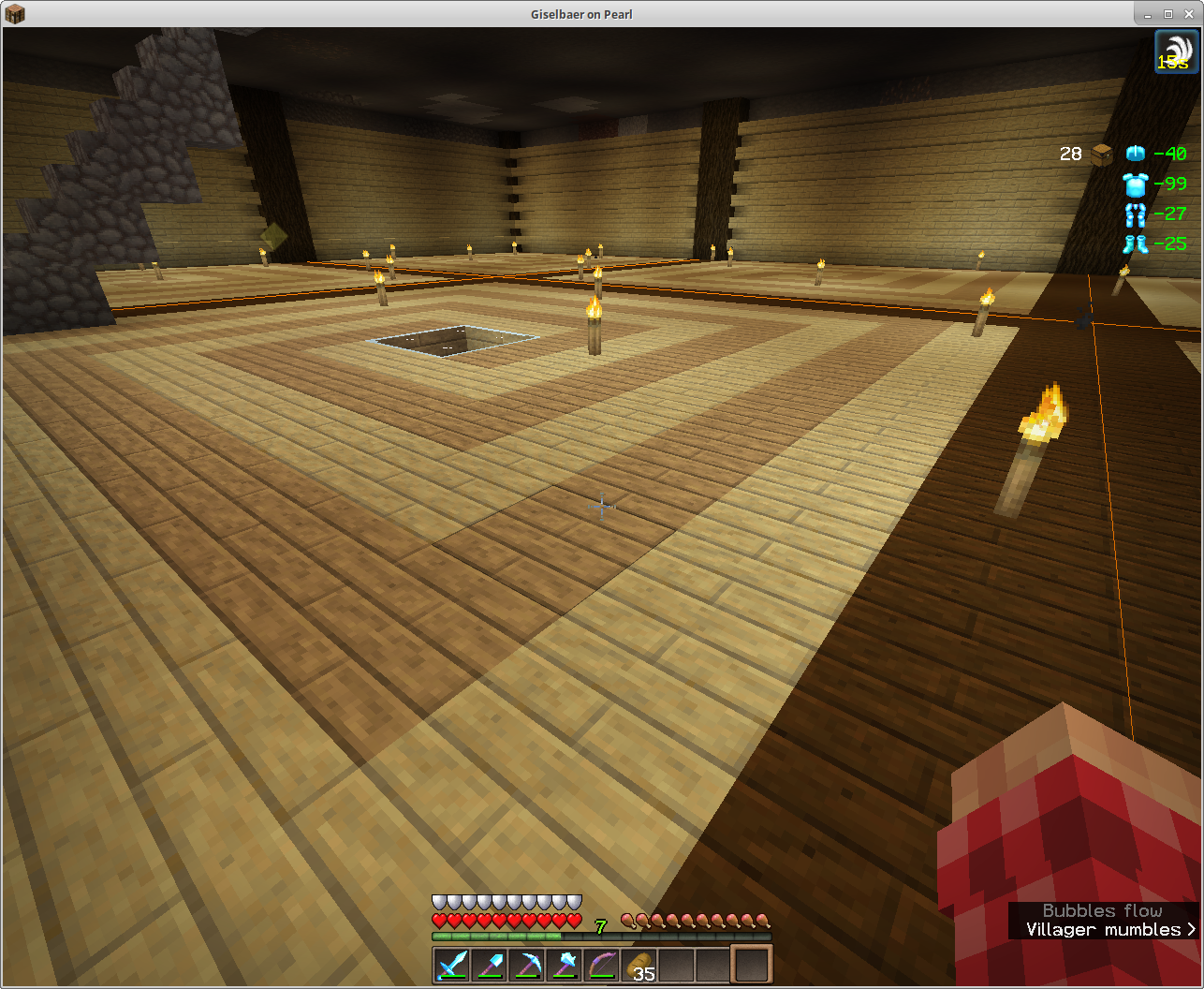 Grid showing chunk borders /grid lines /grid chunks will give you orange lines where chunk borders are.
 -
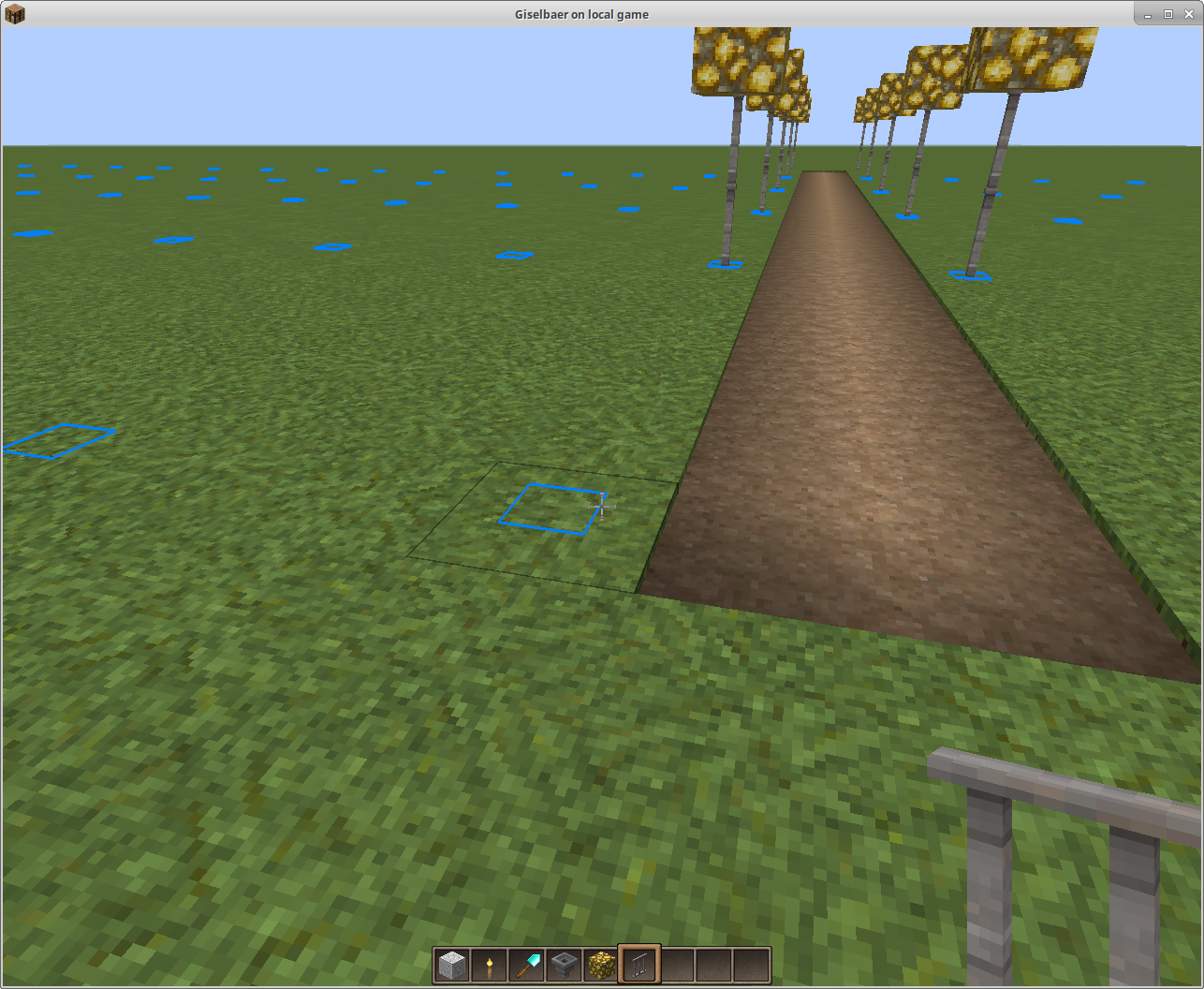 Building a road /grid blocks /grid 3 7 Different X and Z coordinates; grid shows where to place lampposts when building a road.
 -
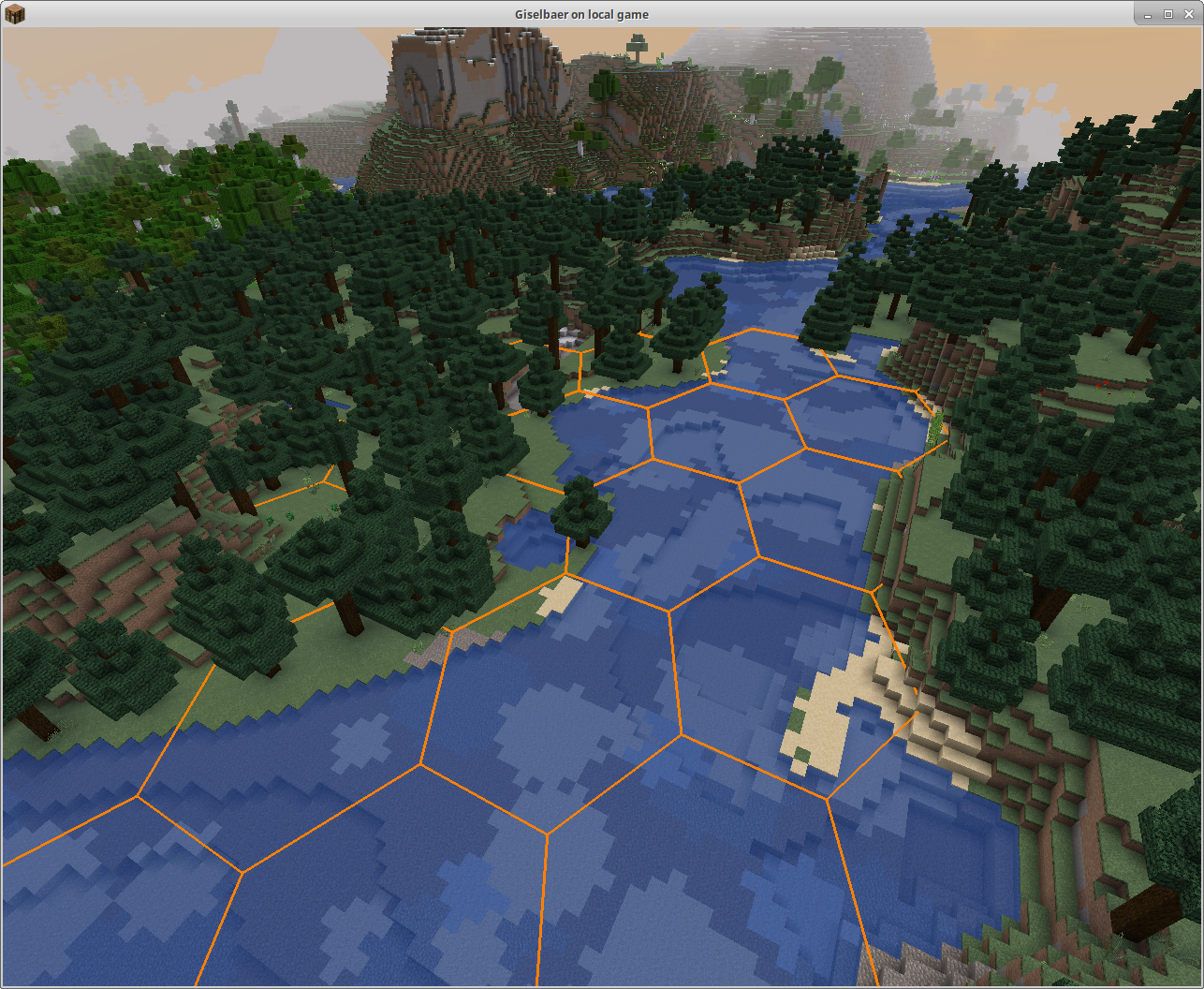 Hex overlay This is the new (since 1.6) Hex grid overlay. /grid hex, /grid lines.
Versions
Files
Relations
Project Relations
More like this
Similar Mods
Suggestions use data such as tags, dependencies, dependents, descriptions, titles, and more to rank how much they overlap with this mod.
On ModDex
Community snapshot
By the numbers
Statistics
 (opens in a new tab)
Get it on
Available Platforms
On ModDex
Community snapshot
By the numbers