
Community listing page, reviews may not be monitored by the author.
Grim Pipe Industries

No reviews yet
Clean, lag-free item, fluid, energy and chemical pipes you can stack on one side, with Input-end speed cards and filters.

Community voices
Reviews
No reviews yet. Be the first to review this project!
Get it on
Available Platforms
About
Project Details
For authors
Embed Badge
If you're the author of this project, you can embed a live badge anywhere that supports HTML or Markdown. It updates automatically whenever ratings change.
Use HTML for any page that supports it, or Markdown for README files and Markdown-based descriptions.
Identifiers
Platform IDs
Resources
External Links
About
Description







Items. Fluids. Energy. Chemicals. One clean pipe.
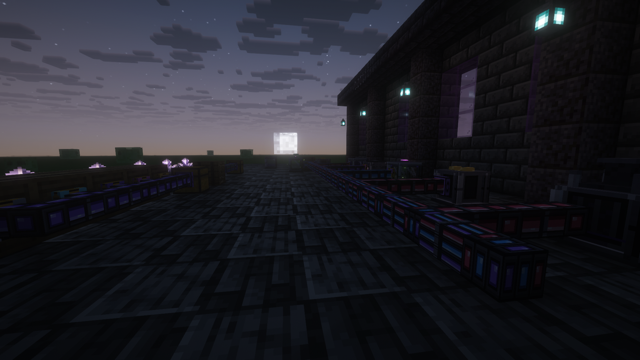
Grim Pipe Industries is a small pipe mod that stays out of your way. Its pipes share the slate casing of Grim Storage Industries, with a glowing core in each pipe's own color that stays bright at night. The glow flows smoothly along each pipe, and the Omni pipe's RGB rainbow flows with it. Place a pipe, flip the end you want to pull from to Input with the Reaper Wrench, and you're done. Every pipe is the same clean size. You can stack several kinds into one block, so an item pipe, a fluid pipe and an energy pipe can all connect to the same side of one machine. Speed comes from cards you put only in the Input end, never in the pipes in between. Built to match Grim Soul Industries.
Reaper Item Pipe (purple)
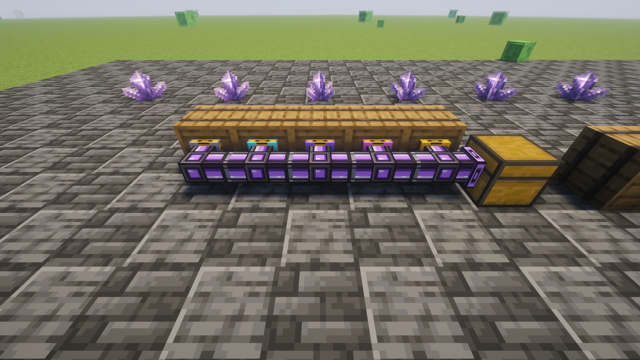
Moves items from any inventory: chests, machines, AE2, Refined Storage and more.
Reaper Fluid Pipe (blue)
Moves any fluid from any tank.
Reaper Energy Pipe (red)
Moves Forge Energy (FE) from any generator or battery.
Reaper Chemical Pipe (green)
Moves Mekanism gases, infuse types, pigments and slurries. Only needed with Mekanism.
Reaper Omni Pipe (RGB)
Moves all four on a single pipe.
Pipes store nothing, so nothing can get stuck, mixed or lost inside them. Items arrive instantly with no item entities to render, and outputs are served round-robin so every machine gets its share. Pipes that are moving something show a soft flowing glow.

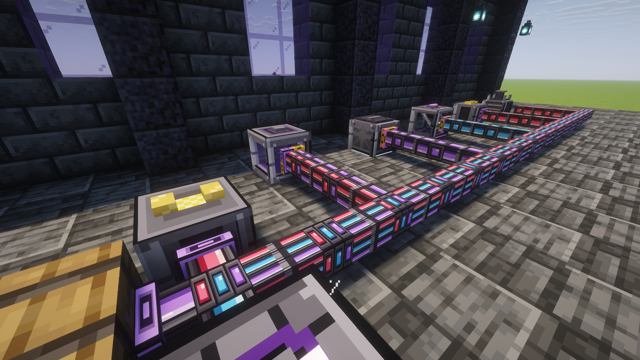
Right-click a placed pipe with a different pipe and both share that block, each as its own strand. A bundle can hold any mix of the five, and every strand connects to the same face of a chest or machine on its own. Pull drops out of a Virtualization Chamber and push power into it, both through one face.
- Every pipe uses the same casing size. Shared strands show as neat colored bands, always in the same order, so a bundle lines up perfectly with a single pipe.
- Each arm only shows the strands that actually go that way.
- Sneak-right-click the face of a chest that already has a pipe in front of it to add another strand there directly.
- Paint: right-click a pipe with any dye. Different colors never join, so lines can run side by side. Unpainted pipes join any color.

Reaper Wrench
- Click a pipe end: switch it between Output (purple plate) and Input (gold plate, pulls from the block).
- Sneak-click an end or click a link between pipes: disconnect that side.
- Click a pipe's core on a side with no arm: reconnect it.
- Sneak-click a core: take that one strand out of the block.
The wrench targets the exact band you click. Wrenches from other mods (tagged c:tools/wrench) work too.
Empty-hand right-click an Input end to open its screen:
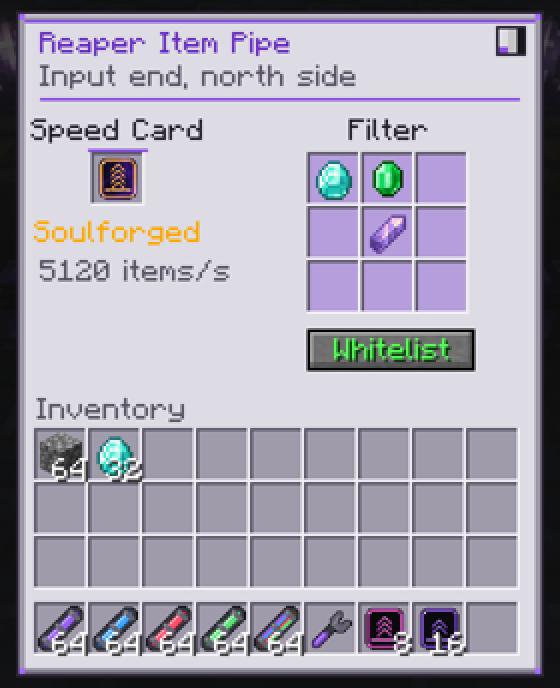
- Speed card slot: drop a card in or take it out, and see the exact speed that end runs at.
- 9-slot filter: click with an item to add it (your item isn't used up). Buckets filter fluids.
- Whitelist, Blacklist or Void (pull everything and delete what's in the filter).
- Redstone control: Always on, Needs signal or Stops with signal.
- Distribution: Round-robin, Nearest first or Random.
- Three styles: Reaper, Vanilla and Dark, switched from the corner button, the same as Grim Soul Industries.
Empty-hand right-click an Output end to set a priority (higher fills first, equal priorities share round-robin) a Whitelist / Blacklist filter, and a stock limit (keep at most this many of each item in that block), so one line can sort items and fluids into the right chests and keep machines topped up without flooding them.
Sneak-click a pipe with an empty hand to see every end of that block in one screen. Click an end there to open it, right-click to switch Input / Output.

- Exact match (book button on every filter): off ignores enchantments, damage and contents; on must match exactly.
- Reaper Tag Filter: put it in a filter slot and type rules:
#c:ingots,#c:ores/*,@mekanism,*_log. It shows what it matches as you type, and works for fluids too. - Reaper Imprint: sneak-click an end to copy its settings, then click other ends to paste them. Handy for big sorting walls.

- Soul Link: click one pipe, then another anywhere in the same dimension, and their networks become one with no pipes in between. Both ends must be loaded. Reusable.
- Facades: sneak-right-click a pipe with a full block to hide it inside. It keeps working; the wrench takes the block back.
- Reaper Field Guide: a 13-page in-game book that teaches the whole mod, including how to read pipes with Jade or WTHIT.
- Advancements: a Grim Pipe Industries tab with five everyday ones (First Connection, Hands On, Copy Cat, Picky Eater, Read the Manual) and five legendary ones (Full Spectrum, Soulforged, Wraithbound, Soul Tied, and the challenge Every Flow: hold all five pipe types at once).
- Jade and WTHIT tooltips show each pipe's real name (Item Pipe, Fluid Pipe and so on), its strands, paint and Soul Link, and the settings of the end you're looking at. JEI info pages cover every item.
- On servers, the screens show the server's speeds.
- Translated into Spanish, Brazilian Portuguese, French, German, Russian and Simplified Chinese.

Speed cards use the Grim Soul Industries tiers and colors. Only Input ends need one, so a single card on the end that pulls runs a whole line of plain pipes at full speed. The card's color shows on the end plate. With Grim Soul Industries installed, a Grim Soul speed card also crafts the Soulforged card.
Hollow → Whispering → Restless → Wraithbound → Soulforged
- Hollow (no card): 8 items/s, 100 mB/t fluid, 1,000 FE/t
- Whispering: 32 items/s, 400 mB/t, 8,000 FE/t
- Restless: 128 items/s, 1,600 mB/t, 64,000 FE/t
- Wraithbound: 640 items/s, 6,400 mB/t, 512,000 FE/t
- Soulforged: 5,120 items/s, 25,600 mB/t, 4,096,000 FE/t
Every number is configurable in config/grimpipes-common.toml.

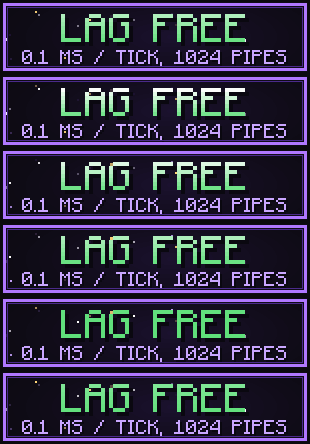
- Pipe blocks never tick. One manager per world runs whole networks; the work grows with pipe ends, not pipe blocks.
- Networks are built once and cached, and a change only rebuilds what it touches.
- Idle ends back off automatically and wake the moment you change their card or filter.
- Baked into the chunk mesh like normal blocks: no per-frame cost, no entities, no flying items. Never loads chunks.
- Measured on a real server: one network of 1,024 pipes with 32 ends costs about 0.1 ms per tick.

- Minecraft 1.21.1, NeoForge 21.1.0+
- Optional: Mekanism 10.7+ for the Chemical Pipe. Like Mekanism's own tubes, set the machine's side configuration to Output on the side you pull from.
- Optional: Jade or WTHIT, JEI, Grim Soul Industries.
- Needed on both client and server.
Works with anything that uses the standard NeoForge item, fluid and energy capabilities. Checked on a real server with Create, AE2, Refined Storage, Mekanism, Powah, Industrial Foregoing, EnderIO and Grim Soul Industries loaded together: items, fluids, energy and Liquid Experience go into and out of their storage and machines. A scripted play session on the same server builds a full sorting wall through real clicks and screens and checks every item lands where it should.
Yes, you can use it in your modpack on CurseForge or Modrinth. A credit link back here is appreciated.
Grim Pipe Industries was made for, and first shipped in, the Nine Craft modpack, alongside Grim Soul Industries. 💜
Found a bug or have an idea? Open an issue on GitHub.
© 2026 xTri6. All Rights Reserved. You're free to play it, record it, stream it and put it in modpacks. Please don't re-upload the jar or reuse the code or art elsewhere. Full terms are on the License page.
Not affiliated with Mojang Studios or Microsoft.
Screenshots
Gallery
Versions
Files
Relations
Project Relations
More like this
Similar Mods
Suggestions use data such as tags, dependencies, dependents, descriptions, titles, and more to rank how much they overlap with this mod.
On ModDex
Community snapshot
By the numbers
Statistics

Get it on
Available Platforms
On ModDex
Community snapshot
By the numbers
Statistics
Resources