Community listing page, reviews here may not be monitored by the author.
Gromel’s Utils

No reviews yet
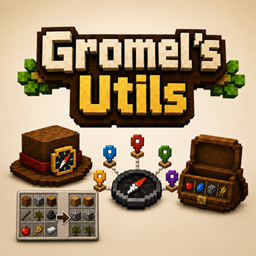
Utils mod for compass HUD, inventory sorting and better bundle handling.
Community voices
Reviews
No reviews yet. Be the first to review this project!
Get it on
Available Platforms
About
Project Details
For authors
Embed Badge
If you're the author of this project, you can embed a live badge anywhere that supports HTML or Markdown. It updates automatically whenever ratings change.
Use HTML for any page that supports it, or Markdown for README files and Markdown-based descriptions.
Identifiers
Platform IDs
Resources
External Links
About
Description
Gromel’s Utils
A lightweight client-side Fabric utility mod with a compass HUD, private local waypoints, safe inventory sorting, and a better Bundle interface.
Utils Mod adds practical quality-of-life tools to Minecraft without requiring a server-side mod or plugin. Install it on your own Fabric client alongside Fabric API; you can use it in singleplayer and on vanilla-compatible multiplayer servers.
What this mod adds
Compass HUD
A clean compass strip appears at the top-centre of the screen and scrolls smoothly as you turn. It shows cardinal and intercardinal directions, degree markings, heading ticks, and vanilla server-provided locator dots for nearby players or tracked waypoints.
Private local waypoints
Create named places such as a base, portal, farm, or mining entrance and see them as green markers on the compass.
- Waypoints are stored only on your client.
- They are separated per multiplayer server and per singleplayer save.
- They are separated by dimension, so an Overworld marker is not incorrectly shown in the Nether.
- Hide individual markers or turn all local markers off without deleting them.
- Give every waypoint its own custom RGB colour.
- Local markers use an outlined map-pin diamond, distinct from vanilla locator icons.
- The compass selects the nearest visible markers to keep the HUD readable.
Commands:
/compasshud waypoint add <name>              # save your current block position
/compasshud waypoint addcolor <RRGGBB|preset> <name>
/compasshud waypoint addat <x> <y> <z> <name>
/compasshud waypoint list
/compasshud waypoint remove <name>
/compasshud waypoint show <name>
/compasshud waypoint hide <name>
/compasshud waypoint color <name> <RRGGBB>
/compasshud waypoint rename <old-name> <new-name>

/compasshud setting hud <on|off>
/compasshud setting local <on|off>
/compasshud setting vanilla <on|off>
Waypoint names may contain spaces. Create a coloured waypoint directly with
/compasshud waypoint addcolor red Base; repeating it for an existing name updates only that marker's
colour, not its position. Set an existing marker colour with six RGB hex digits, for
example /compasshud waypoint color Base FF8800, or choose one of ten suggested presets: red, orange,
yellow, lime, green, cyan, blue, purple, pink, and white. While completing the colour
argument, each preset has a coloured swatch and hex-value tooltip. Put a waypoint name containing
spaces in quotes, for example:
/compasshud waypoint rename "Old Base" New BaseSafe inventory sorting
Press the rebindable Sort Inventory key (default: R) while a chest or double chest is open to
sort and consolidate that chest's own storage grid.
Your own player inventory and hotbar are never sorted, even while a chest is open — only the chest's slots are touched. The player inventory screen on its own, the custom Bundle view, hoppers, dispensers/droppers, shulker boxes, and every other menu (crafting, furnaces, trading, anvils, enchanting, creative inventory, …) are intentionally left alone.
Improved Bundle UI
Open the player inventory and Shift + Right Click a Bundle in your inventory or hotbar to open a chest-like view of its contents. Browse large Bundles with the mouse wheel, extract items normally or with Shift-click, and insert items using vanilla Bundle rules.
How a client-side mod works
Minecraft servers remain authoritative over inventories and gameplay. This mod adds client-side HUD rendering, local settings, commands, and screens, but it does not need to be installed by the server or by other players.
Local waypoints never leave your client. Inventory sorting and Bundle actions use the same normal vanilla inventory interactions that a player would use manually, then verify that the server's synchronized state still matches expectations. If a screen changes or the server rejects/corrects an action, the operation stops instead of forcing further clicks.
This design means the mod works in singleplayer and is generally compatible with vanilla-compatible multiplayer servers. As with any client-side inventory convenience feature, individual server rules or anti-cheat systems may restrict unusual automated interaction timing.
Configuration
Settings and local waypoint data are stored in:
config/compass-hud.jsonThe file includes toggles for the compass HUD, vanilla locator dots, local waypoints, inventory sorting, Bundle UI behaviour, and the maximum number of local waypoint dots shown at once.
Requirements
- Minecraft 26.2
- Fabric Loader 0.19.3 or newer
- Fabric API
- A Java 25-compatible Minecraft runtime
Install Utils Mod and Fabric API in the mods folder of your Fabric instance. No server installation,
plugin, operator permission, or data pack is required.
Not included
This version intentionally does not add death markers, teleport commands, server-synchronised/shared waypoints, a minimap, routes, or automatic Nether/Overworld coordinate conversion.
Feedback and source
Please report issues or feature ideas on the project repository: https://github.com/jsevenheck/utils-mod
Screenshots
Gallery
Versions
Files
Relations
Project Relations
More like this
Similar Mods
Suggestions use data such as tags, dependencies, dependents, descriptions, titles, and more to rank how much they overlap with this mod.
On ModDex
Community snapshot
By the numbers
Statistics
Want to reach Minecraft players?
We're looking for a server hosting partner to feature here and other parts of the site. Interested? Send us a message!
Get in touchGet it on
Available Platforms
On ModDex
Community snapshot
By the numbers
Statistics
Resources