Community listing page, reviews may not be monitored by the author.
GT Computer Facade

No reviews yet
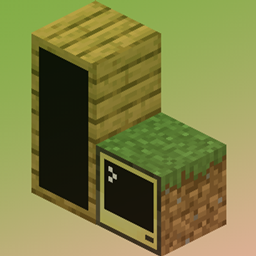
GT Computer Facade adds craftable, cosmetic covers for CC:Tweaked Computers and monitors

Community voices
Reviews
No reviews yet. Be the first to review this project!
Get it on
Available Platforms
About
Project Details
For authors
Embed Badge
If you're the author of this project, you can embed a live badge anywhere that supports HTML or Markdown. It updates automatically whenever ratings change.
Use HTML for any page that supports it, or Markdown for README files and Markdown-based descriptions.
Identifiers
Platform IDs
Resources
External Links
About
Description
English
💻Computer Facade
Customize the appearance of Computers, Advanced Computers, Monitors, and Advanced Monitors using textures from supported opaque full blocks.
✨ Features
- Apply different materials to individual faces, or cover all six faces of one block with a whole-block facade.
- Choose Visible to keep the screen exposed while covering its frame, or Hidden to cover the screen as well.
- Craft a Visible Facade Core from a ComputerCraft's Floppy Disk and paper. Craft a core by itself to switch between Visible and Hidden.
- Combine a core with a material block to create a per-face facade. Add paper to create a whole-block facade. Craft a finished facade by itself to toggle screen visibility while preserving its material and coverage mode.
- Right-click with a facade to apply it, or use the Facade Wrench to remove it. Survival players recover replaced or removed facades, and attached facades drop when the host block is normally broken. Remove a whole-block facade before changing its faces.
Facades change appearance while retaining the original CC:Tweaked block, computer ID, Lua files, and functionality. Facade data is saved with the block entity and synchronized from the server.
Materials use their default block state and must pass the opaque full-block checks. Glass, leaves, stairs, slabs, and some blocks with block entities are excluded. Material properties such as light emission and hardness are not copied.
Requires NeoForge and CC:Tweaked on both the client and server. The current development configuration uses NeoForge 21.1.265 and CC:Tweaked 1.120.2.
Installation
Simply place the downloaded .jar file into your mods folder
Planned Features (In Development)
- I'm thinking it over.
Please note: I am Japanese, so I apologize if any of the English in this description is not perfectly natural.
日本語
💻Computer Facade
対応する不透明なフルブロックのテクスチャを使い、Computer、Advanced Computer、Monitor、Advanced Monitorの外観を変更します。
✨ 主な機能
- 面ごとに異なる素材を装着するか、全体型Facadeで1ブロックの6面をまとめて覆えます。
- Visibleは画面を表示したまま枠を覆い、Hiddenは画面も覆います。
- ComputerCraftのFloppy Diskと紙からVisibleのFacade Coreを作成できます。Coreを単体でクラフトすると、VisibleとHiddenを相互に切り替えられます。
- Coreと素材ブロックを組み合わせると面別型Facadeになり、紙を追加すると全体型になります。完成したFacadeも単体クラフトで、素材と面別/全体の設定を維持したまま画面表示を切り替えられます。
- Facadeを持って右クリックすると装着でき、Facadeレンチで取り外せます。サバイバルでは交換・取り外し時に元のFacadeが返却され、対象ブロックを通常の方法で破壊した場合も装着済みFacadeがドロップします。全体型の各面を変更するには、先に全体型を取り外してください。
元のCC:Tweakedのブロック、コンピューターID、Luaファイル、機能を維持したまま外観を変更します。Facadeのデータはブロックエンティティに保存され、サーバーから同期されます。
素材にはブロックの既定状態を使用し、不透明なフルブロックの条件を満たす必要があります。ガラス、葉、階段、ハーフブロック、一部のブロックエンティティを持つブロックは対象外です。素材の発光や硬さなどの性質はコピーしません。
導入方法
ダウンロードした .jar を mods フォルダに入れるだけで動作
今後の予定(開発中)
- 考え中。。。
Screenshots
Gallery
Versions
Files
Relations
Project Relations
More like this
Similar Mods
Suggestions use data such as tags, dependencies, dependents, descriptions, titles, and more to rank how much they overlap with this mod.
On ModDex
Community snapshot
By the numbers
Statistics

Get it on
Available Platforms
On ModDex
Community snapshot
By the numbers
Statistics
Resources