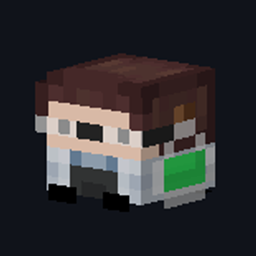
Community listing page, reviews here may not be monitored by the author.
Head Lab


No reviews yet
An in-game pixel editor and generator for custom player heads - paint it, preview it in 3D, get it in your inventory.
Community voices
Reviews
No reviews yet. Be the first to review this project!
Get it on
Available Platforms
Compatibility
Supported Environments
Required on the client. Installing it on the server adds functionality.
About
Project Details
For authors
Embed Badge
If you're the author of this project, you can embed a live badge anywhere that supports HTML or Markdown. It updates automatically whenever ratings change.
Use HTML for any page that supports it, or Markdown for README files and Markdown-based descriptions.
Identifiers
Platform IDs
Resources
External Links
About
Description
# Head Lab
**Design, preview and grab custom player heads — entirely in-game. No websites, no `/give` commands to copy, no permissions.**
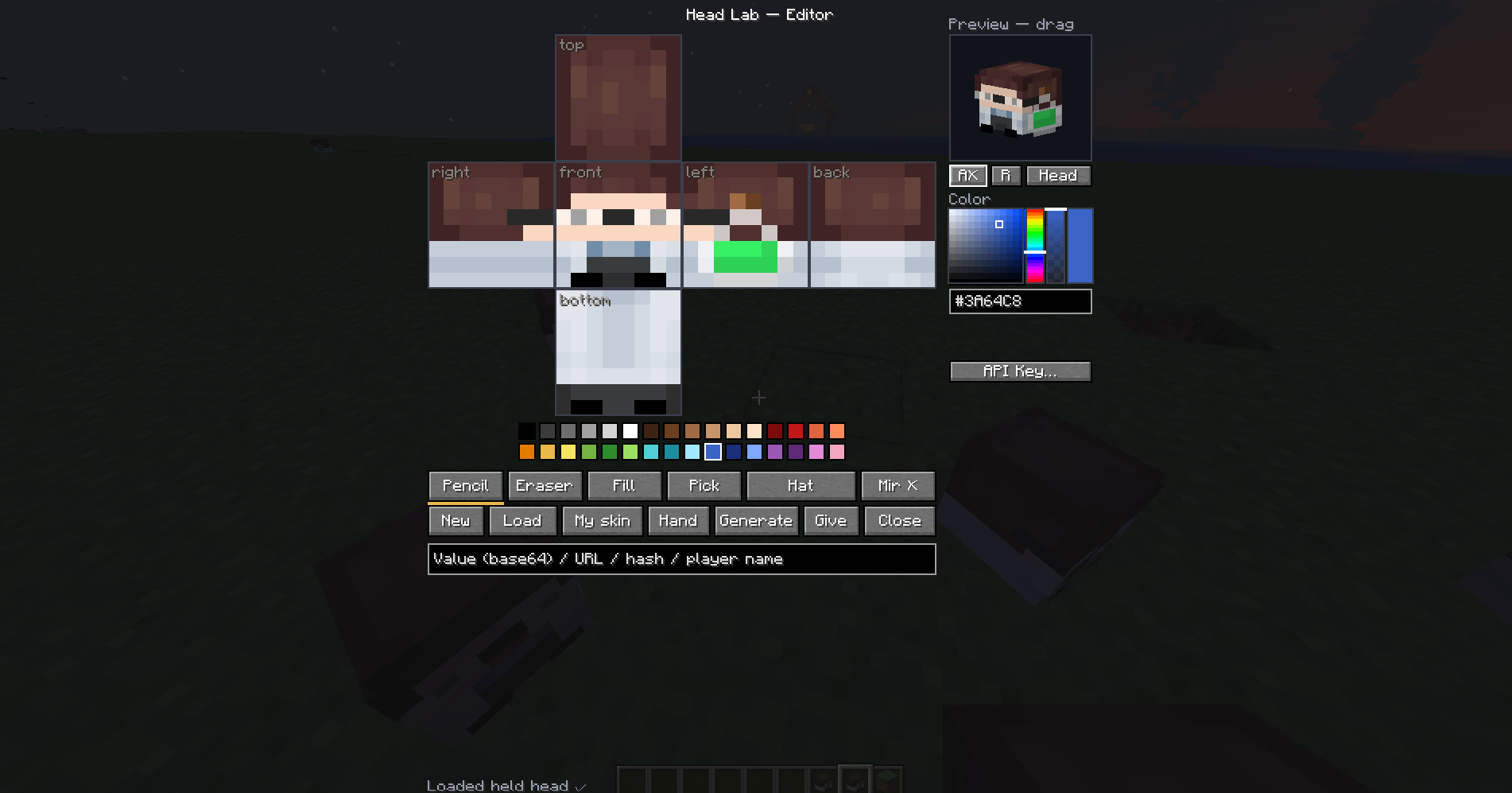
Head Lab is a **client-side** custom player head editor and generator for Fabric. Press **K** (rebindable) or run `/headlab-editor` to open a pixel editor, paint a custom head, watch it live in 3D, and get the finished player head straight into your inventory — in singleplayer or on any server. It's an in-game replacement for online head generators and skin-to-head websites.
## Features
- **Pixel editor** — paint all 6 faces on an unfolded net, with base + hat layers. Pencil, eraser, fill (flood fill within a face) and color picker. Undo/redo, mirror mode, and tool hotkeys.
- **Live 3D preview** — rotate, auto-rotate, and switch between a head or full-body view.
- **Full color control** — 32-color palette, HSV picker, alpha bar for shading, hex input, and recent colors.
- **Skin import** — load any player's skin as a head by nickname (pulled from the server, with autocomplete), or one-click your own skin.
- **No permissions needed** — in creative the head is delivered via the vanilla creative packet, so it works on any server without OP, plugins or commands.
- **Load existing heads** — open the editor while holding a head to edit it, or paste a Value / URL / hash.
## How to use
1. Press **K** (or run `/headlab-editor`) to open. Holding a head loads it automatically.
2. Start from **New**, **My skin**, a player's skin (**Load**), or the head in your **Hand**.
3. Paint on the unfolded net — pick a tool (`B` / `E` / `G` / `I`) and a color, switch base/hat with `Tab`, mirror with `M`, undo with `Ctrl+Z`.
4. Check the live 3D preview — drag to rotate or switch to the full-body view.
5. Press **Generate** — in creative the head drops straight into your inventory.
> ℹ️ Generating uploads your drawing to [MineSkin](https://mineskin.org/) for a Mojang-signed texture (required so vanilla renders custom skins). An optional API key gives faster limits — set it with the **API Key…** button or in `config/headlab.properties`.
## Commands
There's also an optional server-side command (requires permission level 2 — OP or creative on a server):
/headlab give <Value | URL | hash>
/headlab givemany <1–64> <Value | URL | hash>
`<input>` accepts exactly what the editor does:
- **Value** (base64) — e.g. `eyJ0ZXh0dXJlcyI6ey...`
- **texture URL** — e.g. `http://textures.minecraft.net/texture/abc123…`
- **hash** — e.g. `abc123…`
## FAQ
**Does the server need the mod?** No — everything except the optional `/headlab give` command is client-side.
**Do I need OP / permissions?** No. Creative delivery uses the vanilla inventory packet.
**Why does Generate need internet?** Head textures must be signed by Mojang; MineSkin does that.
**Which versions?** Minecraft **1.20.2 – 1.20.4** with Fabric Loader ≥ 0.16 and Fabric API.
## Requirements
- Fabric Loader ≥ 0.16
- [Fabric API](https://modrinth.com/mod/fabric-api)
Head Lab – Custom Player Head Editor & Generator
Design, preview and grab custom player heads — entirely in-game. No websites, no commands, no permissions.
Head Lab is a client-side custom player head editor and generator for Fabric. Press K (rebindable) or run /headlab-editor to open a pixel editor, paint a custom head, watch it live in 3D, and get the finished player head straight into your inventory — in singleplayer or on any server. It's an in-game replacement for online head generators and skin-to-head websites.
Features
- Pixel editor — paint all 6 faces on an unfolded net, base + hat layers, with pencil, eraser, fill and color picker. Undo/redo, mirror mode, and tool hotkeys.
- Live 3D preview — rotate, auto-rotate, and a head or full-body view.
- Full color control — 32-color palette, HSV picker, alpha bar for shading, hex input, and recent colors.
- Skin import — load any player's skin as a head by nickname (from the server itself, with autocomplete), or one-click your own skin.
- No permissions needed — in creative the head is delivered via the vanilla creative packet, so it works on any server without OP, plugins or commands.
- Load existing heads — open the editor holding a head to edit it, or paste a Value / URL / hash.
How to use
- Press K (or
/headlab-editor) to open. Holding a head loads it automatically. - Start from New, My skin, a player's skin (Load), or the head in your Hand.
- Paint on the unfolded net — pick a tool (
B/E/G/I) and a color, switch base/hat withTab, mirror withM, undo withCtrl+Z. - Check the live 3D preview — drag to rotate or switch to full-body view.
- Press Generate — in creative the head drops straight into your inventory.
Generating uploads your drawing to MineSkin for a Mojang-signed texture. An optional API key gives faster limits — set it with the API Key… button or in
config/headlab.properties.
FAQ
Does the server need the mod? No — everything except the optional /headlab give command is client-side.
Do I need OP/permissions? No. Creative delivery uses the vanilla inventory packet.
Why does Generate need internet? Head textures must be signed by Mojang; MineSkin does that.
Which versions? Minecraft 1.20.2 – 1.20.4 with Fabric Loader ≥ 0.16 and Fabric API.
Screenshots
Gallery
Versions
Files
Relations
Project Relations
More like this
Similar Mods
Suggestions use data such as tags, dependencies, dependents, descriptions, titles, and more to rank how much they overlap with this mod.
On ModDex
Community snapshot
By the numbers
Statistics
Want to reach Minecraft players?
We're looking for a server hosting partner to feature here and other parts of the site. Interested? Send us a message!
Get in touchGet it on
Available Platforms
On ModDex
Community snapshot
By the numbers
Statistics
Resources