
Community listing page, reviews here may not be monitored by the author.
Health Indicators


No reviews yet
Simple damage indicator mod that shows a floating health bar (or number) above Players and Mobs.
Community voices
Reviews
No reviews yet. Be the first to review this project!
Get it on
Available Platforms
Compatibility
Supported Environments
Runs entirely on the client. Works on vanilla servers.
About
Project Details
For authors
Embed Badge
If you're the author of this project, you can embed a live badge anywhere that supports HTML or Markdown. It updates automatically whenever ratings change.
Use HTML for any page that supports it, or Markdown for README files and Markdown-based descriptions.
Identifiers
Platform IDs
About
Description
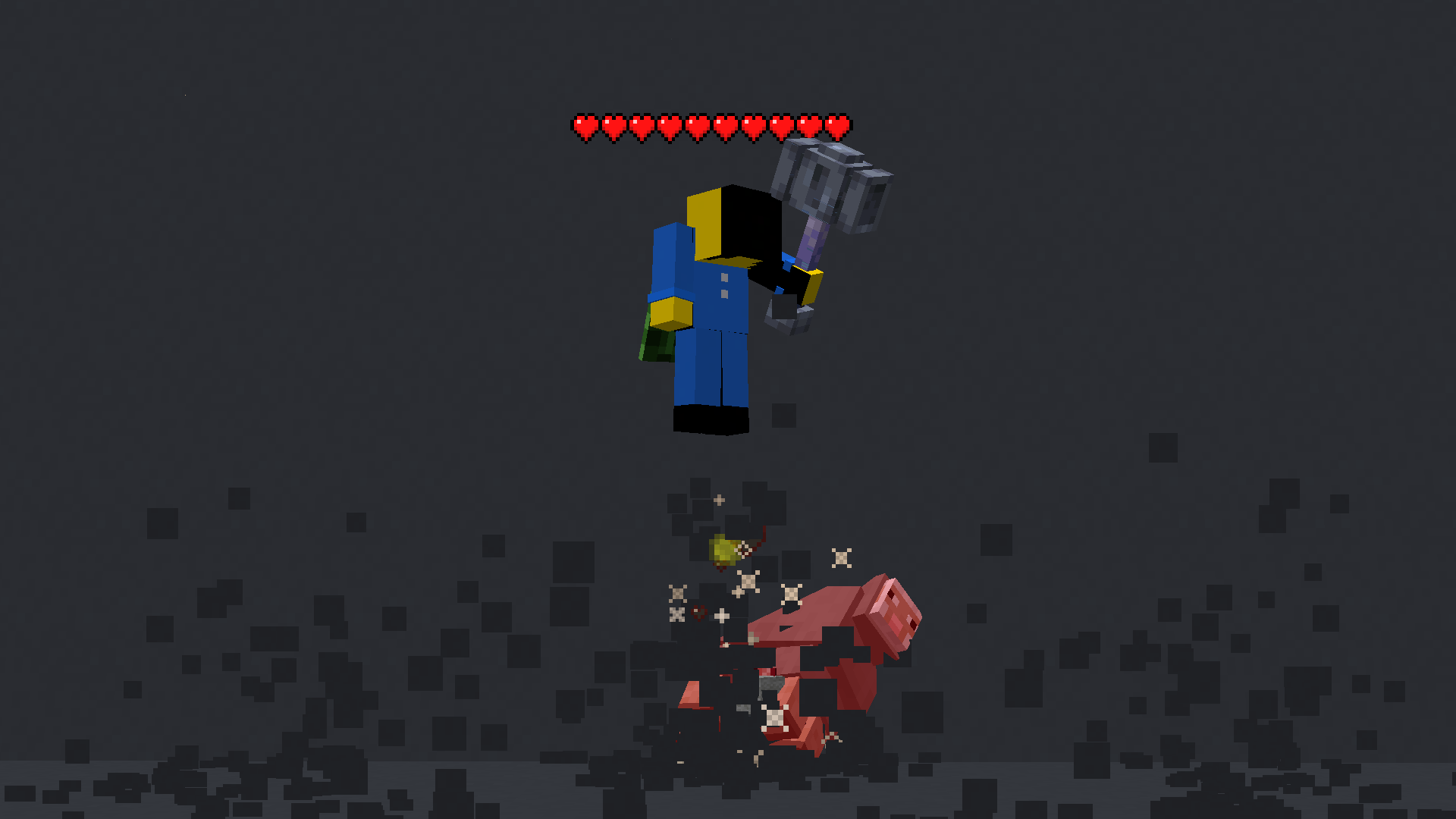
This mod displays other Players and Entities' health above them in the form of a health bar.
Features
This mod displays a highly-configurable health indicator (and optional armor indicator) above all entities that corresponds to their healths. The indicators have the following toggles, where you can enable/disable visibility based on:
- Entity Categories (Hostile, Passive, Players, Self)
- Entity Types (eg: `minecraft:pig` or `aether:aerbunny`)
- Player Names
- Entities that have been attacked,
- Entities that have been damaged
- Entities that you are looking at
You can also adjust the
- Size
- Offset
- Indicator Type (Hearts | Number)
- Percentage Based Health (True | False)
- Text Color
Futher QOL features:
The indicator changes texture and appearance based on the effects the entity has, just like vanilla. The indicator will
- Turn green if the entitiy is Poisoned,
- Black if they are Withering
- Display yellow hearts seperately for Absorption.
- Vibrate if the entity has Regeneration
- Change textures for Hardcore.
All the above can be disabled in the config if you don't like it.
More Details
Keybinds
Note: These are all default keybinds. They can be modified like any other keybind: by going into Options > Controls > Keybinds
- Enable Health Indicator:
Left Arrow - Increase Indicator Offset:
Up Arrow - Decrease Indicator Offset:
Down Arrow - Override Config Filtering:
Right Arrow - Enable Armor Indicator:
Right Shift
What attributes can I change in the config?
- Indicator Type: Whether to display a floating health bar (like in the picture) or a numerical value.
- Display offset: The health bar can be raised or lowered in the config. You also have the option to set a keybind to raise/lower it.
- Step size: You can set the step size of the keybind in the config. With this, you can modify the amount the health bar is raised/lowered per click.
- Size of the indicator: The indicator size can be modified in the config.
- Percentage based health: The indicator can display health in percentages instead of a hard value
- Toggle rendering: Health bar rendering can be disabled for specific entity types (Passive, Hostile, Player, Self)
- Indicator can also be toggled to
- Show only after you have hit the entity.
- Show only if you are looking at the entity
- Show only if the entity has been damaged (not at full health)
- Not show for specific mobs/players. This can be set in the blacklist
This mod displays other Players and Entities' health above them in the form of a health bar.
Features
This mod displays a highly-configurable health indicator (and optional armor indicator) above all entities that corresponds to their healths. The indicators have the following filters, where you can enable/disable visibility based on:
- Entity Categories (Hostile, Passive, Players, Self)
- Entity Types (eg:
minecraft:pigoraether:aerbunny) - Player Names
- Entities that have been attacked,
- Entities that have been damaged
- Entities that you are looking at
- Entities that are within a certain distance
You can also adjust the
- Size
- Offset
- Indicator Type (Hearts | Number)
- Percentage Based Health
- Text Color
Futher QOL features:
The indicator changes texture and appearance based on the effects the entity has, just like vanilla. The indicator will
- Turn green if the entitiy is Poisoned,
- Black if they are Withering
- Display yellow hearts seperately for Absorption.
- Vibrate if the entity has Regeneration
- Change textures for Hardcore.
All the above can be disabled in the config if you don't like it.
More Details
Mod Keybinds
Note: These are all default keybinds. They can be modified like any other keybind: by going into Options > Controls > Keybinds
- Enable Health Indicator:
Left Arrow - Increase Indicator Offset:
Up Arrow - Decrease Indicator Offset:
Down Arrow - Override Config Filtering:
Right Arrow - Enable Armor Indicator:
Right Shift - Open Config:
I
What attributes can I change in the config?
- Indicator Type: Whether to display a floating health bar (like in the picture) or a numerical value.
- Show Effects: Whether to change the textures of the indicator if the player has poison/wither/regen/freezing effects
- Display offset: The health bar can be raised or lowered in the config. You also have the option to set a keybind to raise/lower it.
- Step size: You can set the step size of the keybind in the config. With this, you can modify the amount the health bar is raised/lowered per click.
- Size of the indicator: The indicator size can be modified in the config.
- Percentage based health: The indicator can display health in percentages instead of a hard value
- Toggle rendering: Health bar rendering can be disabled for specific entity types (Passive, Hostile, Player, Self)
- Indicator can also be toggled to
- Show only after you have hit the entity.
- Show only if you are looking at the entity
- Show only if the entity has been damaged (not at full health)
- Not show for specific mobs/players. This can be set in the blacklist
Screenshots
Gallery
-
 299910db8350ebfe972b50f175df4b645d87d480.png 299910db8350ebfe972b50f175df4b645d87d480.png
 -
 e9effa050c29a1c702a3cb9a520a1ba431225b14.png e9effa050c29a1c702a3cb9a520a1ba431225b14.png
 -
 682d9d2d99602ba6f8f3f5d71a0a827b75ee31d3.png 682d9d2d99602ba6f8f3f5d71a0a827b75ee31d3.png
-
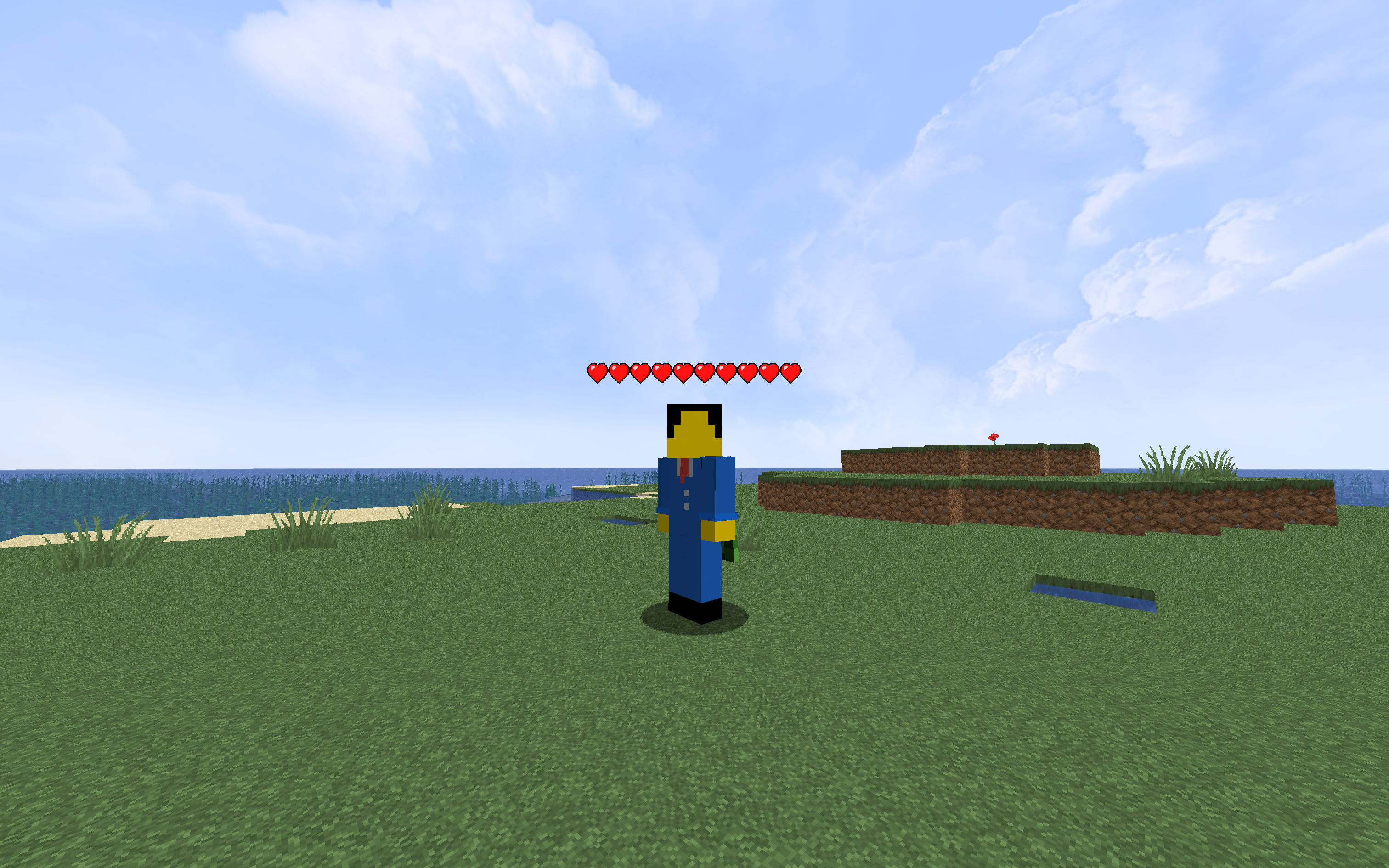 AdyTech99 That's me, with a Health Indicator.
 -
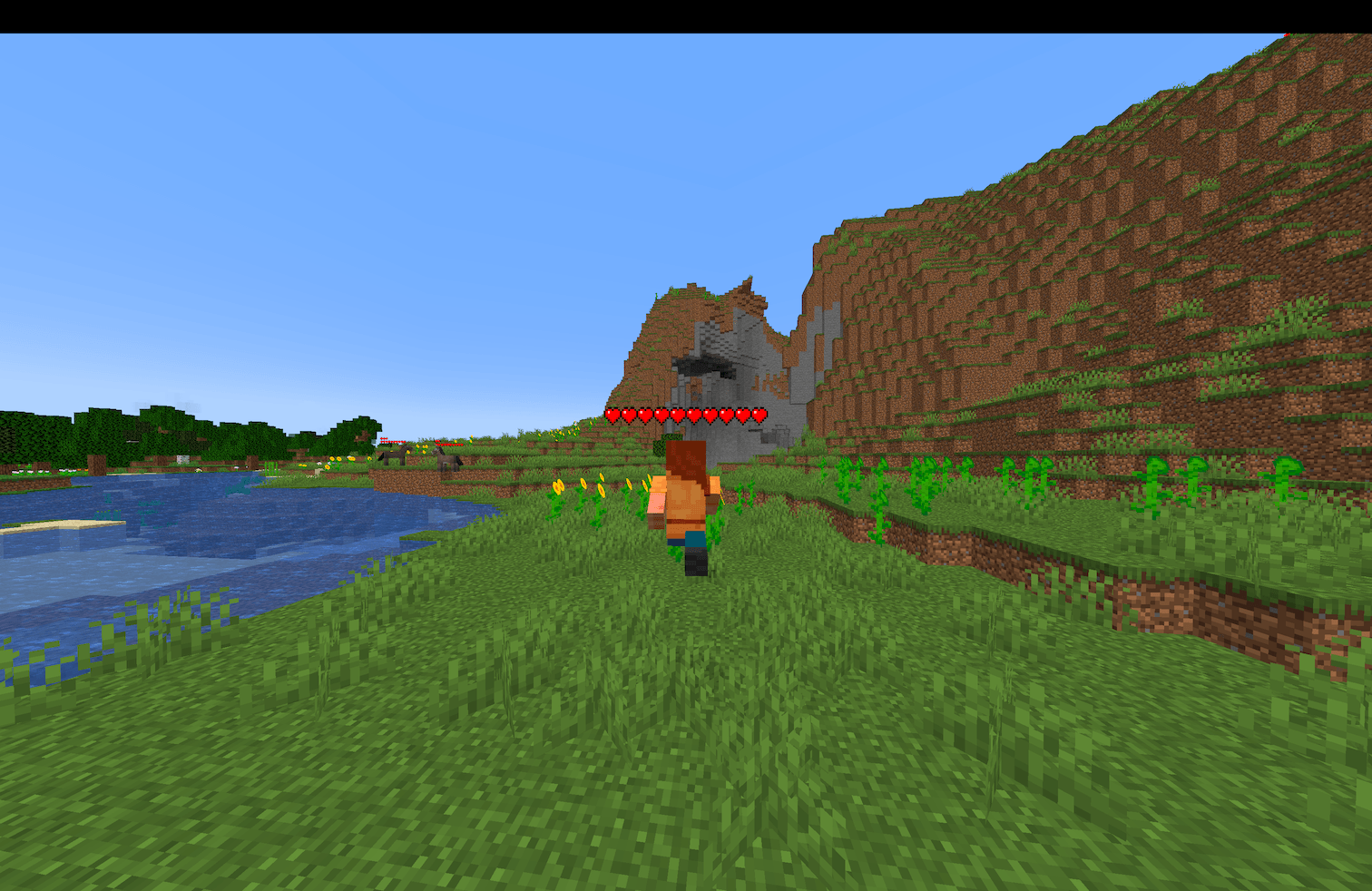
 Player Health Bar A player running, with a health bar rendering above their head
 -
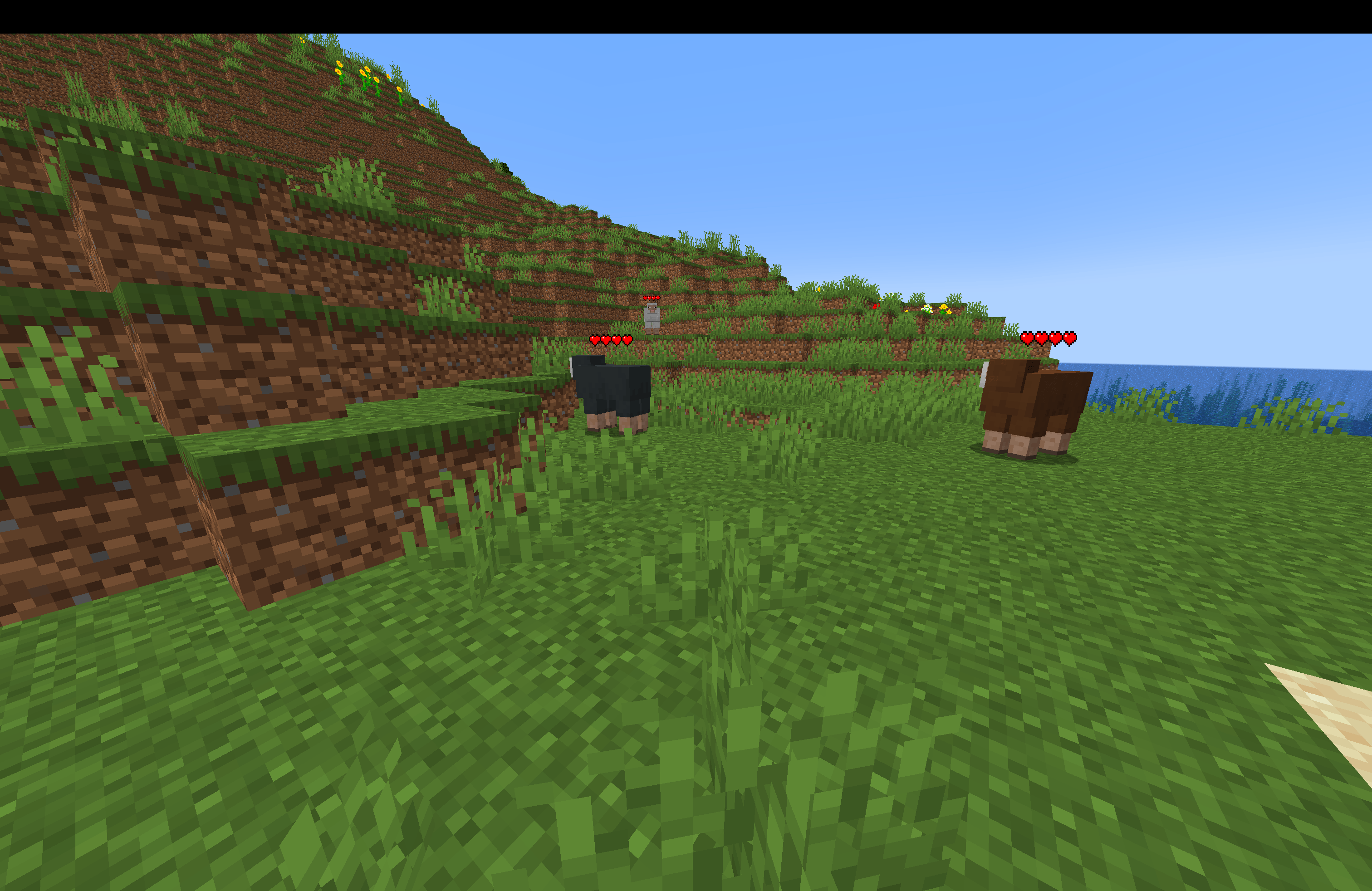
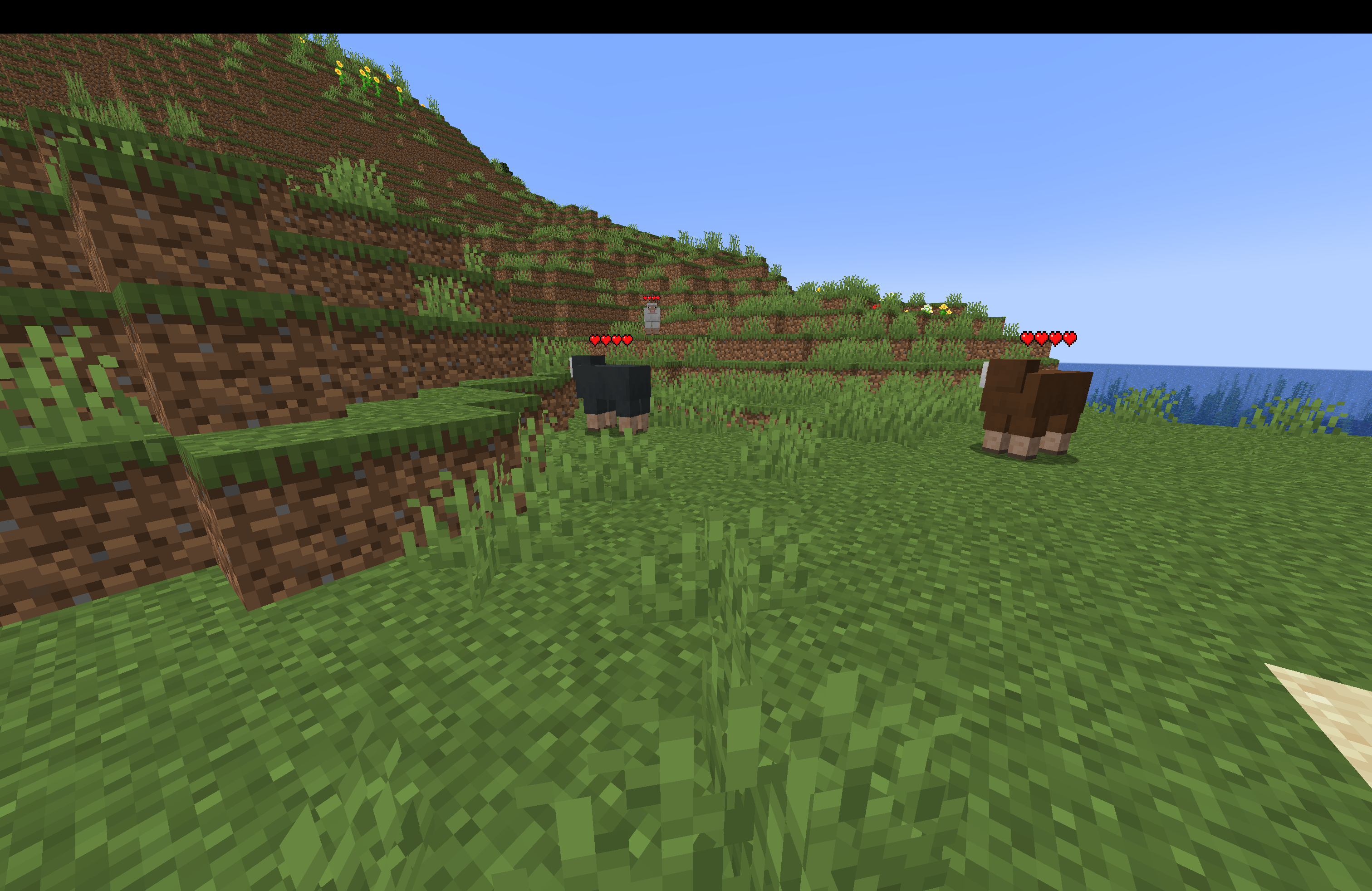 Mob Health Bar A group of sheep, with a health bar above each of them
 -
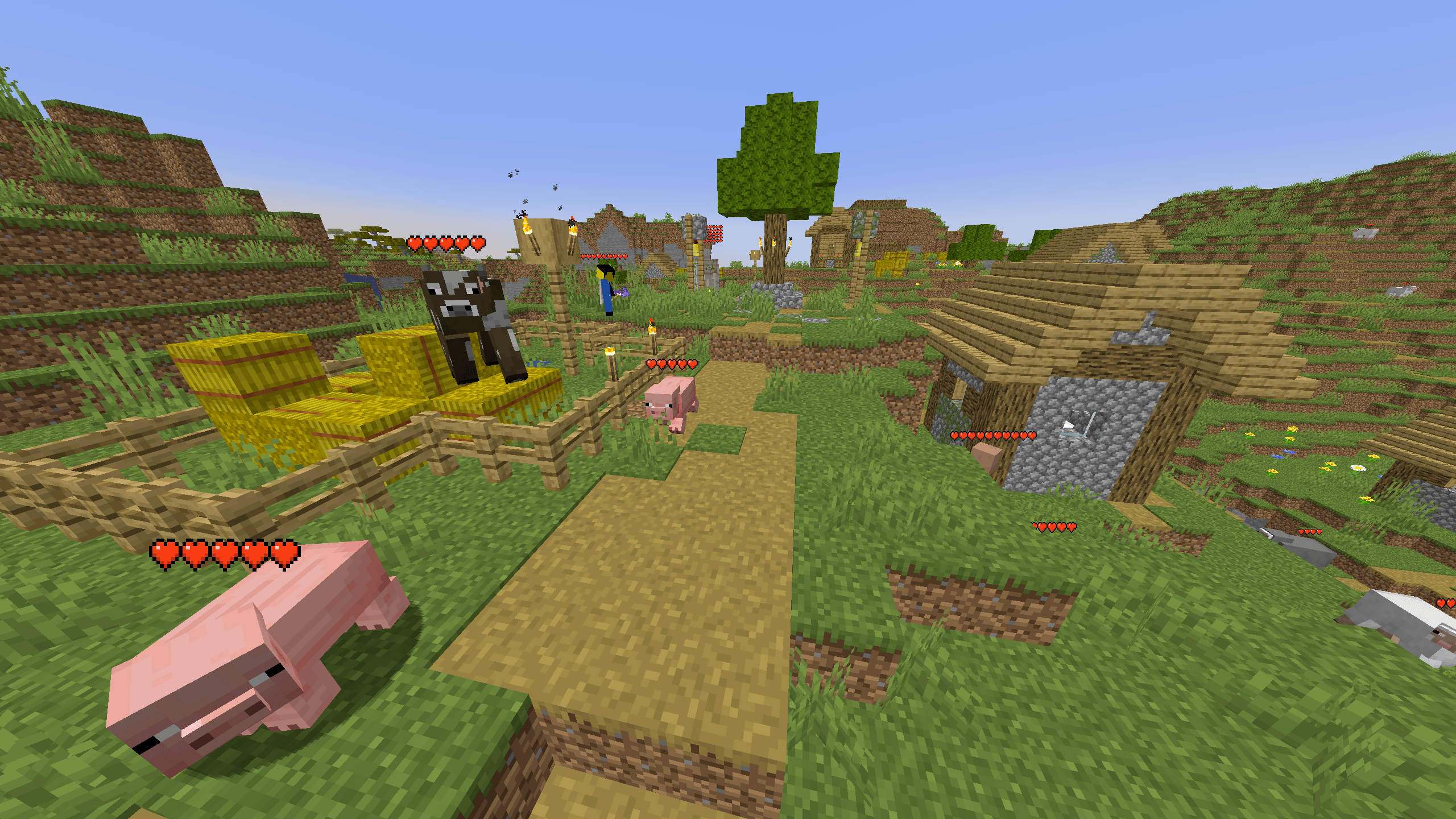
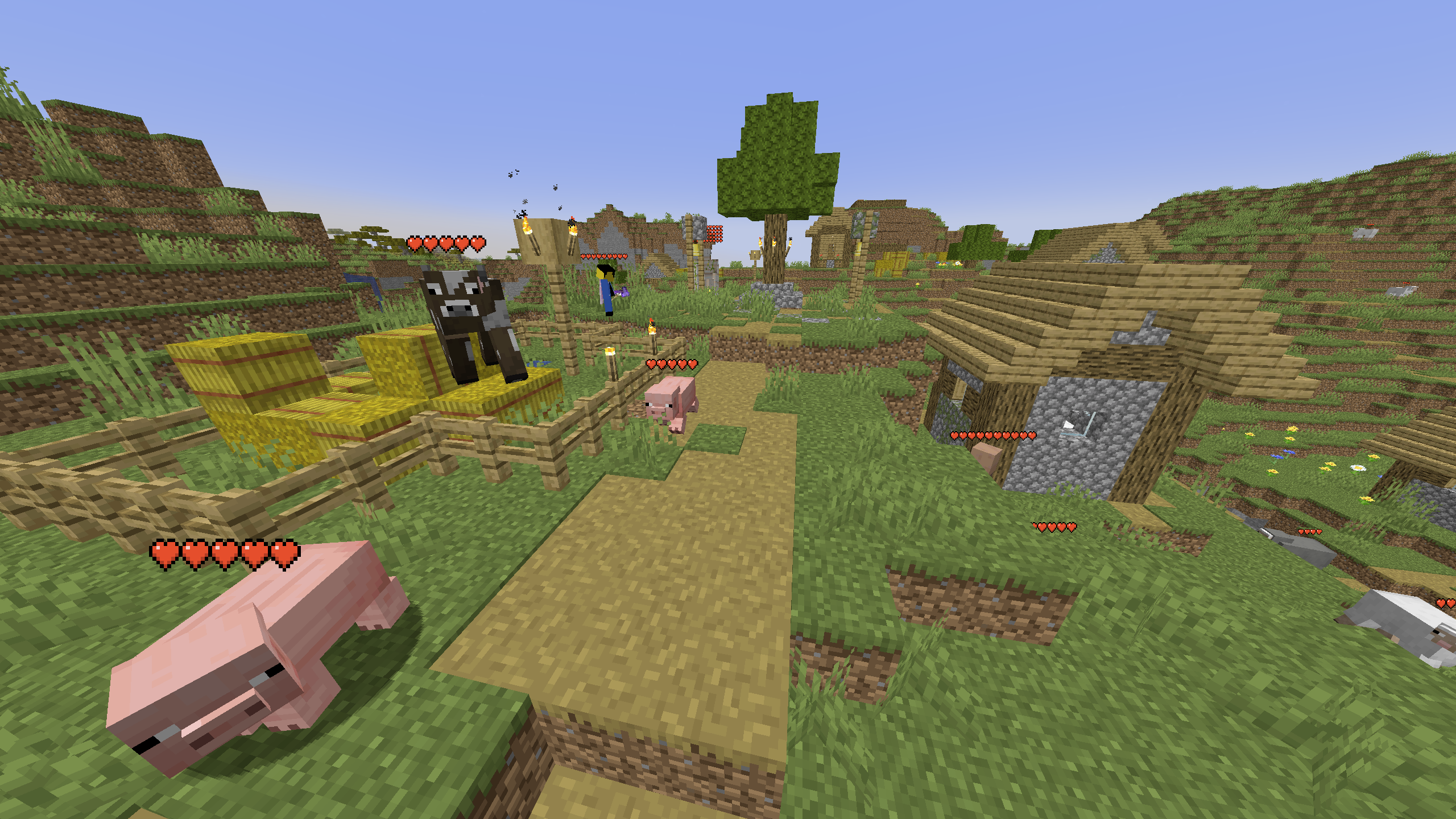 Group of mobs and players A group of passive animals, a player, Iron Golem, a villager, with a Health Bar displaying their health above them.
Versions
Files
Relations
Project Relations
More like this
Similar Mods
Suggestions use data such as tags, dependencies, dependents, descriptions, titles, and more to rank how much they overlap with this mod.
On ModDex
Community snapshot
By the numbers
Statistics
Want to reach Minecraft players?
We're looking for a server hosting partner to feature here and other parts of the site. Interested? Send us a message!
Get in touchGet it on
Available Platforms
On ModDex
Community snapshot
By the numbers