
Community listing page, reviews here may not be monitored by the author.
Here be doodles - Draw on your Atlas!

No reviews yet
A grease-pencil kit for the Antique Atlas: doodle pens, arrows, zones and text labels that stay glued to the terrain, saved per world on your own machine.
Community voices
Reviews
No reviews yet. Be the first to review this project!
Get it on
Available Platforms
About
Project Details
For authors
Embed Badge
If you're the author of this project, you can embed a live badge anywhere that supports HTML or Markdown. It updates automatically whenever ratings change.
Use HTML for any page that supports it, or Markdown for README files and Markdown-based descriptions.
Identifiers
Platform IDs
Resources
External Links
About
Description
Here Be Doodles - Draw on your Atlas
Source & full guide: github.com/teamdemivfxfish-dev/here-be-doodles-wiki
Versions: NeoForge 1.21.1 and Forge 1.20.1, same kit on both.
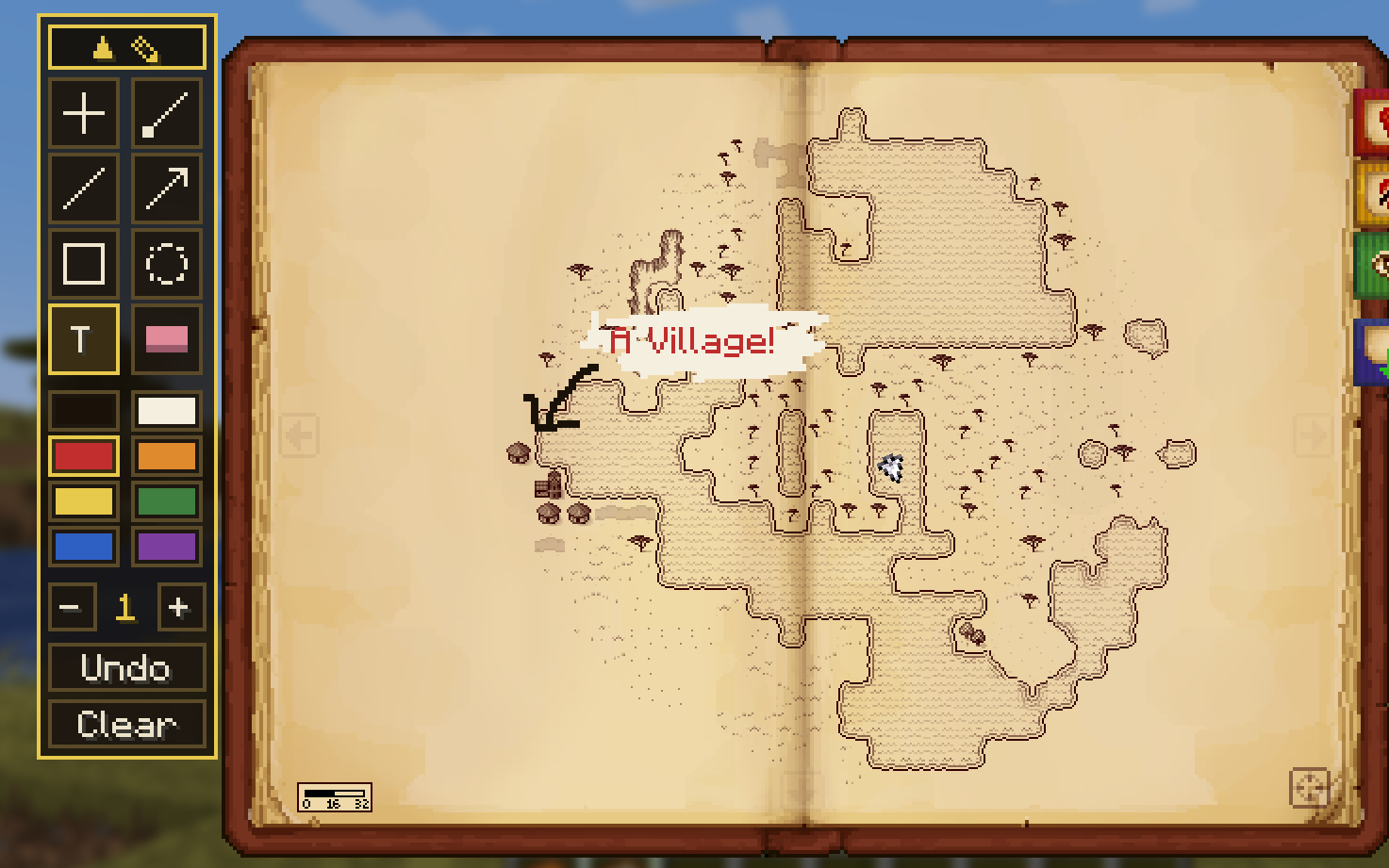
Pick up the grease pencil and draw anything on your Antique Atlas.
Old charts warned of the unknown with "here be dragons"; yours can say whatever you want. Here Be Doodles turns the Antique Atlas book into a drawing surface: a full pencil kit riding on top of the map, with every mark glued to the terrain it was drawn over. Marks live in world coordinates, so they pan and zoom with the atlas instead of floating over it.
Plan routes, circle ruins, mark a friend's embarrassing death spot, box out a future build site, or scrawl "DO NOT DIG" over the cave that had the warden in it.
Dependencies
Read this first so you have a book to draw on.
| Mod | Status | Why |
|---|---|---|
| Antique Atlas 8 | Required, client | The book all of this draws on: hunternif's Antique Atlas, modid antiqueatlas. Not Antique Atlas 4 (antique_atlas), which is a different mod with a different book. Use the NeoForge build on 1.21.1, the Forge build on 1.20.1 |
| UnionLib | Required | Needed by Antique Atlas 8 itself (on 1.20.1 that is UnionLib 12.0.18) |
| War 'n Nobility | Optional | If present, its colony / county / duchy / kingdom / faction borders are drawn on the atlas |
Client only: install it on your own game. Servers need nothing, and it works on any server, vanilla ones included.
The Kit
A collapsible toolbar sits beside the open book. Click the little ✎ tab to fold it away whenever you just want the map.
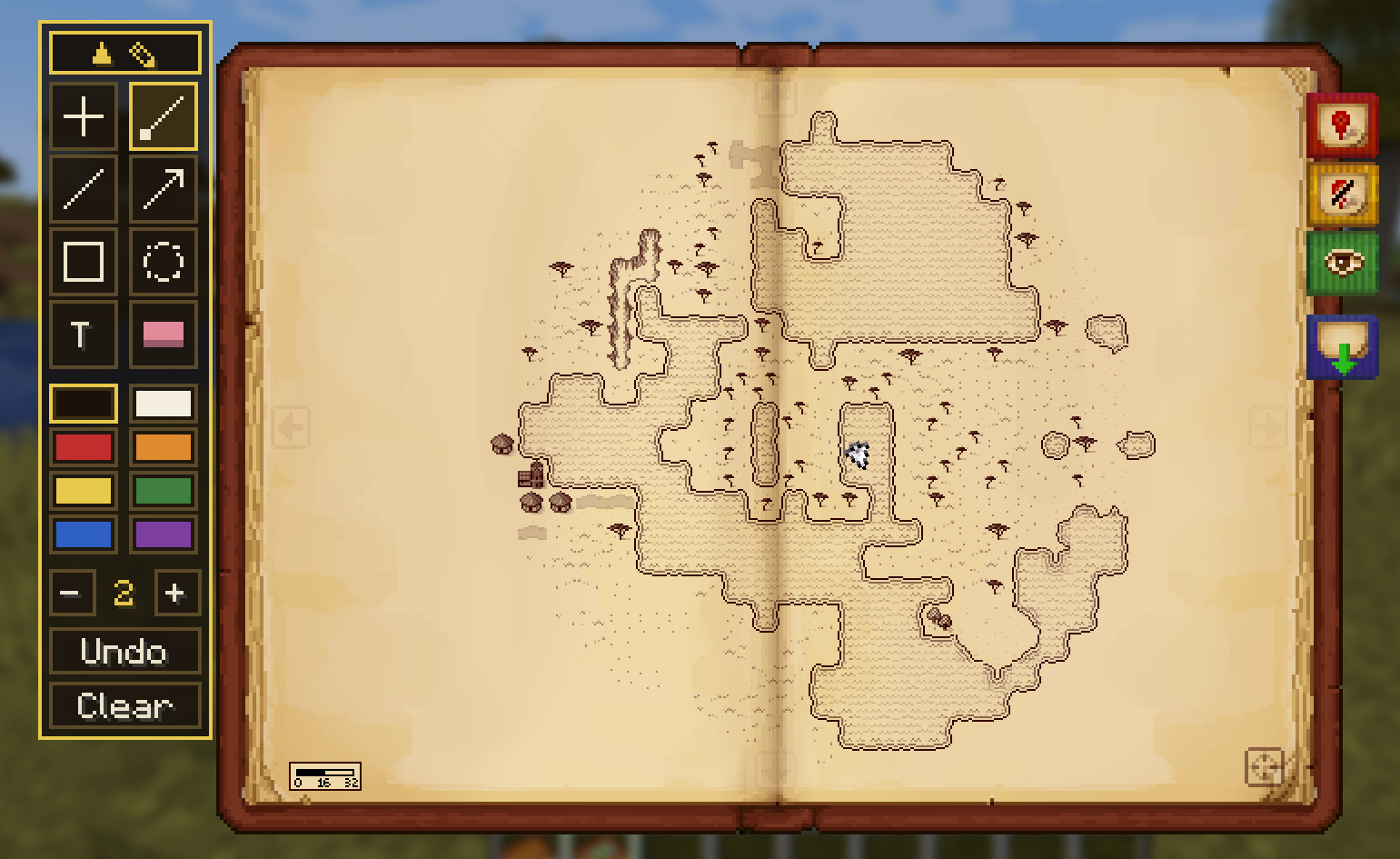
| Tool | What it does |
|---|---|
| Hand | Puts the pencil down; panning, zooming, and the atlas's own markers work exactly as before |
| Pen | Freehand grease pencil |
| Line | A single straight line, dragged point to point |
| Arrow | A line with a fat arrowhead on the end you release |
| Box | A rectangle, dragged corner to corner |
| Circle | A ring, dragged from centre to edge |
| Text | Click the map, type your label, press Enter |
| Eraser | Rubs out whatever passes under it |
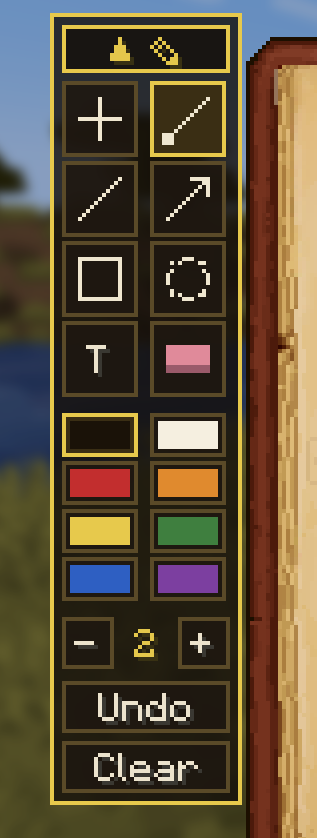
- Eight ink colours below the tools, one click to switch.
- A brush size stepper sets line thickness and text size together.
- Undo (also Ctrl+Z) and Clear for the current map.
- Right-click backs out one step: it drops the mark you are mid-drawing, or puts the pencil down.
Your Notes, Your Machine
- Doodles are drawn and saved on your side only, per world and per dimension.
- Singleplayer saves and each multiplayer server keep separate notebooks.
- Nothing is sent anywhere; servers never need the mod installed.
In Your Hand, Too (new in 1.0.0)
You do not have to open the book. While you simply hold the atlas, the in-hand minimap shows your doodles too, drawn over the same terrain, so you can sketch a route in the book and then walk it with the little map still in your hand.

With War 'n Nobility (optional)
Running MineColonies: War 'n Nobility? Here Be Doodles reads its live territory and draws it right on the atlas, on both the open book and the in-hand preview:
| Layer | Shown as |
|---|---|
| Colonies | Homestead markers and borders in each holder's own colour |
| Counties / Duchies / Kingdoms | Keep, shield and crown seat markers; borders melt into the highest tier |
| Easy Factions claims | Claim squares and borders, on their own separate layer |
A Domains legend on the book's right edge (opposite the doodle toolbar) turns each layer on and off. War 'n Nobility itself no longer draws on the atlas, its map moved to the War Frame, so this brings the territory map back to the book. On 1.20.1 it matters even more: War 'n Nobility's own atlas overlay there was written for Antique Atlas 4, so on an Antique Atlas 8 pack it draws nothing at all, and this is what puts the territory map on the book. It is entirely optional: without War 'n Nobility none of it appears, and the doodle kit is exactly the same.
Big Book (experimental)
An optional toggle grows the atlas book to fill the window, the way Antique Atlas 4's did. Off by default while it earns trust; doodling works the same at either size.
| Setting | Does |
|---|---|
bigBook in herebedoodles-client.toml |
Grow the atlas book to fill the window |
Support the Mods
These mods are free and they stay free. If one of them runs on your server, you can back the next version, the next port, and the next mod at patreon.com/epicwarborn. Patrons get their name in the credits, a direct line to me for bugs, early builds, and a vote on what gets built next.
The map is yours. Write on it.
Part of The Warborn Realm, by barunn
Screenshots
Gallery
Versions
Files
Relations
Project Relations
More like this
Similar Mods
Suggestions use data such as tags, dependencies, dependents, descriptions, titles, and more to rank how much they overlap with this mod.
On ModDex
Community snapshot
By the numbers
Statistics
Want to reach Minecraft players?
We're looking for a server hosting partner to feature here and other parts of the site. Interested? Send us a message!
Get in touchGet it on
Available Platforms
On ModDex
Community snapshot
By the numbers
Statistics
Resources