Community listing page, reviews here may not be monitored by the author.
Hide Experimental Warning


No reviews yet
❌ Hides the Experimental Settings Warning when trying to create or load a modded world.
Community voices
Reviews
No reviews yet. Be the first to review this project!
Get it on
Available Platforms
Compatibility
Supported Environments
Runs entirely on the client. Works on vanilla servers.
About
Project Details
For authors
Embed Badge
If you're the author of this project, you can embed a live badge anywhere that supports HTML or Markdown. It updates automatically whenever ratings change.
Use HTML for any page that supports it, or Markdown for README files and Markdown-based descriptions.
Identifiers
Platform IDs
About
Description


Hide Experimental Warning, as the name suggests, hides the experimental settings warning when creating or loading a modded world. Due to the nature of modding, experimental settings are pretty much always included in a mod collection. It is well known that a world contains features that might be changed at any moment via updates. This mod makes it so that the screen won't show up every time you load a world with mods. Helps in maintaining sanity :)
Initially created to hide the warning in my own development environment, and thought it couldn't hurt to release it as a feature for in production as well. The mod also hides the yellow experimental text/triangle from the world list.


The following screens will be hidden:

In the world list, the yellow triangle will be hidden:
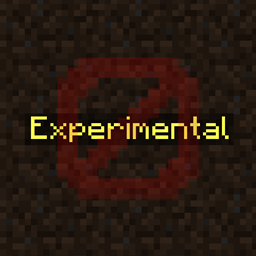
And in newer versions, the Experimental text will be hidden:

You may freely use this mod in any modpack, as long as the download remains hosted within the CurseForge or Modrinth ecosystem.
Serilum.com contains an overview and more information on all mods available.
Comments are disabled as I'm unable to keep track of them across so many separate mod pages.
For issues, ideas, suggestions or anything else there is the Github repo. Thanks!


Hide Experimental Warning, as the name suggests, hides the experimental settings warning when creating or loading a modded world. Due to the nature of modding, experimental settings are pretty much always included in a mod collection. It is well known that a world contains features that might be changed at any moment via updates. This mod makes it so that the screen won't show up every time you load a world with mods. Helps in maintaining sanity :)
Initially created to hide the warning in my own development environment, and thought it couldn't hurt to release it as a feature for in production as well. The mod also hides the yellow experimental text/triangle from the world list.


The following screens will be hidden:

In the world list, the yellow triangle will be hidden:
And in newer versions, the Experimental text will be hidden:

You may freely use this mod in any modpack, as long as the download remains hosted within the CurseForge or Modrinth ecosystem.
Serilum.com contains an overview and more information on all mods available.
For issues, ideas, suggestions or anything else there is the Github repo. Thanks!
Screenshots
Gallery
Versions
Files
Relations
Project Relations
More like this
Similar Mods
Suggestions use data such as tags, dependencies, dependents, descriptions, titles, and more to rank how much they overlap with this mod.
On ModDex
Community snapshot
By the numbers
Statistics
Want to reach Minecraft players?
We're looking for a server hosting partner to feature here and other parts of the site. Interested? Send us a message!
Get in touchGet it on
Available Platforms
On ModDex
Community snapshot
By the numbers