
Community listing page, reviews here may not be monitored by the author.
Hide Your Armor

No reviews yet
Fabric mod that allows you to toggle armor visibility with WGFM support.
Community voices
Reviews
No reviews yet. Be the first to review this project!
Get it on
Available Platforms
Compatibility
Supported Environments
Runs entirely on the client. Works on vanilla servers.
Required on the client. Installing it on the server adds functionality.
Must be installed on both the client and the server.
Varies by version.
About
Project Details
For authors
Embed Badge
If you're the author of this project, you can embed a live badge anywhere that supports HTML or Markdown. It updates automatically whenever ratings change.
Use HTML for any page that supports it, or Markdown for README files and Markdown-based descriptions.
Identifiers
Platform IDs
About
Description
Hide Your Armor



Client-side mod for hiding or setting transparency of your armor. Works locally by default, and optionally syncs to other players if the server has it too.
Features
Opacity, not just on/off Every piece has a slider from 0% to 100%. Drag it and see the change instantly on the preview doll. No need to re-equip anything.
- Armor – Helmet, Chestplate, Leggings, Boots each have their own slider
- Shield – Off-hand shield opacity
- Misc – Elytra, Skulls & blocks worn on head, Capes, and Armor trims
- Enchantment glint – Toggle the glint separately for each armor piece and the shield
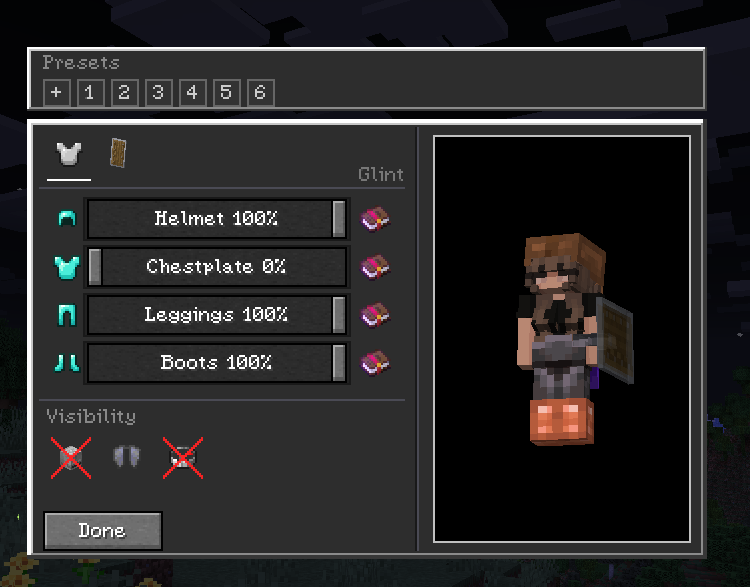
Two tabs Armor / Offhand.
Live preview
The config screen doesn't pause the game. You can view the preview model and it updates in real time. Settings save to config/hidearmor.json when you close the screen.
Presets Save your current sliders as a preset and apply it later. Right-click a preset to delete it.
Wildfire Female Gender Mod compat If you use WGFM, breast armor layers follow your chestplate opacity and the glint toggles work on those meshes too.
Controls
- H – open Hide Your Armor (rebindable in Controls)
- While the screen is open: drag sliders, toggle glint, switch tabs. Hit
Escto close and save.
Multiplayer
The mod is client-side only. You can join vanilla servers fine – your settings just stay local.
If you want others to see you the way you configured it, turn on Multiplayer Sync (compass icon in the top-right of the config screen). When enabled, your config is sent to the server and the server relays it to other players who also have the mod.
| You | Server | Others see your opacity? |
|---|---|---|
| Singleplayer / LAN | – | Yes |
| Modded server | Mod installed | Yes |
| Vanilla / no mod | Not installed | No – stays local |
Players without the mod just see normal armor. No crashes or desyncs.
Installation
Universal jar works on both loaders (built with Architectury + Forgix).
- Fabric: Minecraft 26.2 + Fabric Loader + Fabric API
- NeoForge: Minecraft 26.2 + NeoForge 26.2.0.8-beta or newer
Fabric API is required on Fabric. No extra dependencies on NeoForge.
Config & Commands
No commands. Config lives at config/hidearmor.json and is edited in-game. You can back it up or delete it to reset.
License
MIT – see LICENSE.
Developed with ❤️ by G10W5.
Screenshots
Gallery
-
Mod Showcase #3 WGFM Support
-
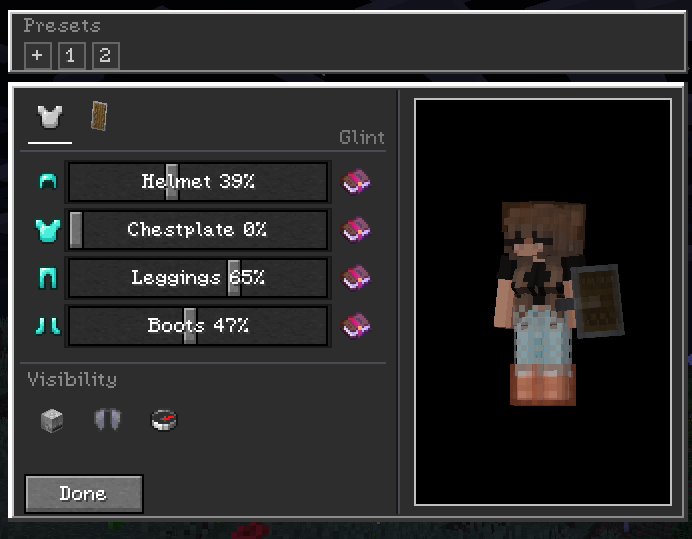 Mod Showcase #4 Very modular and customizable.
 -
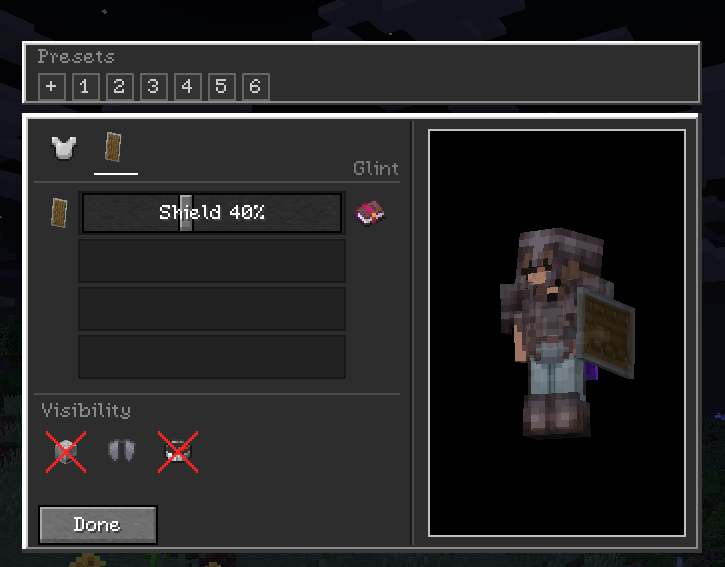 Mod Showcase #2 Shield Menu
 -
 Mod Showcase #6 Preview of the mod from third person view.
 -
 Mod Showcase #5 Player in inventory.
 -
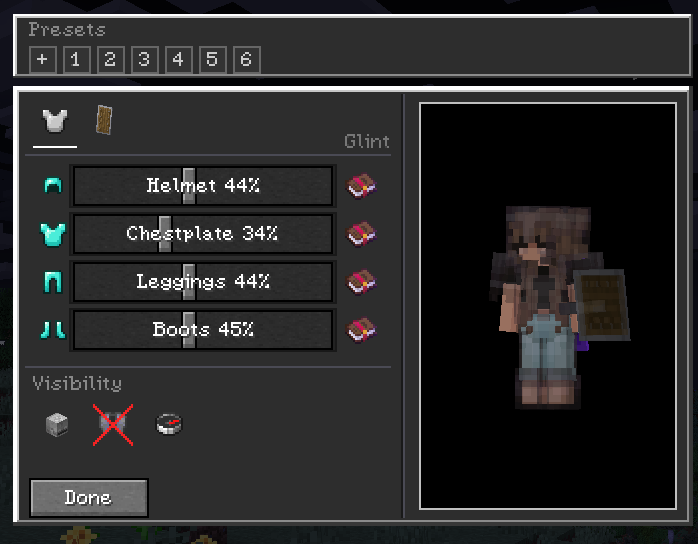 Mod Showcase #1 Fully supporting transparency.
Versions
Files
Relations
Project Relations
More like this
Similar Mods
Suggestions use data such as tags, dependencies, dependents, descriptions, titles, and more to rank how much they overlap with this mod.
On ModDex
Community snapshot
By the numbers
Statistics

Want to reach Minecraft players?
We're looking for a server hosting partner to feature here and other parts of the site. Interested? Send us a message!
Get in touchGet it on
Available Platforms
On ModDex
Community snapshot
By the numbers