
Community listing page, reviews may not be monitored by the author.
Hindsight

No reviews yet
Replays and build timelapses in one mod: record any session, fly through it, export cinematic videos, open ReplayMod and Flashback files, and watch your builds rebuild themselves.

Community voices
Reviews
No reviews yet. Be the first to review this project!
Get it on
Available Platforms
About
Project Details
For authors
Embed Badge
If you're the author of this project, you can embed a live badge anywhere that supports HTML or Markdown. It updates automatically whenever ratings change.
Use HTML for any page that supports it, or Markdown for README files and Markdown-based descriptions.
Identifiers
Platform IDs
Resources
External Links
About
Description

See everything again. Hindsight records your play sessions and your builds. Fly back through any moment as a free camera, turn it into a smooth cinematic video, or stand in your base and watch it rebuild itself from empty ground, with everyone who built it placing their blocks.
Already use ReplayMod or Flashback? Hindsight opens your existing replays and can save to both, so nothing you've recorded is left behind, and it runs on NeoForge as well as Fabric.
Full guide: hardlineinteractive.com/mods/hindsight · Found a bug? Report it here
Session replays
- Records automatically. Every world and server session is saved, on any server, even ones without the mod. Singleplayer pauses are cut out. Switch recording off for worlds or servers with one click.
- Your ReplayMod and Flashback replays open here. The Replays screen lists Hindsight's recordings, ReplayMod's
replay_recordingsfolder and Flashback's replays together. ReplayMod files play directly; Flashback files are converted with their markers and camera keyframes. - Save to ReplayMod or Flashback. One button converts a Hindsight replay into ReplayMod's folder, another into Flashback's, with camera keyframes and markers included.
- Fly anywhere. Watch as a spectator camera that passes through walls. Click any player or mob to see through their eyes. The person who recorded appears as themselves.
- Full control of time. Pause, slow down to 0.1x or speed up to 16x, skip 5 seconds, or drag the timeline to any moment. Jumps are quick both ways, even in long replays: Hindsight keeps snapshots of the world to jump from. Drop markers on moments worth finding again, while you play or while you watch.
- Camera paths. Fly to a spot, add a keyframe, move on, add another. Hindsight joins them into a smooth path (smooth, spline or straight), plays the replay along it, and lets you speed up or slow down each stretch. Keyframes can zoom (field of view), tilt the camera, follow a player wherever they go, and move the time of day (a sunset across a shot).
- Visuals. Hide name tags, particles, mobs, every player or just one, and hold the time of day or the weather.
- Voice chat. With Simple Voice Chat, what you hear (and your own microphone) is recorded and plays back from where each player stood, into exported videos too. No need for Simple Voice Chat to watch.
- Video export, with sound. Renders frame by frame at a fixed frame rate, so videos are perfectly smooth however fast your PC is, shaders and all, with the game's sound mixed in step with the picture. Any size up to 4K whatever your window, vertical for Shorts and TikTok, 360° video for YouTube and headsets, transparent or green-screen sky, MP4, WebM or PNG frames, motion blur. Queue up several shots and export them all in one go. Nothing extra to install (if you have FFmpeg, Hindsight uses it for smaller files, on your graphics card's encoder when it can).
- Ready for editing. Each speaker's voice as a file of its own, and the replay's chat as a subtitles file, beside the video.
- Trim and rename. Save just the part of a replay you want as a new, smaller file; rename replays from the list.
Made for video makers
- Clip that. Something great just happened? Press F10 and the last two minutes are saved as a replay of their own, while you keep playing.
- Highlights mark themselves. Deaths, kills, advancements, boss fights, explosions and words you pick in chat drop a marker as they happen, so the good bits are easy to find.
- Photo mode. Press F9 for a thumbnail-ready picture up to 8K, vertical or square, with a see-through sky, of just the player you're looking at, or of the build alone.
- Shots made easy. Record a camera path just by flying it, add a slow orbit around anything with one click, add a gentle handheld shake, and keep several named shots per replay to export together.
- Framing guides. Rule-of-thirds lines and the exported picture's frame over the replay, so vertical videos are framed right.
- Privacy. Show players under another name or with a plain skin, or make everyone anonymous.
- Everyone's point of view. When several players record the same session, jump to anyone else's recording at the same moment, or queue the same shot from every player's eyes.
Build timelapses
- Always recording. Every block players place, break or change is saved, along with explosions (credited to whoever caused them), pistons, and moving machines such as Create contraptions. No setup, no recorder blocks.
- Finds your build for you. Press the timelapse key and Hindsight outlines the build you're standing in.
- Plays it back in place. The area rewinds to empty ground and rebuilds block by block. Only your screen changes: the real world isn't touched, and everything snaps back when you exit.
- Ghost builders. The players who built it appear with their names and skins, walking around the build and placing their blocks at the pace they really did.
- Pistons slide, explosions un-explode. Rewind a TNT crater until the build is whole, or watch a piston door or flying machine replay with blocks sliding into place.
- Cinematic cameras. Orbit the build, follow a builder with a calm tracking shot, hold a still shot, or use your own view.
- Export the timelapse as a video, at any size up to 4K or vertical, with the same settings as replays, or pick Make a video for a ready-to-post 30-second orbit (widescreen, or vertical for Shorts, TikTok and Reels) with the date and progress in the picture.
- Blocks pop in with a puff of dust and their own sound.
- Timeline, filters and milestones. Pause, restart, drag to any moment; lengths from 15 seconds to 10 minutes; show one builder's work; mark moments like "Roof done" that pop up as titles.
- Watch together. Show a timelapse to yourself or everyone nearby, in sync, each with their own camera.
- Works with your mods. Modded blocks, Sodium, Iris and shader packs all show up in timelapses and replays.
How to use it
- Replays: play as normal. Afterwards, press Replays in the top-left of the title screen and pick one. K pauses, [ ] change speed, ← → skip 5 seconds, ' opens the editor for camera paths and video export. All keys can be changed in Controls.
- Timelapses: stand in something you built and press ' (just right of ; on US and UK keyboards) or run
/hindsight timelapse. Check the outline, pick who watches and how long, and press Start.
Versions
One mod for NeoForge and Fabric on Minecraft 1.21.1, 1.21.11 and 26.2, plus Fabric on 26.3. The Fabric versions need Fabric API and Fabric Loader 0.19 or newer (your launcher can update the loader in one click).
Install it on your client for replays. Build timelapses also need it on the server (in singleplayer that's just your game); players without Hindsight can still join a server that has it.
Made with AI
Hindsight is made by Hardline Interactive (Taylor Gibbs) and built with Claude Code, Anthropic's AI coding assistant. Claude wrote the code, the art scripts and the guide, under Taylor's direction. We'd rather you knew.
Hindsight saves in its own format. Opening and saving ReplayMod and Flashback replays was written independently from how their files are laid out; no code from either mod is used. The built-in video encoder is JCodec (BSD licence). Voice chat recording uses Simple Voice Chat's public plugin API when that mod is installed.
Licence
All Rights Reserved. You're welcome to use Hindsight in modpacks and to stream and make videos with it.
Screenshots
Gallery
-
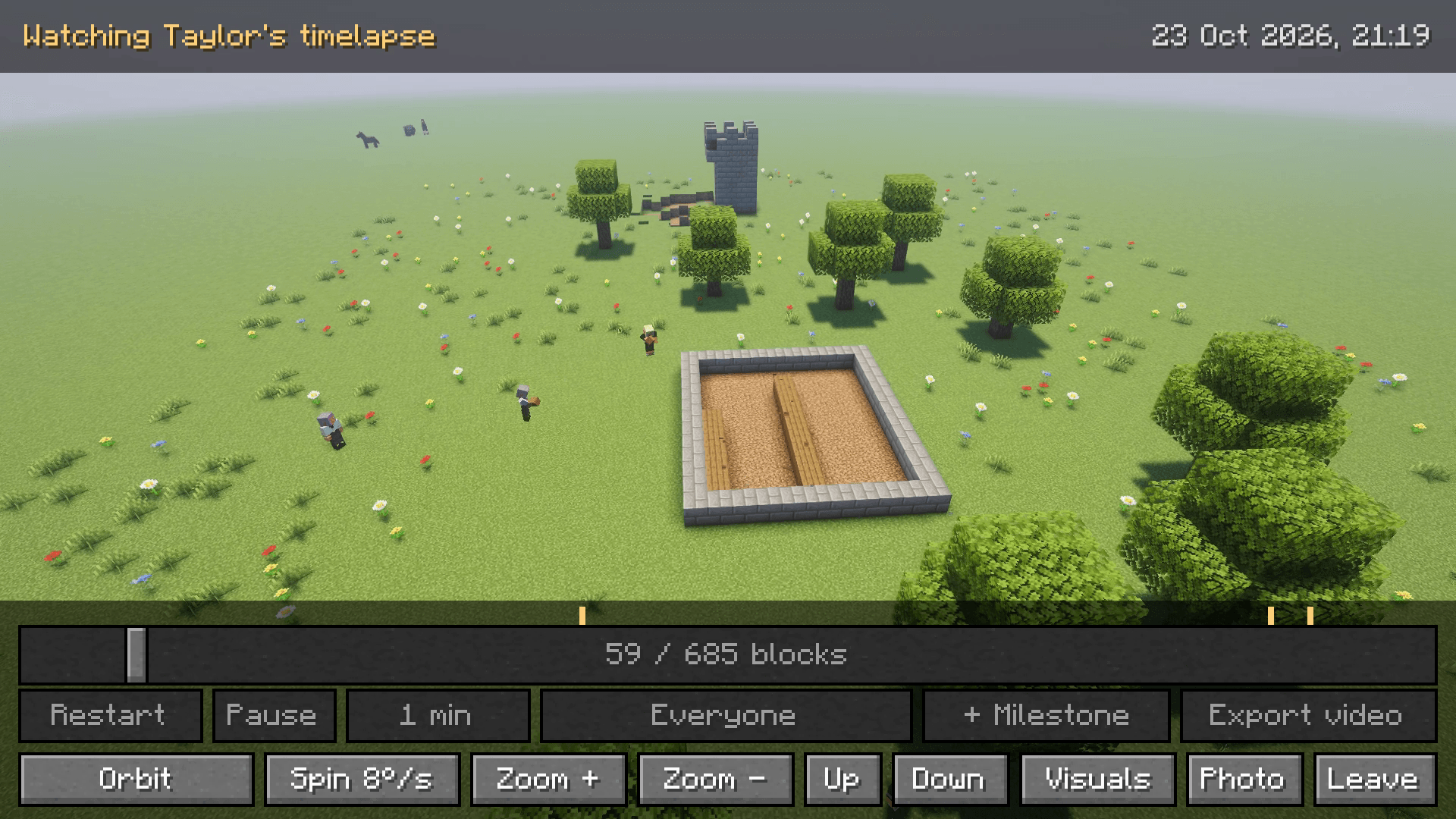 image-attachment_d1a1b242-840e-4108-b84f-d2e3612cdc1a.png A build timelapse: the players who built it place their blocks again, right where they stood.
 -
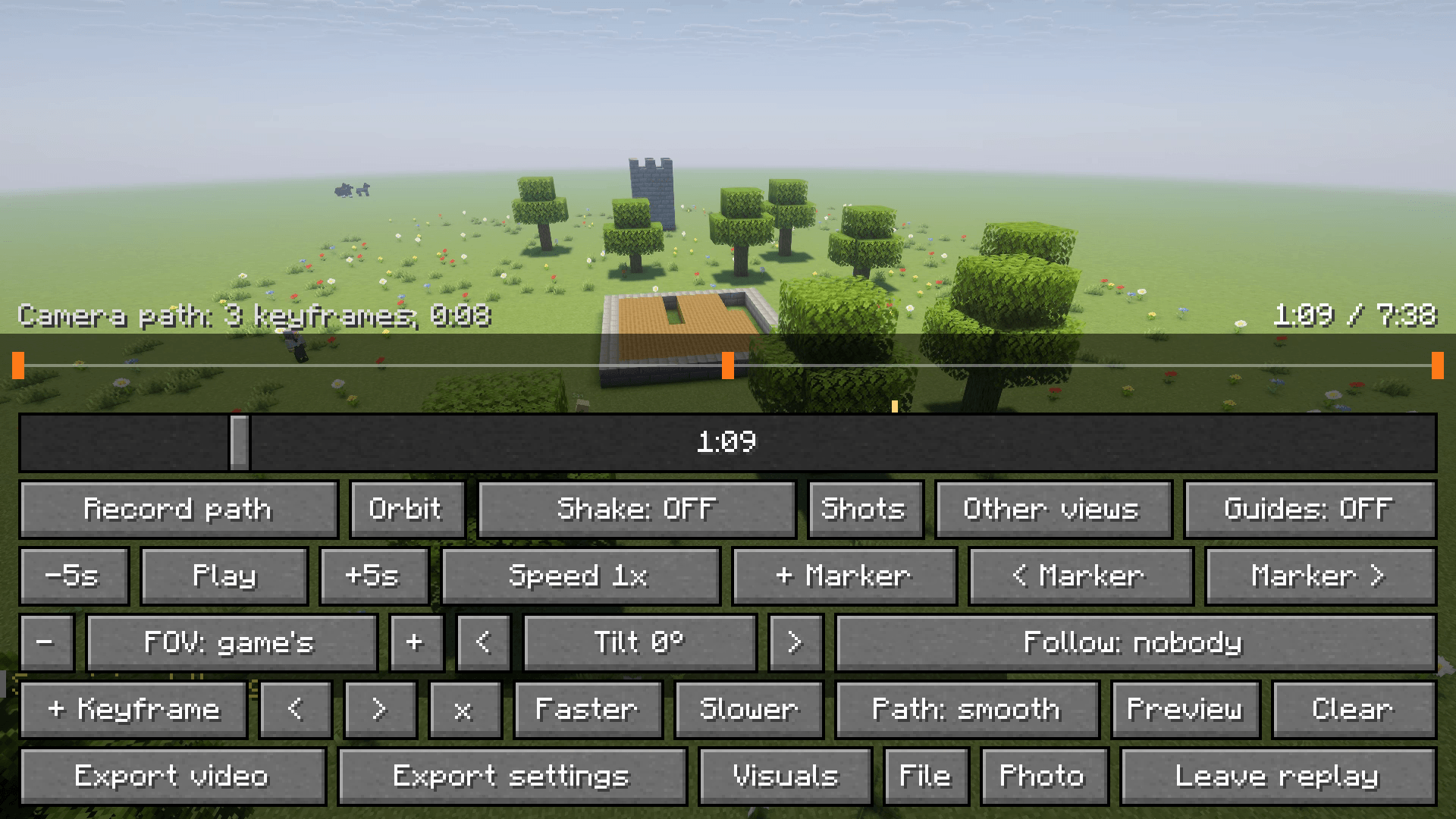 image-attachment_6a363d0d-4f06-4fb1-9c29-786590ccb727.png The replay editor: camera paths from keyframes, shots, photo mode and video export.
 -
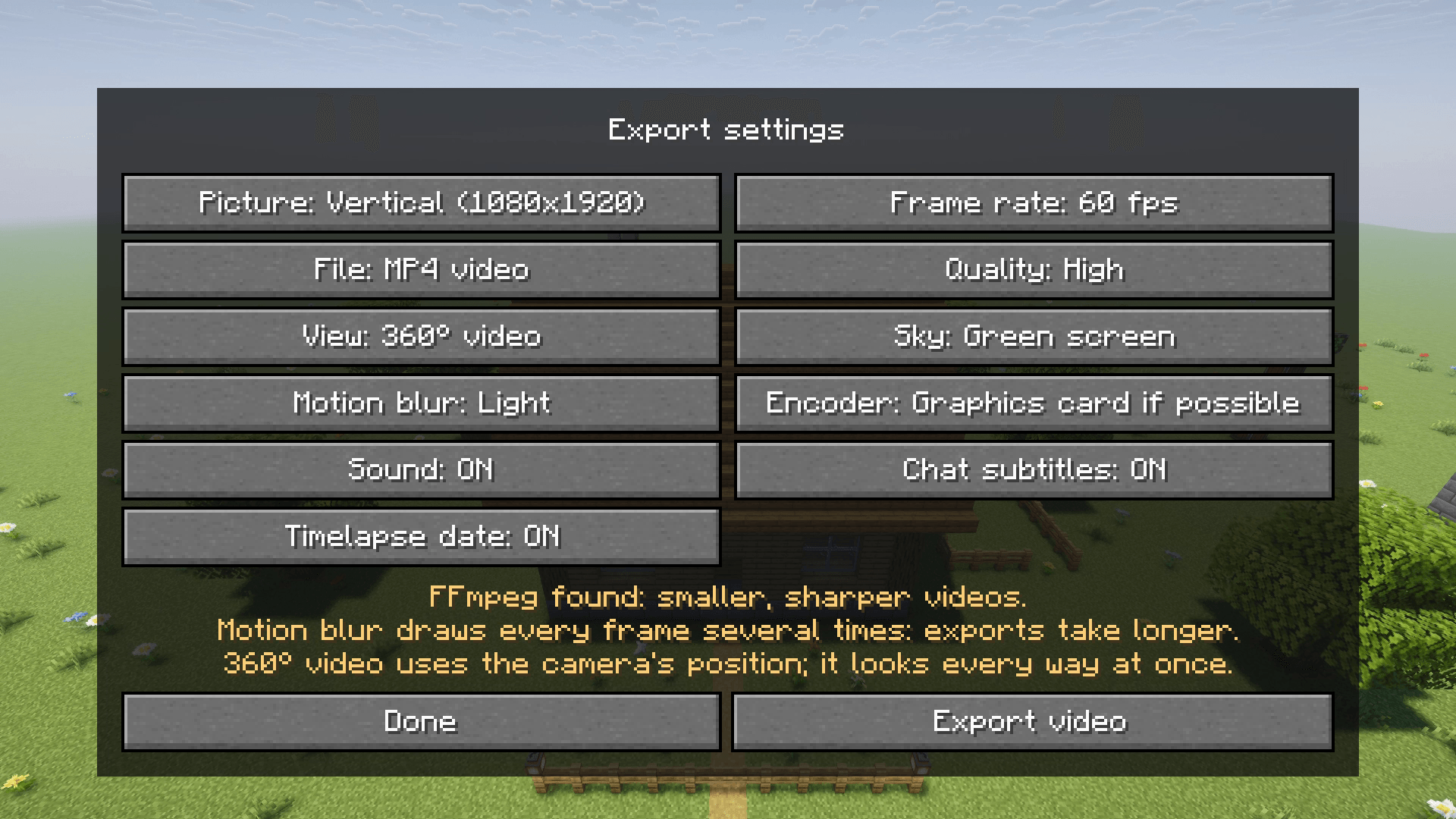 image-attachment_3e97d0ad-ee84-4624-afe4-7294a772cbb4.png Export settings: up to 4K, vertical for Shorts, 360 video, motion blur or a green screen.
 -
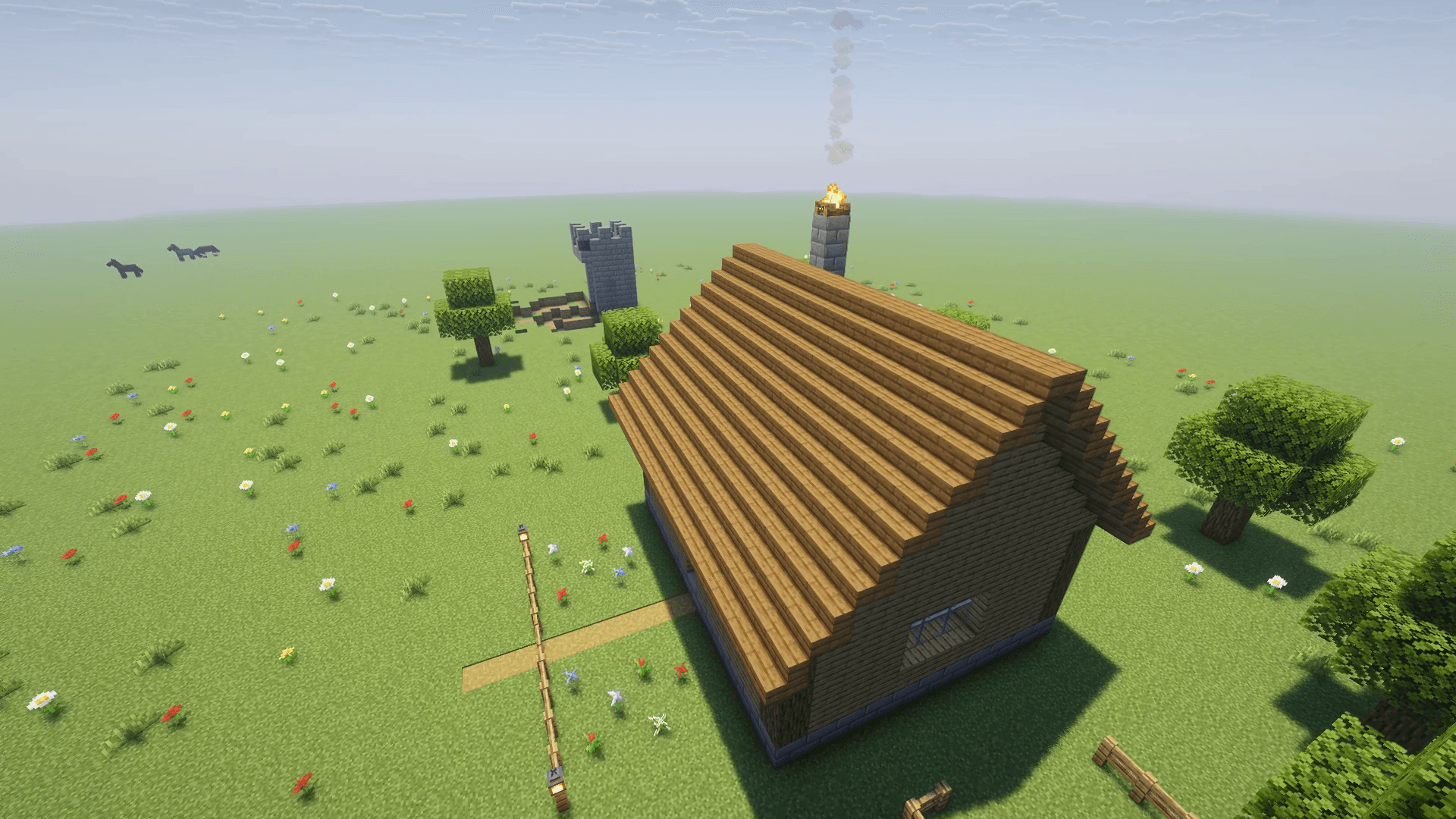 image-attachment_40d10eab-b9f4-4e55-8fd2-24604ffdf4fb.png One click orbits the camera around anything, ready to export.
 -
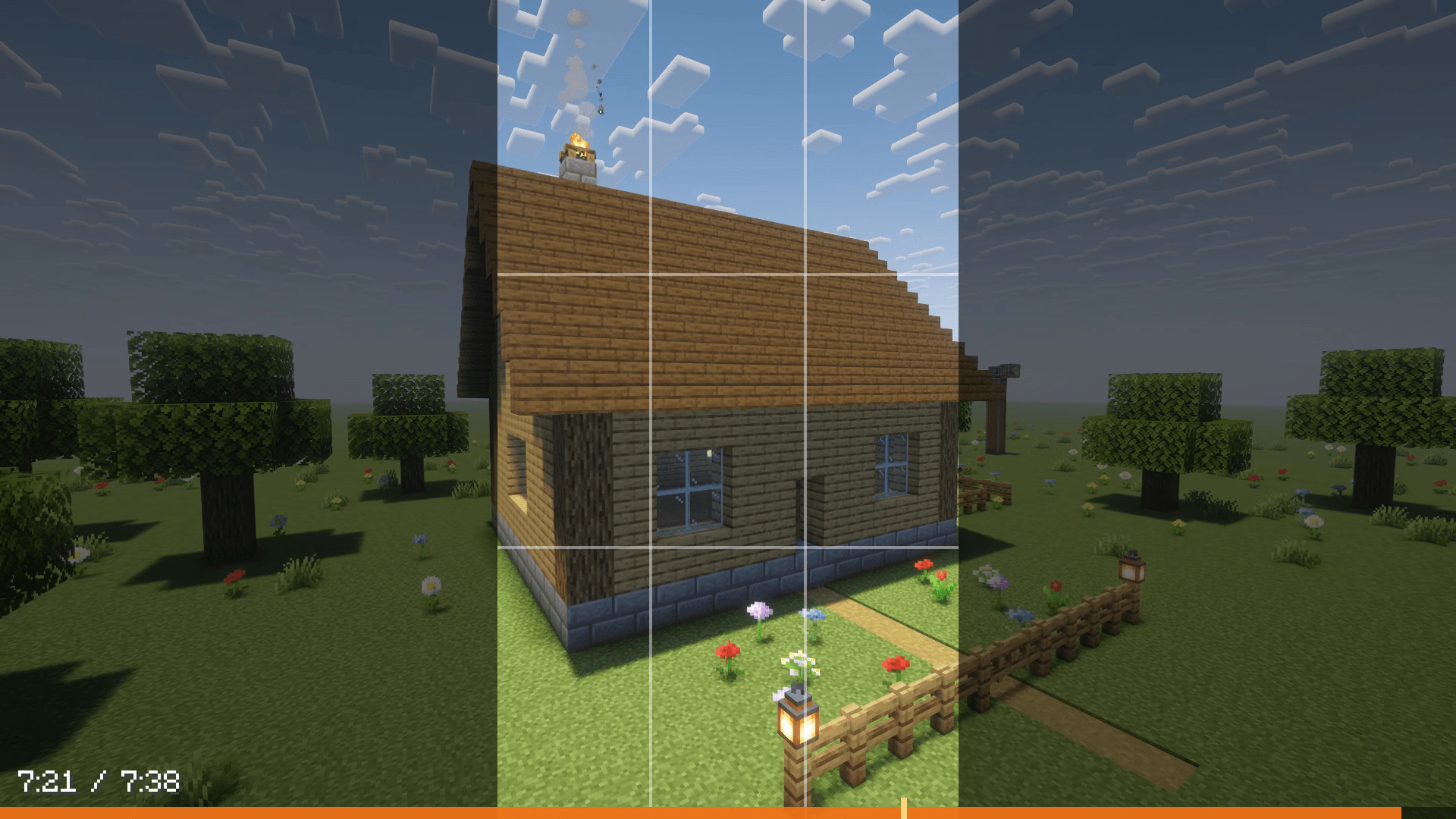 image-attachment_34785dfc-43e4-4cb8-adf5-9e0efc51c6bd.png Framing guides show exactly what a vertical video will keep.
 -
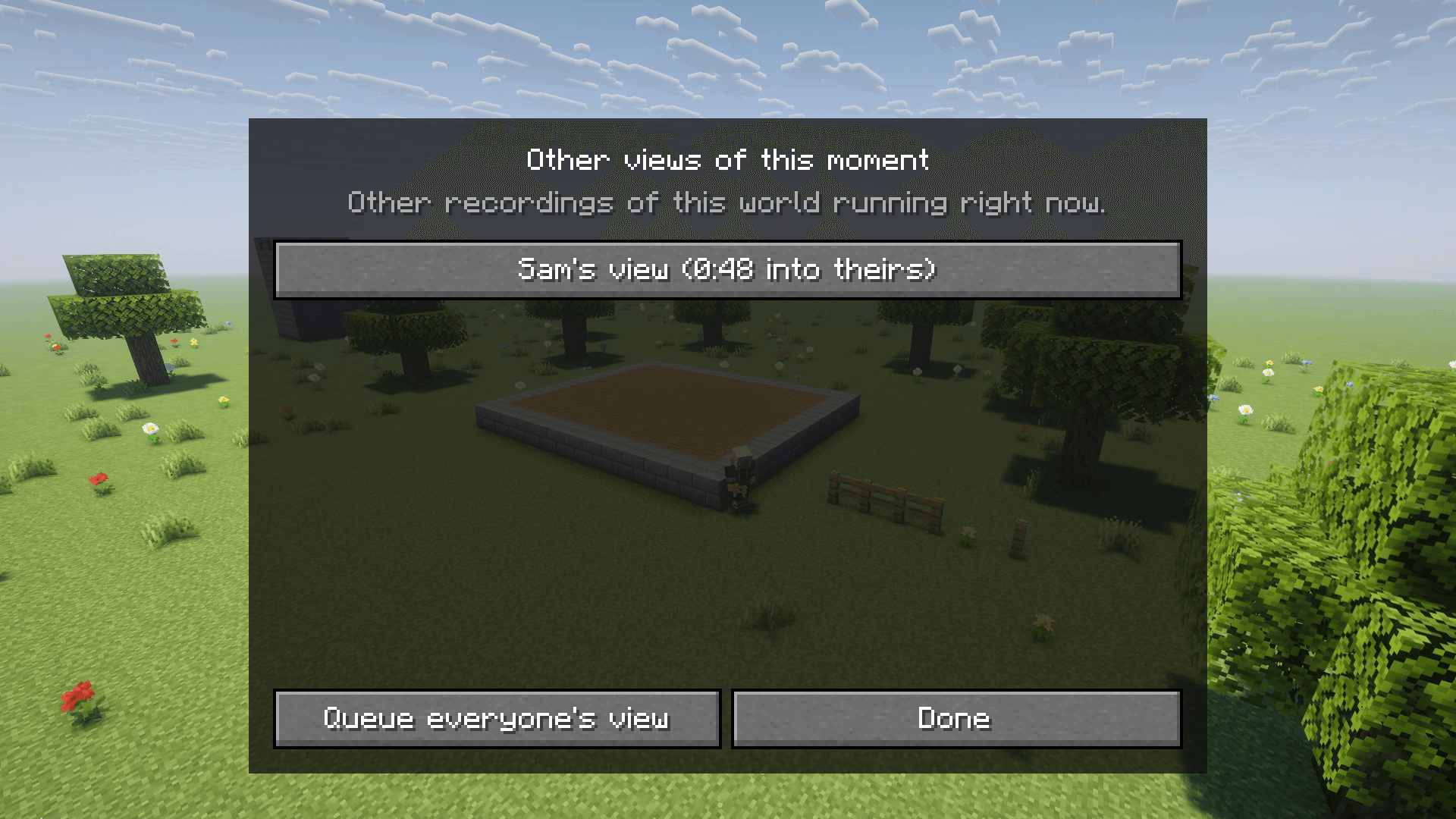 image-attachment_76e4e8b1-f63e-4c05-a613-e0631eaa79af.png Everyone recorded? Jump to the same moment from any player's own recording.
 -
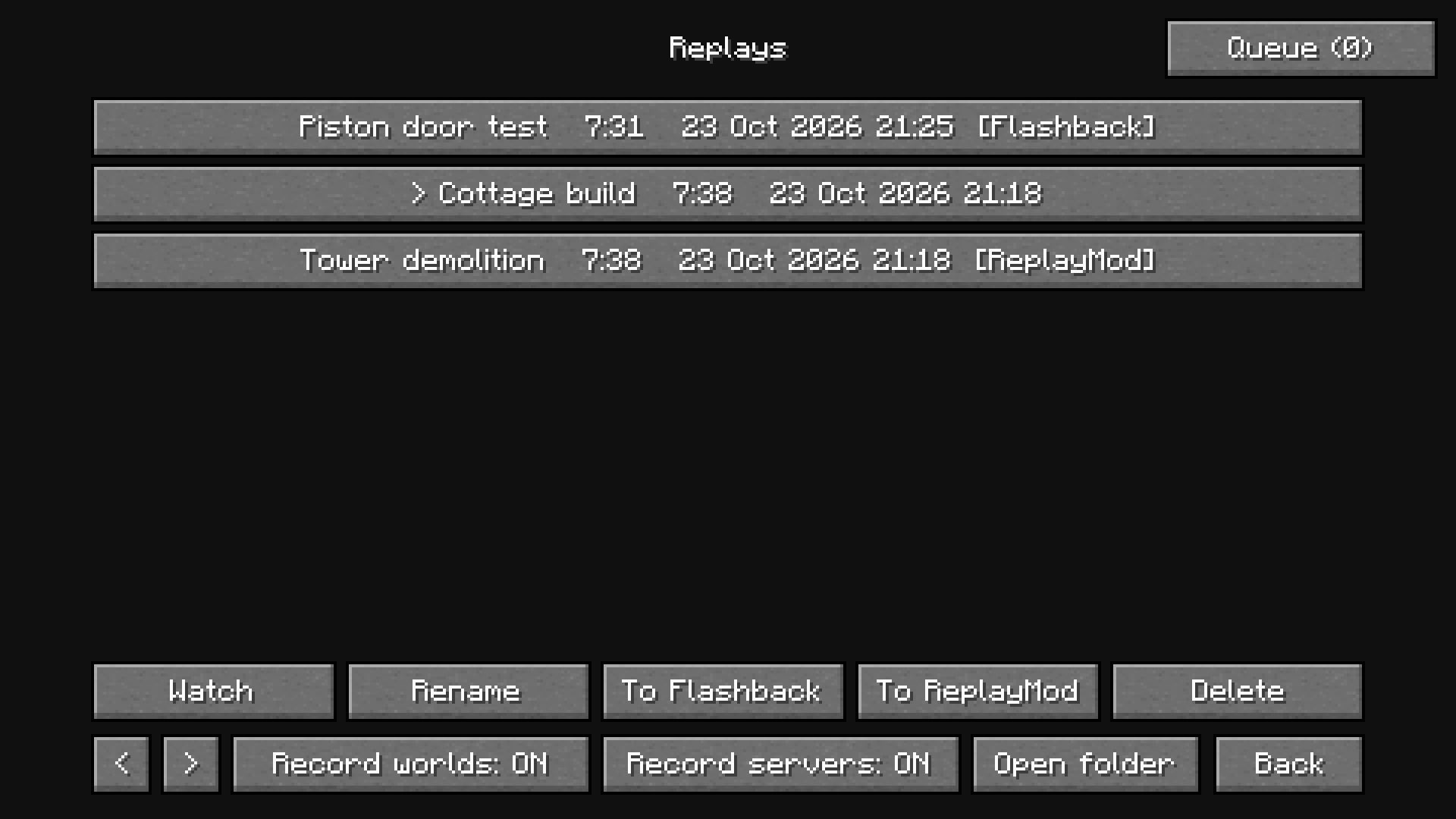 image-attachment_0ed164a9-820e-4e44-84bb-f9b6d2f0a3e4.png Hindsight, ReplayMod and Flashback replays in one list.
 -
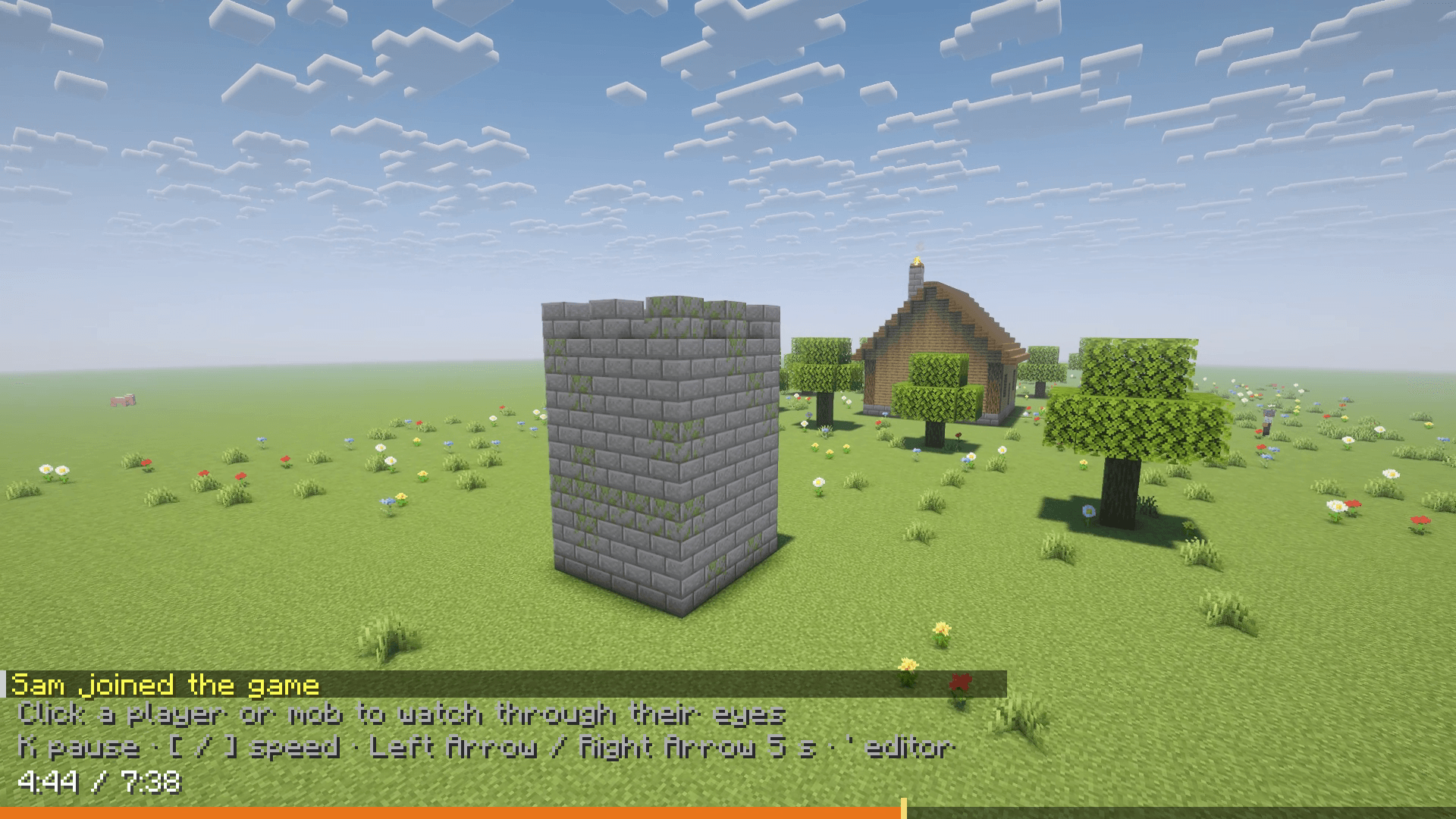 image-attachment_aa2d2fb6-e2c4-4aaa-8bb8-7f32a12ed158.png Fly through any moment of a session as a free camera, with the timeline along the bottom.
 -
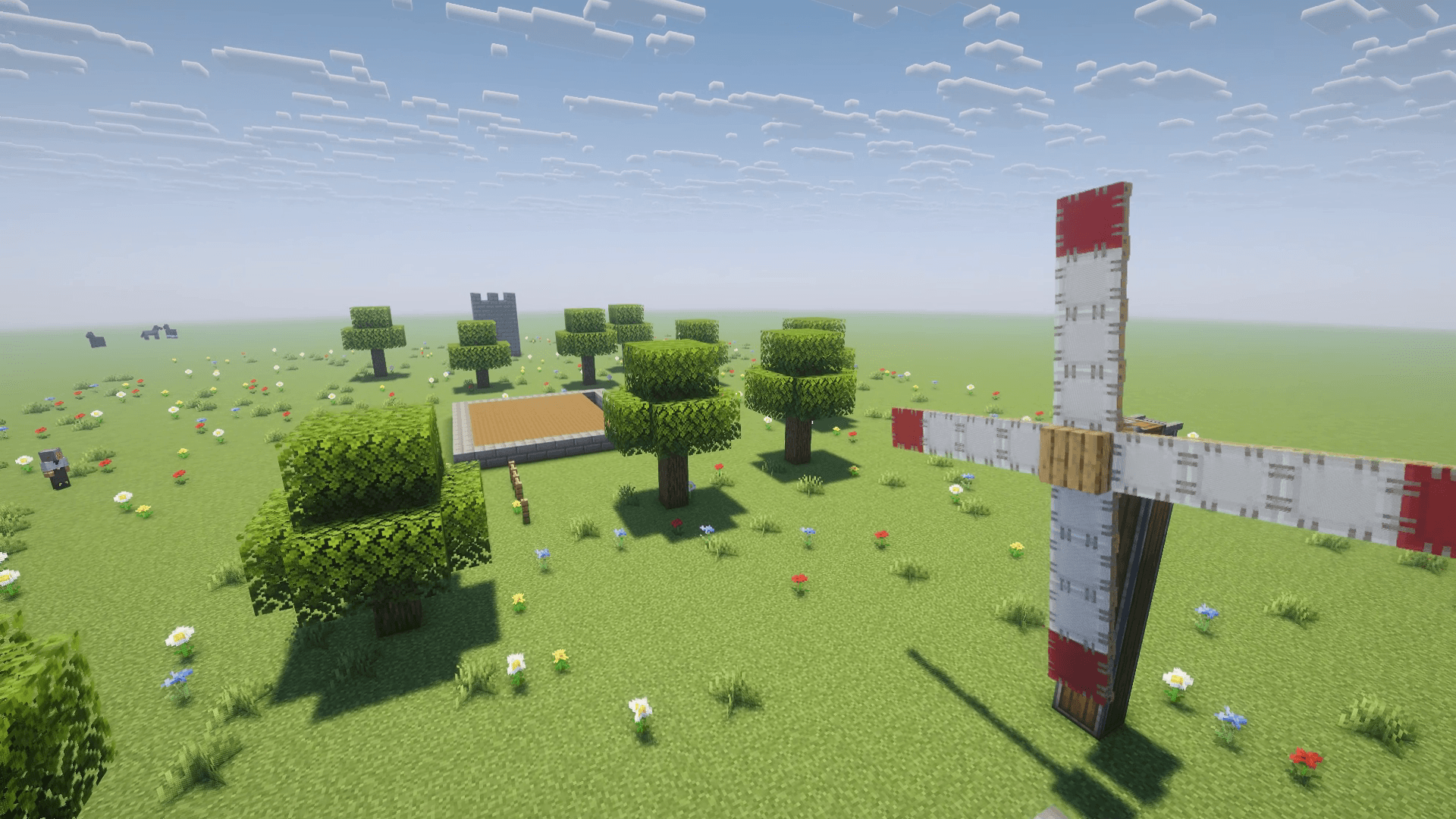 image-attachment_3459f83c-23b9-4c14-9f54-7e9748d897ab.png A frame of a video exported straight from Hindsight, shaders and Create included.
 -
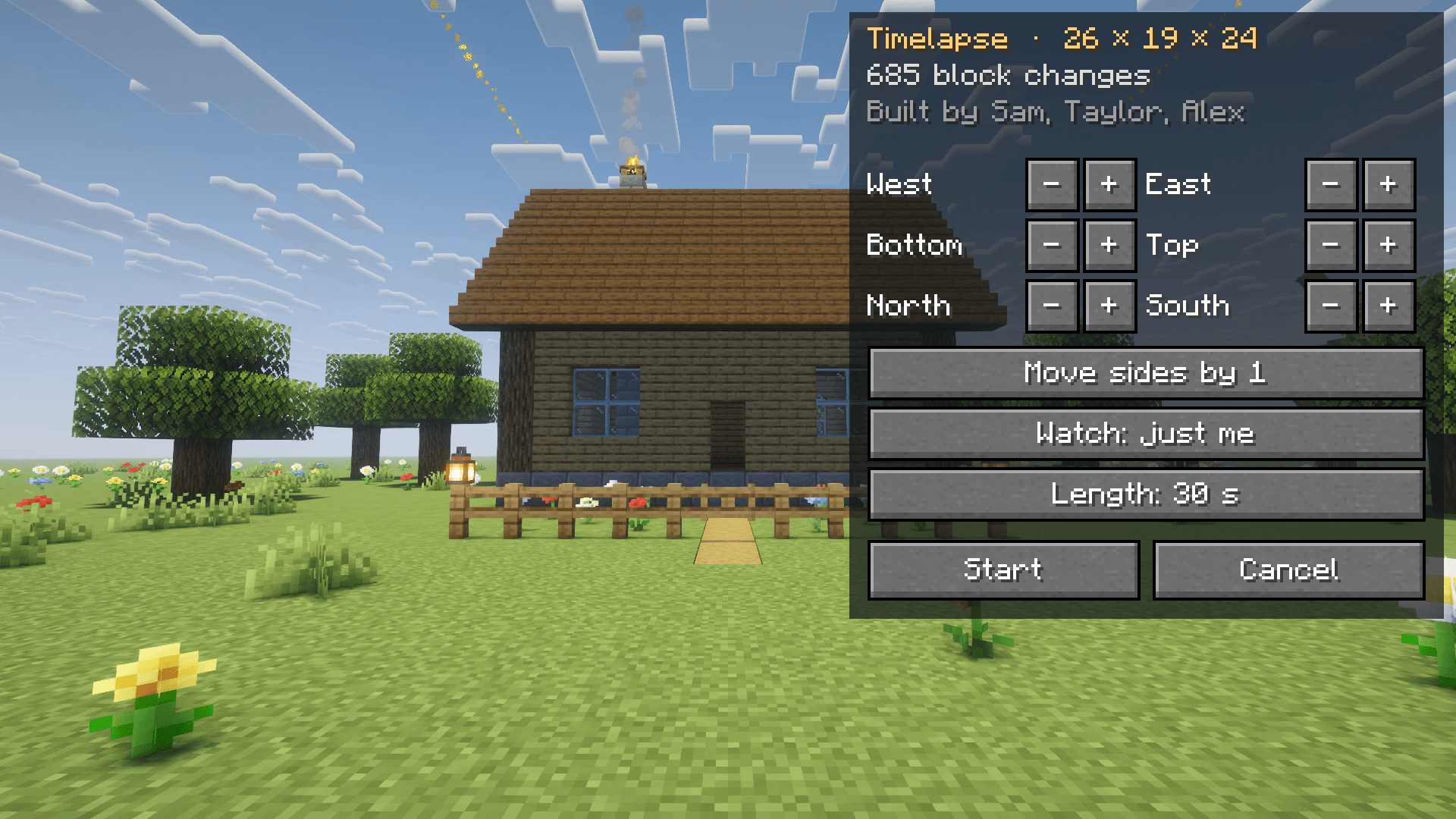 image-attachment_e36a013f-233b-427a-8db3-74a353f53695.png Press one key: Hindsight outlines the build you're standing in. Frame it and pick a length.
Versions
Files
Relations
Project Relations
More like this
Similar Mods
Suggestions use data such as tags, dependencies, dependents, descriptions, titles, and more to rank how much they overlap with this mod.
On ModDex
Community snapshot
By the numbers
Statistics

Get it on
Available Platforms
On ModDex
Community snapshot
By the numbers
Statistics
Resources