Community listing page, reviews may not be monitored by the author.
Holoplan

No reviews yet
Client-side blueprints for Fabric: capture builds, project schematics as ghost blocks, check your progress and get material lists.

Community voices
Reviews
No reviews yet. Be the first to review this project!
Get it on
Available Platforms
About
Project Details
For authors
Embed Badge
If you're the author of this project, you can embed a live badge anywhere that supports HTML or Markdown. It updates automatically whenever ratings change.
Use HTML for any page that supports it, or Markdown for README files and Markdown-based descriptions.
Identifiers
Platform IDs
Resources
External Links
About
Description
Holoplan
Build from a blueprint – right in your world.
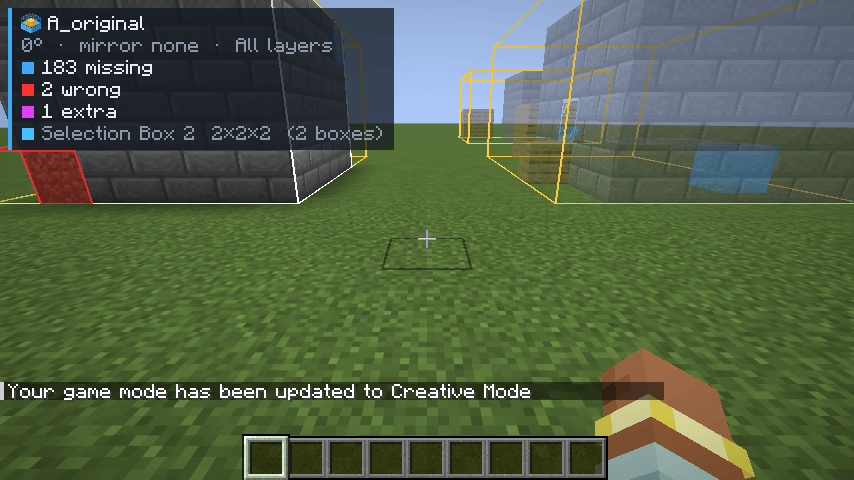
Holoplan is a client-side schematic tool for Fabric. Capture any area as a schematic, show schematics as translucent ghost blocks, see at a glance what is missing or wrong, and get a ready-made material list. No server mod needed – it works in singleplayer and on servers.
Features
Capture
- Select areas with two corners – with a stick or by coordinates, multiple boxes per selection
- Save as
.litematicor vanilla.nbt, including chest contents and other block entity data
Projection
- Show
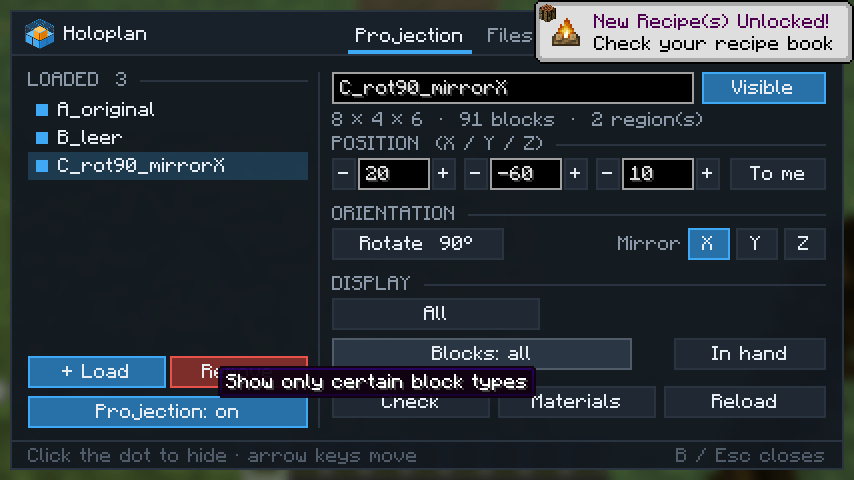
.litematicand.nbtfiles as ghost blocks with real block textures - Move, rotate in 90° steps and mirror on X, Y or Z
- Layer mode: all, a single layer, up to or from a height, or a range
- Block filter: show only certain block types – or just the block in your hand
- Placements are saved per world and restored when you come back
Check & materials
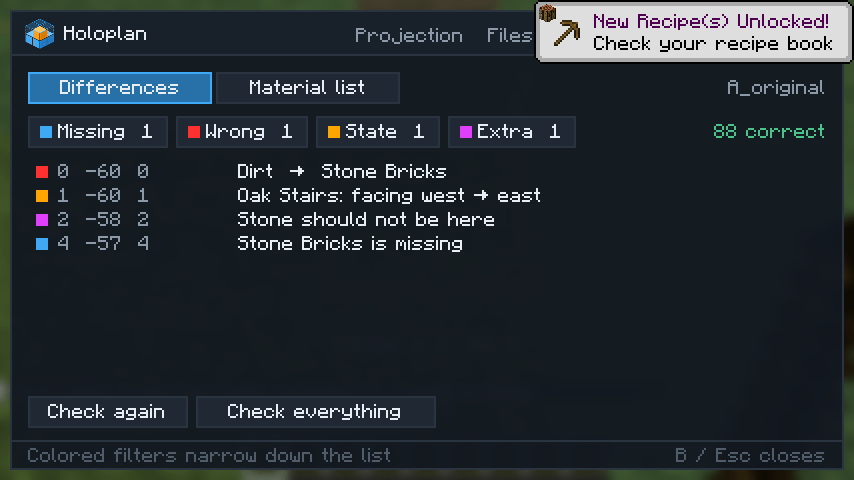
- Colored markers for missing blocks, wrong blocks, wrong orientation and extra blocks
- A list of every difference with exact coordinates, plus a live counter in the HUD
- Material list (needed / missing) in stacks and shulker boxes – copy it or export it as
.txt
Easy Placement
- Optional: right-click places the block the blueprint expects, facing the right way (stairs, logs, slabs, furnaces, pistons, observers …)
Comfort
- One clean window with five tabs: Projection, Files, Selection, Check, Options
- English and German, all keys rebindable, client command
/holoplan - Fast even with huge builds – ghost blocks stay on the GPU
Default keys
| Action | Key |
|---|---|
| Open / close window | B |
| Projection on / off | N |
| Move / rotate / mirror placement | Arrow keys |
| Layer up / down / mode | Page Up / Page Down / End |
| Selection tool (stick) | Left-click corner 1, right-click corner 2 |
Versions
One file per Minecraft version: 26.3, 26.2, 26.1 – 26.1.2, 1.21.11, 1.21.10, 1.21 – 1.21.1, 1.20.1. Requires Fabric API for the same version. 1.21.9 is not supported – please use 1.21.10.
Good to know
- Schematics go in
.minecraft/schematics/– the same folder Litematica uses, so existing files show up right away. - Holoplan never places blocks by itself; Easy Placement only picks the orientation. Strict anti-cheat servers may dislike the brief look-direction change – check the server rules first.
- Chest contents can only be captured fully in singleplayer.
- Chests, signs, beds and liquids show up as a translucent box instead of a model.
- Not tested with shader mods.
- Not affiliated with Litematica; it just uses the same file format.
Screenshots
Gallery
-
 0000_bp_01_projection.png 0000_bp_01_projection.png
-
 0003_bp_03_tab_projection.png 0003_bp_03_tab_projection.png
-
 0006_bp_06_tab_check.png 0006_bp_06_tab_check.png
-
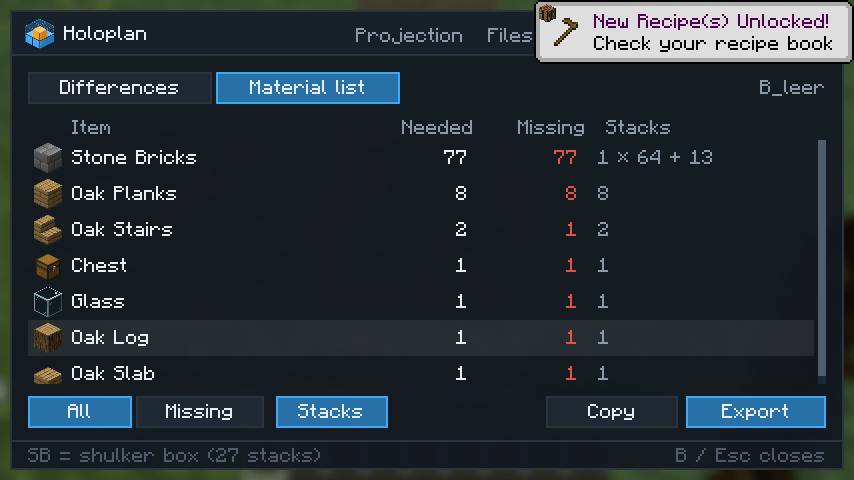 0007_bp_07_tab_materials.png 0007_bp_07_tab_materials.png
-
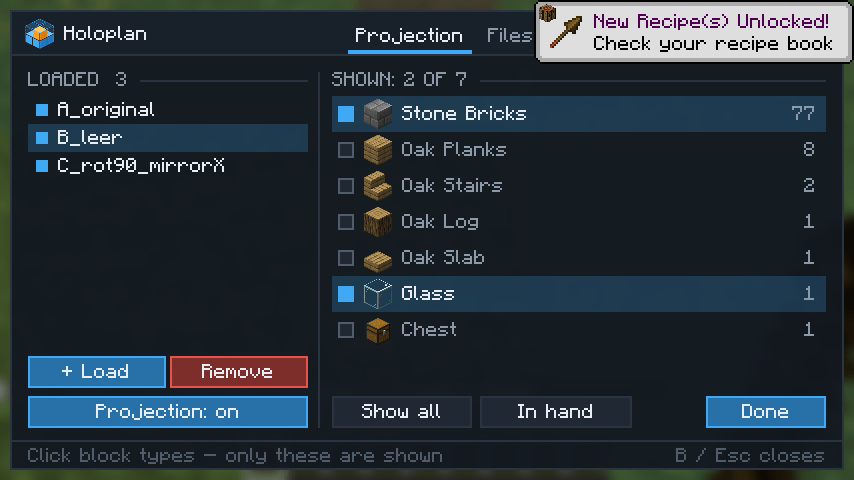 0009_bp_09_block_filter_picker.png 0009_bp_09_block_filter_picker.png
Versions
Files
Relations
Project Relations
More like this
Similar Mods
Suggestions use data such as tags, dependencies, dependents, descriptions, titles, and more to rank how much they overlap with this mod.
On ModDex
Community snapshot
By the numbers
Statistics

Get it on
Available Platforms
On ModDex
Community snapshot
By the numbers
Statistics
Resources