
Community listing page, reviews here may not be monitored by the author.
Home Point


No reviews yet
Lightweight server-side home system featuring a fully interactive, auto-refreshing Chat UI. No client-side mods required. Supports Fabric/Forge 1.8.9 – 1.21.11.

Community voices
Reviews
No reviews yet. Be the first to review this project!
Get it on
Available Platforms
Compatibility
Supported Environments
Runs entirely on the server. Also works in singleplayer.
About
Project Details
For authors
Embed Badge
If you're the author of this project, you can embed a live badge anywhere that supports HTML or Markdown. It updates automatically whenever ratings change.
Use HTML for any page that supports it, or Markdown for README files and Markdown-based descriptions.
Identifiers
Platform IDs
Resources
External Links
About
Description
🏠 Home Point
A lightweight, interactive teleport system for your Minecraft server.
_%7C_1.21.11_%7C_1.21.1_%7C_1.20.1_%7C_1.19.2_%7C_1.16.5_%7C_1.12.2_%7C_1.8.9-orange?style=for-the-badge&logo=curseforge&logoColor=white)


Note: NeoForge builds are available exclusively on Modrinth.
🛡️ About the Mod
Home Point is a server-side only mod that completely overhauls the standard /home command experience. Instead of using clunky inventory GUIs or forcing you to type out long commands, everything is managed through a clean, clickable interface right in your chat box. Since it's server-side only, your players don't need to download anything to play!
✨ Features
- 📡 Share Your Base (
/home share): Proud of your build? Share your home in the global chat. Other players will see a green[Add Home]button they can click to instantly save your coordinates to their own list. NEW in 1.5.6: Now supports@a,@p,@rselectors to share with multiple players at once! - ⌨️ Smart Autocomplete: Start typing
/home tp, pressTAB, and the mod will automatically suggest and safely quote your home names, even if they have spaces or Cyrillic letters! - ⚔️ Combat Tagging (Anti-PvP): No more running away from fights. If a player deals or takes damage, they get placed in combat mode, blocking them from teleporting.
- 🌍 Dimension Control: Only want players to use homes in the Overworld? You can easily restrict teleportation using whitelists or blacklists in the config.
- 🎛️ 100% Configurable: Tune practically every aspect of the mod. Want a 5-second warm-up delay? Custom particle effects? A strict max home limit? It's all there.
🚀 Technical Performance
Home Point is built with massive multiplayer servers in mind:
- Zero TPS Impact: The teleport wait timers do not use standard server
onTickevent loops. Everything relies on highly efficient task schedulers. - Asynchronous I/O Saving: When the mod saves your player's coordinates, it offloads the save process to a background thread (
system_async_saving). It will never freeze or lag the main server thread!
🎮 Commands & Permissions
Everything runs through the /home command, which fully supports TAB-Autocomplete. If your home name contains spaces, don't worry—the mod will automatically add quotes around the name for you!
🔹 Basic Navigation
| Command | Description |
|---|---|
/home | Opens the interactive Chat Menu with clickable [TP], [Ren], [Del], [Share] buttons |
/home list <page> | Shows a specific page of your homes list |
/home <name> | Instantly teleports you to the specified home |
/home set <name> | Creates a new home at your current location |
/home del <name> | Deletes an existing home |
/home rename <old> <new> | Renames an existing home |
🔹 Sharing
When sharing homes, you can optionally specify who to share with using player names or entity selectors (@a, @p, @r), and control whether the clickable [Add Home] button is included.
| Command | Description |
|---|---|
/home share <name> | Broadcasts your home to the global chat with an [Add Home] button |
/home share <name> <target> | Sends your home to specific player(s). Supports @a (all), @p (nearest), @r (random) |
/home share <name> <target> true | Shares with target(s) with the [Add Home] button |
/home share <name> <target> false | Shares with target(s) without the [Add Home] button (coordinates only) |
/home share_coords <name> | Broadcasts your home to the global chat as plain coordinates (no button) |
/home share_coords <name> <target> | Sends plain-text coordinates to specific player(s) |
Example: /home share "My Base" @a false — sends coordinates of "My Base" to every online player without any clickable buttons.
🔹 Permission Ranks & Limits
The config allows you to set specific quotas like homes_limit_vip and homes_limit_admin. The mod automatically determines these quotas based on standard permission levels or Operator status. You can instantly bypass all limits natively by granting OP status if homes_unlimited_for_operators is set to true.
⚙️ Server Configuration (v1.5.6+)
Where to find it: config/home_mod.json
The config file is incredibly detailed but easy to read. If you ever update the mod, new settings will be safely added without breaking your existing config! Here is the full breakdown of every single setting you can tweak:
📐 1. Player Limits (homes_limit_*)
homes_limit_default[Int, Default: 3]: The maximum number of homes a standard player can set.homes_limit_vip[Int, Default: 10]: Extended limit typically assigned to VIP players (e.g. via LuckPerms).homes_limit_admin[Int, Default: 50]: Massive limit for administrators or moderators.homes_unlimited_for_operators[Boolean, Default: true]: If set totrue, players with OP status entirely bypass all limits. Set tofalseif you want admins to stick tohomes_limit_admin.
🚷 2. Anti-PvP Protection (pvp_block_*)
pvp_block_teleport_in_combat[Boolean, Default: true]: Iftrue, engaging in combat (taking or dealing damage) will instantly lock the/homecommand, preventing combat-logging.pvp_combat_duration_seconds[Int, Default: 15]: How long a player stays "in combat" after their last hit before they are allowed to teleport again.
⏱ 3. Teleport Mechanics & Cooldowns (teleport_*)
teleport_wait_seconds[Int, Default: 3]: Stand-still warm-up delay before teleporting. Set to0for instant teleports.teleport_cooldown_seconds[Int, Default: 10]: Restricts how often players can spam the/homecommand.teleport_cancel_if_player_moves[Boolean, Default: true]: Iftrue, the warm-up cancels if the player walks.teleport_cancel_if_hurt[Boolean, Default: true]: Iftrue, the warm-up cancels if the player takes any damage while waiting.teleport_cancel_if_attacking[Boolean, Default: false]: Iftrue, the warm-up cancels if the player attacks an entity while waiting.teleport_auto_dismount_vehicles[Boolean, Default: true]: Automatically removes the player from horses/minecarts before teleporting to prevent major desync bugs.teleport_allow_between_dimensions[Boolean, Default: true]: Iffalse, players can only teleport to homes within the same dimension they are currently in.teleport_check_destination_safety[Boolean, Default: true]: Checks for solid blocks at the destination to prevent players from suffocating inside blocks on arrival.teleport_keep_velocity[Boolean, Default: false]: Iftrue, players falling at terminal velocity will keep falling fast after teleporting (extremely dangerous).teleport_center_camera[Boolean, Default: false]: Iftrue, forces the player to look straight ahead (pitch 0) upon arrival.teleport_max_y_limit[Int, Default: 320]: Prevents setting homes above the map (e.g., nether roof exceptions).teleport_min_y_limit[Int, Default: -64]: Prevents setting homes underneath the bedrock mapping.
🌌 4. Worlds & Dimensions (world_*)
world_use_whitelist[Boolean, Default: false]: Iftrue, players can ONLY use/homein the dimensions listed in the whitelist.world_whitelist[List of Strings, Default: ["minecraft:overworld", "minecraft:the_nether", "minecraft:the_end"]]: Acceptable dimension IDs.world_use_blacklist[Boolean, Default: false]: Iftrue, players are banned from using homes in any dimension listed in the blacklist.world_blacklist[List of Strings, Default: []]: Dimension IDs where homes are forbidden.
🎨 5. Chat UI Functions (chat_* & button_*)
chat_enable_gui[Boolean, Default: true]: Toggles the interactive clickable buttons in chat. Iffalse, the mod operates via text commands only.chat_homes_per_page[Int, Default: 5]: How many homes are shown per page before it rolls over to/home list 2.chat_prefix[String, Default: "§6[Home] §r"]: The prefix tag your players see before any mod message.chat_color_primary/secondary/error/accent[String]: Standard Minecraft color codes (§a,§e,§c,§b) used throughout the interface.chat_share_button_enabled[Boolean, Default: true]: Enables the[Share]button next to each home.chat_share_button_default[Boolean, Default: true]: When sharing a home via the GUI, this determines if the interactive[Add Home]button is appended to the message for other players to click.button_text_tp/_rename/_delete/_add_home[String]: Full customization of the interactive bracket texts (e.g., you can translate[TP]to[Телепорт]).
🏷 6. Hover Texts & Messages (hover_* & msg_*)
Translate or customize every single tooltip and error alert!
hover_tp/_rename/_share/_copy_coords[String]: Mouse-over tooltips for the chat buttons.msg_home_not_found/msg_limit_reached/msg_tp_in_combat[String]: Standard error broadcasts.msg_cooldown_active[String]: Contains the%time%placeholder to dynamically show seconds remaining.msg_tp_cancelled_moved/_damage[String]: Sent if the teleport warmup gets interrupted.
🎇 7. Visuals & Audio (effect_* & sound_*)
effect_spawn_particles[Boolean, Default: true]: Spawns visual particles on the player during the teleportation sequence.effect_teleport_end_particle[String, Default: "minecraft:dragon_breath"]: The exact particle spawned upon arrival.effect_teleport_particle_count[Int, Default: 30]: Density of the particle cloud.effect_teleport_particle_radius[Double, Default: 1.5]: The radius spread of the particles.sound_enabled[Boolean, Default: true]: Toggles all teleport-related audio cues.sound_teleport_start[String, Default: "entity.enderman.teleport"]: The sound played during warmup.sound_teleport_success[String, Default: "block.portal.travel"]: Sound played upon destination arrival.sound_teleport_cancel[String, Default: "block.note_block.bass"]: Sound played if warmup is interrupted.sound_teleport_start_volume/_success_volume/_cancel_volume[Float, Default: 1.0f / 0.8f / 1.0f]: Individual volume controls.
🔧 8. File Backups & Engine (system_*)
system_save_interval_minutes[Int, Default: 15]: How frequently the server auto-saves the player homes database to the disk to prevent rollbacks.system_async_saving[Boolean, Default: true]: CRITICAL: Saves database records forcefully onto a background thread without ticking the server socket. Guarantees absolutely zero TPS drops on massive networks. Keeptrueunless diagnosing I/O conflicts.system_debug_mode[Boolean, Default: false]: Enable to print highly technical diagnostic logs to the server console (only for developers/debugging).
❓ Frequently Asked Questions (FAQ)
Q: Do my players need to download this mod?
A: No! This mod is heavily injected into the server core. Players can join using a completely vanilla client and use all the clickable features out of the box!
Q: Will I lose my players' old homes if I update from 1.4.0 to 1.5.6?
A: No. Our custom Gson configuration managers handle migrations perfectly. Your homes.json file is completely safe!
Q: Does this conflict with EssentialsX or other teleport mods?
A: Nope. Modded loaders capture command execution properly. If there is a slight /home command identity conflict with another mod, standard native priority systems will handle it dynamically.
🛠️ Installation
⚠️ IMPORTANT: This mod goes ONLY in your server's mods folder. Your players do not need to download it to join!
- Download the
.jarfile for your loader (Fabric, Forge, NeoForge, or Quilt). - Drop it into your server's
modsfolder. - Start the server once. The
config/home_mod.jsonfile will automatically generate for you to edit.
⚠️ Let's talk about older versions (1.12.2, 1.8.9)
If you are running a server on 1.12.2 or 1.8.9, the mod is limited to version 1.0.0. The older versions are purely command-based and do not have the clickable Chat UI or JSON configuration files.

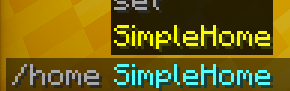
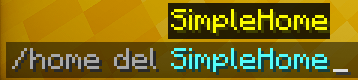
📌 Version Note: This description and the listed config settings are based on the latest version of the mod (v1.5.6). If you download an older release (like v1.3.0 or v1.4.0), some of the newest configuration options or features may not be available. Always try to use the latest version available for your Minecraft version!
🏠 Home Point
A lightweight, interactive teleport system for your Minecraft server.
_%7C_1.21.11_%7C_1.21.1_%7C_1.20.1_%7C_1.19.2_%7C_1.16.5_%7C_1.12.2_%7C_1.8.9-orange?style=for-the-badge&logo=modrinth&logoColor=white)
🛡️ About the Mod
Home Point is a server-side only mod that completely overhauls the standard /home command experience. Instead of using clunky inventory GUIs or forcing you to type out long commands, everything is managed through a clean, clickable interface right in your chat box. Since it's server-side only, your players don't need to download anything to play!
✨ Features
- 📡 Share Your Base (
/home share): Proud of your build? Share your home in the global chat. Other players will see a green[Add Home]button they can click to instantly save your coordinates to their own list. NEW in 1.5.6: Now supports@a,@p,@rselectors to share with multiple players at once! - ⌨️ Smart Autocomplete: Start typing
/home tp, pressTAB, and the mod will automatically suggest and safely quote your home names, even if they have spaces or Cyrillic letters! - ⚔️ Combat Tagging (Anti-PvP): No more running away from fights. If a player deals or takes damage, they get placed in combat mode, blocking them from teleporting.
- 🌍 Dimension Control: Only want players to use homes in the Overworld? You can easily restrict teleportation using whitelists or blacklists in the config.
- 🎛️ 100% Configurable: Tune practically every aspect of the mod. Want a 5-second warm-up delay? Custom particle effects? A strict max home limit? It's all there.
🚀 Technical Performance
Home Point is built with massive multiplayer servers in mind:
- Zero TPS Impact: The teleport wait timers do not use standard server
onTickevent loops. Everything relies on highly efficient task schedulers. - Asynchronous I/O Saving: When the mod saves your player's coordinates, it offloads the save process to a background thread (
system_async_saving). It will never freeze or lag the main server thread!
💬 Commands & Arguments
Everything runs through the /home command, which fully supports TAB-Autocomplete. If your home name contains spaces, don't worry—the mod will automatically add quotes around the name for you!
🔹 Basic Navigation
| Command | Description |
|---|---|
/home |
Opens the interactive Chat Menu with clickable [TP], [Ren], [Del], [Share] buttons |
/home list <page> |
Shows a specific page of your homes list |
/home <name> |
Instantly teleports you to the specified home |
/home set <name> |
Creates a new home at your current location |
/home del <name> |
Deletes an existing home |
/home rename <old_name> <new_name> |
Renames an existing home |
🔹 Sharing
When sharing homes, you can optionally specify who to share with using player names or entity selectors (@a, @p, @r), and control whether the clickable [Add Home] button is included.
| Command | Description |
|---|---|
/home share <name> |
Broadcasts your home to the global chat with an [Add Home] button |
/home share <name> <target> |
Sends your home to specific player(s). Supports @a (all), @p (nearest), @r (random) |
/home share <name> <target> true |
Shares with target(s) with the [Add Home] button |
/home share <name> <target> false |
Shares with target(s) without the [Add Home] button (coordinates only) |
/home share_coords <name> |
Broadcasts your home to the global chat as plain coordinates (no button) |
/home share_coords <name> <target> |
Sends plain-text coordinates to specific player(s) |
Example:
/home share "My Base" @a false— sends coordinates of "My Base" to every online player, without any clickable buttons.
🔹 Permission Ranks & Limits
The config allows you to set specific quotas like homes_limit_vip and homes_limit_admin. The mod automatically determines these quotas based on standard permission levels or Operator status. You can instantly bypass all limits natively by granting OP status if homes_unlimited_for_operators is set to true.
⚙️ Server Configuration (v1.5.6+)
Where to find it: config/home_mod.json
The config file is incredibly detailed but easy to read. If you ever update the mod, new settings will be safely added without breaking your existing config! Here is the full breakdown of every single setting you can tweak:
📐 1. Player Limits (homes_limit_*)
homes_limit_default[Int, Default: 3]: The maximum number of homes a standard player can set.homes_limit_vip[Int, Default: 10]: Extended limit typically assigned to VIP players (e.g. via LuckPerms).homes_limit_admin[Int, Default: 50]: Massive limit for administrators or moderators.homes_unlimited_for_operators[Boolean, Default: true]: If set totrue, players with OP status entirely bypass all limits. Set tofalseif you want admins to stick tohomes_limit_admin.
🚷 2. Anti-PvP Protection (pvp_block_*)
pvp_block_teleport_in_combat[Boolean, Default: true]: Iftrue, engaging in combat (taking or dealing damage) will instantly lock the/homecommand, preventing combat-logging.pvp_combat_duration_seconds[Int, Default: 15]: How long a player stays "in combat" after their last hit before they are allowed to teleport again.
⏱ 3. Teleport Mechanics & Cooldowns (teleport_*)
teleport_wait_seconds[Int, Default: 3]: Stand-still warm-up delay before teleporting. Set to0for instant teleports.teleport_cooldown_seconds[Int, Default: 10]: Restricts how often players can spam the/homecommand.teleport_cancel_if_player_moves[Boolean, Default: true]: Iftrue, the warm-up cancels if the player walks.teleport_cancel_if_hurt[Boolean, Default: true]: Iftrue, the warm-up cancels if the player takes any damage while waiting.teleport_cancel_if_attacking[Boolean, Default: false]: Iftrue, the warm-up cancels if the player attacks an entity while waiting.teleport_auto_dismount_vehicles[Boolean, Default: true]: Automatically removes the player from horses/minecarts before teleporting to prevent major desync bugs.teleport_allow_between_dimensions[Boolean, Default: true]: Iffalse, players can only teleport to homes within the same dimension they are currently in.teleport_check_destination_safety[Boolean, Default: true]: Checks for solid blocks at the destination to prevent players from suffocating inside blocks on arrival.teleport_keep_velocity[Boolean, Default: false]: Iftrue, players falling at terminal velocity will keep falling fast after teleporting (extremely dangerous).teleport_center_camera[Boolean, Default: false]: Iftrue, forces the player to look straight ahead (pitch 0) upon arrival.teleport_max_y_limit[Int, Default: 320]: Prevents setting homes above the map (e.g., nether roof exceptions).teleport_min_y_limit[Int, Default: -64]: Prevents setting homes underneath the bedrock mapping.
🌌 4. Worlds & Dimensions (world_*)
world_use_whitelist[Boolean, Default: false]: Iftrue, players can ONLY use/homein the dimensions listed in the whitelist.world_whitelist[List of Strings, Default: ["minecraft:overworld", "minecraft:the_nether", "minecraft:the_end"]]: Acceptable dimension IDs.world_use_blacklist[Boolean, Default: false]: Iftrue, players are banned from using homes in any dimension listed in the blacklist.world_blacklist[List of Strings, Default: []]: Dimension IDs where homes are forbidden.
🎨 5. Chat UI Functions (chat_* & button_*)
chat_enable_gui[Boolean, Default: true]: Toggles the interactive clickable buttons in chat. Iffalse, the mod operates via text commands only.chat_homes_per_page[Int, Default: 5]: How many homes are shown per page before it rolls over to/home list 2.chat_prefix[String, Default: "§6[Home] §r"]: The prefix tag your players see before any mod message.chat_color_primary/secondary/error/accent[String]: Standard Minecraft color codes (§a,§e,§c,§b) used throughout the interface.chat_share_button_enabled[Boolean, Default: true]: Enables the[Share]button next to each home.chat_share_button_default[Boolean, Default: true]: When sharing a home via the GUI, this determines if the interactive[Add Home]button is appended to the message for other players to click.button_text_tp/_rename/_delete/_add_home[String]: Full customization of the interactive bracket texts (e.g., you can translate[TP]to[Телепорт]).
🏷 6. Hover Texts & Messages (hover_* & msg_*)
Translate or customize every single tooltip and error alert!
hover_tp/_rename/_share/_copy_coords[String]: Mouse-over tooltips for the chat buttons.msg_home_not_found/msg_limit_reached/msg_tp_in_combat[String]: Standard error broadcasts.msg_cooldown_active[String]: Contains the%time%placeholder to dynamically show seconds remaining.msg_tp_cancelled_moved/_damage[String]: Sent if the teleport warmup gets interrupted.
🎇 7. Visuals & Audio (effect_* & sound_*)
effect_spawn_particles[Boolean, Default: true]: Spawns visual particles on the player during the teleportation sequence.effect_teleport_end_particle[String, Default: "minecraft:dragon_breath"]: The exact particle spawned upon arrival.effect_teleport_particle_count[Int, Default: 30]: Density of the particle cloud.effect_teleport_particle_radius[Double, Default: 1.5]: The radius spread of the particles.sound_enabled[Boolean, Default: true]: Toggles all teleport-related audio cues.sound_teleport_start[String, Default: "entity.enderman.teleport"]: The sound played during warmup.sound_teleport_success[String, Default: "block.portal.travel"]: Sound played upon destination arrival.sound_teleport_cancel[String, Default: "block.note_block.bass"]: Sound played if warmup is interrupted.sound_teleport_start_volume/_success_volume/_cancel_volume[Float, Default: 1.0f / 0.8f / 1.0f]: Individual volume controls.
🔧 8. File Backups & Engine (system_*)
system_save_interval_minutes[Int, Default: 15]: How frequently the server auto-saves the player homes database to the disk to prevent rollbacks.system_async_saving[Boolean, Default: true]: CRITICAL: Saves database records forcefully onto a background thread without ticking the server socket. Guarantees absolutely zero TPS drops on massive networks. Keeptrueunless diagnosing I/O conflicts.system_debug_mode[Boolean, Default: false]: Enable to print highly technical diagnostic logs to the server console (only for developers/debugging).
❓ Frequently Asked Questions (FAQ)
Q: Do my players need to download this mod? A: No! This mod is heavily injected into the server core. Players can join using a completely vanilla client and use all the clickable features out of the box!
Q: Will I lose my players' old homes if I update from 1.4.0 to 1.5.6?
A: No. Our custom Gson configuration managers handle migrations perfectly. Your homes.json file is completely safe!
Q: Does this conflict with EssentialsX or other teleport mods?
A: Nope. Modded loaders capture command execution properly. If there is a slight /home command identity conflict with another mod, standard native priority systems will handle it dynamically.
🛠️ Installation
IMPORTANT: This mod goes ONLY in your server's
modsfolder. Your players do not need to download it to join!
- Download the
.jarfile for your loader (Fabric, Forge, NeoForge, or Quilt). - Drop it into your server's
modsfolder. - Start the server once. The
config/home_mod.jsonfile will automatically generate for you to edit.
⚠️ Let's talk about older versions (1.12.2, 1.8.9)
If you are running a server on 1.12.2 or 1.8.9, the mod is limited to version 1.0.0. The older versions are purely command-based and do not have the clickable Chat UI or JSON configuration files.
📌 Version Note
Latest Version: 1.5.6 This description and the listed config settings are based on the newest version of the mod. If you are downloading an older release (like v1.3.0 or v1.4.0 for earlier Minecraft builds), some of the newest configuration options or chat features might not be present in your file. Always try to use the latest version available for your specific Minecraft loader!
Screenshots
Gallery
-

-

-

-
 Chat UI System
Versions
Files
Relations
Project Relations
More like this
Similar Mods
Suggestions use data such as tags, dependencies, dependents, descriptions, titles, and more to rank how much they overlap with this mod.
On ModDex
Community snapshot
By the numbers
Statistics
 (opens in a new tab)
Get it on
Available Platforms
On ModDex
Community snapshot
By the numbers
Statistics
Resources