
Community listing page, reviews here may not be monitored by the author.
Hover Hints


No reviews yet
Shows small contextual hints for hidden vanilla Minecraft mechanics
Community voices
Reviews
No reviews yet. Be the first to review this project!
Get it on
Available Platforms
Compatibility
Supported Environments
Required on the client. Installing it on the server adds functionality.
About
Project Details
For authors
Embed Badge
If you're the author of this project, you can embed a live badge anywhere that supports HTML or Markdown. It updates automatically whenever ratings change.
Use HTML for any page that supports it, or Markdown for README files and Markdown-based descriptions.
Identifiers
Platform IDs
Resources
External Links
About
Description
Hover Hints is a lightweight utility mod that shows small contextual hints for hidden vanilla Minecraft mechanics.
It gives useful information exactly when you need it, while you are holding a relevant item, looking at a matching block or entity, and intentionally asking for a hint.
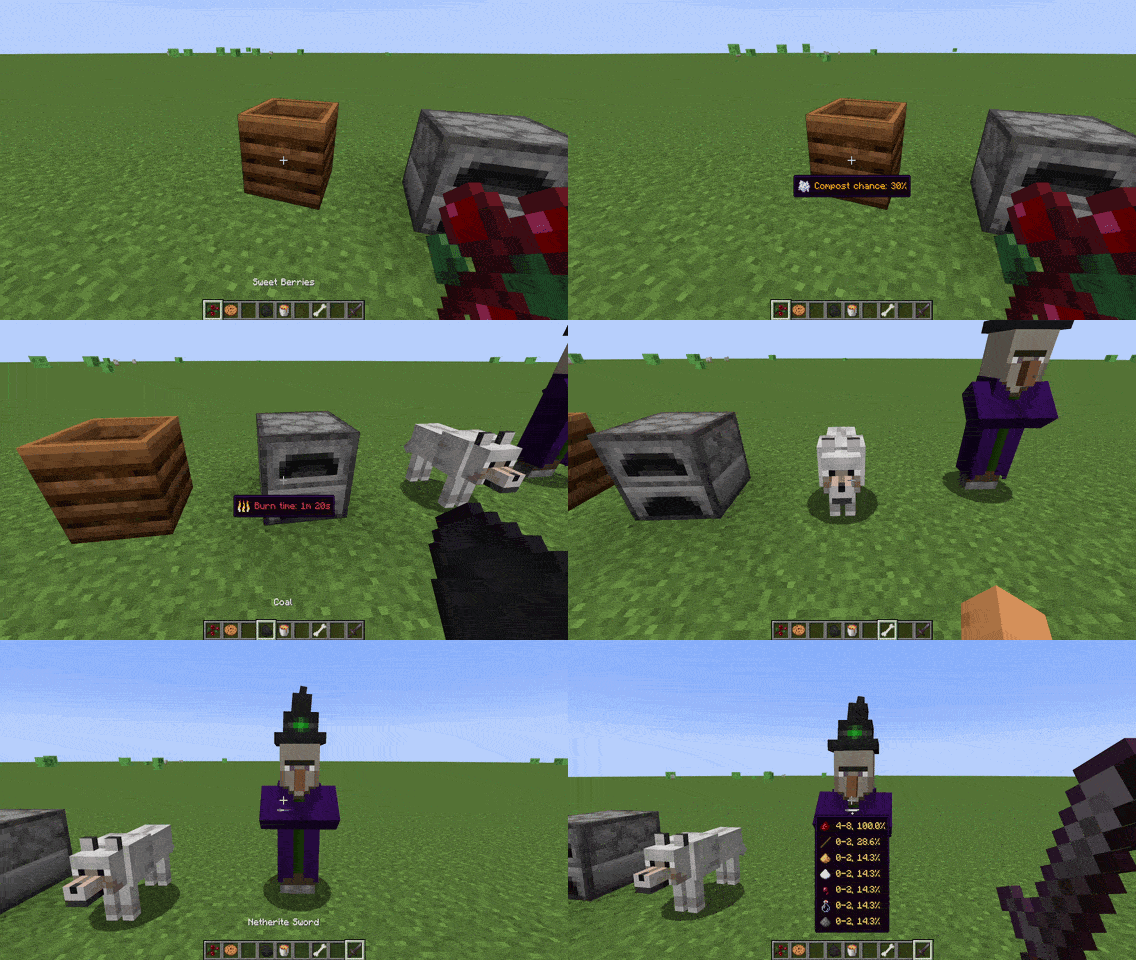
Hover Hints does not add new gameplay mechanics or change vanilla balance. It only reveals information that already exists in Minecraft.
How it works
By default, hints are shown while holding Left Alt.
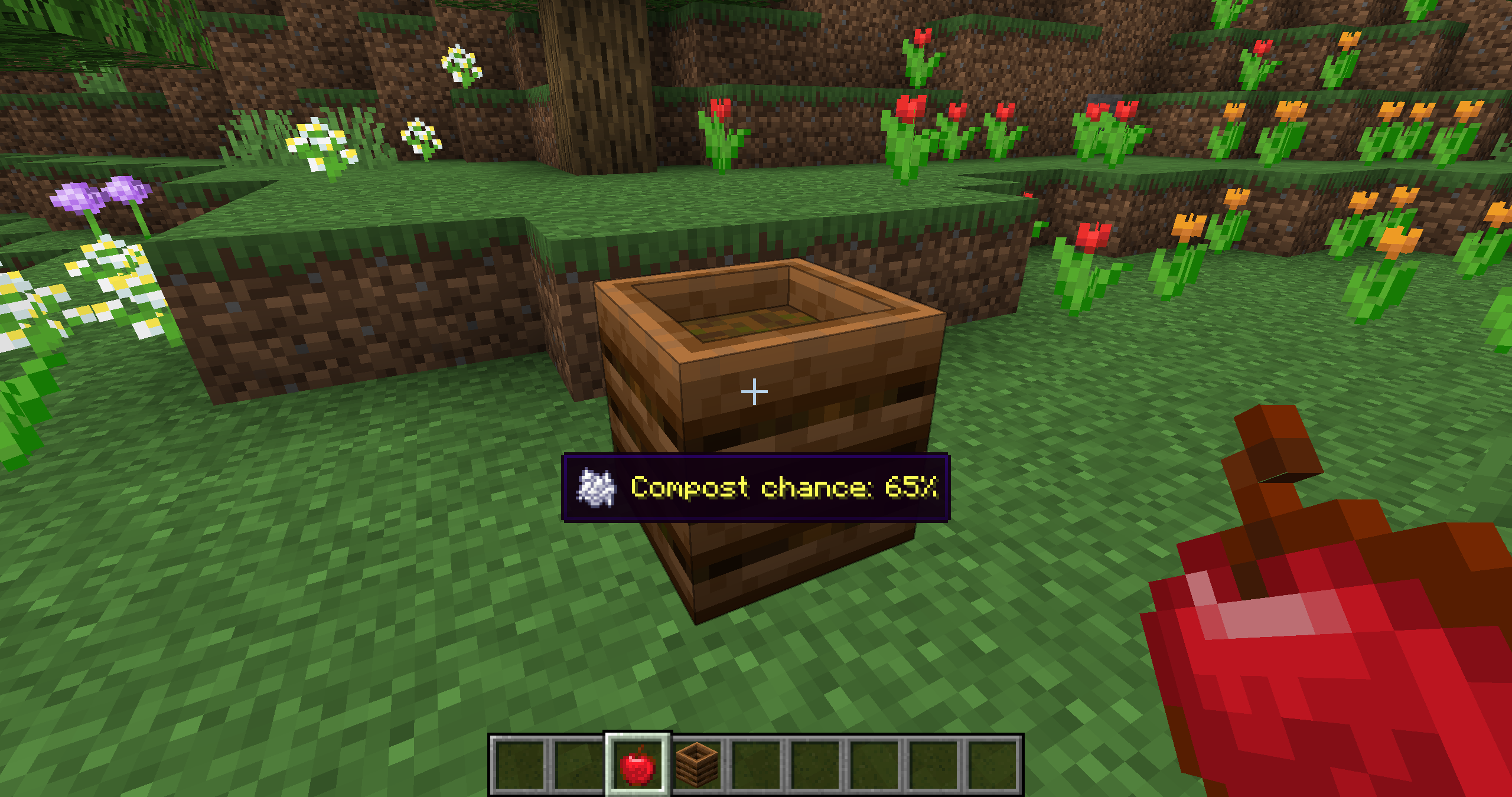
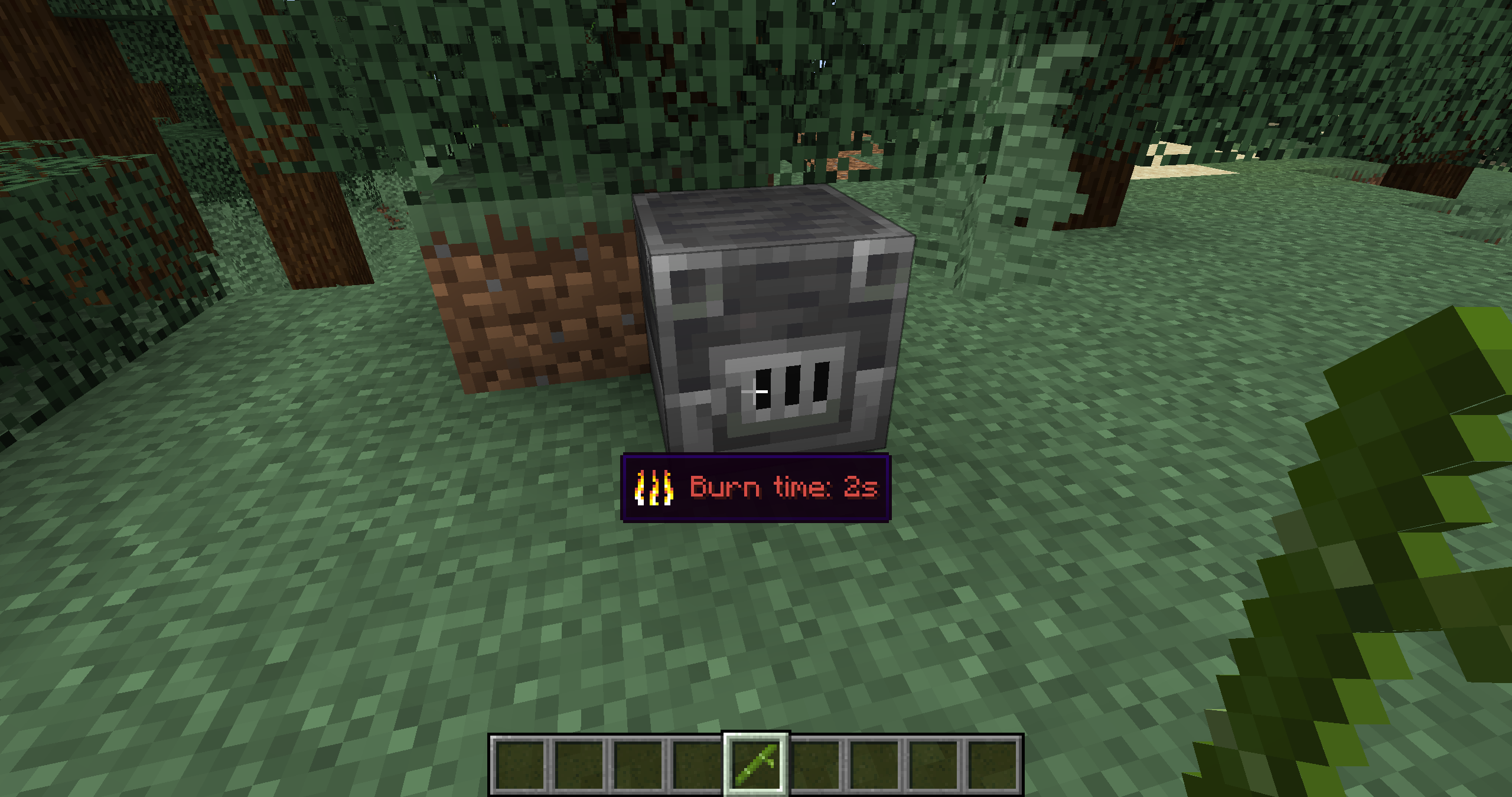
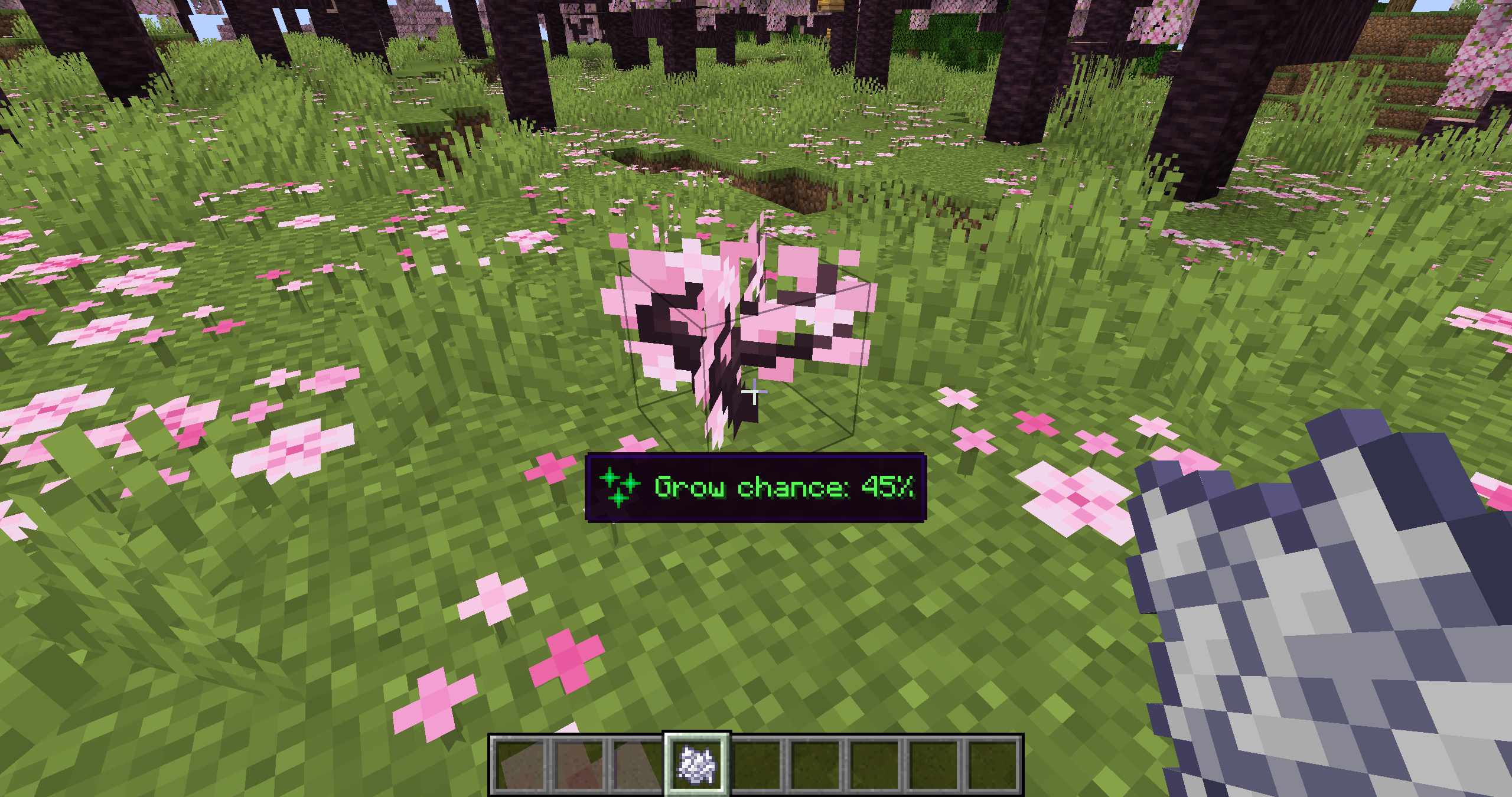
For example, if you hold a compostable item and look at a composter, Hover Hints shows the chance that the item will raise the compost level. If you hold fuel and look at a furnace, it shows how long that fuel will burn. If you hold bone meal and look at a plant, it shows what effect bone meal can have there.
Examples
Composting
Fuel burn time
Bone meal behavior
Entity hints
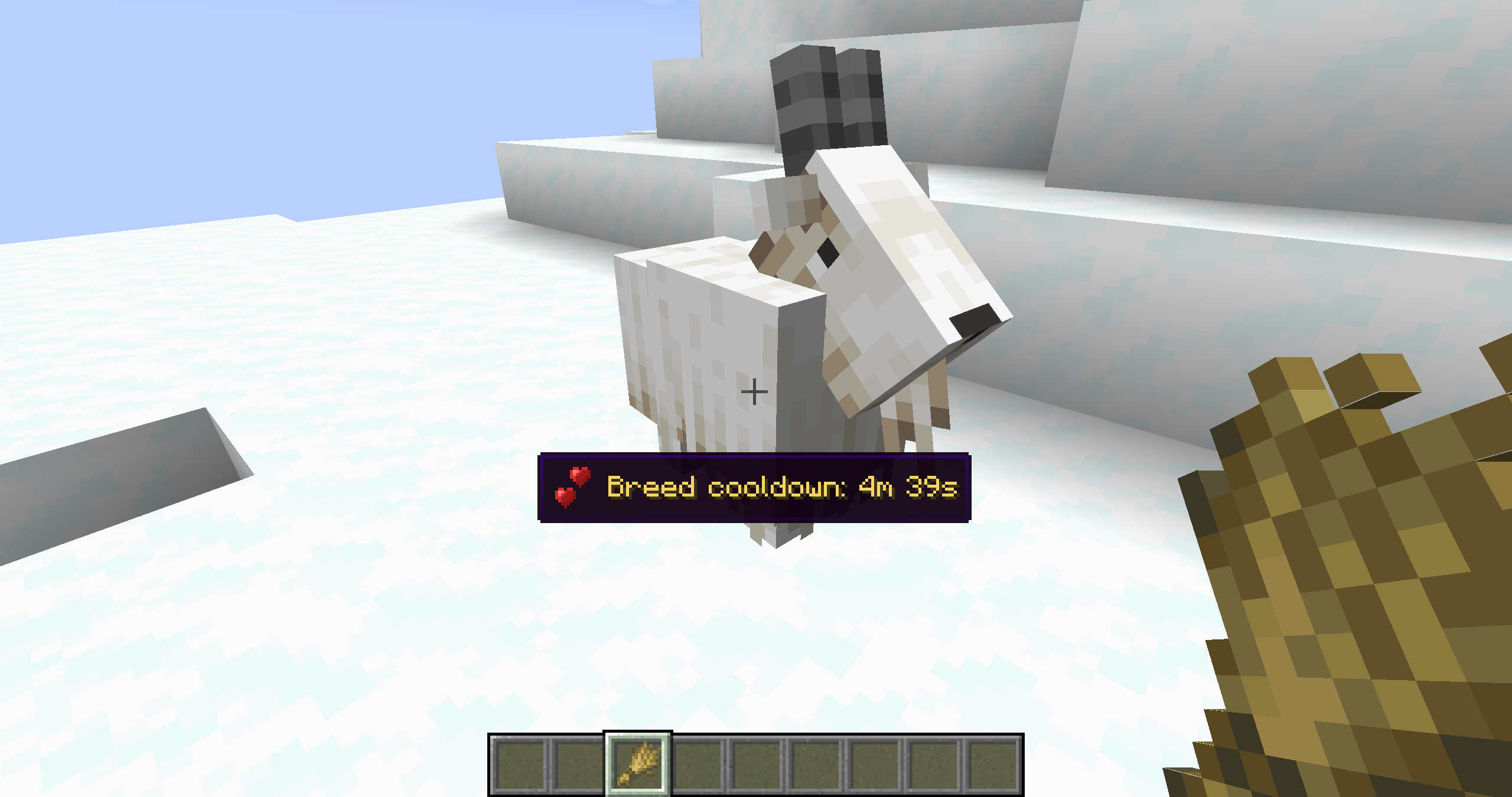
Available hints
Hover Hints works fully client-side for mechanics that are already known to the client. Some hints use server-only data, such as loot tables or villager POI ownership, and require Hover Hints to be installed on the server to show accurate results.
| Hint | What it shows | Server installation required |
|---|---|---|
| Composting | Compost chance for the held item when looking at a composter | No |
| Fuel Burn Time | Burn time for the held item when looking at a furnace, smoker, or blast furnace | No |
| Grindstone XP | Estimated XP from removing enchantments with a grindstone | No |
| Bone Meal | Growth effect, chance, stage increase, spreading, or item drop behavior | No |
| Taming Chance | Taming or trust chance for tameable animals | No |
| Redstone Power | Current redstone power level of the targeted block | No |
| Silk Touch Requirement | Whether the targeted block needs Silk Touch to drop itself | No |
| Sulfur Cube | Shows growth and absorbed block effects when interacting with Sulfur Cubes | No |
| Animal Feeding | Breeding state, baby growth time, love mode timer, and breeding cooldown | Yes, for exact timers |
| Mob Loot | Possible drops from the targeted mob | Yes |
| Archaeology Loot | Possible loot from suspicious sand or suspicious gravel | Yes |
| Villager POI | Whether a villager workstation, bed, or bell is occupied | Yes |
Configuration
The config screen is available through ModMenu or the /hoverhints config command. Cloth Config is required.
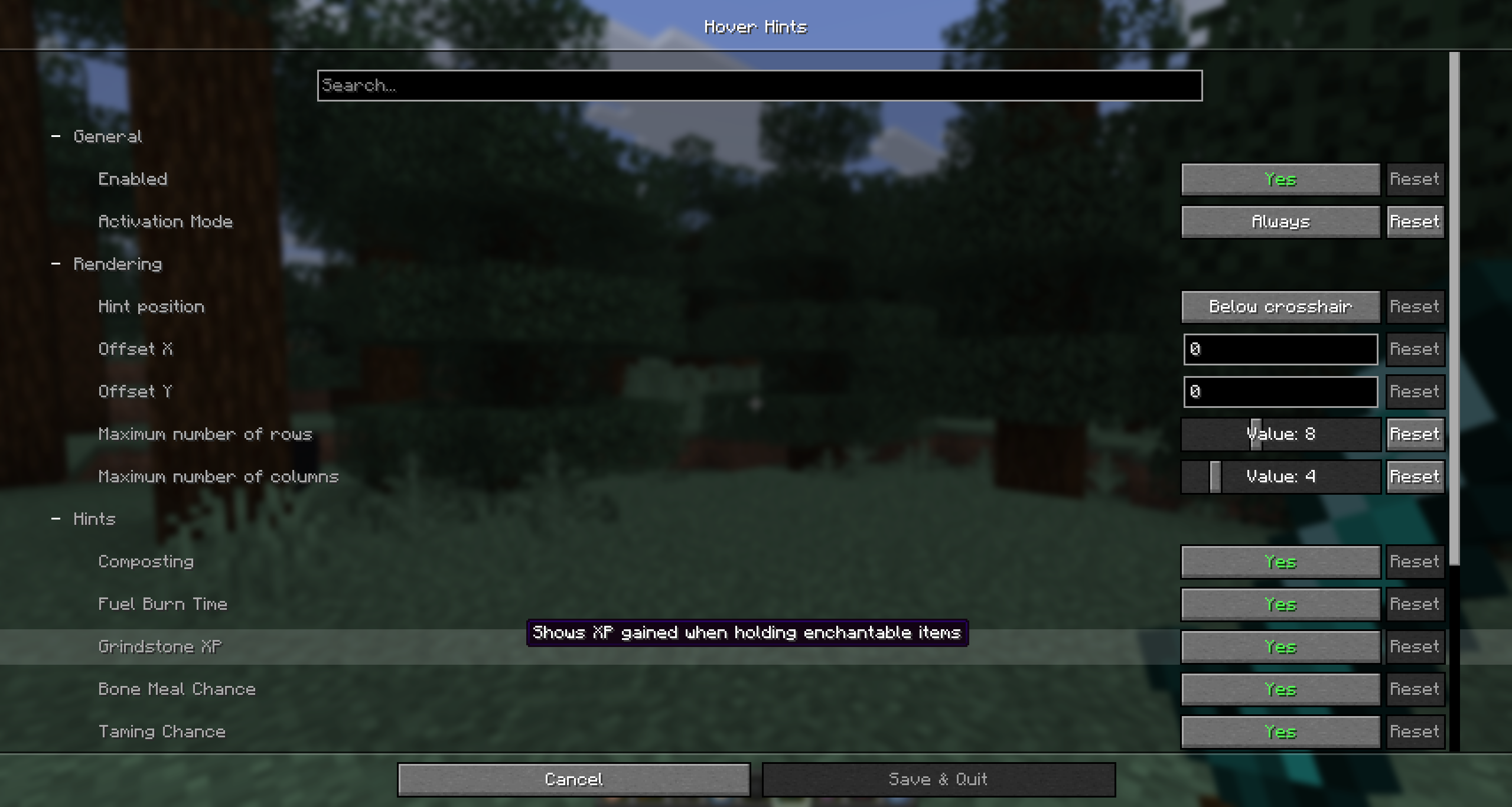
Hover Hints is a lightweight utility mod that shows small contextual hints for hidden vanilla Minecraft mechanics.
It gives useful information exactly when you need it, while you are holding a relevant item, looking at a matching block or entity, and intentionally asking for a hint.
Hover Hints does not add new gameplay mechanics or change vanilla balance. It only reveals information that already exists in Minecraft.
How it works
By default, hints are shown while holding Left Alt.
For example, if you hold a compostable item and look at a composter, Hover Hints shows the chance that the item will raise the compost level. If you hold fuel and look at a furnace, it shows how long that fuel will burn. If you hold bone meal and look at a plant, it shows what effect bone meal can have there.
Examples
Composting
Fuel burn time
Bone meal behavior
Entity hints
Available hints
Hover Hints works fully client-side for mechanics that are already known to the client. Some hints use server-only data, such as loot tables or villager POI ownership, and require Hover Hints to be installed on the server to show accurate results.
| Hint | What it shows | Server installation required |
|---|---|---|
| Composting | Compost chance for the held item when looking at a composter | No |
| Fuel Burn Time | Burn time for the held item when looking at a furnace, smoker, or blast furnace | No |
| Grindstone XP | Estimated XP from removing enchantments with a grindstone | No |
| Bone Meal | Growth effect, chance, stage increase, spreading, or item drop behavior | No |
| Taming Chance | Taming or trust chance for tameable animals | No |
| Redstone Power | Current redstone power level of the targeted block | No |
| Silk Touch Requirement | Whether the targeted block needs Silk Touch to drop itself | No |
| Sulfur Cube | Shows growth and absorbed block effects when interacting with Sulfur Cubes | No |
| Animal Feeding | Breeding state, baby growth time, love mode timer, and breeding cooldown | Yes, for exact timers |
| Mob Loot | Possible drops from the targeted mob | Yes |
| Archaeology Loot | Possible loot from suspicious sand or suspicious gravel | Yes |
| Villager POI | Whether a villager workstation, bed, or bell is occupied | Yes |
Configuration
The config screen is available through ModMenu or the /hoverhints config command. Cloth Config is required.
Screenshots
Gallery
-
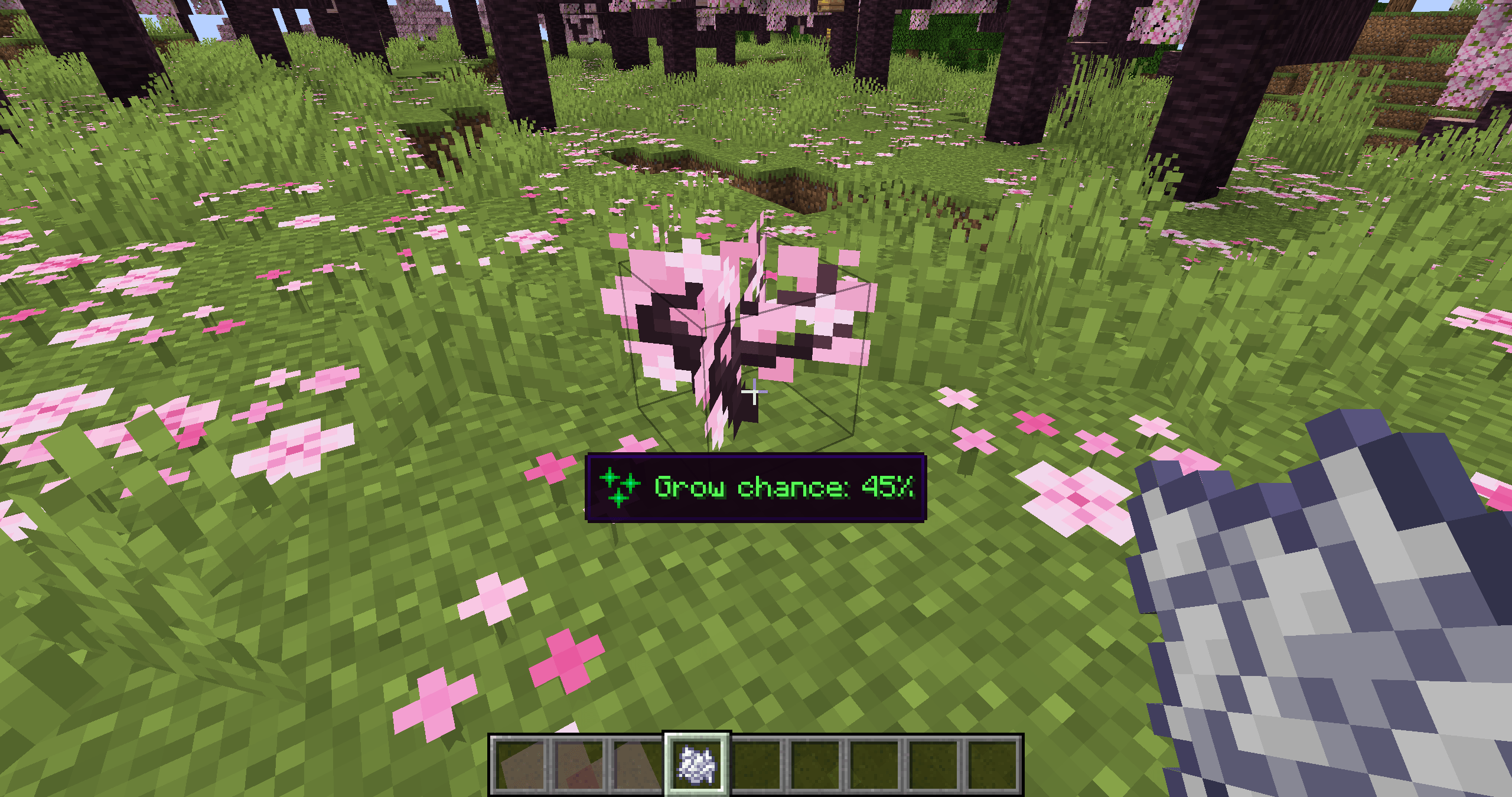 Bone Meal Example bone_meal.png
 -
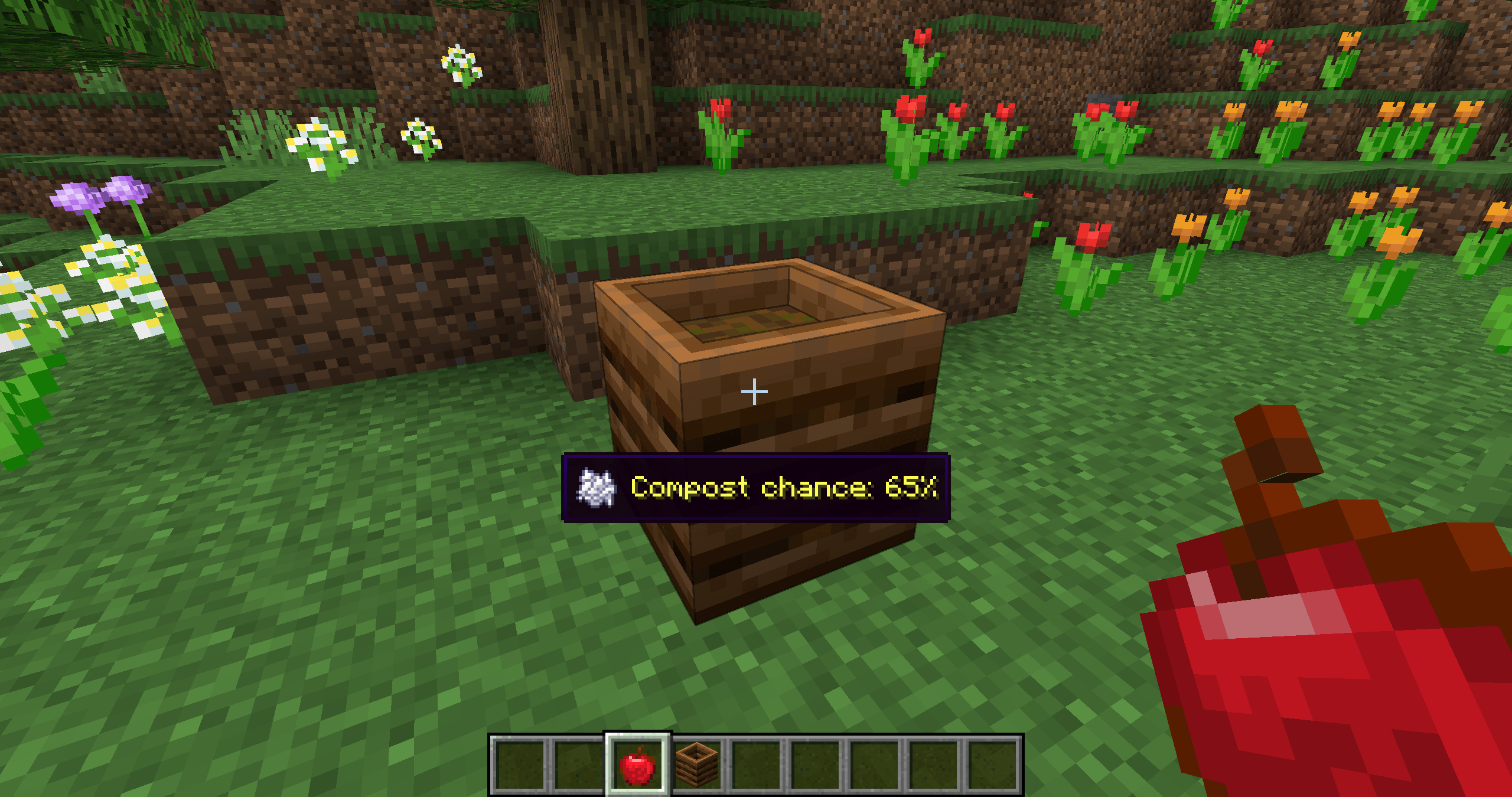 Composting Example composting.png
 -
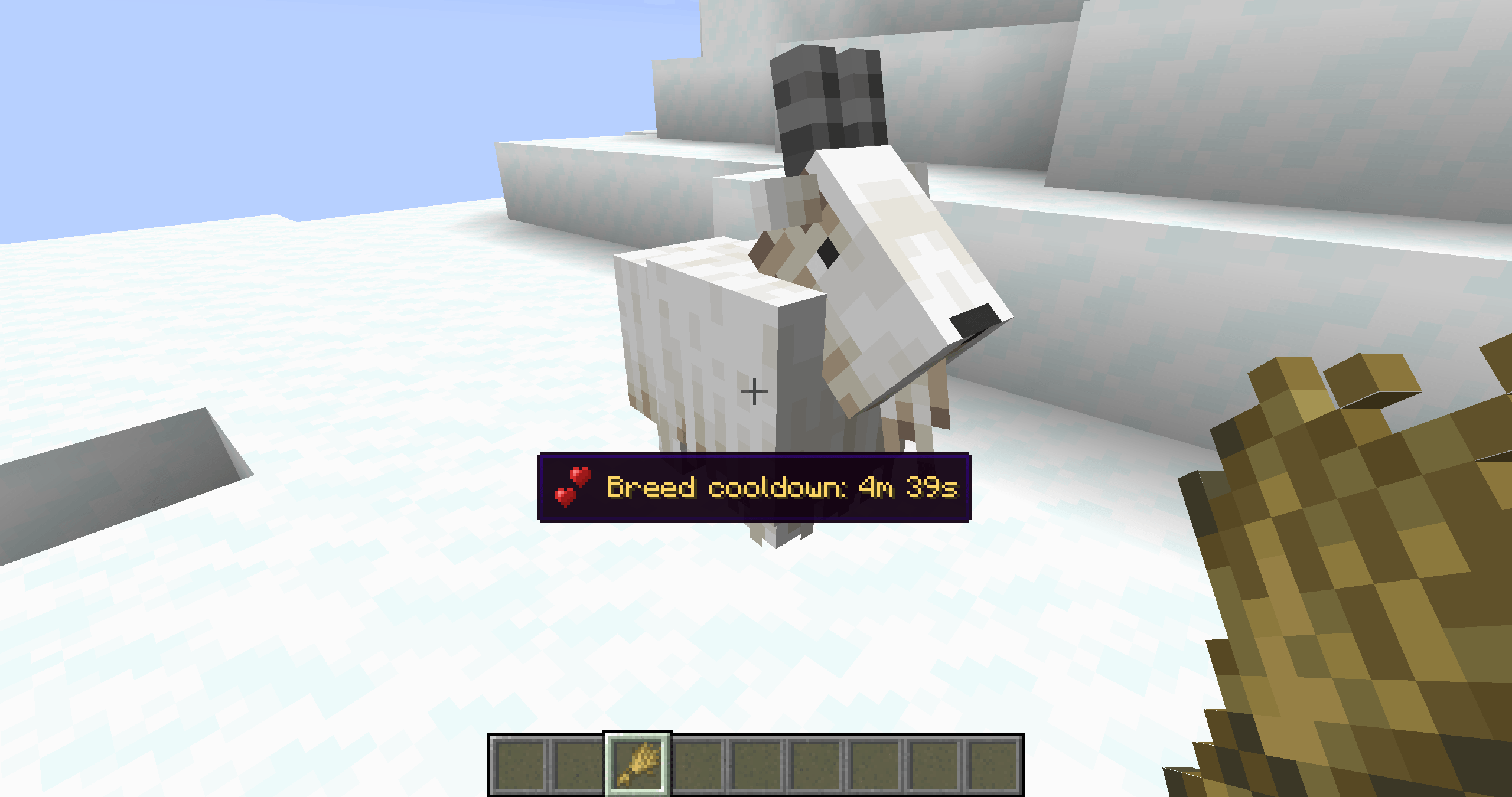 Breed Cooldown entity_hints.png
 -
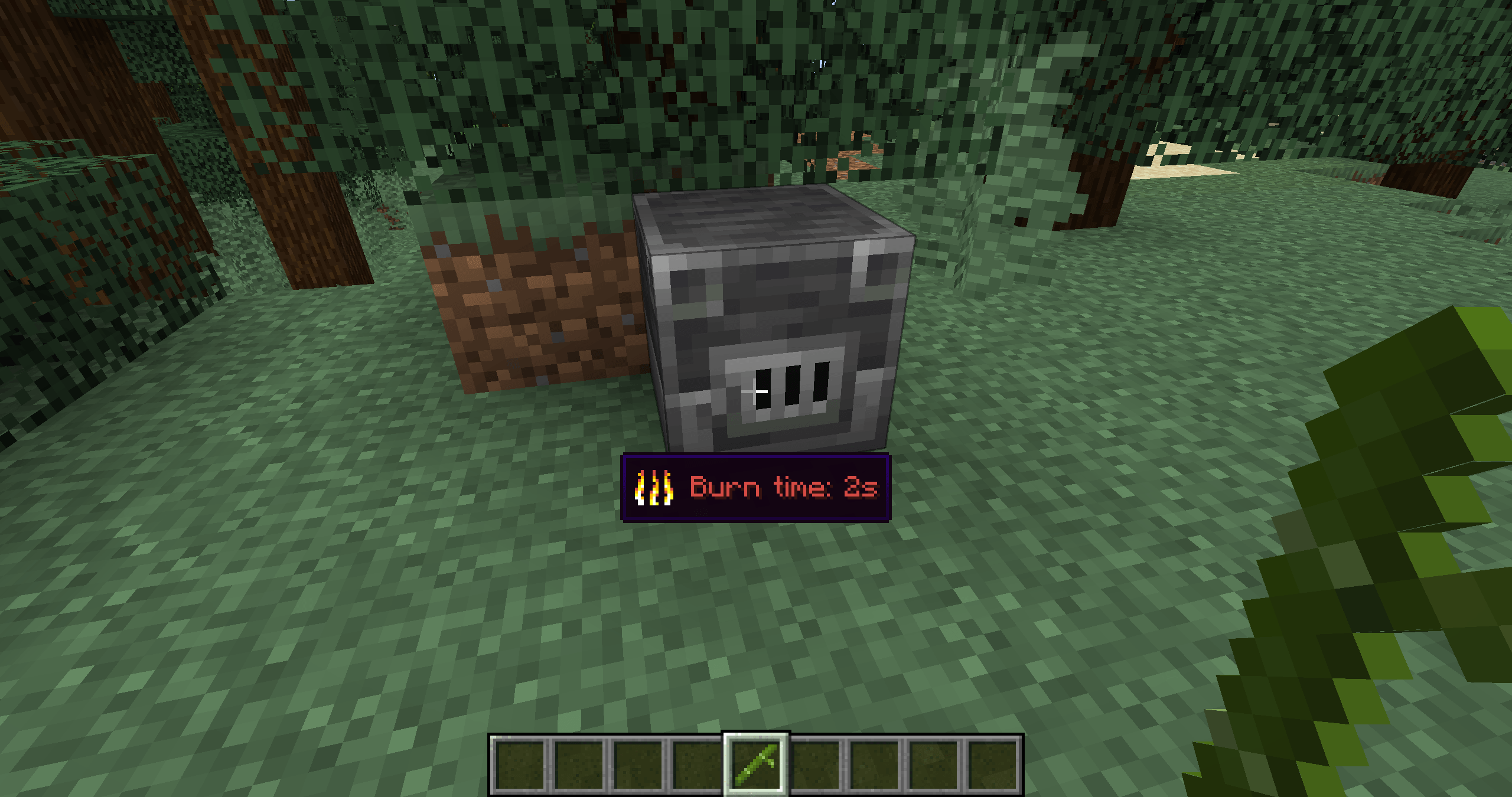 Fuel Example fuel.png
 -
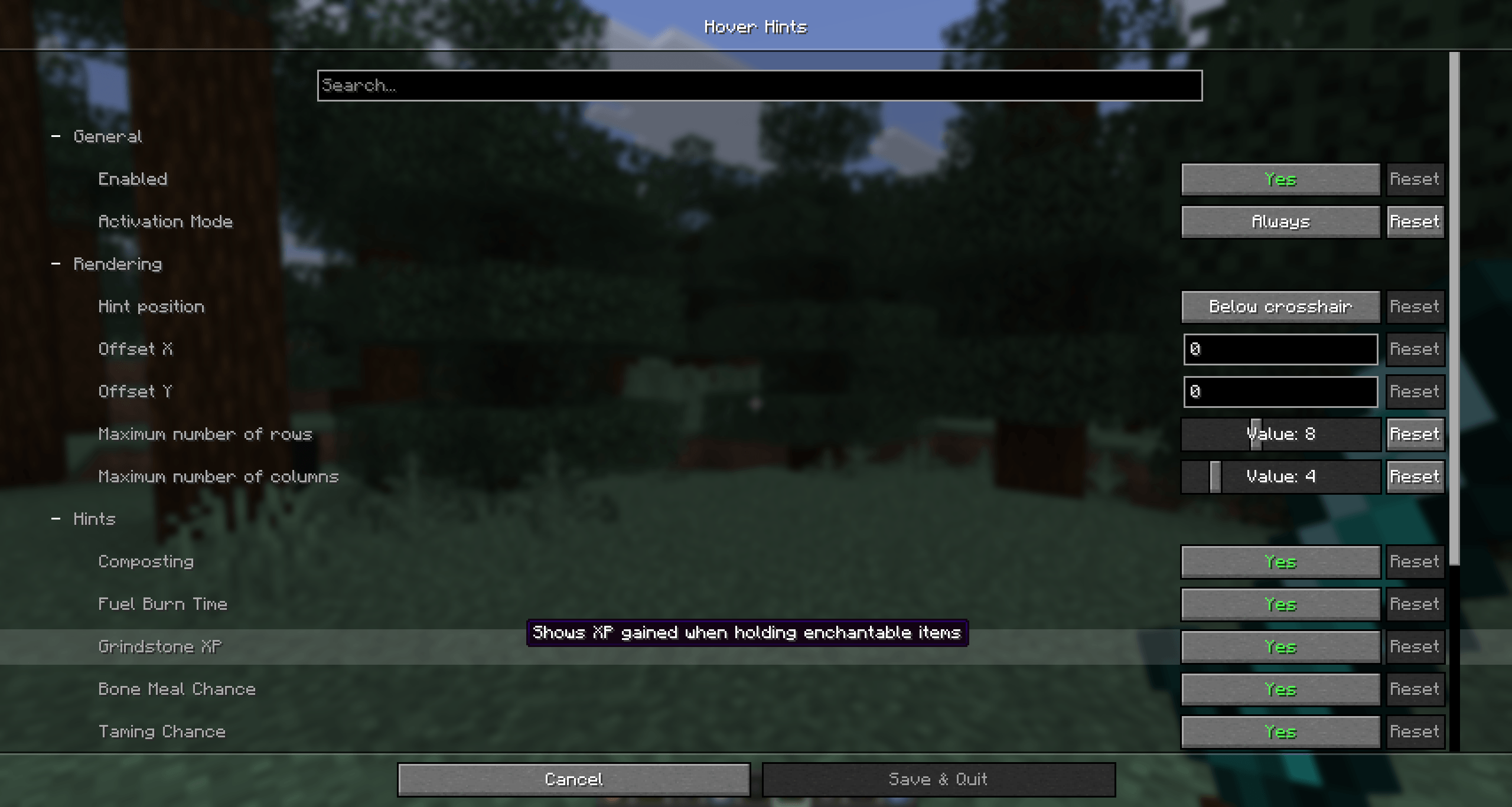 Config Menu config_menu.png
-
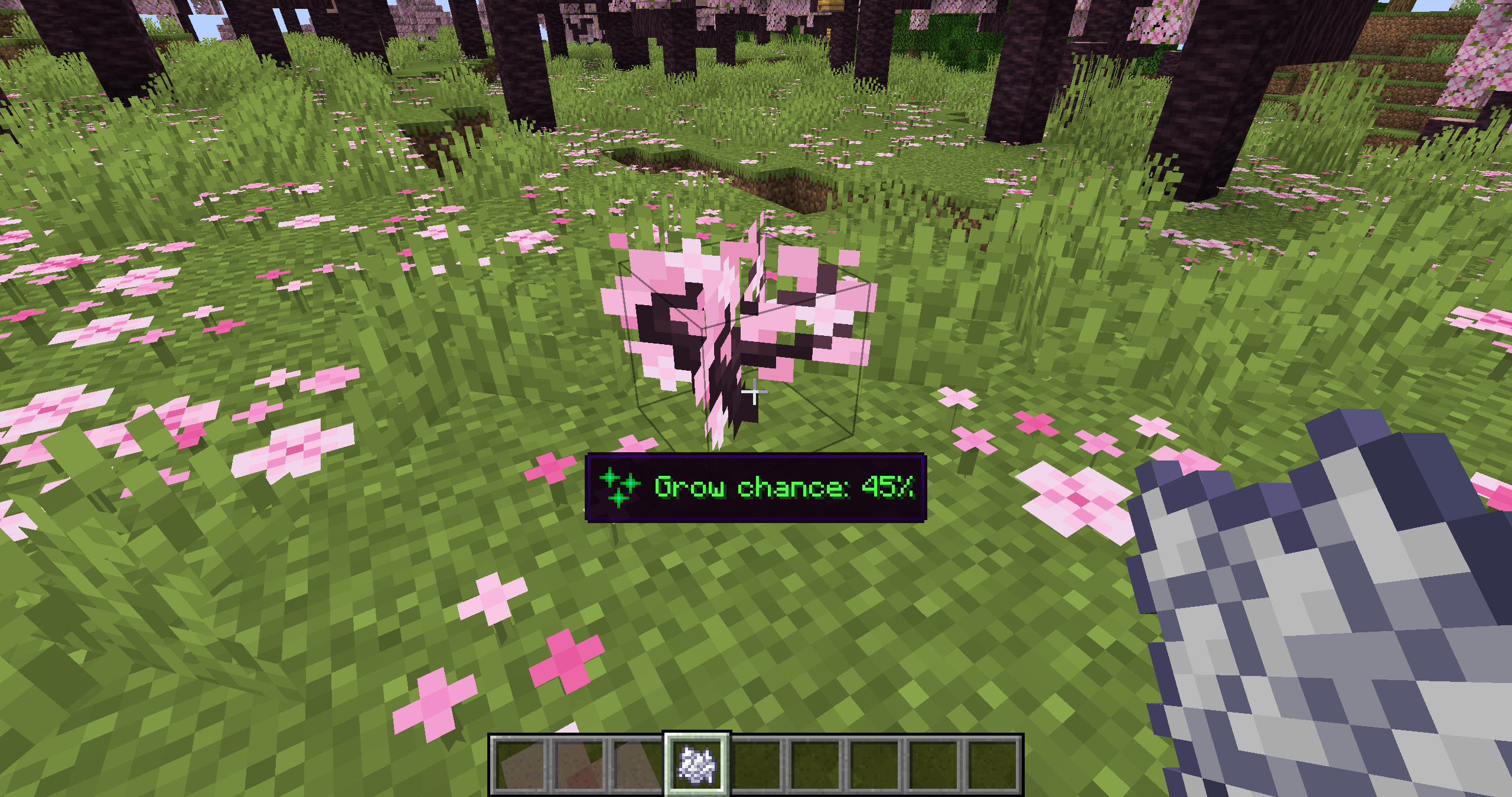 Bone Meal Example
 -
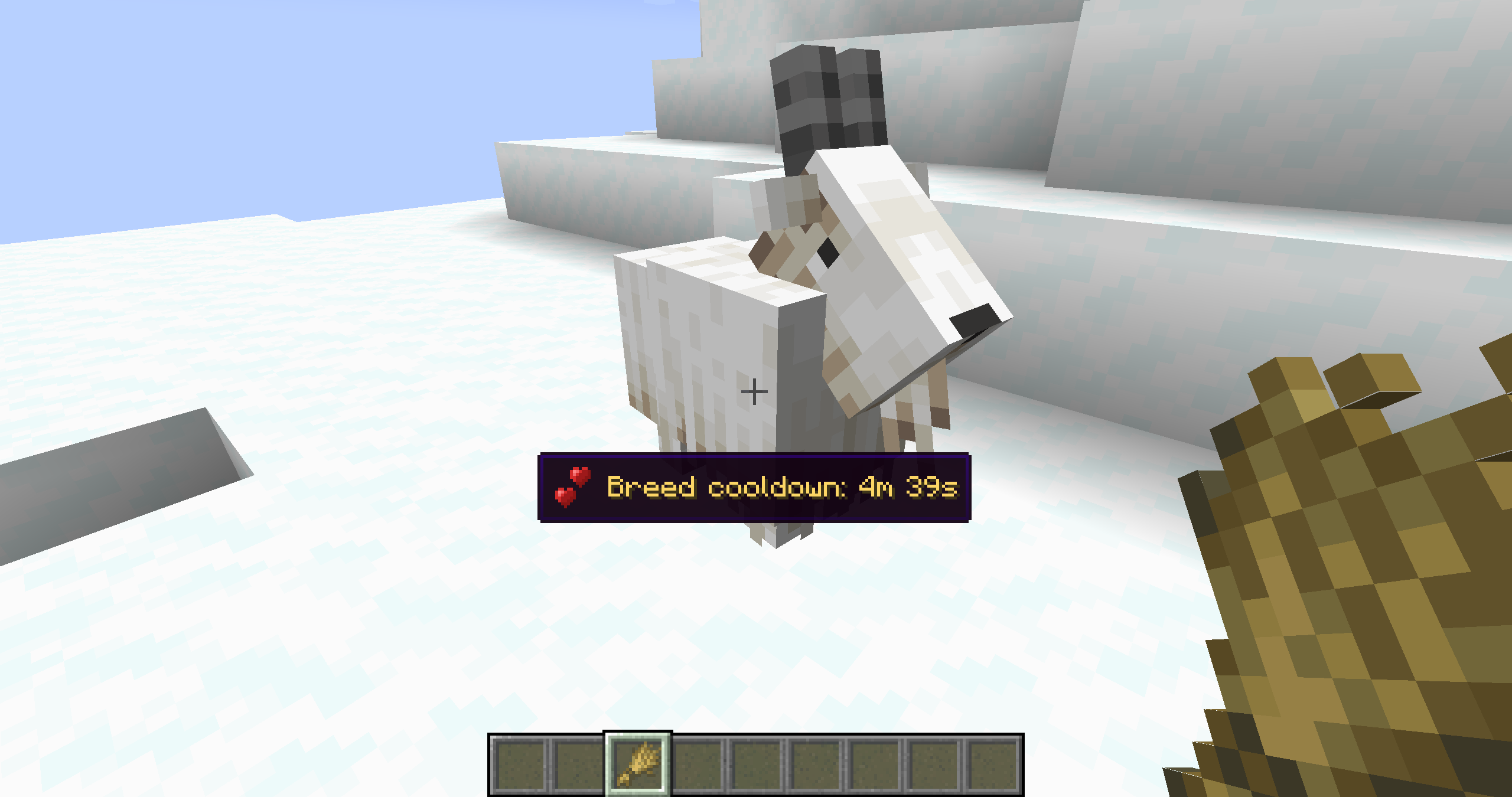 Breed Cooldown
 -
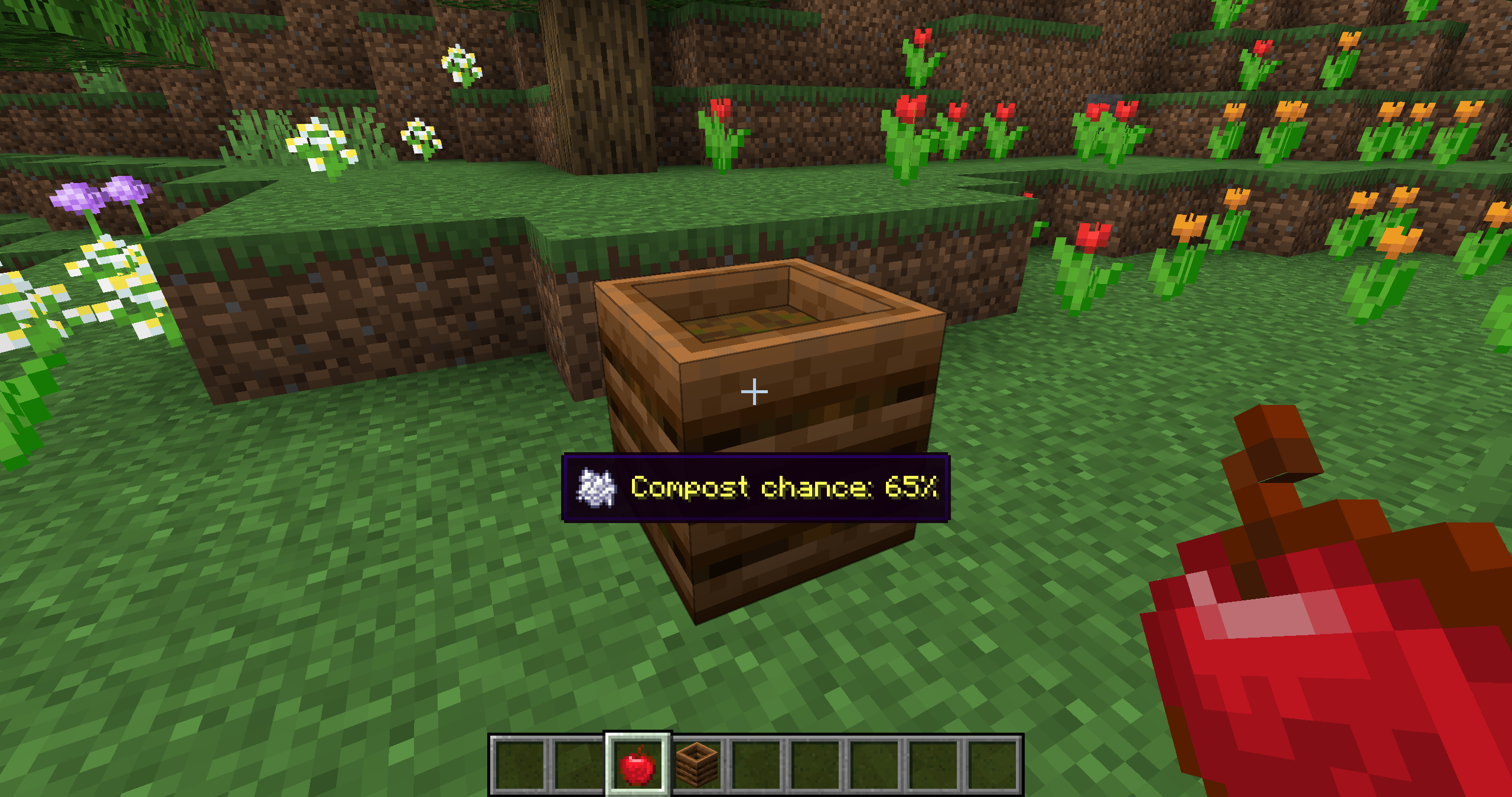 Composting Example
 -
Config Menu
-
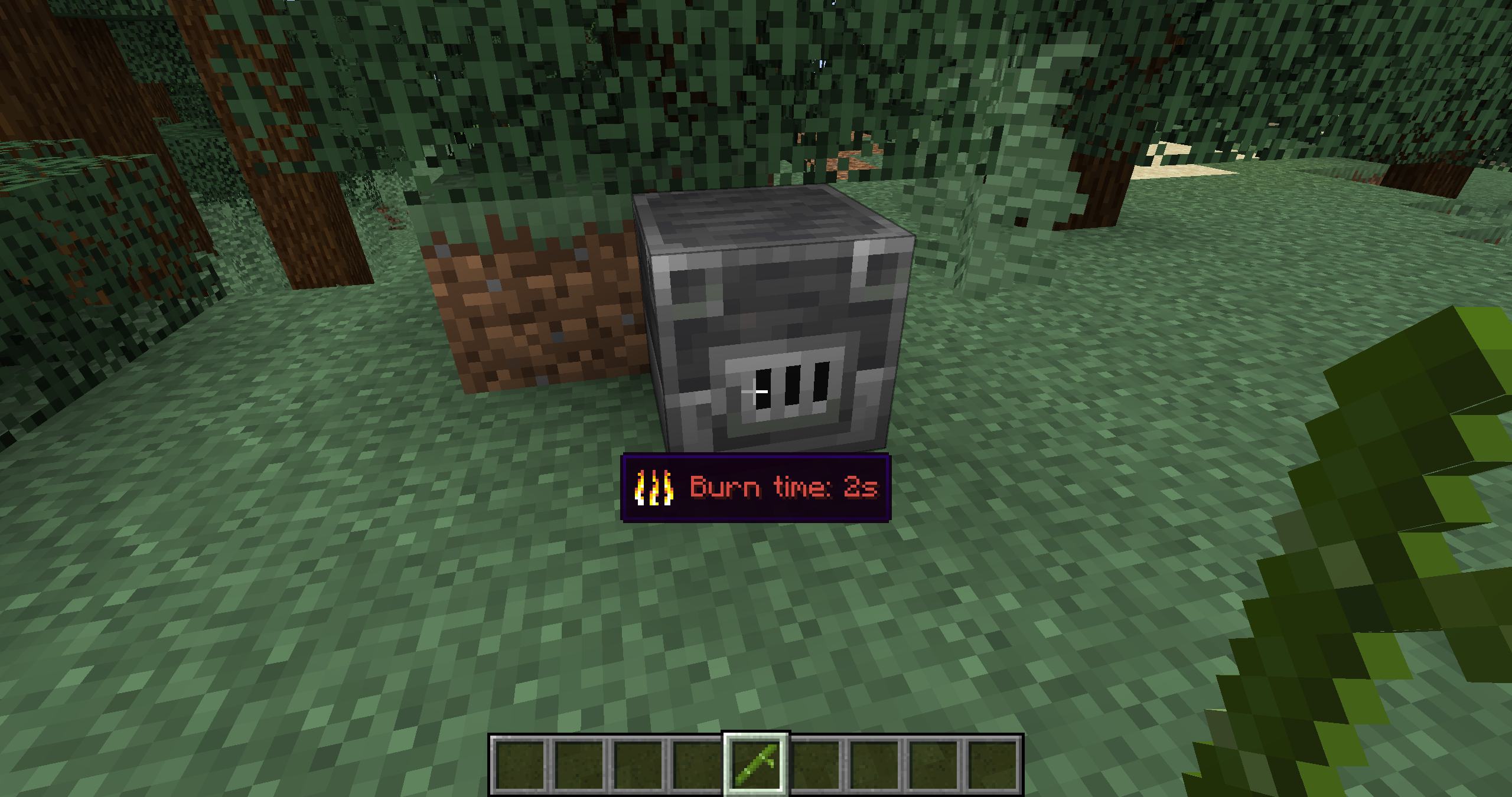 Fuel Example
Versions
Files
Relations
Project Relations
More like this
Similar Mods
Suggestions use data such as tags, dependencies, dependents, descriptions, titles, and more to rank how much they overlap with this mod.
On ModDex
Community snapshot
By the numbers
Statistics
Want to reach Minecraft players?
We're looking for a server hosting partner to feature here and other parts of the site. Interested? Send us a message!
Get in touchGet it on
Available Platforms
On ModDex
Community snapshot
By the numbers
Statistics
Resources