
Community listing page, reviews here may not be monitored by the author.
HUDGear


No reviews yet
Advanced real-time durability HUD for armor, weapons, and tools. Displays exact percentages with color indicators and full customization. Client-side only.
Community voices
Reviews
No reviews yet. Be the first to review this project!
Get it on
Available Platforms
Compatibility
Supported Environments
Runs entirely on the client. Works on vanilla servers.
About
Project Details
For authors
Embed Badge
If you're the author of this project, you can embed a live badge anywhere that supports HTML or Markdown. It updates automatically whenever ratings change.
Use HTML for any page that supports it, or Markdown for README files and Markdown-based descriptions.
Identifiers
Platform IDs
About
Description

HUDGear — Advanced Equipment HUD
A professional real-time durability HUD for Minecraft 26.1.x.
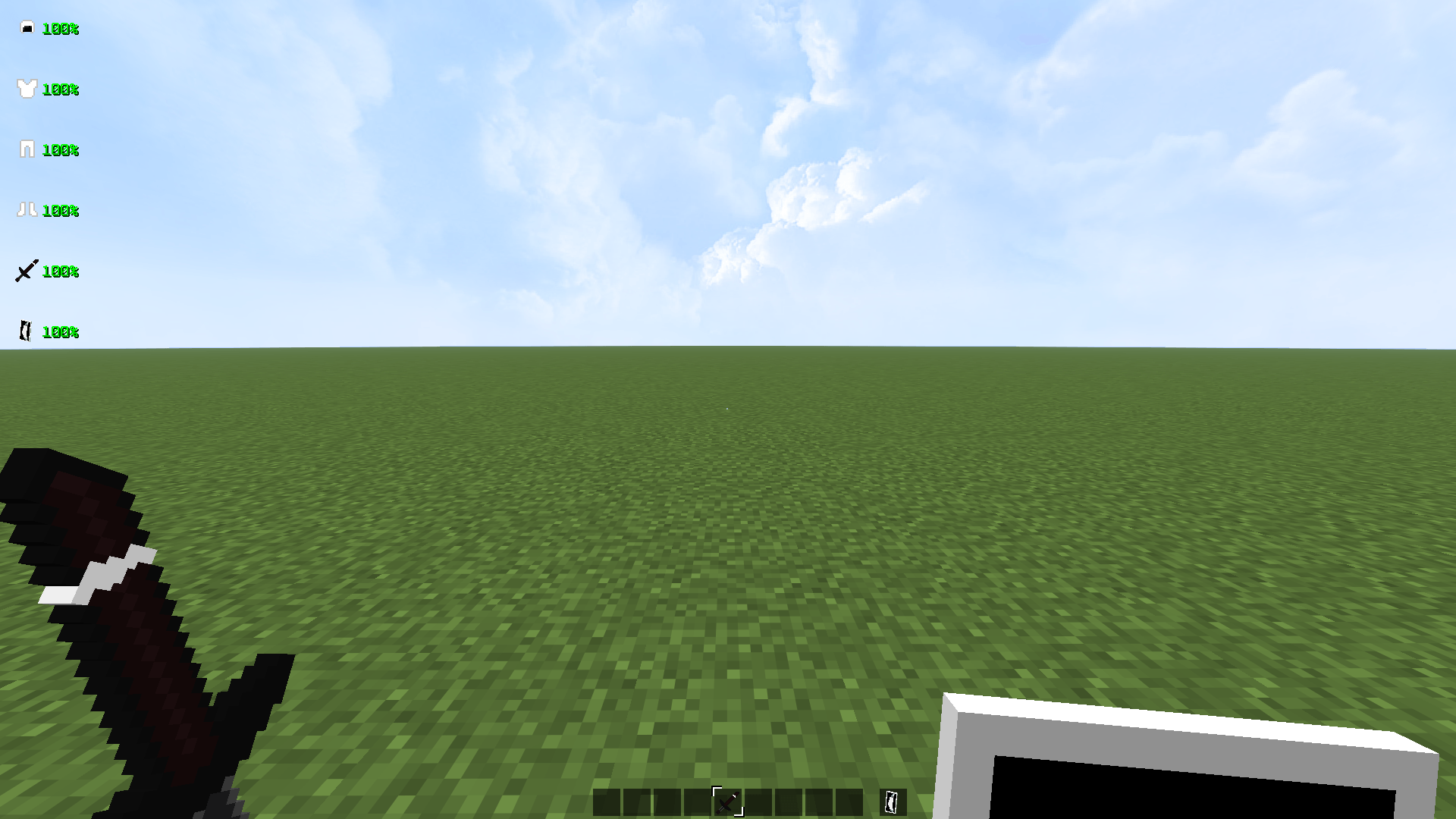
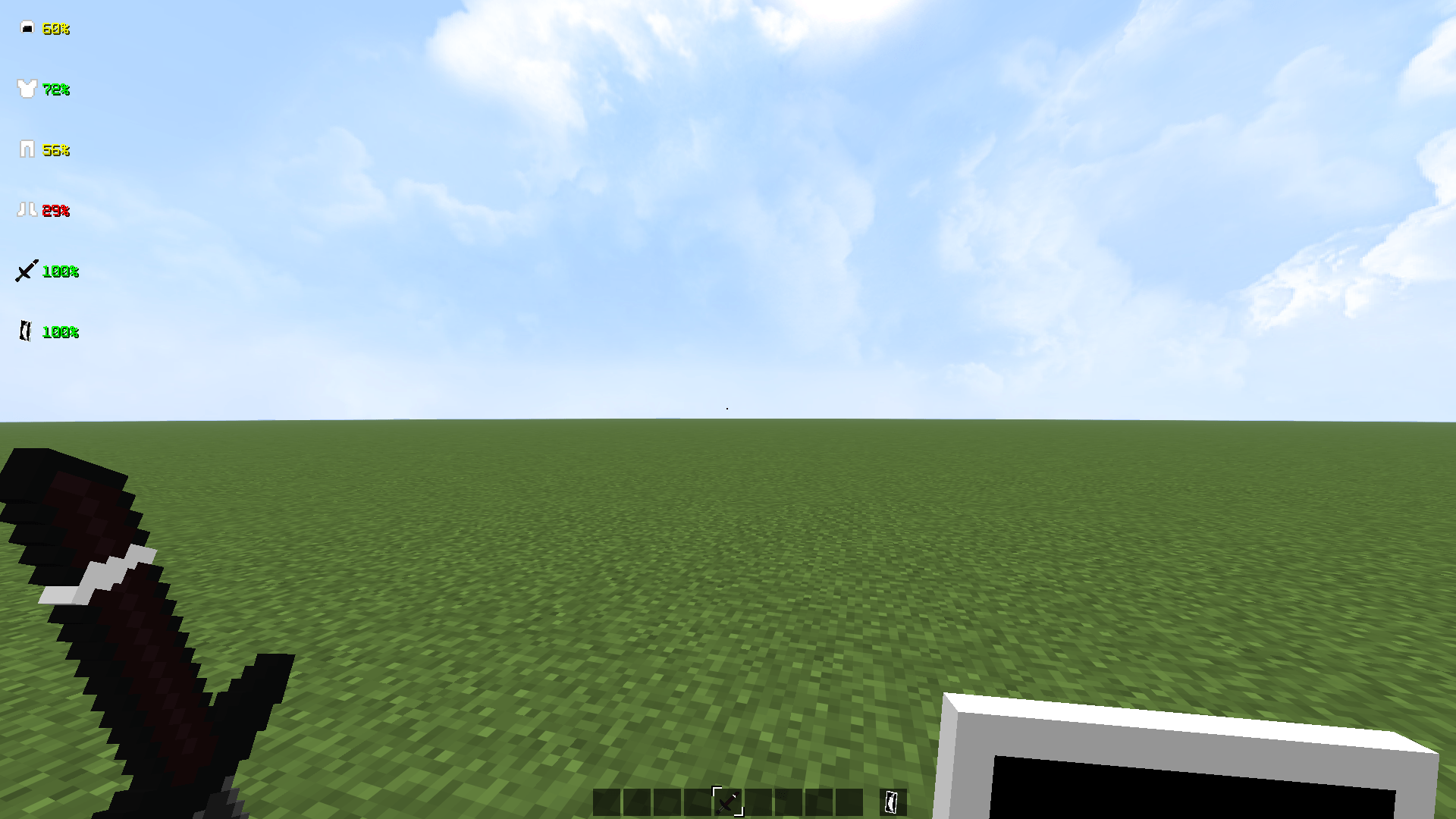
Displays exact durability percentages for all equipped gear with
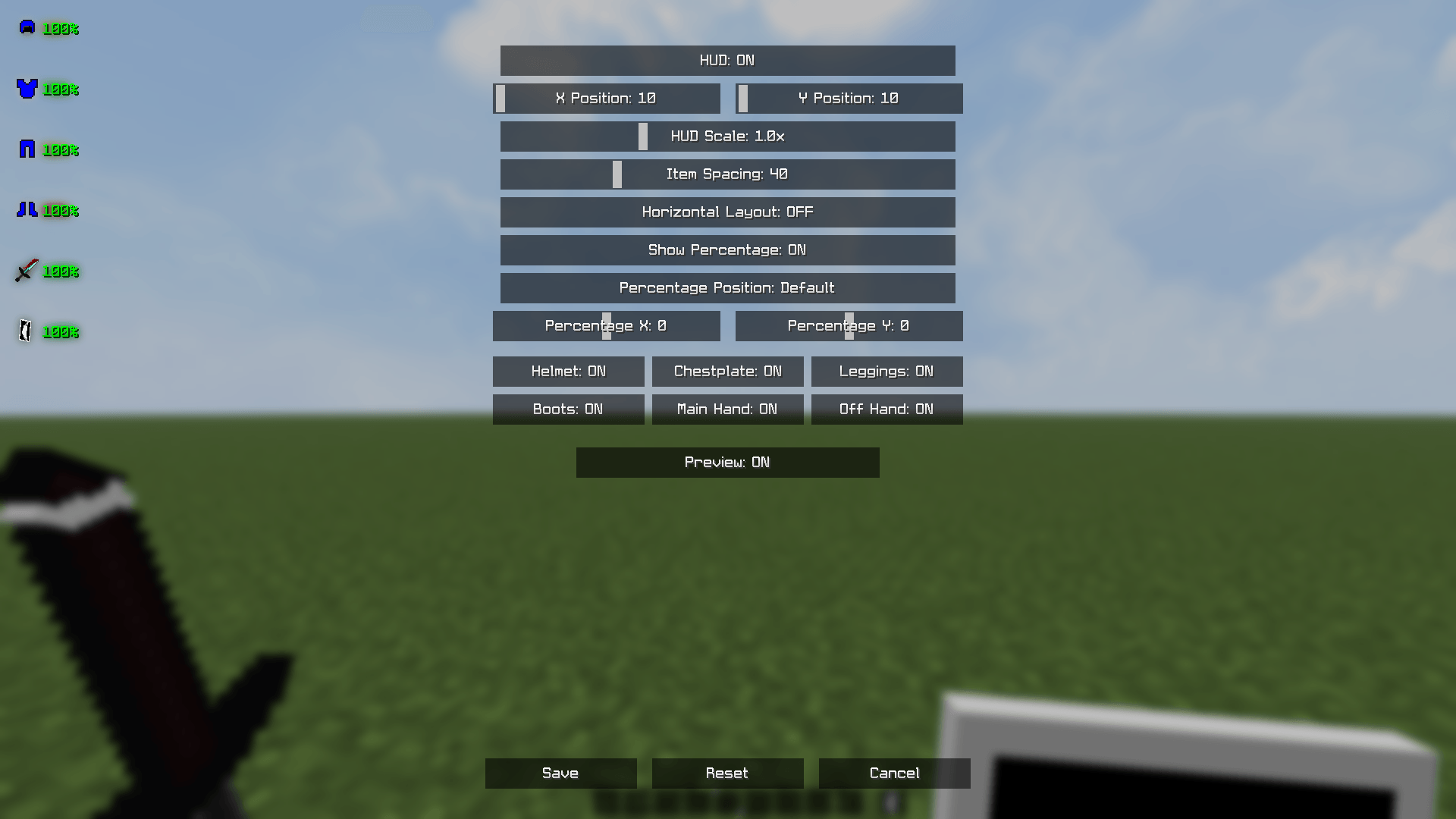
full customization through an advanced in-game settings menu.
Features
- Armor tracking — Helmet, Chestplate, Leggings, Boots
- Weapon & Tool tracking — Main Hand, Off Hand
- Exact percentages — 99%, 98%, 97%… real-time updates
- Horizontal & Vertical layout — switch between display modes
- Individual toggles — enable/disable each item separately
- Live preview — see changes instantly while in settings
Color System
| Color | Durability |
|---|---|
| 🟢 Green | 60 – 100% |
| 🟡 Yellow | 35 – 59% |
| 🔴 Red | 0 – 34% |
Controls
| Key | Action |
|---|---|
| K | Open Settings Menu |
⚠️ Note: Keybind is fixed and cannot be changed.
It is pre-configured and not listed in Minecraft's Controls settings menu.
Settings Menu
- HUD: ON/OFF — enable or disable the entire HUD
- X / Y Position — place HUD anywhere on screen
- HUD Scale — resize the entire HUD
- Item Spacing — adjust space between items
- Horizontal Layout — switch from vertical to horizontal display
- Show Percentage — toggle percentage text on/off
- Percentage Position — customize where % text appears
- Percentage X / Y — fine-tune % text position
- Per-item toggles — Helmet, Chestplate, Leggings, Boots,
Main Hand, Off Hand individually on/off - Preview — live preview while adjusting settings
Save / Reset / Cancel
Requirements
- Minecraft 26.1.x
- Fabric Loader 0.19.2+
- Fabric API
Installation
1. Install Fabric Loader for Minecraft 26.1.x
2. Download Fabric API and place in mods folder
3. Place HUDGear.jar in mods folder
4. Launch Minecraft
5. Press K to open settings
Client-side only — works on any server, no server installation needed.
Created by ZN9IK — Licensed under ARR

HUDGear — Advanced Equipment HUD
A professional real-time durability HUD for Minecraft 26.1.x. Displays exact durability percentages for all equipped gear with full customization through an advanced in-game settings menu.
Features
- Armor tracking — Helmet, Chestplate, Leggings, Boots
- Weapon & Tool tracking — Main Hand, Off Hand
- Exact percentages — 99%, 98%, 97%... real-time updates
- Horizontal & Vertical layout — switch between display modes
- Individual toggles — enable/disable each item separately
- Live preview — see changes instantly while in settings
Color System
| Color | Durability |
|---|---|
| 🟢 Green | 60 – 100% |
| 🟡 Yellow | 35 – 59% |
| 🔴 Red | 0 – 34% |
Controls
| Key | Action |
|---|---|
| K | Open Settings Menu |
⚠️ Note: Keybind is fixed and cannot be changed. It is pre-configured and not listed in Minecraft's Controls settings menu.
Settings Menu
- HUD: ON/OFF — enable or disable the entire HUD
- X / Y Position — place HUD anywhere on screen
- HUD Scale — resize the entire HUD
- Item Spacing — adjust space between items
- Horizontal Layout — switch from vertical to horizontal display
- Show Percentage — toggle percentage text on/off
- Percentage Position — customize where % text appears
- Percentage X / Y — fine-tune % text position
- Per-item toggles — Helmet, Chestplate, Leggings, Boots, Main Hand, Off Hand individually on/off
- Preview — live preview while adjusting settings
- Save / Reset / Cancel
Requirements
- Minecraft 26.1.x
- Fabric Loader 0.19.2+
- Fabric API
Installation
- Install Fabric Loader for Minecraft 26.1.x
- Download Fabric API and place in
modsfolder - Place
HUDGear.jarinmodsfolder - Launch Minecraft
- Press K to open settings
Client-side only — works on any server, no server installation needed.
Created by ZN9IK — Licensed under CC-BY-NC-SA-4.0
Screenshots
Gallery
-
 9e0eab2554fc197b015d84c57f15120fab160e47.png 9e0eab2554fc197b015d84c57f15120fab160e47.png
 -
 9e861704c1390c8e650898d246cf4b9b456d8d45.png 9e861704c1390c8e650898d246cf4b9b456d8d45.png
 -
 7b353ce93e6387929fd1ba624c529b648e09d22f.png 7b353ce93e6387929fd1ba624c529b648e09d22f.png
-
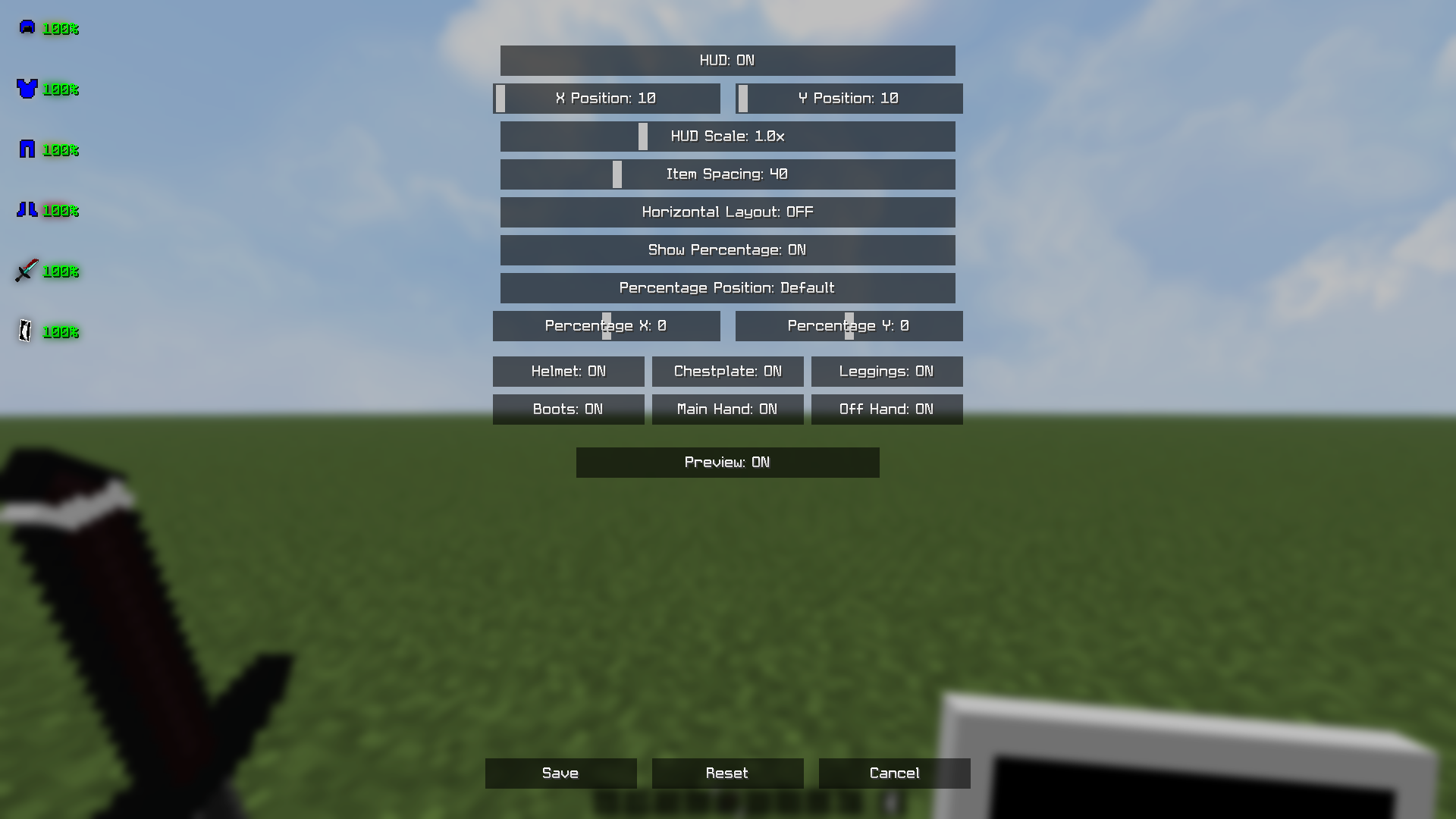 Setting's
 -
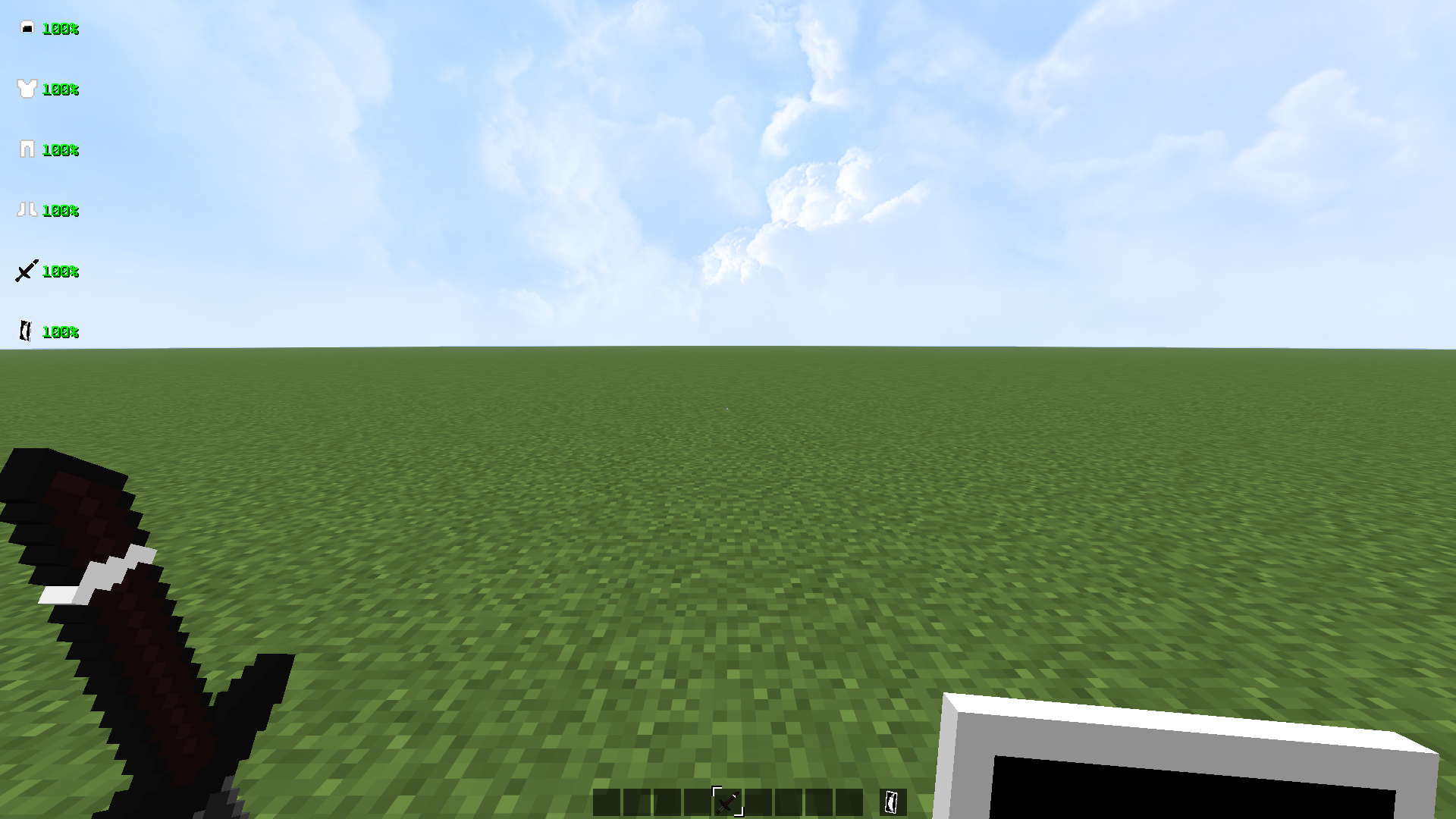 Default
 -
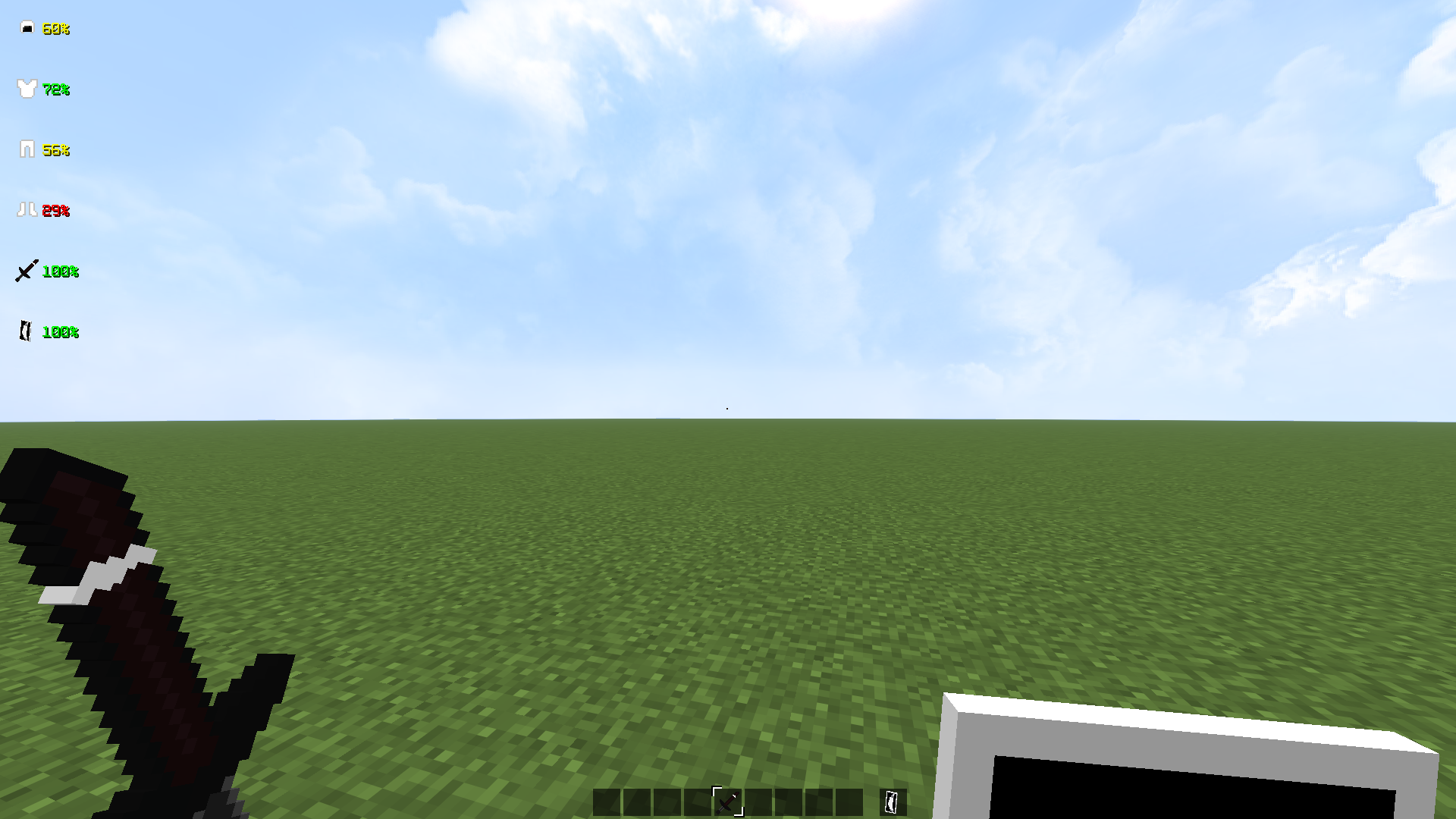 Damaged
Versions
Files
Relations
Project Relations
More like this
Similar Mods
Suggestions use data such as tags, dependencies, dependents, descriptions, titles, and more to rank how much they overlap with this mod.
On ModDex
Community snapshot
By the numbers
Statistics
Want to reach Minecraft players?
We're looking for a server hosting partner to feature here and other parts of the site. Interested? Send us a message!
Get in touchGet it on
Available Platforms
On ModDex
Community snapshot
By the numbers