
Community listing page, reviews may not be monitored by the author.
Hullspark Chest Search

No reviews yet
Find an item in a big chest in a second: press Ctrl+F, type a few letters, and matches light up while everything else dims.

Community voices
Reviews
No reviews yet. Be the first to review this project!
Get it on
Available Platforms
About
Project Details
For authors
Embed Badge
If you're the author of this project, you can embed a live badge anywhere that supports HTML or Markdown. It updates automatically whenever ratings change.
Use HTML for any page that supports it, or Markdown for README files and Markdown-based descriptions.
Identifiers
Platform IDs
Resources
External Links
About
Description
You open a double chest, 54 slots of everything, and you are scanning for the iron. Mouse-over, mouse-over, close, try the next chest.
Chest Search adds a search box to the screen you already have open. Press Ctrl+F, type part of a name, and the matching slots glow green while every other item is dimmed.
How to use
- Open a chest, a barrel, a shulker box, a furnace, or your own inventory.
- Press Ctrl+F. A box appears in the top-right corner.
- Type: "iron", "apple", "pick". Matches glow as you type.
- Press Ctrl+F again, or Esc, to clear it.
What it does for you
- Finds items in the container and in your inventory at the same time, so you can see what you could move.
- Matches the item name in your game language and also the English item id. With the game set to Japanese, typing "iron" still finds Iron Ingot.
- Finds a renamed item (for example one renamed on an anvil) by its normal name too.
- While the box is open, keys do not do anything else: pressing a number does not swap items and pressing E does not close the chest.
- It only draws highlights. It never moves, takes, or sorts an item, and it makes no network connections. Client-side only: nothing to install on a server.
What it does not do
- It searches the container that is open right now. It does not remember other chests or look inside chests you have not opened.
- The shortcut is Ctrl+F only and cannot be changed yet.
- It does not run in the Creative inventory, which already has its own search tab.
- Search is limited to 32 characters.
Versions
- Both versions (Minecraft 1.21.11: version 0.1.3, Minecraft 26.3: version 0.1.4): you can type several words in any order, so "ingot iron" finds Iron Ingot. All the words must be in the same place (the name, or the id). A full-width space also separates words.
- Minecraft 26.3 only: the search box is a real text field. Esc closes only the search and leaves the chest open.
- Not yet checked in game: an item renamed on an anvil and typing with an IME (both versions); Ctrl+A / Ctrl+V in the box and furnace screens (26.3).
Requirements
Fabric Loader 0.19.5+ and Fabric API. Pick the file for your Minecraft version (1.21.11 or 26.3; 26.3 needs Java 25).
Source: https://github.com/hullspark/fabric-mods
Disclosure: this mod was developed with AI assistance (Claude) and reviewed by the author. It does not reuse code or assets from other mods. It does not collect or transmit any data.
Screenshots
Gallery
-
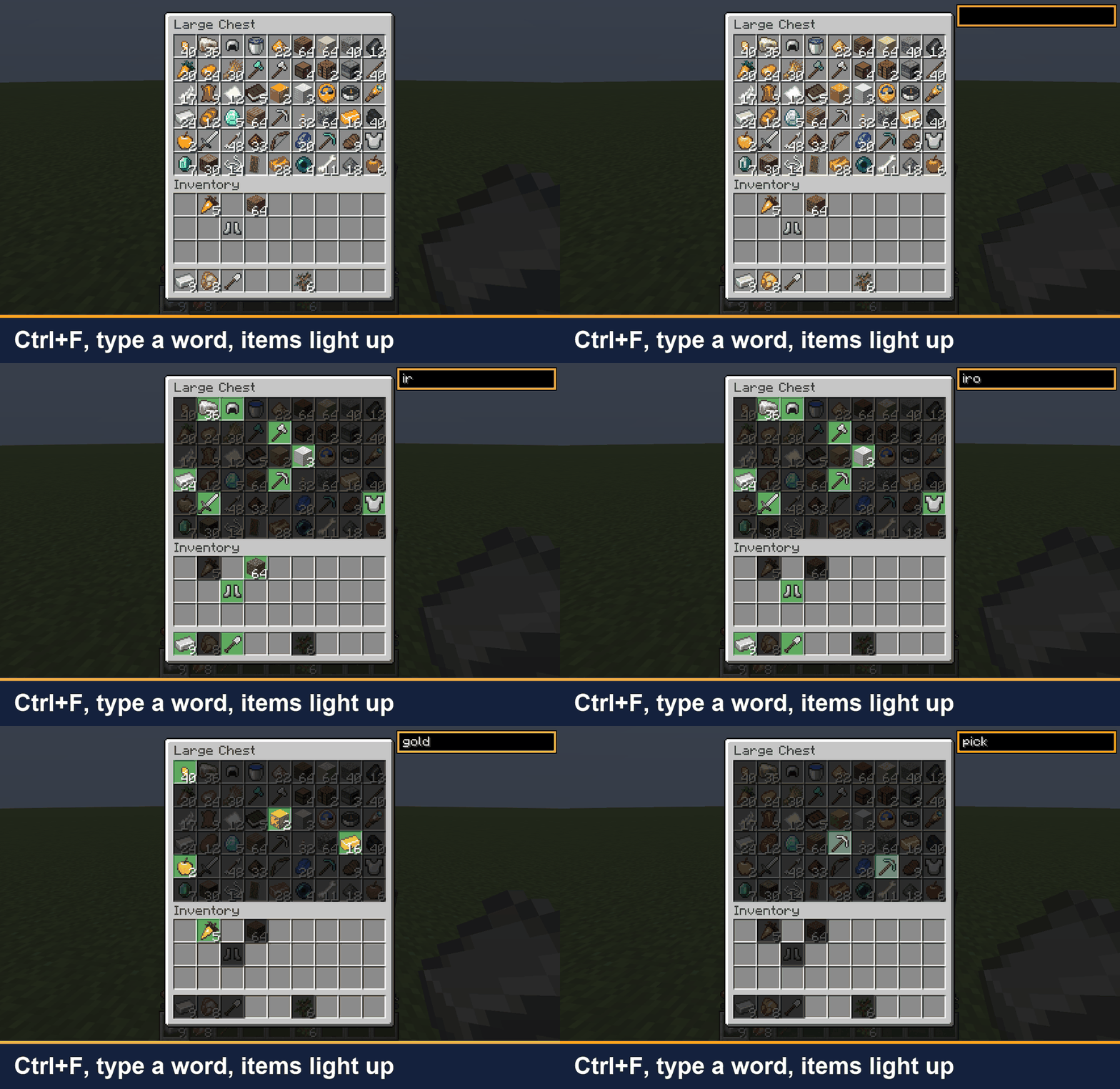 01-ctrl-f-search.gif Press Ctrl+F and type "pick": only the pickaxes stay lit.
 -
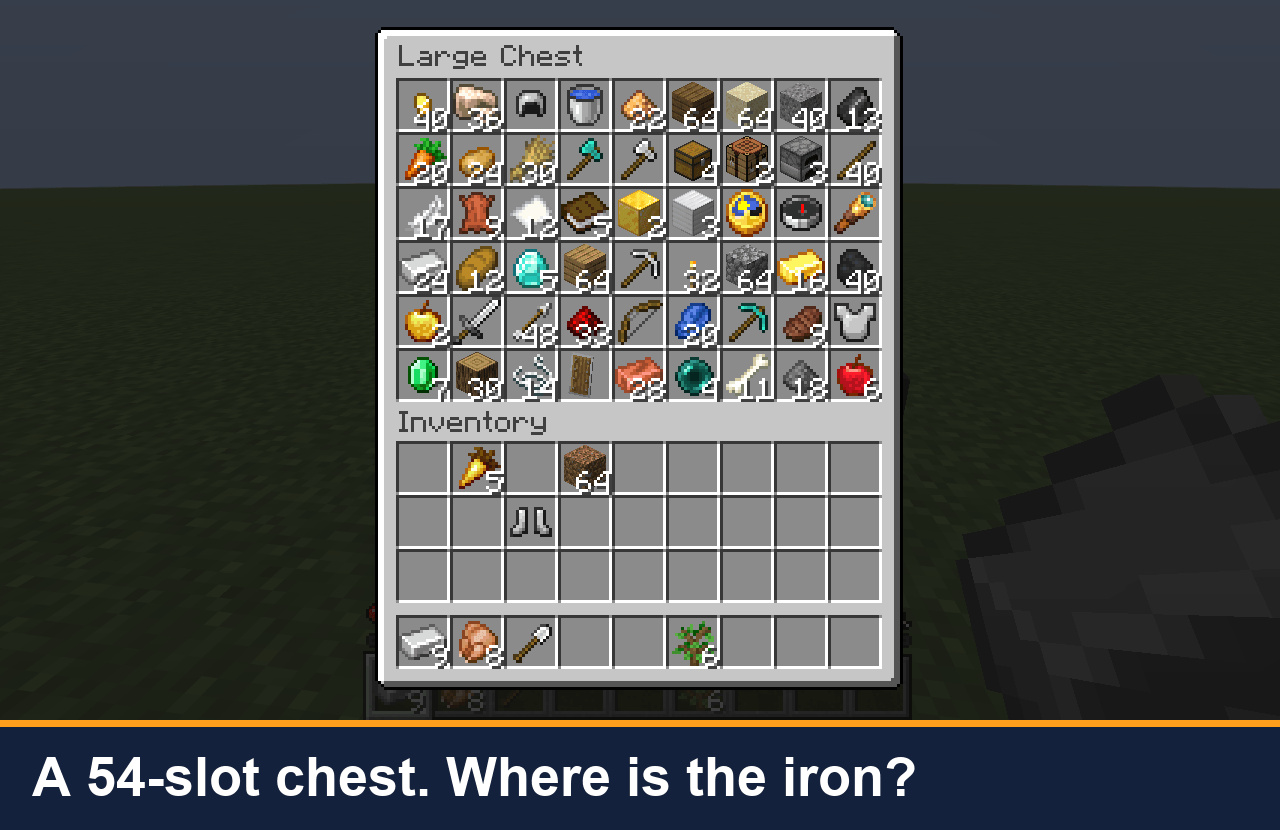 02-large-chest.png A 54-slot chest, and you are looking for the iron.
 -
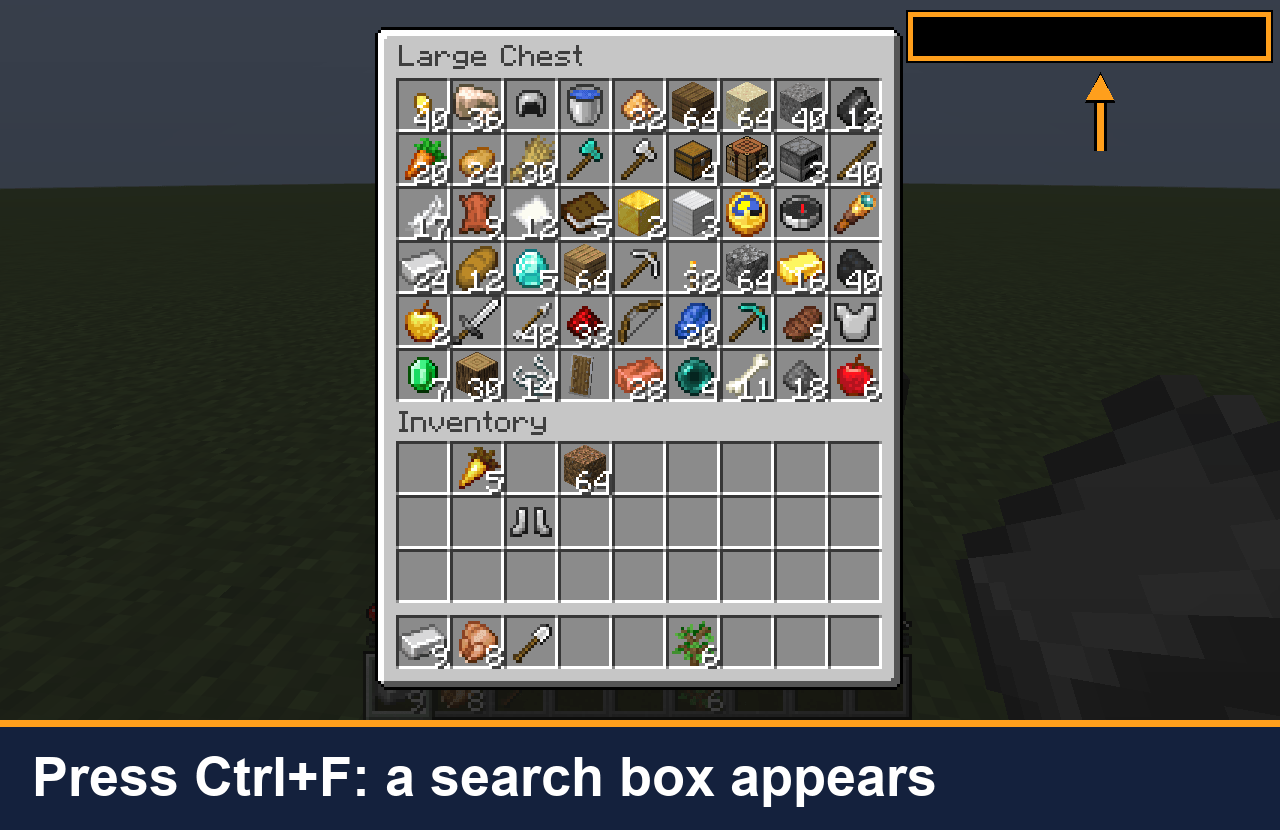 03-ctrl-f-box.png Press Ctrl+F: the search box appears in the top-right corner.
 -
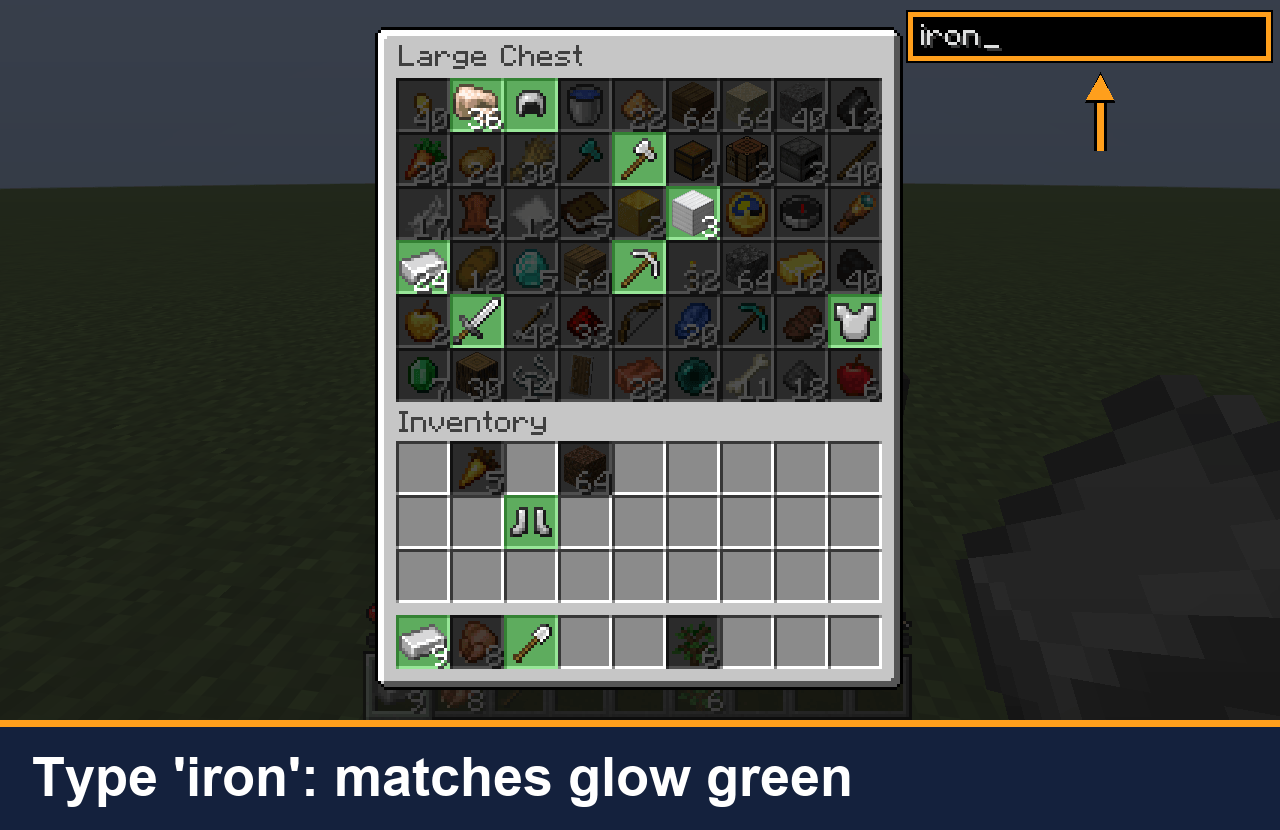 04-iron-highlight.png Typing "iron": iron items glow green, everything else is dimmed.
 -
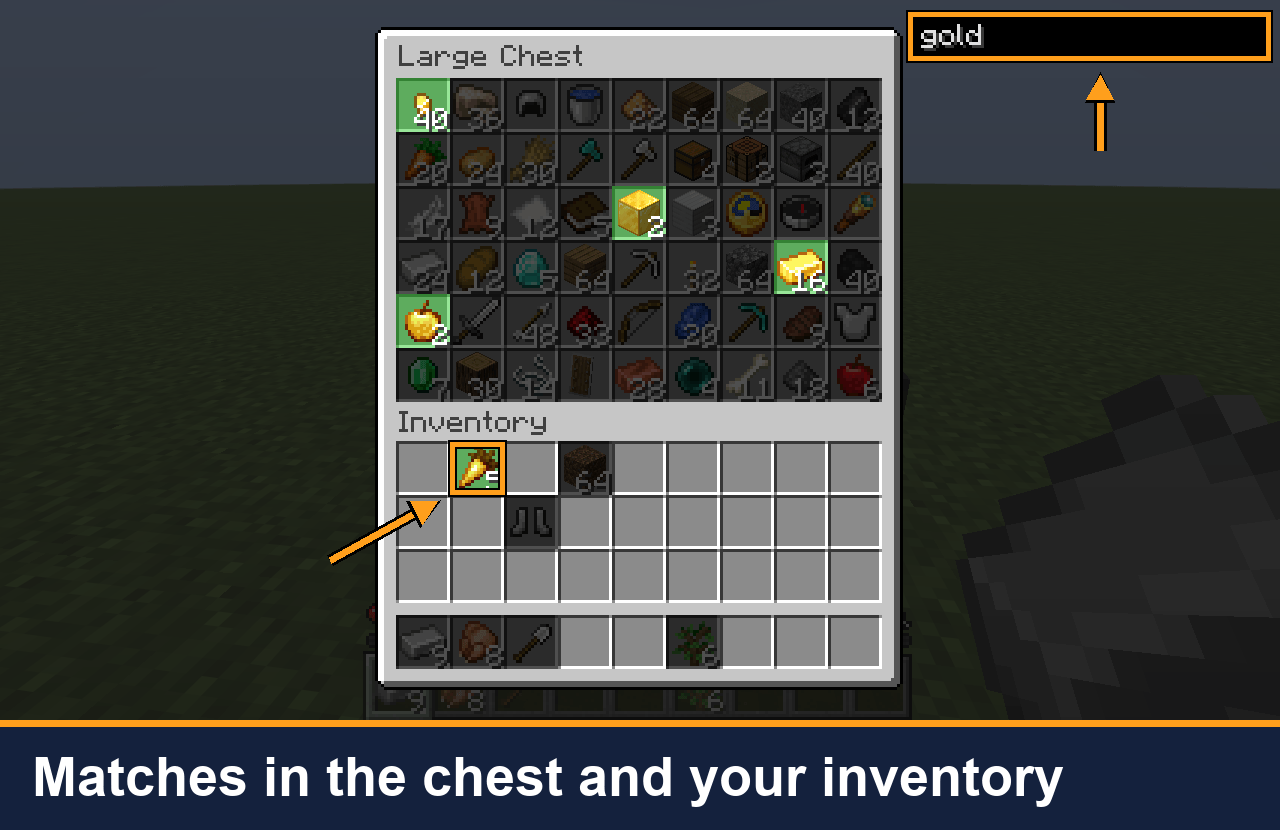 05-chest-and-inventory.png Typing "gold": matches are found in the chest and in your inventory at once.
Versions
Files
Relations
Project Relations
More like this
Similar Mods
Suggestions use data such as tags, dependencies, dependents, descriptions, titles, and more to rank how much they overlap with this mod.
On ModDex
Community snapshot
By the numbers
Statistics

Get it on
Available Platforms
On ModDex
Community snapshot
By the numbers
Statistics
Resources