
Community listing page, reviews may not be monitored by the author.
Hullspark Coordinate HUD

No reviews yet
Always see where you are and how far you are from spawn. One line at the top of the screen, no minimap, no F3.

Community voices
Reviews
No reviews yet. Be the first to review this project!
Get it on
Available Platforms
About
Project Details
For authors
Embed Badge
If you're the author of this project, you can embed a live badge anywhere that supports HTML or Markdown. It updates automatically whenever ratings change.
Use HTML for any page that supports it, or Markdown for README files and Markdown-based descriptions.
Identifiers
Platform IDs
Resources
External Links
About
Description
You are far from home, you open F3 to check your coordinates, and half the screen turns into debug text. Then you forget the numbers before you can write them down.
Coordinate HUD puts one line at the top of the screen instead:
N 90° X:120 Y:64 Z:-35 Spawn:312m
Where to look
- Left: the direction you are facing (8-point compass) and the bearing in degrees. 0° is north, 90° is east.
- Middle: your block coordinates, X Y Z.
- Right: how far you are from the world spawn, measured on the ground (height is not counted), so you can tell how far you would have to walk. In the Nether or the End it shows "Spawn:--" because the spawn is in another dimension.
What it does for you
- You can read your position while you walk, build or explore. No F3, no minimap, no map mod needed.
- It moves below boss bars so it does not cover the boss names.
- It hides when you open a chest, the inventory, the death screen or a menu, and with F1. It stays visible while you type in chat, so you can tell a friend where you are.
- Client-side only: install it on your own game, nothing to install on the server. It sends nothing over the network.
Copy your position (1.21.11, version 0.1.5)
Set a key in Options > Controls > Key Binds > Coordinate HUD > "Copy coordinates" (no default key). One press puts your position on the clipboard as "120 64 -35" and shows "Copied coordinates: …" above the hotbar. Paste it into chat, a note, or /tp.
Show / hide and settings (Minecraft 26.3)
- "Toggle coordinate line" key (no default key): turns the line on or off, and remembers your choice.
- config/coordinate-hud.properties, read when the game starts: background (the dark box behind the text, default true), hideWithDebugScreen (hide the line while F3 is open, default false), visible.
- If a server turns on reducedDebugInfo (the setting that hides coordinates in F3), the line hides too.
- The 1.21.11 build has no settings file and no toggle key.
Requirements
Fabric Loader 0.19.5+ and Fabric API. Minecraft 26.3 (needs Java 25) and 1.21.11. Pick the file for your version.
Source: https://github.com/hullspark/fabric-mods
Disclosure: this mod was developed with AI assistance (Claude) and reviewed by the author. It does not reuse code or assets from other mods. It does not collect or transmit any data.
Screenshots
Gallery
-
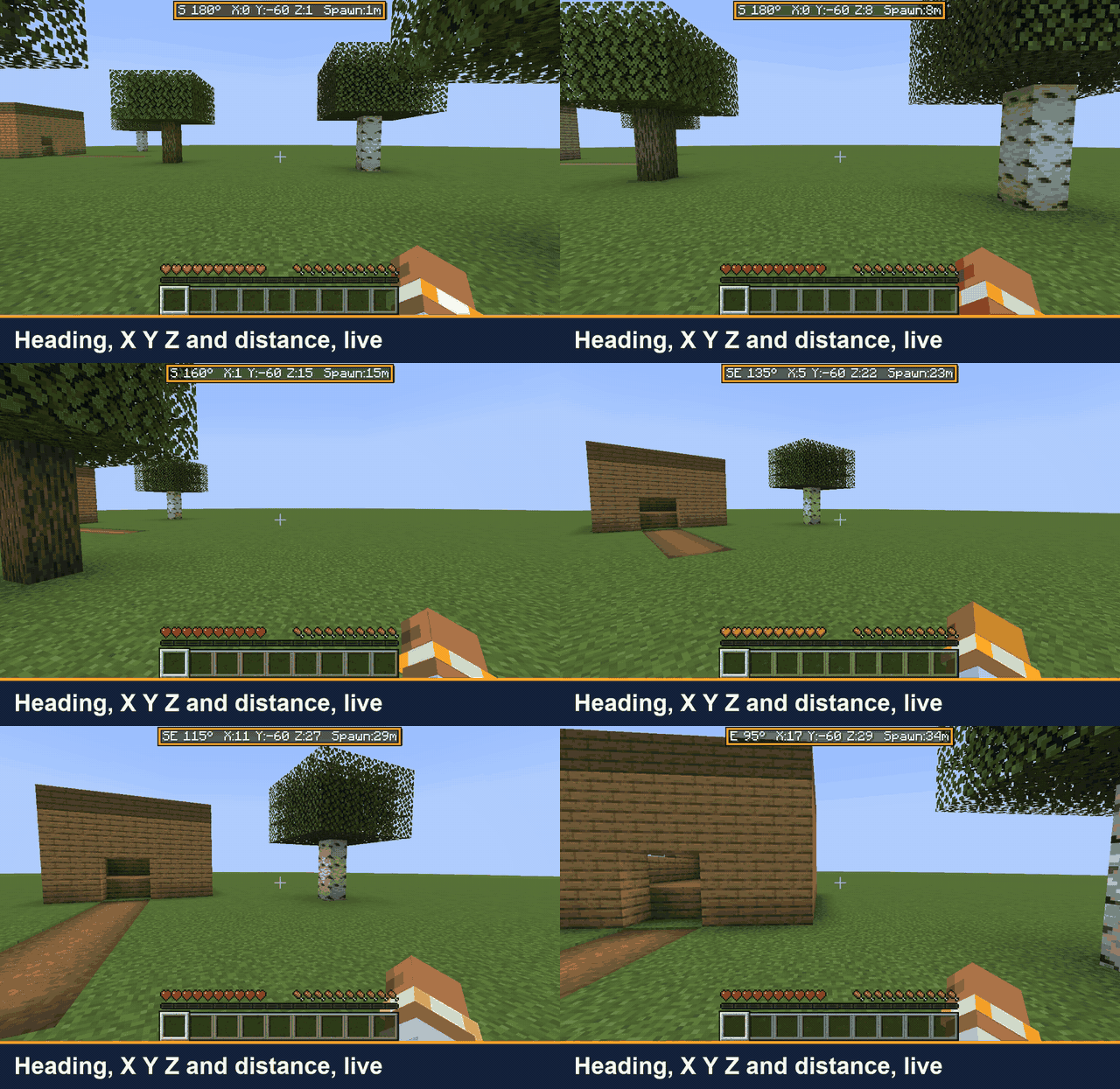 01-walk-and-turn-small.gif Walk and turn: the compass direction and bearing change as you turn, and the coordinates change as you walk.
 -
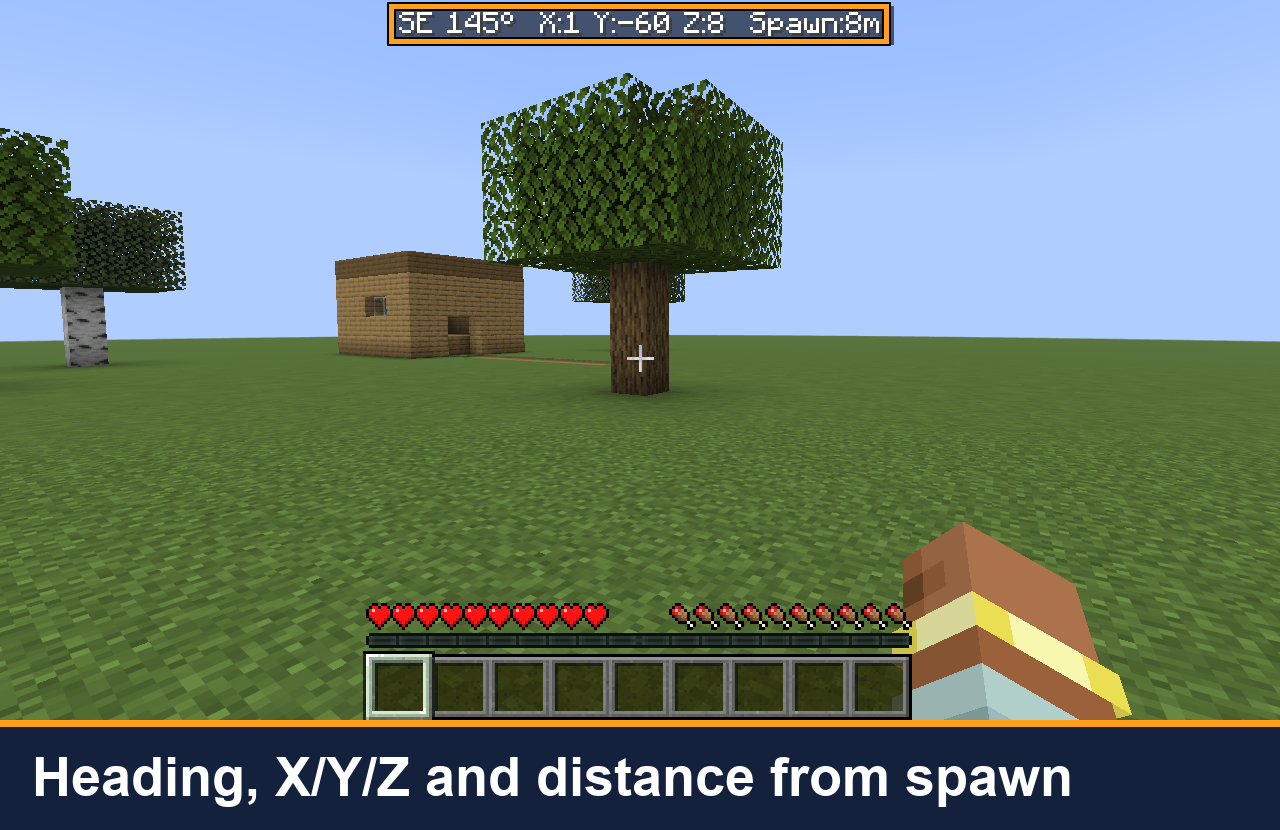 02-line-heading-coords-spawn.png The whole line: direction and bearing, X Y Z, and the ground distance to spawn.
 -
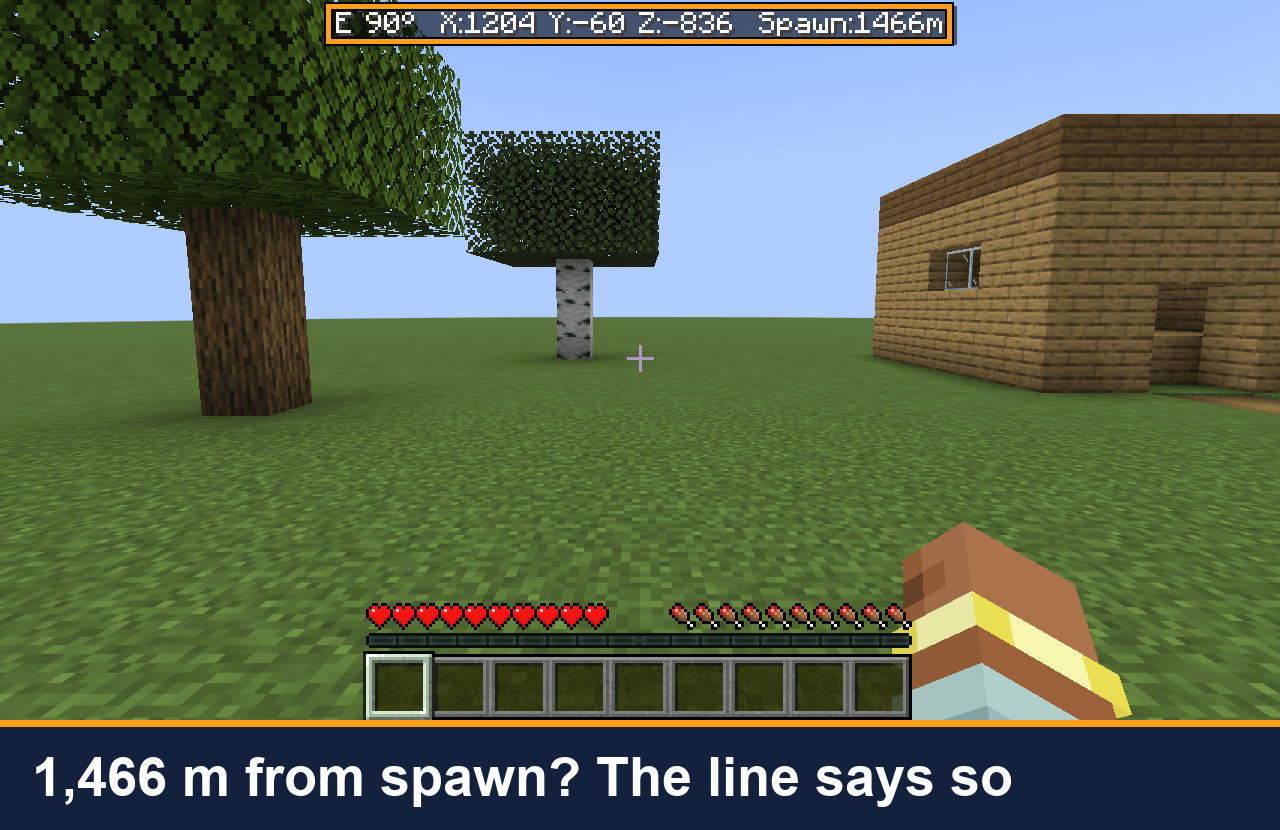 03-far-from-spawn.png Far from home: at X:1204 Z:-836 the line reads Spawn:1466m, the walking distance back along the ground.
 -
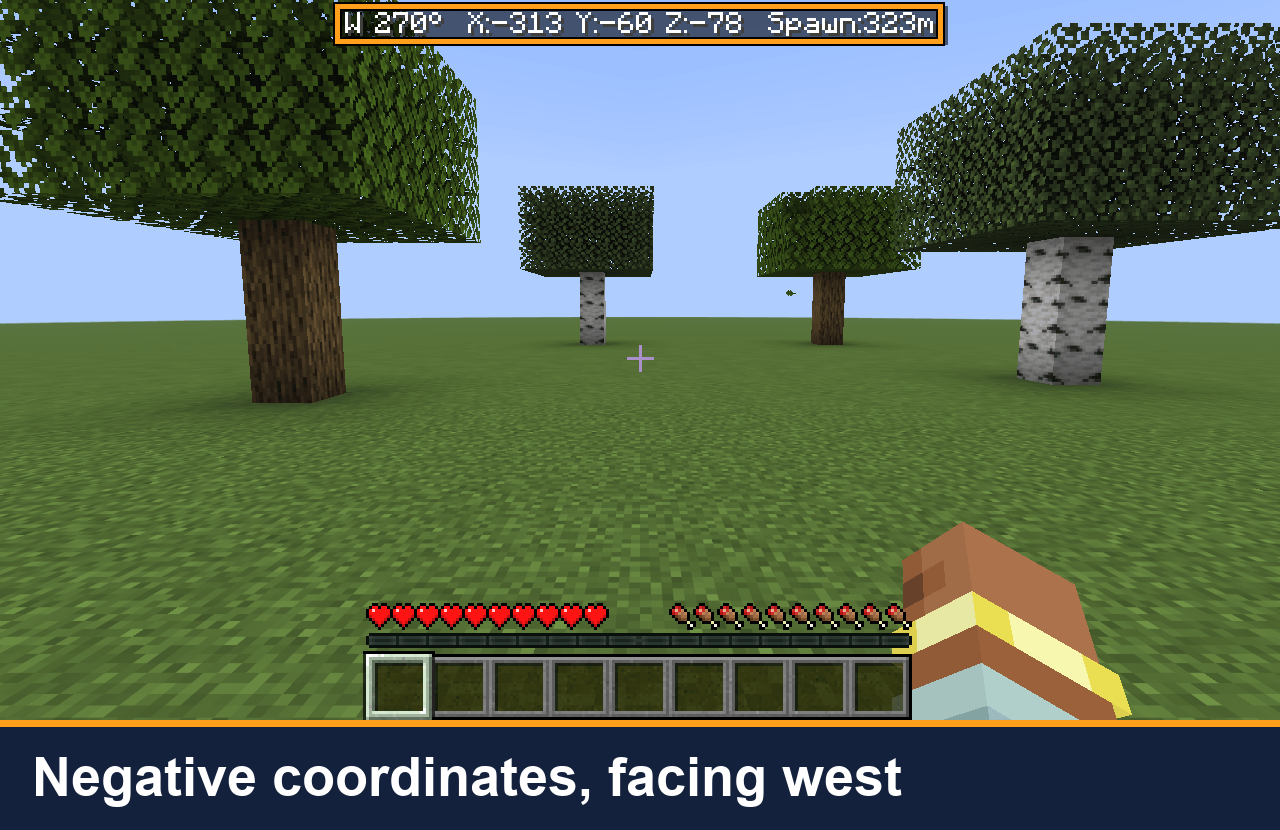 04-negative-coords-west.png West of the origin the X value goes negative, and the direction reads W (270°).
 -
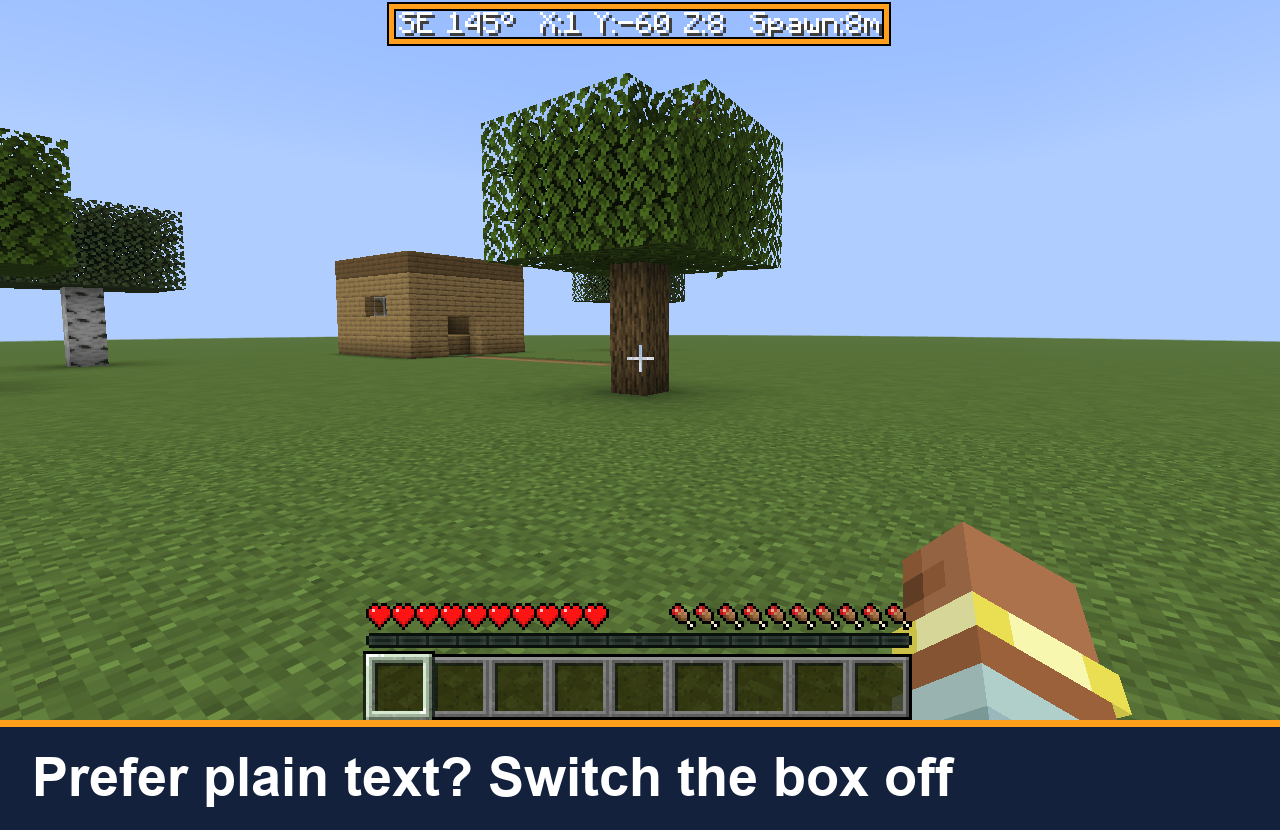 05-background-off-option.png Optional: turn the dark box off with background=false in the settings file (Minecraft 26.3).
Versions
Files
Relations
Project Relations
More like this
Similar Mods
Suggestions use data such as tags, dependencies, dependents, descriptions, titles, and more to rank how much they overlap with this mod.
On ModDex
Community snapshot
By the numbers
Statistics

Get it on
Available Platforms
On ModDex
Community snapshot
By the numbers
Statistics
Resources