
Community listing page, reviews may not be monitored by the author.
Hullspark Item Pickup Filter

No reviews yet
Stop rotten flesh and spider eyes from filling your hotbar. Walk over them and they stay on the ground. You pick the list.

Community voices
Reviews
No reviews yet. Be the first to review this project!
Get it on
Available Platforms
About
Project Details
For authors
Embed Badge
If you're the author of this project, you can embed a live badge anywhere that supports HTML or Markdown. It updates automatically whenever ratings change.
Use HTML for any page that supports it, or Markdown for README files and Markdown-based descriptions.
Identifiers
Platform IDs
Resources
External Links
About
Description
You clear a group of zombies and your hotbar is full of rotten flesh. A spider walks past and you now carry spider eyes you never wanted. In vanilla, you pick up everything you touch.
Item Pickup Filter keeps a list of items to leave alone. Walk over them and they stay on the ground. Everything else is picked up as usual.
Where to look
There is no menu, no key and no HUD. You see the result in the world and in your hotbar: the listed items lie on the ground, and your hotbar keeps only what you wanted.
What it does for you
- Out of the box it leaves rotten flesh, poisonous potatoes and spider eyes alone.
- Nothing is deleted. The items stay on the ground and disappear after 5 minutes, as in vanilla.
- It matches by item ID, so every stack of a listed item is left alone, including items you drop yourself.
- On a single-player world it works as soon as it is installed.
Change the list (edit a file, then restart)
The first launch creates config/item-pickup-filter.json in your game folder:
{
  "blacklist": [
    "minecraft:rotten_flesh",
    "minecraft:poisonous_potato",
    "minecraft:spider_eye"
  ]
}- Add or remove item IDs. Use the same IDs as the /give command, for example
minecraft:gunpowder. IDs of modded items work too (checked on 26.3). - Save the file and restart the game. The list is read once at startup. There is no in-game screen to edit it.
- Take an ID out and restart, and you pick that item up again.
If the file is missing it is created again with the three defaults. If an ID is written in an invalid form, it is skipped with a warning in the game log and the rest still apply. If the file cannot be read, the mod leaves it untouched and uses the defaults for that session. An ID that is valid but misspelled does not give a warning, it just matches nothing, so check the spelling if an item is still picked up.
What it does not do
- No in-game screen, no whitelist, no per-player list. One list applies to the whole world.
- It only affects picking up by walking over items. Other ways of collecting items (for example item magnet mods) have not been tested.
- It has been tested in single-player only: Creative on 1.21.11, Creative and Survival on 26.3.
Multiplayer (not tested)
We have not tested it on a dedicated server. The check is made by the game's server side, so on a server it would need to be installed on the server. Installed only on your own game, it does nothing on a server that does not have it.
Versions
Minecraft 26.3 and Minecraft 1.21.11: version 0.1.0 for both. The same behavior. 26.3 needs Java 25.
Requirements
Fabric Loader 0.19.5+. Fabric API is not needed.
Source: https://github.com/hullspark/fabric-mods
Disclosure: this mod was developed with AI assistance (Claude) and reviewed by the author. It does not reuse code or assets from other mods. It does not collect or transmit any data.
Screenshots
Gallery
-
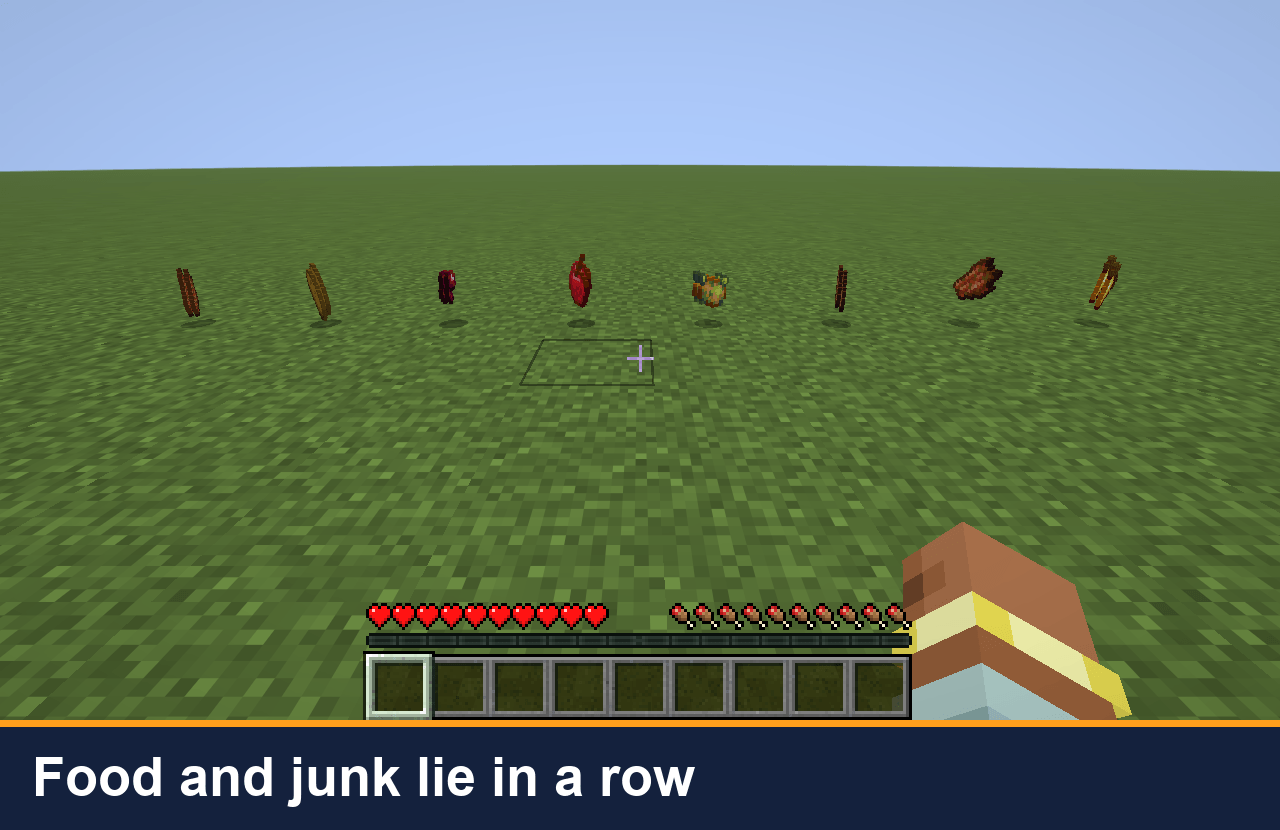 Before: food and junk in a row Eight drops on the grass: bread, apple, beef, golden carrot and four pieces of junk.
 -
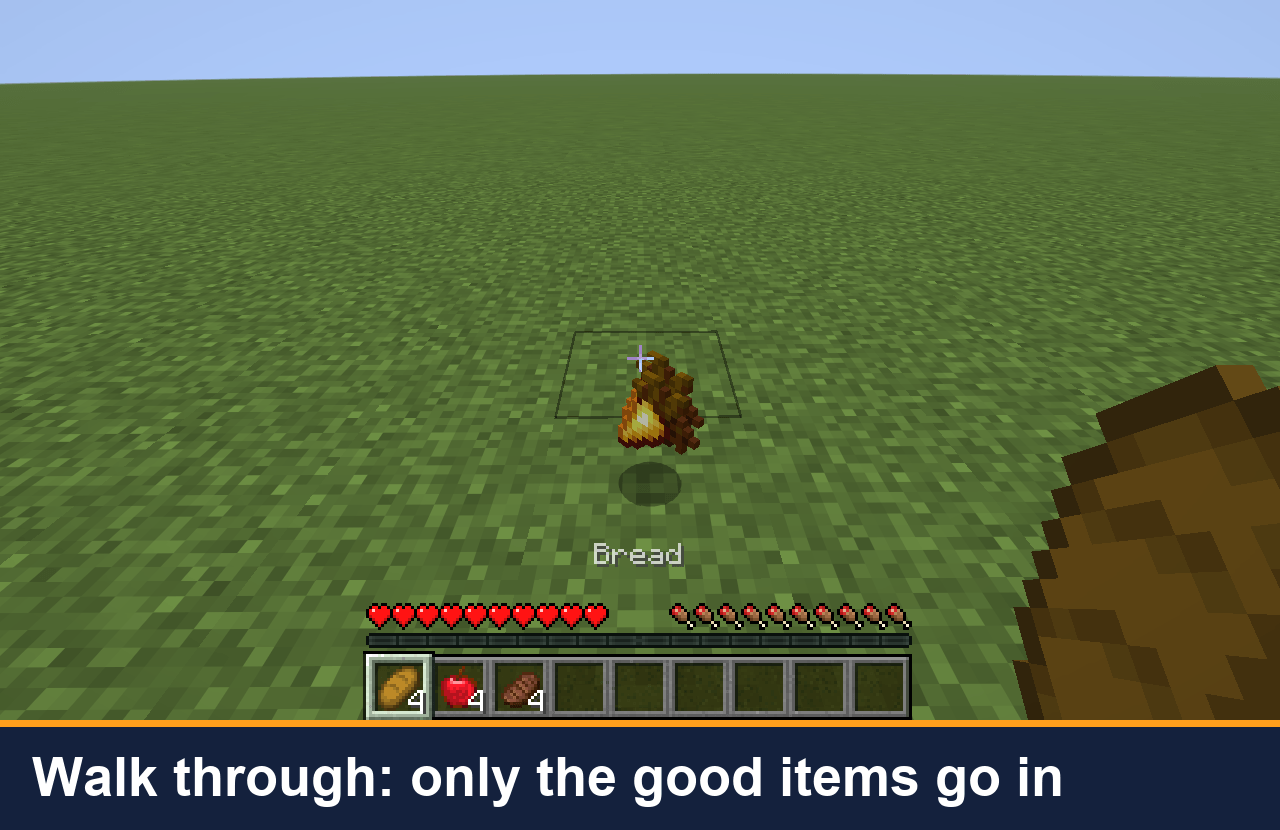 Walk through: only the good items go in Walking along the row, bread, apple and beef go into the hotbar. The junk is skipped.
 -
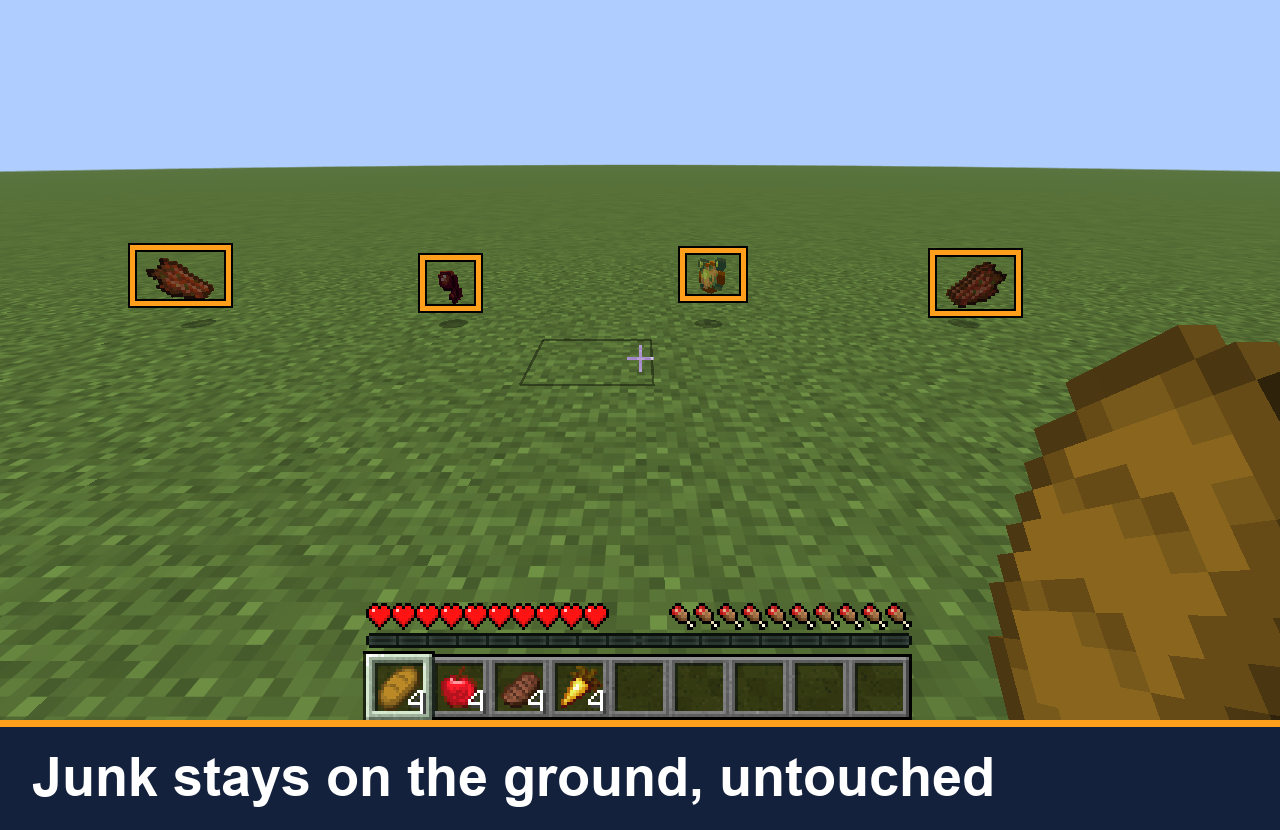 Junk stays on the ground After the walk, the junk is still on the ground, boxed in orange, while the food is in your hotbar.
 -
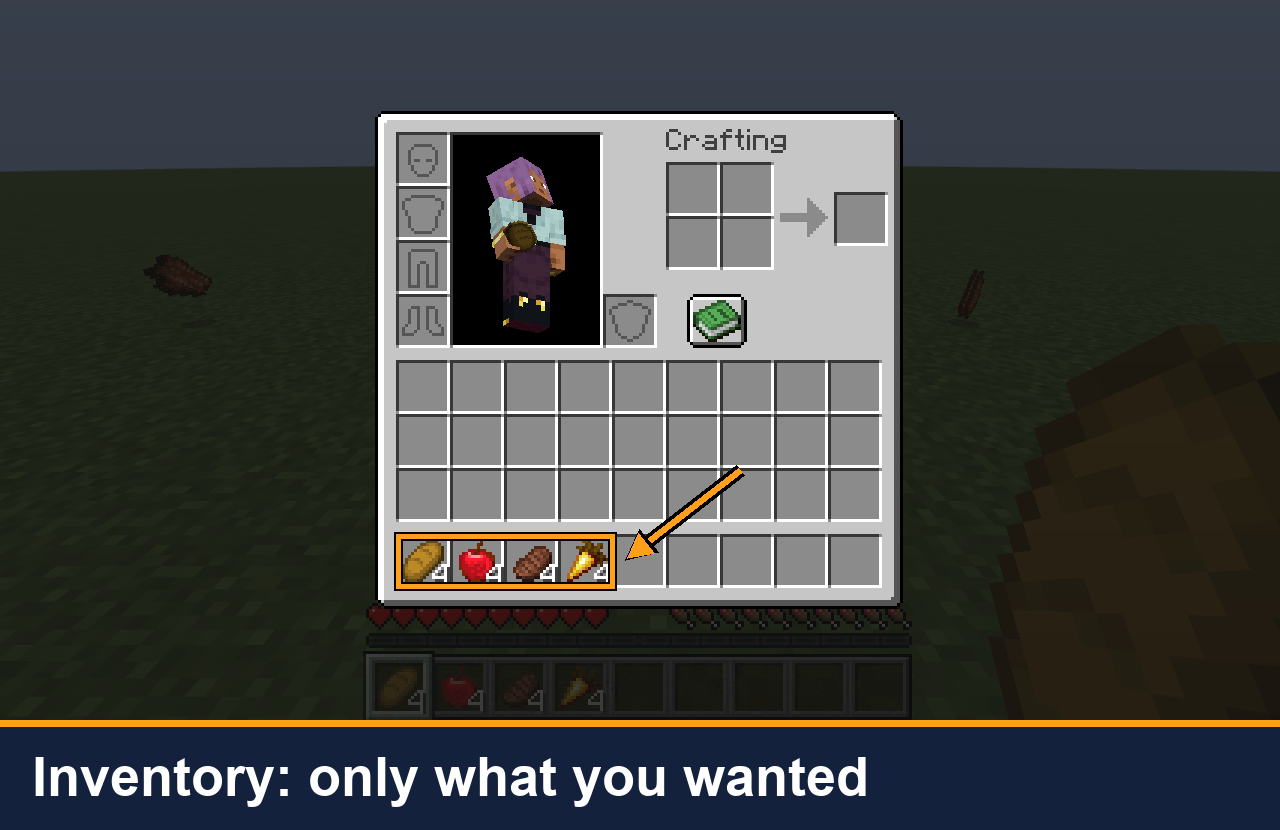 Inventory: only what you wanted The inventory screen holds bread, apple, beef and golden carrot. No rotten flesh, no spider eye.
Versions
Files
Relations
Project Relations
More like this
Similar Mods
Suggestions use data such as tags, dependencies, dependents, descriptions, titles, and more to rank how much they overlap with this mod.
On ModDex
Community snapshot
By the numbers
Statistics

Get it on
Available Platforms
On ModDex
Community snapshot
By the numbers
Statistics
Resources