
Hwyla Addon Horse Info
Provide horse speed and jump information in tooltip
No ratings yet
Be the first to rate it.
Community listing page
Community listing page, reviews may not be monitored by the author.

Community voices
Reviews
No reviews yet. Be the first to review this project!
Get it on
Available Platforms
About
Project Details
For authors
Embed Badge
If you're the author of this project, you can embed a live badge anywhere that supports HTML or Markdown. It updates automatically whenever ratings change.
Use HTML for any page that supports it, or Markdown for README files and Markdown-based descriptions.
Identifiers
Platform IDs
About
Description
This project has been discontinued as it is now integrated into WTHIT for Minecraft 1.19.2+
This is an addon for Hwyla or WTHIT (Hwyla successor) mod fabric version.
You only need one of them. Do not install both Hwyla and WTHIT.
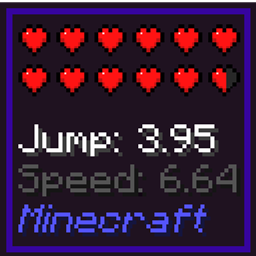
This addon provide horse jump and speed information when looking at any horse.
This addon must be enabled first in Hwyla/WTHIT plugin settings.
- 1. Find minecraft folder
- 2. Open config -> waila -> waila_plugins.json
- 3. Either add these entry at the end or set the corresponding value

You can also use ModMenu instead for easy access in-game
Support:
Mod version 0.3.0-1.17 and later will only work for WTHIT, not Hwyla.
For issues, please use Issues tab, or use Github repo instead.
Please, do not ask for Forge version!
Credits:
The new mod icon and mod project icon are created by Minenash
Minecraft 1.18 and 1.19 support update by Kosma Moczek
New config option "Ignore Mounted Horse" by Tenzin Pelletier
Screenshots
Gallery
-
 Horse info Showing jump and speed information
Versions
Files
Relations
Project Relations
More like this
Similar Mods
Suggestions use data such as tags, dependencies, dependents, descriptions, titles, and more to rank how much they overlap with this mod.
Stats
- Downloads
- 2.5m
- Used in
- 157 modpacks
- Followers
- 0
- In stacks
- 0
- Created
- Last synced
-
Oct 30, 2026 10:10 AM UTC
New file updates sync automatically.
When ModDex last fully re-synced this project from CurseForge or Modrinth. A new file release triggers a resync usually within minutes, and every project is also re-synced on a schedule. Edits that don't ship a file, such as a new description or screenshots, are checked every few hours and can appear before this date changes.
How syncing works
External Links

Stats
- Downloads
- 2.5m
- Used in
- 157 modpacks
- Followers
- 0
- In stacks
- 0
- Created
- Last synced
-
Oct 30, 2026 10:10 AM UTC
New file updates sync automatically.
When ModDex last fully re-synced this project from CurseForge or Modrinth. A new file release triggers a resync usually within minutes, and every project is also re-synced on a schedule. Edits that don't ship a file, such as a new description or screenshots, are checked every few hours and can appear before this date changes.
How syncing works