Community listing page, reviews here may not be monitored by the author.
Mekanism Cardboard Tooltip


No reviews yet
Mekanism Cardboard Box gets Jade/TOP/WTHIT support.

Community voices
Reviews
No reviews yet. Be the first to review this project!
Get it on
Available Platforms
Compatibility
Supported Environments
Must be installed on both the client and the server.
About
Project Details
For authors
Embed Badge
If you're the author of this project, you can embed a live badge anywhere that supports HTML or Markdown. It updates automatically whenever ratings change.
Use HTML for any page that supports it, or Markdown for README files and Markdown-based descriptions.
Identifiers
Platform IDs
About
Description
Jade/The One Probe/WTHIT Forge Edition plugin that shows what Block and Block Entity is inside Mekanism Cardboard Boxes.
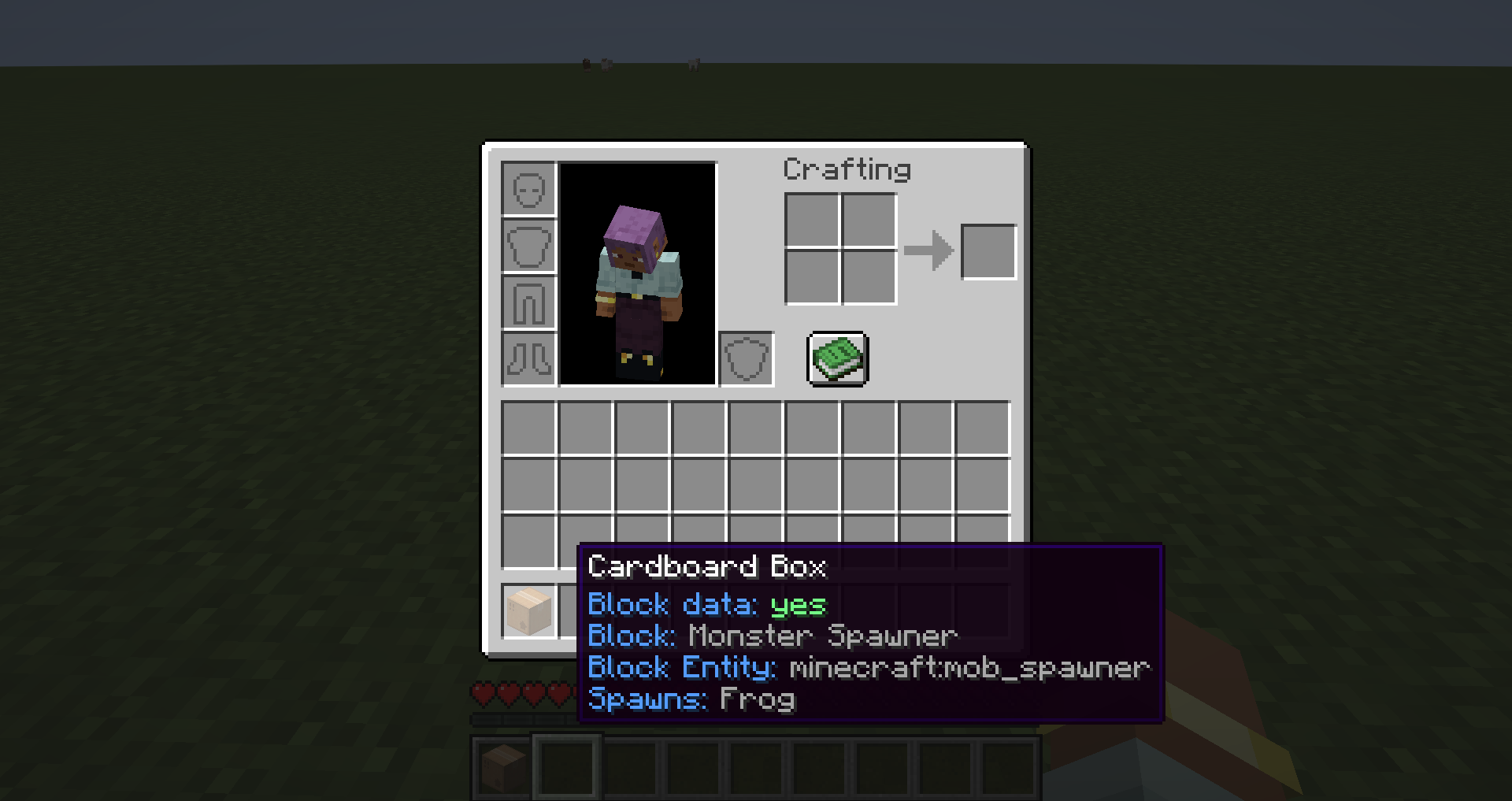
When installed alongside Mekanism, and one of the supported plugins it will add two new sections: "Block" and "Block Entity" to the Cardboard Box tooltip.
If it contains a monster spawner it will also show what mob it spawns.
The tooltip will have information about what block and block entity is inside the cardboard box.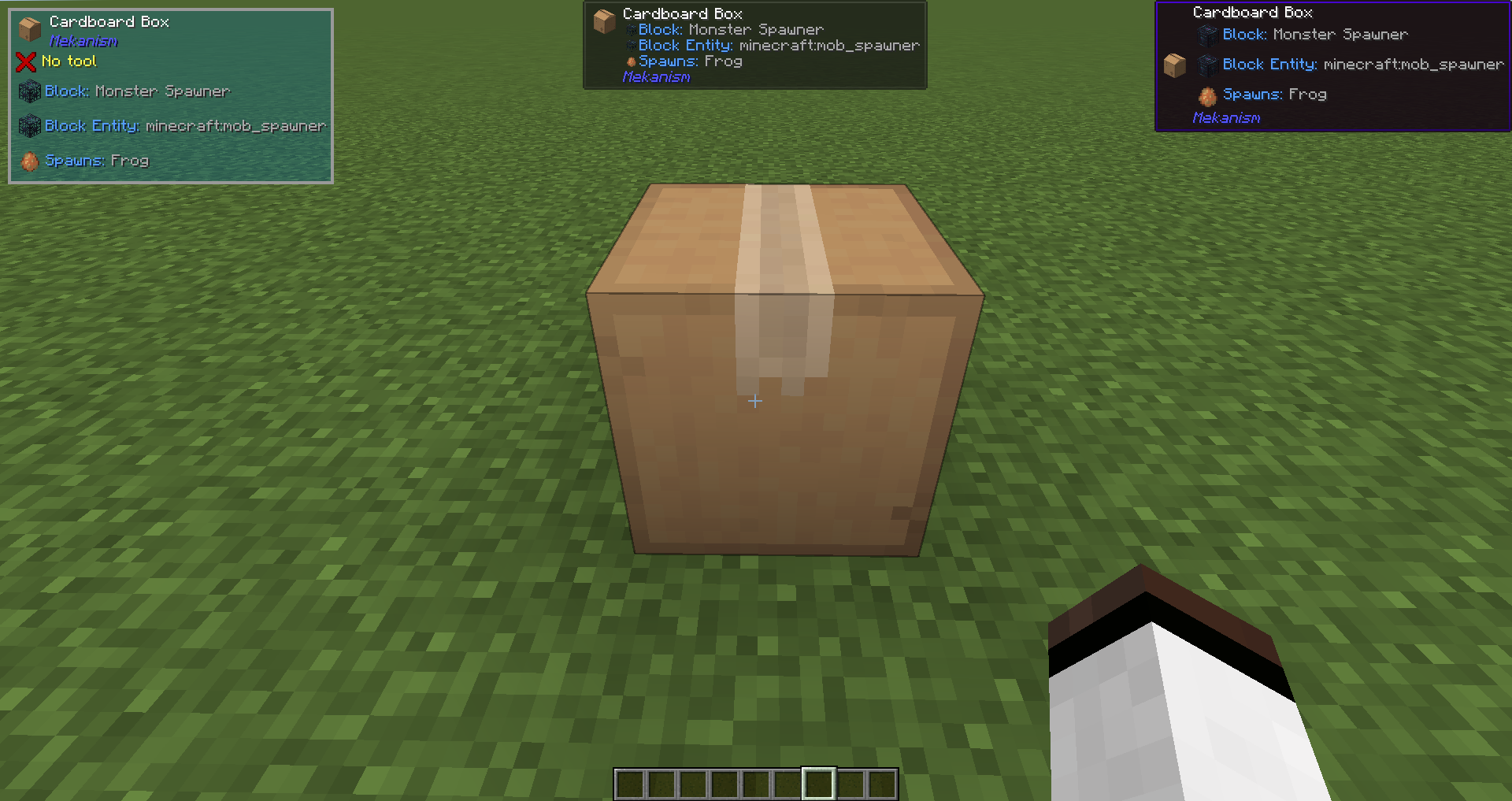
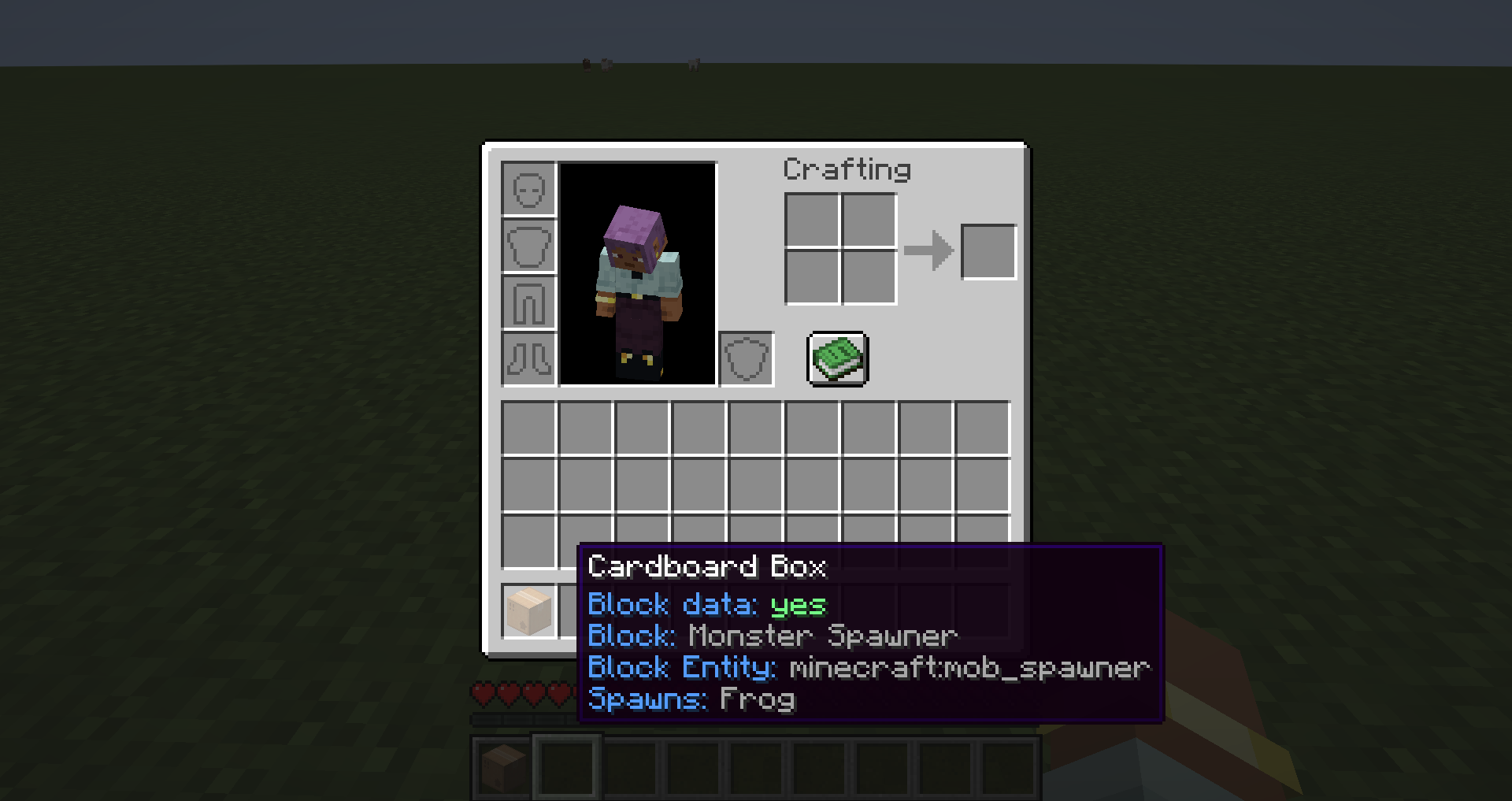
The default Cardboard Box tooltip has been changed to match the one provided in Mekanism 10.5.
The inspiration behind this mod was the lack of QoL information on Cardboard Boxes. I use them whenever Mekanism is installed to move monster spawners.
But the annoying part is when cardboard boxes pile up the storage network without any information on what they contain.
Jade/The One Probe/WTHIT plugin that shows what Block and Block Entity is inside Mekanism Cardboard Boxes. When installed alongside Mekanism, and one of the supported plugins it will add two new sections: "Block" and "Block Entity" to the Cardboard Box tooltip. If it contains a monster spawner it will also show what mob it spawns.
The tooltip will have information about what block and block entity is inside the cardboard box.
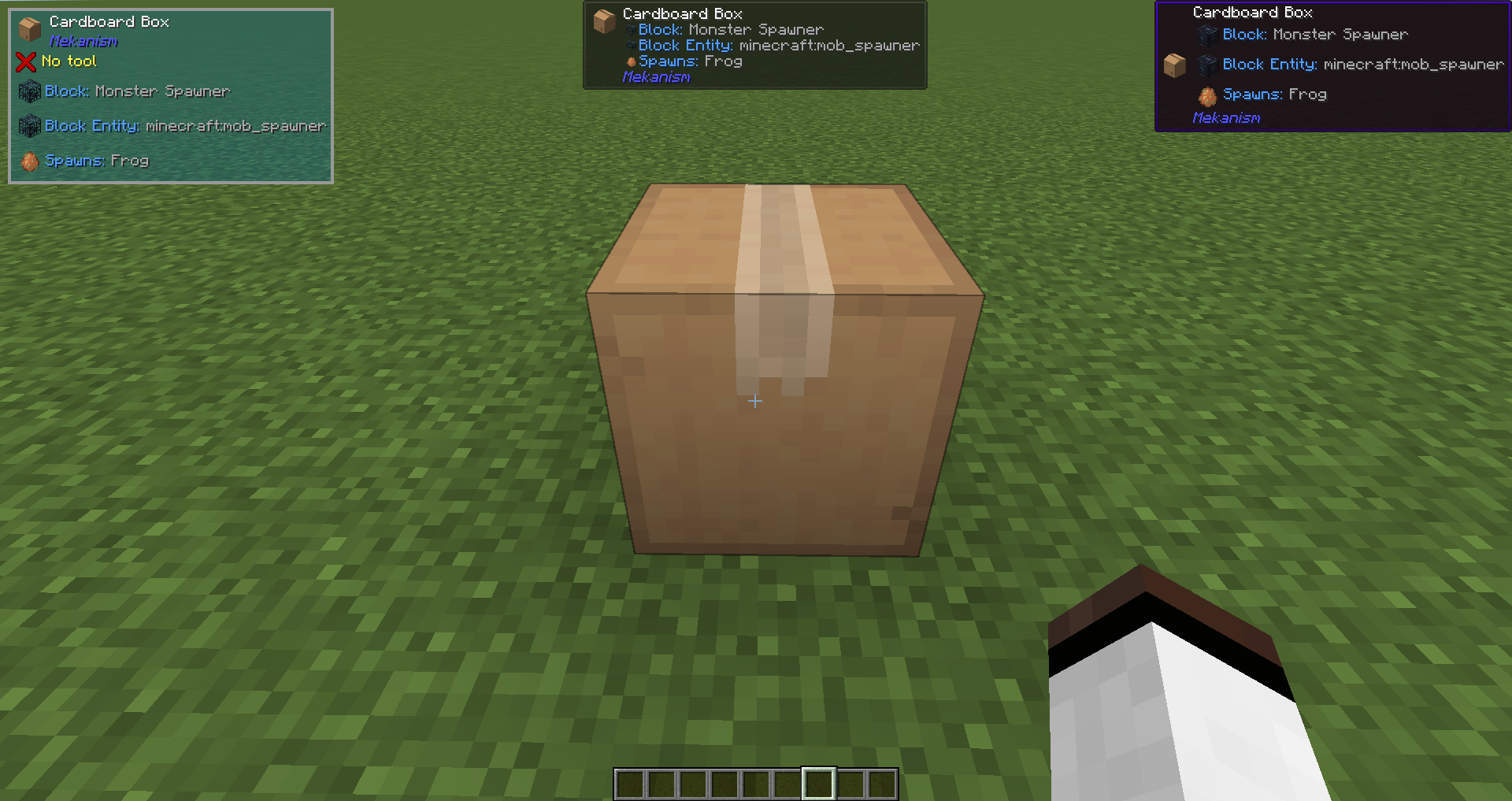
The default Cardboard Box tooltip has been changed to match the one provided in Mekanism 10.5.
The inspiration behind this mod was the lack of QoL information on Cardboard Boxes. I use them whenever Mekanism is installed to move monster spawners. But the annoying part is when cardboard boxes pile up the storage network without any information on what they contain.
Screenshots
Gallery
-
Item Tooltip The default cardboard box tooltip has been changed to match the one provided in Mekanism 10.5
-
TOP/Jade/WTHIT A Cardboard Box that contains a Monster Spawner (Frog)
-
Item Tooltip The default cardboard box tooltip has been changed to match the one provided in Mekanism 10.5.
-
TOP/Jade/WTHIT A Cardboard Box that contains a Monster Spawner (Frog)
Versions
Files
Relations
Project Relations
More like this
Similar Mods
Suggestions use data such as tags, dependencies, dependents, descriptions, titles, and more to rank how much they overlap with this mod.
On ModDex
Community snapshot
By the numbers
Statistics
 (opens in a new tab)
Get it on
Available Platforms
On ModDex
Community snapshot
By the numbers