
Community listing page, reviews here may not be monitored by the author.
I Can Buy A Property: Estate Mailbox

No reviews yet
I Can Buy a Property: Estate Mailbox lets players claim, buy, sell, rent, auction, and transfer protected properties using physical mailboxes, claim stakes, and interactive GUIs—not commands.
Community voices
Reviews
No reviews yet. Be the first to review this project!
Get it on
Available Platforms
About
Project Details
For authors
Embed Badge
If you're the author of this project, you can embed a live badge anywhere that supports HTML or Markdown. It updates automatically whenever ratings change.
Use HTML for any page that supports it, or Markdown for README files and Markdown-based descriptions.
Identifiers
Platform IDs
Resources
External Links
About
Description
🏠📬 I Can Buy a Property: Estate Mailbox
Your complete claim, buy, sell, rent, auction, and manage protected properties using physical mailboxes, claim stakes, and interactive GUIs—no commands required.
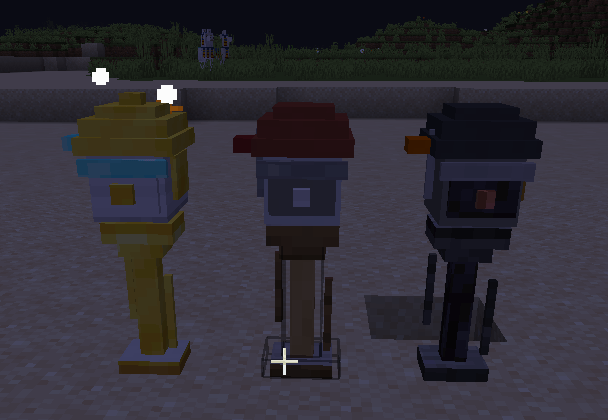
I Can Buy a Property: Estate Mailbox introduces an immersive property-management system built around actual blocks and visual interfaces instead of commands.
Players can define protected properties using claim stakes, manage them through unique mailbox blocks, configure access permissions, list properties for sale or rent, hold player auctions, and securely transfer ownership.
💰 Lightman’s Currency Compatibility
Works well with Lightman’s Currency, allowing players to use its currencies for property sales, rent, rent-to-own payments, and auctions.
0.1.2 UPDATE IS UP "World Protection and Computer" update
Added
- World Protection: Admins can set rules for the world, dimensions, and individual chunks. The Admin Computer includes World Rules, Chunk Protection, and Rule Map tools. No FTB Chunks required.
- Computer & MineOS: Players can use a craftable Computer with a MineOS desktop, clock, Pictures app, 6 themes, and 7 wallpapers. The two-block Admin Computer is reserved for admin tools.
- Trusted Players: Property owners can add players and control what each one can do inside their property.
- Property Photography: Use the craftable Camera and Photo Reel to photograph properties. Reels hold up to 8 photos, properties can display 5 rotating pictures, and Computers can save 3 custom wallpapers.Added crafting recipes for the Computer, Camera, and Photo Reel, available through the recipe book.
Updated
- Rule priority is now Property → Chunk → Dimension → World, allowing more specific rules to override broader ones while preserving owner and trusted-player access.
- Improved the Camera viewfinder with normal mouse movement, walking/jumping, first-person view, square framing, and up to 5× zoom.
- Redesigned property, mailbox, auction, buyer/owner, and Computer screens with sharper styling, better spacing, and shared themes.
- Saved property and Computer pictures can now be viewed or deleted without holding a Camera. Reel uploads/deletion still require one.
- Business features remain unavailable. Faction and Party options are visible but not yet functional.
Feature List
- 🏠 Three Property Types
Create Residential, Estate, or manually selected Commercial properties. - 📬 Physical Mailboxes
Every property is managed through an actual mailbox block instead of commands. - 📍 Claim Stakes
Define the full three-dimensional size of a property using claim stakes. - 🧩 Irregular Properties
Combine connected sections to create L-shaped, multi-floor, apartment, or other irregular claims. - 🖥️ Interactive GUIs
Set up, list, purchase, manage, and inspect properties through dedicated visual menus. - 🔐 Property Permissions
Control entry, building, containers, redstone, beds, respawning, and other interactions. - 🤝 Trusted Players
Add individual trusted players and control what each player is allowed to do inside your property. - 🌎 World Protection
Administrators can configure protection rules for the entire world, individual dimensions, and selected chunks. - 🗺️ Protection & Rule Maps
Use interactive terrain-based maps to manage chunk protection and see where rule overrides are applied. No FTB Chunks required. - 🖥️ MineOS Computers
Use an in-game Computer with a MineOS desktop, clock, Pictures app, themes, wallpapers, and appearance settings. - 🛡️ Admin Computer
Gives administrators dedicated access to World Rules, Chunk Protection, Rule Map, and other administrative tools. - 📷 Property Photography
Craft a Camera and Photo Reel to photograph properties, create property albums, and save photos as custom Computer wallpapers. - 💰 Property Listings
Offer properties through direct sale, rent, or rent-to-own agreements. - 🔨 Player Auctions
Let players bid on properties through a secure auction and currency escrow system. - 🤝 Ownership Transfers
Give a property to another player through a protected offer-and-acceptance process. - 🛏️ Bed and Respawn Protection
Respawn access follows the property’s current permissions and ownership. - 🛡️ Protected Mailboxes
Registered mailboxes cannot be destroyed, exploded, or moved by pistons or redstone contraptions. - ⚙️ Layered Rule Priority
Property rules override chunk rules, chunk rules override dimension rules, and dimension rules override world rules. - 🎨 Customizable Interface
Choose from multiple GUI themes and wallpapers shared across property and Computer screens.
Planned Features
📐 Construction Blueprints
Save property designs as transparent construction guides that show where players must place the real blocks.
🛒 Blueprint Marketplace
Sell and purchase building designs with material lists and required-mod information.
🏪 Expanded Commercial Property Features
Commercial properties are currently supported as a property type, but their specialized business mechanics are still planned. Future updates may add staff roles, customer access, business categories, operating hours, commercial leasing, transaction records, and optional business taxes or upkeep.

Screenshots
Gallery
-
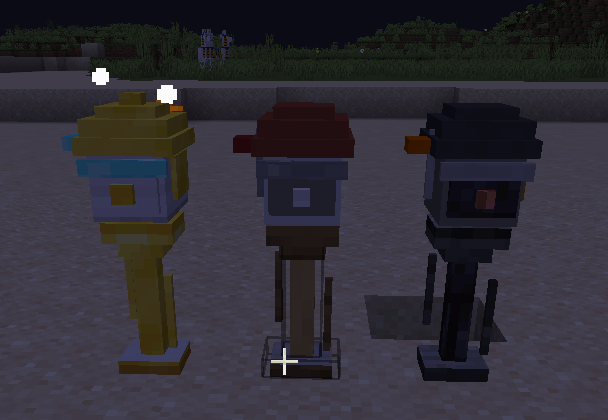 Screenshot 2026-07-14 171529.png Screenshot 2026-07-14 171529.png
 -
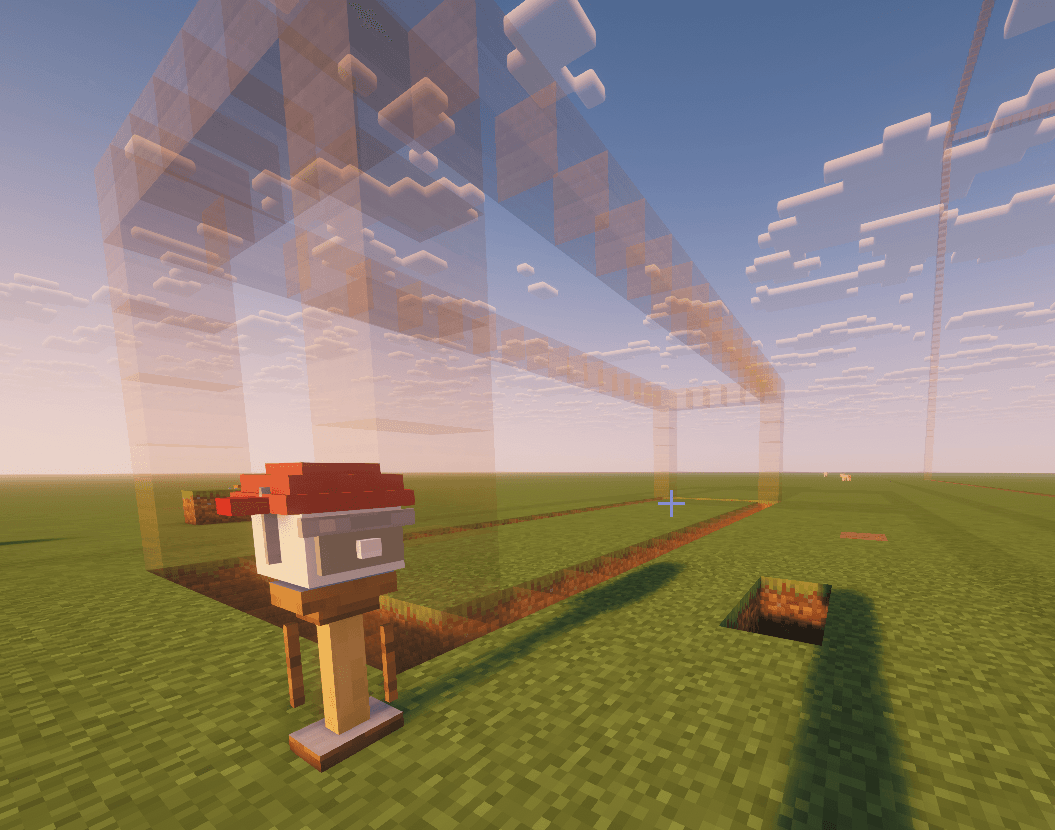 property border.png property border.png
 -
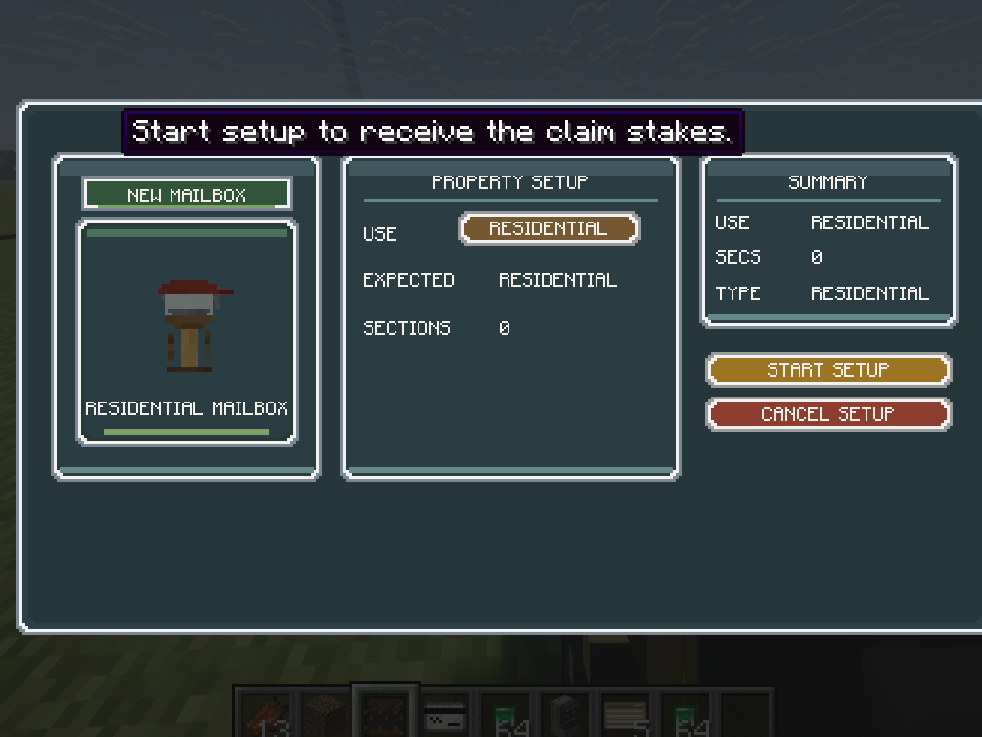 setup.png setup.png
 -
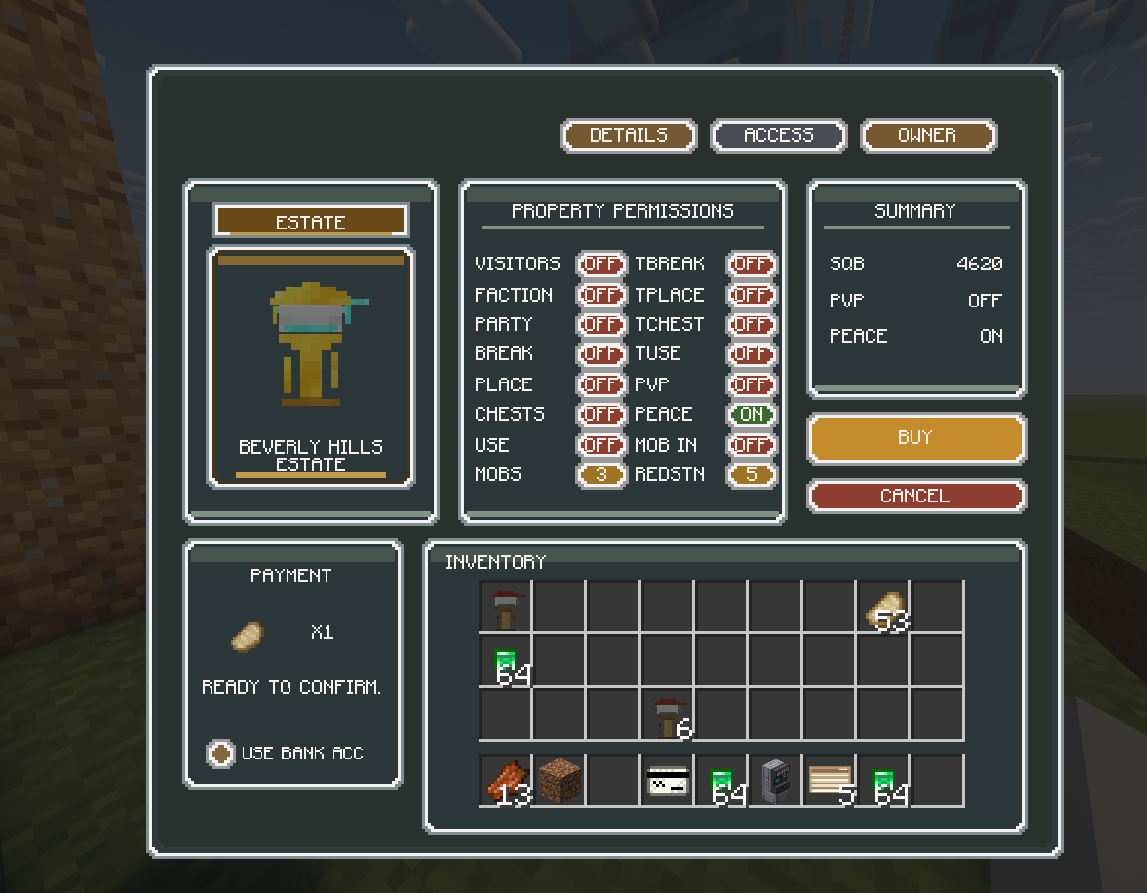 buyer GUI.png buyer GUI.png
 -
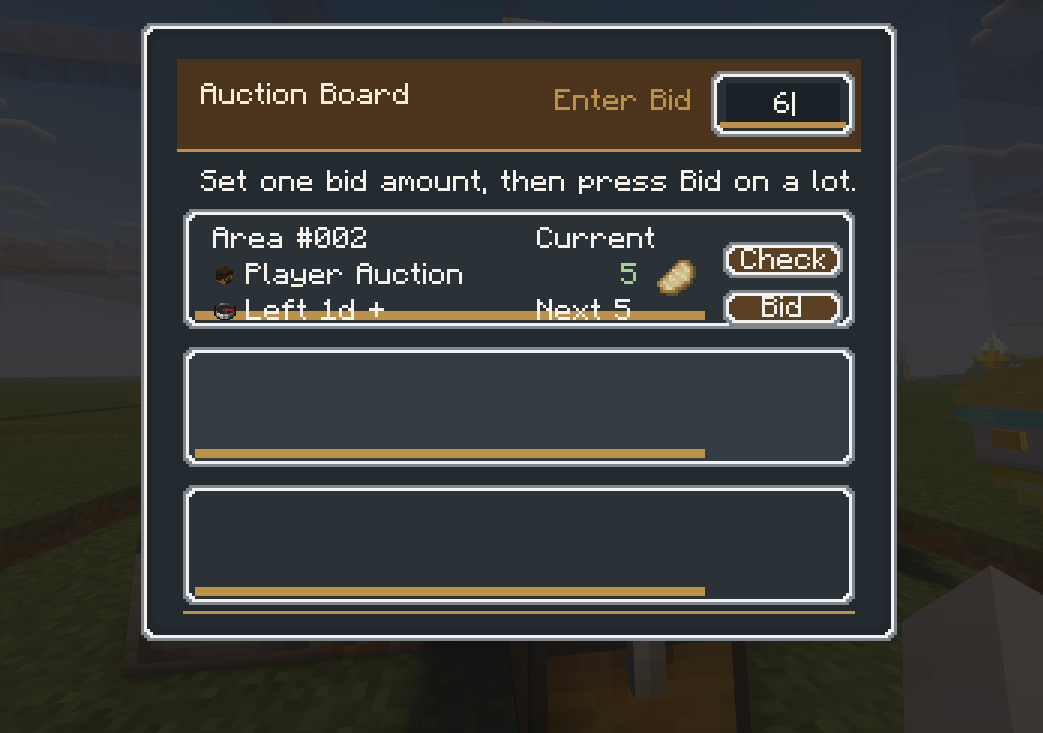 auction board.png auction board.png
 -
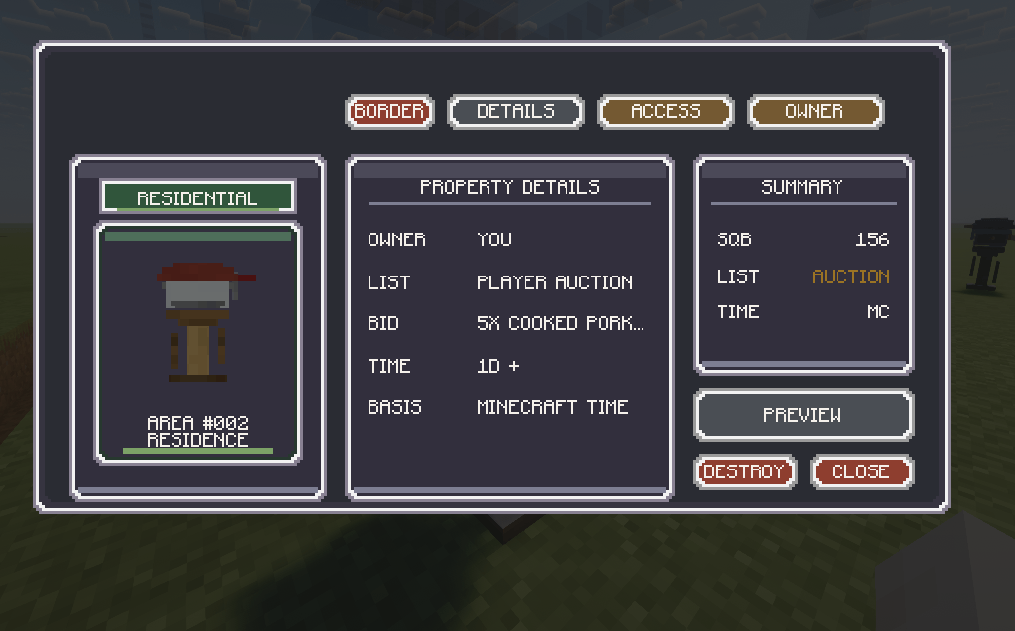 owner-auction GUI.png owner-auction GUI.png
 -
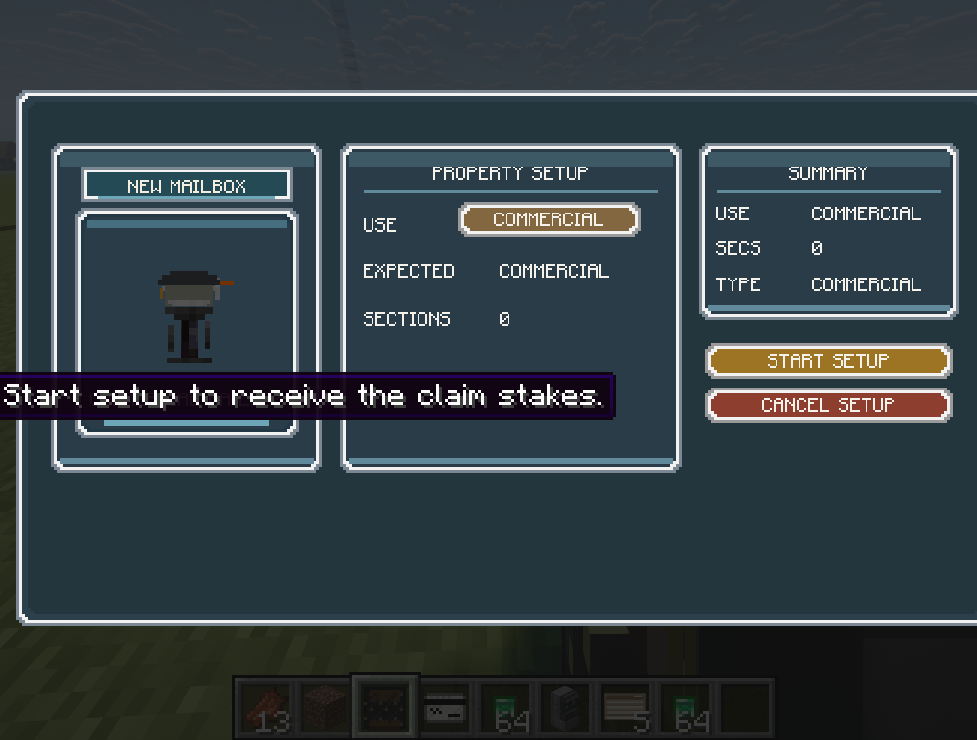 commercial setup.png commercial setup.png
 -
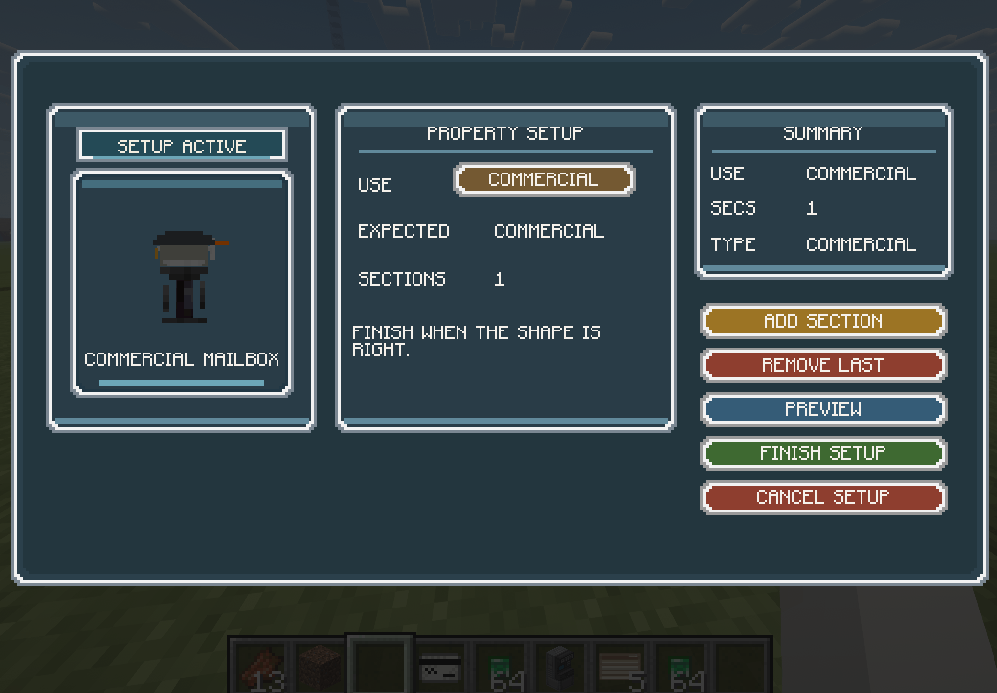 commercialafterstakesetup.png commercialafterstakesetup.png
 -
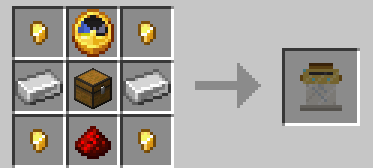 auctionblockrecipe.png auctionblockrecipe.png
 -
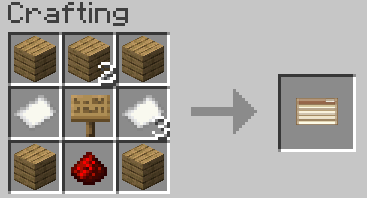 auctionboardrecipe.png auctionboardrecipe.png
 -
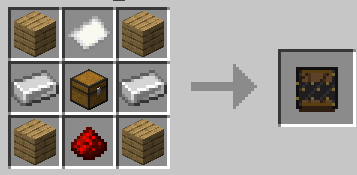 setupblockrecipe.png setupblockrecipe.png
Versions
Files
Relations
Project Relations
More like this
Similar Mods
Suggestions use data such as tags, dependencies, dependents, descriptions, titles, and more to rank how much they overlap with this mod.
- Lightman's Currency x CC:Tweaked Compat
- Waystone: Currencys
- Jobs & Professions
- Villager Overhaul
- Claim Shop For Lightmans Currency
- Lightmans Currency Bounties
- Just Enough Lightman's Trades
- Economy: Currency & Chunks ("FTB Chunks/OPAC" & "Lightman/Numismatics")
- ClaimShop
- I can't believe its not ICBM!
- I Can See You (Anti Invisibility)!
- I Can't Believe It's Not 1.21.5
On ModDex
Community snapshot
By the numbers
Statistics
Want to reach Minecraft players?
We're looking for a server hosting partner to feature here and other parts of the site. Interested? Send us a message!
Get in touchGet it on
Available Platforms
On ModDex
Community snapshot
By the numbers
Statistics
Resources