Community listing page, reviews here may not be monitored by the author.
i.らぶ.moe

No reviews yet
Share your Minecraft moment instantly. Upload screenshots from the Mod and receive a short URL on your clipboard.
Community voices
Reviews
No reviews yet. Be the first to review this project!
Get it on
Available Platforms
About
Project Details
For authors
Embed Badge
If you're the author of this project, you can embed a live badge anywhere that supports HTML or Markdown. It updates automatically whenever ratings change.
Use HTML for any page that supports it, or Markdown for README files and Markdown-based descriptions.
Identifiers
Platform IDs
About
Description
i.らぶ.moe
Share your Minecraft screenshots with one click.
i.らぶ.moe is a client-side Fabric mod that turns screenshots into short, shareable URLs. After taking a screenshot with F2, a clickable upload button appears in chat. Once uploaded, the short URL is automatically copied to your clipboard.
Features
- Upload screenshots directly from Minecraft
- Automatically copy the resulting short URL
- Capture the current server name and address as image metadata
- Open, copy, or delete an uploaded image from the in-game chat
- Manage image titles, albums, tags, favorites, and visibility from the website
- Share images as unlisted, private, or passphrase-protected
- English and Japanese support based on your Minecraft language
- Optional automatic F2 uploads for Plus users
The mod is entirely client-side and does not need to be installed on the server.
How to use
- Install the mod together with Fabric Loader and Fabric API.
- Take a screenshot with F2.
- Click [Upload] in the chat message.
- The screenshot is uploaded and its URL is copied to your clipboard.
Free users can upload screenshots manually. Plus users can enable automatic uploads:
/ilovemoe auto-upload onCommands
/ilovemoe login
/ilovemoe auto-upload
/ilovemoe auto-upload on
/ilovemoe auto-upload off
The login command sends a magic link that lets you manage your screenshots from the web dashboard.
Plans
The free plan includes manual uploads, up to 50 uploads per 30 days, and 60-day storage.
Plus includes:
- Up to 500 uploads per 30 days
- 365-day storage
- Automatic screenshot uploads
- More albums and images per album
- Private and passphrase-protected sharing
- Tags, favorites, and bulk organization
Privacy notice
Screenshots may contain player names, chat messages, server addresses, or other personal information. Please review your screenshot before uploading and choose an appropriate visibility setting.
Screenshots
Gallery
-
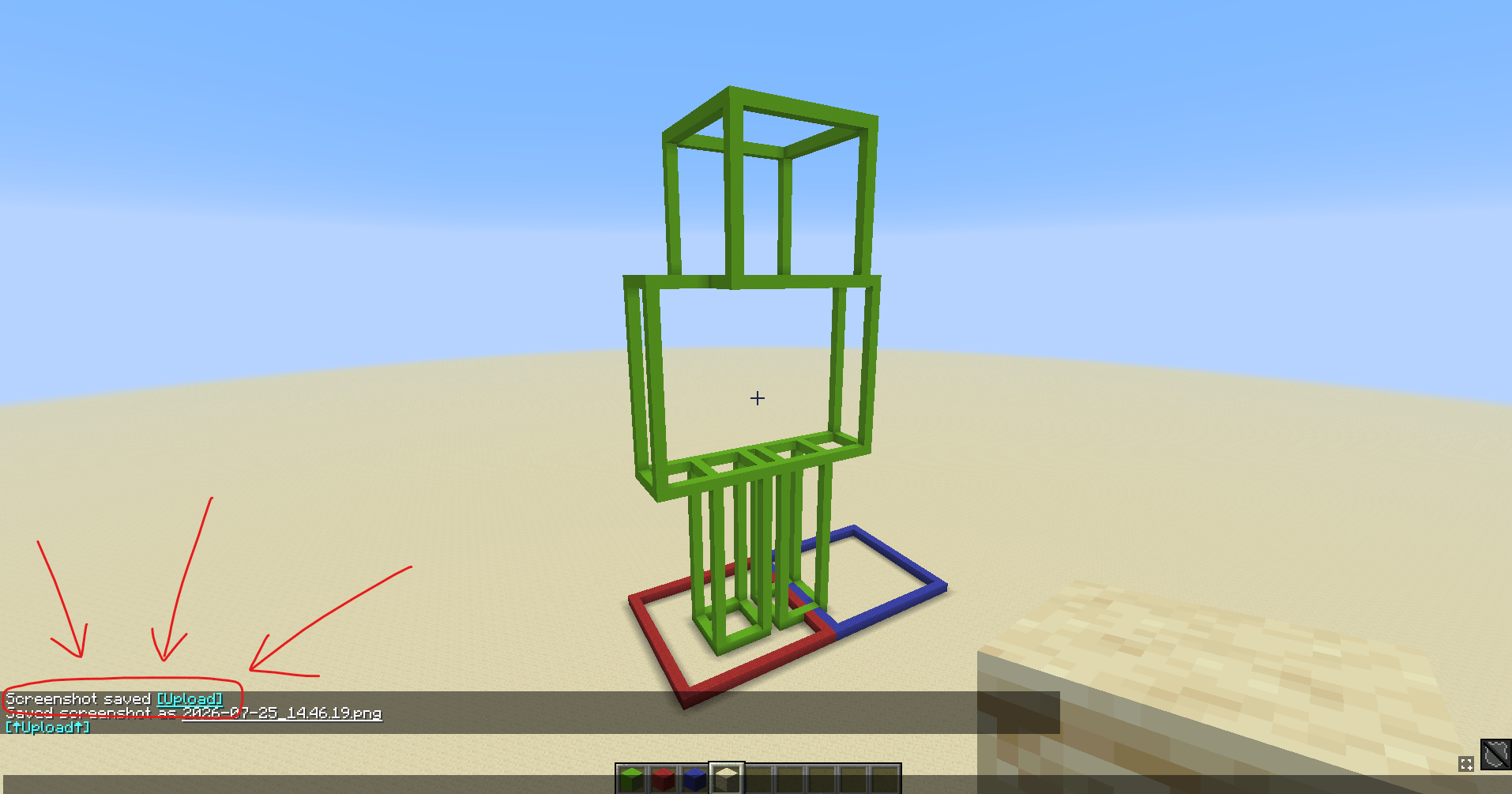 How to upload screenshot in-game After pressing F2, the [Upload] button appears in your chat screen and, you can click it to upload
 -
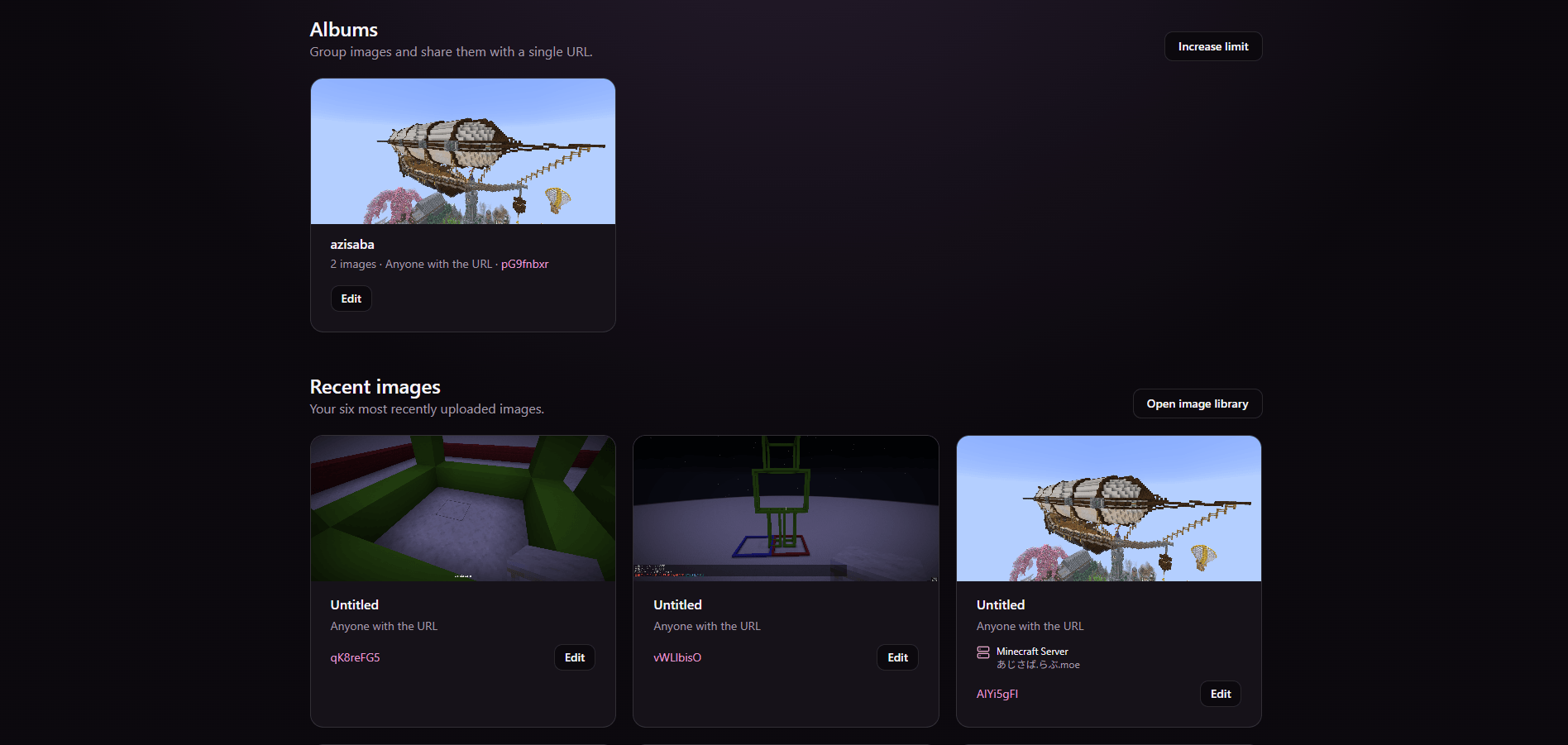 Manage screenshots via website Website dashboard available via `/ilovemoe login`
 -
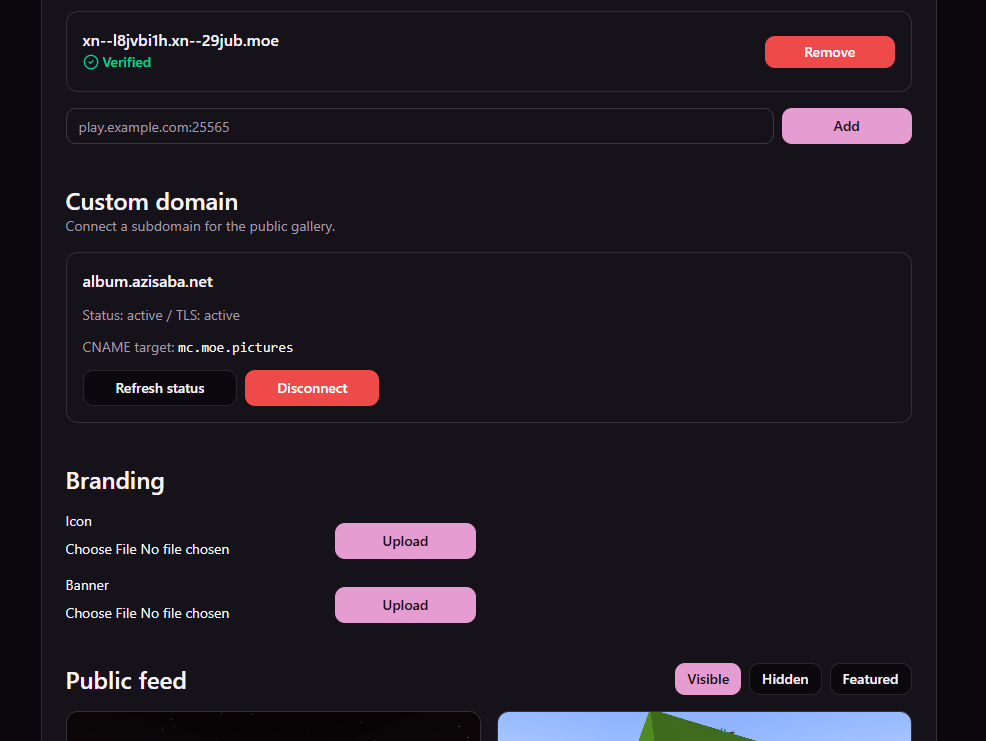 Manage server in dashboard
Versions
Files
Relations
Project Relations
More like this
Similar Mods
Suggestions use data such as tags, dependencies, dependents, descriptions, titles, and more to rank how much they overlap with this mod.
On ModDex
Community snapshot
By the numbers
Statistics
Want to reach Minecraft players?
We're looking for a server hosting partner to feature here and other parts of the site. Interested? Send us a message!
Get in touchGet it on
Available Platforms
On ModDex
Community snapshot
By the numbers