
Community listing page, reviews here may not be monitored by the author.
Identify

No reviews yet
Shows what you are looking at. Point at a block or an entity and a panel at the top of the screen shows any block or mob's name, health, owner, villager level, beacon effects, food saturation and much more. Client-side, for Fabric and NeoForge.
Community voices
Reviews
No reviews yet. Be the first to review this project!
Get it on
Available Platforms
About
Project Details
For authors
Embed Badge
If you're the author of this project, you can embed a live badge anywhere that supports HTML or Markdown. It updates automatically whenever ratings change.
Use HTML for any page that supports it, or Markdown for README files and Markdown-based descriptions.
Identifiers
Platform IDs
Resources
External Links
About
Description
Identify is a small client-side mod for Minecraft on Fabric or NeoForge, compatible with Mod Menu (Fabric) / the built-in config screen (NeoForge).
Supported versions: 26.1 to 26.3.
Features
- Block and entity panel - the icon, name, and owning mod of whatever is under your crosshair, out to a configurable range.
- Mob intel - health with armor, baby grow-up and breeding timers, a pet's owner, a villager's profession and level, a horse's speed and jump height, active effects, and the item a mob is holding. The panel shows at most four detail lines, so it stays compact.
- Block details - crop growth, redstone power, the best tool (and tier) to mine the block, what a spawner spawns, a beacon's tier, range and effects, and a beehive's honey level.
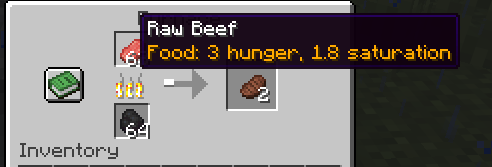
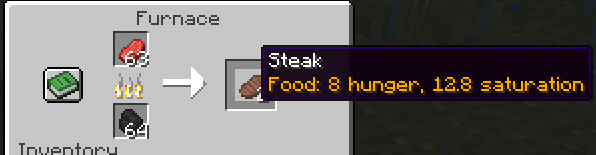
- Item tooltips - remaining durability with a percentage, hunger and saturation for food, and how many items a fuel smelts.
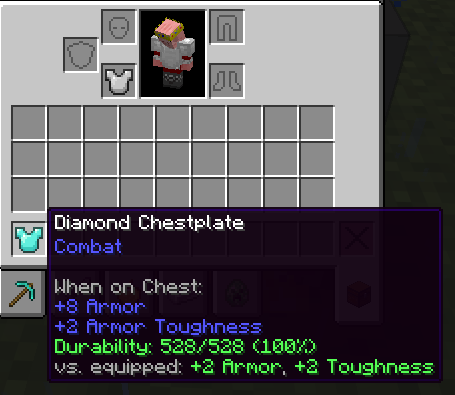
- Equipment comparison - hold Shift over armor or a weapon to see how it compares with what you have equipped, such as
+2 Armor, +2 Toughness. - Placement - two sliders move the panel anywhere on screen, from the top-left corner to the bottom-right corner, at any GUI scale.
- Configurable - toggle blocks, entities, icon, details, mod name, and item comparison, and adjust range and position.
- Client-side only - there is nothing to install on a server.
Some information depends on where you play:
- Exact grow-up and breeding timers, and fuel values on 26.3, come from the integrated server, so they are available in singleplayer and on a LAN host. On other servers a baby animal is shown as just "Baby".
- Servers do not send other mobs' active effects to clients, so the effects line only appears in singleplayer (and for yourself).
- A pet's owner is looked up in the player list, so the name only shows while the owner is online. Otherwise the panel shows "Tamed".
Install
Fabric
- Install Fabric Loader for your version of Minecraft.
- Put Fabric API and the Fabric Identify jar for your version in your
modsfolder. - Start the game.
Optional: add Mod Menu to get a settings screen (Mods > Identify > Configure).
NeoForge
- Install NeoForge for your version of Minecraft.
- Put the NeoForge Identify jar for your version in your
modsfolder. - Start the game. The settings screen is available from the mod list (Mods > Identify > Config).
Screenshots
Gallery
-
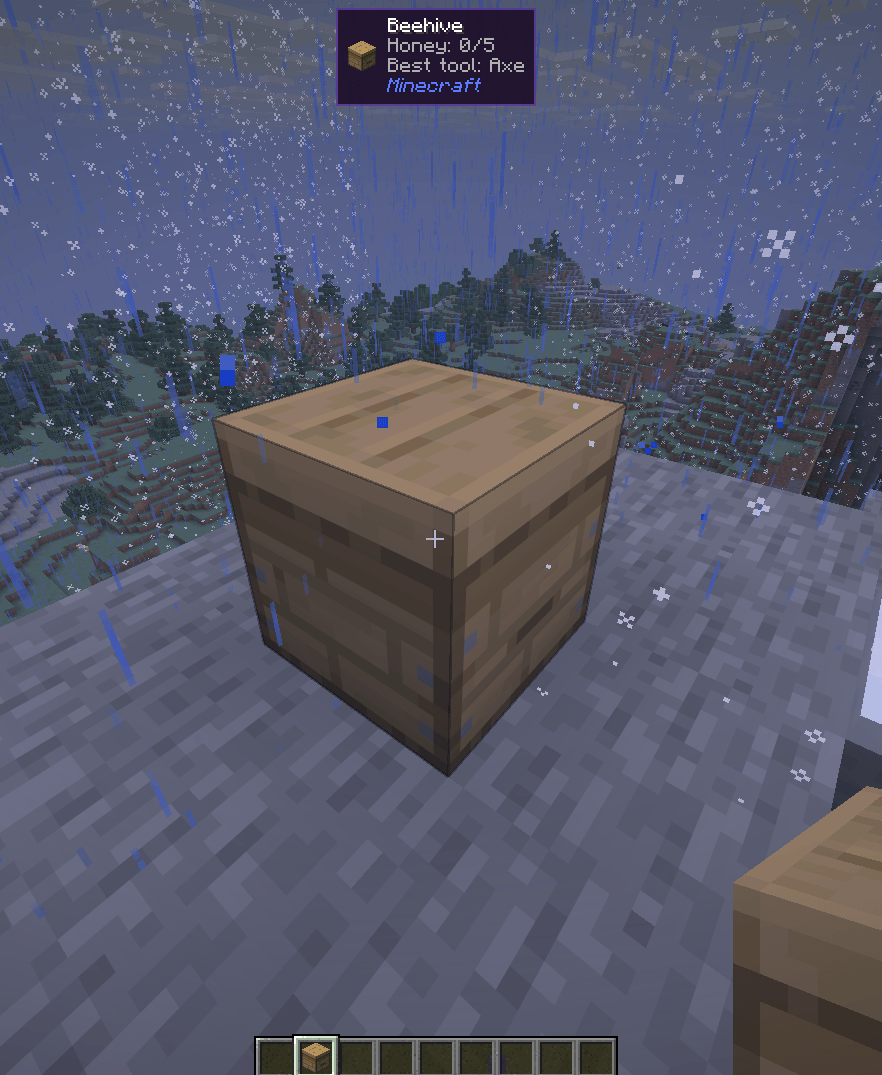 image-attachment_76f86fe1-ee4a-4ee8-a930-2fb2d3514aa5.png
 -
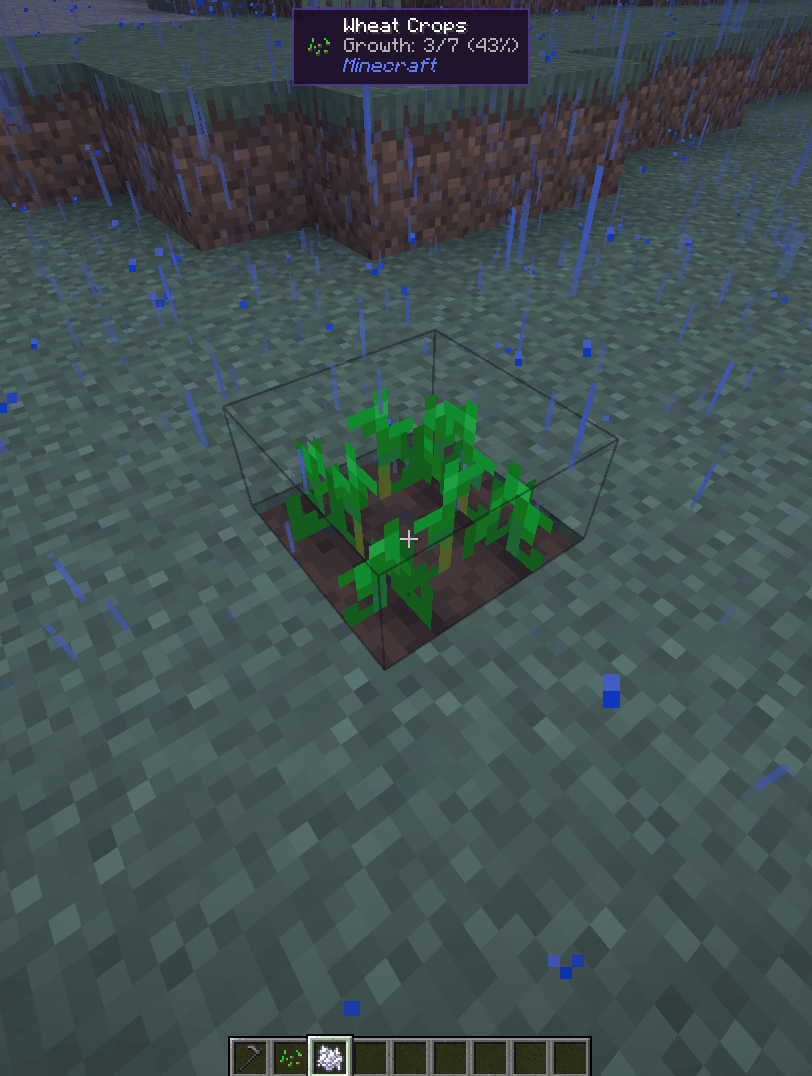 image-attachment_b9e0d9f0-8413-4165-aca7-fcd9bcd1d85e.png
 -
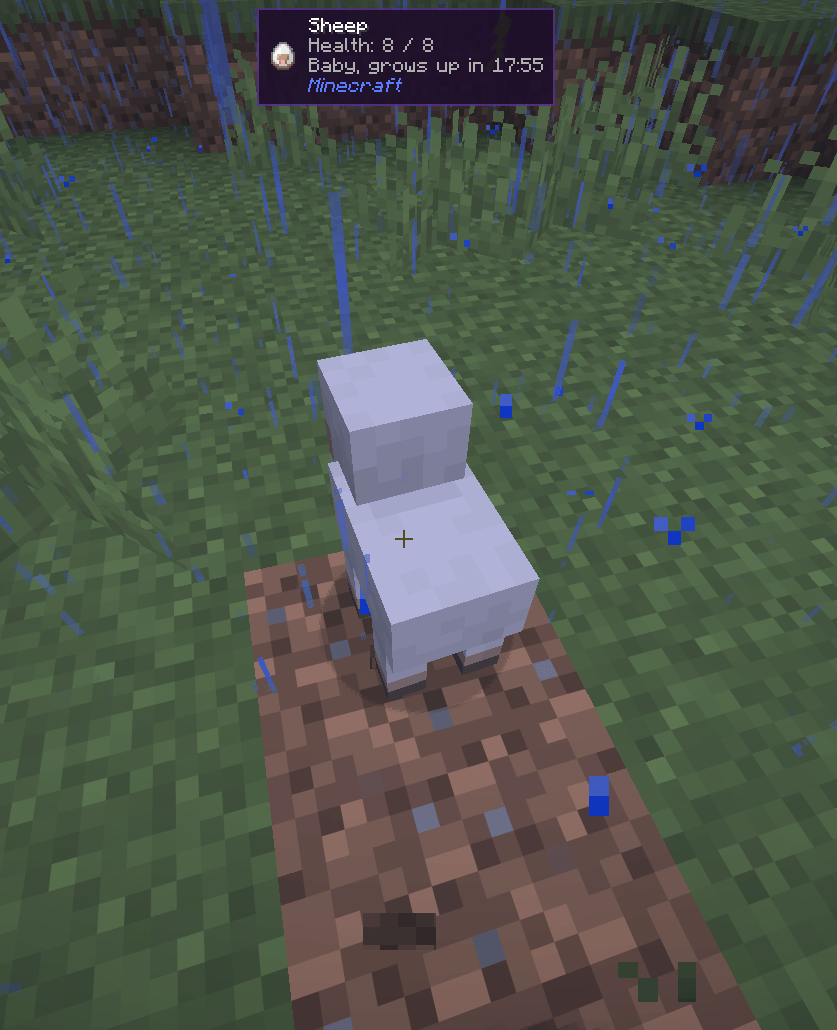 image-attachment_32b94c13-a57a-429d-a339-6abfd86a2161.png
 -
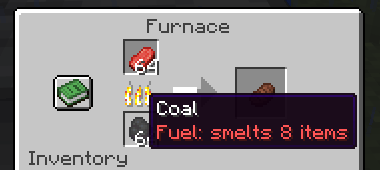 Screenshot 2026-09-23 215736.png Screenshot 2026-09-23 215736.png
 -
 Screenshot 2026-09-23 215743.png Screenshot 2026-09-23 215743.png
 -
 Screenshot 2026-09-23 215749.png Screenshot 2026-09-23 215749.png
 -
 Screenshot 2026-09-23 215823.png Screenshot 2026-09-23 215823.png
Versions
Files
Relations
Project Relations
More like this
Similar Mods
Suggestions use data such as tags, dependencies, dependents, descriptions, titles, and more to rank how much they overlap with this mod.
On ModDex
Community snapshot
By the numbers
Statistics
Want to reach Minecraft players?
We're looking for a server hosting partner to feature here and other parts of the site. Interested? Send us a message!
Get in touchGet it on
Available Platforms
On ModDex
Community snapshot
By the numbers
Statistics
Resources