
Community listing page, reviews here may not be monitored by the author.

Community voices
Reviews
No reviews yet. Be the first to review this project!
Get it on
Available Platforms
Compatibility
Supported Environments
Runs entirely on the server. Also works in singleplayer.
About
Project Details
For authors
Embed Badge
If you're the author of this project, you can embed a live badge anywhere that supports HTML or Markdown. It updates automatically whenever ratings change.
Use HTML for any page that supports it, or Markdown for README files and Markdown-based descriptions.
Identifiers
Platform IDs
Resources
External Links
About
Description
IdleLens
Give idle players a cinematic camera. IdleLens is a lightweight, server-side AFK camera mod for NeoForge.
Highlights
- Server-side only: works with unmodified vanilla clients
- 32 built-in scenes: 26 locked-off compositions and 6 radial zooms
- Smooth zoom in and zoom out using smootherstep ease-in-out motion
- Coherent handheld sway
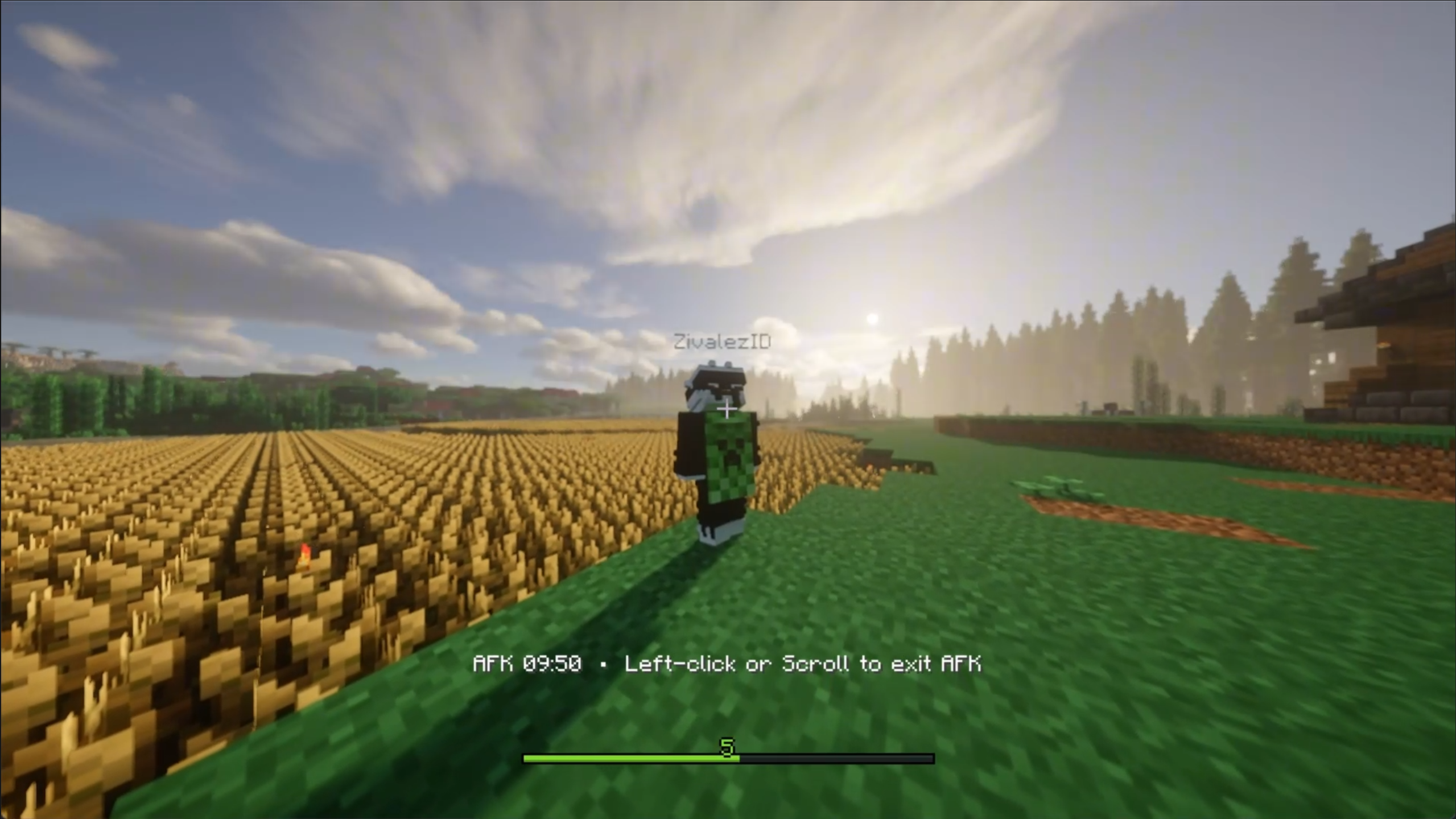
- AFK timer and exit hint in the vanilla action bar
- Collision, world-border, movement, dimension, portal, and lifecycle safety checks
- Stops cinematics automatically when server TPS falls below a configurable threshold
- Uses Spark's rolling 5-second TPS when available, with a built-in fallback
Camera behavior
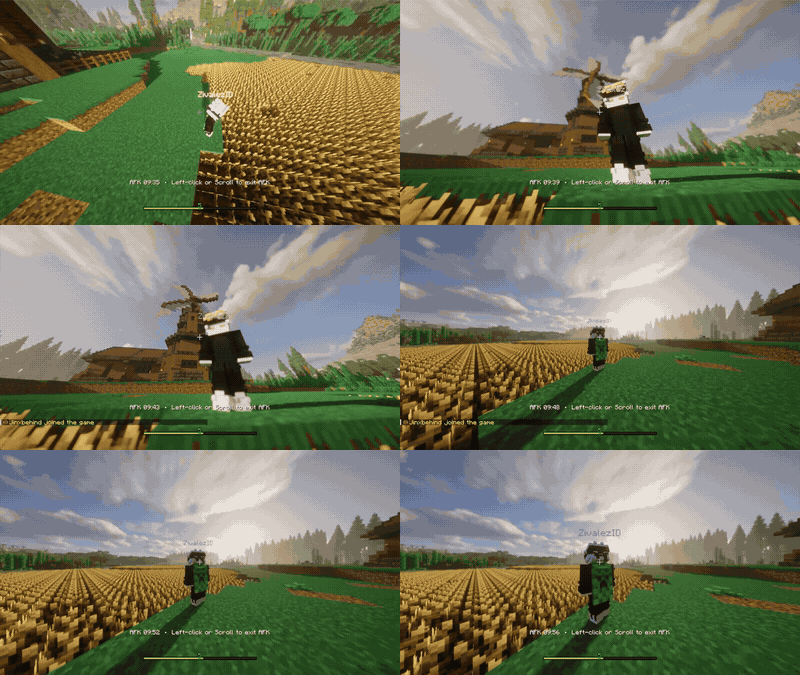
Scenes end with a hard cut after the camera reaches a stationary endpoint. Camera sway fades in and out around the base pose and does not recalculate the viewing rotation.
The action bar displays the cumulative AFK time:
AFK 02:18 • Left-click or Scroll to exit AFK
Movement, interaction, scrolling the hotbar, or other detected activity restores the normal player camera.
Requirements
| Component | Required Version | Status |
|---|---|---|
| Minecraft | 1.21.1 | Required |
| NeoForge | 21.1.235 or newer | Required |
| Spark | 1.x or newer | Optional (Recommended) |
Configuration
Idle Lens generates config/idlelens-server.toml.
The default configuration starts a cinematic after 2 minutes without activity.
Common settings:
[general]
enabled = true
idleSeconds = 120
cooldownSeconds = 10
maxConcurrentCinematics = 16
stopBelowTps = 15.0
exitHint = "Left-click or Scroll to exit AFK"

[camera]
minimumRadius = 1.5
maximumRadius = 7.0
minimumHeight = 0.25
maximumHeight = 4.0
sceneSpeed = 1.0
handheldIntensity = 1.0
handheldSpeed = 1.0
collisionCheck = true
Useful details:
- Set
exitHint = ""to hide the exit instruction. - Set
stopBelowTps = 0to disable the TPS safety check. - Spark is recommended for its rolling 5-second TPS measurement. Without Spark, IdleLens remains fully functional and uses Minecraft's built-in average tick time as a fallback.
- An empty
allowedDimensionslist permits cinematics in every dimension. maxConcurrentCinematicslimits simultaneous camera anchors and packet work.- Radius and height limits are normalized safely when their minimum and maximum values are reversed.
- Existing configs keep their saved values. Change the old exit hint manually if the file was generated by an earlier version.
Scene selection
The default scene list accepts exact names and prefixes:
[scenes]
enabled = [
    "right_profile",
    "wide_orbit",
    "front_close",
    "rear_shoulder",
    "low_hero",
    "wide_reveal"
]
For example, wide_reveal enables its overhead, below-player, profile, and zoom variants. An empty list or a list with no matching scenes falls back to a safe built-in scene.
Elevated and low-angle static shots have higher default selection weights. Horizontal portraits remain available at lower weights. All six zoom scenes remain enabled by their matching prefixes.
Safety
IdleLens refuses to start a cinematic when the player is dead, sleeping, riding, falling, swimming, inside a portal, moving, or outside the configured dimension rules. Optional checks can also block cinematics near hostile mobs.
During an active cinematic:
- Movement and unsafe displacement always restore the normal camera.
- Death, portal entry, dimension changes, logout, and server shutdown always restore or discard the camera anchor.
- Rotation, damage, vehicle use, and sleep follow their respective cancellation settings.
- Collision checks raycast from the focus point and keep the camera outside solid blocks and fluids.
- A low-TPS stop uses Spark when installed and falls back automatically when it is absent or its API is not ready.
Commands
All commands require permission level 2.
| Command | Action |
|---|---|
/idlelens test [player] |
Start a cinematic using normal scene selection |
/idlelens scene <name> [player] |
Start a specific scene |
/idlelens stop [player] |
Stop one player, or all sessions when no player is supplied |
/idlelens status [player] |
Show session state and the active scene |
/idlelens debug true/false |
Toggle periodic diagnostic logging |
/idlelens reload |
Reset active sessions; NeoForge watches the server config file |
FAQ
Do players need to install IdleLens?
No. Install it only on the NeoForge server.
Is Spark required?
No. Spark is optional but recommended for better low-TPS detection. IdleLens uses its built-in fallback when Spark is not installed.
Does IdleLens change the player's game mode or position?
No. It changes only the camera target and restores the player camera when the session ends.
How does a player exit AFK mode?
Left-click, scroll the hotbar, move, interact, or perform another detected activity. The action-bar instruction can be changed or hidden in the config.
Why did a cinematic not start?
The player may be in an unsafe state, outside the allowed dimensions, near a hostile mob when that check is enabled, or the server may have reached its session limit. Low server TPS can also stop cinematics.
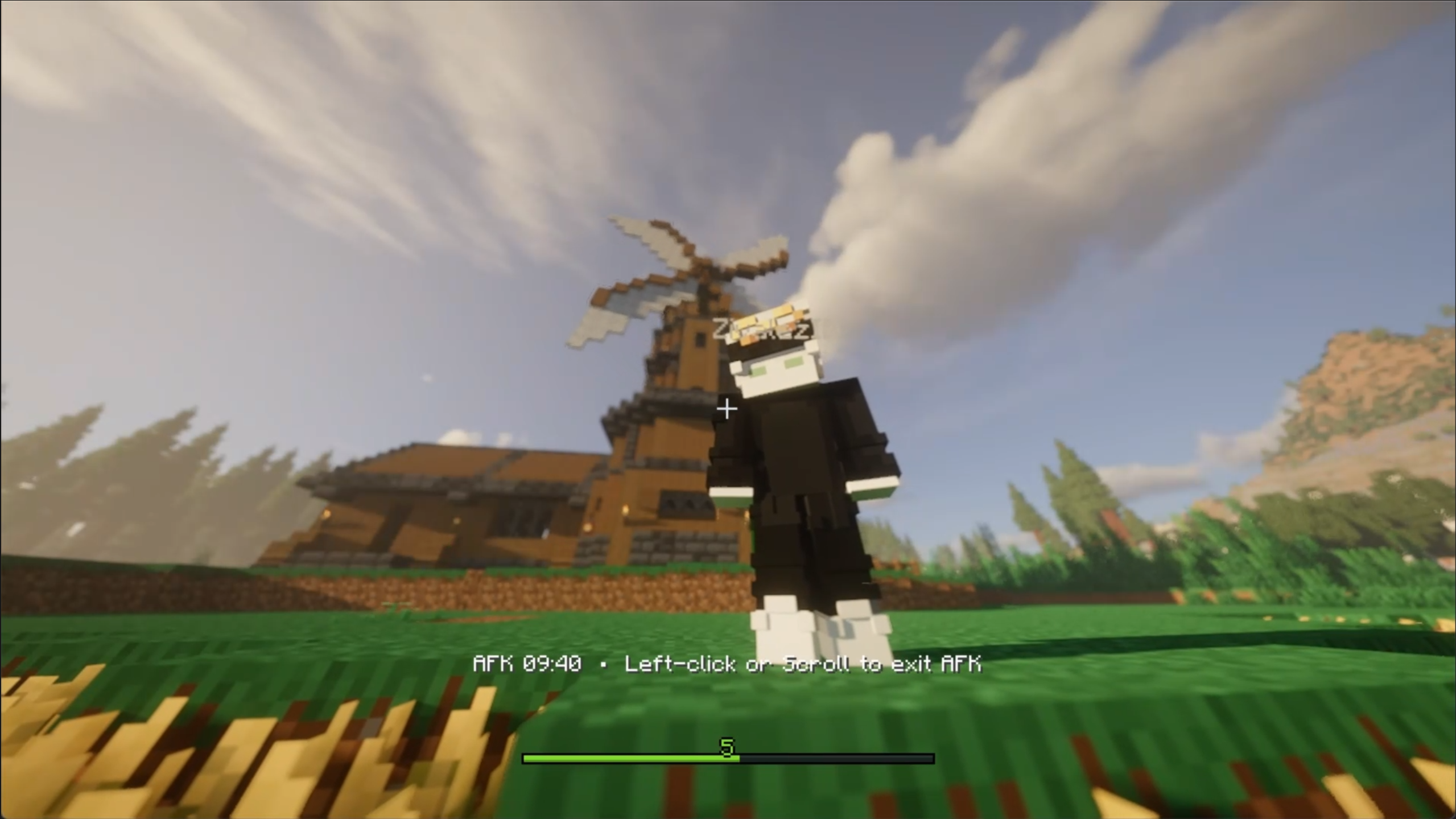
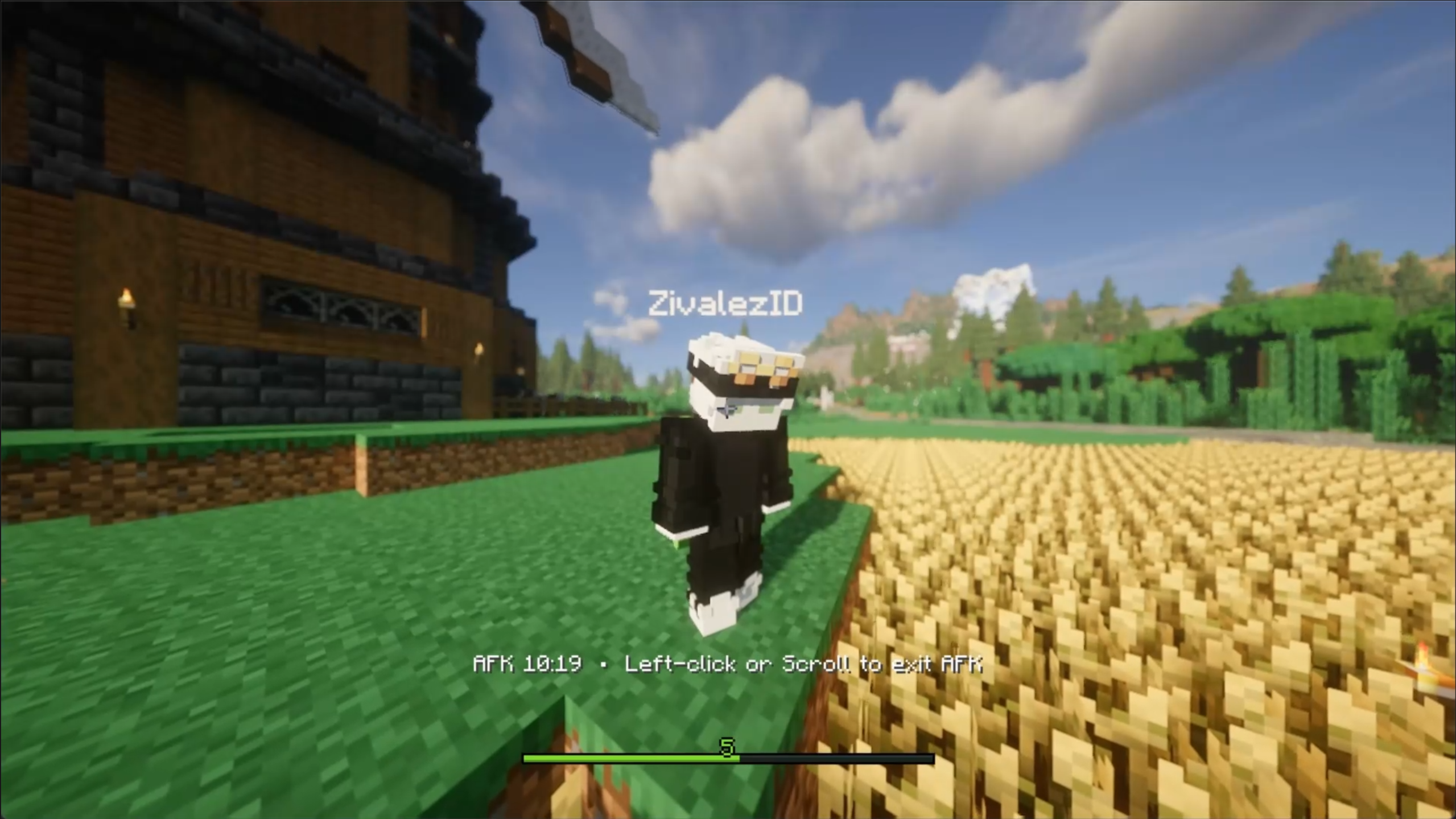
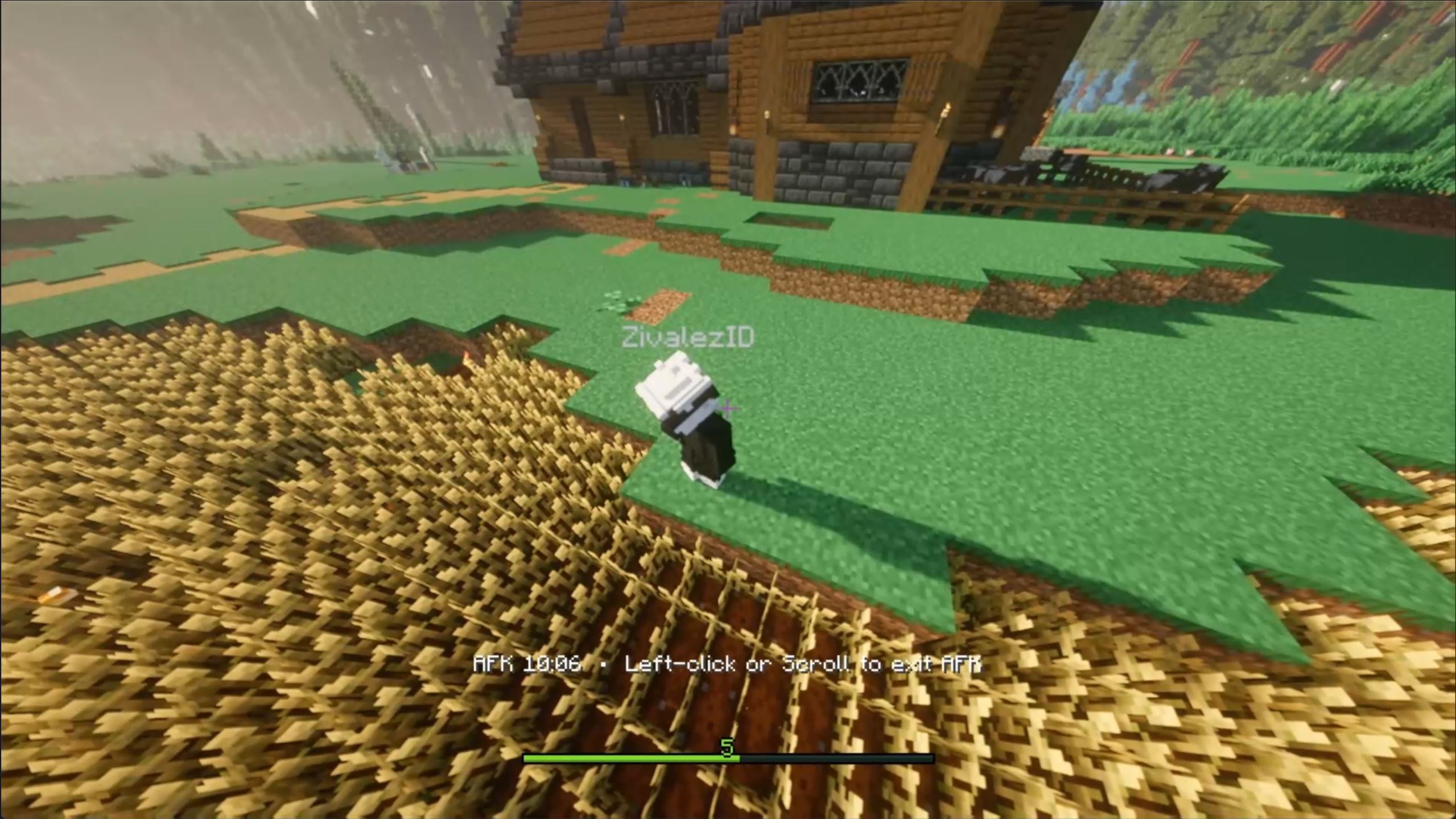
Screenshots
Gallery
Versions
Files
Relations
Project Relations
More like this
Similar Mods
Suggestions use data such as tags, dependencies, dependents, descriptions, titles, and more to rank how much they overlap with this mod.
On ModDex
Community snapshot
By the numbers
Statistics

Want to reach Minecraft players?
We're looking for a server hosting partner to feature here and other parts of the site. Interested? Send us a message!
Get in touchGet it on
Available Platforms
On ModDex
Community snapshot
By the numbers
Statistics
Resources