
Community listing page, reviews here may not be monitored by the author.
IkkatsuResourcePackKun


No reviews yet
Toggling all the selected resource packs at once!
Community voices
Reviews
No reviews yet. Be the first to review this project!
Get it on
Available Platforms
Compatibility
Supported Environments
Runs entirely on the client. Works on vanilla servers.
About
Project Details
For authors
Embed Badge
If you're the author of this project, you can embed a live badge anywhere that supports HTML or Markdown. It updates automatically whenever ratings change.
Use HTML for any page that supports it, or Markdown for README files and Markdown-based descriptions.
Identifiers
Platform IDs
Resources
External Links
About
Description
Ikkatsu Resource Pack Kun
Ikkatsu Resource Pack Kun is a lightweight Fabric client-side mod that lets you assign multiple resource packs to a single keybind and toggle them all on or off at once — no more diving into the settings menu every time.
✨ Features
One-key toggle
Press Ctrl + ` (apostrophe) (※日本語キーボードの場合は「:」キー)in-game to enable or disable all your selected resource packs simultaneously. An on-screen message confirms the current state at a glance.
Persistent state across sessions
Your selected packs and their enabled/disabled state are saved to a config file (bulk_toggle_config.json). The mod automatically restores the correct state every time you launch the game.
Intuitive config screen (via Mod Menu)
Open the mod's settings through Mod Menu to see a list of all available resource packs, each with a simple toggle switch. Internal packs (Vanilla, High Contrast, Programmer Art) and Fabric mod-embedded resource packs are automatically hidden to keep the list clean.
Automatic resource pack reload
Whenever you toggle packs, the game's resource pack manager is updated and a reload is triggered automatically — no manual steps required.
📦 Requirements
・Fabric Loader
・Fabric API
・Cloth Config
・Mod Menu (for config screen)
🎮 How to Use
Open Mod Menu and navigate to this mod's config screen. Toggle on the resource packs you want to group together. Save and close the screen. In-game, press Ctrl + ` to enable/disable all selected packs at once.
Ikkatsu Resource Pack Kun
Ikkatsu Resource Pack Kun is a lightweight Fabric client-side mod that lets you assign multiple resource packs to a single keybind and toggle them all on or off at once — no more diving into the settings menu every time.
✨ Features
One-key toggle
Press Ctrl + ` (apostrophe) (※日本語キーボードの場合は「:」キー)in-game to enable or disable all your selected resource packs simultaneously. An on-screen message confirms the current state at a glance.
Persistent state across sessions
Your selected packs and their enabled/disabled state are saved to a config file (bulk_toggle_config.json). The mod automatically restores the correct state every time you launch the game.
Intuitive config screen (via Mod Menu)
Open the mod's settings through Mod Menu to see a list of all available resource packs, each with a simple toggle switch. Internal packs (Vanilla, High Contrast, Programmer Art) and Fabric mod-embedded resource packs are automatically hidden to keep the list clean.
Automatic resource pack reload
Whenever you toggle packs, the game's resource pack manager is updated and a reload is triggered automatically — no manual steps required.
📦 Requirements
・Fabric Loader
・Fabric API
・Cloth Config
・Mod Menu (for config screen)
🎮 How to Use
Open Mod Menu and navigate to this mod's config screen. Toggle on the resource packs you want to group together. Save and close the screen. In-game, press Ctrl + ` to enable/disable all selected packs at once.
Screenshots
Gallery
-
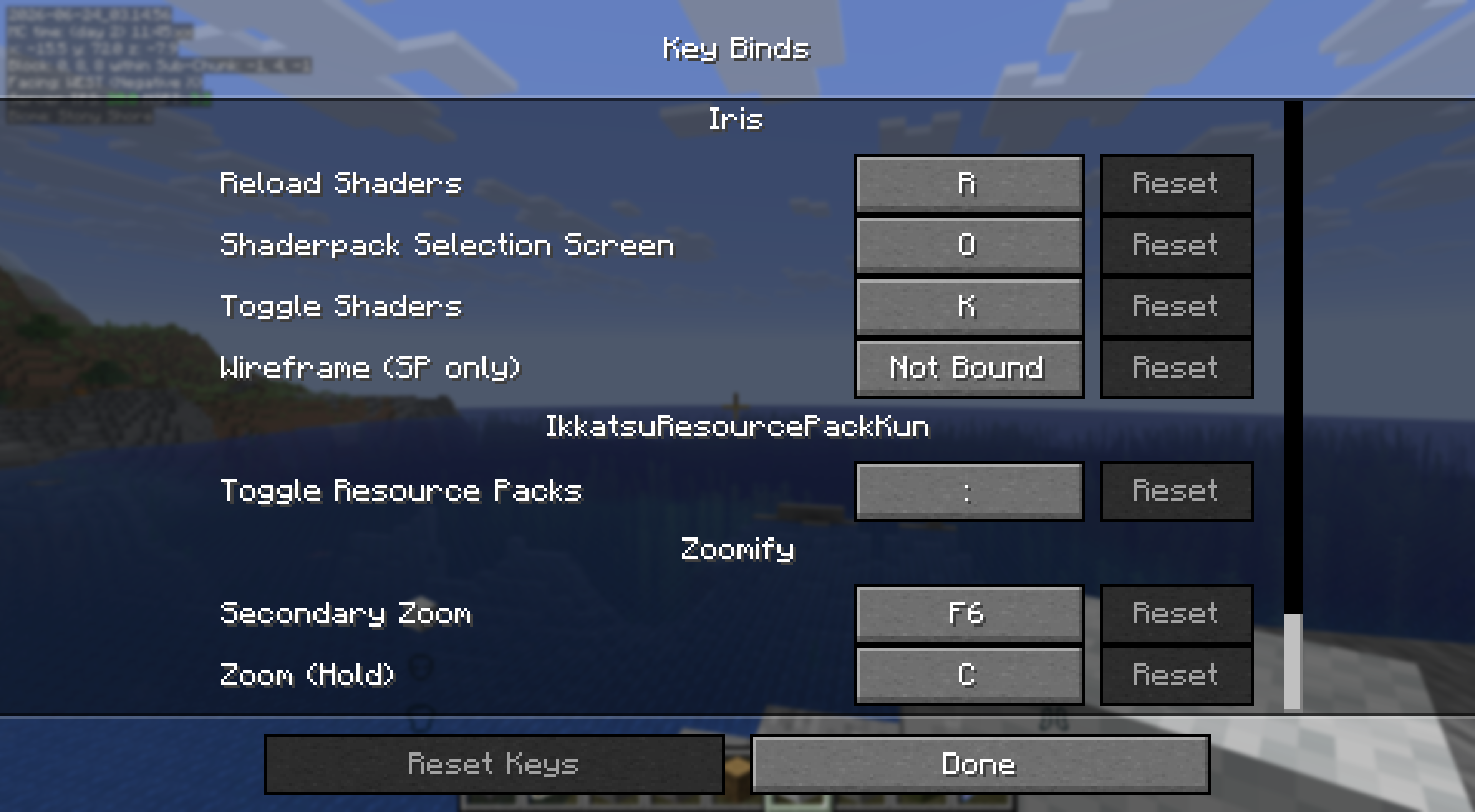 Keybind Settings The toggle keybind appears in Minecraft's Controls menu under the "Mod" category and can be rebound to any key you prefer.
 -
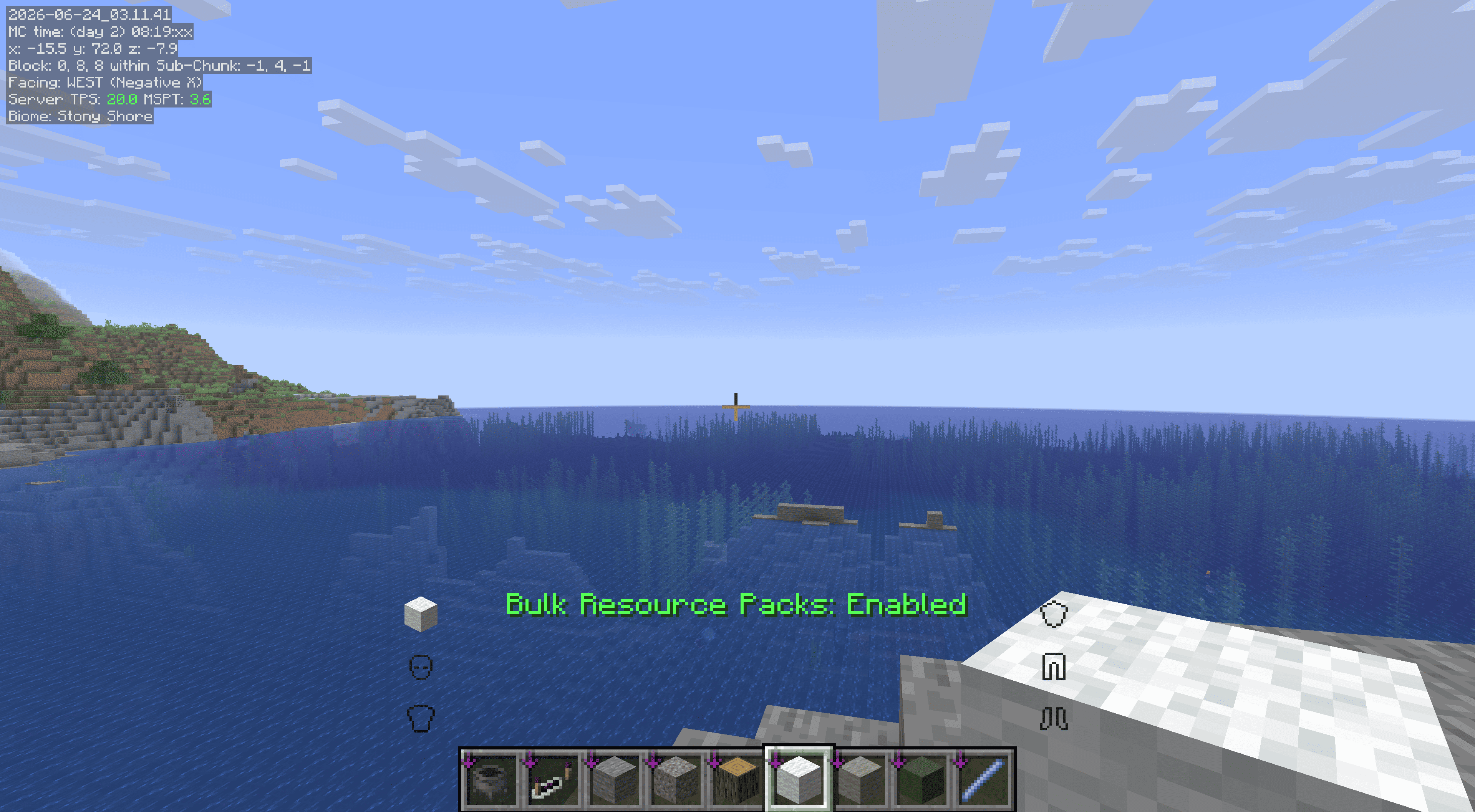 In-game Toggle (Enabled) Press Ctrl + ` to enable all selected resource packs at once. A green overlay message confirms they are now active.
 -
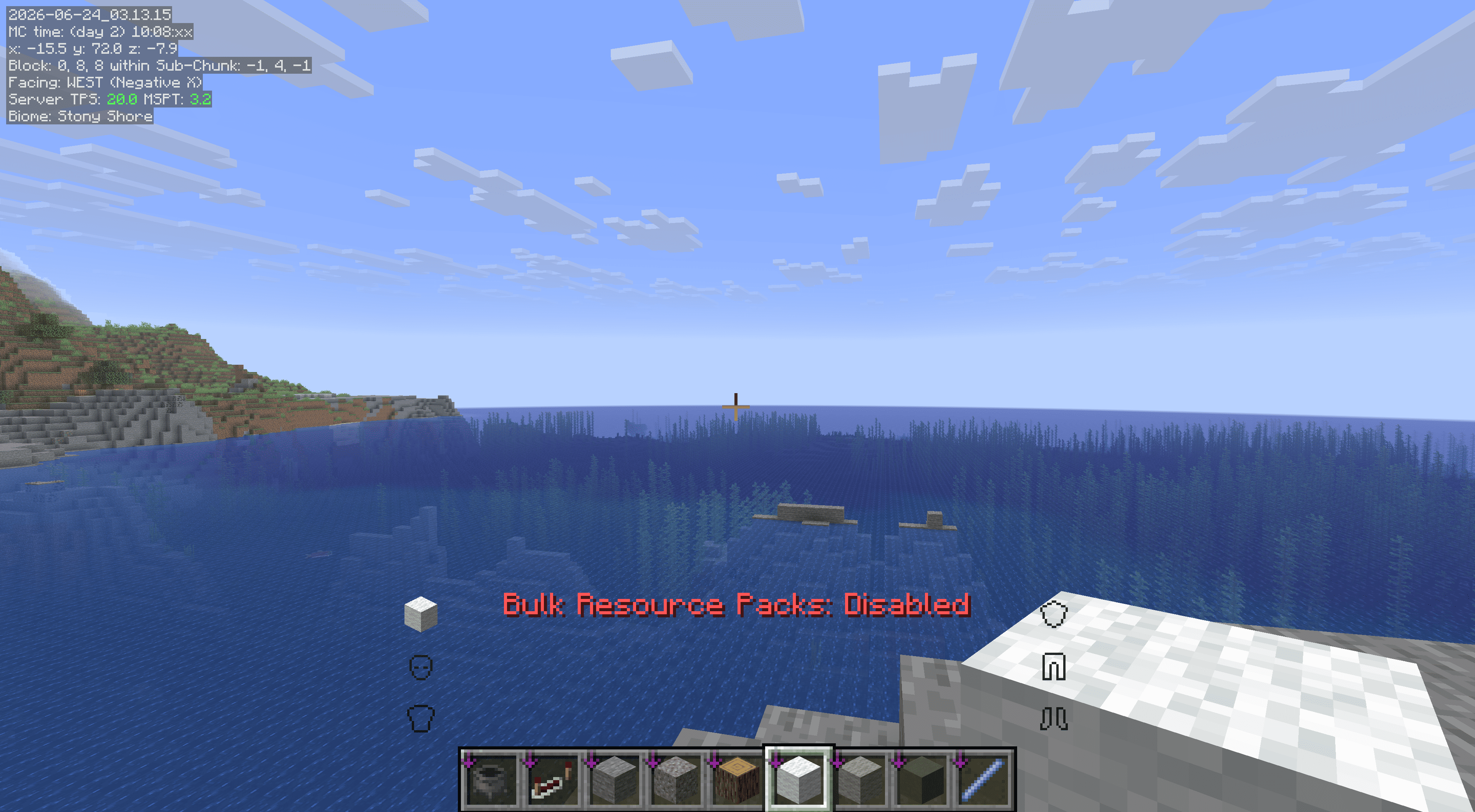 In-game Toggle (Disabled) Press the same keybind again to disable all packs in the group. A red overlay message confirms they have been turned off.
 -
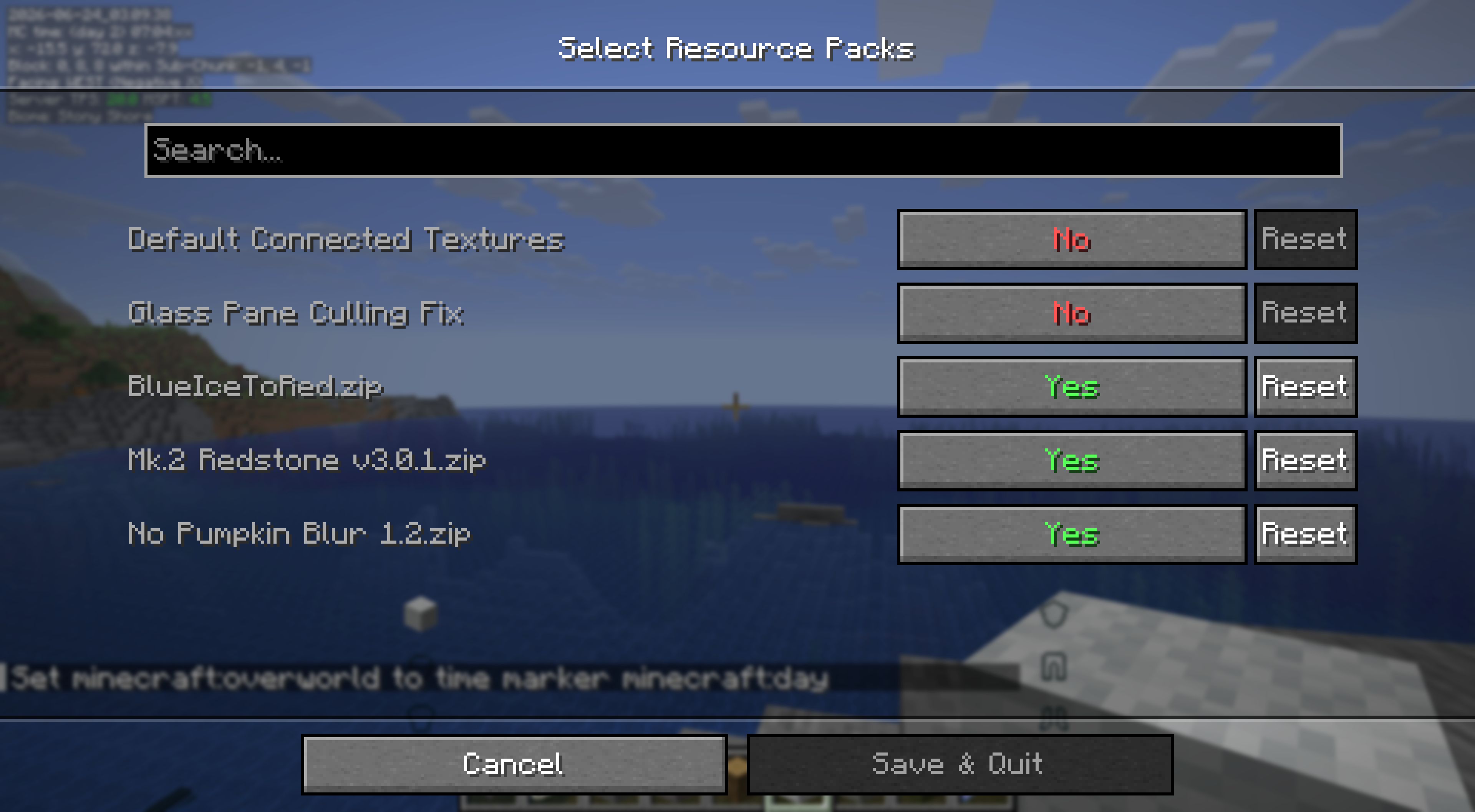 Config Screen Select which resource packs to include in your bulk toggle group. All available packs are listed with a simple on/off switch. Internal and mod-embedded packs are filtered out automatically.
Versions
Files
Relations
Project Relations
More like this
Similar Mods
Suggestions use data such as tags, dependencies, dependents, descriptions, titles, and more to rank how much they overlap with this mod.
On ModDex
Community snapshot
By the numbers
Statistics
Want to reach Minecraft players?
We're looking for a server hosting partner to feature here and other parts of the site. Interested? Send us a message!
Get in touchGet it on
Available Platforms
On ModDex
Community snapshot
By the numbers
Statistics
Resources