Community listing page, reviews may not be monitored by the author.
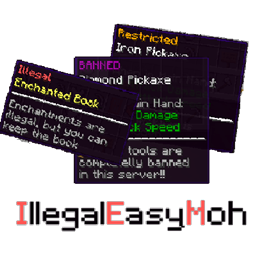
Illegal Easy Moh


No reviews yet
A mod to mark illegal items, inform users through tooltips and prevent usage or possession

Community voices
Reviews
No reviews yet. Be the first to review this project!
Get it on
Available Platforms
Compatibility
Supported Environments
Must be installed on both the client and the server.
About
Project Details
For authors
Embed Badge
If you're the author of this project, you can embed a live badge anywhere that supports HTML or Markdown. It updates automatically whenever ratings change.
Use HTML for any page that supports it, or Markdown for README files and Markdown-based descriptions.
Identifiers
Platform IDs
Resources
External Links
About
Description

Illegal Easy Moh
This is a mod for servers that are looking to restrict how users interact with different items. The mod allows marking items a
so they are not allowed to be carried, used, or have restrictions on usage.
With this mod, admins can move the rules that are often written inside the discord server's channels inside the game domain
and be a part of the item's tooltip. Not only can you display if an item falls into a specific "Illegality" category and add custom messages to each item, but you can also prevent users from equipping or carrying them.
Features
- Provides a registry where you can register items and or complete namespaces and assign them an illegality category
- Registered items can fall into the following categories:
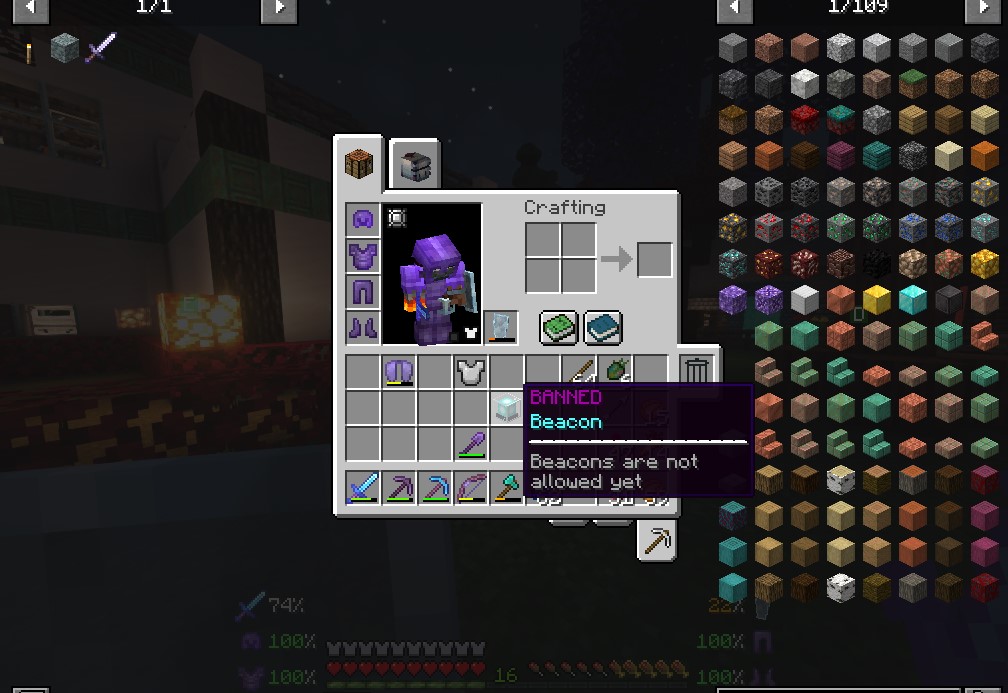
- BANNED
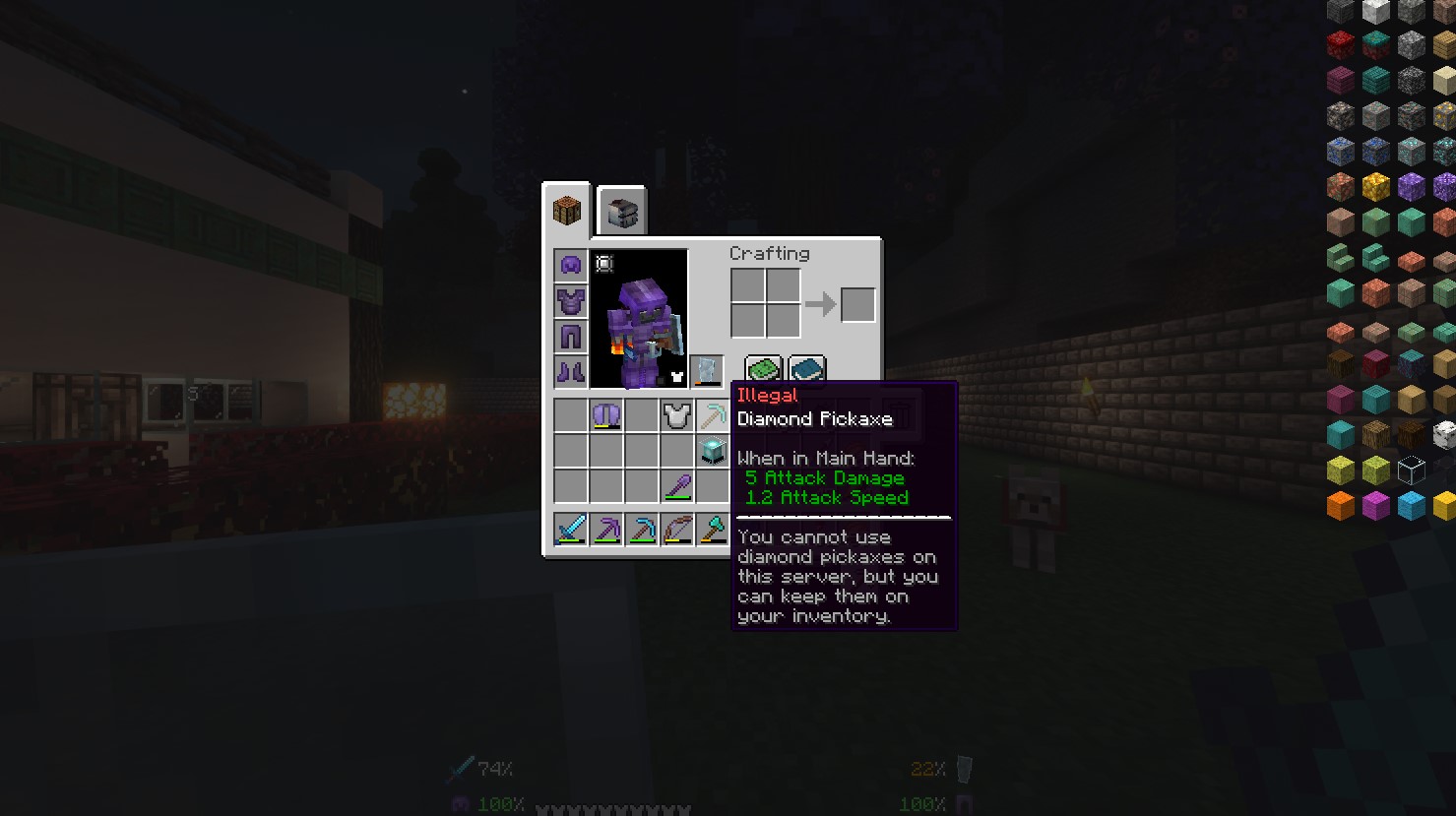
- ILLEGAL
- RESTRICTED
- Prevent users from having BANNED items on their inventories, either by destroying them or throwing them on the ground automatically
- Prevent users from equipping or having ILLEGAL items on their hands
- Customize registered items so they can have a message that explains to the users why the item is configured as it is via tooltips
- Configure through JSON configuration files or by using command line commands
- English and Spanish translations
How it works
Configuring the mod
Basic configuration
You will find a configuration file inside "world/serverconfig" called illegaleasymoh-config.json which contains the following properties:
- overrideBannedCategoryName: This allows you to change the title of the "Banned items" category
- overrideIllegalCategoryName: This allows you to change the title of the "Illegal items" category
- overrideRestrictedCategoryName: This allows you to change the title of the "Restricted items" category
- destroyBannedItemsOnPickup: Boolean value to determine if banned items are destroyed on pickup (true) or dropped to the ground (false)
- preventIllegalItemsUsage: Boolean value to determine if illegal items are dropped on equipping or placed on hand (true) or if they can be kept on the inventory (false)
You will also find a file called illegaleasymoh-common.toml inside /config folder with a single configuration property:
POLLING_INTERVAL: This configuration determines the time  (in MS) on which the client will query the server to determine if there was a change on the registry for a given item if required to query. For example,
if you keep your mouse over a given item the mod will query the server every POLLING_INTERVAL milliseonds to check if any change was made. Default value is 1000ms, min value is 100ms and max value is 2000ms.
There's no need to change this option in most cases but if for some reason you have a use case that requires items that move from category constantly you may want to lower this value.
Blacklisted items
- Using JSON configuration files:
Run the server once and you'll find a configuration file inside "world/serverconfig" called iem-blacklist.json. The file must contain an array of objects with the following structure
{
"namespace": "minecraft",
"path": "diamond_axe",
"category": {
"category": "2",
"message": "You can only carry 1 diamond axe"
}
}
- Namespace and path represent the item identifier inside the game. The namespace is usually related to the mod the item belongs and tto he path the name of the item itself. For example: "minecraft:diamond_axe" corresponds to the in-game identifier of the base game diamond axe. I this case the namespace would be "minecraft" and the path would be "diamond_axe"
If you wish to blacklist an entire namespace, you can use * as the path, for example:
...
"namespace": "securitycraft",
"path": "*",
...
That configuration will blacklist the entire securitycraft namespace
- The category object contains 2 properties, the category itself which is represented by a number where:
- 0 Represents banned items
- 1 Represents Illegal items
- 2 Represents restricted items
The message property is the text that would be displayed on the lower part of the item's tooltip and it's optional. If you don't wish to present any type of message just use "" as the message.
- Through in-game commands for operators.
There are 3 commands for operators, all prefixed by /iem
- /iem add <item> <category as a number> <message as a string surrounded by "">
- /iem remove <item>
- /iem edit <item> <category as a number> <message as a string surrounded by "">
These commands will make the changes persistent in the JSON configuration file and will be saved If the server restarts
Requirements
This mod requires Curios in order to work, and needs to be installed both on the client and the server side.
Roadmap for future versions
- Allow admins to blacklist specific enchantments and automatically remove them from items but allow users to keep the item
- Allow admins to ban specific tiers of elements
- Allow wildcards for item names configurations, for example, "*_picaxe" Will ban every item whose name finishes with _pickaxe
- Allow whitelisting users for a specific registry entry
Some screenshots
How banned items look

How illegal items look

Adding items to the registry through the command line

Illegal Easy Moh
This is a mod for servers that are looking to restrict how users interact with different items. The mod allows marking items a
so they are not allowed to be carried, used, or have restrictions on usage.
With this mod, admins can move the rules that are often written inside the discord server's channels inside the game domain
and be a part of the item's tooltip. Not only can you display if an item falls into a specific "Illegality" category and add custom messages to each item, but you can also prevent users from equipping or carrying them.
Features
- Provides a registry where you can register items and or complete namespaces and assign them an illegality category
- Registered items can fall into the following categories:
- BANNED
- ILLEGAL
- RESTRICTED
- Prevent users from having BANNED items on their inventories, either by destroying them or throwing them on the ground automatically
- Prevent users from equipping or having ILLEGAL items on their hands
- Customize registered items so they can have a message that explains to the users why the item is configured as it is via tooltips
- Configure through JSON configuration files or by using command line commands
- English and Spanish translations
How it works
Configuring the mod
Basic configuration
You will find a configuration file inside "world/serverconfig" called illegaleasymoh-config.json which contains the following properties:
- overrideBannedCategoryName: This allows you to change the title of the "Banned items" category
- overrideIllegalCategoryName: This allows you to change the title of the "Illegal items" category
- overrideRestrictedCategoryName: This allows you to change the title of the "Restricted items" category
- destroyBannedItemsOnPickup: Boolean value to determine if banned items are destroyed on pickup (true) or dropped to the ground (false)
- preventIllegalItemsUsage: Boolean value to determine if illegal items are dropped on equipping or placed on hand (true) or if they can be kept on the inventory (false)
You will also find a file called illegaleasymoh-common.toml inside /config folder with a single configuration property:
POLLING_INTERVAL: This configuration determines the time (in MS) on which the client will query the server to determine if there was a change on the registry for a given item if required to query. For example,
if you keep your mouse over a given item the mod will query the server every POLLING_INTERVAL milliseonds to check if any change was made. Default value is 1000ms, min value is 100ms and max value is 2000ms.
There's no need to change this option in most cases but if for some reason you have a use case that requires items that move from category constantly you may want to lower this value.
Blacklisted items
Using JSON configuration files:
Run the server once and you'll find a configuration file inside "world/serverconfig" called iem-blacklist.json. The file must contain an array of objects with the following structure
{
    "namespace": "minecraft",
    "path": "diamond\_axe",
    "category": {
        "category": "2",
        "message": "You can only carry 1 diamond axe"
    }
}
Namespace and path represent the item identifier inside the game. The namespace is usually related to the mod the item belongs and tto he path the name of the item itself. For example: "minecraft:diamond_axe" corresponds to the in-game identifier of the base game diamond axe. I this case the namespace would be "minecraft" and the path would be "diamond_axe"
If you wish to blacklist an entire namespace, you can use * as the path, for example:
    "namespace": "securitycraft",
    "path": "\*",
That configuration will blacklist the entire securitycraft namespace
The category object contains 2 properties, the category itself which is represented by a number where:
- 0 Represents banned items
- 1 Represents Illegal items
- 2 Represents restricted items
The message property is the text that would be displayed on the lower part of the item's tooltip and it's optional. If you don't wish to present any type of message just use "" as the message.
Through in-game commands for operators.
There are 3 commands for operators, all prefixed by /iem
- /iem add <message as a string surrounded by "">
- /iem remove
- /iem edit <message as a string surrounded by "">
These commands will make the changes persistent in the JSON configuration file and will be saved If the server restarts
Requirements
This mod requires Curios in order to work, and needs to be installed both on the client and the server side.
Roadmap for future versions
- Allow admins to blacklist specific enchantments and automatically remove them from items but allow users to keep the item
- Allow admins to ban specific tiers of elements
- Allow wildcards for item names configurations, for example, "*_pickaxe" Will ban every item whose name finishes with _pickaxe
- Allow whitelisting users for a specific registry entry
Some screenshots
How banned items look
How illegal items look
Adding items to the registry through the command line
Screenshots
Gallery
Versions
Files
Relations
Project Relations
More like this
Similar Mods
Suggestions use data such as tags, dependencies, dependents, descriptions, titles, and more to rank how much they overlap with this mod.
On ModDex
Community snapshot
By the numbers
Statistics
 (opens in a new tab)
Get it on
Available Platforms
On ModDex
Community snapshot
By the numbers
Statistics
Resources