
Community listing page, reviews may not be monitored by the author.
Illegal Placement

No reviews yet
Build mode for illegal block states: place anything anywhere, lock it against updates, edit every state property from a panel. Fabric / Forge / NeoForge, 1.21–1.21.11.

Community voices
Reviews
No reviews yet. Be the first to review this project!
Get it on
Available Platforms
About
Project Details
For authors
Embed Badge
If you're the author of this project, you can embed a live badge anywhere that supports HTML or Markdown. It updates automatically whenever ratings change.
Use HTML for any page that supports it, or Markdown for README files and Markdown-based descriptions.
Identifiers
Platform IDs
Resources
External Links
About
Description
Illegal Placement
Place blocks in states vanilla won't let you — a lever in mid-air, half a bed, a fence that connects to nothing — and keep them that way. No commands needed: press B, aim, click.
The server needs the mod. In singleplayer the client is enough. Fabric builds need Fabric API (any version for your Minecraft version).
Build mode
| Key | Action |
|---|---|
B |
Toggle build mode |
| Right click | Place the held block without validity checks |
| Left click | Remove the block, no neighbor updates, no drops |
| Mouse wheel | Move the target nearer / farther, also through air (Shift = fine steps) |
| Middle click | Pick the block with its exact state (creative) |
G |
Open the panel for the aimed block or entity |
H |
Placement guide on / off |
All keys are rebindable.
The panel
Every block state property on a button: left click for the next value, right click for the previous. Two switches underneath:
- Lock state — the block ignores shape updates, neighbor updates and survival checks. It stays exactly as placed.
- Freeze time — no random or scheduled ticks: no falling, growing, decaying, spreading.
Item frames, paintings and armor stands get a panel too (Fixed, Invisible, ShowArms, Facing, …).
In build mode the outline of the aimed block shows what the next update would do to it: orange means it would drop, be reshaped or switched by redstone — lock it if it should stay. Green means it's locked.
Litematica on servers
Set commandNameSetblock = ipsetblock and commandNameFill = ipfill in Litematica's settings. Pastes then keep every illegal state, lock what needs locking and freeze what would fall.
Config
config/illegalplacement-server.properties: permission level, creative only, max reach, fill volume. Client options are in the Build Settings screen (press G while aiming at air).
Known limitations
- Freeze time doesn't stop block entities (furnaces, hoppers).
- Display entities and markers can't be targeted.
- Since 1.21.6,
Gis also vanilla's Quick Actions key; both work.
Screenshots
Gallery
-
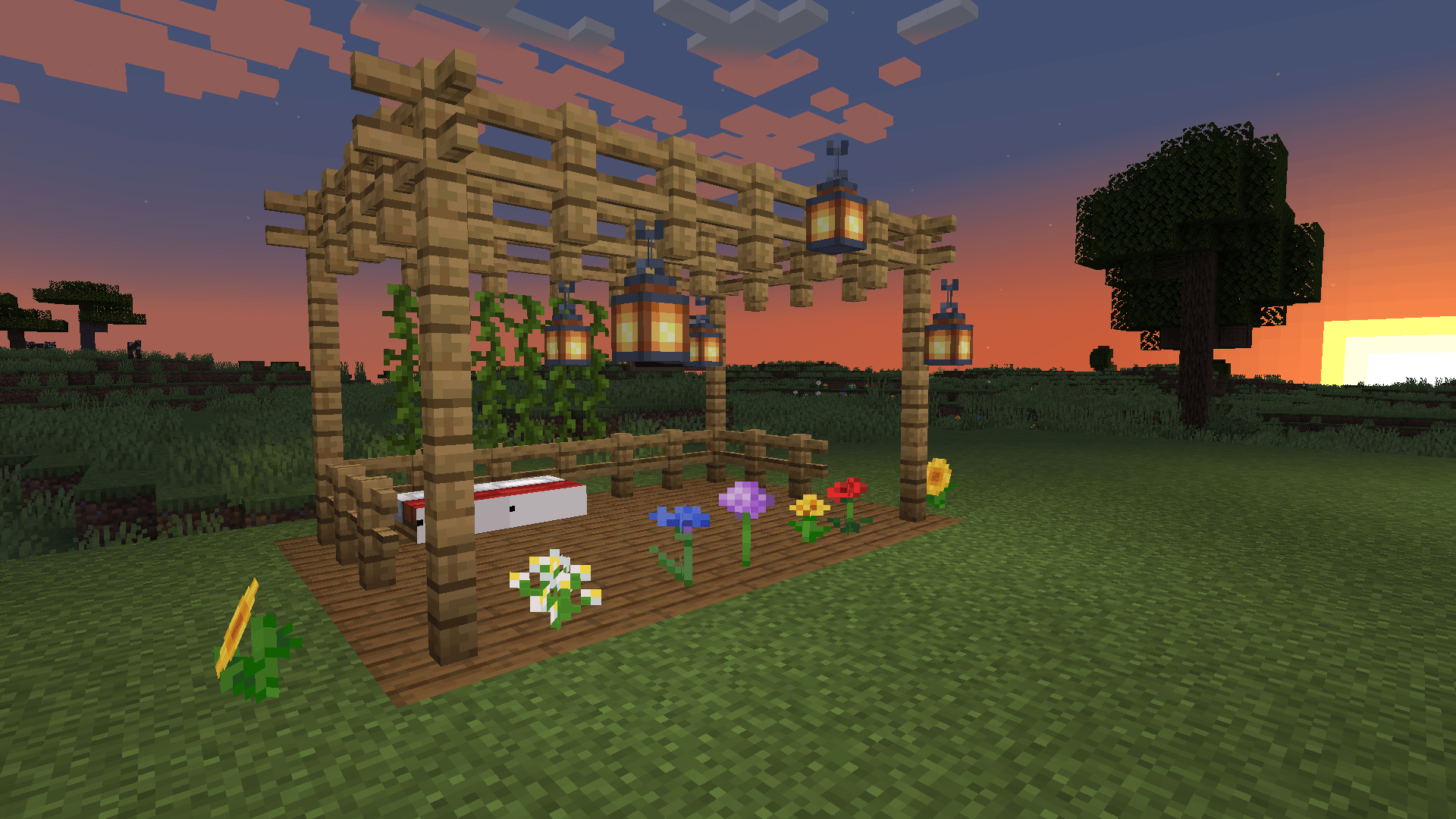 01-cover.png 01-cover.png
 -
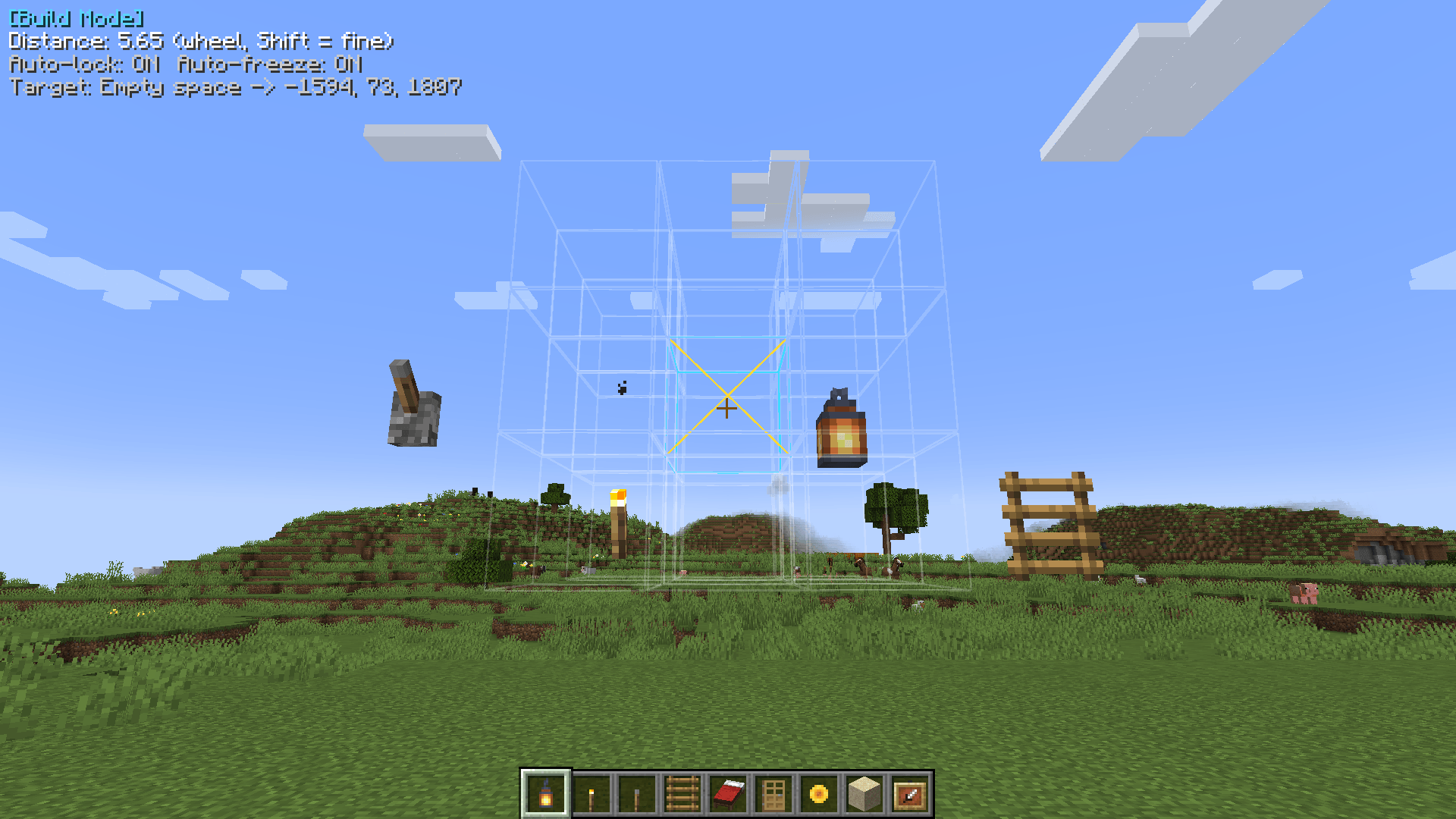 02-mid-air.png 02-mid-air.png
 -
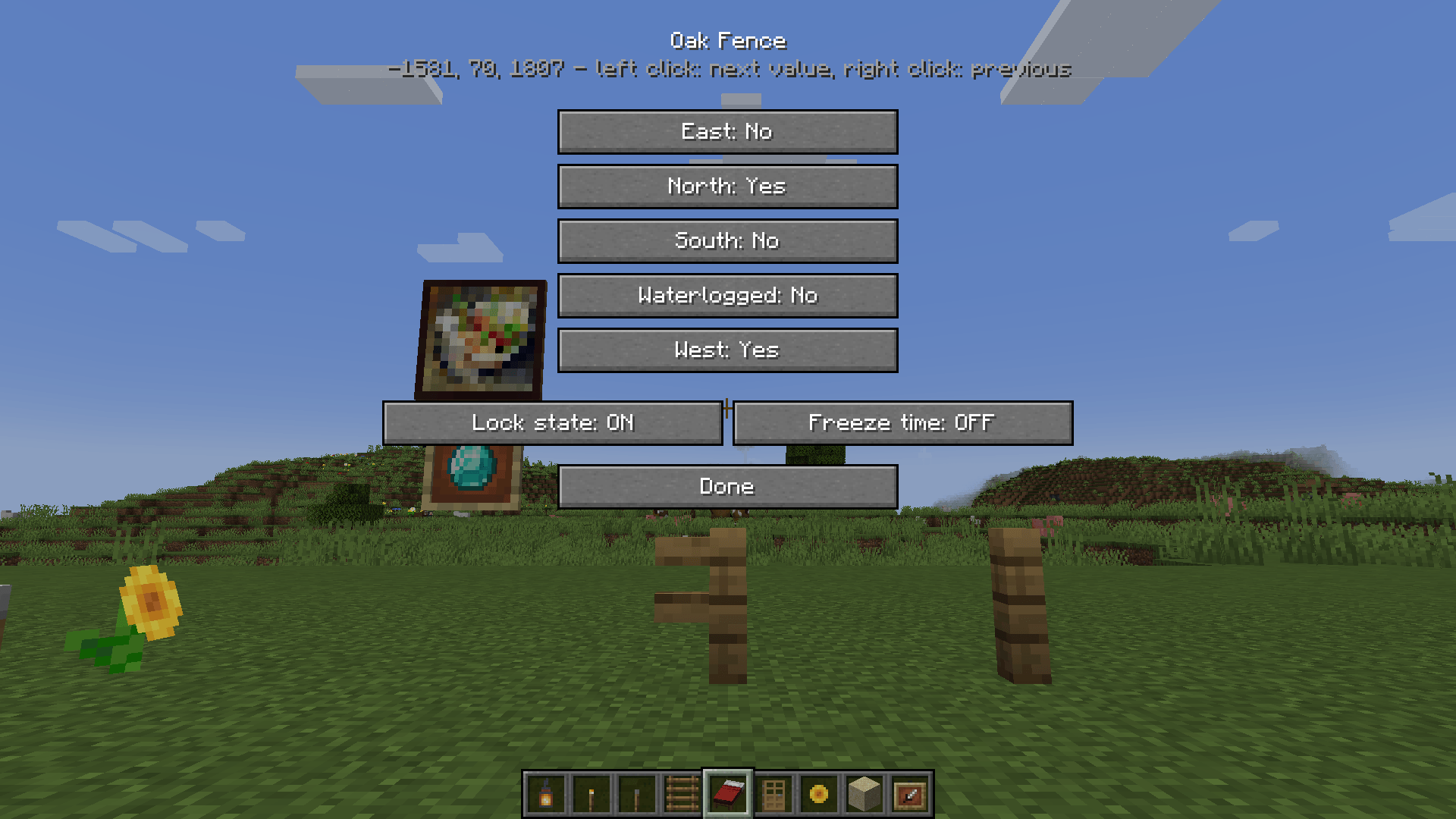 04-block-panel.png 04-block-panel.png
 -
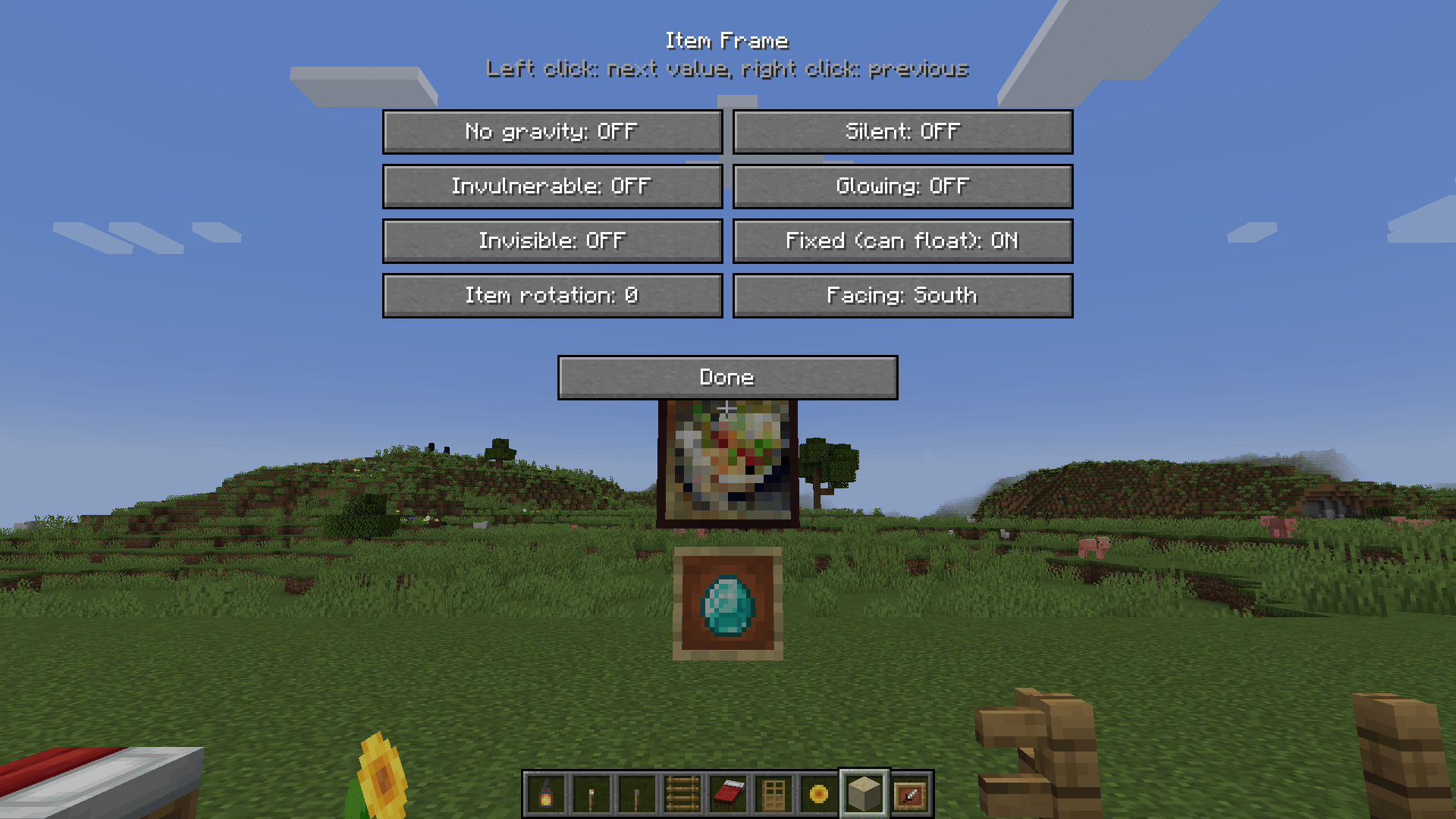 07-entity-panel.png 07-entity-panel.png
 -
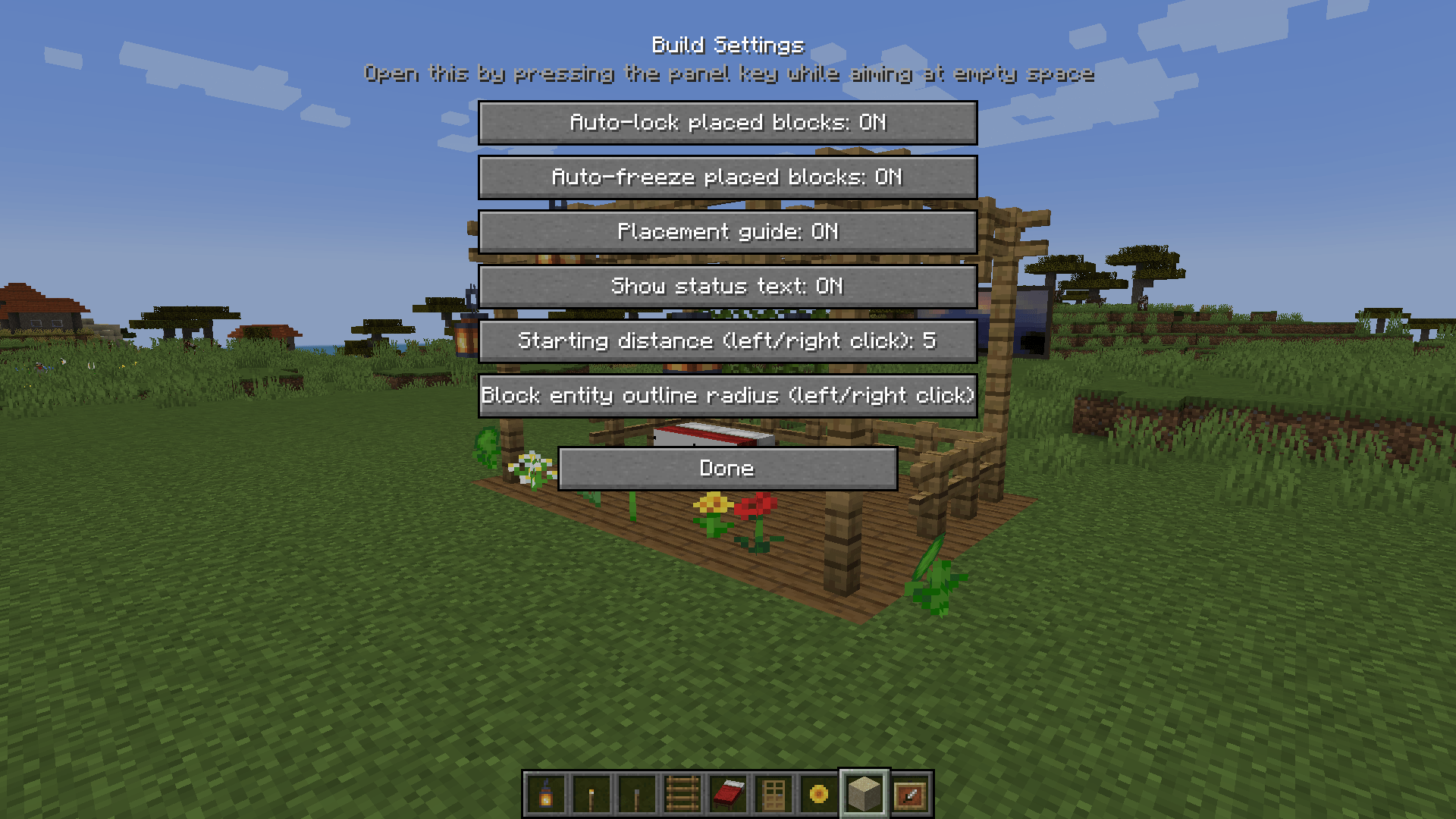 08-build-settings.png 08-build-settings.png
Versions
Files
Relations
Project Relations
More like this
Similar Mods
Suggestions use data such as tags, dependencies, dependents, descriptions, titles, and more to rank how much they overlap with this mod.
On ModDex
Community snapshot
By the numbers
Statistics

Get it on
Available Platforms
On ModDex
Community snapshot
By the numbers
Statistics
Resources