Community listing page, reviews here may not be monitored by the author.
Image to Ground

No reviews yet
Turn any image into block art instantly. Built for creative map builders.

Community voices
Reviews
No reviews yet. Be the first to review this project!
Get it on
Available Platforms
About
Project Details
For authors
Embed Badge
If you're the author of this project, you can embed a live badge anywhere that supports HTML or Markdown. It updates automatically whenever ratings change.
Use HTML for any page that supports it, or Markdown for README files and Markdown-based descriptions.
Identifiers
Platform IDs
Resources
External Links
About
Description
Paste a local file, set a size, and place it as massive flat pixel art on superflat. No schematics, no external programs, no WorldEdit needed. Works in Singleplayer, Creative, and LAN.
Features:
Instant for Creative: 25,000 blocks/tick, 500k blocks in 1 tick in Creative. No block updates, no lighting lag.
LAN Ready: Permission level 0 - works for anyone in Open to LAN > Allow Cheats: ON, no OP needed.
Smart Palette: 180+ building blocks only. No beds, slabs, stairs, cobwebs. Auto-generates clean palette.
Preview Border: White concrete + red corners shows exact footprint before placing.
Undo / Clear: /itg undo with full block restore, /itg clear to remove border.
Dithering: Floyd-Steinberg for photos (true), off for logos/text (false).
GUI: Black & Green terminal - /itg or /itg gui
Commands:
/itg gui - Open GUI
/itg preview <path> <w> <h> <dither> - Show border preview
/itg place <path> <w> <h> <dither> - Place image
/itg convert <path> <w> <h> <dither> - Alias for place
/itg undo - Undo last placement
/itg clear - Clear preview border
/itg palette - Show palette size
/itg palette full / regen - Regenerate building palette
Supports quotes for spaces: /itg place "my image.png" 512 512 true
Recommended Setup:
Superflat world (Classic Flat)
Creative mode
Open to LAN if building with friends
Run /itg palette full once
Place: /itg place my-image.png 512 512 true or use /itg gui
Sizes: 16-64 icon, 128 crisp, 256 poster, 512 big, 1024 max.
Installation:
Put in mods/ folder. Requires NeoForge. Images go in config/itg/images/*
Optional URL Support (Opt-in, Disabled by Default):
By default, URL downloads are DISABLED. Local files in config/itg/images/ work without network.
To enable URLs:
Open config/itg/itg-common.toml
Set allowUrlDownloads = true
Restart game
When enabled, you can use /itg place https://i.imgur.com/...png 512 512 true. Images are cached to config/itg/cache/ as image files only. No executables are downloaded. You can whitelist domains via allowedDomains in the same config.
For Map Makers: Built specifically for Creative + LAN workflow. Designed to replace the Spritecraft + Litematica + WorldEdit pipeline with one command.
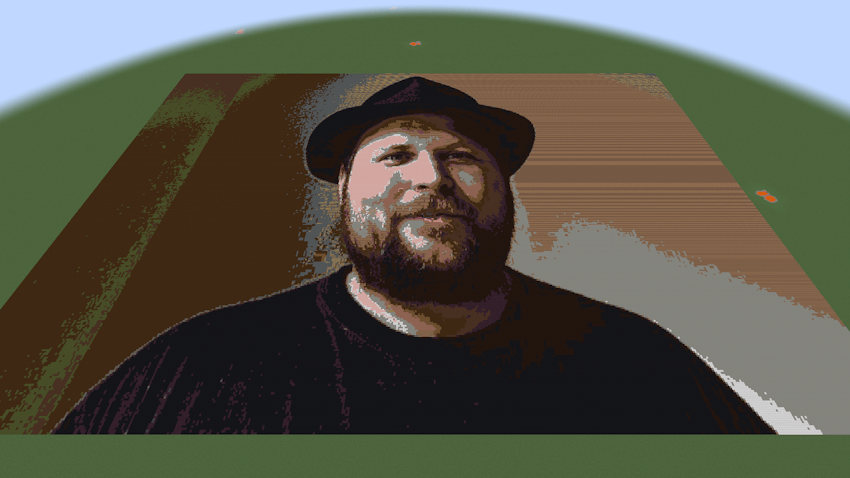
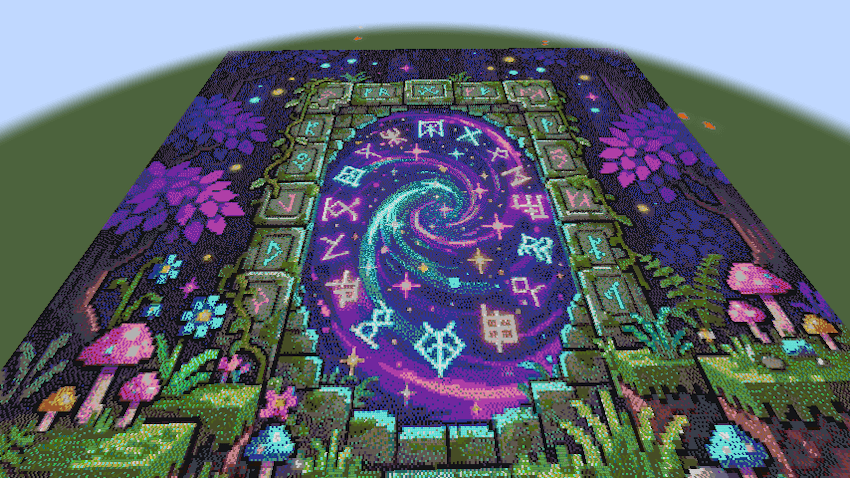
Screenshots
Gallery
Versions
Files
Relations
Project Relations
More like this
Similar Mods
Suggestions use data such as tags, dependencies, dependents, descriptions, titles, and more to rank how much they overlap with this mod.
On ModDex
Community snapshot
By the numbers
Statistics
 (opens in a new tab)
Get it on
Available Platforms
On ModDex
Community snapshot
By the numbers
Statistics
Resources