Community listing page, reviews here may not be monitored by the author.
ImageToWorld


No reviews yet
A mod for loading images into your world.
Community voices
Reviews
No reviews yet. Be the first to review this project!
Get it on
Available Platforms
Compatibility
Supported Environments
Must be installed on both the client and the server.
About
Project Details
For authors
Embed Badge
If you're the author of this project, you can embed a live badge anywhere that supports HTML or Markdown. It updates automatically whenever ratings change.
Use HTML for any page that supports it, or Markdown for README files and Markdown-based descriptions.
Identifiers
Platform IDs
About
Description
ImageToWorld
Image To World is a utility mod for pasting images into your Minecraft world.
Mod must be installed on both the client and the server.
General Info:
This mod gives a variety of ways you can add images to your world:
- Paste them directly into the world
- Paste as map art into the world
- Paste directly to a map without placing blocks in the world
- Paste Images as Heightmaps
Images you want to load into your world should be put in the new images folder in the .minecraft directory so that this mod can access them.
When pasting your images keep in mind that the max size the image can be at full resolution is 1024x1024. Any larger and you will have to scale it down to an appropriate size.
Usage
When pasting images into your world, you are given a few options to configure how your image will generate, such as scale, facing direction, and patterns.
Paste directly into world:
This will paste your image into the world based on which block textures best match the colors in your image.
/image paste imagePath position [scaleX] scaleZ [vertical|direction;]
Arguments:
imagePath: The name of your image. (Stored in a new images folder in your .minecraft directory)
position: The center position where the image will be generated.
scaleX: The scale of your image on the X axis, written as a ratio: 1:8.
scaleZ: The scale of your image on the Z axis, written as a ratio: 1:8.
vertical: Boolean determining whether to paste the image vertically.
direction: The horizontal direction your image will face.
Paste as map art:
This will paste your image into the world using blocks with map colors that best match the colors in the image.
/image pasteToMap imagePath position [scale;] scaleZ [direction|useStaircaseHeightmap]
Arguments:
imagePath: The name of your image. (Stored in a new images folder in your .minecraft directory).
position: The center position where the image will be generated.
scaleX: The scale of your image on the X axis, written as a ratio: 1:8.
scaleZ: The scale of your image on the Z axis, written as a ratio: 1:8.
direction: The horizontal direction your image will face.
useStaircaseHeightmap: Boolean determining whether to generate map art using the Staircasing method.
Paste directly to map:
This will paste your image directly to a map without placing blocks in the world. Unlike the other commands, if your image is too large, it will simply auto-scale it down to a resolution that fits the map
/image give imagePath [scaleX] scaleZ
Arguments:
imagePath: The name of your image. (Stored in a new images folder in your .minecraft directory).
scaleX: The scale of your image on the X axis, written as a ratio: 1:8.
scaleZ: The scale of your image on the Z axis, written as a ratio: 1:8.
Paste as Heightmap:
This will paste your image as a heightmap, this is intended to work with heightmap images for terrain building
/image heightmap imagePath block position [scaleX] scaleZ [scaleY] [direction]
Arguments:
imagePath: The name of your image. (Stored in a new images folder in your .minecraft directory).
block: The block to build the heightmap out of.
position: The center position where the image will be generated.
scaleX: The scale of your image on the X axis, written as a ratio: 1:8.
scaleZ: The scale of your image on the Z axis, written as a ratio: 1:8.
scaleY: The scale of your image on the Y axis, written as a ratio: 1:8.
direction: The horizontal direction your image will face.
ImageToWorld
Image To World is a utility mod for pasting images into your Minecraft world.
Mod must be installed on both the client and the server.
General Info:
This mod gives a variety of ways you can add images to your world:
- Paste them directly into the world
- Paste as map art into the world
- Paste directly to a map without placing blocks in the world
- Paste Images as Heightmaps
Images you want to load into your world should be put in the new images folder in the .minecraft directory so that this mod can access them.
When pasting your images keep in mind that the max size the image can be at full resolution is 1024x1024. Any larger and you will have to scale it down to an appropriate size.
Usage
When pasting images into your world, you are given a few options to configure how your image will generate, such as scale, facing direction, and patterns.
Paste directly into world:
This will paste your image into the world based on which block textures best match the colors in your image.
/image paste <imagePath> <position> [<scaleX>] <scaleZ> [<vertical>|<direction>]
Arguments:
imagePath: The name of your image. (Stored in a new images folder in your .minecraft directory)
position: The center position where the image will be generated.
scaleX: The scale of your image on the X axis, written as a ratio: 1:8.
scaleZ: The scale of your image on the Z axis, written as a ratio: 1:8.
vertical: Boolean determining whether to paste the image vertically.
direction: The horizontal direction your image will face.
Paste as map art:
This will paste your image into the world using blocks with map colors that best match the colors in the image.
/image pasteToMap <imagePath> <position> [<scaleX>] <scaleZ> [<direction>|<useStaircaseHeightmap>]
Arguments:
imagePath: The name of your image. (Stored in a new images folder in your .minecraft directory).
position: The center position where the image will be generated.
scaleX: The scale of your image on the X axis, written as a ratio: 1:8.
scaleZ: The scale of your image on the Z axis, written as a ratio: 1:8.
direction: The horizontal direction your image will face.
useStaircaseHeightmap: Boolean determining whether to generate map art using the Staircasing method.
Paste directly to map:
This will paste your image directly to a map without placing blocks in the world. Unlike the other commands, if your image is too large, it will simply auto-scale it down to a resolution that fits the map
/image give <imagePath> [<scaleX>] <scaleZ>
Arguments:
imagePath: The name of your image. (Stored in a new images folder in your .minecraft directory).
scaleX: The scale of your image on the X axis, written as a ratio: 1:8.
scaleZ: The scale of your image on the Z axis, written as a ratio: 1:8.
Paste as Heightmap:
This will paste your image as a heightmap, this is intended to work with heightmap images for terrain building
/image heightmap <imagePath> <block> <position> [<scaleX>] <scaleZ> [<scaleY>] [<direction>]
Arguments:
imagePath: The name of your image. (Stored in a new images folder in your .minecraft directory).
block: The block to build the heightmap out of.
position: The center position where the image will be generated.
scaleX: The scale of your image on the X axis, written as a ratio: 1:8.
scaleZ: The scale of your image on the Z axis, written as a ratio: 1:8.
scaleY: The scale of your image on the Y axis, written as a ratio: 1:8.
direction: The horizontal direction your image will face.
Screenshots
Gallery
-
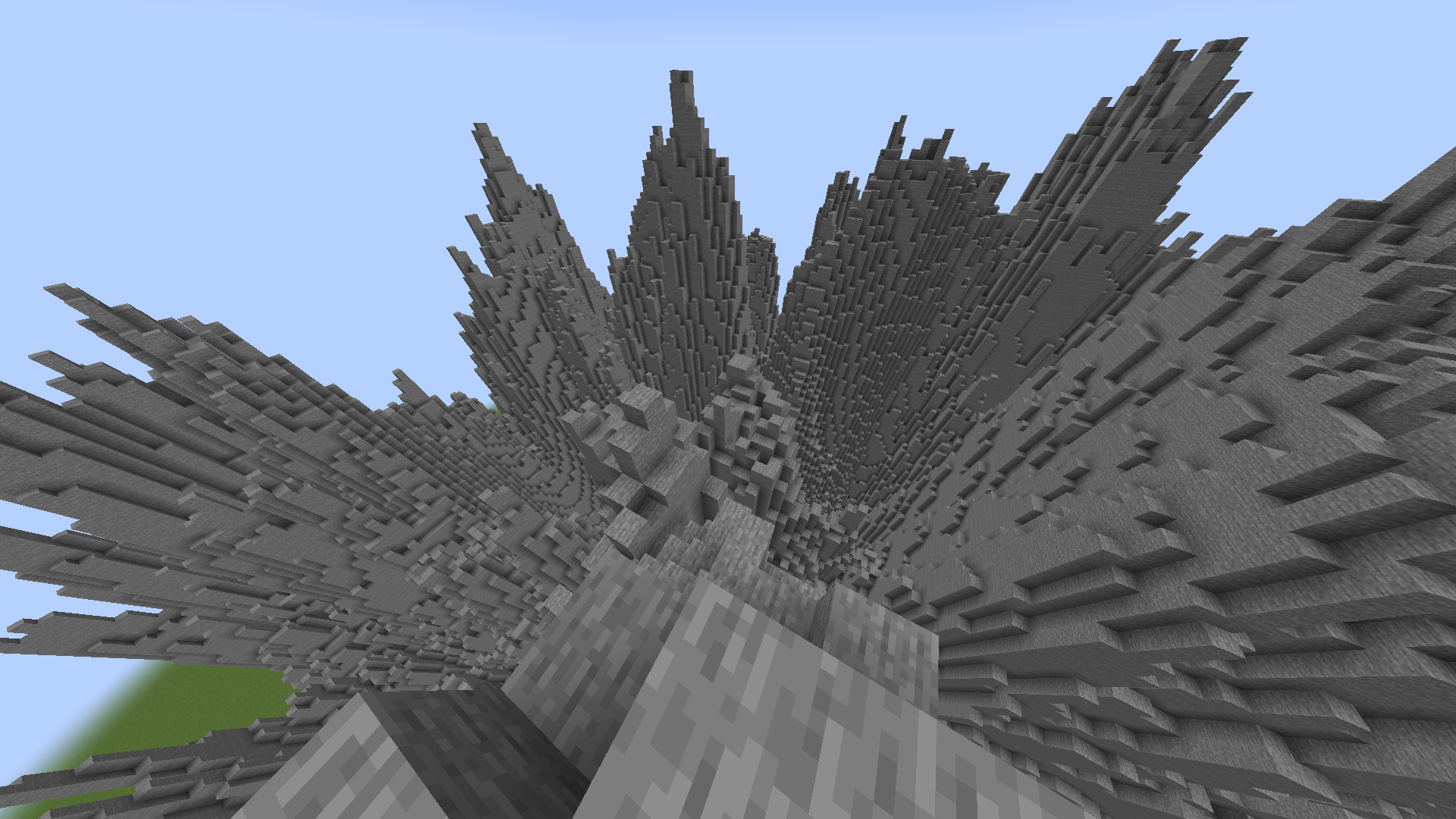 Heightmap. Terrain generated with a heightmap image using /image heightmap.
 -
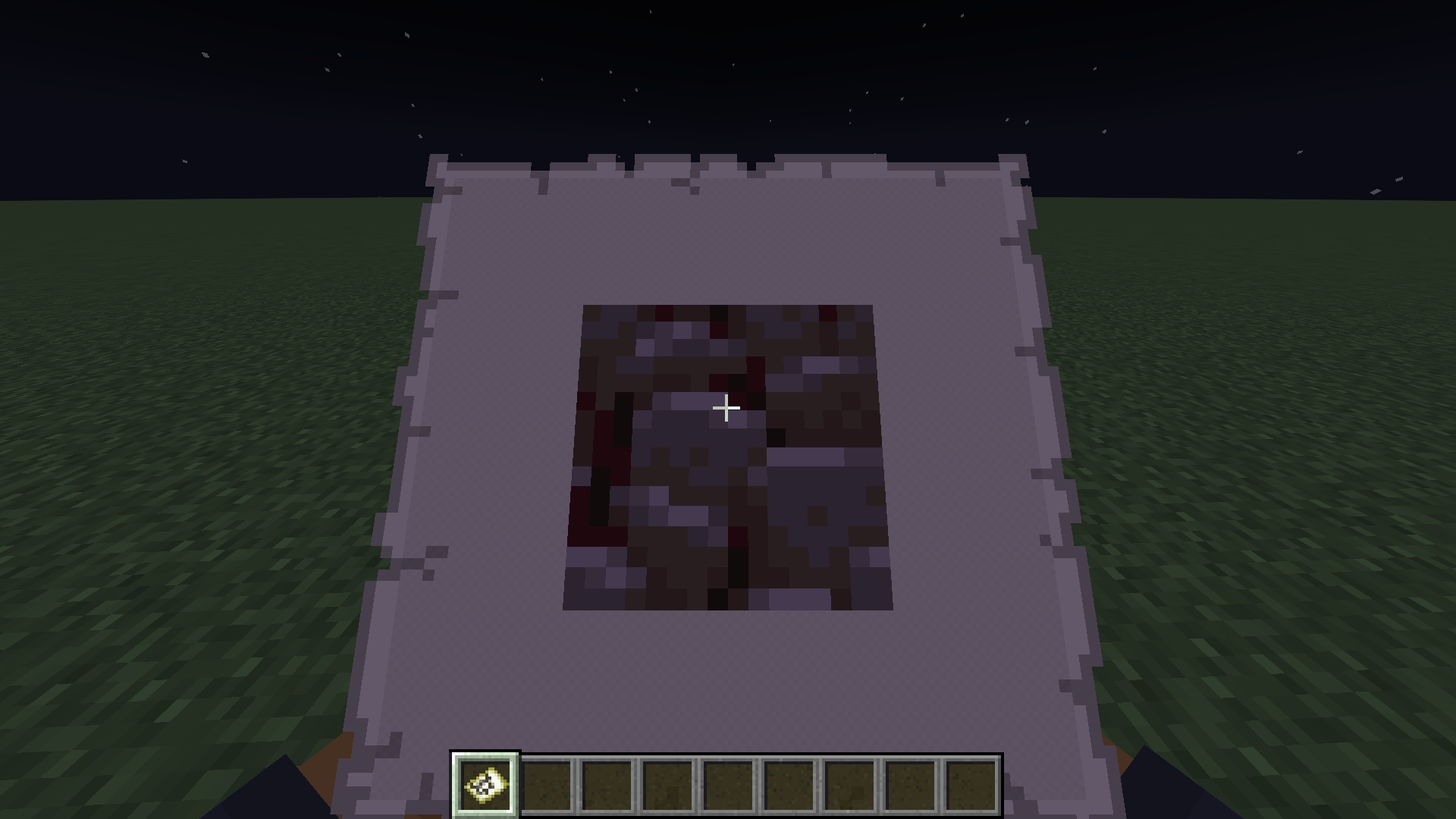 Give. An image given to the player using /image give. Image was not placed in world.
 -
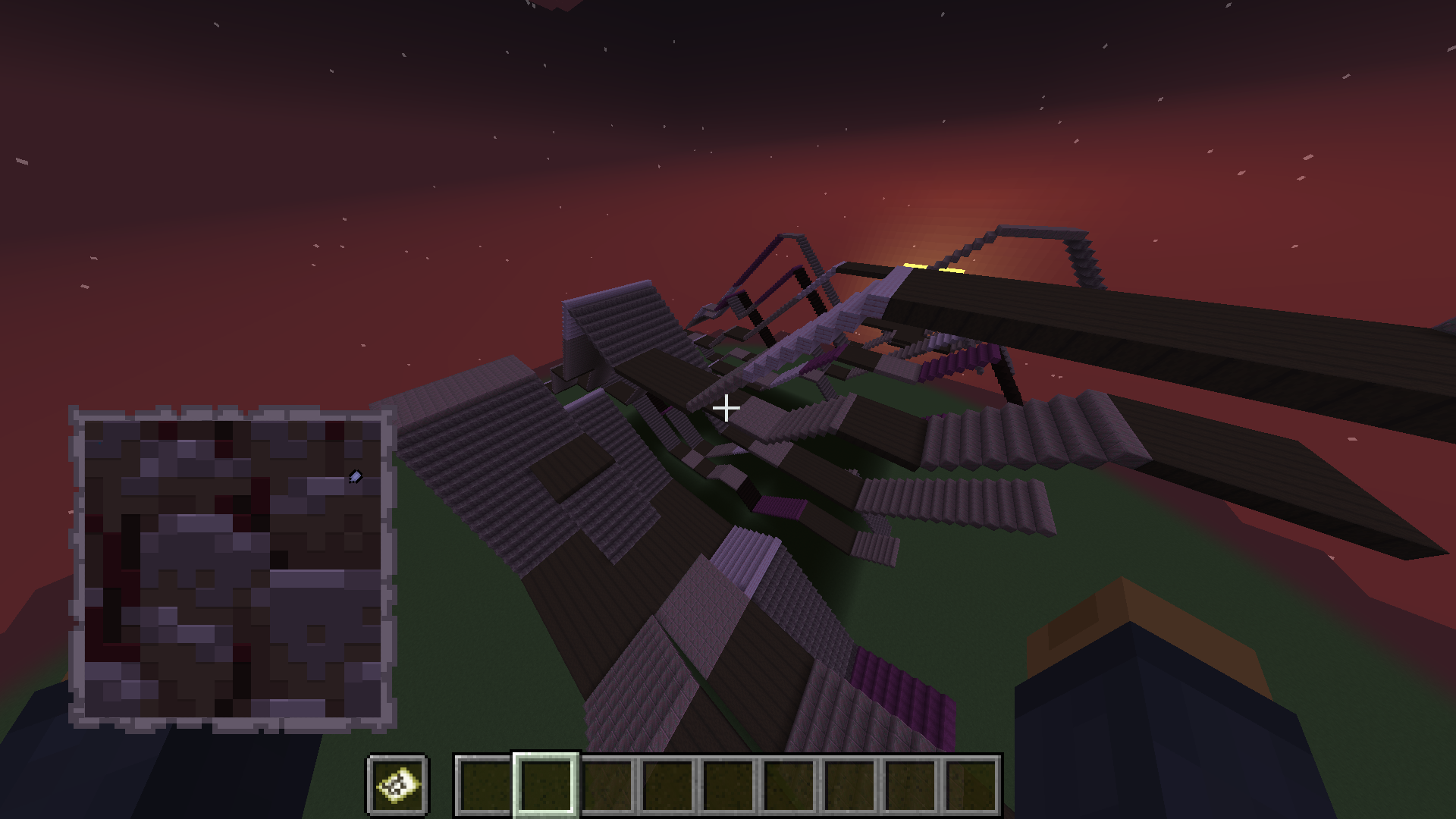 Paste to map 2. An image pasted using /image pasteToMap, but with staircase heightmap.
 -
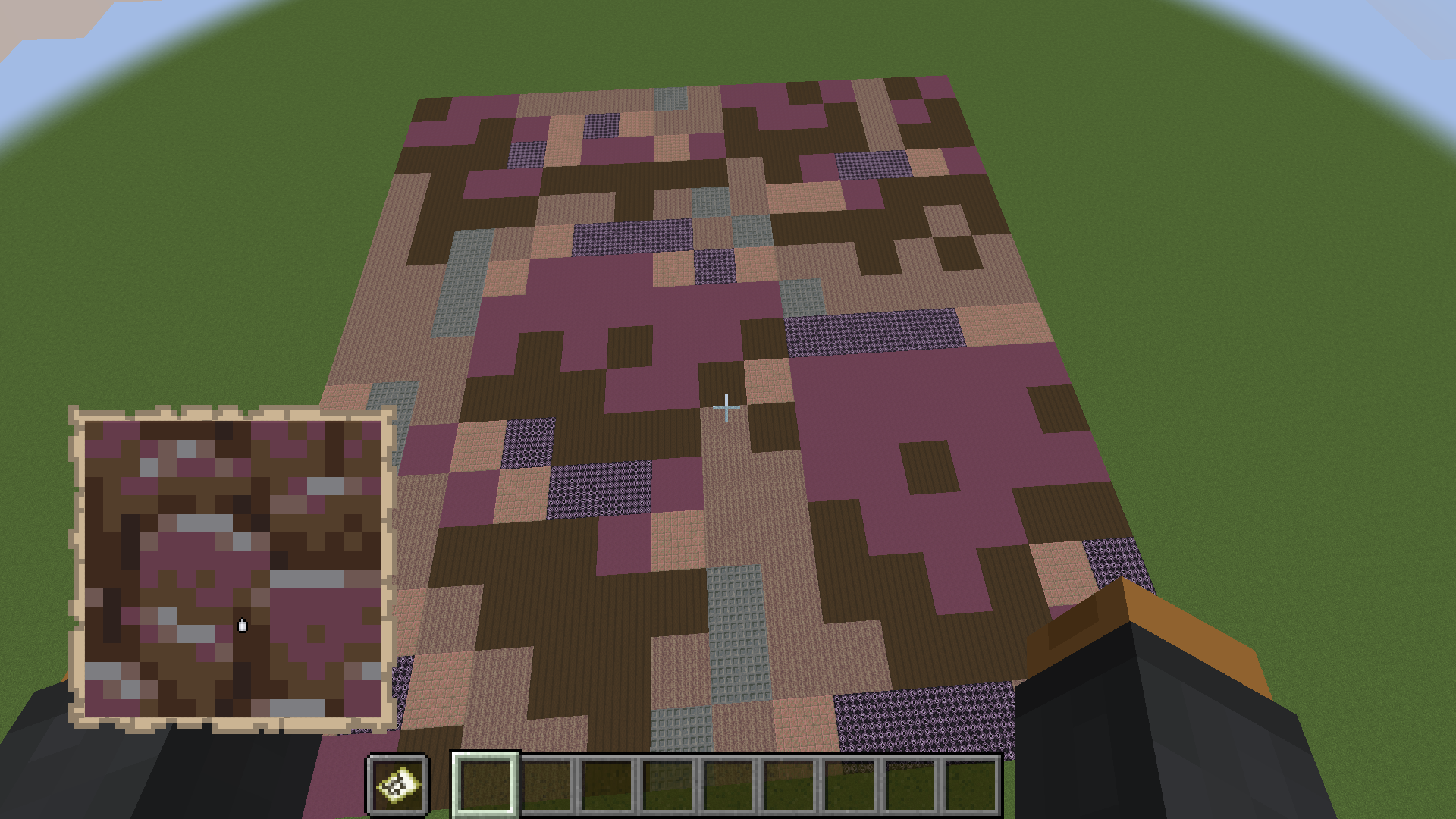 Paste to map. An image pasted using /image pasteToMap.
 -
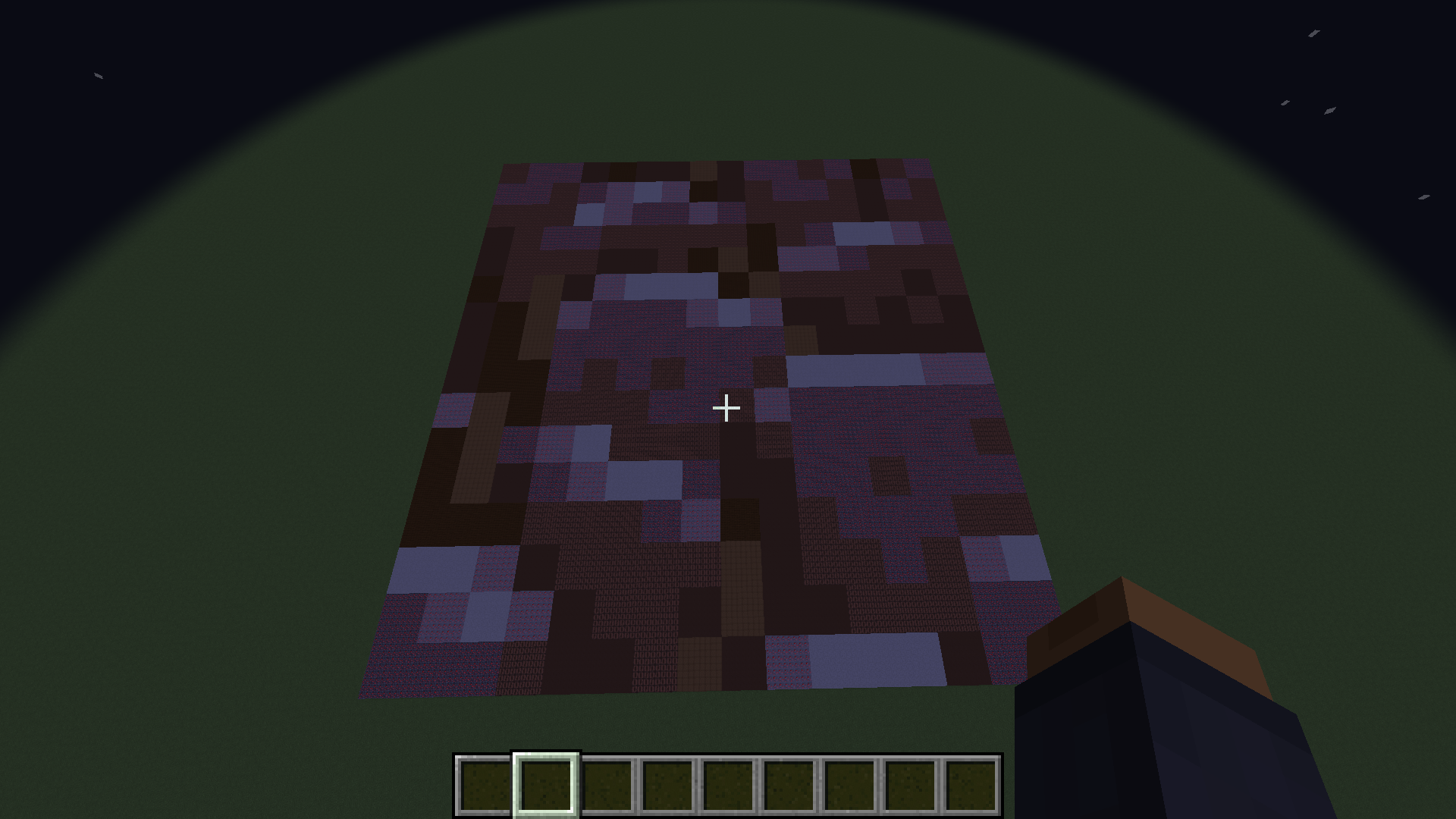 Basic paste. Image pasted using /image paste.
-
 Basic paste. Image pasted using /image paste.
 -
 Paste to map. An image pasted using /image pasteToMap.
 -
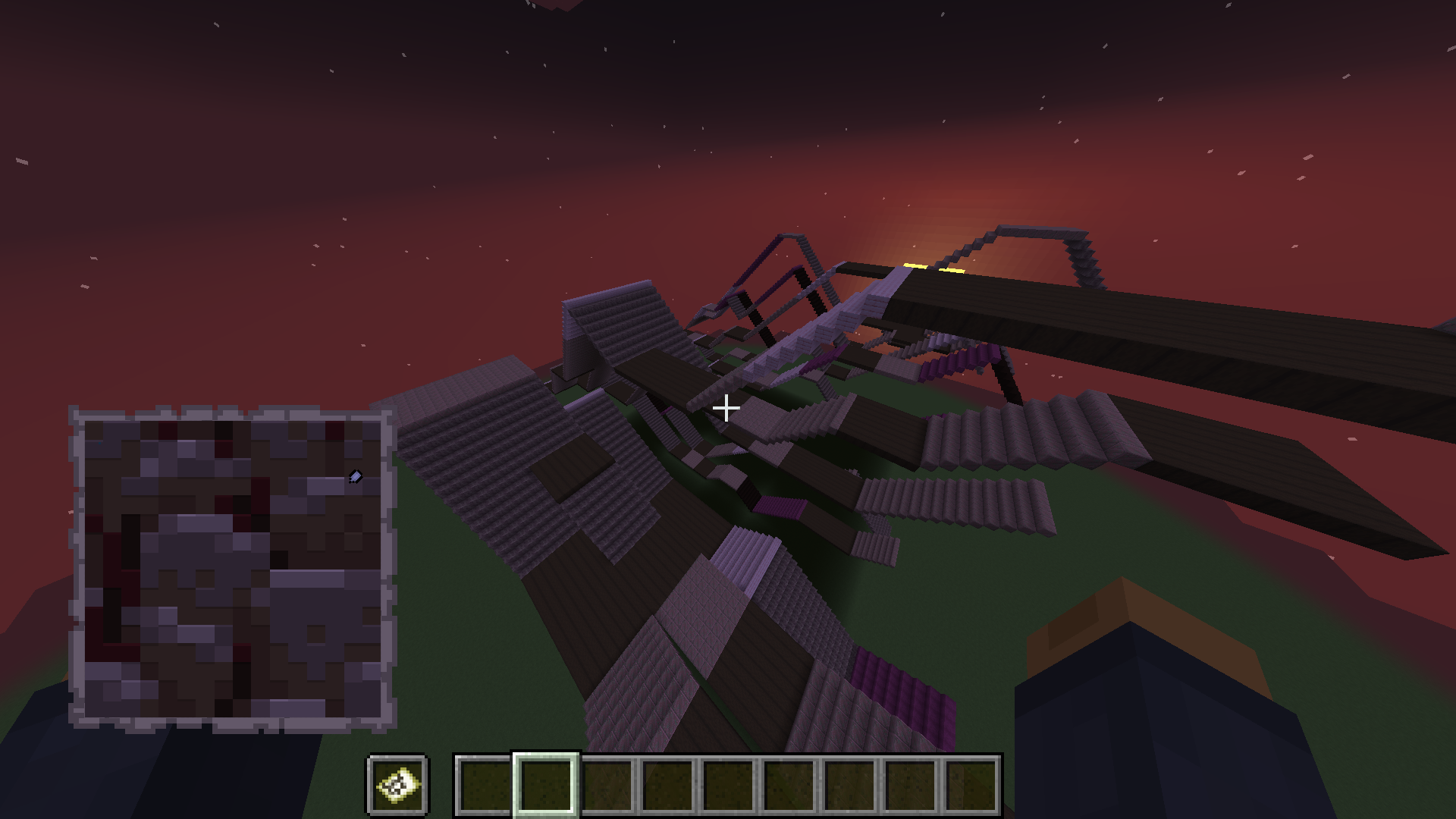 Paste to map 2. An image pasted using /image pasteToMap, but with staircase heightmap.
 -
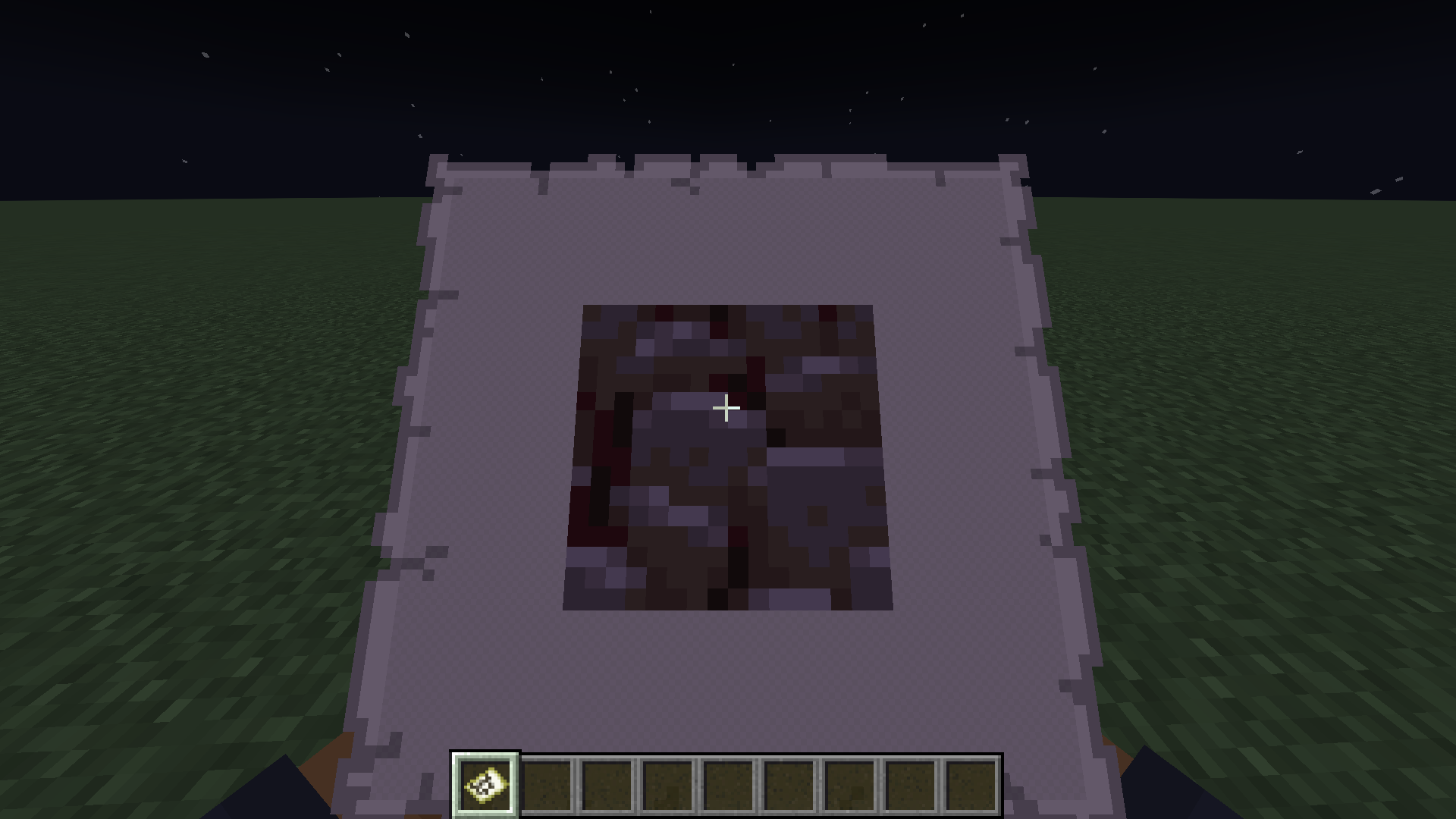 Give. An image given to the player using /image give. Image was not placed in world.
 -
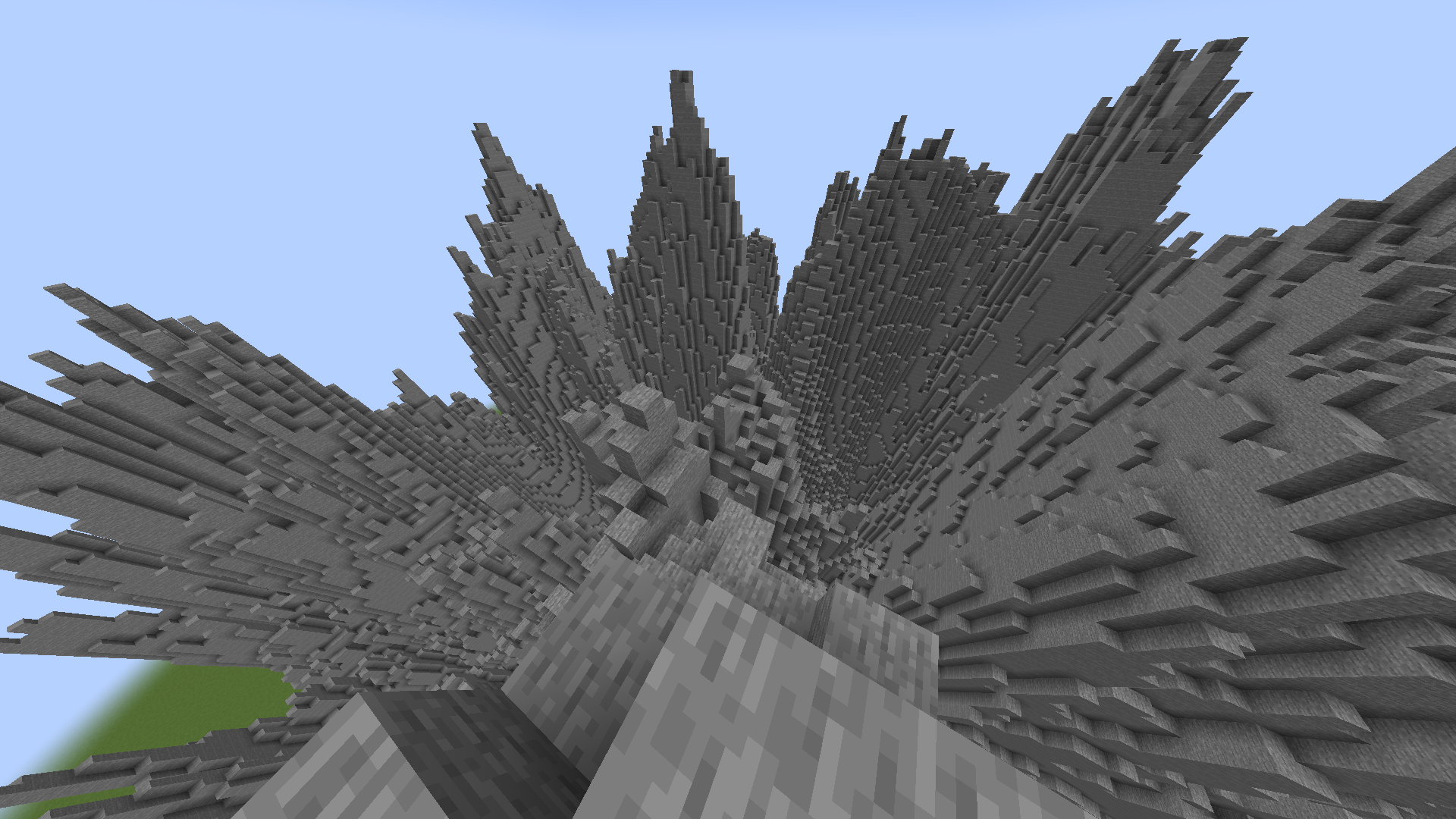 Heightmap. Terrain generated with a heightmap image using /image heightmap.
Versions
Files
Relations
Project Relations
More like this
Similar Mods
Suggestions use data such as tags, dependencies, dependents, descriptions, titles, and more to rank how much they overlap with this mod.
On ModDex
Community snapshot
By the numbers
Statistics
Want to reach Minecraft players?
We're looking for a server hosting partner to feature here and other parts of the site. Interested? Send us a message!
Get in touchGet it on
Available Platforms
On ModDex
Community snapshot
By the numbers