Community listing page, reviews here may not be monitored by the author.
ImelCraft

No reviews yet
200 new blocks and items including new ores, tools, armor, doors, fluids and lots lots more

Community voices
Reviews
No reviews yet. Be the first to review this project!
Get it on
Available Platforms
About
Project Details
For authors
Embed Badge
If you're the author of this project, you can embed a live badge anywhere that supports HTML or Markdown. It updates automatically whenever ratings change.
Use HTML for any page that supports it, or Markdown for README files and Markdown-based descriptions.
Identifiers
Platform IDs
Resources
External Links
About
Description
Imelcraft is a Minecraft mod which adds in a large number of new blocks and items to Minecraft. Some blocks include new fluids, new redstone lanterns, new basic blocks like ores, decorative blocks like wood flooring, plus a ton of new Multi-Block blocks that combine traits from several blocks into one new and unique block. This mod is a work in progress so there is a whole lot more planned for it. For now the mod only covers the basic core blocks and really has no other purpose other than extending minecraft with much needed blocks to help with builds and general all around survival.
Recently updated to include electric fences that work when redstone is applied and super charges creepers to boot:)
Recipes, Reporting Bugs, and General Feedback
Recipes for this mod can be found at in our wiki.
Reporting bugs, errors, or just general feedback can be done on ImelCraft's Facebook page.
Multi-Block Blocks
This is one of the core concepts of this mod, taking blocks and combining them to get new multi-functioning blocks. The main focus so far is working with redsone wire and redstone lanterns and combining them with other blocks to get redstone block wire and redstone block wire lanterns. Block wire functions a lot like redstone wire does in that it allows redstone current to pass through it, and the current degrades by 1 every block further away from the provider it is just like redstone wire. It differs however in several key ways. first off power in them is both directional and non-directional. Redstone wire is directional so powering from the left pushes power out the right and only powers the block its actually sitting on, or the block below it. redstone block wire instead powers all sides of the block at the same time so any block touching it will have power in any direction. Another key difference is that it still behaves like a normal block so you can connect levers directly to it, push it with piston, and more. Be careful mixing the vanilla redstone wire and these new combo blocks as the results might not be what you expect due to these subtle differences. Redstone block wire lanterns are exactly the same as the redstone wire blocks except that they also behave like lanterns and produce light when either powered or not. The advantage of these blocks is that they look like all the other blocks so it allows you to hide redstone wiring and accomplish wiring in a one block space. This allows you to for example have a one block thick wall with working light switches controlling lights some distance away, or it could allow you to light up a space without the need for countless number of torches everywhere, or make a glass roof that can also be how you light your room or house at night.
New Glass and Plexiglass
I know there are other mods with glass and with connected textures to boot. So this is not an attempt to replace those mods however to do what i wanted to do with the lantern blocks i needed my own type of glass, I chose pyrex and plexiglass as the ones i wanted to implement. Pyrex tends to look alot like vanilla glass except a lot clearer. It has about the same tensile strength as vanilla glass as well except that it drops itself when mined intead of being destroyed. Plexiglass on the other hand is much stronger, is blast resistant and even more clear than pyrex. Again it drops itself instead of being destroyed when mined.
Fluids
There are 2 types of fluids and 16 colors of each. One set of 16 is just colored water, the other set is colored water that emits light, and the light it emits is much brighter than lava. Handy for lots of things like lighting up a cave or making your build look even cooler.
Advanced Alloys
This mod has metal alloy blocks you have to craft and smelt to get. Mixing other ores together to get new much stronger blocks. These include Bronze which is in between iron and diamond for characteristics like strength and durability. Aerospace Aluminum, Steel, and Concrete also can be made with some characteristics better than others, each having its own advantages / disadvantages, all of them blast proof and monsters do not spawn on them as well. Some are used in making new tools and armors .
Better Tools
Four new sets of armor and tools are included in this mod, including doors. Each with its own advantages / disadvantages like how long the tool lasts or how efficient they are. New materials like Titanium, Aerospace Aluminum, Bronze, and Steel are the basis for these tools and items.
Connected Textures
This mod's blocks all for the most part support connected textures so for example a 3x3 wall of glass looks like one single block as opposed to 9 seperate ones sitting next to each other. These blocks also interconnect with the other blocks of the same base type. So pyrex blocks, pyrex redstone wire blocks, and pyrex redstone wire lantern blocks all connect as if they were the same block. this allows you to for example run redstone wiring up a wall and not have the texture break. Effectively making it invisible or indistinguishable to the rest of the blocks making up the wall. Be warned this is video card and processor sensitive so be aware that if your lagging with vanilla minecraft this mod is not going to be speeding anything up. the better the video card / system you run this on the better it runs.
Compatibility with other mods
This mod requires Forge to be installed to run, as such its compatible with any Forge mod for the same version of mincraft. This mod does use a config file but not for block ids, nor does it ever use specific block ids for any of its blocks or items. they are determined at the time the mod is first loaded so there should be no conflicts. Best suggestion if you are having conflicts with other mods is to install this mod last after the other mods compete for block ids. Also because this is a Forge mod also means the ingots in this mod are Ore Dictionary compatible, so in most cases you can use other mods ingots in place of this mods and vice versus as long as it also is Ore Dictionary compatible.
Wire Block Show hide
Added a key binding to help show wire blocks and wire lantern blocks, or make them appear when they are mixed with other blocks that are interconnected by texture to them. "=" is the default although you can change it to whatever you desire. This toggles between the normal textures and a more distinguishable ones for these blocks. Allowing you to easily see where your wiring is located in a wall, floor or what not. Warning because this changes the textures to all of these blocks at once means that sometimes the blocks dont change without a little help from a nearby block update. If you toggle the display and your wire blocks dont change simply do a block update anywhere in the chunk to force all of them to change. Quitting the game automatically resets this so you could easily just leave the game and come back in to get your connected textures back to normal.
Config File available
Once you started minecraft at least one time with this mod you can then go in to the config folder located in your default minecraft folder and find imelcraft.config file. this file allows you to turn on or off any creative tab. allowing you to selectively remove the blocks in the tab to further customize your experience. Dont want the fluids or the decorative blocks, no problem just turn them off in the config by setting them to false and restart minecraft.
Screenshots
Gallery
-
 ImelCraft Fluid Lights ImelCraft
 -
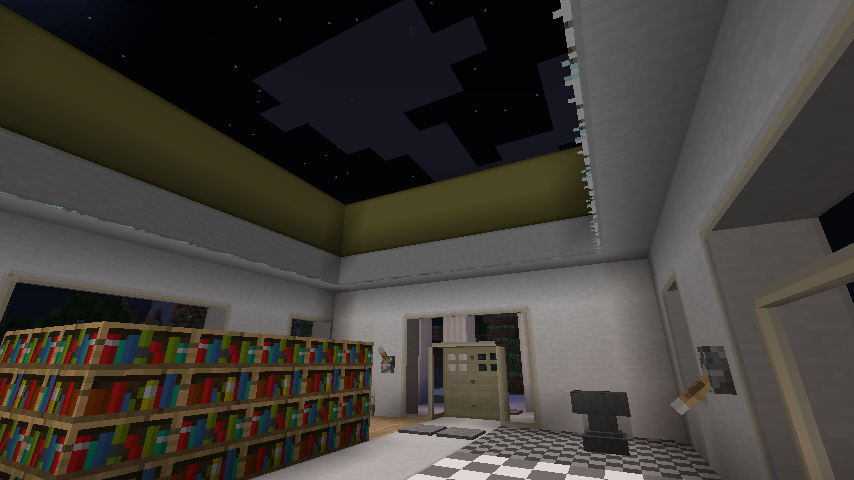 Many examples pictured is concrete, plexiglass, bronze doors, checkered tile, bronze blocks at top right above the pyrex wire light blocks
 -
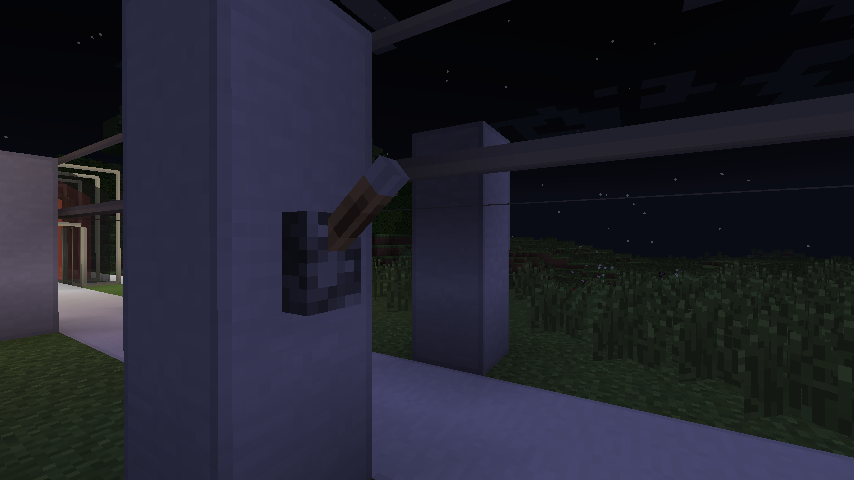 Lights off 2 Plexiglass wire light blocks and Concrete wire blocks pictured
 -
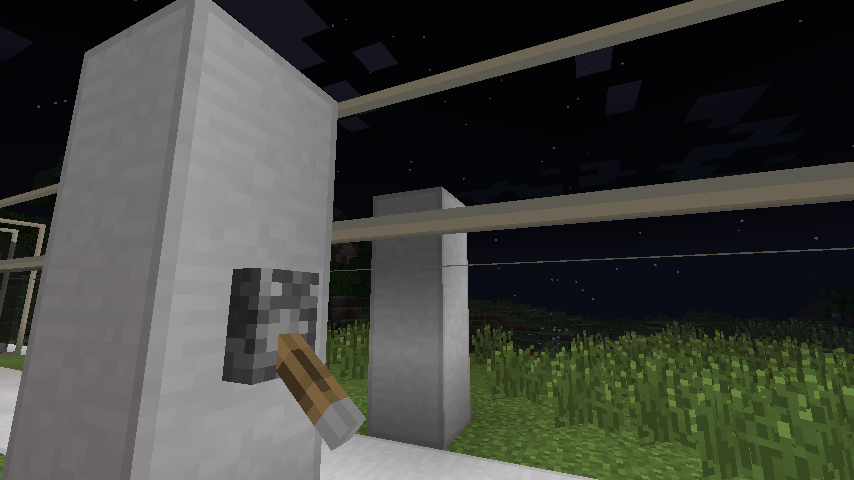 Lights on 2 Plexiglass wire light blocks and concrete wire blocks pictured
 -
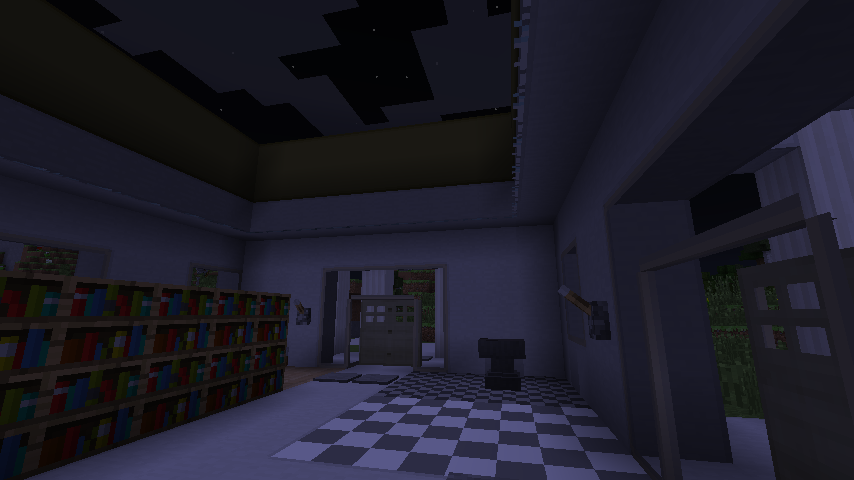 Lights Off Example of Wire Blocks and Wire Light Blocks Off
 -
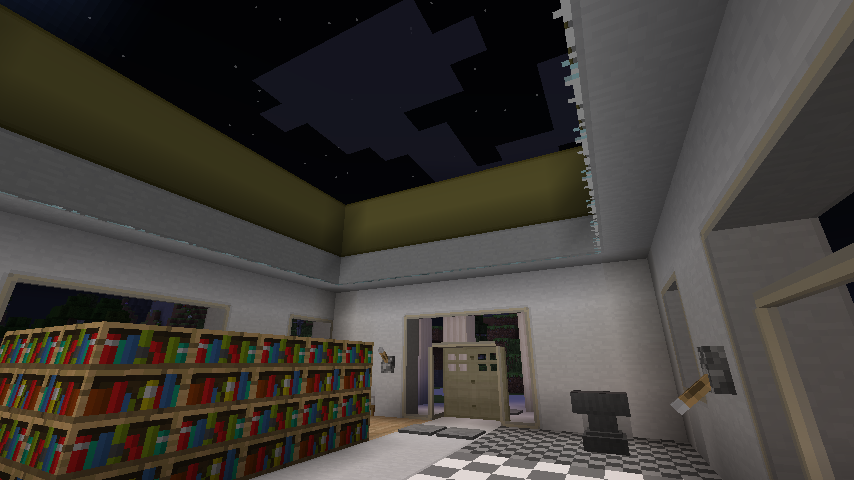 Lights On Example of Wire Blocks and Wire Light Blocks ON
 -
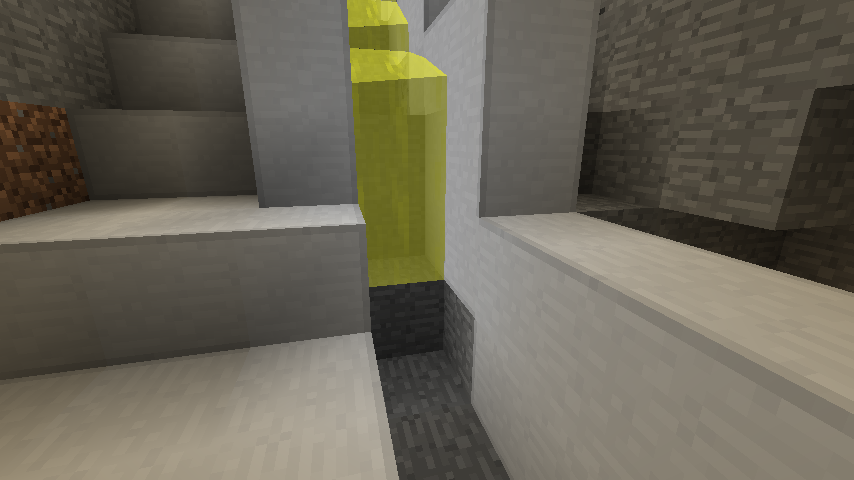 Fluids that emit Light Example of Fluid Light
 -
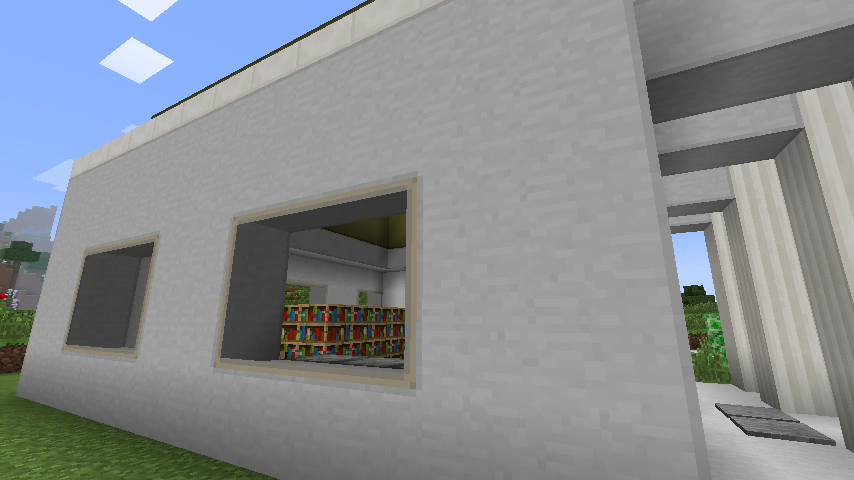 Plexiglass and Concrete example of several blocks with connected textures to give the basic idea
Versions
Files
Relations
Project Relations
More like this
Similar Mods
Suggestions use data such as tags, dependencies, dependents, descriptions, titles, and more to rank how much they overlap with this mod.
On ModDex
Community snapshot
By the numbers
Statistics
 (opens in a new tab)
Get it on
Available Platforms
On ModDex
Community snapshot
By the numbers
Statistics
Resources